Lessons · F5 LTM series · Module 7
Full explanation — same as the Techclick PDF
This section is the workbook explanation, rewritten from F5-BIG-IP-LTM-Module-7.pdf. Read it like class notes. Diagrams above are only a map — the teaching is here.
Read the PDF-order sections below. Then do the runbook. Then take the quiz. If a sentence is in the PDF, it is in this page.
PDF · page 1 — F5 BIG-IP LTM — Module 7
Troubleshooting & Production Operations tcpdump · Logs · TCP · SSL/TLS · Routing · Pools · HA · Real-World Incident Analysis
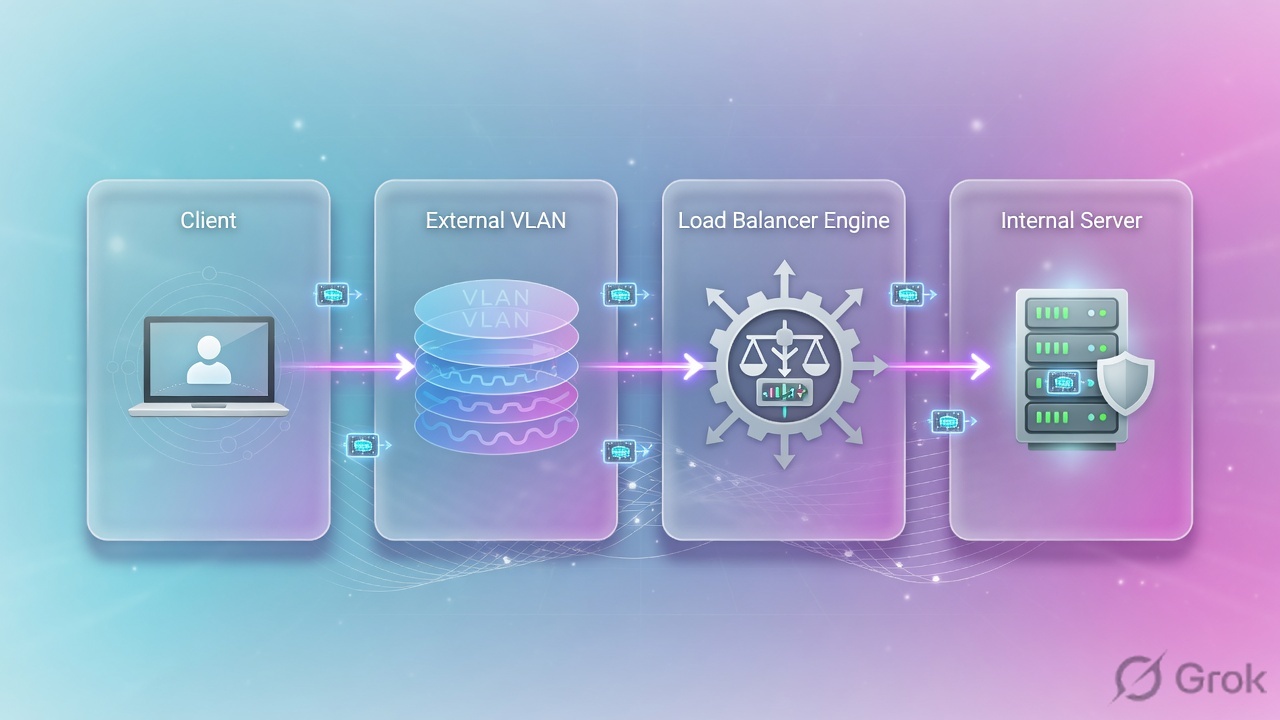
- 1 CLIENT
- 2 DNS → VIP
- 3 VIRTUAL SERVER
- 4 POOL → BACKEND
- 5 RESPONSE
PDF · page 2 — TROUBLESHOOTING MINDSET Do NOT Start by Changing Configuration
Before touching a single setting, gather facts. Every configuration change made without evidence risks introducing a new problem while the original remains unsolved. Discipline at this stage separates senior engineers from junior ones.
Ask These Questions First What exactly is failing?
Who is affected — all users, one user, one site? When did it start?
What changed recently? Is the failure constant or intermittent?
Scope the Blast Radius All users affected?
One user or location? One VIP or one pool member?
One protocol (TCP vs UDP)? Intermittent or 100% failure rate?
- ❌ ASSUMPTION "F5 is dropping traffic."
FACT. "Client SYN arrives on external VLAN, but no server-side SYN is observed in tcpdump."
Convert every assumption into an observable, measurable fact before proceeding.
PDF · page 4 — PROBLEM STATEMENT
Build the Problem Statement Before You Troubleshoot
A precise problem statement cuts troubleshooting time in half. Collect the following fields before opening a terminal or GUI. Without this intake, engineers waste time chasing the wrong VIP, wrong port, or wrong timeframe.
Field Example Why It Matters
- Source IP 198.51.100.50 Confirms which client and path to trace — Destination / FQDN www.example.com Drives DNS verification step
- VIP 192.0.2.100 Identifies which Virtual Server to inspect — Port / Protocol 443 / TCP HTTPS Narrows VS matching and profile check
- Timestamp + TZ 2025-06-01 10:30 UTC Correlates logs and packet captures — Expected Behavior Login page loads Defines success criteria for validation
Actual Behavior Connection times out Distinguishes timeout vs RST vs HTTP error
Recent Changes Certificate, iRule, Firewall Points to probable cause immediately
PDF · page 5 — MASTER FLOW
Master Troubleshooting Flow — Find the Last Known Good Point
Work top-down through every layer. Stop at the first layer where evidence breaks down — that is where the problem lives. Never skip layers or you will diagnose the wrong component.
VS Configuratio n
Virtual Server
Match Packet
Reaches BIG-IP
Client ReachabilityDNS
At each stage, ask: "Do I have packet evidence that this layer is working?" If yes, move to the next. If no, you have found your investigation zone. This method prevents guessing and delivers repeatable results in production environments.
PDF · page 6 — DNS DNS Troubleshooting
DNS is the first hop. If the client resolves the wrong IP, no amount of BIG-IP troubleshooting will help. Validate DNS resolution before touching any F5 component.
- Verification Commands dig www.example.com nslookup www.example.com host www.example.com — Expected result: 192.0.2.100 (the VIP) Common DNS Failure Patterns
Old cached record pointing to decommissioned VIP
Multiple A records causing unpredictable client selection
- Split-DNS returning internal vs external differently IPv6 AAAA record preferred over IPv4 A record — Low TTL not yet expired after VIP migration
If DNS returns 192.0.2.200 but the VIP is 192.0.2.100, BIG-IP troubleshooting is irrelevant until DNS is corrected first.
PDF · page 7 — CLIENT CONNECTIVITY Client-to-VIP Connectivity
After confirming DNS is correct, verify that the client's TCP SYN actually reaches BIG-IP. If SYNs are not arriving, the problem is entirely upstream of the F5 — investigate the client routing, firewall, NAT, or network ACLs first.
Client-Side Test Tools curl -v http://www.example.com curl -vk https://www.example.com telnet 192.0.2.100 443 nc -zv 192.0.2.100 443 Browser Developer Tools (Network tab) also reveal TCP and TLS timing.
- BIG-IP Capture Confirmation tcpdump -nni 0.0 host 198.51.100.50 — If no SYN appears in this capture, the packet never reached BIG-IP.
Shift investigation upstream immediately.
- If SYN Is Absent — Check Upstream router or firewall ACL — Client default gateway / static route NAT or PAT device upstream
Security policy blocking source IP
PDF · page 8 — VIRTUAL SERVER Virtual Server Troubleshooting
A Virtual Server must match the incoming packet on destination IP, destination port, and protocol. Missing any one of these means no match — the traffic may hit a wildcard VS or be dropped silently.
Key TMSH Commands tmsh show ltm virtual tmsh list ltm virtual What to Verify
Destination IP and mask match VIP Service port matches client request port
- IP protocol (TCP vs UDP) correct VS type (Standard, Performance, Forwarding) — Enabled state — not disabled or forced offline VLAN restrictions not excluding client VLAN
Correct default pool assigned Profiles, SNAT, iRules, Policies attached
Example mismatch: Client connects to 192.0.2.100:443 but VS is configured for 192.0.2.100:8443. No match. Traffic is not processed by that VS.
PDF · page 9 — VS MATCHING
Virtual Server Matching — How BIG-IP Selects a VS
BIG-IP evaluates incoming traffic against configured Virtual Servers. More-specific entries (longer destination prefix, explicit port, explicit source) generally take precedence over wildcard entries. Understanding this prevents "ghost matching" by an unintended VS.
- Traffic: 192.0.2.100:443 TCP VS-A: 192.0.2.100:80/TCP — No Match — Traffic: 192.0.2.100:443 TCP VS-B: 192.0.2.100:443/TCP — Match ✓
Additional Match Factors Source Address
- Restrict to specific client subnets using source address filtering VLAN Restriction — VS can be limited to traffic arriving on specific VLANs Protocol
TCP vs UDP vs Any — must align with client traffic type Destination Mask
- Host route (/32) is more specific than subnet — matches first
PDF · page 10 — POOL TROUBLESHOOTING Pool Troubleshooting
POOL TROUBLESHOOTING Pool Troubleshooting. A pool in the GUI may appear available while individual members are in mixed states. Always inspect member-level detail, not just the pool aggregate status. A pool with one UP member out of three may still serve traffic — but with reduced capacity and potential load-distribution issues.
TMSH Commands tmsh show ltm pool tmsh show ltm pool WEB_POOL tmsh list ltm pool WEB_POOL
- Pool Member Checklist Correct pool assigned to the Virtual Server? — Members exist with correct IP and port? Health monitor assigned and passing?
- Priority group configuration — minimum active members? Per-member connection limits reached? — Member administratively disabled? Member forced offline?
- Web01 10.20.20.101:443 🟢 UP
- Web02 10.20.20.102:443 🔴 DOWN
- Web03 10.20.20.103:443 🟢 UP
PDF · page 12 — NODE & MEMBER Node & Pool Member Troubleshooting
A Node represents a backend IP address at the network layer. A Pool Member is that node bound to a specific service port and health monitor.
These are not the same — a node can be reachable via ICMP while the application service on its port is completely down.
- Inspection Commands tmsh show ltm node tmsh show ltm pool WEB_POOL tmsh show ltm node 10.20.20.101 — Common Root Causes Wrong IP assigned to member
- Wrong service port (443 vs 8443) Backend service stopped — port not listening — Member administratively disabled or forced offline Wrong or missing health monitor
No route to backend subnet
Node reachability (ICMP ping) does not equal application-service availability on a specific port. Always test the actual service port.
PDF · page 13 — HEALTH MONITORS Health Monitor Troubleshooting
Pool members mark DOWN when the health monitor does not receive the expected response. The most common mistake: the monitor test does not replicate what the application actually requires — missing Host header, wrong URI, or mismatched receive string.
Simulate the Monitor Manually curl -v http://10.20.20.101/health curl -v -H "Host: www.example.com" \ http://10.20.20.101/health openssl s_client -connect \
- 10.20.20.101:443 -servername app.example.com curl -vk https://10.20.20.101/health — Monitor Configuration Checklist Send string: GET /health HTTP/1.1 Host:
app.example.com . Receive string must match exact backend response Correct port configured on monitor
TLS / SNI required by backend? Timeout and interval appropriate?
Firewall allows monitor source IP to backend port?
Monitor send/receive strings are case-sensitive and whitespace-sensitive. A trailing space can cause monitors to fail silently.
PDF · page 14 — ROUTING Routing Troubleshooting
BIG-IP uses standard IP routing to reach backend servers. A missing or incorrect route means pool members can be configured correctly but remain unreachable — BIG-IP simply has no path to forward packets to the backend subnet.
Routing Commands tmsh show net route tmsh list net route ip route show
What to Verify Connected route exists for backend VLAN subnet
- Static route covers backend network Default route (0.0.0.0/0) present if needed — Next-hop gateway is reachable and ARP-resolved Route domain correct where used
Backend: 10.30.30.101. Required route: 10.30.30.0/24 → next-hop 10.20.20.1 Route Missing
BIG-IP cannot forward SYN to backend. Pool member goes DOWN.
All traffic fails.
BIG-IP uses longest-prefix-match — the most specific matching route wins. Verify that no unintended more-specific route is overriding the expected path.
PDF · page 15 — ARP / LAYER-2 ARP & Layer-2 Troubleshooting
A correct route is necessary but not sufficient. BIG-IP must also resolve the Layer-2 MAC address of the next-hop or backend server via ARP.
An unresolved ARP means packets are silently discarded at the forwarding stage even though the routing table looks correct.
- ARP Inspection Commands tmsh show net arp ip neigh show arp -an Common Layer-2 Root Causes — Wrong VLAN — server on different VLAN than Self IP
- Tagged vs untagged trunk mismatch on switch/VMware VMware port group misconfigured — Duplicate IP address on segment Server interface down
Incorrect subnet mask on server or BIG-IP Self IP
A route entry exists in the table but ARP shows Incomplete for 10.20.20.101 — the packet still cannot reach the backend. Route + ARP must both succeed.
PDF · page 17 — SNAT & RETURN PATH SNAT & Asymmetric Routing Troubleshooting
Asymmetric routing is one of the most common silent failure modes on BIG-IP. The client sends traffic through BIG-IP, but the backend server returns the response directly to the client via a different path — bypassing BIG-IP entirely. BIG-IP never sees the return, so it cannot complete the TCP connection.
🔴 ASYMMETRIC PATH Client → BIG-IP → Server. Server → Default Router → Client (bypasses BIG-IP) CORRECT PATH
- Client → BIG-IP → Server (SNAT source = BIG-IP Self IP) — Server → BIG-IP → Client (return path forced through BIG-IP) Troubleshooting Checklist
Check backend server's default gateway — does it point to BIG-IP?
- Capture on server: is source IP the BIG-IP Self IP (SNAT) or original client IP? — If client IP is visible on server: server must route reply through BIG-IP
- SNAT Automap forces server-side source to BIG-IP Self IP — return naturally comes back to BIG-IP — Do not enable SNAT Automap blindly without understanding the network design. Understand the return-path implication before applying it.
PDF · page 18 — CONNECTION TABLE The BIG-IP Connection Table
The BIG-IP connection table tracks every active flow through TMM. It maps the client-side tuple to the corresponding server-side tuple, giving you a real-time view of SNAT translations, VIP binding, and protocol state. This is essential evidence during live troubleshooting.
Inspection Command tmsh show sys connection
Filter by source or destination IP to narrow output on busy systems.
Exact filter flag syntax may vary by BIG-IP version — consult release notes for your version.
Conceptual Connection Entry Client-side:
- 198.51.100.50:55000 → 192.0.2.100:443
Server-side (after SNAT):
- 10.20.20.10:32000 → 10.20.20.101:443
Protocol: TCP State: ESTABLISHED
SNAT changes the server-side source from the original client IP to the BIG-IP SNAT IP (e.g., a floating Self IP). The backend server sees 10.20.20.10 as the source — not 198.51.100.50. This affects logging, access controls, and return routing on the backend.
PDF · page 19 — FULL-PROXY MODEL Standard VS Full-Proxy — Two Independent TCP
Connections
BIG-IP Standard Virtual Servers operate as a full proxy. The client-side TCP connection and the server-side TCP connection are completely separate. This is the most important concept for packet-capture interpretation — sequence numbers, window sizes, and timing differ between the two sides.
Client-Side Analysis
- Check client SYN, SYN-ACK from BIG-IP, and TCP handshake completion on the external-facing capture point — Server-Side Analysis Check BIG-IP SYN to backend, backend
- SYN-ACK, and server TCP handshake independently from client-side Sequence Numbers Differ — TCP ISNs are independently generated on each side — do not compare sequence numbers across the proxy boundary
PDF · page 20 — TCP TCP Handshake & Failure Pattern Analysis
Reading the TCP handshake pattern tells you where the conversation broke down. Each failure pattern points to a distinct set of root causes.
Identify the pattern before drawing any conclusion.
- Normal Handshake SYN → SYN-ACK ← ACK → — Connection established. Investigate application layer next.
- 🔴 Pattern A: No SYN-ACK SYN → SYN → SYN → (no response) — Investigate: Firewall, routing, server not listening, wrong VLAN, network path
🔴 Pattern B: SYN → RST SYN → RST ←. Investigate: Port closed, service not listening, TCP reject rule, wrong destination port
- 🔴 Pattern C: Reset After Handshake SYN ↔ SYN-ACK ↔ ACK ↔ RST — Investigate: Application error, TLS failure, idle timeout, policy, backend crash
Always identify which side sent the RST by packet source IP and capture location before assigning blame to BIG-IP.
PDF · page 21 — RETRANSMISSIONS TCP Retransmissions — What They Mean
A TCP retransmission occurs when the sender does not receive an acknowledgment within its retransmission timeout (RTO). Retransmissions are a symptom — not a root cause. Do not immediately blame BIG-IP when you see them.
Retransmission Sequence t=0.000s SYN → (no response) t=1.000s SYN → (retransmission #1) t=3.000s SYN → (retransmission #2) t=7.000s SYN → (retransmission #3)
Connection abandoned Root Causes to Investigate
Packet loss in the network path Congestion causing buffer drops
- Firewall silently dropping packets (no RST) Server too busy to respond in time — Asymmetric routing — reply takes different path MTU mismatch causing fragmentation drops
Use packet timestamps to measure inter-packet delay. Compare retransmission intervals against expected TCP backoff doubling. If timestamps show the pattern stopping after the BIG-IP, the issue is downstream. If SYNs are retransmitted but never reach BIG-IP, the problem is upstream.
PDF · page 22 — RST ANALYSIS RST Troubleshooting — Identify the Sender
A TCP RST (Reset) terminates a connection immediately. The critical question is not that a RST occurred — it is who sent it. RSTs from different sources indicate entirely different root causes. Never say "F5 reset the connection" without packet evidence identifying BIG-IP as the source.
Client Sends RST
Client application closed connection or timed out before receiving response. Often browser/OS timeout or application abort.
BIG-IP Sends RST
Idle timeout expired, connection limit reached, iRule explicitly reset, or malformed traffic triggered TMM reset.
Backend Sends RST
No listener on port, application rejected connection, backend firewall sending reject, or server process crashed.
Intermediate Device
Firewall, IPS, or load balancer inline issuing reset on behalf of a policy.
Source IP in capture may be spoofed.
Use the source IP address in the RST packet combined with the capture interface location to determine who generated it. A RST sourced from 10.20.20.101 immediately after a SYN strongly indicates no listener on the backend port.
Techclick Infosec Pvt Ltd | ai.techclick.in | Training Contact: WhatsApp +91 92772
Same lab numbers on every page: client 198.51.100.50, VIP 192.0.2.100, Self IPs 192.0.2.10 / 10.20.20.10, members 10.20.20.101–103.
- Hub · Course map
- M1 · Fundamentals & admin
- M2 · Networking & traffic flow
- M3 · Virtual Servers & pools
- M4 · Profiles, SNAT, SSL
- M5 · Monitors, iRules, policies
- M6 · High availability
- M7 · Troubleshooting ← you are here
Recorded course + workbooks: My Courses · syllabus F5 LTM / GTM / ASM
Do not start by changing configuration
Module 7 PDF opens with discipline: every change made without evidence risks a second outage. Convert “F5 is dropping traffic” into “Client SYN arrives on external VLAN, but no server-side SYN is observed.” That sentence already names the layer.
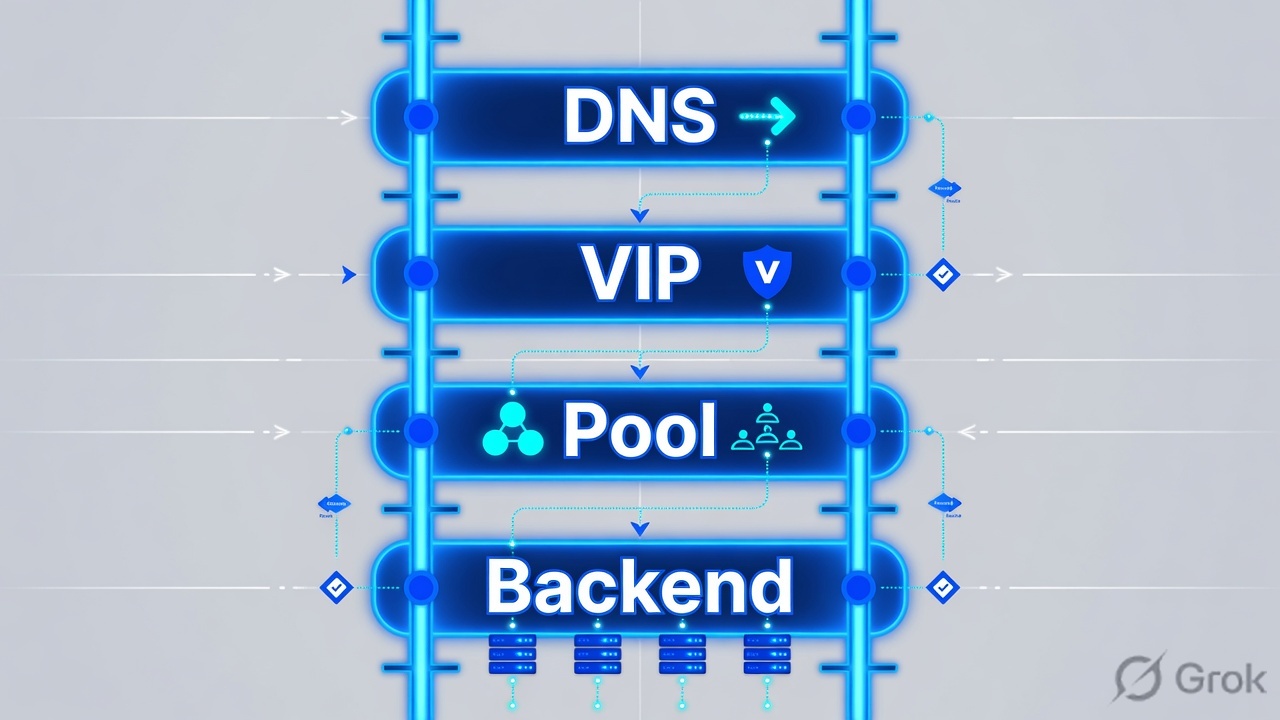
Write a problem statement (source, VIP, port, time, expected vs actual, last change). Then walk DNS → packet at BIG-IP → VS match → profiles/SNAT/iRule → pool/monitor → server-side capture. Asymmetric return path is the silent classic — SNAT Automap or fix the server gateway.
Problem statement before the terminal
| Field | Example | Why |
|---|---|---|
| Source IP | 198.51.100.50 | Which client to tcpdump |
| FQDN / VIP | www.example.com / 192.0.2.100 | DNS vs listener |
| Port / proto | 443 / TCP | VS match |
| Time + TZ | 2026-08-26 10:30 IST | Logs |
| Expected / actual | Login page / timeout | Timeout vs RST vs HTTP 502 |
| Last change | Cert, iRule, firewall | Probable cause |
Ask at each box: do I have packet proof this layer works?
Never say “F5 reset the connection” without a capture that shows BIG-IP as the RST source. Upstream firewalls RST too.
Which tool at which layer
| Layer | Command / tool | Pass looks like |
|---|---|---|
| DNS | dig / nslookup from the client | A record = VIP |
| Listener | tmsh show/list ltm virtual | Enabled, correct destination:port, stats increment |
| Pool | tmsh show ltm pool X members | At least one up; not all disabled |
| Route/ARP | tmsh show net route / arp | Path to member MAC |
| Packets | tcpdump -nni 0.0 host … | SYN both directions or a precise hole |
| TLS | curl -vk ; client-ssl stats | Cert name + finished handshake |
Runbook — first 15 minutes of an incident
Side A · facts, no changes
Fill the problem statement table
Who, VIP, port, when, last change.
DNS from the failing client
Wrong IP means you will tune the wrong VS forever.
List the VS
tmsh list ltm virtual vs_web_httpsdestination, VLANs, pool, profiles, SNAT, rules.
tmsh show ltm virtual
tmsh list ltm virtual vs_web_https
tmsh show ltm pool WEB_POOL
tmsh show ltm pool WEB_POOL members
tmsh show ltm node 10.20.20.101
tmsh show net route
tmsh show net arp
tmsh show sys connection
Side B · two-sided capture
Local Traffic > Virtual Servers > vs_web_https
Confirm VS match fields
Port mismatch example from the PDF: client 443, VS 8443 — no match, no processing.
Local Traffic > Pools > WEB_POOL
Member health
A down member is not a down VIP unless it was the last healthy member.
tcpdump -nni 0.0 host 198.51.100.50
tcpdump -nni 0.0 host 10.20.20.101 and port 443
Side C · asymmetric routing
Client → BIG-IP → server is not enough. If the server replies straight to the client, TMM never sees SYN-ACK and the full proxy cannot complete. SNAT Automap forces the server-side source to a Self IP so the return must come back. Do not enable Automap blindly — understand the gateway design — but do not refuse it when the server default route bypasses BIG-IP.

Where evidence usually breaks
No server-side SYN-ACK + No-SNAT = look at the server gateway before rewriting iRules.
Traps + proof
| Pattern | Often is | Not |
|---|---|---|
| No packet on 0.0 | Upstream routing/firewall/DNS | Pool monitor |
| Packet in, no VS stats | Destination/port/VLAN mismatch | SSL profile |
| VS stats, no server SYN | No route, member down, iRule drop | Client PC |
| Server SYN, no SYN-ACK | Server/app or asymmetric return | Need a new iRule first |
| RST | Prove who sent it | 'F5 always RSTs' |
- You can fill the problem-statement table from a phone call.
- You capture client-side and server-side before changing SNAT.
- You refuse to “just bounce TMM” as step one.
Knowledge check
If you want to change config first, you fail this quiz on purpose.
Sources
- Techclick PDF:
F5-BIG-IP-LTM-Module-7.pdf(from OneDrive_1_8-26-2026.zip, 26 Aug 2026) - Companion deck:
F5-Ltm-Training-Ppt (1).pptx.pdf - Official lab paths: F5 cert Lab 1 — VLANs, Self IPs, pools, virtual servers
- TMSH virtual server reference: ltm virtual
- Related deep dives on this site: SSL modes · SNAT · Persistence · VS/pools · VIP down / tcpdump
Related: Course hub · Syllabus · My Courses · F5 LTM interview