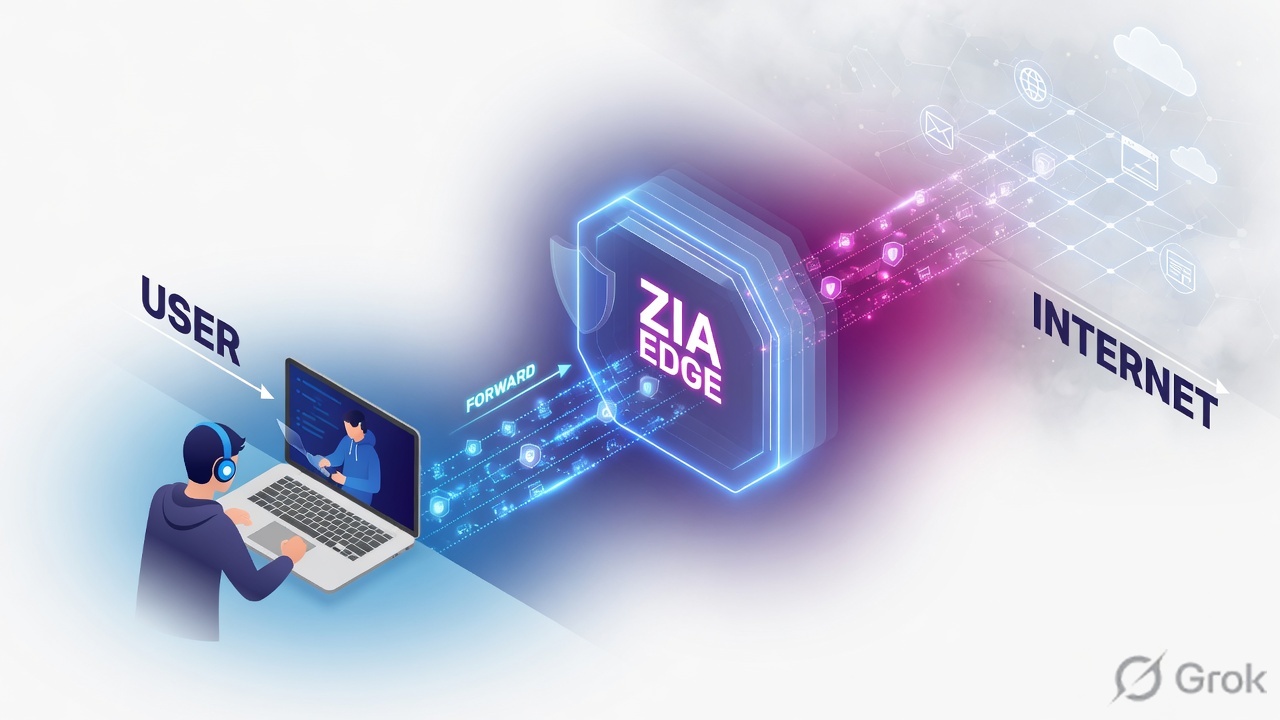
ZIA is an inline Public Service Edge — a full proxy, not a tap. Traffic must be forwarded (Client Connector, GRE, IPSec, or PAC). The edge opens two TLS sessions (client↔PSE and PSE↔server), then SSMA inspects once in shared memory. Web-module order is Firewall → SSL Inspection → ATP → AV → Cloud App Control → URL Control → File Type → DLP → Sandbox; the first violation stops the rest. Prove it: ip.zscaler.com shows the PSE virtual IP and hostname; Logs → Insights → Web Insights → Logs shows User, Location, Traffic Forwarding, SSL Inspected (Yes/No), and Policy Action.
Why the hop order matters
Legacy networks backhaul the branch to a stack of boxes, then hairpin out. ZIA flips that: you forward the packet to a Public Service Edge and break out from there. If the packet never arrives, no policy exists. If it arrives but SSL is Do Not Inspect, later engines see ciphertext.
Help’s own example: File Type Control that blocks PDFs fires before DLP. A PDF with SSNs is blocked as a file type. DLP never runs, so the auditor is never notified. Order is not decoration — it is why the ticket looks “wrong.”
What forwarding does
Steers the packet to a Public Service Edge. No steer = direct internet. ZIA never saw it.
What the PSE does
Full proxy. Firewall module first for outbound web, then the web module. SSMA scans once; engines act in parallel.
Mental model — five hops
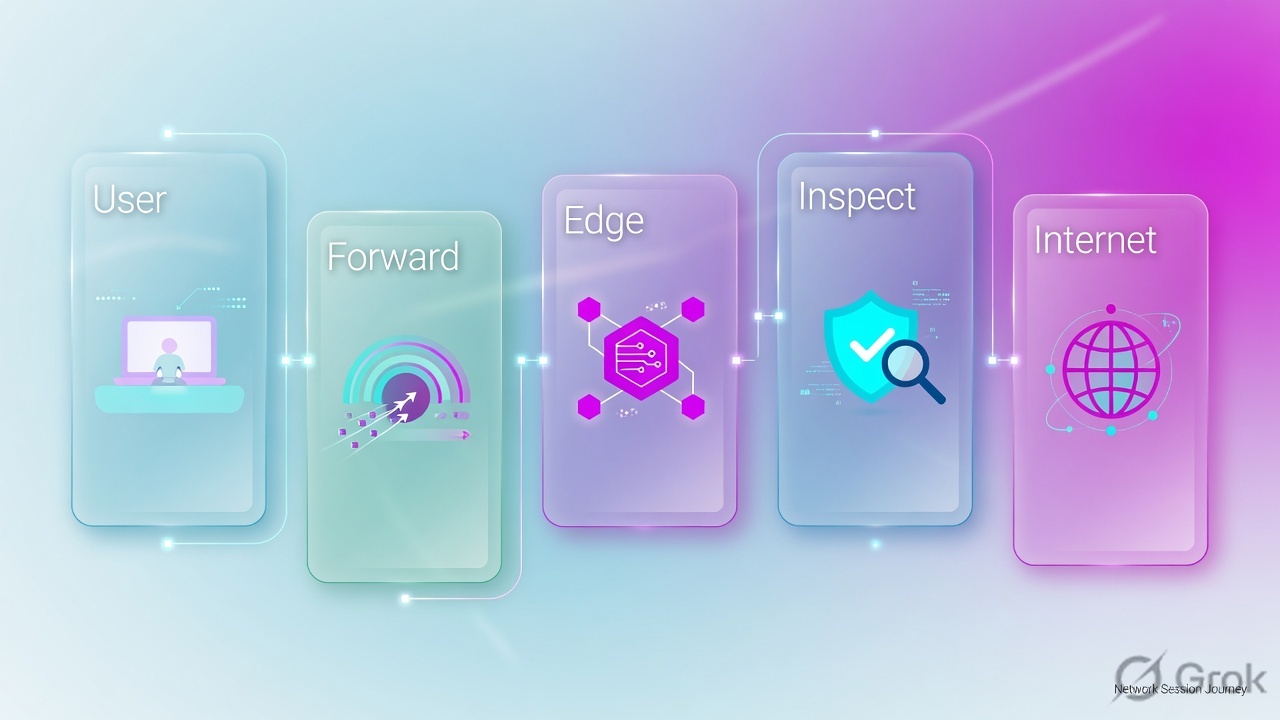
Memorize five parts before you open Admin. Most “Zscaler is down” tickets fail on hop 2 or hop 4.
- User / device — browser or app. Identity is still empty until authentication (or a Location fallback).
- Forwarding — Z-Tunnel, GRE, IPSec, or PAC. This is how the packet reaches ZIA.
- Public Service Edge — the inline proxy (Help still maps this to the old ZEN name). Packets sit in shared memory.
- SSL + policy engines — decrypt if the SSL rule says Inspect, then apply the web-module order.
- Internet / SaaS — a new TLS session from the PSE to the destination. The reply returns to the same edge.
Read left → right. Policy does not start until hop 3. DLP does not start until hop 4 says Inspect.
Forwarding is transport. The Public Service Edge is the proxy. SSL Inspection is the door that lets later engines read the body. Logs close the ticket — not a green VPN icon.
How traffic reaches the PSE
Help’s default mix is tunneling + PAC files + Surrogate IP + Zscaler Client Connector. Pick the method from who owns the device and whether you need all ports — not from what the last project used.
Diamond first. Cloud workloads use Cloud Connector — same idea, different owner.
| Method | Use when | What it carries | Help note |
|---|---|---|---|
| Z-Tunnel 2.0 (Client Connector) | Managed laptops and phones | All ports and protocols over DTLS UDP/443 or TLS TCP/443 | iOS: TLS only. Can fall back to TLS if DTLS is unstable. |
| Z-Tunnel 1.0 | Fallback / proxied web only | CONNECT, typically ports 80/443 | Behaves like a classic proxy. Not a full tunnel. |
| GRE | Office with protocol 47 allowed | Site internet to two Public Service Edges | Help: two tunnels, two data centers. Up to 1 Gbps per tunnel when internal IPs are not behind NAT. |
| IPSec IKEv2 | GRE blocked, or the path must be encrypted | Same site goal over IKE + ESP | Help: ~400 Mbps per public source IP. Bind VPN credentials to a Location. |
| PAC | Browser-only, or to fill gaps | What the PAC return statement sends to a proxy host | Confirm with ip.zscaler.com. Pair with tunnels + Client Connector. |
Public Service Edge (PSE) is the inline proxy that inspects (Help still documents the older ZEN name). SSMA is Single-Scan Multi-Action: one pass in shared memory, many engines. My IP Address is ip.zscaler.com. SSL Inspected is the Web Insights Yes/No that tells you whether hop 4 actually decrypted. Traffic Forwarding is the log column that names the method that delivered the session.
Inside the Public Service Edge
Primary source: Zscaler Help ZIA Policy Leading Practices Guide — “Zscaler Service Modules” and “Order of Operations.”
Each Public Service Edge has a firewall module and a web module. Outbound web (HTTP/HTTPS on 80/443 or other HTTP ports) hits the firewall module first. If it is not blocked there, it enters the web module. Outbound non-web skips the web module. The reply for a web GET/POST is evaluated again on the way in.
Firewall first, then SSL, then the rest. If SSL is Do Not Inspect, ATP / AV / DLP / Sandbox are blind on that HTTPS body.
| What you see | What it means |
|---|---|
| Firewall Insights Blocked and Web Insights Blocked | The firewall module stopped it. Web engines never ran. |
| Firewall Insights Allowed and Web Insights Blocked | Firewall passed it. A later web policy (URL, Cloud App, File Type, DLP, …) stopped it. This is expected, not a log bug. |
| Web Insights SSL Inspected = No | The SSL/TLS Inspection rule was Do Not Inspect (or the session could not be intercepted). Later content engines did not see plaintext. |
| No Web Insights row at all | The session likely never reached a Public Service Edge — start at ip.zscaler.com, not at URL Filtering. |
There is no separate “return tunnel.” The destination answers the PSE. The PSE inspects the reply in the web module and writes it back on the client TLS leg. If the user “gets the page but downloads are empty,” you are still on hop 4 — look at File Type and DLP on the response, not at GRE.
Proof runbook — Side A / B / C
Primary source: Zscaler Help Verifying a User’s Traffic is Being Forwarded to the Zscaler Service, plus About SSL/TLS Inspection Policy and Web Insights Logs: Columns.
Side A — Endpoint: is this user on a Public Service Edge?
-
Open My IP Address
On the user’s device, browse
https://ip.zscaler.com. Help calls this the My IP Address service. You want the page that says the traffic is going through the Zscaler service — not a raw public-IP lookup. -
Read the two identity fields
Write down the virtual IP address of the Public Service Edge and the Zscaler hostname of that edge. Those two fields are hop 3. If they are missing, forwarding failed — do not debug URL Filtering yet.
-
Read username if you expect auth
After SAML (or another method) succeeds, the same status window can show the username. No username + unknown location is a different ticket: see the authentication lesson.
-
Note the public egress IP
Help’s forwarding runbook uses ip.zscaler.com to note the public egress IP of a GRE path, then hunt the matching Web Insights rows. Keep that IP next to the hostname.
Zscaler’s My IP Address service might not recognize IPv6 the way you expect. If the client is IPv6-first and the page looks “off,” verify the data center has an IPv6 virtual IP on the Zscaler config page, then corroborate in Web Insights — do not close the ticket on the browser page alone.
Side B — Admin: can the engines see HTTPS?
-
Open SSL/TLS Inspection Policy
Path:
Policies → Common Configuration → SSL/TLS Inspection → SSL/TLS Inspection Policy. Click Add Rule (or edit the recommended rule you already have). -
Set Rule Action
Rule Action is Inspect or Do Not Inspect. For Do Not Inspect, Help also exposes Evaluate Other Policies vs Bypass Other Policies — that choice decides whether later web engines still run on what they can see.
-
Scope the rule
Documented criteria include Locations, Location Groups, Users / Groups / Departments, URL Categories, Cloud Applications, and Destination Groups. Pilot on one Location first — Help’s deploy guide says enable SSL on a small location or lab before the whole org.
-
Trust the intermediate CA
The PSE builds a TLS session to the server and a second TLS session to the browser. It signs the browser-facing cert with the Zscaler intermediate or your custom intermediate. If that CA is not in the endpoint trust store, users see cert errors and apps with certificate pinning fail — Help states the PSE cannot detect pinning.
-
Activate
Save is not live. Activate the change, then re-test the same URL from the Side A device.
Policies → Common Configuration → SSL/TLS Inspection → SSL/TLS Inspection Policy → Add Rule
Add SSL/TLS Inspection Rule
Do Not Inspect Action (when used): Evaluate Other Policies · Bypass Other Policies. Intermediate CA: Zscaler intermediate or custom intermediate. Activate after Save.
Source: Zscaler Help — About SSL/TLS Inspection Policy. Training mock — field names from that page, not a live tenant.
Side C — Logs: does Web Insights agree with the page?
-
Open Web Insights Logs
Path:
Logs → Insights → Web Insights → Logs. Set the time window to the last 15 minutes around the ip.zscaler.com test. -
Filter the transaction
Search the test URL or user. Help’s site-access runbook compares User, Group, Location, and Policy Action for the same domain.
-
Read the five columns that close the ticket
User (authenticated name, or empty). Location (site object). Traffic Forwarding (ZCC / GRE / PAC / …). SSL Inspected (Yes or No). Policy Action (Allowed / Blocked and the reason). Add Public Service Edge and match it to the hostname from Side A.
-
If the page was blocked, check both log types
Firewall Insights Allowed + Web Insights Blocked means hop 4 (web module) stopped it. Both Blocked means hop 3’s firewall module stopped it. That single pair of values tells you which engine to open next.
Logs → Insights → Web Insights → Logs · last 15 minutes
Web Insights Logs
| User | Location | Fwd | SSL | Action | PSE |
|---|---|---|---|---|---|
| alex@example.com | Mumbai-HQ | GRE | Yes | Allowed | bom1 (example) |
| alex@example.com | Mumbai-HQ | GRE | Yes | Allowed | bom1 (example) |
Columns from Help: User, Location, Traffic Forwarding, SSL Inspected (Yes/No), Policy Action, Public Service Edge. Values are training placeholders (example.com, RFC-style names).
Source: Zscaler Help — Web Insights Logs: Columns / NSS Feed Output Format: Web Logs. Training mock — not live.

ip.zscaler.comshows a Public Service Edge virtual IP and hostname.- Web Insights row exists for the same minute and URL.
- Traffic Forwarding matches the method you think you deployed.
- SSL Inspected = Yes if you expected Inspect (else you already know why DLP is silent).
- User is populated if auth is in scope; Location matches the site object.
- Policy Action matches what the user saw (page vs block notification).
1. Browse https://ip.zscaler.com on the pilot device
2. Copy PSE virtual IP + Zscaler hostname (+ username if auth is on)
3. Hit a known-good HTTPS URL and a known-blocked URL
4. Logs → Insights → Web Insights → Logs  (last 15 min)
5. Confirm User · Location · Traffic Forwarding · SSL Inspected · Policy Action
6. If blocked: compare Firewall Insights vs Web Insights (Allowed/Blocked pair)
7. Only then open the policy that the reason field names
Classic fails
| Symptom | First check | Usually the fix |
|---|---|---|
| Internet “works” but no ZIA policy, no Web Insights row | ip.zscaler.com — no PSE VIP / hostname | Forwarding is missing or bypassed. Fix ZCC / GRE / PAC before any URL rule. |
| Tunnel green, wrong policy stack | Web Insights Location empty or unexpected | GRE static IP or VPN credentials not bound to a Location. See the GRE / IPSec lesson. |
| DLP / AV “not working” on HTTPS | SSL Inspected = No | SSL rule is Do Not Inspect, CA not trusted, or pinning. Decrypt first. |
| Auditor never got the SSN alert on a blocked PDF | Policy order | File Type fired first. DLP never ran. Expected per Help’s example — change File Type or accept the order. |
| Firewall Insights Allowed, user still blocked | Web Insights Policy Action | A web-module rule blocked later. Not a firewall bug. |
| ip.zscaler.com looks wrong on IPv6 clients | Help IPv6 note | Do not trust My IP Address alone. Confirm the DC IPv6 VIP and the Web Insights row. |
| SAML redirect loop after “internet is down” | Is the IdP hairpinned through the tunnel? | Exempt IdP / ACS from PAC or tunnel. That is the authentication lesson — different hop. |
Knowledge check
Six judgment items. Map each one back to a hop or a proof field. Check answers, then Reset if you miss any.
Sources
- Zscaler Help — Verifying a User’s Traffic is Being Forwarded to the Zscaler Service (ip.zscaler.com / My IP Address; Public Service Edge virtual IP and hostname)
- Zscaler Help — ZIA Policy Leading Practices Guide (SSMA, firewall vs web module, outbound/inbound split, log-pair Allowed/Blocked, web-module order, File Type vs DLP example)
- Zscaler Help — Understanding / About Policy Enforcement
- Zscaler Help — Choosing the CA Certificate for SSL/TLS Inspection (two TLS tunnels; Zscaler intermediate vs custom; weekly-rotated Zscaler Intermediate Root CA (zscaler.net) (t))
- Zscaler Help — About SSL/TLS Inspection Policy (path: Policies → Common Configuration → SSL/TLS Inspection → SSL/TLS Inspection Policy; Rule Action; Evaluate / Bypass Other Policies)
- Zscaler Help — Deploying SSL/TLS Inspection (pilot on a small location first)
- Zscaler Help — Certificate Pinning and SSL/TLS Inspection
- Zscaler Help — Best Practices for Traffic Forwarding (tunnels + PAC + Surrogate IP + Client Connector)
- Zscaler Help — Choosing Traffic Forwarding Methods
- Zscaler Help — About Z-Tunnel 1.0 & Z-Tunnel 2.0 (CONNECT vs DTLS/TLS)
- Zscaler Help — Web Insights Logs: Columns
- Zscaler Help — NSS Feed Output Format: Web Logs (SSL Inspected Yes/No; Traffic Forwarding; Location)
- Zscaler Help — About Insights Logs (Logs → Insights → Web Insights)
- Zscaler Help — Unable to Access Specific Websites or Applications (compare User, group, Location, Policy Action)
- Zscaler Help — Understanding IPv6 Support (My IP Address / IPv6 caveat)
Related: ZIA GRE & IPSec tunnels · ZIA forwarding methods · ZIA authentication · SSL inspection & file type · Logs, ZDX, troubleshooting