ZIA only inspects what it receives. Roaming managed endpoints → Zscaler Client Connector (Z-Tunnel 2.0 off-trusted). Site LAN (printers, IoT, no agent) → GRE if you have a static public IP and no encrypt mandate, else IPSec IKEv2 (NAT-T / crypto). Browser-only or contractors → hosted PAC. Existing on-prem proxy → explicit proxy / proxy chaining with Use XFF from Client Request. Bind a Location. Fail over. Prove on ip.zscaler.com — if Location is wrong, policy is wrong even when the cloud is up.
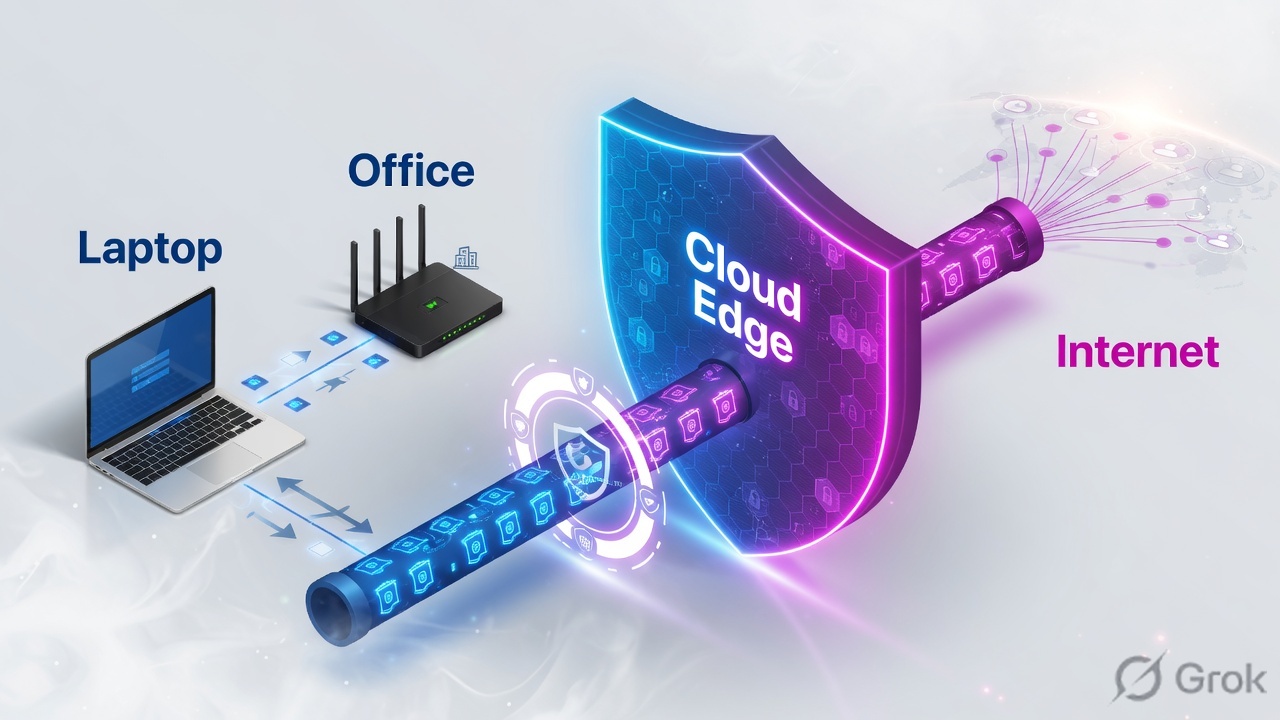
1. Why forwarding is the ticket
URL Filtering, SSL inspection, and DLP cannot see a request that never arrived. Most “Zscaler is broken” incidents in the first 90 days of a rollout are forwarding incidents wearing a policy costume.
Zscaler’s own guidance is a combination, not a single method: tunnels for sites, Client Connector for laptops, PAC files where you need explicit browser control, and proxy chaining where an existing forward proxy already owns the path. Cloud Connector exists for cloud workloads — it is not one of the five user-path methods in this lesson.
Three words that close the ticket: method (how the packet is steered), Location (how ZIA names the source), proof (My IP Address page + logs).
Known location
Source matches a Location (static IP, VPN credential, or dedicated proxy port). Office policy + Surrogate IP can apply.
Unknown / Road Warrior
Source does not match. Auth is usually required. The user is treated as roaming even if they sat in Pune-HQ.
2. Mental model — three parts only
Pre-train these before you open the Admin Portal.
- Forwarding method — ZCC, PAC, GRE, IPSec, or explicit proxy. This is transport. It does not write URL policy.
- Location object — the named site ZIA attaches to the session. Fields you will actually click: Name, Country, Time Zone, Static IP Addresses, VPN Credentials, Proxy Ports, and under Gateway Options: Use XFF from Client Request, Enable IP Surrogate, Enforce Surrogate IP for Known Browsers.
- Public Service Edge (PSE) — where inspection and Nanolog happen. Failover is primary + secondary (tunnels / PAC return list) or nearest-edge (ZCC).
Tunnel or PAC is the road. Location is the street address. Policy is what happens after you knock. If the address is wrong, the right house never sees you.
Read left → right. Skip step 2 and every office looks like a road warrior.
3. Decision flow — pick the method first
Diamond = decision. Production orgs usually run two: GRE or IPSec at the site, ZCC off-trusted for laptops. PAC is the overlay, not the only on-ramp.
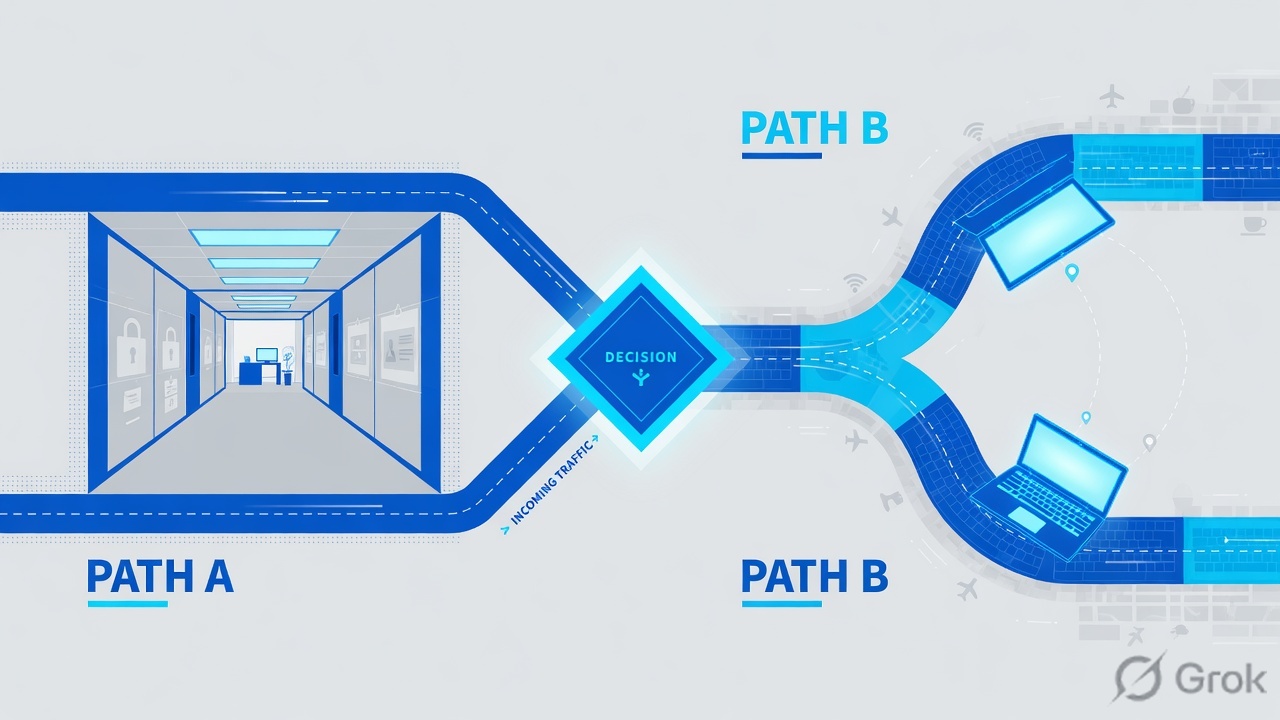
Read the diagram first, then the table. Do not start in Hosted PAC Files because “everyone has a browser.”
4. Choose-when — all five methods
Zscaler Help Choosing Traffic Forwarding Methods and Best Practices for Traffic Forwarding treat these as complementary. Government clouds are stricter: PAC or explicit proxy sent directly to Zscaler is not supported there — those tenants send PAC/explicit traffic through GRE or IPSec.
| Method | Choose when | Do not choose when | Location bind | Failover |
|---|---|---|---|---|
| ZCC Client Connector |
Managed Windows/macOS/iOS/Android that leave the building. Need TCP+UDP (Slack, Zoom, native Outlook). Off-trusted = Tunnel / Z-Tunnel 2.0. On-trusted often None so the site tunnel owns the path. | Printers, IP cameras, kiosks you cannot agent. Unmanaged contractor PCs you will never enroll. | Roaming = unknown location + user auth. On a trusted site, traffic should inherit the site Location via GRE/IPSec (TND must actually fail at home). | Connector picks the nearest PSE. App Profile can Fallback to gateway domain if PAC proxies die. |
| PAC hosted PAC file |
Browser-only control, contractors, or a surgical overlay (DIRECT exceptions, Kerberos PAC). Defaults on the cloud: recommended.pac, proxy.pac, mobile_proxy.pac, kerberos.pac. |
You need Slack RTP, SMB, or any non-proxied socket. Users can clear the proxy. PAC cache will lie to you for hours. | Browser hits ${GATEWAY} — Location comes from the egress IP (if it is a static you registered) or from a dedicated proxy port. |
PROXY ${GATEWAY}:80; PROXY ${SECONDARY_GATEWAY}:80; DIRECT — that last DIRECT is the safety valve, not the plan. |
| GRE protocol 47 |
Branch/DC with a static public IP, no “encrypt the underlay” mandate, and you want the whole LAN (including devices that will never run ZCC). Highest throughput of the site methods. | Router sits behind ISP PAT. Auditor requires IPSec. You only need Chrome covered. | Location ← Static IP Addresses of the GRE source. Dual tunnels still share that source identity. | Primary + secondary Public Service Edge in different data centers. Keepalives / IPSLA / RPM — not hope. |
| IPSec IKEv2 + PSK/cert |
Same site job as GRE, but you need encryption on the path to ZIA, or GRE (protocol 47) is blocked, or the edge is behind NAT (NAT-T wraps ESP in UDP 4500). | You have a clean public IP and no crypto mandate — GRE is simpler. You expected Gbps on a small firewall CPU. | Location ← VPN Credentials (FQDN + PSK typical). Create the credential first, then attach it. | Same dual-DC rule. IKEv2 for new tenants. Tunnel Insights is the health source of truth. |
| Explicit proxy proxy chaining |
An existing forward proxy or firewall already owns HTTP(S) and will chain to a Zscaler gateway. Or you need a dedicated proxy port so a site without a static IP is still a known Location. | You can deploy ZCC or a tunnel. You forgot Use XFF from Client Request and now every user is one IP. | Location ← Proxy Ports and/or the chaining egress IP. Enable Use XFF from Client Request so sublocations and Surrogate IP see the real client. | Point the chain at primary then secondary gateway. Dedicated ports stay known locations even when the public IP changes. |
Z-Tunnel 2.0 — Client Connector tunnel (DTLS, TLS fallback) for supported IP traffic, not just HTTPS. Tunnel with Local Proxy (TWLP) — Connector sets a loopback proxy; PAC still decides DIRECT vs proxy. Dedicated proxy port — a subscribed port that makes the session a known Location without a static IP. Road Warrior — the default unknown-location bucket when nothing matched.
5. Mini runbook — PAC + ZCC (tunnels live next door)
GRE and IPSec get their own click-path, VIP math, and Tunnel Insights proof in ZIA GRE & IPSec tunnels. Do not paste a GRE wizard into this page and call the job done. Here you ship the two methods L2 actually configures in week one of a laptop-first rollout.
Side A — Hosted PAC (ZIA Admin)
Primary source: Zscaler Help About Hosted PAC Files / Writing a PAC File.
-
Open Hosted PAC Files
Path:
Administration → Hosted PAC Files. The cloud already hosts four defaults:recommended.pac,proxy.pac,mobile_proxy.pac,kerberos.pac. Copy a default, do not edit it in place. -
Add a versioned custom PAC
Add PAC File → name it for the pilot (example:
pune-pilot-v2). Use a new filename or?v=on the URL so browsers do not keep yesterday’s file. Run Validate in that same window before Save — a missing semicolon returns DIRECT for everything. -
Write the return list
Official shape uses the
${GATEWAY}and${SECONDARY_GATEWAY}variables. Common ports in Help examples: 80, 443, 9400, 9443. Put RFC1918, Zscaler PAC host, and IdP/ACS hosts on DIRECT first — that is how you prevent a PAC loop and a SAML hairpin. -
Activate, then publish the HTTPS PAC URL
Save + Activate. Hand the hosted HTTPS URL to GPO/MDM or to the ZCC App Profile Custom PAC URL field (512-character max; HTTPS required if Enforce Secure PAC URLs is on).
function FindProxyForURL(url, host) {
  var lan = /^(10|127|192\.168|172\.(1[6-9]|2[0-9]|3[01]))\./;
  if (isPlainHostName(host) || shExpMatch(host, "*.corp.example") ||
      dnsDomainIs(host, ".zscaler.net") || dnsDomainIs(host, ".zscalerthree.net") ||
      dnsDomainIs(host, "login.microsoftonline.com") ||
      dnsDomainIs(host, "login.windows.net"))
    return "DIRECT";
  if (lan.test(host)) return "DIRECT";
  return "PROXY ${GATEWAY}:80; PROXY ${SECONDARY_GATEWAY}:80; DIRECT";
}
Administration / Hosted PAC Files / Add PAC File
Add PAC File
Validate before Save. Then Activate on the banner. A saved-but-not-activated PAC is still the old file in production.
Source: Zscaler Help · About Hosted PAC Files / Writing a PAC File. Values are RFC-style training placeholders, not a customer tenant.
Side B — ZCC Forwarding Profile + App Profile
Primary source: Zscaler Help Configuring Forwarding Profiles for Zscaler Client Connector / Configuring Zscaler Client Connector App Profiles.
-
Add Forwarding Profile
Path (Experience Center):
Infrastructure → Connectors → Client → Forwarding Profile for Platforms → Add Forwarding Profile. Older Client Connector Portal label:Administration → Forwarding Profile. -
Map each network state to a mode
States you will see: On Trusted Network, Off Trusted Network, VPN Trusted Network, Split VPN Trusted Network. Modes: Tunnel, Tunnel with Local Proxy, Enforce Proxy, None.
Laptop-first default that does not double-tunnel a GRE site: Off Trusted = Tunnel (Z-Tunnel 2.0). On Trusted = None so the branch GRE/IPSec owns the LAN.
-
Trusted Network Detection must fail at home
Use a hostname that exists only on internal DNS (or a gateway-IP test). If
portal.company.comresolves on the public internet, TND passes at home, ZCC stays None, and the laptop is naked. -
App Profile PAC + Z-Tunnel 2.0
App Profile holds Custom PAC URL and ZIA enablement. In Tunnel mode, the Forwarding Profile PAC is for bypass /
${ZAPP_TUNNEL2_BYPASS}— do not use it to aim traffic at the Zscaler cloud. The App Profile PAC is what returnsPROXY ${GATEWAY}:443.
Infrastructure / Connectors / Client / Forwarding Profile for Platforms / Add
Add Forwarding Profile
None on trusted is correct only after the site GRE/IPSec Location is proven. Otherwise office laptops bypass ZIA the moment TND passes.
Source: Zscaler Help · Configuring Forwarding Profiles for Zscaler Client Connector. Modes and state names are documented field labels.
Side C — Location object (the bind everyone skips)
Primary source: Zscaler Help Configuring Locations / Configuring Dedicated Proxy Ports / Configuring Proxy Chaining.
Path: Infrastructure → Locations → Legacy Locations → Add Location (UI may say Location Management). A method without this bind still reaches a PSE — it just lands in the wrong policy stack.
- GRE site — attach Static IP Addresses (the tunnel source).
- IPSec site — attach VPN Credentials created under
Infrastructure → Locations → VPN Credentials. - Explicit / dedicated port — under Addressing choose Proxy Ports. For chaining, enable Use XFF from Client Request so sublocations see the real client, not the upstream proxy.
- Gateway Options you will actually toggle in a pilot: Enable IP Surrogate, Enforce Surrogate IP for Known Browsers, authentication required for unknown users.
- Save + Activate. Then open
https://ip.zscaler.comfrom that site.
Infrastructure / Locations / Legacy Locations / Add Location
Add Location
If this static IP is stale, ip.zscaler.com prints Location: Road Warrior and every office policy miss-fires.
Source: Zscaler Help · Configuring Locations. Static IP is RFC 5737 documentation space — never a live customer WAN.
Need Add GRE Tunnel, Domestic Preference, internal /30 VIPs, IKEv2 proposals, or Tunnel Insights failover? That runbook is ZIA GRE & IPSec tunnels. This page only tells you when to open it.
6. Runtime path — after go-live
Once forwarding is live, every request is the same four stations. The method only changes station 1.
If station 2 prints Road Warrior, do not debug URL Filtering. Fix the bind.
7. Traps + how to prove traffic hits ZIA
Three production failures show up in every Batch 11 lab. Learn the evidence, not the folklore.
| Trap | What you see | What is actually wrong | Fix + proof |
|---|---|---|---|
| PAC loop | Blank page, endless spinner, or SAML redirect loop after you published a PAC. Browser proxy shows “working.” | The PAC (or ZCC App PAC) sends the PAC host, ${GATEWAY}, or the IdP/ACS back through itself. Or you used the Forwarding Profile PAC to aim at the cloud in Tunnel mode. |
DIRECT for PAC host, *.zscaler.net / your cloud, and login.microsoftonline.com (or your IdP). Validate the PAC. Re-test in a private window after bumping ?v=. |
| Wrong Location | ip.zscaler.com says you are on Zscaler, but Location: Road Warrior. Office SSL/auth policy does not match. Web Insights username is empty or “unauthenticated.” |
Static IP / VPN credential / dedicated proxy port is missing, stale, or not Activated. ISP changed the WAN. XFF off on a chaining site, so every user is the proxy. | Infrastructure → Locations → edit Pune-HQ → correct Static IP / VPN cred / Proxy Ports → Activate. Re-hit My IP Address. Location name must match. |
| Tunnel down, PAC still works | Tunnel Insights red. Chrome users insist “Zscaler is fine.” Slack huddles and native Outlook fail. Printers go direct. | Browsers still have an explicit PAC. HTTP(S) reaches a PSE. Everything that is not a proxied browser socket is unprotected. The ticket looks green if you only test Chrome. | Test a non-browser flow. Check Tunnel Insights primary + secondary. If TND is None on-trusted, a down GRE is a down office. Do not close on ip.zscaler.com from Chrome alone. |
You debug SSL inspection because Salesforce “half loads.” The GRE is up, the PAC is cached, and the Location is Road Warrior because last month’s WAN IP was never updated. Policy never had a chance.
- On the test device open https://ip.zscaler.com (Help: Verifying a User’s Traffic is Being Forwarded to the Zscaler Service — the My IP Address page).
- Record: going through Zscaler? cloud name? Service Edge? Location name? SSL inspected?
- Analytics → Web Insights (or Insights → Logs): same timestamp, username, Location, URL. Green = those four agree with the design.
- ZCC: Client Connector Troubleshoot / connection status = Tunnel, trusted-network state matches the room you are in.
- GRE/IPSec: Tunnel Insights primary green, fail the primary, secondary takes over, large download still completes (MTU/MSS). Full steps in the tunnel lesson.
- Negative test: disable PAC / disconnect ZCC / shut GRE — My IP Address must flip to the raw ISP. If it does not, something else is still forwarding.
Knowledge check
Six judgment items. Map each to a method, a Location bind, or a trap. Check answers, then reset and retry until you are 6/6.
Sources
- Zscaler Help — Choosing Traffic Forwarding Methods
- Zscaler Help — Best Practices for Traffic Forwarding
- Zscaler Help — About Hosted PAC Files · Writing a PAC File · Forwarding Traffic Based on User’s Location Using PAC Files
- Zscaler Help — Configuring Forwarding Profiles for Zscaler Client Connector · Configuring Zscaler Client Connector App Profiles · Best Practices for Using PAC Files with Zscaler Client Connector
- Zscaler Help — Configuring Locations · Configuring Dedicated Proxy Ports · Configuring Proxy Chaining
- Zscaler Help — Understanding Proxy Mode · Verifying a User’s Traffic is Being Forwarded to the Zscaler Service
Related: ZIA GRE & IPSec tunnels · Zscaler authentication · ZIA architecture · ZIA traffic flow · ZCC App & Forwarding Profiles · Batch 11 · Lesson 4 — auth deployment