The Access Control Policy (ACP) is first-match, top-down, by ascending rule number. Traffic must meet all conditions on a rule. Except for Monitor (log and keep evaluating), the first matching rule handles the flow. No non-Monitor match means the default action. Trust permits without file, intrusion, or discovery inspection. Allow permits and can attach an intrusion policy and a file policy. Block denies without further inspection. Logging is not automatic — enable it on the rule or default action, then prove the name in connection events.
1. Why first-match burns tickets
Monday you add INSIDE-to-OUTSIDE-HTTPS-IPS as an Allow with Balanced Security and Connectivity. Tuesday someone “temporarily” parks a Trust any-any at the top of Mandatory so a backup job can finish. HTTPS still works. Intrusion events stay empty. Hit count on your IPS rule is zero.
The Device Configuration Guide is blunt: the system matches traffic to access control rules in the order you specify and, in most cases, handles the flow according to the first rule where all conditions match. A later, more specific Allow cannot steal a session that already matched Trust.
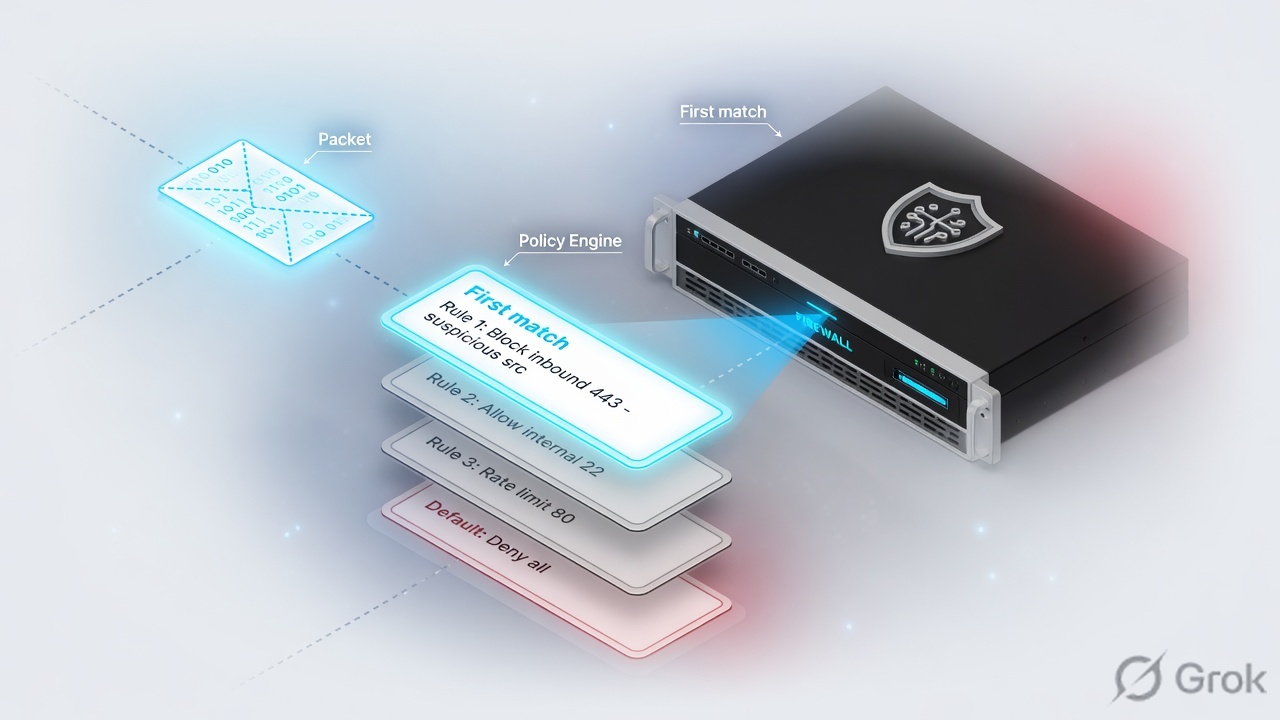
Rule number
Position in the policy, starting at 1, including inherited rules. This is evaluation order. Sections and categories are folders, not a second match engine.
Rule name
What you will read in the connection event field Access Control Rule (syslog AccessControlRuleName). Name the rule for the ticket, not for poetry.
2. Mental model: match, then action
Memorize two questions. Mixing them is why Trust gets used as a cheap Allow.
Does this traffic match? Zones, networks, ports, applications, URLs, users, time — all configured conditions must match. What happens if it matches? That is the action: Monitor, Trust, Block / Block with reset, Interactive Block, or Allow (optionally with file and intrusion policies).
Access control is not the first station. Prefilter, optional decryption, identity work, and Security Intelligence run earlier. A Trust ACP rule does not rewind those steps. If you needed the flow to skip Snort entirely from the first packet, that is a prefilter Fastpath conversation, not a Trust checkbox.
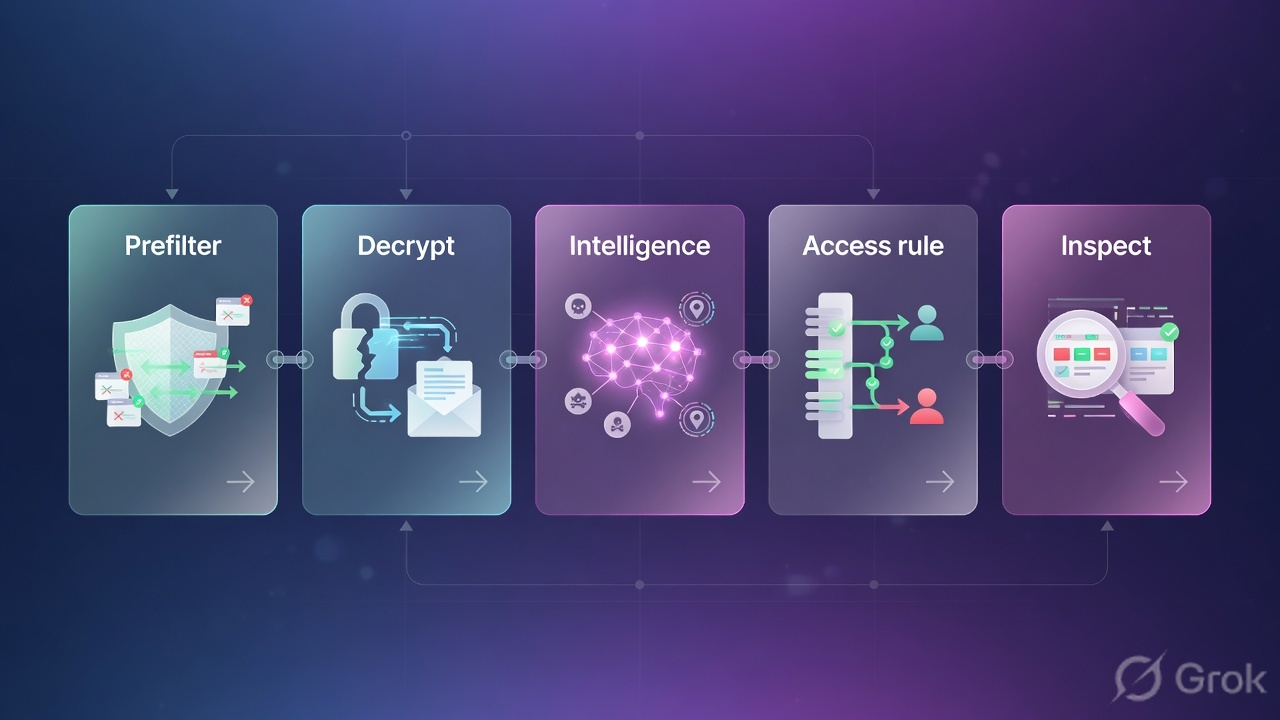
Read left → right, then the green bar. If Q2 on the quiz feels wrong, this is the figure to re-read.
Match is not action. Trust is a permit that skips deep inspection. Allow is a permit that can still drop the session later in file or IPS. The default action is just the last rule you forgot to write.
3. Rule order, Monitor, default action
Open Policies → Access Control heading → Access Control, then edit the policy assigned to the device. Each device uses one ACP. Rules are numbered from 1. The system evaluates top-down. Categories and the Mandatory / Default sections do not change that numbering.
Monitor is the exception. It forces connection logging and lets evaluation continue. The next non-Monitor match (or the default action) actually handles the traffic. The connection event Action field is therefore never Monitor — it shows Allow, Trust, Block, Default Action, and so on, plus up to eight Monitor rule names beside the handler.
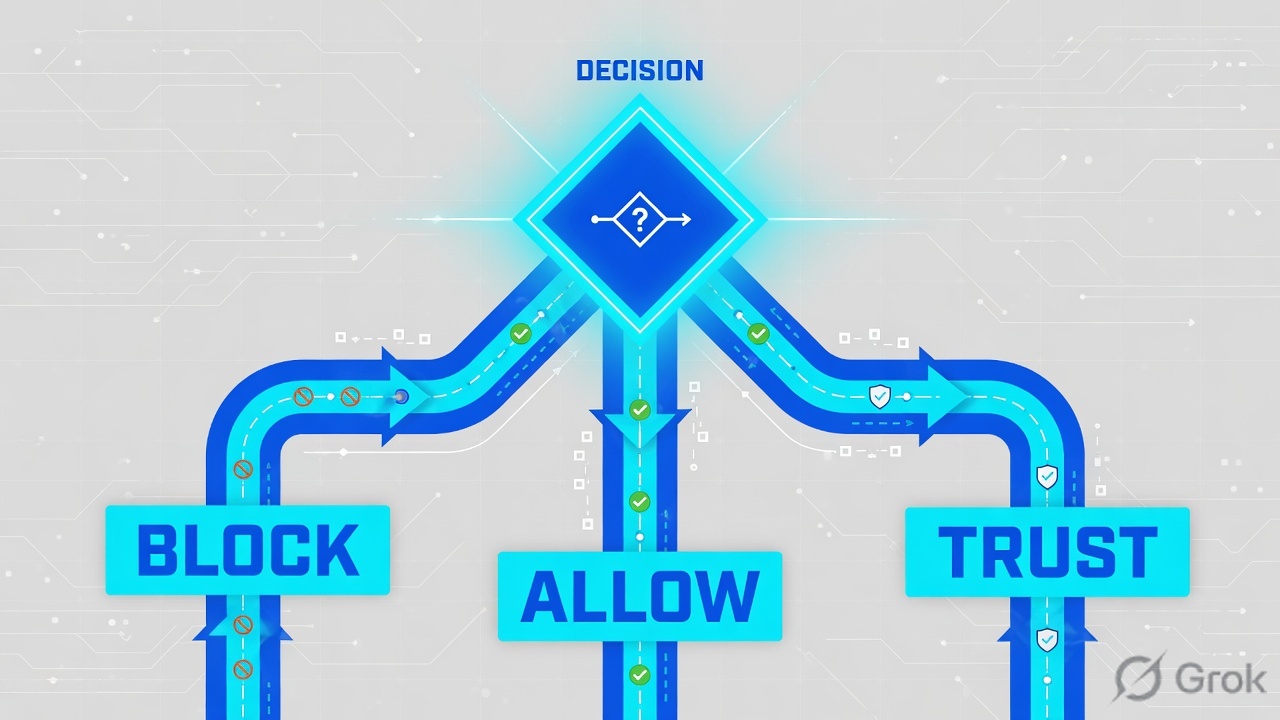
Read left then down, then the right stack. A broad Trust at rule 1 means the specific Allow at rule 8 never votes.
The default action handles traffic that was not fastpathed, not Security Intelligence-blocked, not blocked by the decryption policy, and that matched no non-Monitor access control rule. Official options:
| Default action | Effect | Inspection you can attach |
|---|---|---|
| Access Control: Block All Traffic | Block, no further inspection | None. Log at beginning only. |
| Access Control: Trust All Traffic | Permit to destination, no further inspection | None |
| Intrusion Prevention | Allow if the chosen IPS policy passes it | Intrusion + network discovery. No file/malware policy. |
| Network Discovery Only | Allow | Discovery only |
| Inherit from base policy | Whatever the parent set | Defined in the base. Inheritance of default action is not enforced. |
Cisco’s policy chapter: logging of connections handled by the default action is initially disabled. Open the cog next to Default Action. For Block All Traffic you can enable Log at beginning of connection only. For Trust / IPS / Discovery you can log beginning, end, or both. Proof does not appear until you flip that switch and deploy.
4. Trust vs Allow vs Block
Pick the action for the job, then place the specific rule above any broader cousin. Cisco’s own caution: application-control rules should sit lower than simple L3/L4 rules because application identity takes packets. Specific networks and IPs belong above general application or URL rows so they are not shadowed.
| Action | What the flow does | Deep inspection | Use it when |
|---|---|---|---|
| Allow | Permit. Still subject to identity and rate limiting. | Optional intrusion policy and file / malware policy. File runs before IPS. | User or server traffic you actually want inspected. |
| Trust | Permit without file, intrusion, or network discovery. | None. Identity and QoS can still apply. Decryption already happened if a decrypt rule matched. | High-volume flows you have decided not to inspect. Not a shortcut for “make it work.” |
| Block | Deny immediately. | None | Traffic that must die. Prefer this over Block with reset on high-rate TCP drops (reset is CPU-heavy). |
| Block with reset | Deny and reset TCP (or ICMP unreachable). | None. HTTP response pages cannot display if you reset immediately. | When the client must stop retrying now. |
| Interactive Block | HTTP warning page. Bypass mimics Allow; refuse mimics Block. | If the user clicks through, file and IPS can run. | User-facing web only. Pair Interactive Block with reset if non-web traffic must reset. |
| Monitor | Log only. Next rule (or default) decides. | None by itself | Pilot visibility before you cut a Block, or extra logging beside the real handler. |
An Allow with no intrusion or file policy still permits discovery on monitored hosts. Trust does not. Cisco also notes that protocols with secondary channels (FTP, SIP) can break if Trust bypasses the inspection that opens those pinholes — change those rules to Allow. And Trust after a decrypt rule still means the session was decrypted first. Uninspected from packet one is prefilter Fastpath, not ACP Trust.
5. Runbook: zones, rules, logging
Primary source for this block: Cisco Secure Firewall Management Center Device Configuration Guide 7.4, chapters Access Control Policies and Access Control Rules.
Side A — Zones and objects (outside the rule editor)
-
Name the security zones
A security zone is a named group of interfaces. You assign the zone on the interface (Devices → Device Management → edit the device → Interfaces). Rules then match Source Zones and Destination Zones —
INSIDEtoOUTSIDE— instead of raw interface names. Same-zone traffic needs an explicit rule if you intend to allow it. -
Build the network and port objects you will reuse
Objects → Object Management. Keep RFC 1918 / lab objects named for the ticket (
NET-USERS-10-0-1-0,H-WEB-10-0-2-20). Access Control uses the real (pre-NAT) addresses — do not write the PAT public IP as the destination on an inside-to-outside browse rule. That NAT lesson is next in this course. -
Confirm the device already has this ACP
Each managed device uses one access control policy. On the policy list, open Targeted: n devices and assign before you add rules you will never deploy.
Side B — Policy, rules, actions, logging
-
Open the policy
Policies → Access Control heading → Access Control → Edit. Lock the policy if someone else might save over you. New Policy asks for Name and an initial default action (Block all traffic, Intrusion Prevention, or Network Discovery).
-
Add the specific rule first
Click Add Rule. Give it a ticket-readable name. Set Action. Fill only the conditions you mean — empty “any” on every tab is how Trust any-any is born. Place specific Block / Allow-with-IPS rows above broad Trust or Allow rows. Application and URL conditions belong lower than simple network/port rows.
-
Attach inspection only on Allow (or Interactive Block)
On an Allow rule, select an intrusion policy (and variable set) and, if needed, a file policy. You cannot hang a file policy on the default action. Encrypted payloads skip intrusion and file inspection by default unless you decrypt first.
-
Turn logging on for the handler
On the rule: Log at beginning of connection, Log at end of connection, or both. Send events to Firewall Management Center (and syslog if that is the shop standard). Blocked traffic is usually beginning-only — the session never has a useful end. Monitor forces logging even if the eventual handler is quiet.
-
Set and log the default action
Bottom of the rule list: pick Access Control: Block All Traffic unless you have a written reason not to. Cog → enable beginning-of-connection logging. If you inherited a Trust-all default from a lab policy, change it before the first production deploy.
Policies → Access Control heading → Access Control → ACP-CAMPUS → Add Rule
Add Rule
Placeholder networks only. Source: FMC Device Configuration Guide 7.4 — Create and edit access control rules.
After Add, confirm the new row sits above any Trust or Allow that could also match this HTTPS flow. Then Save and Deploy.
Side C — Deploy, hit counts, first packet
-
Save and deploy
Deploy configuration changes to the targeted device. A saved rule that never deployed is a comment in the GUI. Established connections keep the old match until they close (or you clear them with
clear connon FTD — only if tearing those sessions is acceptable). -
Read hit counts
In the policy editor, Analyze → Manage Rule Hit Counts. Zero on the new specific rule plus rising counts on the broad rule above it is the shadow, not a routing problem.
-
Generate one pilot flow
From a host in
INSIDE(example10.0.1.50) open HTTPS to a known responder. Then go prove it in connection events — next section — before you call the change done.
6. Prove it: connection events
Primary source: Cisco Secure Firewall Management Center Administration Guide — Connection Logging and Connection and Security-Related Connection Events.
Connection events appear when a connection matches an access control rule or default action that has logging enabled. They also appear for prefilter, decryption, and Security Intelligence blocks. If logging is off on the handler, the session can succeed or fail in silence.

Analysis → Connections → Events · last 15 minutes · device FTD-EDGE-01
Connection Events
| Initiator / Responder | Access Control Rule | Action | Reason |
|---|---|---|---|
| 10.0.1.50 → 203.0.113.80:443 | INSIDE-to-OUTSIDE-HTTPS-IPS | Allow | N/A |
| 10.0.1.50 → 198.51.100.10:22 | Default Action | Default Action | N/A |
| 198.51.100.66 → 10.0.2.20:443 | WAN-to-DMZ-BLOCK | Block | N/A |
| 10.0.1.88 → 203.0.113.25:443 | Trust-any + 1 Monitor Rule | Trust | N/A |
Lab IPs (RFC 5737). Columns map to ACPolicy / AccessControlRuleName / AccessControlRuleAction / AccessControlRuleReason.
Row 1 is a pass. Row 4 is the classic miss: Action is Trust, so your IPS rule never ran. Click the Monitor count to see which Monitor rules also matched.
Read these fields on every pilot:
- Access Control Policy (syslog
ACPolicy) — the policy you think you deployed. - Access Control Rule (syslog
AccessControlRuleName) — the handler, plus any Monitor names. - Action (syslog
AccessControlRuleAction) — Allow, Trust, Block, Fastpath, Interactive Block, Default Action. Blank usually means the session closed before a rule could be identified. - Reason (syslog
AccessControlRuleReason) — why the system logged it (including Security Intelligence blocks). - Ingress / Egress Security Zone — confirms the zone match you wrote.
- Initiator IP / Responder IP — real addresses on the wire as the ACP saw them (pre-NAT for the access-control decision).
Access Control Policy : ACP-CAMPUS
Access Control Rule   : INSIDE-to-OUTSIDE-HTTPS-IPS
Action                : Allow
Ingress Zone          : INSIDE
Egress Zone           : OUTSIDE
Initiator IP          : 10.0.1.50
Responder IP          : 203.0.113.80
Application Protocol  : HTTPS
Intrusion and file policies never attached to that handler. Move or tighten the Trust, or write an Allow above it, deploy, and refresh the event. Do not tune Snort for a flow Snort never received.
7. Traps and pilot checklist
| Symptom | Likely cause | What you prove |
|---|---|---|
| Specific Allow-with-IPS has zero hits; traffic still works | Broader Trust or Allow above it (shadow / preemption) | Connection event names the broad rule. Hit count rises on that row, not yours. Enable Analyze → Show Rule Conflicts. |
| Flow allowed, no connection event | Logging off on the matching rule and on the default action | Enable beginning and/or end logging, deploy, replay one session. Monitor can force a log while you decide. |
| Default Action = Block, still no row | Default-action logging starts disabled; Block can log beginning only | Cog on Default Action → Log at beginning of connection → Management Center. |
| No IPS or malware events on “allowed” HTTPS | Action is Trust, or Allow with no inspection, or payload still encrypted | Event Action field. Decrypt policy match. Intrusion-policy icon on the Allow rule. |
| L7 Block (application / URL) lets a few packets through | Expected — AppID needs early packets; LINA cannot drop SYN on application identity | Cisco TAC note 212321. Use an L3/L4 Block if the first SYN must die. Set “Intrusion Policy used before Access Control rule is determined” for those early packets. |
| FTP / SIP dies after you Trust it | Secondary channel never opened because Trust skipped inspection | Change Trust → Allow (Cisco Trust-action note). |
| Action is Fastpath, ACP rule never named | Prefilter Fastpath handled the flow before ACP | Prefilter Policy and Tunnel/Prefilter Rule columns. First-match across prefilter vs ACP is the first match applied. |
- Specific rules sit above broad Trust / Allow / any-any.
- User and server traffic you care about is Allow with the intended intrusion (and file) policy — not Trust.
- Default action is an explicit Block All Traffic (or a written IPS default), and its logging is on.
- The handler rule logs to Management Center.
- One pilot flow:
Access Control Ruleis the name you typed,Actionis the action you chose, zones match. - If you expected IPS, an intrusion event exists for that same 5-tuple — or you can explain why (encrypted, Trust, or no policy attached).
- Hit counts and Analyze → Show Rule Conflicts do not show your new rule as shadowed.
Knowledge check
Six judgment questions. Use the rule-order figure, the action table, and the connection-event fields. Check answers when you are done.
Sources
- Cisco Secure Firewall Management Center Device Configuration Guide, 7.4 — Access Control Policies (one policy per device; default actions; logging starts disabled; Block default logs beginning only; inheritance)
- Cisco Secure Firewall Management Center Device Configuration Guide, 7.4 — Access Control Rules (first-match order; Monitor / Trust / Block / Interactive Block / Allow; file-then-IPS; rule-order caution)
- Cisco TAC — Clarify FTD Access Control Policy Rule Actions (212321) (LINA vs Snort; Trust vs Allow vs Block vs prefilter Fastpath; L7 Block lets early packets pass)
- Cisco Secure Firewall Management Center Administration Guide — Connection Logging (log connections that match a rule or default action; beginning vs end)
- Cisco Secure Firewall Management Center Administration Guide — Connection and Security-Related Connection Events (fields: Access Control Rule, Action, Reason, zones, initiator/responder)
- Cisco Secure Firewall — Logging best practices (connection events when logging is enabled on the matching rule or default action)
Related: FTD / FMC fundamentals · Interface modes · FTD NAT · Snort 3 IPS · FTD session factory · FTD evidence desk · FTD interview Q&A