Firewall mode is device-wide and only shapes regular firewall interfaces: routed (FTD is an L3 hop — NAT, routing, VPN terminate) or transparent (L2 bump with a BVI — insert without re-IP). IPS-only interfaces — inline pair, inline tap, passive, ERSPAN — bypass most LINA firewall features and run Snort. They work in either firewall mode. Inline pair can drop. Inline tap, passive, and ERSPAN cannot. Cisco is explicit: an inline set is unrelated to transparent firewall mode.
First I pick the device-wide firewall mode. Then I pick regular versus IPS-only per interface. If I need to drop, I must be in the path on routed, transparent, or an inline pair — never on tap or SPAN.
1. Why the two questions come first
Weekend insert. Finance already has a default gateway. Security wants Snort to start blocking Monday. The engineer writes “transparent inline” on the CAB form and orders two extra IPs “just in case.” Monday the IPS events say would have dropped and the malware still landed, or the change wiped the device because someone flipped firewall mode while it was still registered to FMC.
Cisco’s own picture is two layers, not one menu. You can mix interface modes on a single FTD. You cannot mix up the layers without paying for it in a change window.
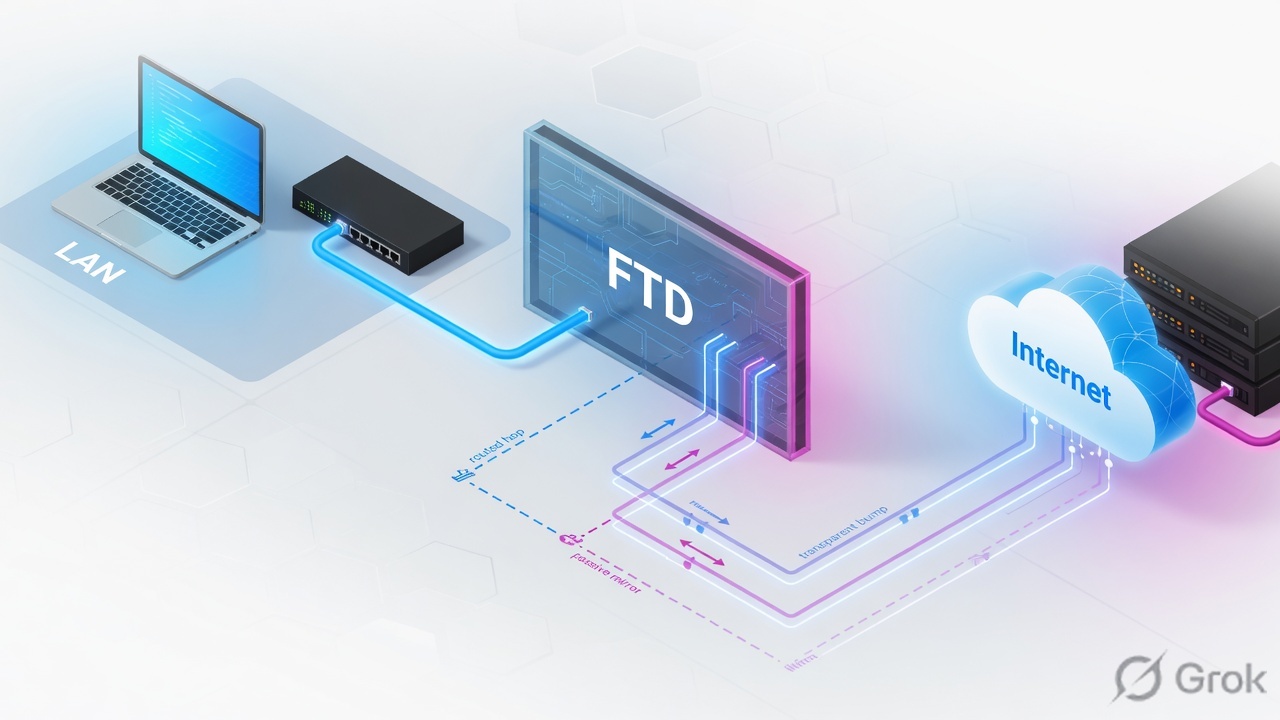
Three reasons this is not “just pick Routed in the wizard”:
- Changing firewall mode erases interface config. Official procedure: unregister from FMC, run
configure firewall [routed | transparent]on the FTD CLI, then re-register. Do it during initial setup if you can. - IPS-only ignores firewall mode. Inline sets and passive interfaces work in both routed and transparent. The device-wide mode only shapes regular firewall interfaces.
- Drop is a property of the path, not of the Snort rule. A Block rule on tap or passive writes an event. The original packet is already gone, or is forwarded because tap said so.
Firewall mode — device-wide: routed or transparent. Set on the FTD CLI. Affects regular firewall interfaces only.
Regular firewall interface — routed (L3) or switched/bridged (transparent). Full LINA plus Snort. Can drop.
IPS-only interface — inline set, inline tap, passive, or ERSPAN. Partial LINA, full Snort. No NAT, no routing, no VPN terminate.
BVI — Bridge Virtual Interface. The IP of a bridge group. Required for management and for data to pass. Hosts in transparent mode do not use it as their default gateway.
Inline pair — two named physical (or EtherChannel) interfaces bound so traffic in one side goes out the other unless explicitly dropped.
Inline tap — same cabling as inline; FTD inspects a copy. Original is forwarded even when the verdict is drop.
Passive / ERSPAN — SPAN or GRE-encapsulated remote SPAN. FTD is not in the forwarding path.
2. Mental model · firewall mode vs interface mode
Hold two parts. Interviews fail when people treat “transparent” and “inline” as synonyms, or treat tap as a safer inline that can still block.
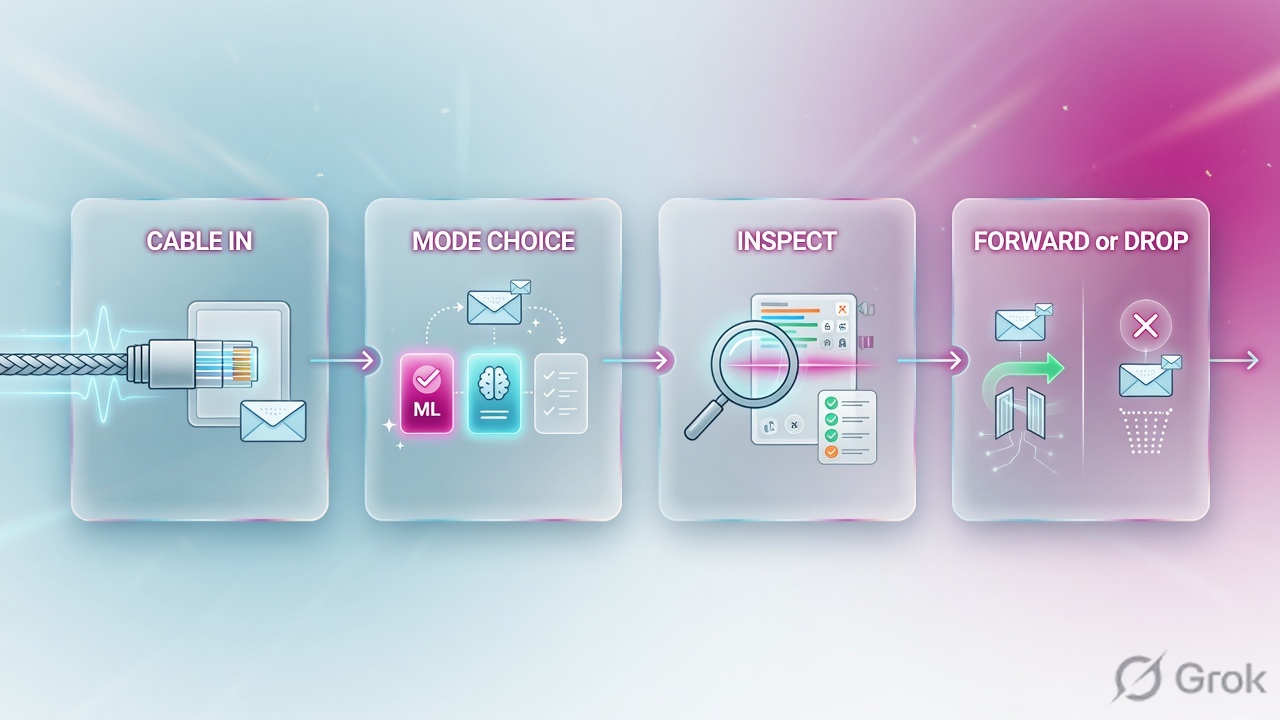
Layer 1 · firewall mode
Routed: FTD is a router hop. Each regular interface is a different subnet. NAT, dynamic routing, and VPN terminate live here.
Same layer · transparent
Transparent: FTD is a Layer 2 bump. Inside and outside share a subnet. A BVI holds the bridge-group IP. Full firewall checks still run.
Layer 2 · regular vs IPS-only
A regular interface is a firewall port. An IPS-only interface skips most LINA features so Snort can sit on a pair or a SPAN without being the gateway.
You can mix ports
Cisco TAC: you can mix interface modes on one appliance. A routed FTD can have inside/outside plus an inline pair plus a passive sensor. Firewall mode still does not rewrite the IPS-only ports.
Cisco’s engine picture does not change with the insert. A packet hits LINA first. Policy may send it to Snort. Snort returns a verdict. LINA drops or forwards. On IPS-only ports the LINA half is thinner — TAC calls it partial LINA, full Snort — and on tap the “drop” only hits the copy.
Firewall mode is the personality of regular ports. IPS-only is a different port type. Inline is not transparent. Tap is not a drop path.
3. Decision flow · pick the insert
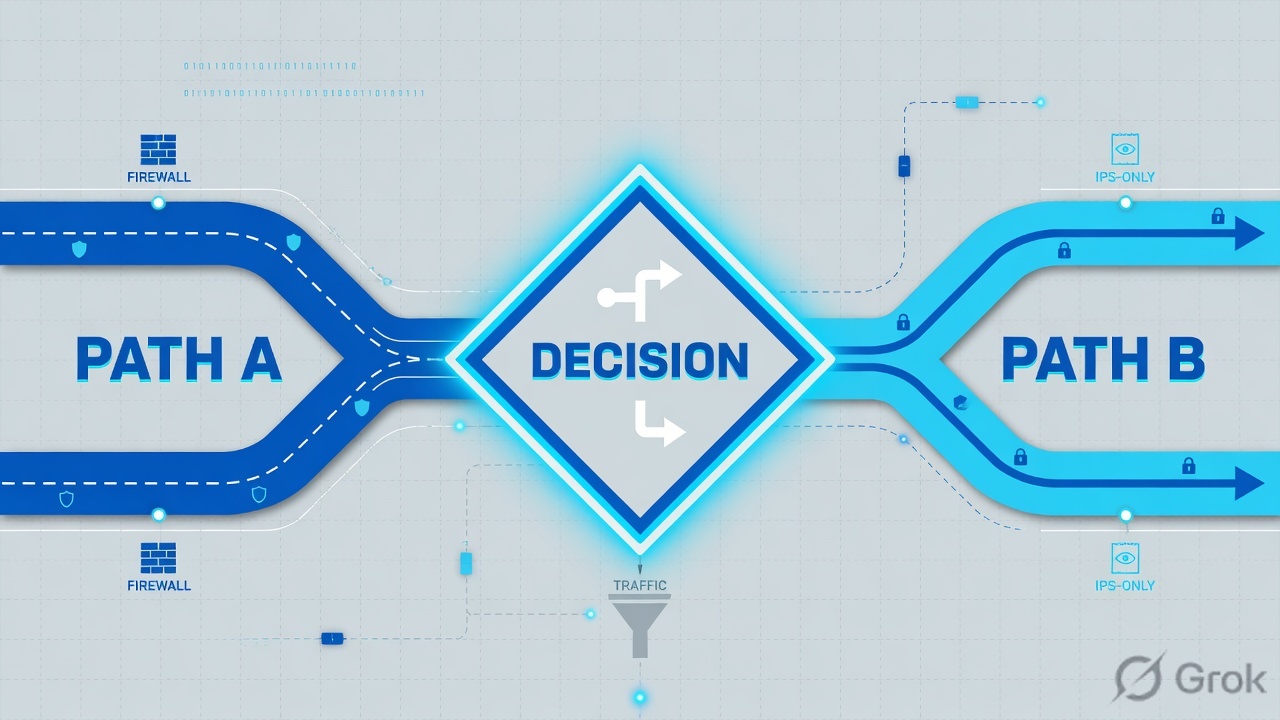
Read top → bottom. Diamond = decision. Green border = can drop. Magenta border = alert only. Inline tap is the rehearsal for an inline pair — same cables, tap off later.
4. How to choose each mode
Use the ticket’s constraint, not the marketing name. TAC’s table is the interview card: which engine checks run, and whether traffic can be dropped.
| Interface mode | Needs firewall mode | What FTD is | Can drop live traffic? | Pick when |
|---|---|---|---|---|
| Routed (regular) | Routed | L3 hop. Full LINA + Snort. | Yes | FTD is the gateway. You need NAT, routing, or VPN terminate. |
| Switched (regular / transparent) | Transparent | L2 bump + BVI. Full LINA + Snort. | Yes | Insert without re-IP. Hosts keep the existing default gateway. |
| Inline pair (IPS-only) | Either | Bump on a pair. Partial LINA + full Snort. | Yes | A firewall already exists. You need active IPS in the path. |
| Inline pair with tap | Either | Same pair. Inspects a copy. | No | Tune IPS on production cables. Then disable tap. Expect a performance hit. |
| Passive | Either | SPAN / mirror listener. | No | Evaluation or visibility. Switch can SPAN. FTD must not be in the path. |
| Passive (ERSPAN) | Routed only | GRE-encapsulated remote SPAN. | No | Mirror is on another switch, across a routed network. |
Unsafe: “We’ll put it in transparent inline so we can drop without IPs.” That names two different features as one.
Safe: “Firewall mode stays routed. Ethernet1/3 and 1/4 are an inline pair with tap off after the pilot. No NAT on that pair. ERSPAN is not in play — we are not transparent.”
Routed regular — the default gateway
Each interface you route between is on a different subnet. FTD is a hop. This is where NAT, site-to-site / remote-access VPN terminate, and dynamic routing belong.
Routed mode can also hold a bridge group (IRB). Name the BVI if you want that group to route to other interfaces. Leave the BVI unnamed and that group behaves like a transparent island next to normal routed ports. Cisco’s hint: if you do not need clustering or EtherChannel members in the bridge, consider routed+IRB instead of going fully transparent.
Transparent regular — insert without re-IP
Inside and outside share a subnet. The box is not a hop. You still write access control; unicast IPv4/IPv6 needs a rule. ARP passes without a rule. A BVI IP on that subnet is required for management and for data to pass. Hosts must point at the router on the other side, never at the BVI, as their default gateway.
Bridge groups in transparent mode cannot talk to each other through the FTD — traffic must leave and come back through an external router. Transparent does not terminate through-the-box VPN, does not do DHCP relay, and does not run dynamic routing (you can pass OSPF/EIGRP/BGP with an access rule). Changing to transparent later still wipes interface config.
IPS-only — when a firewall already exists
Official wording: IPS-only interfaces bypass many firewall checks and support only IPS security policy (Snort). Use them when something else is already the firewall and you want to avoid that overhead. Unsupported on these ports: DHCP, routing, NAT, VPN, QoS, NetFlow, VXLAN, TCP Intercept, application inspection.
Physical interfaces or EtherChannels only — no VLAN / subinterface members. Traffic must enter and leave the same FTD so Snort sees both directions. For asymmetric routing, put multiple inline pairs in the same inline set; one pair will see only half the flow.
5. Runbook · Side A mode, Side B interfaces, Side C proof
Dummy lab only. Values below are RFC 5737 / example names. Primary sources: FMC 7.4 Transparent or Routed Firewall Mode, FMC 7.4 Inline Sets and Passive Interfaces, and TAC 200924.
Side A — set firewall mode (device-wide)
Do this on a new box, or accept that it destroys current interface configuration.
-
Decide before the wizard
If the ticket needs NAT or VPN terminate → routed. If the ticket forbids re-IP and still wants a full firewall → transparent. If FTD is only an IPS beside an existing firewall, keep routed (ERSPAN may be needed later) and plan IPS-only ports in Side B.
-
If the device is already in FMC, unregister first
Path: Devices → Device Management → More → Delete. Cisco: you cannot change firewall mode until the device is unregistered. Set the performance profile to Default and deploy before you delete, if the guide’s caveat applies.
-
Change mode on the FTD CLI (console preferred)
FTD CLI · source: configure firewall> configure firewall transparent This will destroy the current interface configurations, are you sure that you want to proceed? [y/N] y The firewall mode was changed successfully. > show firewall Firewall mode: Transparent
Use
configure firewall routedto go the other way. Then re-register to FMC.
Side B — regular ports or IPS-only ports in FMC
You can mix. Name and enable every member before you build an inline set. Leave Mode = None on those two ports until the set exists; FMC then shows Inline.
Devices → Device Management → ftd-edge-01 → Interfaces → Edit Ethernet1/7
Edit Physical Interface
Mode list on a regular edit is None, Passive, or ERSPAN. Inline is not picked here — it appears after you add the port to an inline set. ERSPAN also needs Flow ID (1–1023), Source IP, and an IPv4 address.
Next: Save, then Deploy → Deploy. Source: FMC 7.4 “Configure a passive interface.” Dummy names only.
Devices → Device Management → ftd-edge-01 → Inline Sets → Add Inline Set
Add Inline Set
Name and enable both members first. Do not set the security zone until the set exists. Then edit each member and pick an inline-type zone. Hardware Bypass is not supported in HA. Do not enable Propagate Link State with clustering. Change tap only in a maintenance window.
Next: set INSIDE_ZONE / OUTSIDE_ZONE on the members, Save, Deploy. Source: FMC 7.4 “Configure Inline Sets” and TAC 200924.
-
Regular routed or transparent ports
Devices → Device Management → Edit device → Interfaces. Name, enable, assign a security zone, set IPv4/IPv6 on routed ports. On transparent, put members in a bridge group and give the BVI an address on the same subnet. Do not point hosts at that BVI as their gateway.
-
Passive or ERSPAN
Same Interfaces page → Edit → Mode = Passive or ERSPAN. Enable, name (≤48 characters), zone, optional MTU. ERSPAN: Flow ID 1–1023 (must match the source session), Source IP, IPv4. ERSPAN is routed-mode only.
-
Inline pair
Name + enable both members, Mode None, matching speed/duplex. Inline Sets → Add Inline Set. Add the pair. Advanced: Tap Mode only while you tune; Propagate Link State unless you are clustering; Snort Fail Open Down vs Busy as the change window allows. Then set inline-type zones. Recommend STP PortFast on the attached switch ports, especially with Hardware Bypass.
Side C — prove it on the box
Green is a field, not a feeling. After Deploy, SSH the active unit — never the standby.
firepower# show firewall
Firewall mode: Router

firepower# show inline-set
Inline-set Inline-Pair-1
  Mtu is 1500 bytes
  Fail-open for snort down is on
  Fail-open for snort busy is off
  Tap mode is off
  Propagate-link-state option is on
  hardware-bypass mode is disabled
  Interface-Pair[1]:
    Interface: Ethernet1/4 "OUTSIDE"   Current-Status: UP
    Interface: Ethernet1/3 "INSIDE"    Current-Status: UP
    Bridge Group ID: 507

firepower# show interface Ethernet1/3
Interface Ethernet1/3 "INSIDE", is up, line protocol is up
        IPS Interface-Mode: inline, Inline-Set: Inline-Pair-1
        IP address unassigned

firepower# packet-tracer input INSIDE tcp 192.0.2.50 1111 198.51.100.50 80
Read three lines in the tracer on an inline pair: phase NGIPS-MODE (“NGIPS services will be applied”), NGIPS-EGRESS-INTERFACE-LOOKUP (“Egress interface OUTSIDE is determined by inline-set configuration”), then Snort. A tap pair that hits a Block rule ends with Action: Access-list would have dropped, but packet forwarded due to inline-tap. If Tap mode is on, Bridge Group ID is 0.
show firewallmatches the CAB form (Router vs Transparent).- Regular ports have IPs (routed) or a BVI on the segment (transparent). IPS-only members show
unassigned. IPS Interface-Modeisinline,inline-tap, or absent (regular / passive).- Tap off before the “we will drop Monday” date. Recable is not required — only the checkbox.
- One side of the pair down with Propagate Link State on brings the peer admin-down. Syslog
%FTD-4-812005. - Capture on both names of the pair; a Block on a live inline pair shows packets on ingress and zero on egress.
6. Runtime path after deploy
Same two engines. Different hand-off. This is what you draw on a whiteboard when someone pastes a green Allow and the session is still dead.
On inline pair, TCP is handled in state-bypass (TAC). Egress is the other member of the pair — not a route lookup. On tap, the live frame is already across the internal bridge.

show inline-set / show firewall / a traced packet agree with the CAB form. Events that say “would have dropped” are not a block.7. Traps + proof checklist
| Symptom | Likely cause | First proof |
|---|---|---|
| Block rule, malware still landed, events say “would have dropped.” | Inline tap or passive. Copy was inspected; original was forwarded or never on this box. | show inline-set Tap mode; tracer Action line; IPS Interface-Mode. |
| Engineer says “transparent inline.” Zones will not commit the way they expect. | Inline set ≠ transparent firewall mode. Cisco: the names are unrelated. | show firewall vs show interface IPS Interface-Mode. |
| ERSPAN interface will not come up after a transparent convert. | ERSPAN is allowed only in routed firewall mode. | show firewall. Convert back or use local SPAN / inline. |
| NAT or VPN wizard has no interface to pick. | Those features are unsupported on IPS-only ports. | Move the feature to a regular routed interface. |
| One cable of the pair unplugged; the other stays up; traffic black-holes. | Propagate Link State off. Adjacent IGP/STP does not see the failure. | Enable it (not with clustering). Syslog %FTD-4-812005. |
| Changing to transparent wiped the box. | Expected. Mode change destroys interface config. Must unregister first. | Do it in setup, or treat it as a rebuild. |
| Asymmetric routing, IPS sees half the flow. | Only one pair in the inline set. | Put both pairs in the same set. Fragments must stay on one pair. |
| BFD neighbors across an inline pair or bridge die. | FTD drops BFD echo (same src/dst IP looks like a LAND attack). | Do not run BFD echo through the pair / bridge members. |
| Hardware Bypass did nothing in HA. | Hardware Bypass is not supported in high availability. | Use a supported FTW module pair on a standalone, or design around it. |
Weak: “Transparent is the IPS mode.” Strong: “Firewall mode is routed or transparent and only applies to regular interfaces. IPS-only is a different interface class. I pick drop vs no-drop from the path — inline pair can drop, tap and SPAN cannot — then I prove it with show inline-set and the tracer Action line.”
Knowledge check
Six judgment items. Map each one to a ticket, not a definition. Check answers, then reset and retry the misses.
Sources
- Cisco — Secure Firewall Management Center Device Configuration Guide, 7.4 — Transparent or Routed Firewall Mode
- Cisco — Secure Firewall Management Center Device Configuration Guide, 7.4 — Inline Sets and Passive Interfaces
- Cisco TAC — Configure FTD Interfaces in Inline-Pair Mode (Doc ID 200924, updated 8 May 2025) — six interface modes, drop table, FMC click-path,
show inline-set, tap Action line - Cisco — same 7.4 IPS chapter: ERSPAN routed-only, Hardware Bypass vs Snort Fail Open, propagate link state, unsupported firewall features on IPS interfaces
Related: FTD session factory — LINA plus Snort · FTD / FMC fundamentals · Architecture and platforms · Access control policy · Snort 3 IPS · FTD NAT