NAT on Threat Defense lives in LINA, not Snort. Cisco stores Auto NAT and Manual NAT in one table with three sections. Section 1 is Manual NAT before Auto (default; first-match, you order it). Section 2 is Auto NAT (object NAT; LINA sorts it: static, then smallest real, then lowest IP, then object name). Section 3 is Manual NAT after Auto (general leftovers). First match wins — if Section 1 hits, 2 and 3 never run. Use Auto NAT unless you need a source+destination pair (twice NAT). Prove it with packet-tracer: read the Type: NAT / UN-NAT Config: line, then show nat.
Auto NAT is one object, unpaired. Manual NAT is one rule that can lock source and destination together. Section 1 beats Auto. I do not trust the policy until packet-tracer prints the Config line.
1. Why the PAT rule ate the VPN
The ticket is always the same shape. Site-to-site is up. SaaS is fine. The partner prefix never encrypts. Someone already added “more NAT.” The PAT rule is doing its job — and that is the bug.
Cisco’s NAT table is not “the order you typed in FMC.” It is three sections, first match, stop. A broad Auto PAT in Section 2 will translate VPN-interesting traffic unless a more specific Manual identity rule sits in Section 1 and matches both the inside prefix and the remote prefix.
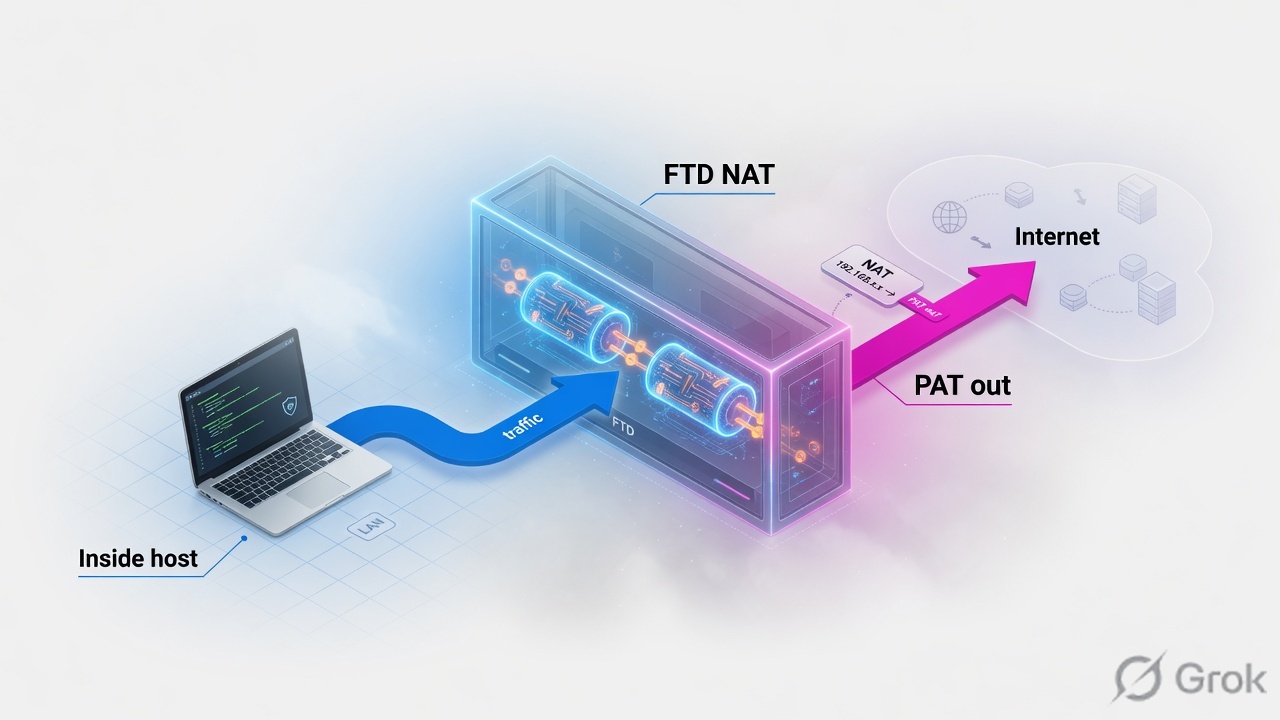
Real
The address on the host before translation. Access Control matches this, not the public mapped IP.
Mapped
What the other side sees. Interface PAT, a pool, or a 1:1 static. Device interface IPs themselves are not translated.
Auto NAT
NAT is a parameter of a network object (not a group). Source and dest can each hit a separate rule. LINA orders Section 2 for you.
Manual / twice NAT
One rule can name source and destination. Packet matches that rule only. You place it before Auto (Section 1) or after Auto (Section 3).
Inside 10.10.8.0/24, host 10.10.8.22, outside PAT 203.0.113.20, internet dest 198.51.100.80:443, VPN remote 10.1.1.0/24, published web 10.10.8.80 → 203.0.113.80. Confirm live syntax before you type on a real device.
2. Mental model: Auto, Manual, three sections
Pre-train the hard words before the runbook. Interviews fail on the synonyms, not the click path.
- Auto NAT — also called network object NAT. The object’s IP is the real address. One Auto NAT rule per object. Cannot use a group as the real object.
- Manual NAT — also called twice NAT (ASA wording). Objects (or groups) are parameters of the NAT rule. Destination is optional; if you set it, dest mapping is always static.
- Section 1 — Manual NAT before Auto. Default insert for a new Manual rule. First-match, your order. Put specific / dest-aware / identity-exempt here.
- Section 2 — Auto NAT only. LINA sorts: static, then dynamic; then smallest real count; then lowest IP; then object name A→Z.
- Section 3 — Manual NAT after Auto. Catch-all PAT pools and other general rules that must not beat a more specific Auto static.
- Section 0 — system-created NAT. Priority over yours. You cannot edit it.
Read left → right, then the two cards. Cisco: if a match is found in Section 1, Sections 2 and 3 are not evaluated. Section 0 (system) sits above all of this.
Auto NAT checks both source and destination of the packet against Auto rules. Two different Auto rules can translate source and dest independently. What Auto cannot do is pair them: you cannot say “when this source talks to dest A, translate one way; when it talks to dest B, translate another.” That pairing is Manual / twice NAT.
3. Decision flow before you add a rule
Draw this before you open Devices → NAT. Destination-aware means Manual. “Must beat PAT” means Section 1. “Must lose to a more specific Auto static” means Section 3.

Read top → bottom. Diamond = decision. Left exits are “do not put this in Section 1.” Bottom box is the only close for the ticket.
4. How to choose Auto vs Manual
Cisco’s own recommendation: use Auto NAT unless you need the extra features Manual NAT provides. If X then Y. Do not invent a third type.
| You need | Choose | Insert |
|---|---|---|
| Whole inside subnet shares the outside interface | Dynamic PAT (interface) — Auto is enough | Section 2 Auto NAT |
| Published server, fixed public IP, both directions | Static NAT — Auto is enough | Section 2 Auto NAT (LINA puts static before dynamic) |
| Same inside hosts: PAT to internet, identity to VPN peer | Manual identity (source=inside, dest=peer, both → themselves) | Section 1, above any general PAT |
| sourceA/destA translates differently than sourceA/destB | Manual / twice NAT (dest-aware) | Section 1 if it must beat Auto |
| General PAT pool that must not steal a more specific Auto static | Manual dynamic PAT / PAT pool | Section 3 after-auto |
| Same-interface U-turn (inside user hits the public mapped IP) | Manual NAT (dest un-translate + same ifc) | Section 1; enable same-interface / hairpin as the topology needs |
| Second NAT for an IP that already has Auto NAT | New network object, same IP, different name — or switch to Manual | Auto allows only one NAT per object |
| Dual-ISP Manual NAT (primary + backup) | Manual, no destination criteria; primary rule above backup | Cisco: dest objects pin the rule to the primary ifc |
| Type | What it does | Who can start |
|---|---|---|
| Dynamic NAT | Real group → mapped pool, first come | Real host (return follows xlate) |
| Dynamic PAT | Many reals → one mapped IP + unique port | Real host. Interface PAT is the usual branch design |
| Static NAT | Fixed 1:1, bidirectional | Either side (ACP still required) |
| Identity NAT | Real → itself (exempt / bypass translate) | Used to punch a hole in a broader PAT |
5. Runbook Side A → B → C
Goal: objects and zones first, then the two NAT rules in the right sections, then two tracers that print different Config: lines.
Side A — Objects and interface objects
Primary source: Cisco “Configure and Verify NAT on FTD” (Document ID 212702) — FTD NAT uses Security Zones or Interface Groups, not classic ASA nameif in the GUI.
-
Zones before rules
Objects → Object Management → Interface. Lab: zone
insideholds the inside iface, zoneoutsideholds the outside iface. An iface is in one Security Zone; it can sit in multiple Interface Groups. -
Network objects
Create host/network objects you will reuse:
Net_10.10.8.0_24,Host_10.10.8.22,net_10.1.1.0_24,web-real10.10.8.80,web-mapped203.0.113.80. Do not name an objectpat-pool.
Side B — NAT policy: Auto PAT, then Manual exempt
Primary source: FMC path in Document ID 212702 — Devices → NAT → New Policy → Threat Defense NAT, assign the FTD, Add Rule. FDM equivalent is Policies → NAT.
-
Auto NAT · dynamic PAT (Section 2)
NAT Rule = Auto NAT Rule. Type = Dynamic. Insert = Auto NAT Rules (Section 2). Source interface
inside, Destinationoutside. Original Source =Net_10.10.8.0_24. Translated Source = Destination Interface IP (interface PAT). Optional Advanced: Fallthrough to Interface PAT if you used a pool first. -
Manual NAT · identity exempt (Section 1)
NAT Rule = Manual NAT Rule. Type = Static. Insert = In Section 1 (before Auto). Original Source and Translated Source =
Net_10.10.8.0_24. Original Destination and Translated Destination =net_10.1.1.0_24. Advanced: for identity NAT, enable Perform Route Lookup when you must not pin egress to the mapped interface. -
Optional leftovers in Section 3
A PAT pool that should only catch traffic Auto missed: Manual NAT, Type Dynamic, Insert In Section 3. CLI will show
after-autoandpat-pool. Specific rules still go above general rules inside that section. -
Deploy, then ACP on real IPs
Static NAT is bidirectional. ACP still uses the real address (Cisco: same as ASA). Permit
10.10.8.80, not203.0.113.80.
Devices → NAT → LAB-FTD-NAT → Add Rule
Add Rule · inside-pat-outside
Exact fields: NAT Rule (Auto NAT Rule), Type (Dynamic), Insert (Auto NAT Rules), Source/Destination Interface Objects, Original Source, Translated Source = Destination Interface IP. Path from Cisco TAC 212702. Lab values only.
Devices → NAT → LAB-FTD-NAT → Add Rule
Add Rule · vpn-exempt-partner
Exact fields: NAT Rule (Manual NAT Rule), Type (Static), Insert (In Section 1), Original/Translated Source identical, Original/Translated Destination identical. Dest mapping is always static. Path from Cisco TAC 212702 Task 3. Lab values only.
Side C — Prove with packet-tracer
Primary source: Document ID 212702 Verify tasks, plus “Use Firepower Threat Defense Captures and Packet Tracer” (212474). Tracer is a predicted packet. Run it twice when a VPN SA must come up.
-
Internet dest must hit PAT
packet-tracer input inside tcp 10.10.8.22 51922 198.51.100.80 443. You wantType: NATwith Config showingsource dynamic Net_10.10.8.0_24 interface(or the Auto object form). Final Action: allow. -
VPN dest must hit the exempt
packet-tracer input inside tcp 10.10.8.22 51922 10.1.1.10 443. You wantUN-NAT/NATConfig showing the identity twice NAT, Additional InformationStatic translate 10.10.8.22/… to 10.10.8.22/…. If you still see interface PAT, Section 1 did not match — dest object, zone pair, or insert is wrong. -
Live counters
show nat— Manual Policies (Section 1) vs Auto (Section 2) vs Manual (Section 3),translate_hits/untranslate_hits.show xlateflags:sstatic,Ttwice,Iidentity,idynamic,rportmap.show run natshould show the exempt withoutafter-auto, and any Section 3 rule withafter-auto.
> packet-tracer input inside tcp 10.10.8.22 51922 198.51.100.80 443
Phase: 6
Type: NAT
Config:
nat (inside,outside) source dynamic Net_10.10.8.0_24 interface
Additional Information:
Dynamic translate 10.10.8.22/51922 to 203.0.113.20/18422
Result: Action: allow

> packet-tracer input inside tcp 10.10.8.22 51922 10.1.1.10 443
Phase: 3
Type: UN-NAT
Subtype: static
Config:
nat (inside,outside) source static Net_10.10.8.0_24 Net_10.10.8.0_24 destination static net_10.1.1.0_24 net_10.1.1.0_24
Additional Information:
Untranslate 10.1.1.10/443 to 10.1.1.10/443
Phase: 6
Type: NAT
Additional Information:
Static translate 10.10.8.22/51922 to 10.10.8.22/51922
Result: Action: allow
Internet tracer prints dynamic interface PAT. VPN tracer prints the identity twice-NAT Config and does not print the PAT line. show nat Section 1 exempt hits climb on the partner flow. FMC Devices → Troubleshoot → Packet Tracer is the same utility if you are not on CLI.
6. Runtime path of one packet
After Deploy the user does not care about your insert dropdown. The live packet does this.
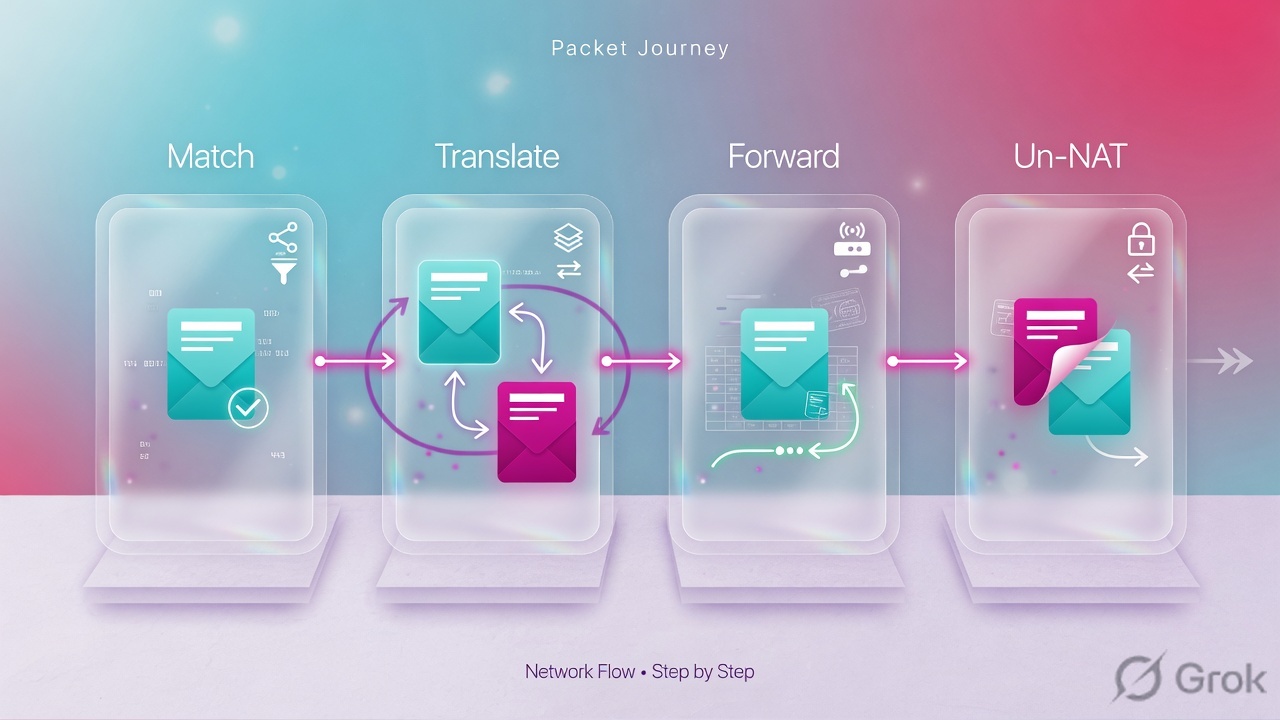
- SYN hits inside. LINA (not Snort) owns NAT.
- Existing xlate? Reuse it. Else walk Section 0 → 1 → 2 → 3. Stop at first match.
- If dest is 10.1.1.10, Section 1 identity twice NAT matches. Source stays 10.10.8.22. VPN can encrypt the real prefix.
- If dest is 198.51.100.80, Section 1 misses. Section 2 Auto PAT writes
10.10.8.22:51922 → 203.0.113.20:18422. - Access Control is evaluated against real addresses. Permit the inside host / inside server, not the PAT IP.
- Inbound to a static mapped address: UN-NAT first, then ACP sees dest
10.10.8.80. - Snort may still inspect after LINA allows. NAT success is not an IPS pass.
- Reply uses the xlate.
show xlate/show connare live; tracer was predicted.
> show nat
Manual NAT Policies (Section 1)
1 (inside) to (outside) source static Net_10.10.8.0_24 Net_10.10.8.0_24
    destination static net_10.1.1.0_24 net_10.1.1.0_24
    translate_hits = 9, untranslate_hits = 9

Auto NAT Policies (Section 2)
1 (inside) to (outside) source dynamic Net_10.10.8.0_24 interface
    translate_hits = 98, untranslate_hits = 138

Manual NAT Policies (Section 3)
1 (inside) to (dmz) source dynamic Net_10.10.8.0_24 pat-pool range-web flat include-reserve
    translate_hits = 0, untranslate_hits = 0
7. Traps and proof checklist

| Symptom | Likely cause | Proof |
|---|---|---|
| VPN up, no interesting traffic | Broad PAT matched in Section 2; no Section 1 identity pair | Tracer to peer dest shows source dynamic … interface |
| Exempt rule “is there” but PAT still wins | Inserted in Section 3, or dest object missing, or zones wrong | show run nat — if you see after-auto on the exempt, it is Section 3 |
| ACP drop on a published server | Rule written for mapped IP 203.0.113.80 | Inbound trace: UN-NAT then ACL dest = real 10.10.8.80 |
| New NAT ignored on existing sessions | Old xlate / conn still pinned | clear xlate (drops translated conns) or clear conn for that flow |
| Second Auto NAT for the same object refused | One Auto NAT per object | Clone the object (new name, same IP) or use Manual |
| Hosts on the mapped LAN lose ARP | Broad identity NAT, proxy ARP still on | Disable proxy ARP on that identity rule; proxy ARP is decided on the “source” address |
| Services on the FTD outside IP die after static NAT | Translated Source = interface IP on a static | Cisco warning: all traffic to that interface IP is redirected |
| Dual-ISP Manual NAT always uses primary | Destination objects in the rule | Remove dest criteria; keep primary rule above backup |
- FMC Devices → NAT policy assigned to this FTD; Deploy succeeded on the device, not only the FMC toast.
show natlists the exempt under Manual (Section 1) and PAT under Auto (Section 2) or Manual (Section 3) as designed.- Internet tracer → PAT Config. Partner tracer → identity Config. No PAT line on the partner run.
- ACP permits the real host/server. Inbound static UN-NAT is visible before the ACL phase.
- If you changed NAT under load, you cleared the relevant xlate/conn on purpose, not the whole box by accident.
Knowledge check
Six judgment items. Map each miss back to the section named in the reason.
Sources
- Configure and Verify NAT on FTD — Document ID 212702. FMC Devices → NAT → Threat Defense NAT; Section 1 twice NAT / Section 2 Auto / Section 3 after-auto; packet-tracer Config lines; Security Zones.
- FMC Configuration Guide — NAT for Firepower Threat Defense — Auto vs Manual comparison, NAT rule order (including Section 0), types, identity NAT proxy ARP, one Auto NAT per object.
- FTD Device Manager 7.1 — Network Address Translation — FDM path Policies → NAT; same three-section table; Create Rule For Auto/Manual; Rule Placement before/after auto.
- Order of processing NAT rules — Section 1 Manual (FTD) / twice NAT (ASA); Section 2 Auto / object NAT; Section 3 after; Auto sort rules.
- Comparing Auto NAT and Manual NAT — unpaired Auto vs paired Manual; Manual ordered before or after Auto.
- Use Firepower Threat Defense Captures and Packet Tracer — Document ID 212474. Tracer utility vs live traffic.
Related: FTD VPN (NAT-exempt on the tunnel) · Session factory · LINA then Snort · Access Control · real IPs · FTD & FMC fundamentals · Cisco Secure Firewall hub