The ticket
OT asked for a block from user VLAN 30 to PLC 10.50.1.10. Someone enabled Virtual Firewall on fs-app1 the same night. The filler line stopped. Nobody had looked at the matrix cell. eyeSegment exists so you see the flow before you own the drop.
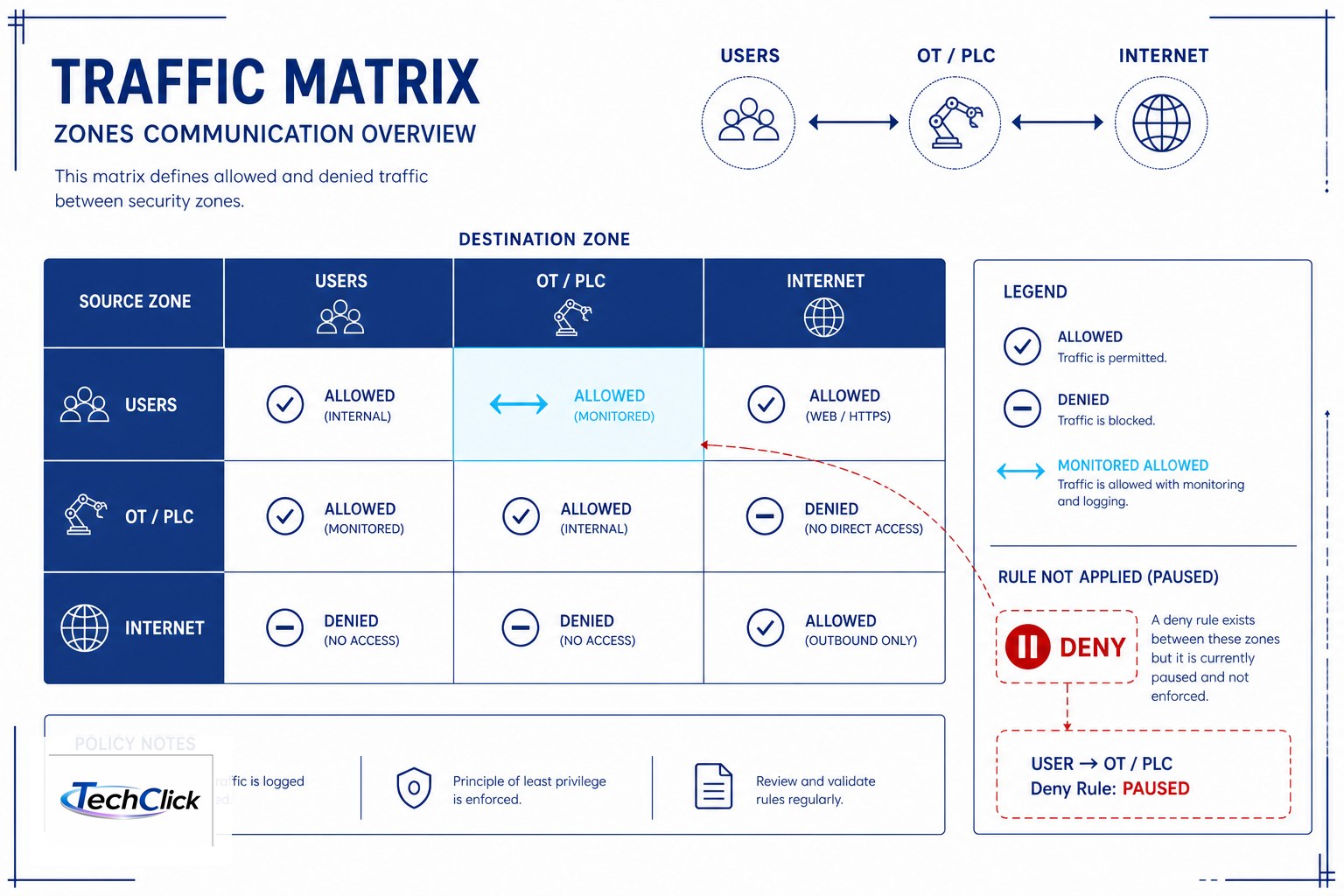
eyeSegment builds a matrix of Source and Destination zones — selected from Forescout policy groups and eyeSight segments. The module also creates virtual default zones: Internal Network, Private Network, Multicast/Broadcast, Internet. You can focus a row/column/cell into sub-zones. You can simulate denying a segment and notify on a simulated violation. Enforcement is a later handoff (eyeExtend / NGFW / ISE), not “draw a VLAN and hope.” Docs: About the Forescout eyeSegment Module. Menu names vary 8.x/9.x — confirm on your train.
Enterprise Manager fs-em 10.10.10.30 · Appliance fs-app1 10.10.10.31 · span/mirror on sw-access-01 · same LAN 10.20.30.0/24 · Priya 10.20.30.80 · printer 10.20.30.60 · OT PLC 10.50.1.10. Not a live customer.
Zones and the matrix
| Zone kind | What it is |
|---|---|
| Policy group / eyeSight segment | You pick these as Source, Destination, or both |
| Internal Network | IPs in eyeSight internal network not already in a user zone |
| Private Network | Private IPs outside that internal network |
| Multicast/Broadcast | Those ranges |
| Internet | Everything else |
Focus the cell for sub-zones and ports. Then simulate. Then pick one enforcer (lesson 8 eyeExtend).
Shared matrix
Simulate vs enforce
Week 1: matrix + filters only. Week 2: simulate deny on one unexpected cell, notify. Week 3+: push the committed rule to the owner you already named — NGFW object or ISE ANC — not Virtual FW on the same ports ISE owns. OT cells stay simulate/notify unless OT signed the change.
How you use one cell
Side A — zones
Create/select Users (10.20.30.0/24 policy group) and OT-PLC (10.50.1.0/24 segment). Know Internal Network vs Internet so leftover traffic is not “invisible.”
Side B — matrix
Open eyeSegment. Confirm the Users → OT-PLC cell. Focus/drill if the product shows sub-zones. Note service/port if shown.
Side C — simulate then hand off
Simulate deny + notify. If the flow is unexpected, ticket OT. If it is expected (historian, engineering workstation), do not drop it. Enforcement owner is written: Forescout inspect only, or eyeExtend → firewall. One owner.
Four matrix failures
1 · Virtual FW instead of a matrix look
2 · Treating Internet default zone as “we have no OT traffic”
Unzoned IPs land in virtual defaults. Empty user zones ≠ empty plant.
3 · Dual enforce (matrix policy + plugin VLAN + ISE CoA)
4 · Simulating nothing, enforcing everything on Friday
How to prove it
1) Named Source and Destination zones. 2) Screenshot or export of the Users → OT-PLC cell. 3) Simulate-deny result attached. 4) Written enforcer (none / NGFW / ISE) — not “both plus Virtual FW.” 5) OT named if the cell touches 10.50.1.0/24.
Traps
| Wrong | Right |
|---|---|
| eyeSegment is a third NAC | It is a matrix + simulate layer on eyeSight data |
| Zone = VLAN ID | Zone = policy group / segment / virtual default |
| No cell = no risk | Wrong SPAN (lesson 2) hides the cell |
Knowledge check
Judgment items. One best answer. Reasons send you back to the matching section.
Forescout class series: Three products · First day · Discovery · Classification · Policy · Enforcement · Switch plugin · eyeExtend · OT / IoT · vs ISE + interview · HPS posture · eyeSegment matrix · RADIUS 802.1X MAB
Sources
- About the Forescout eyeSegment Module — matrix, zones, virtual defaults, simulate deny.
- Open the eyeSegment Application — matrix page; confirm on your train.
- eyeSegment product page — see, model, simulate; orchestrate existing enforcement points.
- This series lessons 1, 6 (one owner), 8 (eyeExtend), 9 (OT).
Related: Forescout evidence desk · session factory · Cisco ISE series.