Home → All Hosts / Host Details answers “did this endpoint even become a host record?” Function · OS · Vendor and Model answers “what does eyeSight think it is?” Policy Actions answers “which action fired, and is Status OK?” Plugin status answers “can Switch write, can WMI inspect, can HTTP redirect?” 802.1X Last Authentication State answers “did RADIUS Accept or Reject this admission?” A green Enterprise Manager is not a Policy Action. A classified Windows host is not a VLAN move.
1. Why “is it seeing / why no control?” is five questions
Operators collapse five failures into one sentence. The host never landed in inventory. Classification left it Unclassified. Policy matched but the action is still disabled. Switch Plugin SNMP is up and CLI write is dead. RADIUS rejected the supplicant. Those are five first clicks.
This page is the night-shift desk for proof. The factory taught seen ≠ class ≠ comply ≠ plugin write. Here you learn the five Console tools you actually open, in order, when someone asks you to prove Forescout is seeing the host — or to explain why there is no control.
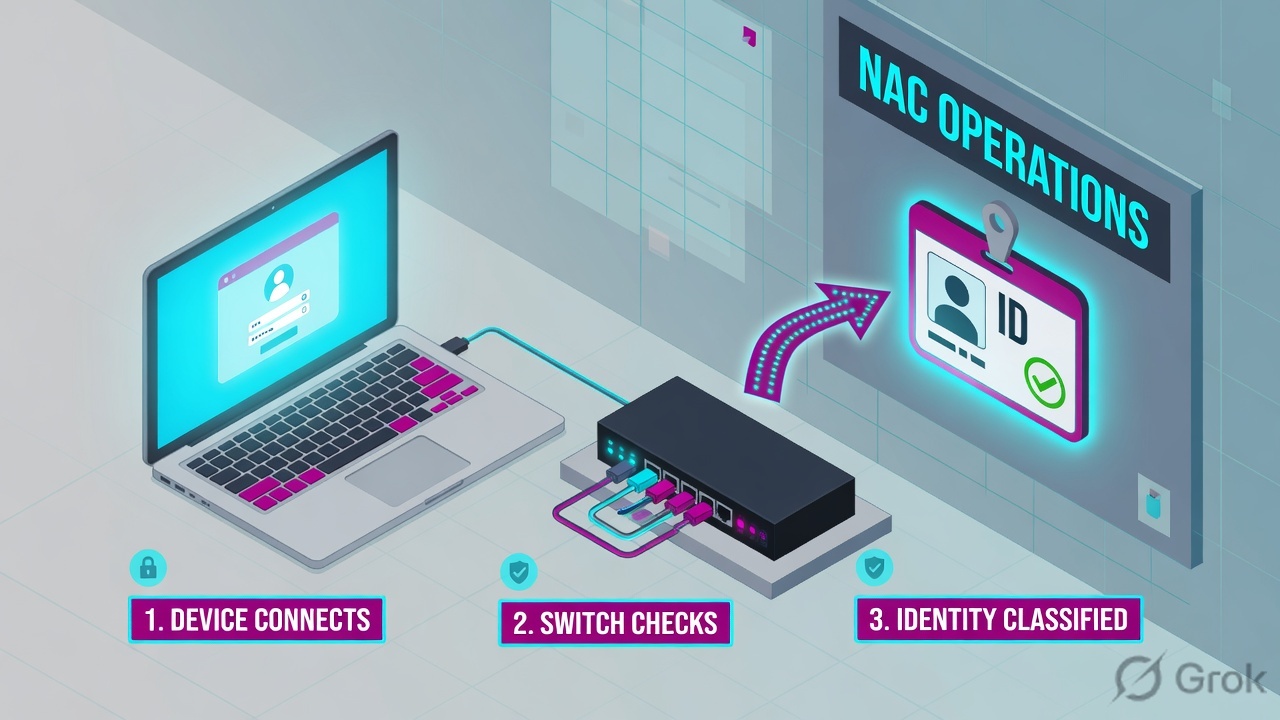
If they say “prove Forescout is seeing this host,” do not say “I opened the Console.” Say: “I prove inventory from Home / All Hosts and Host Details, class from Function · OS · Vendor and Model, control from the Policy Actions tab, the write path from Switch SNMP / CLI status, inspection from HPS / HTTP, and admission from 802.1X Last Authentication State.”
2. Mental model — five proof tools
Memorise five named objects before you click. Each tool is allowed to prove one thing. Over-claiming a field is how you ship a bad change at 02:00.
1 · Host inventory
Console Home → Views pane → All Hosts. Double-click the endpoint in the Detections pane → Host Details. Proves IP / MAC / hostname exist as a record. Does not prove class, action, or RADIUS.
2 · Match / classify
Host Details Profile tab. Official properties: Function, Operating System, Vendor and Model. Unclassified is a classification ticket. It is not “Forescout is down.”
3 · Policy action
Host Details Policy Actions tab (exportable as the Policy Action Log). Proves which action ran and whether Status is OK. A disabled action is a stage, not a failed write.
4 · Plugin status
Tools → Options → Modules (running / stopped) plus Tools → Options → Switch, HPS Inspection Engine (WMI Remote Inspection), and Tools → Options → NAC → HTTP Redirection.
5 · 802.1X / NAC state
RADIUS plugin properties: 802.1X Last Authentication State (User / Computer / MAC), 802.1X RADIUS Authentication State, 802.1X Authorization Source. Accept is not a VLAN.
Hard words, once
Detections pane = the host list. Host Log = time-ordered events; action complete → Status OK. Device Classification Engine + Device Profile Library = Function / OS / vendor. Partial Enforcement disables HTTP Actions and Virtual Firewall.
Read left → right. Each box is allowed one claim. If you cannot name the field, you are not proving — you are guessing.
I prove inventory, then class, then the Policy Action, then the plugin that must carry it, then 802.1X if this is an admission ticket. I do not flip Enforce, bounce a port, or rewrite Corporate-Posture until I can quote the field that made me do it.
3. Decision flow — ticket → first tool
Flowchart first. Do not open Policy Manager until a diamond says so.
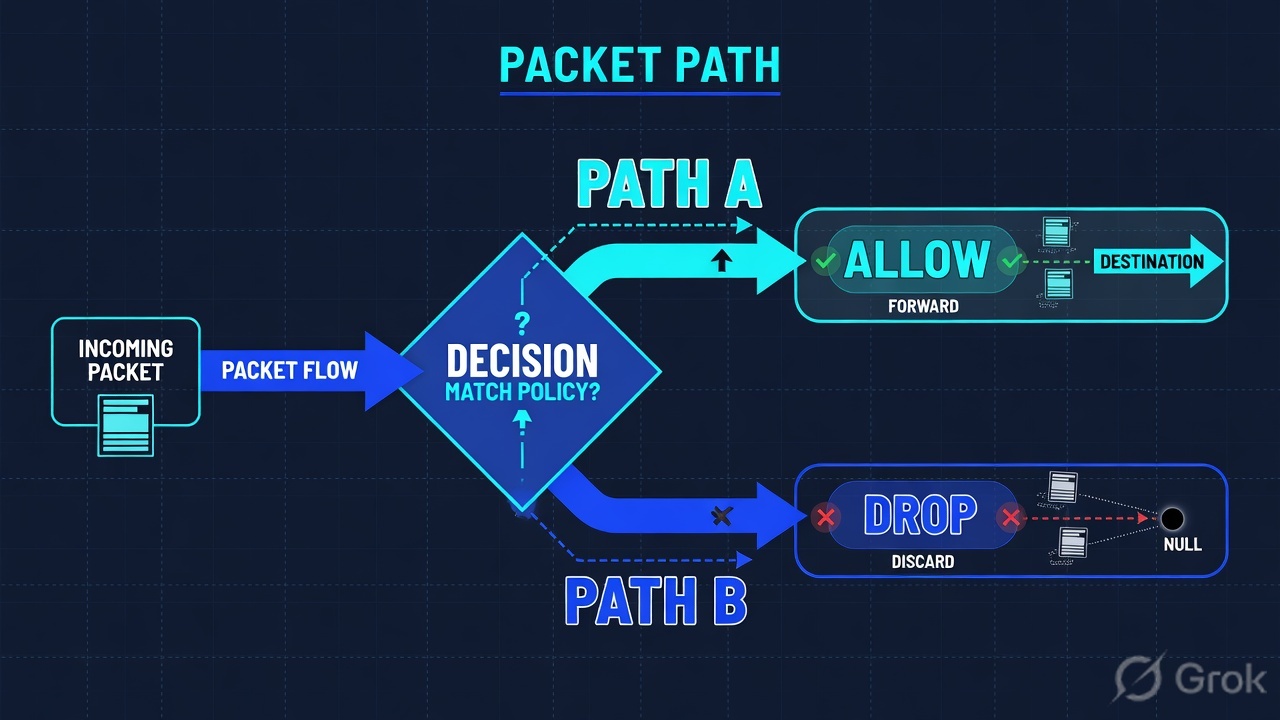
Read the diamond first. Unclassified never starts in Switch Block. “Cannot join SSID” never starts in Function. Missing inventory never starts in Switch Port Action.
4. How to choose — first tool + proof field
Print this next to the Console. If you cannot recite the proof field, you are not ready to change anything.
| If the ticket says… | First tool (official path) | Proof field | Do not open first |
|---|---|---|---|
| Laptop / “is Forescout even seeing this host?” | Console Home → All Hosts, then double-click → Host Details. Confirm on Host Log if the Detections pane is noisy. | Host identifier (IPv4 / IPv6 / MAC / hostname) + Host Log Time + Status |
A new Assign to VLAN |
| Host is listed but Function is empty / Unclassified group | Host Details Profile tab. Optional: Tools → Options → Discovery → Inventory Classification folder. | Function + Operating System + Vendor and Model (+ Profile Sources / Function Classified By) |
Switch Block, HTTP Login |
| Classified, cannot reach the app / “NAC restricted me” | Host Details Policy Actions tab (Policy Action Log export if you need a file) | Action name (Assign to VLAN / Switch Block / Virtual Firewall / HTTP Notification) + Host Log Status = OK when complete |
Restart Enterprise Manager |
| Policy matched, VLAN / ACL never moved | Tools → Options → Modules (plugin running?) then Tools → Options → Switch. On the host: Switch properties. | Switch SNMP Status + Switch CLI Status + Switch Port Action + Switch Port VLAN |
A second posture check |
| Cannot join corp SSID / 802.1X loop / MAB guest | Host Details properties under the RADIUS / 802.1X folders. Policy: RADIUS → 802.1X → 802.1X Enforcement if you must see the template. | 802.1X Last Authentication State (User / Computer / MAC) + 802.1X RADIUS Authentication State + 802.1X Authorization Source |
Primary Classification template |
eyeSight Administration Guide: if the Console indicator is Partial Enforcement, Protection, HTTP Actions, and Virtual Firewall are disabled. An HTTP Notification that never appears is not a broken HPS Inspection Engine until you have ruled this mode out. Evaluation mode is allowed to look “dead” on those three surfaces.
5. Runbook Side A → B → C
Side A proves inventory and class. Side B proves the Policy Action and the plugin that must carry it. Side C proves 802.1X / NAC admission. On a messy Sev-2, do them in this order until a field lights up.
Side A — Inventory + classify (is it seen, what is it)
-
Open All Hosts, not Policy Manager
Path: Console Home → Views pane → All Hosts. Official: the number in parentheses is currently detected devices. Filter the Detections pane by the ticket IP or MAC. If the host is missing, stop. There is no Policy Action to chase. Source: eyeSight Administration Guide — Working in the Forescout Console / All Hosts.
-
Open Host Details
Double-click the endpoint in the Detections pane. Official: the Host Details dialog provides policy detections, endpoint properties, and details about actions. Properties with unresolved, empty, or null values are hidden — empty is a finding, not a blank screen. Source: The Host Details dialog (eyeSight 9.1.x).
-
If the Detections pane is noisy, use Host Log
Official columns:
Appliance,Details,Host,IPv6 Address,MAC Address,Status,Time,Type/Name. If a policy action is complete,Statusis OK. Filter by Policy or Property. Source: Host Log — investigate endpoint activity. -
Read the three classification properties
On the Profile tab:
Function,Operating System,Vendor and Model. Use Show troubleshooting messages for Profile Sources.Function Classified Bytells you Device Classification Engine versus a Set Function Classification action. Unclassified group = classification work. Source: Primary Classification template (9.1.x).
Home / All Hosts / 10.10.8.22 / Host Details
Host Details
02:14:08 Type=Property Status=OK MAC learned on sw-core-01 Gi1/0/22
02:14:19 Type=Policy Status=OK Corporate-Posture · pending inspection
Source: docs.forescout.com — The Host Details dialog; Host Log — investigate endpoint activity; Primary Classification template (Function, Operating System, Vendor and Model, Function Classified By). Lab identities only. Training mock · not live.
Side B — Policy action + plugin status (why no control)
-
Read the Policy Actions tab before you edit the policy
Same Host Details dialog → Policy Actions tab. Official: information in this tab can be exported (Policy Action Log). Quote the action name and whether it is enabled. Official reason to disable actions: “test your policies and get a sense of network compliance before … taking actions on network devices.” Source: Working with Actions; The Host Details dialog.
-
Name the restrict action you actually have
Switch Plugin restrict actions: Assign to VLAN, Provision VLAN (persistent — does not revert), Switch Block (port off), Access Port ACL, Endpoint Address ACL. eyeControl also ships Virtual Firewall and HTTP Notification / HTTP Login. A Virtual Firewall block is not a switch ACL. Source: Switch-related policies; Working with Actions.
-
Prove the plugin that must carry the action
Tools → Options → Modules — plugin / module running or stopped (Host Log also records plugin/module status). Then the specific pane:
- Switch: Tools → Options → Switch. On the host, quote
Switch SNMP StatusandSwitch CLI Status. Assign to VLAN on several vendors uses CLI to assign and SNMP to bounce. Read-ok is not write-ok. - WMI: Tools → Options → Modules → Endpoint → HPS Inspection Engine → Configure. Remote Inspection “uses WMI and other standard domain/host management protocols.” Also check
Windows Manageable Domain/Windows Manageable Local/Windows Manageable SecureConnector. - HTTP: Tools → Options → NAC → HTTP Redirection. HTTP Login / HTTP Notification / Start SecureConnector (HTTP install) all depend on redirection being enabled. Partial Enforcement disables HTTP Actions.
Sources: Global configuration options for the Switch plugin; Working with Remote Inspection; Policy preferences (HTTP Redirection); Working with Actions.
- Switch: Tools → Options → Switch. On the host, quote
-
Read Switch Port Action on the host
Official properties:
Switch Port Action(Assign to VLAN, Provision VLAN, or Switch Block assigned to the port),Switch Port VLAN,Switch IP/FQDN and Port Name. If Policy Actions says Assign to VLAN andSwitch Port VLANnever moved, you have a plugin-write ticket — not a posture ticket. Source: Switch-related policies — Switch properties.
Tools / Options / Modules · plus Switch properties on 10.10.8.22
Plugin status · lab
| Surface | Field | Lab value | Means |
|---|---|---|---|
| Modules | Switch Plugin | Running | Not stopped |
| Host property | Switch CLI Status | Fail | Assign/bounce cannot finish |
| Host property | Switch Port VLAN | 10 (corp) | Never moved to 20 |
Source: docs.forescout.com — Tools → Options → Modules (plugin running/stopped); Switch-related policies (Switch SNMP Status, Switch CLI Status, Switch Port Action, Switch Port VLAN); Working with Remote Inspection (WMI); Policy preferences (NAC → HTTP Redirection). Training mock · not live.
Path:            Host Details → Policy Actions
Quote:           action name + enabled/disabled + Host Log Status
If action pending:
  Tools → Options → Modules     (running / stopped)
  Switch SNMP Status            (read path)
  Switch CLI Status             (write / bounce path)
  Switch Port Action            (what the port thinks)
  Switch Port VLAN              (did it move)
HPS / WMI:       Windows Manageable Domain | Local | SecureConnector
HTTP:            Tools → Options → NAC → HTTP Redirection
Mode check:      Partial Enforcement disables HTTP Actions + Virtual Firewall
Side C — 802.1X / NAC admission state
-
Open 802.1X properties, not All Hosts host-count
On Host Details, read the RADIUS plugin properties. Official Authentication Decision properties:
802.1X Last Authentication State - User Credentials,… Computer Credentials,… MAC Based— each is RADIUS-Accepted or RADIUS-Rejected.802.1X RADIUS Authentication Stateis the last Accept or Reject. Source: RADIUS properties for use in policy conditions. -
Read Authorization Source before you blame the switch
802.1X Authorization Sourceis one of: Policy Action Authorization, MAC Address Repository Authorization, Pre-Admission Authorization Rule. Official note: the final reply might differ from the authentication state “due to any imposed authorization.” A RADIUS-Accept plus a restrictive Authorize action is still a working NAC — quote both. Source: same RADIUS properties topic. -
If authentication failed, read the debug field — then stop changing VLANs
802.1X RADIUS Log Detailsholds debug messages of the last failed authentication.802.1X Authentication Typenames EAP-TLS, EAP-TTLS, MAB, PEAP, PEAP-EAP-TLS. A cert expiry (802.1X Client Cert Expiration) is not a Switch Plugin outage. Source: RADIUS properties — Advanced / Authentication Details / Client certificate.
- Side A inventory: All Hosts shows the IP or MAC; Host Log has a
Timein the ticket window. Side A class: Function / OS / Vendor and Model are resolved — or you have explicitly named Unclassified. - Side B action: Policy Actions names the action; Host Log
Statusis OK when complete. Side B plugin: Switch SNMP + CLI both healthy if the action writes the port; or you have named SPAN-only / Partial Enforcement. - Side C:
802.1X Last Authentication Stateis RADIUS-Accepted or RADIUS-Rejected, and802.1X Authorization Sourceis quoted.
Concept: seeing, classifying, acting, carrying, and admitting are five proofs. Path: All Hosts → Profile → Policy Actions → Modules / Switch / HPS / HTTP → 802.1X state. Do: quote one official field, then name isolate versus change-control.
6. Five tickets as full stories
These five land every quarter. Memorise first tool + proof field. Times and identities below are lab-only.
| Ticket | Symptom | First tool | Proof field |
|---|---|---|---|
| FS-EVD-01 | “Is Forescout even seeing this host?” | Home → All Hosts / Host Details | IP or MAC present · Host Log Time + Status |
| FS-EVD-02 | Host listed, Unclassified / empty Function | Profile tab | Function + Operating System + Vendor and Model |
| FS-EVD-03 | Classified Windows, SAP dead after posture | Policy Actions tab | Action name + Host Log Status = OK |
| FS-EVD-04 | Policy matched, VLAN never moved | Modules + Switch properties | Switch SNMP Status + Switch CLI Status + Switch Port Action |
| FS-EVD-05 | Cannot join corp SSID / 802.1X loop | 802.1X properties | 802.1X Last Authentication State + Authorization Source |
FS-EVD-01 — Prove inventory (All Hosts / Host Details)
01:42 · P2. Priya on a new floor jack. Helpdesk photo of “I have an IP.” L1 already drafted an Assign to VLAN on Corporate-Posture.
First tool: Console Home → All Hosts. Search 10.10.8.22 and the MAC from the switch CAM. Double-click → Host Details.
If missing: Forescout is not seeing the host. Quote the empty Detections result and the managed-range / SPAN / DHCP-helper check you will do next. There is no Policy Action. Do not enable a restrict on a host that does not exist.
If present: quote IP, MAC, and Host Log Time of the last event. You have proved inventory. You have not proved class, action, plugin, or 802.1X.
Do not trust a colleague’s All Hosts filter from a different Appliance folder. The proof is the Host Details dialog for this IP or MAC on the Appliance that owns the managed range. A rogue device without IP/MAC/hostname can appear as the switch port value — that is still a host record, officially.
FS-EVD-02 — Prove match / classify (Profile tab)
02:05 · P2. The host is in All Hosts. Function is empty. It sits in the Unclassified group. Night lead wants a default Switch Block on “anything unknown.”
First tool: Host Details Profile tab. Click Show troubleshooting messages for Profile Sources.
Proof field: Function, Operating System, Vendor and Model — all unresolved — plus membership in the Unclassified group created by the Primary Classification template. Official: if a device does not meet any group or eyeSight cannot evaluate it, it is placed in Unclassified. Classification policies also use active methods (open ports, Nmap, WMI / SMB / RRP depending on HPS configuration). Sensitive endpoints should have been excluded — do not Nmap an OT VLAN at 02:00.
I would not Switch Block Unclassified at 02:05. I would quote the three empty classification properties, check DHCP / HTTP banner / Switch MAC feeds on that VLAN, and leave a scoped exception if a default restrict is already firing. Classification is not compliance. Factory: class ≠ comply.
FS-EVD-03 — Prove the Policy Action
02:20 · P2. Function = Windows Workstation. SAP is dead. Someone wants DHCP rebuilt.
First tool: Host Details → Policy Actions tab. Also filter Host Log to Policy.
Proof field: action = Assign to VLAN (lab VLAN 20 / restrict), Host Log Status = OK at 02:14:19. That name is the ticket. The user path matches a restrict VLAN, not a missing IP helper. Finish posture (AV / disk-encrypt / domain — whatever Corporate-Posture checks) or add a time-boxed group exception with an owner. Do not recreate DHCP.
I would not add a second Assign to VLAN. I would quote the Policy Actions row and Host Log Status OK. If the action checkbox is cleared (disabled), official docs say that is how you test compliance before communicating with devices — flip is change-control, not isolate.
FS-EVD-04 — Prove plugin status (Switch / WMI / HTTP)
02:40 · P1. Corporate-Posture evaluates. Policy Actions shows Assign to VLAN. Switch Port VLAN is still 10. L1 wants the policy deleted.
First tool: Tools → Options → Modules (Switch Plugin running?) then host properties Switch SNMP Status and Switch CLI Status.
Proof field: SNMP = OK, CLI = fail (lab: auth). Official: on several vendors the plugin uses CLI to assign the VLAN and SNMP to bounce the port — both credentials need write. Connected + read-ok is the classic lie. Also check: action threshold (default 2% of endpoints per action type per Appliance), “Maximum allowed endpoints connected to port” (hub / phone + PC), trunk port (Assign to VLAN is not applied on trunks), and Partial Enforcement (HTTP / Virtual Firewall disabled).
If the action was HTTP Notification and the user never saw a page: quote Tools → Options → NAC → HTTP Redirection and Partial Enforcement. If posture is stuck pending: quote HPS Inspection Engine running + Windows Manageable Domain (WMI Remote Inspection) versus SecureConnector.
Deleting Corporate-Posture at 02:40 is how you open VLAN 10 for every pending host. Plugin credentials / SNMP write / CLI enable are change-control. SPAN-only segments have no write path — say that; do not promise a VLAN.
FS-EVD-05 — Prove 802.1X / NAC state
03:00 · P2. Contractor cannot join the corp SSID. “NAC is down.” Application Segment thinking from another vendor is leaking into the channel.
First tool: Host Details → 802.1X / RADIUS properties. If there is no host record, you are back on FS-EVD-01 (the authenticator never forwarded RADIUS, or the endpoint is not in the managed range).
Proof field: 802.1X Last Authentication State - User Credentials = RADIUS-Rejected, 802.1X Authentication Type = PEAP, 802.1X RADIUS Log Details = the last failure, 802.1X Authorization Source empty because auth never succeeded. That is an admission ticket. Restarting the Switch Plugin will not mint a cert or fix a password. If state is RADIUS-Accepted and 802.1X Authorization Source = Policy Action Authorization, the user was admitted and then authorized by policy — go to FS-EVD-03, not “NAC is down.”
I would leave Assign to VLAN alone. I would paste Last Authentication State + Authorization Source + Authentication Type. RADIUS-Rejected plus a healthy Switch Plugin is a credential / EAP / MAR problem, not an inventory outage.
7. Traps + close-the-ticket proof
| You see | Weak close | Strong close |
|---|---|---|
| Host missing from All Hosts | “Forescout is down” / new Assign to VLAN | Quote empty Detections; fix SPAN / DHCP / managed range; re-open Host Details |
| Host present, Function empty | Switch Block all Unclassified | Quote Function / OS / Vendor and Model; restore classification feeds |
| Policy Actions = Assign to VLAN, Status OK | “Zscaler— wait, rebuild DHCP” | User is restricted as designed. Posture or exception. Do not rebuild the helper. |
| Action disabled / Monitor-style | “Enforce failed” | Official: disable actions to sense compliance first. Flip is change-control. |
| SNMP OK, CLI fail | “Plugin is up” | Quote Switch CLI Status. Assign + bounce needs write. |
| HTTP Notification never shown | Delete HPS Inspection Engine | NAC → HTTP Redirection + Partial Enforcement |
| Posture pending forever | Delete Corporate-Posture | HPS running + Windows Manageable Domain / WMI / SecureConnector |
| RADIUS-Rejected | Restart both Appliances | Last Authentication State + RADIUS Log Details + Authentication Type |
| RADIUS-Accepted + restrictive Authorize | “Auth is broken” | Quote Authorization Source. Admission succeeded; authorization is the control. |
| Appliance host count = 1840 | “We are 100% managed” | Host count is inventory, not compliance and not class. |
| Action threshold / multi-MAC port | Force Assign to VLAN on the hub | Official 2% default threshold; Maximum allowed endpoints connected to port |
- UTC window written next to the tool you opened.
- Inventory proved on the failing IP or MAC (Home → All Hosts / Host Details) when the ticket is “is Forescout seeing this?”
- One field quoted: Function/OS/Vendor, or Policy Actions + Status, or Switch SNMP/CLI + Port Action, or 802.1X Last Authentication State + Authorization Source.
- Next tool named — or change-control owner named. No Enforce flip without residual control.
- Peer or second host compared when you claim “not a campus outage.”
- SPAN-only / Partial Enforcement / action threshold said out loud if they apply.
- No live tenant IDs, no real MAC + username pair in a public chat.
I name the question, then the first tool, then one official field. All Hosts proves inventory. Function · OS · Vendor and Model prove class. Policy Actions prove the control decision. Switch SNMP/CLI, HPS/WMI, and HTTP Redirection prove the carry path. 802.1X Last Authentication State proves admission. I do not bounce the Enterprise Manager, rewrite Corporate-Posture, or Assign to VLAN until that field is on the ticket. Factory model: classification is not compliance.
Knowledge check
Six night-shift judgments. Each maps to a first tool or a proof field. Check answers, then Reset if you picked the wrong surface.
Sources
- Forescout eyeSight Administration Guide 9.1.x — Console, policies, actions
- The Host Details dialog — policy detections, properties, Policy Actions tab / Policy Action Log
- Host Log — investigate endpoint activity — Appliance, Details, Host, MAC, Status (OK), Time, Type/Name; plugin/module running or stopped
- Primary Classification template — Function, Operating System, Vendor and Model, Unclassified group, Profile Sources, Function Classified By; Tools → Options → Discovery → Inventory
- Working with Actions — enable/disable actions to sense compliance; HTTP Login / HTTP Notification; Virtual Firewall; action thresholds; Tools → Options → Modules → Help
- Switch-related policies — Switch SNMP Status, Switch CLI Status, Switch Port Action, Switch Port VLAN, Assign to VLAN / Provision VLAN / Switch Block / ACL
- Global configuration options for the Switch plugin — Tools → Options → Switch; maximum endpoints per port; VoIP bounce
- Working with Remote Inspection — WMI and domain/host management protocols; HPS Inspection Engine
- Policy preferences — Tools → Options → NAC → HTTP Redirection
- RADIUS properties for use in policy conditions — 802.1X Last Authentication State, RADIUS Authentication State, Authorization Source, RADIUS Log Details
- Create an Authorization Source policy — Policy tab; RADIUS → 802.1X → 802.1X Enforcement → Authorization Source
Related: Blog 1 · Forescout session factory · Policy Manager deep-dive · Classification deep-dive · NAC enforcement methods · Forescout practice hub