Forescout eyeSight is a see-control factory, not a firewall in the data path. First the Appliance discovers a host (SPAN / DHCP / switch CAM / admission event) inside the Internal Network. Then the Device Classification Engine stamps Function, Operating System, and Vendor and Model. Then Policy Manager evaluates a condition and, only if the action checkbox is enabled, tries a write. The write is either the Switch plugin (Assign to VLAN, Switch Block, ACL) or the RADIUS plugin (802.1X authorization). Success is a Host Details row with a changed Switch Port VLAN / Switch Port Action or a named 802.1X Authorization Source — not a green Enterprise Manager.
I do not start with “NAC is down.” I ask whether a host record exists, what Function / OS / Vendor the engine wrote, which Policy Action matched and whether it is enabled, and whether Switch SNMP/CLI or 802.1X actually carried the write. An IP is not control. A classified Windows host is not a VLAN move.
1. Why an IP is not control
Every other blog starts with “Forescout does NAC.” That is why students bounce the Enterprise Manager at 02:00. The real object is one host walking four stations. Features — eyeSight visibility, Policy Manager, Switch plugin, RADIUS 802.1X — are stations on that one factory, not four products you cable in series.
Official install guidance: the Appliance is a dedicated device that monitors traffic. To apply an admission-control policy it must sit inside the broadcast domain, preferably mirroring tagged ports. If the Appliance dies, user packets keep flowing. You lose the factory, not the wire. That is fail-open by design.
Helpdesk hears “has an IP” and closes NAC. That is only station one, and only if the IP sits in the Internal Network. Official: segments that are physically on the campus but not listed under Tools → Options → Internal Network are not managed. A printer can be on VLAN 10, still missing from All Hosts, still Unclassified, still pending a disabled action, still sitting on the production VLAN because the Switch plugin never wrote — or because that floor is mirror-only and you promised a restrict you cannot deliver.
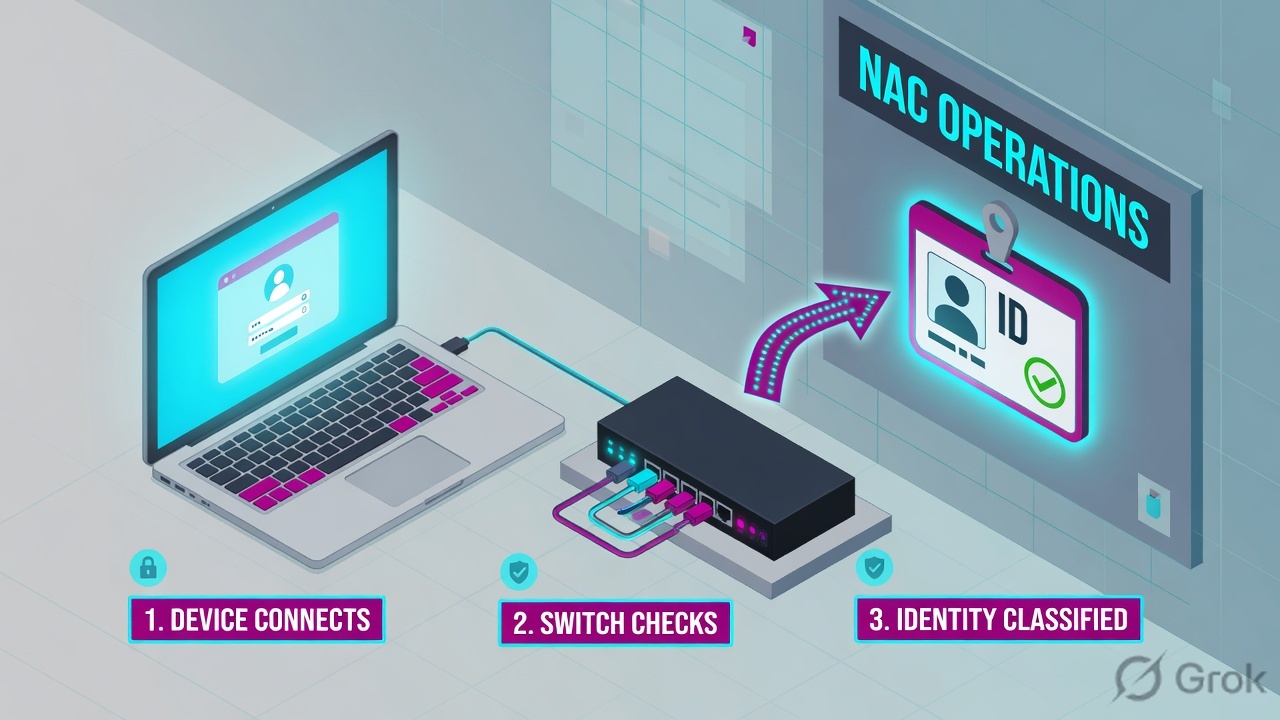
What the ticket asked
“Forescout is down, finance cannot reach SAP.” That sentence is a hypothesis. The factory may already have discovered the host, classified it, and printed a disabled action.
What you prove first
Host record in All Hosts, then Function / OS / Vendor, then Policy Actions Status, then Switch SNMP/CLI or 802.1X Last Authentication State. The evidence desk is the night-shift version of this order.
“The laptop has an IP, so NAC is fine — bounce the Enterprise Manager.” An IP only means DHCP answered. If classification is Unclassified, if the action checkbox is cleared, if Switch CLI Status is down, or if 802.1X accepted credentials and never authorized a VLAN, bouncing EM reprints the same dead ticket.
2. Mental model — four factory stations
Hold four parts. Interviews fail when people mix them. Official wording: policies initiate endpoint inspection, specify conditions, and define actions to perform at endpoints that match or do not match. The write is a later machine.
1. Discover is the host record
SPAN / mirror, DHCP, ARP, switch MAC table, NetBIOS, RADIUS admission. Official default discoveries include MAC, DNS, NetBIOS, Device Interfaces, Switch plugin properties. No record in Home → All Hosts means the factory never started.
2. Classify is three properties
Official: classification is an objective assessment of what a device is. The Device Classification Engine resolves Function, Operating System, and Vendor and Model. That is not AV health. Unclassified is a class ticket.
3. Policy Action is the decision
Policy Manager: a unique name, a scope, conditions (properties + Boolean), actions if matched / not matched. Official: disable actions to test compliance before communicating with users or taking actions on network devices. A cleared checkbox is a stage, not a failed write.
4. Write is switch or 802.1X
Switch plugin: Assign to VLAN, Provision VLAN, Switch Block, Access Port ACL, Endpoint Address ACL. RADIUS plugin: 802.1X authorization. Proof is Switch Port Action / Switch Port VLAN or 802.1X Authorization Source.
Read left → right. Station 4 has two doors. If you designed only a mirror, stop promising a VLAN. If you designed 802.1X, quote Authorization Source, not just Accept.
Discover answers “did this endpoint become a host?” Official Host Discovery learns MAC, NetBIOS, DNS, Device Interfaces, and Switch plugin properties by default. Passive admission events still land even if you limit Host Discovery rules. Properties listed in a policy are still resolved. Source: Additional Forescout eyeSight Options — Endpoint Discovery Rules.
Classify answers “what is it?” Official Primary Classification template, a Device Classification Engine feature, resolves Function, Operating System, Vendor and Model, plus Suggested Function / Suggested OS when several fingerprints match, and Function Classified By (engine vs action). Run it with Add to Group enabled before any other policy. Endpoints that match nothing land in an Unclassified group. Source: Primary Classification Template.
Policy Action answers “what should we do?” Official: a condition is property criteria plus Boolean logic; each condition–action pair is a rule or sub-rule. You may disable actions to get a sense of network compliance before taking actions on network devices. Access: Policy tab → Policy Manager, or right-click a Main Rule / Sub-Rule → Quick Edit → Actions. Source: Policy Management + Working with actions.
Write answers “did the network change?” Two official carry paths. Switch plugin restrict actions: Assign to VLAN, Provision VLAN, Switch Block, Access Port ACL, Endpoint Address ACL. RADIUS plugin: 802.1X Last Authentication State (User / Computer / MAC) is Accept or Reject; 802.1X Authorization Source is Policy Action Authorization, MAC Address Repository, or Pre-Admission Authorization Rule. Accept is not a VLAN.
Internal Network is the set of segments eyeSight is allowed to manage — Tools → Options → Internal Network. Device Classification Engine + Device Profile Library fingerprints write Function / OS / Vendor. Disable action (clear the checkbox) tests the match without writing. Partial Enforcement (Tools → Options → General → Enforcement Mode) disables Threat Protection, HTTP Actions, and Virtual Firewall. Action threshold default for Assign to VLAN and Switch Block is 2%; later hosts go On-hold. Provision VLAN is persistent and cannot be cancelled. Properties - Passive Learning group: eyeSight never contacts those endpoints to resolve properties.
3. Discover → classify → action → write
Draw this on the ticket before you open the core switch. The diamond is not “is Forescout up?” It is “which station still has no stamp?”
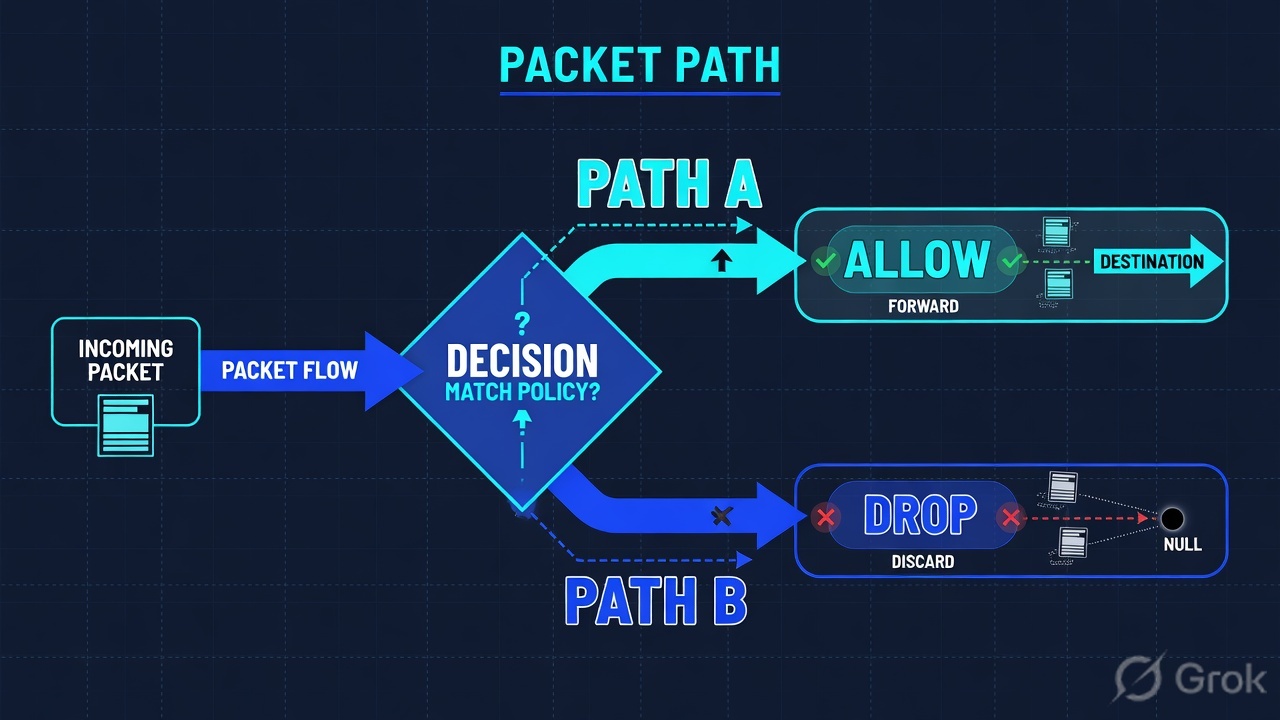
Read left → right, then the green later-packets bar. Diamond = “is this station stamped?” Do not merge Unclassified and write-fail into “NAC is down.”
Primary Classification answers what the device is. A Windows Workstation with Vendor Dell is a class stamp. It is not AV running, not disk-encrypt, not domain-joined. Official: you use classification groups as conditions in later policies. If Corporate-Posture has not matched, or its Assign to VLAN checkbox is cleared, the host stays on VLAN 10 and the dashboard still looks “seen.” That is the factory working as designed, not a failed enforce.
4. How to choose see vs write vs 802.1X
You are not choosing a product. You are choosing which station is allowed to write on this segment.
| Choice | Use when | Do not use when | Proof you were right |
|---|---|---|---|
| See only — actions disabled | New site, classification still noisy. Official reason to disable actions: test policies and get a sense of compliance first. | Security already promised a restrict VLAN on this floor. | Policy matches in Detections; Policy Actions empty or disabled; Switch Port VLAN unchanged. |
| Partial Enforcement mode | Evaluation lab. Official: monitor traffic; Threat Protection, HTTP Actions, Virtual Firewall disabled. | You need HTTP Login or Virtual Firewall in production. | Partial Enforcement icon on the Console status bar. Source: Tools → Options → General → Enforcement Mode. |
| Assign to VLAN | Switch you manage, SNMP + CLI write proven, you want a quarantine VLAN that can still be patched. | Mirror-only segment. Trunk ports. VoIP phone + PC without the documented SecureConnector exception. Voice VLAN as the target. | Switch Port Action = Assign to VLAN; Switch Port VLAN is the restrict ID; port bounced; host renewed DHCP. |
| Provision VLAN | Long-lived OT / printer that must stay on a production VLAN. Official: persistent; plugin does not revert; cannot be cancelled. | Hot-desk laptops that connect and leave. You will want to undo it at 02:00. | VLAN remains after plugin restart. Do not expect Cancel Actions to revert it. |
| Switch Block | You must electrically isolate the port. You have designed around VoIP protection. | The policy condition is only Host is online — official trap: a blocked host no longer matches online, and other policies re-evaluate. |
Switch Port Action = Blocked. Combine with NOT Switch Port Action - Blocked in later rules. |
| 802.1X / RADIUS Authorize | NAD already does 802.1X or MAB. RADIUS plugin running on the authenticating Appliance. Switch or Wireless plugin running. | You quote Accept and call the VLAN done. Authorization Source is a different property. | 802.1X Last Authentication State = RADIUS-Accepted and 802.1X Authorization Source = Policy Action Authorization. |
| Passive Learning / ignore | Fragile OT / IoMT. Official: Properties - Passive Learning group — eyeSight never contacts the endpoint. Ignored IPs skip NAC and Discovery policies. | You Nmap a hospital VLAN because Unknowns annoy the dashboard. | Host stays classified by passive feeds only. No WMI / Nmap / RRP against it. |
Assign to VLAN is a quarantine contract, not a vibe. Official: specify VLAN ID or VLAN Name; optionally refuse the action if the port exceeds Maximum allowed endpoints. The plugin then instructs the switch to bounce a non-VoIP port so the host gets a new IP. Several vendors need both CLI write and SNMP read/write for that bounce. Source: Switch-related policies — Assign to VLAN.
5. Runbook Side A → B → C
Lab values only. Console host console.lab.example, Appliance APPL-DEL-01 at 192.0.2.10, Enterprise Manager EM-LAB, access switch sw-core-01 at 203.0.113.10, finance laptop 192.0.2.25 / AA:BB:CC:DD:EE:FF, user example\finance.user, corp VLAN 10, restrict VLAN 20. Nothing here is a live tenant.
Side A — Internal Network, mirror, Switch plugin read (building the factory floor)
Primary source: About Forescout eyeSight (admission control inside the broadcast domain, preferably mirroring tagged ports) + Additional Options (Internal Network) + Switch plugin properties.
-
Name the Internal Network
Tools → Options → Internal Network. Official: when a policy scope is All IPs, it applies only to this set. Segments on the physical campus that you did not tick are not managed. Lab: add
192.0.2.0/24(corp) and keep198.51.100.0/24(contractor) out until you intend to classify it. -
Give the Appliance a see path
On the distribution or core: a SPAN / mirror of tagged access VLANs toward the Appliance monitor port. Official install: sit inside the broadcast domain. Official Switch plugin: “no configured SPAN port (traffic mirroring is turned off)” is a listed cause of delayed IP discovery — then you use Expedite IP Discovery against a Connectivity Group, you do not invent a VLAN write.
-
Give the Appliance a switch read, and only then a write
Tools → Options → Switch (Switch plugin). Lab switch
sw-core-01. SNMP read learns CAM / port / VLAN (Switch SNMP Status). CLI or SNMP write is a different permission. Official: several vendors need both CLI and SNMP write to complete Assign to VLAN because the bounce is SNMP. Connected + read-ok is not write-ok.
Side B — Classification then Policy Manager then the write action
Primary source: Primary Classification Template + Policy Management + Working with actions + Switch-related policies + RADIUS Authorization Source template.
Policy › Policy Manager › Corporate-Posture
Policy · Corporate-Posture
Official: clear the checkbox beside the action to test compliance before writing devices. Sub-rules stop on first match — do not stack contradictory VLAN IDs.
Source: Policy Management + Working with actions — Policy tab → Add / edit rule → Actions checkbox. Dummy values only. Confirm labels on your eyeSight 8.x / 9.x Console.
-
Run Primary Classification first
Policy tab → Add. Expand the Classification folder → Primary Classification. Official: consider which endpoints to inspect; the policy does not handle endpoints outside the Internal Network. Enable Add to Group. Stop legacy Asset Classification policies. Exclude OT that is sensitive to probing (Nmap / WMI / SMB / RRP via HPS Inspection Engine). Source: Primary Classification Template.
-
Write Corporate-Posture under that class
Use the mock above. Scope the Windows Workstation group the classification policy just built. Name the fail action Assign to VLAN, VLAN ID
20. Decide irresolvable criteria: official options are treat as True, treat as False, or leave irresolvable so the endpoint is not checked further. Source: Working with policy conditions + Policy safety features. -
Enable the action only after you can name the write path
Official: disable actions to get a sense of network compliance before taking actions on network devices. Flip the checkbox when Switch SNMP Status and Switch CLI Status are healthy, or when the RADIUS plugin is running on the authenticating Appliance. Source: Working with actions + How to work with the RADIUS plugin.
-
If this segment is 802.1X, add Authorization Source — do not reuse Assign to VLAN as a RADIUS proof
Policy tab → Add → RADIUS → 802.1X → 802.1X Enforcement → Authorization Source. Scope All IPs, a Segment, or Unknown IP addresses (MAC-only). Official: RADIUS plugin requires the Switch plugin (wired) or Wireless plugin, plus User Directory for AD. Source: Create an Authorization Source policy.
Tools → Options → Switch → sw-core-01
Switch plugin · sw-core-01
If CLI Status is down, Assign to VLAN evaluates and never lands. Official: on several vendors the plugin uses CLI to assign and SNMP to bounce — both communities need write.
Source: Switch-related policies — Switch SNMP Status, Switch CLI Status, Switch Port Action, Switch Port VLAN. Tools → Options → Switch. Dummy values only.
Policy: Corporate-Posture
  scope: Internal Network segment 192.0.2.0/24
  condition: Function = Workstation AND Operating System = Windows
  fail-checks: AntiVirus Running, disk-encrypt, domain
  irresolvable: Evaluate as False
  action: Assign to VLAN · VLAN ID 20 · checkbox = enabled

Switch: sw-core-01 (203.0.113.10)
  Switch SNMP Status = OK
  Switch CLI Status = OK
  write path = Assign to VLAN + port bounce

RADIUS (if used): Authorization Source policy
  802.1X plugin running on APPL-DEL-01
  Switch plugin running (wired NAD)
Say the word predicted. This is the recipe. The live host may show a disabled action, an On-hold hourglass, or RADIUS-Accepted with Authorization Source still empty. Compare it to Host Details in Side C.
Side C — prove the four stamps on one host
Primary source: Home view / All Hosts / Host Details (Profile + Policy Actions) + Switch properties + RADIUS properties.
-
Baseline the box
Console connected to
EM-LAB, ApplianceAPPL-DEL-01assigned this segment. Half of “it doesn’t match the doc” is a different eyeSight train. Half of empty All Hosts is the standby HA node or a segment you never ticked in Internal Network. -
Open the host, not the dashboard count
Home → Views pane → All Hosts. Double-click
192.0.2.25in the Detections pane → Host Details. Quote IP, MAC, last event. Host count on the Appliance is inventory, not compliance. -
Read the classification stamps
Profile tab:
Function,Operating System,Vendor and Model. Official troubleshooting: Show troubleshooting messages — Profile Sources list the matched Device Profile Library fingerprints. Function Classified By tells you engine vs Classify action. Unclassified is a class ticket. Source: Primary Classification — How an endpoint was classified. -
Read the Policy Action, then the write stamp
Policy Actions tab: action name and
Status. Then Switch properties:Switch Port Action,Switch Port VLAN,Switch SNMP Status,Switch CLI Status. If this is 802.1X:802.1X Last Authentication State - User Credentialsand802.1X Authorization Source. If VLAN is still 10 and Status is not OK, do not add another posture rule.
Home → All Hosts → 192.0.2.25
192.0.2.25 · AA:BB:CC:DD:EE:FF
| Station | Official field | Lab value | Read as |
|---|---|---|---|
| Discover | IP · MAC · last event | 192.0.2.25 · 18s | On inventory |
| Classify | Function · OS · Vendor and Model | Workstation Win10 · Dell Latitude | Class known |
| Action | Policy Actions · Status | Assign to VLAN 20 | Pending write |
| Switch write | Switch Port VLAN · Port Action | VLAN 10 · — | Not written |
| 802.1X | Last Auth State · AuthZ Source | RADIUS-Accepted · (empty) | Auth ≠ AuthZ |
This row is the dead ticket: classified, action named, VLAN still 10, Accept without Authorization Source. Do not bounce EM. Quote Switch CLI Status and the action checkbox.
Click next: if Switch CLI Status is down, stop. If the action checkbox is cleared, you are still in the official test stage. If Authorization Source is empty, Accept is not a VLAN. Night-shift field order: evidence desk.

Host Details · 192.0.2.25
  Function                 : Workstation
  Operating System         : Windows 10
  Vendor and Model         : Dell Inc. Latitude
  Function Classified By   : Device Classification Engine
  Policy                   : Corporate-Posture
  Policy Action            : Assign to VLAN · VLAN ID 20
  Status                   : attempted · switch rejected
  Switch IP/FQDN           : 203.0.113.10
  Switch Port Name         : Gi1/0/12
  Switch Port VLAN         : 10
  Switch Port Action       : —
  Switch SNMP Status       : OK
  Switch CLI Status        : fail
  802.1X Last Auth State   : RADIUS-Accepted   (User Credentials)
  802.1X Authorization Src : (not set)
All Hosts has 192.0.2.25. Function / OS / Vendor are the class you intended. Corporate-Posture matched. Action checkbox is the mode you think it is. Switch Port Action = Assign to VLAN and Switch Port VLAN = 20 — or 802.1X Authorization Source = Policy Action Authorization. Switch SNMP Status and Switch CLI Status are OK if you used the switch path. That is working. Classified + Accept + VLAN 10 is not.
6. Runtime — recheck, thresholds, CoA
Once the action is enabled, every new MAC on a managed VLAN walks the same factory. You are not “installing NAC” per user. You are watching a pipeline that re-evaluates.
Recheck Host is the official “run the factory again” action. Official Additional Controls: recheck a single endpoint for a particular policy or for all policies. Use it after you fix AV, after you enable an action, after you restore Switch CLI Status. Do not bounce the Appliance to force a re-classify.
Action thresholds sit on the factory exit. Official default: Assign to VLAN 2%, Switch Block 2%, Virtual Firewall 2%, ACL 2%, HTTP Notification 20%. Calculated per Appliance after a minimum of ten hosts (default). When the percentage is crossed, later actions go On-hold, the status-bar indicator flashes, and you approve from the Action Threshold dialog or right-click → Approve Actions. Source: Policy safety features — Tools → Options → NAC → Action Thresholds. Fifteen of 500 hosts at 2% is twelve-and-a-bit — the rest wait. That is not a plugin crash.
Assign to VLAN vs Provision VLAN. Assign to VLAN reverts when the host no longer matches or the plugin restarts. Official: the plugin bounces a non-VoIP port so DHCP renews. Provision VLAN changes the switch config permanently, is not cancelled, and is not retried on failure. Use Provision for long-lived OT. Use Assign for quarantine you intend to undo.
802.1X after connect. Official RADIUS properties: Last Authentication State is Accept or Reject for User, Computer, or MAC (MAB). The final reply might differ because of imposed authorization. Authorization Source tells you who imposed it: Policy Action, MAC Address Repository, or Pre-Admission Authorization Rule. A later restrict on an already-authenticated port needs the RADIUS Authorize action and a re-authentication method the plugin supports — cousin of the Switch plugin bounce, not a substitute for Switch CLI Status.
HA / failover. Official Switch plugin: during failover an applied restrict action may be temporarily cancelled; as soon as eyeSight re-discovers and re-evaluates, the plugin re-applies what was in effect. Green HA is a copied book. It is not SAP recovered in three seconds. Replay the same finance click and re-read Host Details on the new active.
HTTP and Virtual Firewall are different write paths again. HTTP Login / HTTP Notification require the Appliance to see web traffic (and proper injection). Virtual Firewall requires the Appliance between segments / VLANs. Partial Enforcement disables both. Quote them separately from Switch Port Action.
Concept: four stations. Path: discover → classify → enabled action → switch or 802.1X. Do: Internal Network + mirror + plugin read, then Primary Classification, then Corporate-Posture with a named action, then Host Details stamps. Mirror-only and disabled actions stop the path before write.
7. Traps + Host Details proof
| Symptom | Looks like | Actually | First move |
|---|---|---|---|
| Has an IP, SAP dead, EM green | NAC is down | You have not named the station | All Hosts → Function → Policy Actions → Port VLAN / AuthZ |
| Host Unclassified | Need a wider restrict | Classification feeds failed | DHCP / HTTP banner / Switch MAC; exclude OT from Nmap |
| 600 non-compliant, users on VLAN 10 | Plugin is broken | Actions disabled — official test stage | Policy wizard checkbox beside the action |
| Action enabled, VLAN unchanged | Need another posture rule | Switch CLI fail, mirror-only, or 2% On-hold | CLI Status · threshold hourglass · managed VLAN list |
| RADIUS-Accepted, still on guest VLAN | 802.1X is down | Accept is not Authorization Source | Quote Last Auth State and Authorization Source |
| Assign to VLAN on a phone+PC port fails | Switch plugin bug | Official VoIP exception — needs SecureConnector or the global flag | Do not target the voice VLAN; read Assign to VLAN notes |
| Switch Block, then “host offline” chaos | Discovery died | Blocked host no longer matches Host is online | Condition must include NOT Switch Port Action - Blocked |
| Printer restricted at midnight | New core outage | Add to Group / exception expired | Renew with owner, or classify onto a printer VLAN |
- Console is the Appliance that owns the segment (hostname, version, not the standby).
192.0.2.25is in Home → All Hosts and sits in the Internal Network.- Profile:
Function/Operating System/Vendor and Modelare the intended class, not Unclassified. - Policy Manager: Corporate-Posture enabled; fail action named; checkbox is the mode you think it is.
- Policy Actions
Statusis OK (or you can explain On-hold / disabled). - Switch path:
Switch SNMP StatusandSwitch CLI StatusOK;Switch Port ActionandSwitch Port VLANmatch VLAN 20. - 802.1X path (if designed): Last Authentication State = RADIUS-Accepted and Authorization Source = Policy Action Authorization.
- User can complete the same SAP click you used as the test. Dummy lab only — no live tenant IDs.
Forescout is a see-control factory. Discover creates the host. Classify stamps Function, OS, and Vendor. Policy Manager evaluates a condition and, only if the action is enabled, tries a write. The write is the Switch plugin or 802.1X authorization. I prove it in Host Details: the class, the Policy Action Status, then Switch Port VLAN or Authorization Source. An IP is not control. Accept is not a VLAN.
Related night-shift fields live on the evidence desk. Quote one official field before you Assign to VLAN again.
Knowledge check
Six judgment questions. Map each miss back to the section named in the reason.
Sources
- About Forescout eyeSight — Appliance monitors traffic; admission control inside the broadcast domain, preferably mirroring tagged ports; Virtual Firewall between VLANs
- Additional Forescout eyeSight Options — Internal Network, Host Discovery defaults, Partial Enforcement, restrict actions available without an IPv4 address
- Primary Classification Template — Function, Operating System, Vendor and Model; Unclassified group; run Add to Group first; exclude probing-sensitive endpoints
- Policy Management — name, scope, conditions, actions; Policy tab / Policy Manager
- Working with policy conditions — properties + Boolean; irresolvable criteria
- Working with actions — enable/disable actions to test compliance before writing devices; HTTP Login; Classify actions; Recheck Host
- Policy safety features — action thresholds (Assign to VLAN / Switch Block default 2%), On-hold, Tools → Options → NAC → Action Thresholds
- Switch-related policies — Switch SNMP/CLI Status, Switch Port Action / VLAN, Assign to VLAN bounce, Provision VLAN, Switch Block, Expedite IP Discovery
- How to work with the RADIUS plugin — Switch or Wireless plugin required; plugin must run on the authenticating Appliance
- Create an Authorization Source policy — Policy tab → Add → RADIUS → 802.1X → 802.1X Enforcement → Authorization Source
- RADIUS properties for use in policy conditions — 802.1X Last Authentication State (User / Computer / MAC), RADIUS Authentication State, Authorization Source
Related: The Forescout evidence desk · Policy Manager deep-dive · Classification deep-dive · NAC enforcement methods · Forescout hub