The ticket
Same HR portal as the SNAT lesson: hr.techclick-lab.in on VIP 203.0.113.25. Users log in. The next click either shows an empty session or sends them back to the login page. The application team says “it works if you pin the user to one server.” The network team says “F5 is load balancing — that is what it is supposed to do.”
Both sentences are half-true. Load balancing picks a member for a new session. Persistence says “this is not a new session — send it back to the member that already has the user’s data.”
Persistence tracks which pool member already serviced this client and sends the rest of the session there, so the client can bypass a new load-balancing decision. F5 stores that pointer in a persistence profile on the virtual server. Cookie persistence puts the pointer in an HTTP cookie. Source address affinity (simple persistence) uses only the client IP. If the member later goes down, Action On Service Down on the pool decides whether the user stays stuck or is reselected.

What persistence actually is
F5’s own words: when you enable session persistence, BIG-IP “tracks and stores session data, such as the specific pool member that serviced a client request,” so later requests go to the same member for the life of the session.
That is the whole idea. The pool still has two (or ten) members. Load balancing still exists. Persistence is a memory that sits in front of the load-balancing method.
If click 2 lands on .42, persistence did not fire — or the pointer was pointing at the wrong thing.
Load balancing answers “who gets a brand-new session?” Persistence answers “who already owns this session?” If you mix those two questions, every later command will be read wrong.
Pre-train the words before the GUI:
Persistence profile
The object that says how F5 remembers the member (cookie, source IP, dest IP, SSL session ID, universal…).
Default persistence
The profile attached on the virtual server. Applies to sessions on that VIP unless an iRule overrides it.
Fallback persistence
Plan B if the primary key is missing (example: cookie not present → use source-addr).
persist-records
The table on BIG-IP for methods that store the pointer on the box. Cookie insert often stores the pointer on the browser instead.
VIP 203.0.113.25:443 · VS vs_hr_https · pool pool_hr_80 · members 10.20.30.41:80, .42:80 · cookie profile persist_hr_cookie · source-addr fallback persist_hr_src. Not a live customer.
Cookie vs source-addr vs dest-addr
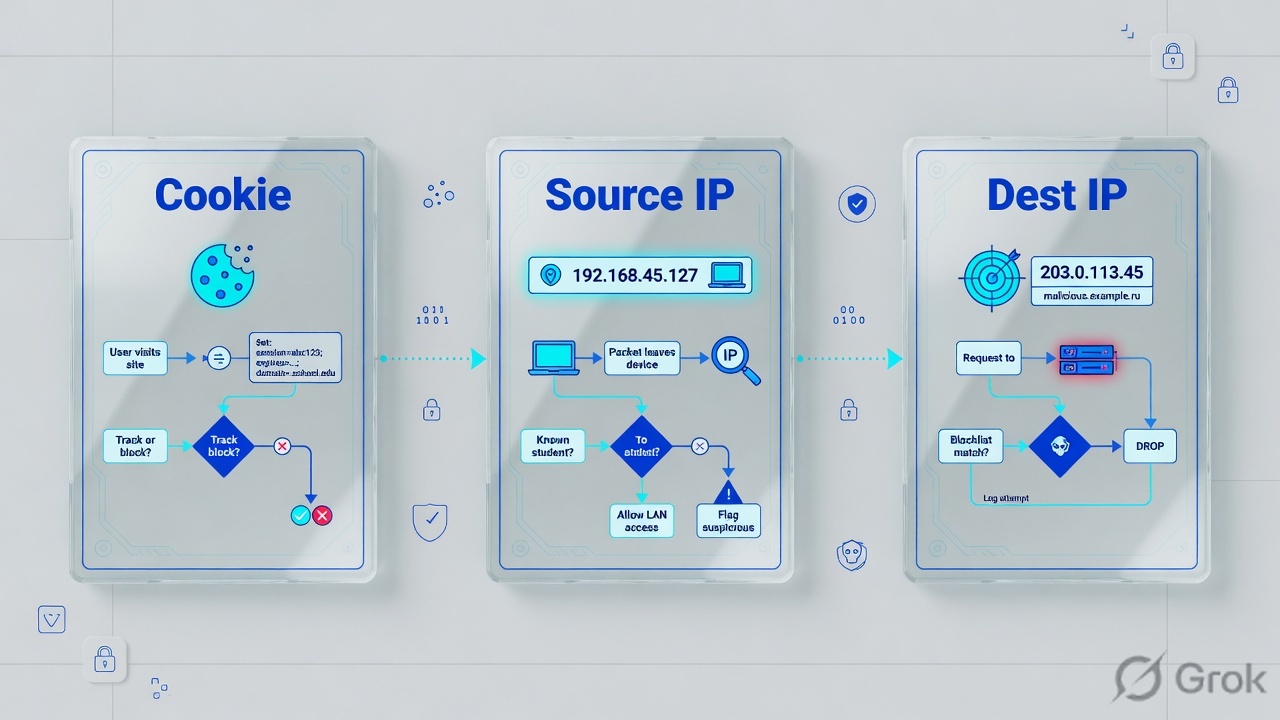
Official BIG-IP types you will actually use on an HTTP VIP:
| Type | F5 also calls it | What it keys on | Use when | Main lie |
|---|---|---|---|---|
| Cookie | HTTP cookie persistence | A cookie in the HTTP header (often BIGipServerpool_hr_80) | Web apps, shopping carts, login sessions | Needs an HTTP profile. Invisible on FastL4. Browser can drop the cookie. |
| Source address affinity | Simple persistence | Client source IP (plus optional mask) | TCP/UDP apps with no HTTP cookie, or fallback | A proxy / CGNAT / Zscaler egress makes 200 users look like one IP. |
| Destination address affinity | Sticky persistence | Destination IP of the packet | Outbound / cache-style designs | Wrong tool for “keep this user on one HR server.” |
| Universal / hash | — | Any bytes you name (iRule / hash of fields) | SIP, custom headers, multi-field keys | Hash persistence is not allowed on FastL4. |
| SSL persistence | — | SSL session ID on non-terminated SSL | Passthrough TLS where you cannot see HTTP | Does not help if you already terminate TLS on a client-ssl profile. |
Cookie itself has four methods. Students mix them in interviews:
| Cookie method | Who writes the cookie | persist-records on F5? |
|---|---|---|
| HTTP Cookie Insert | BIG-IP inserts BIGipServer<pool> | Usually no — the browser holds the pointer |
| HTTP Cookie Rewrite | Server sends a cookie; F5 rewrites it. F5 K83419154 prefers this when you need a record on the box. | Yes |
| HTTP Cookie Passive | Server cookie, F5 does not change it | Uses the server cookie value |
| Cookie Hash | Named cookie is hashed into a record | Yes — this is the cookie method that fills persist-records |
Weak: “We use persistence so load balancing works.” That sentence is backwards.
Strong: “We use persistence so a stateful app does not get a new member mid-session. Cookie insert for HTTP. Source-addr only as fallback or for non-HTTP. I check Action On Service Down so a down member does not keep the cookie.”
How you configure it
Three objects. Always in this order. Side A is the profile. Side B is the virtual server. Side C is the pool behaviour when the member dies.
Side A — build the persistence profile
GUI path from F5 docs and the standard TMOS tree: Local Traffic → Profiles → Persistence → Create.
Local Traffic → Profiles → Persistence → Create
New Persistence Profile
Source: F5 Session Persistence Profiles — assign a persistence profile to a virtual server. Cookie insert uses the HTTP cookie header. Dummy lab names only.
tmsh create ltm persistence cookie persist_hr_cookie \
    cookie-name BIGipServerpool_hr_80 \
    method insert \
    expiration 0:0:0:0:0:0 \
    always-send enabled

tmsh create ltm persistence source-addr persist_hr_src \
    timeout 180 \
    mask 255.255.255.255
Side B — attach it on the virtual server
GUI: Local Traffic → Virtual Servers → vs_hr_https → Resources. Fields: Default Persistence Profile and Fallback Persistence Profile. The VS also needs an HTTP profile or cookie insert has nothing to read or write.
Local Traffic → Virtual Servers → vs_hr_https → Resources
Resources
Source: F5 persistence chapter — “the primary tool is to configure a persistence profile and assign it to a virtual server.” Fallback is plan B if the cookie is missing.
tmsh modify ltm virtual vs_hr_https \
    persist replace-all-with { persist_hr_cookie { default yes } } \
    fallback-persistence persist_hr_src \
    profiles add { http { } }
Side C — what happens when the member dies
This is the setting students forget. It lives on the pool, not on the persist profile: Action On Service Down (K15095). Default behaviour leaves existing sessions on the member that just went down. New sessions go elsewhere. The cookie still says “.41” — so the user stays on a corpse.
None (default)
Keep using the persisted member even after the monitor marks it down. This is the “stuck on dead member” ticket.
Reselect
Pick another up member and rebind the client. Use this for HTTP apps where the session can be rebuilt or is stored in a shared DB.
Reject / Drop
Reset or silently drop. Brutal, but honest — the user is not silently talking to a dead box.
tmsh modify ltm pool pool_hr_80 \
    service-down-action reselect

tmsh list ltm pool pool_hr_80 service-down-action
ltm pool pool_hr_80 {
    service-down-action reselect
}
Four persistence failures
Read the explanation, then the CLI. The command only confirms the story.
1 · User stuck on a down member
What this is. Member .41 was green when the user logged in. Cookie / source-addr still points at .41. The monitor later marks .41 down. Action On Service Down is None. The user keeps going to a dead member. .42 is green and unused for that user.
What you see. Pool shows one member down, one up. The VIP may stay available. That one user (or that one source IP) fails. Other new users are fine on .42.
tmsh show ltm pool pool_hr_80 members
Ltm::Pool Member: pool_hr_80/10.20.30.41:80
  Status.Availability : offline
  Status.Reason       : monitor /Common/http_hr down
Ltm::Pool Member: pool_hr_80/10.20.30.42:80
  Status.Availability : available

tmsh show ltm persistence persist-records mode source-address virtual vs_hr_https
Sys::Persistent Connections
source-address  198.51.100.80  ->  10.20.30.41:80  (age 142)

# Cookie insert: look at the browser instead
# Set-Cookie: BIGipServerpool_hr_80=1677787402.20480.0000; path=/
Takeaway. Change Action On Service Down to Reselect or delete that persist record / tell the user to drop the cookie after you accept the session will rebuild.
2 · Source-addr behind a proxy — 200 users, one server
What this is. Source address affinity keys on client IP. Office traffic, Zscaler / SWG, or CGNAT makes hundreds of laptops share 198.51.100.80. F5 treats them as one client. One pool member takes the entire floor.
What you see. persist-records has one fat source-addr entry. Member connections are wildly uneven. Cookie persist would have spread them, because each browser has its own cookie.
tmsh show ltm persistence persist-records mode source-address
Sys::Persistent Connections
source-address  198.51.100.80  ->  10.20.30.41:80  (age 1800)   # 214 mirrored sessions

tmsh show ltm pool pool_hr_80 members
  10.20.30.41:80   current-sessions 214
  10.20.30.42:80   current-sessions 3
Takeaway. For HTTP, prefer cookie. If you must use source-addr, tighten the mask only when the IPs are truly unique — a /24 mask makes this worse, not better, when the whole office is one /24.
3 · Cookie persist on a FastL4 / no HTTP profile
What this is. Cookie persistence “uses the HTTP cookie header.” A Performance (Layer 4) / FastL4 virtual does not parse HTTP. Hash persistence is officially disallowed on FastL4. The profile may be attached, but F5 never sees Cookie: or writes Set-Cookie.
What you see. Login works (TCP is fine). Next request is a new load-balance pick. Browser has no BIGipServer cookie. persist-records is empty. Students blame the app.
tmsh list ltm virtual vs_hr_https profiles
ltm virtual vs_hr_https {
    profiles {
        fastL4 { }
        # no http profile — cookie persist cannot fire
    }
    persist {
        persist_hr_cookie { default yes }
    }
}

# From the laptop (dummy):
# curl -vk https://hr.techclick-lab.in/app -D- | grep -i set-cookie
# (empty)
Takeaway. Cookie persist needs a Standard virtual + HTTP profile. FastL4 can do source-addr / dest-addr / universal — not cookie, not hash.
4 · Cookie missing and no fallback — mid-session hop
What this is. Cookie insert is primary. The browser never stores it (IT policy, wrong path, HTTP cookie on an HTTPS site, user in a private window that dropped it, or the app overwrote Set-Cookie). There is no fallback profile. Request 2 is a new round-robin pick. Login state lives only on .41.
What you see. Intermittent. Some browsers work. Some do not. Incognito fails. Mobile app fails. Desktop Chrome works.
tmsh list ltm virtual vs_hr_https persist fallback-persistence
ltm virtual vs_hr_https {
    persist { persist_hr_cookie { default yes } }
    # fallback-persistence missing
}

# After you add fallback:
tmsh modify ltm virtual vs_hr_https fallback-persistence persist_hr_src
Takeaway. Cookie first, source-addr fallback, and still check Action On Service Down. OneConnect (next lesson in this series) can also make F5 re-evaluate persistence on every HTTP request inside one TCP connection — that is a feature, not a mystery, once you expect it.
How to prove it

Do not delete persist-records as step 1. First prove what the pointer is, then decide if it is allowed to move.
tmsh list ltm virtual vs_hr_https persist fallback-persistence profiles
tmsh list ltm persistence cookie persist_hr_cookie
tmsh show ltm persistence persist-records virtual vs_hr_https
tmsh show ltm persistence persist-records mode source-address client-addr 198.51.100.80
tmsh show ltm pool pool_hr_80 members
tmsh list ltm pool pool_hr_80 service-down-action

# Delete ONE bad pointer after change-control (not the whole table)
tmsh delete ltm persistence persist-records \
mode source-address client-addr 198.51.100.80 virtual vs_hr_https- VS lists
persist_hr_cookieas default andpersist_hr_srcas fallback. - VS has an HTTP profile (not FastL4-only).
- Browser shows
Set-Cookie: BIGipServerpool_hr_80=…on the first HTTPS response. - Two clicks from the same browser land on the same member (connection table or app log).
- If you mark
.41down in the lab, Action On Service Down = reselect sends the next request to.42. - You did not
delete persist-recordsfor the whole box as a first fix.
Traps
| Trap | Looks like | First proof | Do not |
|---|---|---|---|
| Empty persist-records with cookie insert | “Persistence is broken” | Look at the browser cookie. Insert stores the pointer there. | Switch to source-addr just because the table is empty. |
| Source-addr + shared egress IP | One server hot, one idle | persist-records count vs unique users | Add more members to “fix load.” |
| Cookie on FastL4 | Random member every click | list ltm virtual … profiles | Rebuild the pool. |
| Action On Service Down = None | One user broken, pool half-green | Record still names the down member | Reboot the healthy member. |
| Timeout too short | Cart dies after lunch | Profile timeout vs idle time | Blame the database first. |
| OneConnect + persist | “Same TCP, different member” | F5 can re-LB each HTTP request when OneConnect is on | Call it a TMM bug on day one. |
Interview close: “Persistence is a pointer, not a load-balancing method. I name the key (cookie or source IP), I prove it with the cookie or persist-records, and I name Action On Service Down so a down member cannot keep the pointer.”
Knowledge check
Eight judgment questions. Pick one answer, then Check. Reasons name the section to re-read.
F5 LTM series: F5 LTM troubleshooting path · F5 SNAT concept and issues · F5 cookie vs source-address persistence · F5 SSL offload vs passthrough.
Sources
- F5 TechDocs: Session Persistence Profiles — definition, cookie / source-addr / dest-addr / hash / universal / SSL; hash not allowed on FastL4; OneConnect changes per-request LB.
- F5 tmsh: ltm persistence persist-records — show / delete by mode, client-addr, virtual, node.
- F5 K15095 — Action On Service Down (pool) rebinds or keeps the client on a down member.
- F5 K83419154 — cookie persistence overview; Rewrite creates a persist record on BIG-IP.
- Techclick Fast Track PDF — green objects, user still fails; isolate before you change config.
Related: SNAT concept and issues · User-to-VIP / firewall / iRule lab · Virtual servers and pools · Command ladder.
Series (1 of 10): Persistence → SSL offload → Health monitors → Load-balancing methods → HA failover → tcpdump both VLANs → FastL4 vs Standard → iRule Host/URI switch → GTM vs LTM → ASM blocking vs transparent.