The ticket
Same HR portal: VIP 203.0.113.25:443, name hr.techclick-lab.in. Chrome says “This site can’t provide a secure connection” or the page hangs after the lock icon. The pool is green. curl http://10.20.30.41/health is 200. Someone on the bridge says “certificate is fine, F5 is the problem.” Someone else says “just turn off SSL.”
The missing question is simpler: who is supposed to finish TLS with the browser, and who is supposed to finish TLS with the server?
A Client SSL profile makes BIG-IP the TLS server toward the user: it authenticates and decrypts client-side SSL so F5 can see HTTP. A Server SSL profile makes BIG-IP the TLS client toward the pool: it re-encrypts to the member. Offload is Client SSL only (HTTP to the server). Re-encrypt / SSL bridge is both profiles. Passthrough has neither — F5 forwards TCP and cannot do cookie persist, HTTP iRules, or ASM on that traffic. F5 SSL Administration: assigning those profiles “offloads SSL processing from the destination server.”
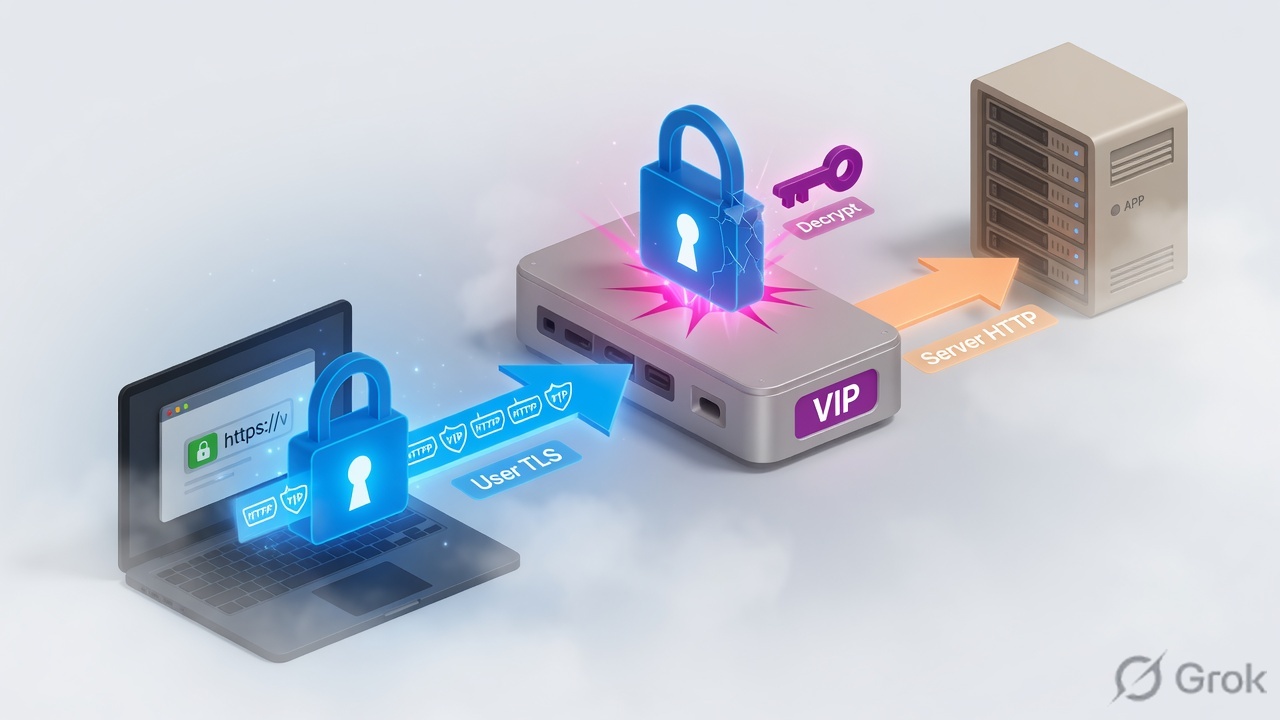
What Client SSL and Server SSL actually are
TLS is a conversation. On an inbound VIP there are up to two conversations, just like SNAT had two TCP connections.
Connection 1 (user → VIP). The browser thinks it is talking to hr.techclick-lab.in. If a Client SSL profile is on the virtual, F5 answers that handshake. F5 presents a certificate. After the handshake, F5 can read HTTP.
Connection 2 (F5 → pool member). If you attach a Server SSL profile, F5 starts a new TLS session toward 10.20.30.41:443. The server sees a TLS client (F5), not the laptop. If you do not attach Server SSL, Connection 2 is plain HTTP (usually port 80).
Client SSL is not “the client’s certificate profile.” It is the profile on the client side of F5.
Client SSL = F5 talks TLS to the user. Server SSL = F5 talks TLS to the server. Offload stops after the first sentence. Bridge says both sentences. Passthrough says neither.
VIP 203.0.113.25:443 · VS vs_hr_https · Client SSL clientssl_hr cert hr.techclick-lab.in · Server SSL serverssl_hr · members 10.20.30.41:80 (offload) or :443 (re-encrypt). Not a live customer.
Offload vs re-encrypt vs passthrough
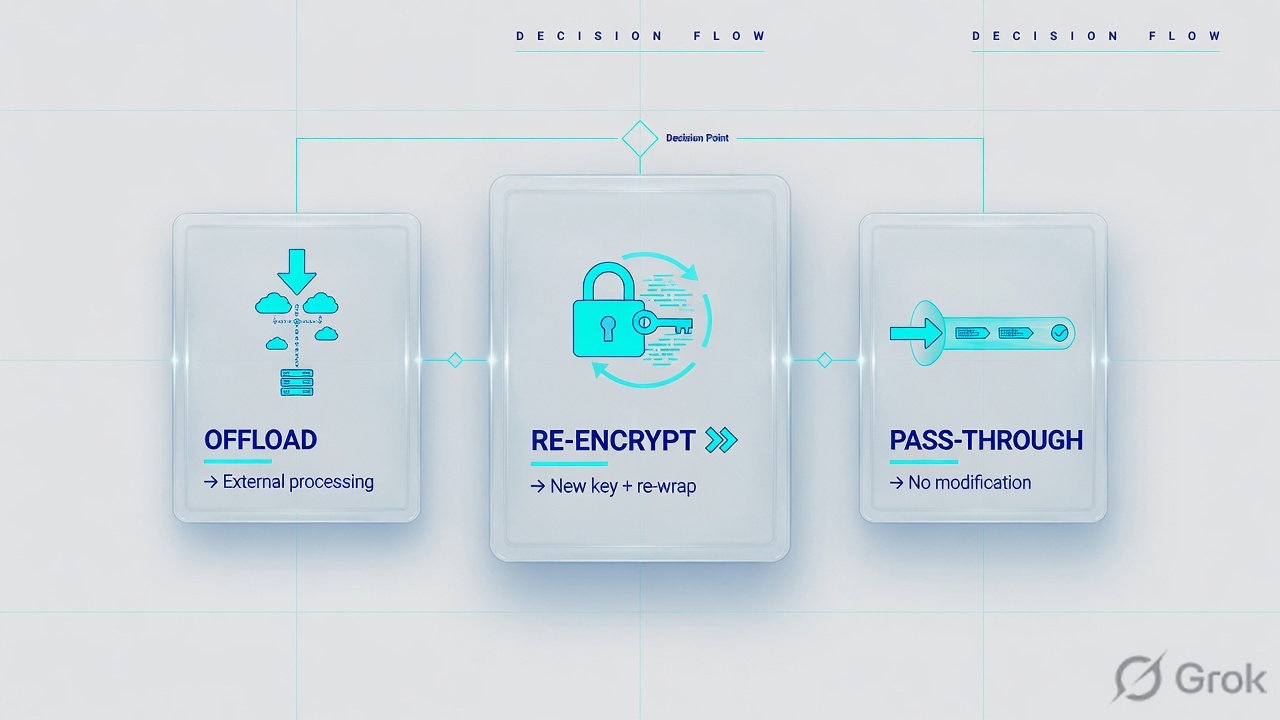
| Design | Profiles on the VS | What the pool speaks | Use when | You lose |
|---|---|---|---|---|
| SSL offload | Client SSL + HTTP | HTTP :80 | Most web VIPs; cookie persist, iRules, ASM, easy cert renew on F5 | Cleartext on the server VLAN (must be a trusted DC segment) |
| Re-encrypt / SSL bridge | Client SSL + Server SSL + HTTP | HTTPS :443 | Policy says “encrypt on the wire to the app” but F5 still must see HTTP | Two handshakes to troubleshoot; server cert must be trusted by F5 |
| Passthrough | Neither SSL profile (often FastL4 / TCP) | HTTPS :443, F5 does not look inside | End-to-end TLS, or you cannot hold the private key | No cookie persist, no HTTP iRule, no ASM, no Host-based pool switch |
| Proxy SSL | Special Client+Server SSL with Proxy SSL enabled | TLS through F5 with client-server auth | Rare: server must see the real client certificate | Not a beginner default — do not pick this to “be safer” |
Weak: “We do SSL offload so the VIP is HTTPS.” That only names the port.
Strong: “Client SSL terminates user TLS so LTM can persist and inspect HTTP. If the server VLAN cannot be cleartext, I add Server SSL and move the pool to 443. If I cannot hold the key, I passthrough and I do not promise cookie persist.”
How you configure it
Side A — certificate + Client SSL profile
GUI: System → Certificate Management → Traffic Certificate Management → SSL Certificate List, then Local Traffic → Profiles → SSL → Client → Create. Field names from F5 SSL Administration: Certificate, Key, Chain, and (for multi-name VIPs) SNI.
Local Traffic → Profiles → SSL → Client → Create
New Client SSL Profile
Source: F5 SSL Administration — create a custom Client SSL profile to authenticate and decrypt ingress client-side SSL. Dummy lab names.
tmsh list sys file ssl-cert hr.techclick-lab.in.crt
tmsh create ltm profile client-ssl clientssl_hr \
    cert-key-chain add { hr {
        cert hr.techclick-lab.in.crt
        key hr.techclick-lab.in.key
        chain techclick-lab-intermediate.crt
    } }
Side B — attach on the virtual server
GUI: Local Traffic → Virtual Servers → vs_hr_https → Properties / SSL Profile (Client) and SSL Profile (Server). Port on the VS is 443. Pool port is 80 (offload) or 443 (re-encrypt).
Local Traffic → Virtual Servers → vs_hr_https → Properties
SSL Profile
Source: F5 — assign Client SSL / Server SSL profiles to the virtual server to offload SSL from the destination server.
tmsh modify ltm virtual vs_hr_https \
    profiles add { clientssl_hr { context clientside } http { } }

# Re-encrypt instead:
tmsh create ltm profile server-ssl serverssl_hr
tmsh modify ltm virtual vs_hr_https \
    profiles add { serverssl_hr { context serverside } }
tmsh modify ltm pool pool_hr_443 members replace-all-with { 10.20.30.41:443 10.20.30.42:443 }
Side C — server and firewall must match the design
Offload
Firewall F5 → server allows
10.10.10.10 → 10.20.30.41:80. Server httpd listens on 80. No server cert required on the app.Re-encrypt
Same path on 443. Server cert must be valid for F5’s Server SSL trust (or you disable server-name / cert checks in lab only). Monitor must speak HTTPS.
Passthrough
No Client SSL. Pool is 443. Do not attach HTTP or cookie persist and expect them to work.
Four SSL failures
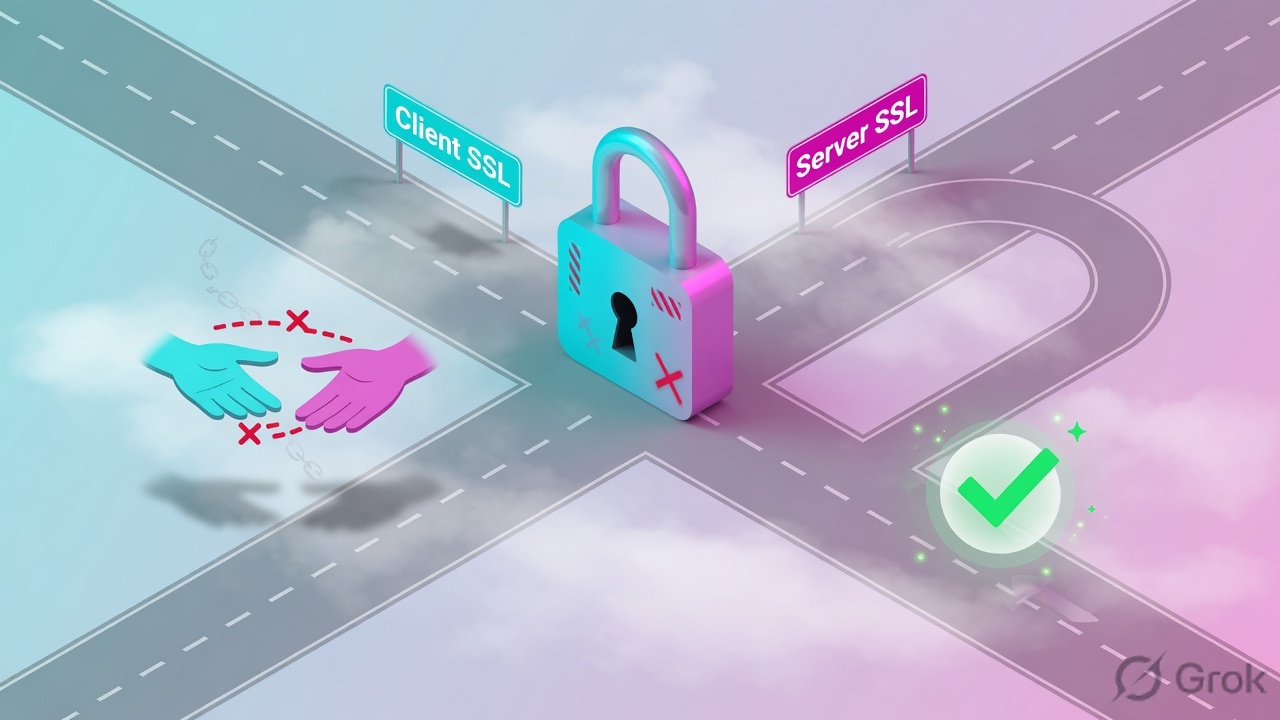
1 · VIP is 443, no Client SSL (or HTTP-only test)
What this is. VS listens on 443 with no client-ssl profile, or students prove “it works” with curl http://vip/ on port 80. Users use HTTPS. Handshake never completes.
tmsh list ltm virtual vs_hr_https destination profiles
ltm virtual vs_hr_https {
    destination 203.0.113.25:443
    profiles { tcp { } http { } }   # no clientssl
}

# Laptop
curl -vk https://hr.techclick-lab.in/
# * Connected
# * error:0A00010B:SSL routines::wrong version number
#   (F5 spoke HTTP on a TLS port)
Takeaway. curl -vk https:// is the user test. HTTP 200 on :80 is a different VIP.
2 · Offload to a server that only speaks 443 (or the reverse)
What this is. Client SSL is correct. Pool members are :80 but httpd is down and only nginx on 443 is up — or members are :443 and you never added Server SSL, so F5 sends clear HTTP into a TLS port.
tmsh list ltm virtual vs_hr_https profiles
# clientssl_hr + http, no serverssl
tmsh show ltm pool pool_hr_80 members
  10.20.30.41:80  offline   monitor tcp failed

# From F5 bash
curl -v http://10.20.30.41:80/     # Connection refused
curl -vk https://10.20.30.41:443/  # HTTP/1.1 200
# Design should be re-encrypt, not offload.
Takeaway. Match pool port to what the server process actually listens on. Then add Server SSL if that port is TLS.
3 · SNI / default certificate is the wrong name
What this is. One VIP, many hostnames — or the client-ssl default cert is old.techclick-lab.in while users type hr.techclick-lab.in. Handshake can succeed (TLS does not require the name to match at the TCP layer) and the browser then shows a name-mismatch warning. Or SNI is missing and F5 hands out the default cert.
curl -vk https://hr.techclick-lab.in/ --resolve hr.techclick-lab.in:443:203.0.113.25
# * SSL connection using TLSv1.2
# * Server certificate:
# *  subject: CN=old.techclick-lab.in
# curl: (60) SSL: no alternative certificate subject name matches

tmsh list ltm profile client-ssl clientssl_hr cert-key-chain server-name
Takeaway. Read the CN / SAN in curl -vk, not the pool colour. Multi-name designs need SNI server-name on the Client SSL profile (or separate VIPs).
4 · Passthrough VIP with cookie persist / HTTP iRule
What this is. No Client SSL. Traffic is opaque TLS. Someone still attached persist_hr_cookie or an HTTP_REQUEST iRule. Persistence lesson applies: cookie persist cannot see HTTP. Users hop members. iRule never fires (or the VS is Standard with HTTP and it breaks the TLS stream).
tmsh list ltm virtual vs_hr_pass profiles persist
ltm virtual vs_hr_pass {
    destination 203.0.113.25:443
    profiles { fastL4 { } }
    persist { persist_hr_cookie { default yes } }
}
# No Set-Cookie from F5. App session dies on member change.
Takeaway. Passthrough keeps the key off F5. You also give up HTTP features. If you need those features, you must offload or re-encrypt.
How to prove it

Handshake errors die in steps 1–3. App errors die in steps 4–5 after TLS is already green.
tmsh list ltm virtual vs_hr_https destination profiles
tmsh list ltm profile client-ssl clientssl_hr
tmsh list ltm profile server-ssl serverssl_hr
tmsh show ltm virtual vs_hr_https
curl -vk https://hr.techclick-lab.in/ --resolve hr.techclick-lab.in:443:203.0.113.25
# From BIG-IP bash, after you know the design:
curl -v http://10.20.30.41:80/health
curl -vk https://10.20.30.41:443/health
list ltm virtualshowsclientssl_hron a 443 offload/bridge VIP.curl -vk https://hr.techclick-lab.in/shows CN/SAN = that hostname, TLS handshake OK, then HTTP.- Pool port matches the design (80 offload, 443 re-encrypt).
- If Server SSL is on, curl from F5 to member:443 succeeds.
- Cookie persist / HTTP iRule only exist on offload or re-encrypt, never on FastL4 passthrough.
- You did not use an HTTP :80 200 as proof of HTTPS.
Traps
| Trap | Looks like | First proof | Do not |
|---|---|---|---|
| HTTP 200 on :80 | “HTTPS is fine” | curl -vk https://vip/ | Close the ticket. |
| Missing chain | Mobile fails, desktop works | curl -vk chain / intermediate | Reissue the leaf only and walk away. |
| SNI default cert | Wrong name warning | CN in curl vs Host header | Rebuild the pool. |
| Server SSL missing | VIP handshake OK, app reset | Pool port 443 + no serverssl | Disable Client SSL “to test.” |
| Passthrough + cookie | Random logouts | profiles = fastL4 | Tune persistence timeout. |
| Expired cert, green pool | Browser block, members up | cert expiry in curl / TMUI | Blame the monitor. |
Interview close: “I name the two TLS talks. Client SSL is the user talk. Server SSL is the server talk. Offload, re-encrypt, or passthrough is a choice about whether F5 is allowed to see HTTP. I prove it with the profile list and curl -vk on the user URL.”
Knowledge check
Eight judgment questions. Pick one, then Check. Reasons name the section to re-read.
F5 LTM series: F5 LTM troubleshooting path · F5 SNAT concept and issues · F5 cookie vs source-address persistence · F5 SSL offload vs passthrough.
Sources
- F5 TechDocs: SSL Traffic Management — Client SSL / Server SSL on a virtual offloads SSL from the destination server.
- F5 SSL Administration — custom Client SSL profile decrypts ingress; Server SSL re-encrypts egress; Proxy SSL is the special client-server auth tunnel.
- Related lesson: Persistence (cookie vs source-addr) — cookie persist needs HTTP, so it needs decrypt.
- Techclick Fast Track — SNI / missing chain as classic “green objects, users fail.”
Related: Persistence · SNAT · User-to-VIP lab · Virtual servers and pools.
Series (2 of 10): Persistence → SSL offload → Health monitors → Load-balancing methods → HA failover → tcpdump both VLANs → FastL4 vs Standard → iRule Host/URI switch → GTM vs LTM → ASM blocking vs transparent.