A blocking page is a Support ID, not a reason to disable the policy. Filter Event Logs > Application > Requests by that ID. The row is the request. The detail pane is the violation. Enforcement Mode on the policy is Blocking or Transparent. Transparent never blocks. Blocking only blocks a violation that is set to Block and is not still in staging. show /ltm virtual proves the listener is up. It does not prove ASM allowed the POST.
1. Why a green pool is not a WAF verdict
LTM health answers “did a monitor reach a member.” ASM / Advanced WAF answers “did this HTTP request violate the security policy, and was that violation allowed to block?” Those are different owners. Mixing them is how a checkout Sev-2 becomes a 02:00 policy-off change.
This desk is the war-room for one transaction. You lock the user, the URL, the UTC minute, and the Support ID. Then you walk three layers: the request log, the policy enforcement settings, and the virtual-server stats that prove traffic even arrived.
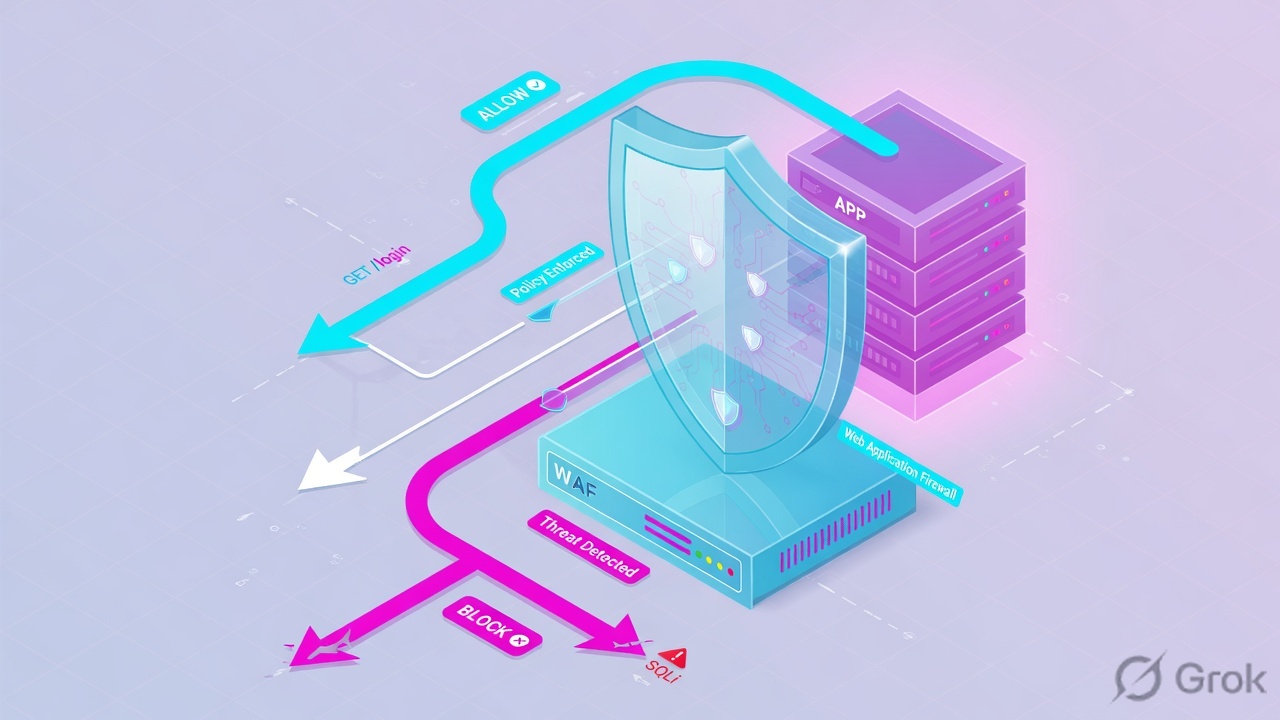
RFC 5737 / training only. Virtual vip_checkout_443 destination 198.51.100.80:443 on VLAN external, partition /Common. Policy checkout_awaf. Pool pool_checkout_web members 10.20.40.11:443 and 10.20.40.12:443. Client 203.0.113.44 (carrier NAT). Support ID 14235123456789012345. Confirm live syntax on your software train before you type on a customer box.
If they say “ASM is blocking checkout,” do not say “I turned the policy to Transparent.” Say: “I took the Support ID from the response page, filtered Application Requests, named the violation and whether Block was enabled, then confirmed Enforcement Mode and staging. I only change Learning and Blocking Settings after that row exists.”
2. Mental model — five objects on the desk
Memorise five named objects before you click. Each is allowed to prove one thing. Over-claiming a field is how you ship a bad Accept at 02:00.
1 · Support ID
Unique identifier ASM assigns to the HTTP transaction. Official iRule ASM::support_id returns it whether or not a violation fired. The default blocking page substitutes <%TS.request.ID()%>. It is the primary key of the request log table.
2 · Application Requests
Path: Security > Event Logs > Application > Requests. Click the row for request headers, payload (redacted if sensitive), and the violation list. Filter with Show Filter Details → Support ID.
3 · Enforcement Mode
On the policy: Security > Application Security > Security Policies > Policies List. Blocking blocks a violation configured for blocking. Transparent never blocks — it reviews and logs. tmsh twin: blocking-mode enabled | disabled.
4 · Learn / Alarm / Block
Per-violation switches under Policy Building > Learning and Blocking Settings. A Blocking policy with Block unchecked on Illegal file type only alarms. Staging on a signature set also prevents that signature from blocking.
5 · Virtual + policy attach
show /ltm virtual vip_checkout_443 is listener stats. list /asm policy checkout_awaf virtual-servers names the protected virtual. TMUI twin: Local Traffic > Virtual Servers > [vs] > Security > Policies.
Hard words, once
Illegal request = at least one violation. Legal request = policy checks passed. Apply Policy / publish policy makes the running policy match the editor. Traffic Learning is the suggestion queue, not the request log.
Read left → right. Each box is allowed one claim. If you cannot name the field, you are not proving — you are guessing.
I prove the Support ID, then the request row, then Enforcement Mode, then the Block checkbox and staging, then the virtual attach. I do not Apply Policy, Accept a suggestion, or fail over the pair until I can quote the field that made me do it.
3. Decision flow — ticket → first click
Flowchart first. Do not open Learning and Blocking Settings until a diamond says so.
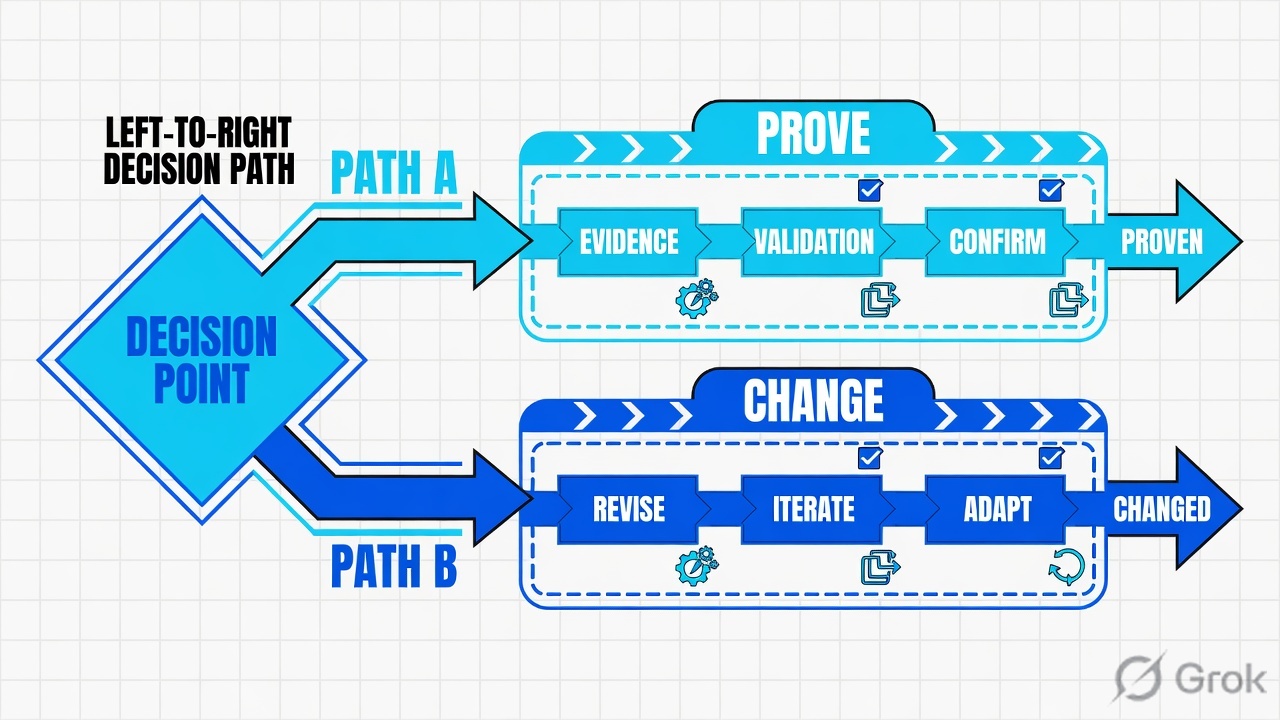
Read the diamond first. A green pool never starts in Traffic Learning. A missing Support ID never starts with Accept Request. A dark VIP is the LTM evidence desk, not this page.
4. How to choose — first tool + proof field
Print this next to TMUI. If you cannot recite the proof field, you are not ready to Apply Policy.
| If the ticket says… | First tool (official path) | Proof field | Do not open first |
|---|---|---|---|
| Blocking page with a number | Security > Event Logs > Application > Requests → Show Filter Details → Support ID | Matching request row + Support ID (up to 20 digits) | Enforcement Mode = Transparent |
| Row found; “why did it block?” | Click the request. Read Violations | Violation name (e.g. Illegal parameter value) + Blocked / Alarmed + staged yes/no | Accept all Traffic Learning |
| Support ID not in Application Requests | Security > Event Logs > Bot Defense > Bot Requests, same ID; then ask whether ASM processed the request | Bot Request row, or official “not processed by ASM” case | A new URL wildcard |
| Violation exists; user still reached the app | Security Policies > Policies List → Enforcement Mode; then Learning and Blocking Settings | Transparent, or Block unchecked, or signature still in staging | show /ltm pool |
| No logs at all for a known POST | Virtual Security > Policies + logging profile; list /asm policy … virtual-servers |
Application Security Policy enabled + log profile attached (Log all requests / Log illegal requests) | tcpdump of the whole VLAN |
| “VIP is down / please failover” | Leave this desk. tmsh show /ltm virtual vip_checkout_443 |
Availability + State + Destination — see the F5 evidence desk | Apply Policy |
Official: each logged request gets a Support ID as the primary key. The same identifier can appear in ASM Application Requests and in Bot Defense event logs. ASM request logs and Bot request logs are both up to 20 digits. If the blocking page number is missing from Application Requests, search Bot Requests before you declare “logging is broken.”
5. Runbook Side A → B → C
Side A finds the transaction. Side B proves the policy was allowed to block it. Side C proves the virtual is the one that received it. On a messy Sev-2, do them in this order until a field lights up.
Side A — Support ID and the request / violation
-
Take the Support ID off the page, not off Slack memory
The default response pages include
<%TS.request.ID()%>. The system replaces that variable with the Support ID when it issues the page. Official iRuleASM::support_idreturns the same identifier for the present HTTP transaction, whether or not a violation was found. Paste the full number. Partial last-4 filters exist; use them only when the user cropped the screenshot. -
Open Application Requests, not the policy editor
Path: Security > Event Logs > Application > Requests. Click Show Filter Details. Locate the Support ID section and filter. Source: my.f5.com K50320144. If the list is empty, do not widen to “all policies, last 30 days” until you have tried Bot Defense with the same ID.
-
Click the row. Separate request from violation
The Requests List is the transaction. The detail pane is the verdict. Quote: date/time, client IP, virtual server, policy name, request status (illegal / legal), HTTP method, URI, and every violation with its Attack Signature ID if one fired. Sensitive parameters display as asterisks when marked sensitive — that is official, not a logging failure.
-
If the ID is still missing, change log store — then stop guessing
Path: Security > Event Logs > Bot Defense > Bot Requests. Official notes: some Support IDs are never written to ASM event logs because the request was not processed by ASM and no violation occurred (K64034374). That is a listener / profile / HTTP-class attach problem, not a false-positive problem.
Security / Event Logs / Application / Requests
Requests
| Time (UTC) | Support ID | Client | URI | Status | Violation |
|---|---|---|---|---|---|
| 01:54:11 | 14235123456789011111 | 203.0.113.44 | GET /login | Legal | — |
| 01:54:48 | 14235123456789012345 | 203.0.113.44 | POST /api/checkout | Illegal | Illegal parameter value |
Violations: Illegal parameter value · Attack signature detected (staged: no)
Action: Blocked · Enforcement Mode on policy: Blocking
Virtual: vip_checkout_443 · Policy: checkout_awaf · Method: POST
Source: my.f5.com K50320144 — navigate to Security > Event Logs > Application > Requests, Show Filter Details, Support ID. Click the request to view the request and any violations. Lab identities only. Training mock · not live.
Side B — Enforcement Mode, then Learn / Alarm / Block
-
Read Enforcement Mode on the named policy
Path: Security > Application Security > Security Policies > Policies List. Open
checkout_awaf. Official: Blocking — traffic is blocked if it causes a violation configured for blocking. Transparent — traffic is not blocked even if a violation is triggered; the system reviews and logs. A blocking page in the user’s browser already tells you this policy (or a parent that enforces) is not Transparent for that action. -
Open Learning and Blocking Settings for that violation
Path: Security > Application Security > Policy Building > Learning and Blocking Settings. Find the violation from Side A (Illegal parameter value, Illegal meta character, Attack signature detected, Illegal file type, Illegal method, HTTP protocol compliance). Quote Learn, Alarm, and Block independently. Official lab note: a Blocking policy can still only alarm if Block is unchecked on that element.
-
Check staging before you call it a false positive
Attack signature staging is designed to reduce false-positive blocks. A signature in staging does not block even when Enforcement Mode is Blocking. Official: staging-period matches generate learning suggestions; some staging hits are reported as legal / Attack Signature Staging. Do not “enable Block on the whole set” from one checkout POST.
-
Traffic Learning is the suggestion queue, not the RCA
Path: Security > Application Security > Policy Building > Traffic Learning. You may Accept, Delete, Ignore, or Export. Official: review whether the listed request is a legitimate violation or a false positive before you Accept. The Accept Request button on an event-log row only changes the policy when that request generated a learning suggestion (K11730196). Always Apply Policy (tmsh:
publish policy checkout_awaf) after an accepted change — the editor is not the running policy until you publish.
Security / Application Security / Security Policies / Policies List / checkout_awaf
checkout_awaf · General Settings
list /asm policy checkout_awaf all-properties
blocking-mode enabled = Blocking; disabled = Transparent (logs only)
publish policy checkout_awaf = Apply Policy
Source: my.f5.com K39522452 / K000138908 — Security > Application Security > Security Policies > Policies List, Enforcement Mode Blocking or Transparent. tmsh blocking-mode “blocks a request that triggers a security policy violation or only logs the violation event (transparent mode).” Declarative schema: enforcementMode blocking | transparent. Training mock · not live.
Side C — tmsh and virtual-server stats
-
Prove the listener before you blame the policy
Official:
show virtual [name]displays statistics and status. Paste Availability, State, Destination, and the incrementing connection / request counters onvip_checkout_443. A virtual with zero requests in the incident window never produced an ASM row. That ticket belongs on the F5 evidence desk (pool, persist, tcpdump). -
Prove the policy is attached to that virtual
Official display option:
list /asm policy checkout_awaf virtual-servers— “Displays the name of the protected virtual server, or virtual servers, which have attached to them the security policy via L7 policies.” TMUI twin: Local Traffic > Virtual Servers > vip_checkout_443 > Security > Policies — Application Security Policy enabled, logging profile in Selected (lab uses Log all requests when you must see legal traffic too). -
Use list for config, show for stats, publish for apply
listis configuration.showis statistics and runtime status.publish policy checkout_awafapplies the active policy — the CLI name for Apply Policy. Do notmodify policy … blocking-mode disabledfrom the war-room until Side A named the violation and change-control owns the blast radius.
# Listener stats + status  (official: show virtual [name])
tmsh show /ltm virtual vip_checkout_443
tmsh show /ltm virtual vip_checkout_443 detail

# Config: pool, profiles, policies  (official: list virtual)
tmsh list /ltm virtual vip_checkout_443 destination pool profiles policies

# Which virtuals this ASM policy protects
tmsh list /asm policy checkout_awaf virtual-servers
tmsh list /asm policy checkout_awaf all-properties

# Apply Policy, only after change-control
# tmsh publish policy checkout_awaf
- Side A: Application Requests row for Support ID
14235123456789012345names the URI, client, and violation. - Side B: Enforcement Mode + the Block checkbox + staging state explain why that row is Blocked versus only Alarmed.
- Side C:
show /ltm virtualcounters moved in the same minute;list /asm policy … virtual-serversnamesvip_checkout_443. - Close: same user, same POST
/api/checkout, new Support ID is Legal — or no blocking page — and the old illegal row does not repeat.
6. Runtime path of one checkout POST
Follow one POST. Do not skip a box. The pool can stay Available the entire time.
Read left → right, then the two outcomes. The Support ID is assigned when ASM finishes the transaction. The pool never sees a blocked POST.
| Runtime box | What you quote | If this box fails |
|---|---|---|
| 1 · Client POST | User, source 203.0.113.44, UTC, URI POST /api/checkout |
You do not have a transaction. Stop collecting random logs. |
| 2 · Virtual | show /ltm virtual vip_checkout_443 Availability, request counters |
Listener / VLAN / destination — leave this lesson. |
| 3 · ASM policy attach | list /asm policy checkout_awaf virtual-servers; Security > Policies on the virtual |
Policy not on this VIP, or logging profile missing. |
| 4 · Decision | Enforcement Mode + Learn/Alarm/Block + staging + Support ID | Alarmed-only looks like “WAF is off.” It is not. |
| 5 · Request log | Application Requests or Bot Requests row for that ID | K64034374 / wrong log store / local request-log capacity (K62833065). |
7. Traps + close-the-ticket proof
These five land every release week. Each trap has one contradicting field. Times and identities below are lab-only.
| Trap | What it looks like | Contradicting proof | Safe next step |
|---|---|---|---|
| Green pool, real users blocked | “LTM is fine, so it cannot be F5.” | Application Requests row Blocked for /api/checkout; pool members Available |
Stay on this desk. Do not fail over. |
| Transparent mistaken for “WAF off” | Users succeed; SOC still sees violations | Enforcement Mode = Transparent; request is illegal but not blocked | Do not flip to Blocking on the bridge. Tune first. |
| Staging mistaken for a miss | “Signature did not fire.” | Attack Signature Staging / legal row + learning suggestion for that signature ID | Leave staging until trusted traffic is reviewed (K70544352, K12911). |
| Wrong log store | Support ID from the page is “missing” | Row sits under Bot Defense > Bot Requests, or ASM never processed the request | Search both stores. Then check attach / logging profile. |
| Accept without a suggestion | Engineer clicks Accept Request; policy unchanged | K11730196 — Accept only modifies the policy when a learning suggestion exists | Open Traffic Learning. Review Suggested Action. Apply Policy. |
| Apply forgotten | “We allowed PUT” but checkout still blocks | Editor shows PUT; running policy does not until Apply / publish policy |
Apply Policy. Retest the same Support-ID path. |
- Same user or same lab client, same URI, same method.
- New Application Requests row is Legal — or, if you only alarmed, the user no longer receives a blocking page.
- Quoted fields in the ticket: Support ID, violation name, Enforcement Mode, Block checkbox, staging, virtual name,
show virtualcounters. - What you changed (if anything) and the Apply Policy timestamp.
- What you ruled out: Bot Defense action, missing attach, empty listener stats.
- Observation window long enough that the old illegal ID pattern does not return.
Weak: “F5 was blocking; we disabled ASM.” Strong: “Support ID 14235123456789012345 on vip_checkout_443 / policy checkout_awaf was an illegal POST /api/checkout — Illegal parameter value, Block checked, Enforcement Mode Blocking, signature not in staging. Pool pool_checkout_web stayed Available. After a scoped parameter allowance and Apply Policy, the same client POST logged Legal.”
If show /ltm virtual shows the listener down, Destination wrong, or request counters frozen, stop using Event Logs as RCA. That is listener / pool / persist / packet — the F5 evidence desk. If Bot Defense Denied the same Support ID and ASM has no row, the owner is the Bot Defense profile, not Learning and Blocking Settings.
Knowledge check
Six judgment items. Each maps to a promise bullet or a trap. Reasons point back to the section to re-read.
Sources
- my.f5.com K50320144 — Using the BIG-IP ASM system to search request event logs (Security > Event Logs > Application > Requests · Show Filter Details · Support ID)
- my.f5.com K000152255 — Support ID shown in both ASM and Bot Defense event logs (Support ID is the primary key of the request log table)
- my.f5.com K02120103 — Unable to find the Support ID displayed in the response (ASM request logs and Bot request logs; both up to 20 digits)
- my.f5.com K64034374 — BIG-IP ASM unable to find Support ID in Event Logs (ID not logged when ASM did not process the request)
- my.f5.com K62833065 — ASM Event Logs / Support IDs are missing (local request-logging limitation)
- my.f5.com K39522452 — Configuring the security policy enforcement mode (Policies List · Blocking / Transparent)
- my.f5.com K000138908 — Creating a security policy automatically (17.x) (Enforcement Mode Transparent or Blocking)
- my.f5.com K13050156 — Policy tuning and enhancement (ASM operations guide) (Traffic Learning review; Transparent → Blocking)
- my.f5.com K70544352 — Reducing false positive violations (staging-period matches generate learning suggestions)
- my.f5.com K12911 — Attack signature staging violations reported as legal
- my.f5.com K11730196 — Accept Request button may not modify the policy (only when a learning suggestion exists)
- my.f5.com K000157013 — Unexpected blocking in BIG-IP Advanced WAF (stage Illegal meta character / parameter value length when they false-positive)
- clouddocs.f5.com — tmsh asm policy (
blocking-modeenabled/disabled = block vs transparent log-only;list … virtual-servers;publish policyapplies) - clouddocs.f5.com — tmsh ltm virtual (
show virtual [name]statistics and status;list virtualconfiguration) - clouddocs.f5.com — Declarative WAF v17.1 schema (
enforcementModeblocking | transparent;<%TS.request.ID()%>on default response pages; sensitive parameters) - clouddocs.f5.com — ASM::support_id (unique identifier whether or not violations were found; correlates request log and blocking page)
- clouddocs.f5.com — WAF 201 Lab 2 · Positive security (Event Logs > Application > Requests; Traffic Learning; Learn/Alarm/Block; Apply Policy; Log all requests)
- clouddocs.f5.com — WAF 102 Exercise 4.1 · Transparent policy (Traffic Learning Accept/Delete/Ignore; alarmed requests while Transparent)
- clouddocs.f5.com — WAF 102 Exercise 2.1 · Bot Defense (Security > Event Logs > Bot Defense > Bot Requests)
- clouddocs.f5.com — WAF 302 Lab 1.2 (Blocking vs Transparent enforcement wording)
Related: F5 evidence desk · F5 session factory · Command ladder cheatsheet · LTM troubleshooting scenarios · F5 practice dashboard
Every output block is fictional lab data. Confirm live syntax, permissions and privacy rules on the production release before you type anything on a live system. Request logs can contain payloads — redact and retain per your organisation’s rules.