Official LTM: a virtual server is a traffic-management object represented by a virtual IP and a service. F5 specialist wording: it is essentially a listener. It takes traffic on a destination and a port, then — through destination address translation — sends it to a pool member. A pool is a logical set of devices. A pool member is IP:port for a node. TMM’s connection table is the live client-side and server-side flows. Persistence is the session pin that can outlive those flows. Green VIP is the start of the sentence.
The virtual accepts. The default pool chooses. The member answers. The connection table is this TCP. The persist record is which member I keep using after this TCP dies. I do not rebuild the listener because a session pin is stale.
1. Why a green VIP is not the app
The NOC paste shows a green circle on vip_finance_443. The app team is already on the bridge. You have about four minutes before someone rebuilds the virtual. That is the wrong first move.
Official About Virtual Servers: the virtual listens for client traffic and directs it according to how you configured the virtual. A primary purpose is to distribute that traffic across a pool. Availability on the listener means the destination answers and at least one pool member is available. It does not mean every persisted user is still hitting a healthy node.
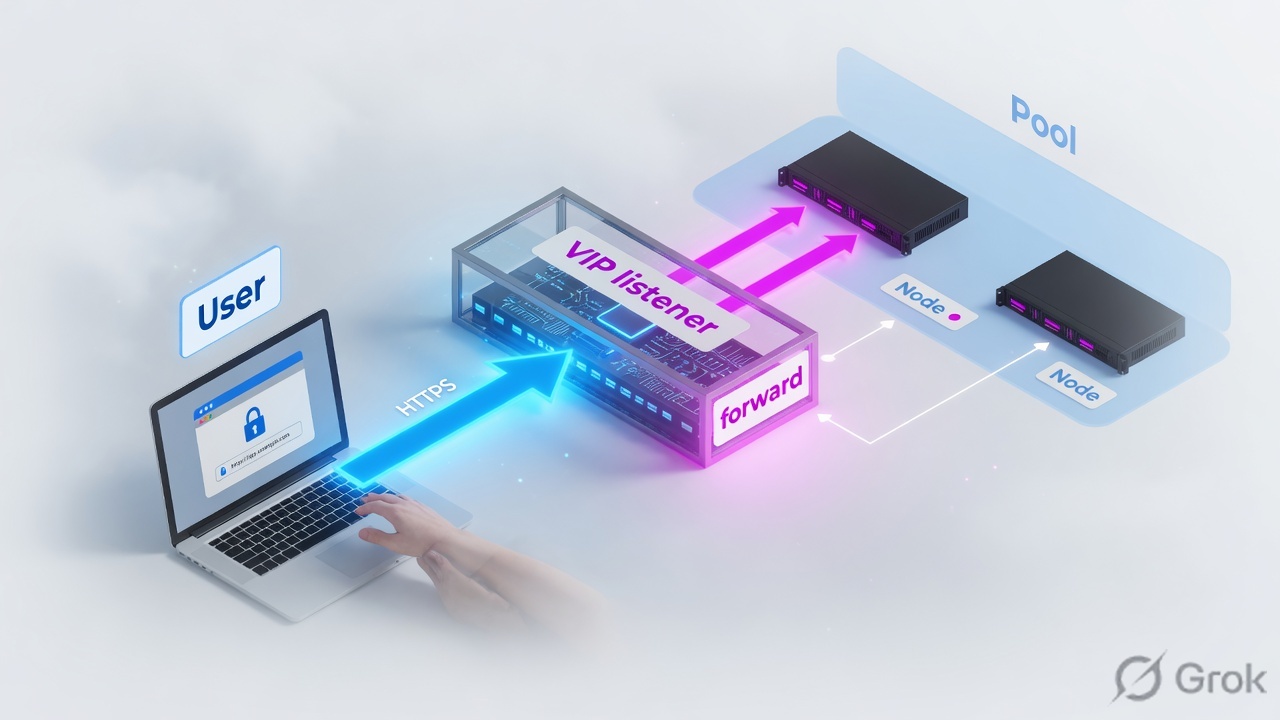
“The virtual is green, so the pool is fine.” Available pool + one down member + a live persist pin is random user pain. Green is the start of the sentence.
2. Mental model — three objects, two tables
Hold the factory as three configuration objects and two runtime tables. Interviews fail when people call all five “the VIP.”
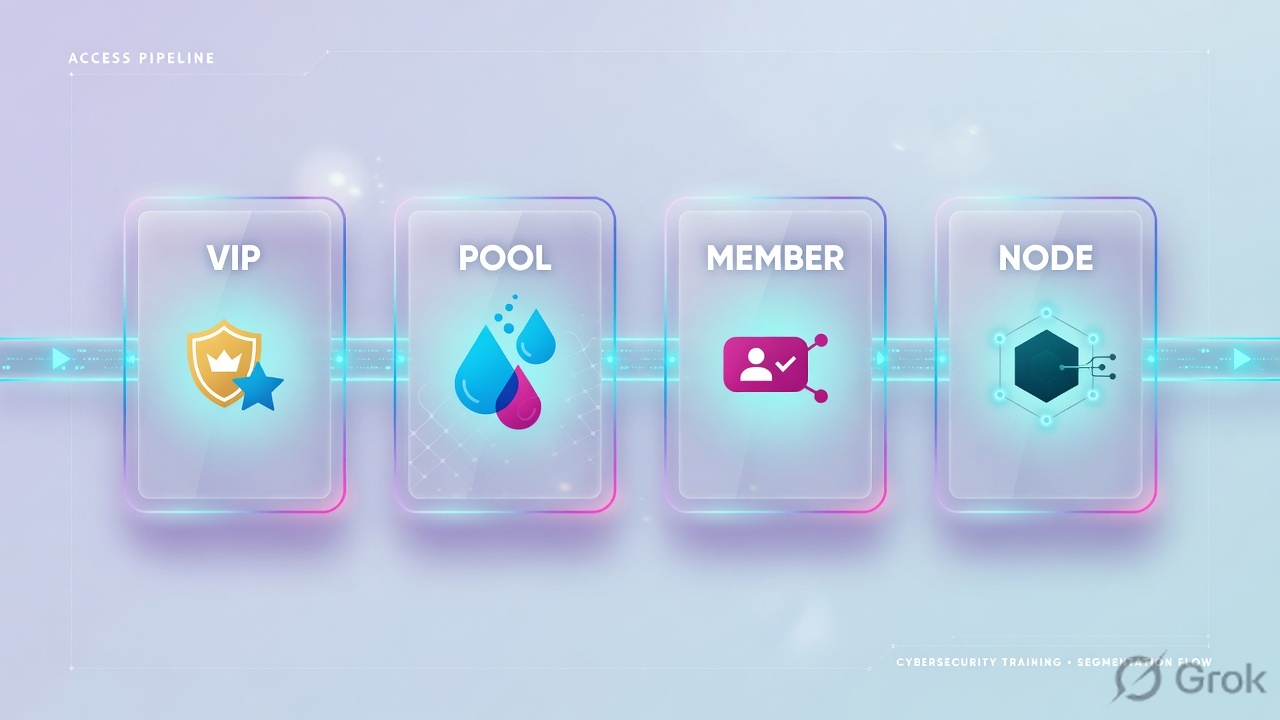
1. Virtual server = listener
Destination address + service port + protocol + VLAN. Official host example shape: 192.168.20.10:80. Many virtuals can share one virtual address (:80, :443, :161).
2. Pool = the set
Official: a logical set of devices grouped to receive and process traffic. The virtual’s Default Pool is used unless an iRule or local-traffic policy picks another pool.
3. Member = node:port
Official: a pool member is a logical object that represents a physical node. Example: 10.10.10.1:80. Node is the IP. Member is that IP on a service port in a named pool.
4. Two tables, not one
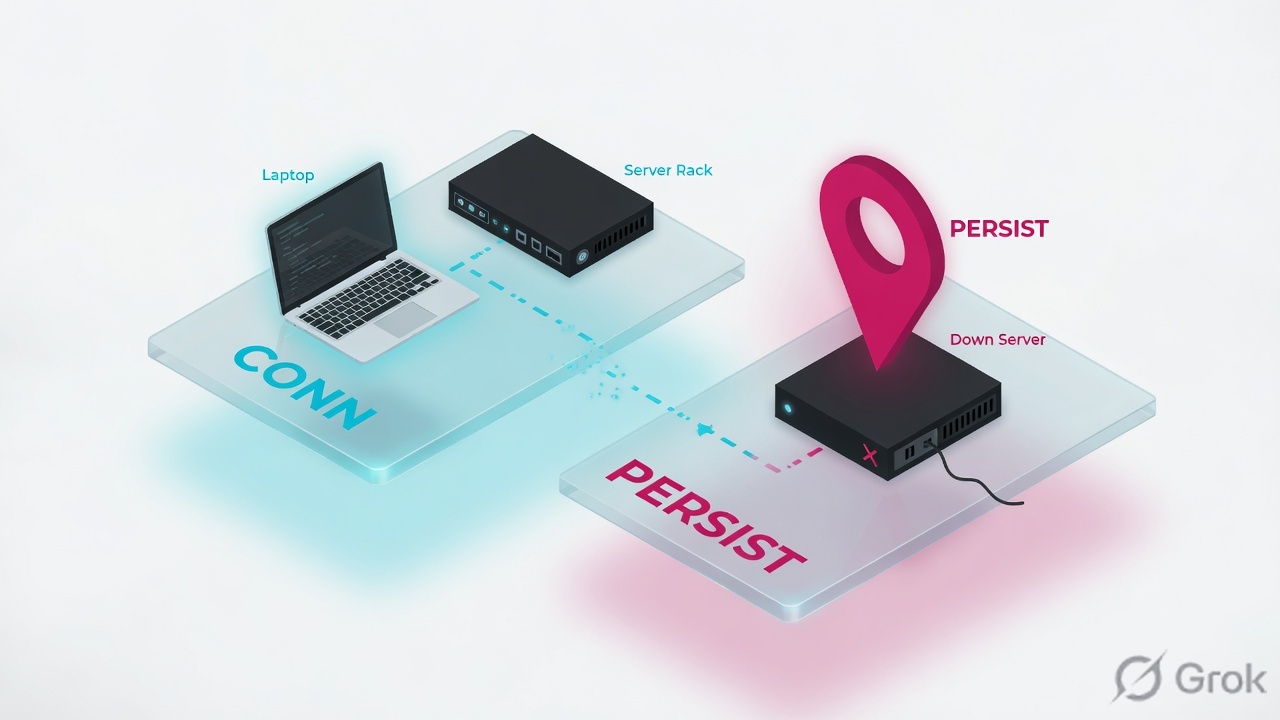
Connection table = this TCP/UDP flow in TMM. Persist-records = which member this client/cookie/SSL-id should keep using after that flow dies.
Read left → right for objects. Then read the two tables. A connection row is not a persist record. A persist record is not “the VIP is down.”
Virtual address is the IP only. Virtual server is that IP plus a service. Node is a server IP. Member is that IP:port inside a pool. CMP means TMM instances share the virtual — connection limits split across them. Stateless virtual (UDP) is the type that does not put connections in the connection table.
3. Decision flow on the ticket
Draw this before you touch the virtual. The first question is not “is the pool up.” The first question is “did SYN reach a listener on the active unit.” The second question is “is this TCP missing, or is a session pin leftover.”
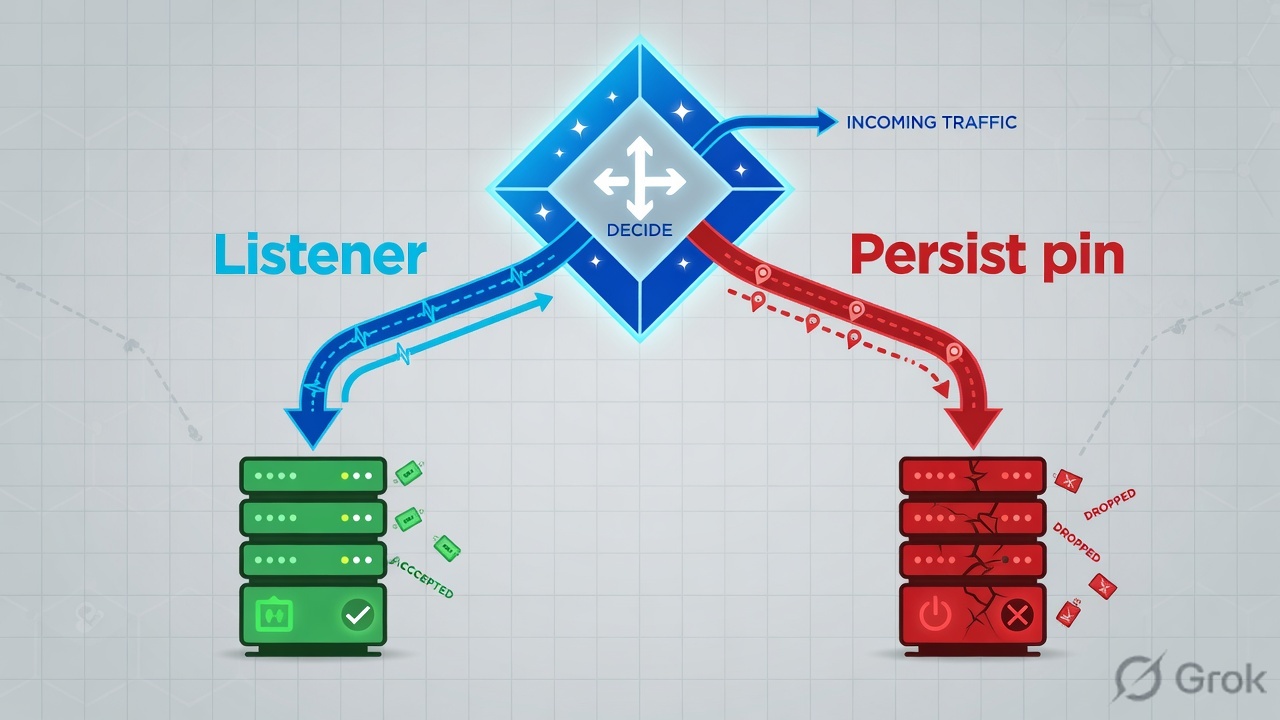
Always start: active unit → SYN on VIP → some-vs-all users → persist vs this TCP vs member. Jumping to rebuild the virtual is the L1 trap.
4. How to choose which table to read
You do not pick SNAT or SSL first. You pick the object that matches the symptom. The connection table answers “is this flow alive on TMM.” Persist-records answer “where will the next handshake go.”
| If you see | Read this | First command |
|---|---|---|
| No SYN from outside; members ping locally | Listener — dest, VLAN, ARP, virtual address | tmsh show ltm virtual vip_finance_443 |
| All new users fail; old cookies still work | Pool / member — monitor, receive string | tmsh show ltm pool pool_finance_web members |
| This client, this TCP, no return packets | Connection table — client-side vs server-side | tmsh show sys connection cs-client-addr 192.0.2.25 |
| New TCP still lands on the down member | Persist session — cookie / source-addr / SSL-id | tmsh show ltm persist persist-records |
| Busy VIP, empty conn and persist tables | Wrong unit — you are on standby | tmsh show sys ha-status |
| Need L4 only; app owns the cert | Performance (Layer 4) / FastL4 — no HTTP cookie persist | Source-addr persist, not cookie |
| Need cookie, iRule, client-ssl | Standard + HTTP + client-ssl | Server-side opens after first data |
Official persistence: Local Traffic Manager stores which pool member serviced a client so later requests go back there. Official connections: show sys connection is the data-plane table TMM is handling. K41269952-style tickets happen because persist-records can outnumber live connections. Quote both tables, not one colour.
5. Runbook Side A → B → C
Goal: stand up the listener, attach a default pool with two members, then prove the connection table and the persist session as two facts. Partition /Common. Addresses are documentation / lab only.
Prerequisites
- You work on the active unit. In Sync is config only.
- VLAN
externalwith a self-IP (floating self-IP if Auto Map + HA). - Pool members that either use BIG-IP as default gateway, or you plan Source Address Translation = Auto Map.
- A lab certificate already imported if you terminate TLS. Do not invent production serials.
Side A — listener on the Configuration Utility
Path: Local Traffic › Virtual Servers › Virtual Server List › Create. Official: after this task you have a virtual server that listens for application traffic. It is not the website.
Local Traffic › Virtual Servers › Virtual Server List › Create
New Virtual Server
Lab values only. Destination is TEST-NET-2. Not a customer VIP.
Click next: Resources tab → confirm Default Pool pool_finance_web and Default Persistence Profile. Then open the pool members — the listener is useless until a member can answer.
-
Create the listener, not the website
Name
vip_finance_443. Type Standard. Destination Address/Mask198.51.100.50/32. Service Port443. Protocol TCP. VLAN and Tunnel Traffic = Enabled onexternalonly. Address Translation and Port Translation stay enabled on a Standard virtual so the destination becomes the pool member. -
Attach the profiles that make L7 possible
HTTP Profile =
http. SSL Profile (Client) =clientssl_financeif you terminate TLS. Cookie persist and HTTP iRules need HTTP visibility. Without client-ssl the handshake belongs to the node. -
Name the default pool on Resources
Official: if no iRule or policy specifies another pool, Local Traffic Manager sends traffic to the default pool. Pick it here. Do not leave the virtual listening at nothing.
Side B — pool then member
Path: Local Traffic › Pools › Pool List › Create. Official: assign members, then associate the pool with the virtual.
Local Traffic › Pools › Pool List › pool_finance_web › Members
pool_finance_web · Members
| Member | Node | Status | Cur conns |
|---|---|---|---|
| 10.20.30.11:443 | 10.20.30.11 | Available | 18 |
| 10.20.30.12:443 | 10.20.30.12 | Offline · monitor timeout | 0 |
Pool can stay Available with 1/2 members up. Quote the down member, not the pool colour.
Click next: Local Traffic › Profiles › Persistence — set Action On Service Down = Reselect (or Reject). Default None keeps sending the cookie at .12.
-
Pool and monitor first
Name
pool_finance_web. Health Monitorhttps(or a custom HTTPS monitor on a cheap URI). Members10.20.30.11:443and10.20.30.12:443. Official default load-balancing method is Round Robin; least-connections-member is the usual production pick when members are similar. -
Know disabled vs down
Official: a disabled member continues persistent and active connections. A member a monitor reports as down processes no connections. INC-4412 is the third case — persist Action On Service Down = None still aiming at the down member.
-
Persistence that dies with the member
Local Traffic › Profiles › Persistence › Create. Parent cookie. Cookie Method = HTTP Cookie Insert (default cookie name
BIGipServer<pool_name>). Set Action On Service Down = Reselect. Attach as Default Persistence Profile on the virtual.
tmsh show ltm virtual vip_finance_443
tmsh show ltm pool pool_finance_web members
tmsh show sys connection cs-client-addr 192.0.2.25
tmsh show ltm persist persist-records
tmsh show sys ha-status
Side C — prove both tables on the active unit
-
Prove you are on the right box
tmsh show sys ha-statusmust say Failover State active. In Sync is config only. Mirror enabled is not “every virtual is mirrored.” If you are standby, stop. Both tables will look empty. -
Prove the listener, then the member
Show the virtual (enabled/available, VLAN, default pool). Show the pool members — not just pool availability. Dummy:
10.20.30.12:443 downwithmonitor: https (timeout). Pool can still be available. -
Print the connection 4-tuple, then the persist record
Connection table = this TCP. Persist = the pin. Dummy close for INC-4412 is a live persist at
10.20.30.12:443while that member is down — not a rebuild of the VIP.
Sys::Connections
192.0.2.25:53122  198.51.100.50:443  203.0.113.10:44218  10.20.30.12:443
tcp  idle 14  (tmm: 0)

# Read as:
# cs-client → cs-server (VIP)   ss-client (SNAT/self) → ss-server (member)
# Client-side and server-side are two independent TCP connections on a Standard virtual.
Sys::Persistent Connections
virtual   vip_finance_443
mode      source-address
client    192.0.2.25
node      10.20.30.12:443
age       62

# Cookie Insert also stores BIGipServerpool_finance_web=… on the client.
# Deleting this TCP does not delete the pin.
TMUI Create path and “listens for application traffic”: About Virtual Servers (LTM Basics). Pool / member / disabled-vs-down: Pools (LTM Concepts). Persist-records syntax: tmsh ltm persistence persist-records. Full-proxy handshake order: K8082 via F5 301a intro.
6. Runtime — full proxy then persist
After the virtual is enabled, one client walk manufactures two TCP connections on a Standard virtual, then maybe one persist record. That is why a handshake failure never reaches the pool, and why a closed TCP does not free the user from the pin.
Full proxy: BIG-IP is a TCP peer on both sides. Persist is a later, longer-lived fact. Quote both.
7. Traps + proof
| Symptom | Likely object | First check |
|---|---|---|
| VIP green, random users fail | Persist + down member | show ltm pool … members then persist-records |
| All new users fail, old cookies work | Pool / monitor | Member status, monitor receive string |
| This TCP, member selected, no return pkts | Connection table / return path | show sys connection — ss-server and server pkts |
| Empty conn table on a busy VIP | Standby unit — or Stateless VS | show sys ha-status; confirm virtual type is not Stateless |
| Mobile TLS error, desktop OK, pool unused | client-ssl handshake | Chain, SNI, TLS version — pool never seen (step 3) |
| You deleted the connection, user still pins | Persist session | persist-records or the BIGipServer… cookie |
- Calling the pool “the VIP.” Quote listener, pool, member, connection, persist as five facts.
- Cookie persist with Action On Service Down = None.
- Reading persist-records or the connection table on the standby.
- Assuming a disabled member is the same as down. Disabled still honours persist and active connections.
- Rebuilding the virtual because a session pin is stale.
ha-status= active on the unit you used.- Virtual enabled/available; VLAN list is the designed VLAN.
- Pool members match the monitor you think is running. Down member is named.
- Connection 4-tuple printed once: client → VIP → SNAT → node.
- Persist-records do not pin live users to a down member — or Action On Service Down is Reselect.
- Pilot page loads. You did not rebuild the listener to get there.
Interview close: “A virtual is a listener. Traffic walks VS → default pool → member. The connection table is this TCP. Persist is the session pin that can outlive it. I prove INC-4412 with ha-status, the virtual, the down member, one 4-tuple, and one persist record.”
Knowledge check
Six judgment questions. Mapped to the outcomes. Check answers, then reset if you miss any.
Sources
- About Virtual Servers — LTM Basics (listens; Create path; dest address; Stateless skips connection table)
- Virtual Servers — LTM Concepts (VIP + service; default pool; dest translation to member)
- Pools — LTM Concepts (pool; member = node:port; disabled vs down)
- Session Persistence Profiles — LTM Concepts (session data; cookie insert)
- tmsh — ltm persistence persist-records
- tmsh — ltm virtual
- F5 301a introduction — virtual is a listener; Standard VS / K8082 handshake order
- K40033505 — Explaining tmsh show sys connection
- K41269952 — persist-records can outnumber sys connection
- K8082 — TCP setup for Standard virtual server types
- K15095 — Action On Service Down
Related: F5 evidence desk · F5 practice dashboard · LTM virtuals and pools · LTM troubleshooting scenarios
Dummy lab: tmsh on this page is documentation-range only. Confirm live syntax on /interview/f5#simulator before you type on a real box.