TTechclick ⚡ XP 0% All lessons
Zscaler · ZPA · Access PolicyInteractive · L1 / L2 / L3

ZPA Access Policy — Default-Deny, First-Match, Posture-Gated

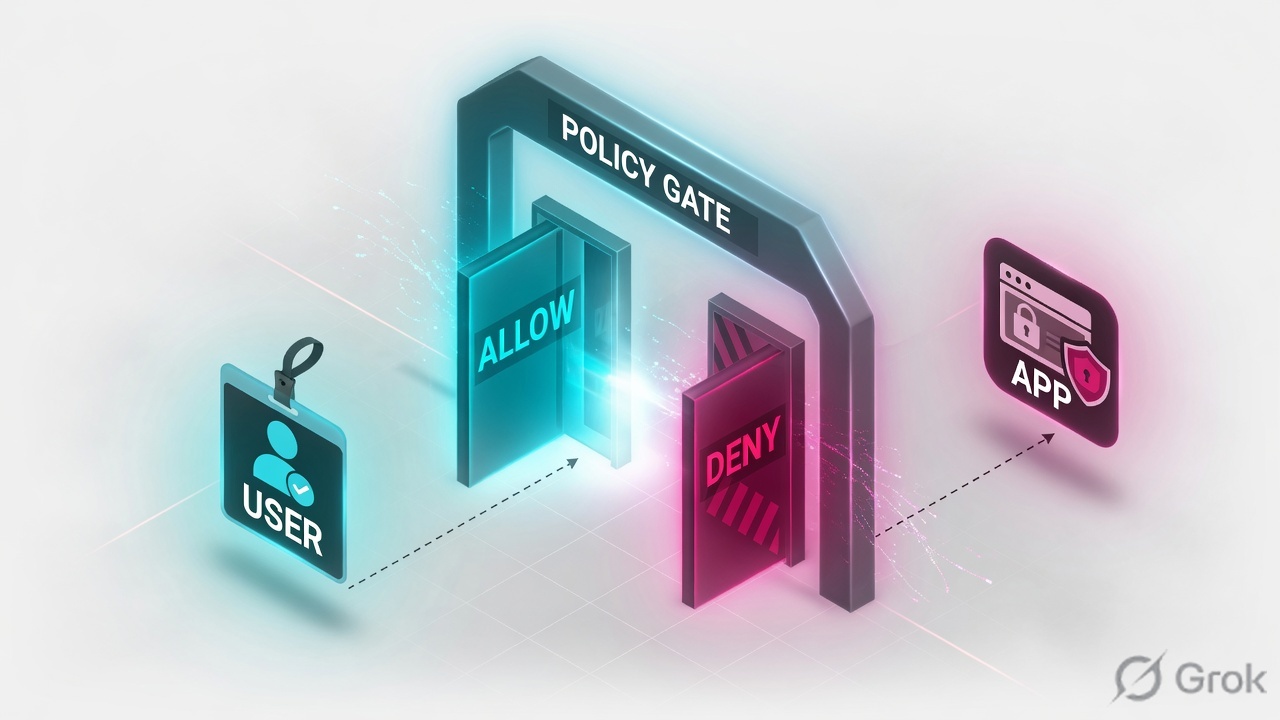
ZPA does not hand out network access — it decides, request by request, who reaches one specific app. That decision lives in the Access Policy: an implicit-deny, first-match engine where rule order, an easily-missed IdP toggle, and a ZCC-only posture rule quietly decide who gets in and who silently hits a wall. This lesson builds that engine end to end.

📅 2026-06-03 · ⏱ 14 min · 3 live demos · 4 infographics · 🏷 10-Q assessment + AI Tutor inline

⚡ Quick Answer

Master the ZPA Access Policy engine: implicit default-deny, first-match top-down evaluation, AND-between-types / OR-within-a-type criteria, the SAML/SCIM per-IdP toggle that silently breaks rules, ZCC-only posture and trusted-network, the 256-rule cap and the Timeout Policy. 5 infographics, 2 live demos, real console recreations and a 10-question assessment.

🎯 By the end you will be able to

Read as:

Pick where you want to start

1

Default-deny model

Why you never write a bottom block-all rule.

2

The criteria menu

SAML, SCIM, posture, country - and the AND/OR logic.

3

Build the rule

The Add Rule console screen, order and action.

4

Posture, scale & timeout

ZCC-only posture, the 256-rule cap, idle timeout.

🧠 Warm-up — 3 questions, no score

Just notice which ones make you pause. We answer all three inside the lesson.

1. Your ZPA policy has three ALLOW rules and nothing else. A request matches none of them. What happens?

Answered in Default-deny model.

2. A broad ALLOW sits at order 1 and a narrow DENY at order 5. Which one wins for a matching user?

Answered in Build the rule.

3. Can you attach a device-posture check to a clientless Browser Access rule?

Answered in The criteria menu.

Most engineers think…

A ZPA Access Policy is just like a firewall rulebase - so end it with a Deny Any-Any to be safe.

Wrong - and that bottom deny can break you. ZPA is implicit-deny by default: anything no ALLOW rule matches is already denied. Every rule you write only opens a door; the wall is pre-built. Add a manual block-all and you risk mis-ordering it above your ALLOWs. Get this, and rule order, identity toggles and posture all click into place.

① Default-deny by design: the rule you never have to write

The first thing that trips up engineers moving from firewalls to ZPA: there is no bottom "block all" rule — and you must not add one. A ZPA Access Policy is implicit-deny: if no ALLOW rule matches a request, the session is denied automatically. Every rule you write only ever opens a door; the wall is already there. We taught the components, the inside-out microtunnel and the object chain in the ZPA Fundamentals lesson — this lesson is only about the decision engine that sits at step ② of that microtunnel and says yes or no.

Think of a five-star hotel concierge. You do not walk up with a list of every room you are not allowed into — that list would be infinite. Instead the concierge holds a short book of who is allowed where, reads it top to bottom, and the moment one line says "this guest, this room — yes", they stop reading and walk you there. Everyone whose name appears in no line simply does not get a room. That short book is your Access Policy; the infinite "not allowed" list is the implicit deny you never type.

Figure 1 — A request walks the rules top-down; first match wins, the bottom is a trapdoor
ZPA evaluates Access Policy rules top-to-bottom and stops at the first match — a narrow DENY above a broad ALLOW fires first, and anything that matches no rule falls through an implicit default-deny trapdoor. A vertical rule stack. A request enters at the top and is tested against each rule in priority order. Rule 1 is a narrow DENY for contractors and does not match this user. Rule 2 is the ALLOW for Finance on a compliant Windows device and matches, so evaluation stops and access is granted. A greyed lower rule is never reached. At the very bottom a red trapdoor labelled implicit default-deny catches every request that matched no rule. Evaluation order IS the policy — read top-down, stop at first match DENY / blocked ALLOW / granted key insight Request: Priya Finance · Windows · compliant Rule 1 · DENY Client Type = contractor → BLOCK. Priya is not a contractor — no match, keep reading. skip ↓ Rule 2 · ALLOW SCIM=Finance AND Platform=Windows AND Posture=Compliant → SAP. All match. ✔ FIRST MATCH evaluation STOPS here Rule 3 · ALLOW (everyone, broad) Never evaluated — match already happened above. Order matters. ▼ Implicit default-deny — the trapdoor you never write Match no rule above and you fall through here. No bottom block-all is ever needed. Golden rule: narrow DENY / exception rules go ABOVE broad ALLOW rules, or they never fire.
Read it top-down like ZPA does: Rule 1 (red DENY) is skipped, Rule 2 (blue ALLOW) is the first match and evaluation stops, Rule 3 is dead, and the navy trapdoor is the deny you never type.
👉 So far: ZPA denies by default; you only ever write ALLOW (and narrow DENY) rules, read top-down, first match wins. Now — what can a rule actually look at?

Four myths to flip before we go deeper

Tap each card — front is the assumption most engineers carry over from firewalls, back is the ZPA correction.

🧱
"Add a Deny-Any at the bottom"
tap to flip

No. ZPA is implicit-deny already. A manual block-all is redundant and can mis-order above your ALLOWs. Never write one.

🔢
"Order doesn't matter much"
tap to flip

Order is the policy. First-match, top-down — a broad ALLOW above a narrow DENY makes the DENY dead code.

🔗
"All criteria are AND-ed"
tap to flip

Half right. Different types are AND-ed; multiple values inside one type are OR-ed. Finance OR Treasury, AND Windows.

🖥️
"Posture works everywhere"
tap to flip

No. Posture and Trusted Network are ZCC-only — clientless Browser Access and PRA have no agent to report device health.

Anjali at Infosys faces this

Anjali, an L1 engineer migrating from a Palo Alto firewall, writes a beautiful ZPA policy and, out of habit, adds a final "Deny Any-Any" rule at the very bottom "to be safe". Now even her correctly-authorised Finance users are blocked.

Likely cause

On a firewall the explicit bottom deny is normal. In ZPA the deny is already implicit, and a manual broad DENY can sit above later ALLOW logic in priority — or simply be redundant noise that confuses the next engineer.

Diagnosis

Open the policy and check rule order. A broad DENY high in the list will short-circuit every ALLOW below it.

Policy ▸ Access Policy ▸ (review rule order)
Fix

Delete the bottom block-all entirely — ZPA does not need it. Keep only narrow DENY exceptions, and put each one above the broad ALLOW it must override.

Verify

Re-test a Finance user; the access log now shows an ALLOW against the intended rule, not a deny.

② The criteria menu: what a rule is allowed to look at

A ZPA rule is a set of conditions plus one action (Allow Access or Block Access). Each condition is a criterion type, and ZPA gives you a fixed menu of them. Knowing the menu — and the exact logic that joins them — is most of the skill.

Figure 2 — AND between criteria types, OR within one type — and the toggle that breaks it
Inside one ZPA rule the criteria types are joined with AND and the values inside a single type are joined with OR — so a user must satisfy every type at once, but any one value within a type is enough. A single ALLOW rule shown as three stacked criterion-type bands joined by AND. The first band, SCIM Group, lists Finance OR Treasury joined by OR. The second band, Platform, lists Windows OR macOS. The third band, Posture, lists Compliant. A user matches only if they satisfy all three bands at once. A side note shows that if the SAML-Attributes-for-Policy toggle is off, the SAML band is silently skipped and the user falls to default-deny. One ALLOW rule = AND across types, OR within a type criterion type (AND) value (OR within) Type: SCIM Group Finance OR Treasury AND Type: Platform Windows OR macOS AND Type: Posture (ZCC-only) CrowdStrike score ≥ 70 Match only if ALL three bands are satisfied at once → ALLOW ⚠ If you add a SAML type… A SAML Attribute criterion is only evaluated when the per-IdP toggle "SAML Attributes for Policy" is ON. If it is OFF, that band is SILENTLY skipped — not denied, not logged. The rule never matches, so the user falls to default-deny despite a perfectly valid SSO login. Section 4 fixes this in two clicks.
Inside one rule: every blue band is joined by AND (you must satisfy all), green chips inside a band are joined by OR (any one is enough). The amber panel is the gotcha that makes a valid login silently fail.
Quick check · Q1 of 10 · Remember

You write a ZPA Access Policy with three ALLOW rules and nothing else. A request matches none of them. What happens, and do you need a bottom "Block All"?

Correct: b. ZPA is implicit-deny: no matching ALLOW means denied, automatically. A manual bottom Block-All is redundant and can mis-order above later rules. (a)/(d) wrongly assume default-allow; (c) is false — ZPA never requires an explicit terminal deny.
Figure 3 — One rule, two users: how AND/OR criteria resolve to allow vs deny
The same ALLOW rule grants a Finance user on Windows and denies a Treasury user on a Mac — because the OR inside a type is satisfied for both but the AND across types fails for the Mac user, who then falls to default-deny. A decision tree for one ALLOW rule whose criteria are SCIM Group equals Finance OR Treasury, joined by AND with Platform equals Windows. Two requests enter. The first, Priya in Finance on Windows, passes the group OR check and the platform check, so the rule matches and access is allowed in green. The second, Rahul in Treasury on a Mac, passes the group OR check but fails the platform check, so the AND fails, no rule matches, and he falls through the implicit default-deny in red. Rule: (Finance OR Treasury) AND Windows → ALLOW passes check fails → default-deny Priya · Finance · Windows request → In Finance OR Treasury? Windows? Yes Yes ALLOW · SAP rule matched, first match wins Rahul · Treasury · Mac request → In Finance OR Treasury? Windows? Yes (Treasury) No (Mac) DEFAULT-DENY AND failed → no rule matched OR passed, but the AND across types is what decides the outcome
Same rule, two users. Both satisfy the OR (group), but only Priya satisfies the AND (Windows) — so Rahul on a Mac falls through to default-deny. The AND across types is the deciding gate.

Pause & Predict

A rule has SCIM Group = (Finance OR Treasury) AND Platform = Windows. A Treasury user on a Mac requests the app. Allowed or denied — and why? Type your guess.

Answer: Denied. The OR inside the SCIM band is satisfied (Treasury counts), but the two types are joined by AND, and the Platform band requires Windows. A Mac fails the Platform AND, so the whole rule fails to match and the user falls to default-deny.
👉 So far: AND across criterion types, OR within one type. Now the console — let us build exactly this rule, in the real screen.

③ Building the rule in the console — Add Access Policy Rule

Here is the actual Add Rule screen, recreated so you recognise the real one. This single rule reads "Finance OR Treasury, on a managed Windows or Mac device that passes posture, may reach SAP — everyone else hits default-deny." Notice the criteria builder, the AND joins, the action dropdown, and the rule-order field.

https://admin.private.zscaler.com  ·  Policy ▸ Access Policy ▸ Add Rule
Applications ▸
Policy ▸
Access Policy
Timeout Policy
Client Forwarding Policy
Administration ▸
Policy ▸ Access Policy ▸ Add Rule
First-match, top-down. Implicit deny handles everyone this rule does not match.
Rule NameAllow-Finance-SAP
1ActionAllow Access ▾  (or Block Access)
2Rule Order3  — narrow DENY rules must sit above this
3Criteria · Application SegmentSG-SAP-8443
Criteria · SCIM GroupFinance OR Treasury AND
Criteria · PlatformWindows OR macOS AND
Criteria · Posture ProfileCompliant-Win ▾ requires ZCC
1 Allow vs Block — there is no third "deny rest", ZPA does that itself   2 order decides first-match   3 the Segment Group this rule grants — never a bare segment
🖥️ Recreated for clarity — your ZPA console matches this. Path: Policy ▸ Access Policy ▸ Add Rule. Pins ①②③ are the fields that decide the outcome: the action, the order, and which Segment Group it targets.

▶ Watch one request walk the rules

A Finance user on a compliant Windows laptop requests SAP. Press Play for the healthy first-match path, then Break it to see what a mis-ordered broad ALLOW does.

① ENTERRequest hits the policy engine and is evaluated top-down against the rule list
② RULE 1Narrow DENY for contractors — this user is staff, no match, keep reading
③ RULE 3ALLOW — SCIM=Finance AND Windows AND Compliant — first match wins
④ GRANTBrokered to the SAP segment; everyone who matched nothing hits the default-deny
Press Play to watch first-match win. Then press Break it.
Quick check · Q2 of 10 · Apply

Rohan puts a broad "ALLOW all employees → all apps" rule at order 1, and a narrow "DENY contractors → finance app" rule at order 5. Contractors still reach the finance app. Why?

Correct: c. Evaluation is first-match top-down: the broad ALLOW at order 1 matches the contractor and stops evaluation before the DENY at order 5. Narrow exception/DENY rules must sit ABOVE the broad ALLOW they override. (b) is backwards; (a)/(d) are invented.

Rohan at TCS faces this

Rohan needs to block one contractor group from the payroll app while still allowing all staff broad access elsewhere. He adds the DENY, but it never seems to take effect.

Likely cause

His broad ALLOW sits above the narrow DENY, so first-match grants access before the DENY is read.

Diagnosis

Compare the two rules' Rule Order values; the DENY has a higher (lower-priority) number.

Policy ▸ Access Policy ▸ (drag DENY above ALLOW)
Fix

Re-order so the narrow contractor DENY is above the broad staff ALLOW. Re-test the contractor — now the DENY matches first.

Verify (L2/L3)

The contractor's access log shows a BLOCK against the DENY rule, not an ALLOW.

👉 So far: order is the policy. Next, the identity layer — and the per-IdP toggle that silently deletes your SAML and SCIM criteria.

④ The identity gate: SAML, SCIM and the toggle that fails silently

Identity criteria are where most "valid login but blocked" tickets come from. ZPA does not trust IdP attributes by default — you must explicitly enable, per IdP, that those attributes may be used in policy. There are two switches, under Administration ▸ IdP Configuration:

The trap: if the relevant toggle is off, ZPA does not error and does not log a deny — it silently ignores that criterion. A rule whose match depends on it then never matches, and the user falls through to default-deny despite a perfectly valid SSO login. The symptom is a rule that is skipped, not denied, in the logs.

https://admin.private.zscaler.com  ·  Administration ▸ IdP Configuration ▸ Edit IdP
Edit IdP — Corp-EntraID
IdP NameCorp-EntraID
Single Sign-On URLlogin.microsoftonline.com/…
1SAML Attributes for Policy● Enabled  OFF = SAML criteria silently ignored
2SCIM Attributes and Groups for Policy● Enabled
SCIM Sync StatusLast sync 12 min ago  — nested groups are NOT auto-expanded
1 turn this ON or every SAML attribute criterion in every rule is skipped   2 the SCIM equivalent — needed for group-based rules
🖥️ Recreated for clarity — your ZPA console matches this. Path: Administration ▸ IdP Configuration ▸ Edit IdP. If pin ① is OFF, a flawless SAML rule still drops users into default-deny with no logged deny.

▶ Watch a valid login get silently dropped

A Finance user with correct SSO requests SAP. Press Play for the healthy identity-gated path, then Break it to see what "SAML Attributes for Policy = off" does.

① LOGINUser authenticates via SAML at the IdP — SSO succeeds, attributes are asserted
② READ ATTRSZPA reads SAML/SCIM attributes only because the per-IdP toggle is on
③ MATCHRule "SCIM=Finance AND posture" matches — first-match ALLOW
④ GRANTBrokered to SAP. The identity criteria did their job
Press Play for the healthy path. Then press Break it.
Quick check · Q3 of 10 · Apply

A user passes SSO but is blocked from an app while colleagues in the same AD group get in. Diagnostics show the ALLOW rule is skipped — not matched, not logged as a deny. What do you check first on the IdP config?

Correct: a. A silent skip (not a logged deny) is the signature of ignored identity criteria — enable the per-IdP toggle. Nested Entra groups are not expanded by SCIM, so a child-group-only user never appears in the parent roster. (b)/(c)/(d) do not cause a silent skip of a single rule.

Priya at Wipro faces this

Priya's Finance team is blocked from an internal payments dashboard even though their SSO succeeds and the ALLOW rule names their group. The access log shows the rule was never matched — no deny event at all.

Likely cause

Two suspects: "SAML Attributes for Policy" is off on the IdP (so the attribute criterion is ignored), or Entra SCIM never expanded a nested group, so child-group-only users are absent from the parent roster the rule references.

Diagnosis

Open the IdP config and confirm the toggle; then check whether the affected users are direct members of the referenced group.

Administration ▸ IdP Configuration ▸ Edit IdP
Fix

Enable "SAML Attributes for Policy" (and the SCIM equivalent). Flatten nested groups into a dedicated ZPA group with direct members, then trigger a manual SCIM sync (default cycle ~40 min) instead of waiting.

Verify

Re-test a Finance user; the log now shows an ALLOW against the intended rule.

Real CVE — CVE-2025-54982 (Zscaler ZPA SAML signature not verified)

Disclosed 5 Aug 2025 (CVSS 9.6, Critical): a ZPA component did not properly verify the cryptographic signature on the SAML assertion, so a crafted, unsigned or tampered SAML response could be accepted as genuine — a full authentication bypass that lets an attacker impersonate any user and walk straight past every identity criterion in your Access Policy. Because the entire policy engine trusts the asserted identity, a SAML-signature flaw silently invalidates all of your SCIM/SAML rules at once, no matter how carefully ordered. Fix: nothing to patch on your side — Zscaler fixed this server-side across all clouds, with no customer patch or ZCC upgrade required. Still: confirm SAML response signing is enforced end-to-end on the IdP, and audit IdP/SSO logs for any assertions that may have bypassed signature checks.

Pause & Predict

Why does a SAML-signature-verification bug (CVE-2025-54982) undermine even a flawless, well-ordered Access Policy? Type your guess.

Answer: Every SCIM/SAML criterion trusts the asserted identity. If an attacker can forge a SAML assertion that ZPA accepts as signed-and-valid, they become whichever user they choose — so "SCIM Group = Finance" and every other identity gate is satisfied by a lie. The policy is perfect; the input to it is forged. Identity controls are only as strong as the signature check underneath them.
👉 So far: identity criteria need the per-IdP toggle, and a SAML-signature flaw can defeat them entirely. Now device posture — and the one rule that decides whether it is even evaluated.

⑤ Device posture as a condition — and the ZCC-only catch

A Posture Profile lets a rule demand a healthy device, not just a valid identity. ZPA integrates with EDR vendors — most notably CrowdStrike, which pushes a real-time ZTA device score into ZPA. You can gate a rule on "score ≥ 70", and crucially ZPA can terminate an in-flight session the instant the score drops below the threshold — continuous, not just at login.

The hard catch every exam loves: Posture Profile and Trusted Network only evaluate for Client Type = ZCC. They are collected by the agent, so a clientless path has nothing to report. Add a posture criterion to a Browser Access or PRA rule and ZPA rejects it. Gate clientless access with what you actually have: SAML/SCIM group and Country.

Figure 4 — Posture and Trusted Network only fire for ZCC — clientless paths are blind to device health
Posture Profile and Trusted Network criteria are evaluated only when the client type is the ZCC agent — Browser Access and PRA are clientless, so ZPA cannot read device health on those paths and rejects posture criteria there. Three client-type lanes compared across criterion types. The ZCC lane supports identity, posture and trusted-network with green checks. The Browser Access lane and the PRA lane support identity criteria with green checks but show red crosses for posture and trusted-network, because there is no agent to report device health. A lime note states that if posture is mandatory the user must run ZCC. Which criteria actually evaluate, by Client Type evaluated not possible ZCC (agent) Browser Access PRA SAML / SCIM identity Platform / Country Posture Profile Trusted Network only the agent reports health No agent → no device health to read. Posture is mandatory? The user must run ZCC. CrowdStrike ZTA score gating and session-terminate-on-score-drop are ZCC-only too.
The matrix that catches engineers out: identity works on every client type (green), but posture and trusted-network are red crosses on the clientless lanes — only ZCC can report them.
Quick check · Q4 of 10 · Apply

An admin tries to add a Posture Profile criterion to a Browser Access (clientless) rule for contractors "to harden it". What happens?

Correct: d. Posture data is collected by ZCC; a clientless Browser Access (or PRA) session has no agent, so ZPA disallows posture and trusted-network criteria on those client types. If posture is mandatory, the user must run ZCC. (a)/(b)/(c) are all invented behaviours.

Pause & Predict

A laptop is reaching SAP under a posture-gated ZCC rule. Mid-session its CrowdStrike score drops below 70. What does ZPA do, and why is this different from a VPN? Type your guess.

Answer: ZPA can terminate the session immediately — posture is re-evaluated continuously, not just at login. A VPN trusts you for the whole session after one check; ZPA pulls the live score and shows an unhealthy device the door mid-session. That is the continuous half of "continuous verification".

Karthik at Infosys faces this

Karthik must give an external auditor SSH to a Linux box (no agent allowed) AND gate his own staff by device health. He tries one Browser Access rule with a posture check for everyone and it will not save.

Likely cause

He is mixing two needs. SSH is not Browser Access at all, and posture cannot live on a clientless rule.

Fix

Split it: give the auditor PRA (clientless HTML5 SSH) gated by SAML/SCIM + Country — no posture; give staff a ZCC rule with the Posture Profile. Two client types, two rules.

Verify (L2/L3)

The staff rule saves with posture; the auditor rule saves only after the posture criterion is removed — proof the client-type gate is real.

👉 So far: posture is powerful but ZCC-only. Last stop — the scale limits and the Timeout Policy that runs after access is granted.

⑥ Scale limits & the Timeout Policy that runs after access

Two numbers shape large estates. The Access Policy is capped at roughly 256 rules per tenant, and a tenant supports up to 48 App Connector Groups. Hit the rule cap and you must collapse rules — bundle more apps into Segment Groups and gate by broad SCIM groups — trading fine granularity for headroom. This is the real reason mature ZPA designs lean on Segment Groups and group-based identity rather than per-app, per-user rules.

Access Policy decides whether a session is allowed. A separate Timeout Policy decides how long an idle session lasts before re-authentication — and it runs after access is granted, not during the allow/deny decision. The minimum idle timeout is 10 minutes, and when multiple Timeout rules match a session, the effective timeout is the MINIMUM across them (the strictest wins), not the first match. Do not confuse the two policies: a user who "keeps getting logged out" is a Timeout question, not an Access question.

ZPA Public API — read the access rules, confirm order & the implicit deny, check timeout
GET /mgmtconfig/v1/admin/customers/72058304855015433/policySet/rules/policyType/ACCESS_POLICY
# ALLOW rule, order 3, scoped to the SAP segment group
{ "name": "Allow-Finance-SAP", "action": "ALLOW", "ruleOrder": "3",
  "conditions": [
    { "operator": "AND", "operands": [
      { "objectType": "SCIM_GROUP", "lhs": "Finance" },
      { "objectType": "PLATFORM",   "lhs": "windows", "rhs": "true" },
      { "objectType": "POSTURE",    "lhs": "Compliant-Win", "rhs": "true" } ] } ] }

# Timeout Policy — effective idle timeout is the MINIMUM of all matching rules
GET /mgmtconfig/v1/admin/customers/72058304855015433/policySet/rules/policyType/TIMEOUT_POLICY
{ "name": "SAP-strict-idle", "reauthIdleTimeout": "600", "reauthTimeout": "36000" }   # 600s = the 10-min floor
Expected output
ACCESS_POLICY  : 184 rules returned  (cap ~256 — 72 rules of headroom left)
  order 1  Deny-Contractors-Payroll   BLOCK
  order 3  Allow-Finance-SAP          ALLOW   ← first match for Finance/Windows/compliant
  (no terminal block-all rule present — implicit default-deny is in effect)
TIMEOUT_POLICY : effective idle timeout = 600s (MINIMUM of 600 / 1800 matched)

Read the output like a debugger: the ALLOW sits at order 3 below the contractor DENY, there is deliberately no bottom block-all, and the effective idle timeout is the smallest matching value, not the first.

Vikram at Flipkart faces this

Vikram's ZPA tenant has grown to nearly 256 Access rules and the console refuses to let him add the next one. Every new app currently gets its own user-specific rule.

Likely cause

He has hit the ~256-rule-per-tenant cap because the design is one rule per app per user group — the most granular and least scalable pattern.

Diagnosis

Count the rules and look for many near-identical ALLOWs that differ only by app.

Policy ▸ Access Policy ▸ (rule count near cap)
Fix

Collapse: bundle related apps into Segment Groups and write one broad SCIM-group ALLOW per business function. Trade per-app granularity for headroom — that is the intended design at scale.

Verify

Rule count drops well under 256 and the same users still reach the same apps via the consolidated Segment Group rule.

Sneha at HDFC Bank faces this

Sneha's traders complain they are forced to re-authenticate "every few minutes" on the trading app, even though access is granted fine. She has been editing Access Policy rules looking for the cause.

Likely cause

This is a Timeout Policy issue, not Access Policy. Two Timeout rules match the trading app, and ZPA applies the MINIMUM idle timeout of the two — the strictest one wins.

Diagnosis

List the Timeout rules matching that segment group and find the smallest reauthIdleTimeout.

Policy ▸ Timeout Policy ▸ (rules matching the segment)
Fix

Raise or remove the overly-strict Timeout rule (respecting the 10-minute floor) so the minimum across matches is acceptable. Leave Access Policy untouched — it was never the problem.

Verify (L2/L3)

The API shows the effective idle timeout for the segment is now the intended value; traders stop getting re-prompted.

Figure 5 — ZPA Access Policy one-card cheat-sheet (screenshot this for revision)
A one-glance ZPA Access Policy revision card: the evaluation model, the criteria menu with the AND/OR logic and the ZCC-only catch, the silent-failure gotchas with fixes, and the scale and timeout limits. A summary card in three columns. Column one states the model: first-match top-down, implicit default-deny, no bottom block-all, narrow DENY above broad ALLOW, AND between criterion types and OR within a type. Column two maps gotchas to fixes: SAML rule silently skipped means enable SAML Attributes for Policy; nested group missing means flatten and resync SCIM; posture rejected on clientless means use ZCC; mis-ordered DENY means move it above the ALLOW. Column three lists limits: about 256 rules per tenant, 48 connector groups, posture and trusted network are ZCC-only, and the Timeout Policy runs after access with a 10-minute floor where the minimum across matching rules wins. ZPA Access Policy on one card The model Evaluationfirst-match, top-down by order Bottom of listimplicit default-deny never add a block-all Orderingnarrow DENY ABOVE broad ALLOW Criteria logicAND between types OR within one type ActionAllow Access / Block Access Criteria menuSeg/SAML/SCIM/Posture/ TrustedNet/Platform/Country/Client Gotcha → fix SAML rule silently skippedenable "SAML Attributes for Policy" Nested group missingflatten group + manual SCIM resync Posture rejected on web ruleposture is ZCC-only — use ZCC Mis-ordered DENY never firesmove DENY above the broad ALLOW "Keeps logging me out"Timeout Policy, not Access Policy SAML auth bypassCVE-2025-54982 — patch + sign SAML Verify from the access log, not the rule Limits & timeout ~256 rules / tenanthit it → collapse via Seg Groups 48 connector groupsper tenant ceiling Posture / Trusted NetZCC-only · not BA / PRA Timeout Policyruns AFTER access is granted Idle floor10 min minimum Multiple matcheseffective = MINIMUM (strictest) Golden rule Order tightly, verify identity, then allow one app.
Your last-minute revision card — the evaluation model, the gotcha→fix table, and the scale and timeout limits in one screen.
Pro tip — design for the rule cap from day one

Do not start with per-user, per-app rules. From the first rule, gate by SCIM group and target Segment Groups, not bare segments. A Finance group reaching a "Finance-Apps" Segment Group is one rule that scales to fifty apps; fifty per-app rules will wall you into the ~256 cap and force a painful re-architecture later.

Prove it worked — from the access log, not the rule screen

Never trust "the rule looks right" as proof a user can get in. Confirm it the right way: the user's access log shows an ALLOW against the exact rule and Segment Group you expect. A rule that is skipped (no match, no deny logged) almost always means an identity toggle is off or a nested group never synced. A logged deny means a real criterion failed (wrong posture, wrong country). The log distinguishes the two in seconds — the rule screen cannot.

👉 You can now explain default-deny + first-match, build an identity- and posture-gated rule, dodge the silent-skip traps, and reason about the rule cap and Timeout minimum. Lock it in below, then go hands-on in the App Connector lab.

🤖 Ask the AI Tutor

Tap any question — instant, scoped to this lesson. No login, no waiting.

Pre-curated from Zscaler docs + community Q&A, scoped to this lesson. For a live prod issue, paste your export into chat.techclick.in.

📝 Wrap-up assessment — six more

You've answered 4 inline. Six left. 70% (7 of 10) marks the lesson complete on your profile. Tap Submit all answers at the end.

Q5 · Analyze

Two ALLOW rules exist: order 2 grants "all staff → CRM", order 6 grants "Finance → CRM with posture". Finance users reach CRM but their device posture is never enforced. Why?

Correct: a. First-match top-down: the broad order-2 ALLOW matches Finance before the stricter order-6 rule is read, so posture is silently never applied. Order the specific posture rule ABOVE the broad ALLOW. (c) is false — ZPA stops at first match, not OR-of-all; (b)/(d) are invented.
Q6 · Analyze

A user passes SSO. The ALLOW rule references their SCIM group, but diagnostics show the rule was skipped — not matched, not logged as a deny. Most likely cause?

Correct: b. A silent skip (not a logged deny) is the signature of ignored identity criteria — enable the per-IdP toggle and check for un-expanded nested groups. A posture fail (c) or country block (d) would log a deny; a lost tunnel (a) would fail all apps, not skip one rule.
Q7 · Analyze

A rule reads SCIM Group = (Finance OR Treasury) AND Platform = (Windows OR macOS) AND Posture = Compliant. A Treasury user on a compliant Linux laptop is denied. Which single condition failed?

Correct: c. The group OR is satisfied (Treasury) and posture is Compliant, but Platform requires Windows OR macOS — Linux matches neither, so the across-type AND fails and the whole rule does not match, dropping the user to default-deny. (a)/(b) are satisfied; (d) is wrong — this is a criteria miss.
Q8 · Analyze

Two Timeout Policy rules match a session: one sets idle timeout 30 min, the other 10 min. The user is re-prompted after 10 minutes of idle. Which describes ZPA's behaviour?

Correct: d. Unlike Access Policy's first-match, the Timeout Policy applies the MINIMUM idle timeout across all matching rules (strictest wins), and it runs after access is granted. The 10-minute floor also bounds how low you can go. (a)/(b)/(c) misstate the resolution rule.
Q9 · Evaluate

A security review flags CVE-2025-54982 (CVSS 9.6) — a ZPA SAML-signature verification flaw. The ZPA admin says "our Access Policy is perfectly ordered with tight SCIM groups, so we're fine." Evaluate that claim.

Correct: a. The entire policy engine trusts the asserted identity. A SAML-signature bypass lets an attacker become any user, so SCIM/SAML criteria are satisfied by a forgery no matter how the rules are ordered. Rule hygiene cannot fix a broken signature check. (c) is false (it is a core ZPA flaw); (d) fails because the attacker can impersonate a posture-passing user.
Q10 · Evaluate

Management mandates: "Every access rule, including the clientless Browser Access rules for our third-party vendors, MUST enforce a device-posture check." Evaluate the feasibility.

Correct: b. Posture and Trusted Network require the ZCC agent to report device health; clientless Browser Access and PRA have no agent, so ZPA rejects posture criteria on those rules. The blanket mandate is impossible as written — vendors must either run ZCC or be gated by identity/country. (a)/(c)/(d) ignore the hard client-type limit.
Lesson complete — saved to your profile.
Almost! You need 70% (7 of 10) — re-read the path that tripped you up and tap "Try again".

🧠 In your own words

Type one line: why does a ZPA Access Policy never need a bottom block-all rule? Then compare to the expert version.

Expert version: Because ZPA is implicit-deny by default: any request that matches no ALLOW rule is denied automatically. Rules only ever open a door - the wall is already there. A manual block-all is redundant and can mis-order above later ALLOW rules, breaking legitimate access. So you spend effort on ordering (narrow DENY above broad ALLOW) and scoping criteria, never on a terminal deny.

🗣 Teach a friend

Best way to lock it in — explain it in one line to a teammate. Tap to generate a paste-ready summary.

📖 Glossary

Access Policy
ZPA's first-match, top-down rule list that decides whether a brokered session may reach a private app. Implicit default-deny — no bottom block-all needed.
Implicit default-deny
ZPA's built-in behaviour: any request that matches no ALLOW rule is denied automatically. You never write a terminal block-all rule.
First-match evaluation
Rules are read top-to-bottom by order; the first rule that matches decides the outcome and evaluation stops. Rule order is the policy.
Criterion type
A category a rule can test: Application Segment/Segment Group, SAML Attribute, SCIM Group, Posture Profile, Trusted Network, Platform, Country, Client Type.
AND / OR logic
Different criterion types in one rule are joined by AND (you must satisfy all); multiple values inside a single type are joined by OR (any one is enough).
SAML Attributes for Policy
A per-IdP toggle (Administration ▸ IdP Configuration). If off, SAML attribute criteria are silently ignored and matching rules never fire.
SCIM
System for Cross-domain Identity Management — auto-syncs users/groups from your IdP into ZPA. Nested groups are NOT auto-expanded.
Posture Profile
A device-compliance criterion (EDR present, disk encrypted, a CrowdStrike ZTA score) collected by ZCC. Usable only on Client Type = ZCC.
Trusted Network
A criterion checking whether the device is on a known corporate network. ZCC-only — never available to Browser Access or PRA.
Client Type
The access mode a rule applies to — ZCC (agent), Browser Access (clientless web) or PRA. It decides whether posture/trusted-network are even evaluated.
CrowdStrike ZTA score
A real-time device-health score CrowdStrike pushes into ZPA; a rule can gate on a threshold and terminate a session if the score drops mid-session.
Segment Group
A bundle of Application Segments that an Access Policy rule targets. Rules point at groups, not bare segments — and the unit you collapse to at scale.
Browser Access (BA)
Clientless ZPA for HTTP/HTTPS apps via a reverse proxy at the Service Edge. No ZCC, so no posture or trusted-network checks.
Timeout Policy
A separate policy that runs AFTER access is granted, deciding idle re-auth timing. Minimum 10 min; with multiple matches the effective value is the MINIMUM.

📚 Sources

  1. Zscaler Help — Configuring Access Policies (first-match top-down evaluation by priority; AND-between-types / OR-within-a-type criteria; Allow Access vs Block Access; implicit-deny by default — no bottom block-all). help.zscaler.com/zpa
  2. Zscaler Help — About IdP Configuration (the per-IdP "SAML Attributes for Policy" and "SCIM Attributes and Groups for Policy" enable gates that make attributes usable in rules). help.zscaler.com/zpa
  3. Zscaler Product Insights — ZPA and CrowdStrike: device-health integration (real-time ZTA score thresholds, session terminated on score drop, requires ZCC — not Browser Access/PRA). zscaler.com/blogs
  4. PeerSpot / community practitioner reviews — ZPA pros & cons (the ~256-rule-per-tenant policy cap, connector-group ceiling, IdP wiring complexity). peerspot.com
  5. NVD — CVE-2025-54982, Zscaler Client Connector / ZPA SAML signature not verified → authentication bypass (CVSS 9.6 Critical; patch + enforce SAML response signing). nvd.nist.gov
  6. Zscaler Cyber Academy — ZDTA / EDU-200 blueprint (ZPA Access Policy objectives: criteria types, first-match, SAML/SCIM, posture, Browser Access, PRA, Timeout Policy). zscaler.com
  7. Zscaler Help — About Timeout Policy (runs after access; 10-minute idle minimum; effective timeout is the minimum across matching rules). help.zscaler.com/zpa

What's next?

You can now reason about who ZPA lets in. Next, go clientless: how Browser Access and PRA give contractors and BYOD users app access with no agent - and exactly what posture you give up by going clientless.