Rapid7 is a collector + scan factory. The on-premises Collector polls or receives Event Sources for SIEM (InsightIDR). The Rapid7 Agent (Insight Agent) sits on the host and feeds both IDR endpoint detections and VM local assessments. The Scan Engine walks a site for InsightVM. Those workers manufacture an asset. InsightIDR then stamps a detection (Rule Action decides whether that becomes an investigation). InsightVM stamps a finding (First Found, risk, exception). Success is an Assessed asset, a healthy pipe, and one stamp you can quote — not “the dashboard is green.”
I do not start with isolate. I ask whether a Collector, Insight Agent, or Scan Engine printed this host as an asset, whether the pipe is Active and the event source is Running, then whether the stamp is an InsightIDR detection or an InsightVM finding. Same IP is a pivot. Completed is not authenticated. Rule Action Off is not a miss.
1. Why a green tile is not an asset
Every other briefing starts with the product logo. “Rapid7 missed it.” “Rapid7 says critical, isolate it.” That is why students freeze in interviews. The real object is the asset the factory printed. Features are only stamps the factory puts on that asset after a worker — Collector, Insight Agent, or Scan Engine — actually saw the host.
Official Rapid7 split: SIEM (InsightIDR) is behavior. Vulnerability Management (InsightVM) is weakness. Same hostname is a pivot, not a merge. Official Collector Overview: the Collector is the on-premises component that polls or receives Event Sources and makes them available for InsightIDR analysis. Official Insight Agent: lightweight software on the host; Rapid7 strongly recommends it for real-time endpoint scanning and out-of-the-box detections. Official InsightVM: assets are Assessed after they have been scanned or when the Insight Agent is installed; Unassessed means discovered and assigned to a site but not yet assessed.
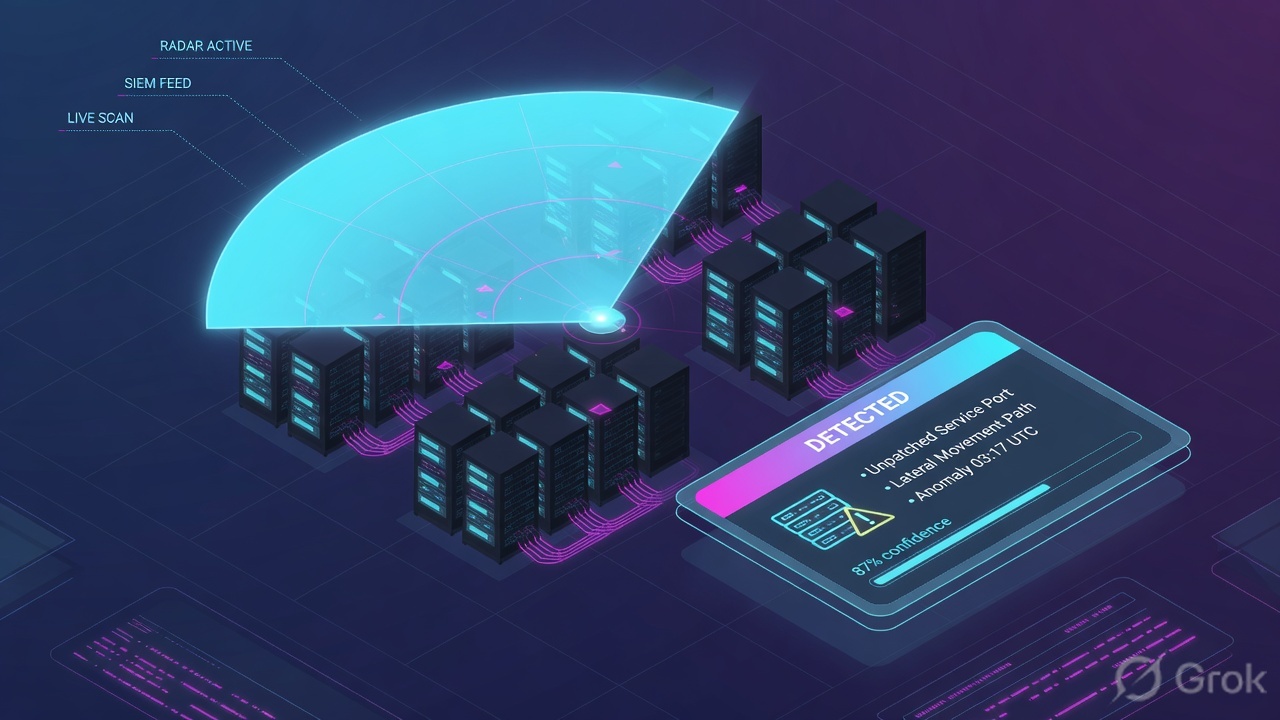
What the ticket asked
“Rapid7 is not seeing this host. Why no detection?” That sentence is five hypotheses. The factory may already have printed the asset and stamped a finding you have not opened — or the worker never clocked in.
What you prove first
Identity of the host, then whether an asset exists, then which worker last talked, then which stamp. The evidence desk is the night-shift version of this order.
“The dashboard is green, so Rapid7 is working — isolate it / Scan Now the VLAN.” A green tile only means some collector or some site last reported health. If the host is Unassessed, the Pune collector is Inactive, or Rule Action is Off, the factory did not print the ticket you think it printed. Isolating a missing asset just darkens a box you cannot prove.
Hard words before the runbook
Collector
On-premises InsightIDR worker. Polls or receives Event Sources. Stores event-source credentials. Official: treat it like a valuable asset. Status Active / Inactive.
Event Source
One device that sends logs to a Collector — one firewall = one Event Source. Status Running. Monitor Health shows incoming vs parsed. Official path: Data Collection → Event Sources.
Insight Agent
One agent, two products. Feeds IDR endpoint detections (and quarantine) and VM local assessments (already authenticated from inside). Agent → Collector ports 5508, 6608, 8037.
Scan Engine + site
InsightVM worker. A site is a scoped collection of assets plus an engine and a scan template — not a building. Last Scan = last discovery, vulnerability, or policy scan.
Last Scan Time
Query Builder column. Official wording: last time the asset was assessed by an agent. Not the same as site Last Scan. Minutes = live. Days = dark.
Rule Action
What InsightIDR does when rule logic matches: Creates Investigations, Creates Alert, Tracks Notable Events, Assess Activity, Off. Off is configuration, not a miss.
Official Collector advantage is normalization (common JSON) plus user attribution (IP → asset, user field → user). Attribution usually needs the Insight Agent plus a DHCP event source. Official: there can be a delay of up to 5 minutes for endpoint information via the Collector. Official complementary scanning: if the agent already uploaded a local assessment, the Scan Engine can skip those local checks and run only the remote ones.
2. Mental model — three workers, one ticket, two stamps
Hold four parts. Interviews fail when people mix them. Skipping a station is how you quarantine a host that was never an asset, or celebrate a completed scan that never authenticated.
1. The workers are Collector, Agent, Engine
Collector = IDR pipe. Insight Agent = host-side worker for both products. Scan Engine = VM walker. They are not three names for one service. A dark worker cannot print a ticket.
2. The ticket is the asset
Hostname, IP, site, OS, agent present. Official: Assessed after scan or agent install. Unassessed = discovered, not assessed. No asset = nothing for a detection or a finding to hang on.
3. The stamps are IDR and VM
InsightIDR detection = what behavior, which Detection Rule, which Rule Action. InsightVM finding = what weakness, First Found, risk, exception. Same IP is a pivot.
4. Proof is the live row, not the tile
Data Collection Health is the live pipe. Assets / Asset Details is the ticket. Investigations and Vulnerabilities are the stamps. A dashboard tile is a poster on the wall.
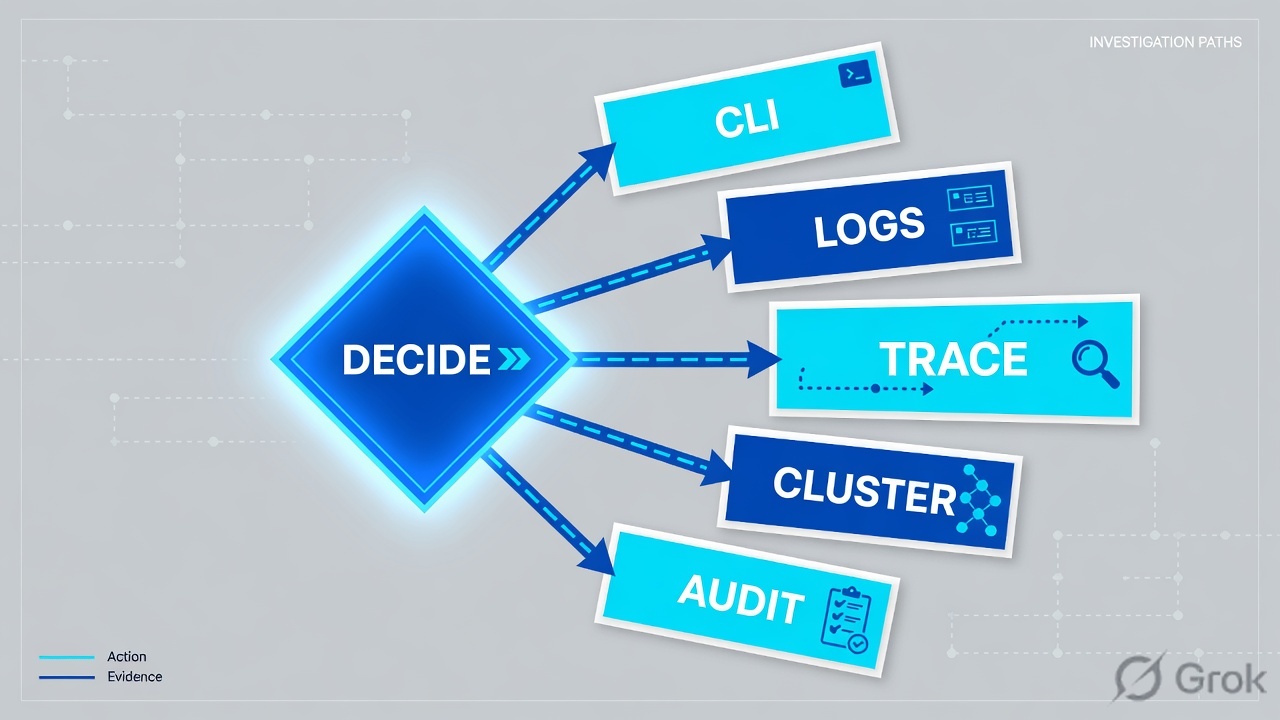
Read left → right. Station 4 is the asset. If it does not exist, do not hunt a detection and do not quote First Found. Stamps come last.
Concept: Rapid7 manufactures assets from collectors, agents, and scan engines, then stamps either behavior or weakness. Path: collector/agent/engine → asset → InsightIDR detection / InsightVM finding. Do: never open Take Action or Scan Now first.
Collector answers “is the IDR pipe talking?” Official: Data Collection → Data Collection Health → Collectors (Active / Inactive). Event Sources tab: Running + Monitor Health incoming vs parsed. Source: Collector Overview + Monitor Event Source Health + Collector Shows as Inactive.
Agent answers “is this host assessed from the inside?” Official: Last Scan Time is last agent assessment. Agent assessments for InsightVM run automatically about every 6 hours and are already authenticated. Agent to Collector uses TCP 5508, 6608, and 8037. Source: Using the Insight Agent with InsightVM + Collector Installation.
Scan Engine answers “did a site actually look at this host?” Official: Last Scan is the last discovery, vulnerability, or policy scan. Authenticated scans need credentials (or Scan Assistant). Test Credentials before you trust completed. Source: Configuring scan credentials + Locating and working with assets.
Stamps answer “what did the factory write?” Official IDR: Detection Rules → Detection Rule Library, Rule Action. Official VM: Vulnerabilities / asset listing, First Found, risk, exception. Source: Modify Detection Rules + Working with vulnerabilities.
3. First event / first scan vs later
The first event of a new host, or the first scan of a new site member, has no stamp yet. It walks the factory: worker observes → asset is printed (Assessed) → assigned Detection Rule or scan template stamps behavior or weakness. Later events of the same asset ride that ticket. That is why “I flipped Rule Action” sometimes does nothing until the next match, and why “I added a credential” does nothing until the next scan or the next agent upload.
Read left → right, then the green later-events bar. Decision diamond = “does this host already exist as an Assessed asset?” No asset is a coverage ticket.
A site that finished in minutes with 0 local findings on a fat Windows domain controller is usually an unauthenticated ping, not a clean box. Official: authenticated scans check software, packages, and patches; the Insight Agent is already authenticated from inside; Scan Assistant can replace admin passwords with a certificate. Test Credentials against one asset before you tell the CISO “clean.” Complementary scanning only skips local checks when the agent assessment uploaded in the expected window — and fully elevated credentials (or Scan Assistant) are required to recognize that.
4. How to choose the workers and stamps
You are not choosing a logo. You are choosing which worker is allowed to print the asset, and which stamp the factory is allowed to write.
| Choice | Use when | Do not use when | Proof you were right |
|---|---|---|---|
| On-prem Collector + Event Source | You need normalization and user attribution from AD, DHCP, VPN, firewall, proxy. | You only have a cloud event source and you expected Collector health to explain it. | Collector Active. Event source Running. Monitor Health shows incoming and parsed. EPM > 0. |
| Insight Agent on the host | Remote / cloud assets, endpoint detections, quarantine, VM local checks without scan creds. | You treat agent Last Scan Time as site Last Scan, or you skip the Collector ports. | Last Scan Time in minutes. Asset shows the agent icon. Quarantine toggle can arm (up to 6 hours). |
| Scan Engine + shared credential | Interior authenticated VM view. Windows SMB/CIFS or SSH + elevate. Assign to the site. | You report “clean” after Test Credentials failed (invalid credentials / connection refused). | Test Credentials green on 10.10.8.22. Local vulns appear. Last Scan is today’s job. |
| Scan Assistant | You want authenticated depth without storing an admin password. Certificate to the engine. | You assume Assistant is the Insight Agent. It is a scan-time channel, not endpoint EDR. | Engine connects; local checks run; no shared password on that site. |
| Complementary scanning | Scheduled site scans of agent-covered assets. Engine runs only remote checks the agent cannot. | Ad-hoc Scan Now of a host whose agent is stale — official caveat: keep it off the primary ad-hoc template. | Agent Last Scan Time is fresh. Engine job is shorter. Remote-only findings still appear. |
| Rule Action = Creates Investigations | SOC must open a case when this behavior matches. Set Rule Priority. | You leave it Off and then ask “why no detection.” Off is a recipe, not a miss. | Investigations list shows Status + Detection Rule + that Action. |
| Tracks Notable Events / Assess Activity / Off | Context only, 7-day noise study, or a rule you do not want. | You flip Off because Log Search was empty for the wrong hour. | Library shows the Action. Assess Activity auto-offs after 7 days unless you change it. |
| Quarantine Asset | IDR investigation, live agent, named contain owner. Insight Agent Actions. | VM finding with no IR case. Or InsightConnect Isolate-Host already succeeded. | Timeline shows Quarantine. Undo Quarantine is how you reverse. Toggle may lag 6 hours. |
Official Collector guidance: it is usually more efficient to deploy multiple Collectors than to break firewall rules or overload one. Recommended comfort band is about 50–60 Event Sources per Collector; maximum recommended is 80. Source: Collector Overview + Collector Requirements.
5. Runbook Side A → B → C
Lab values only. Collector COL-PUNE-01 at 203.0.113.40, asset DEVICE-LAB-22 / 10.10.8.22, event source ES-AD-DC01, site SITE-LAB-01, engine ENG-DEL, shared credential LAB-WIN-SCAN-01, investigation INV-1042, finding msft-lab-01, user example\finance.user. Nothing here is a live tenant.
Side A — stand up the factory floor (Collector, Agent, scan creds)
Primary source: Collector Installation and Deployment + Ports Used by SIEM (InsightIDR) + Configuring scan credentials. Path: Data Collection → Setup Collector → Activate Collector, then Administration → Scans → Shared Credentials → Manage shared credentials for scans.
Data Collection → Data Collection Health → Collectors
Collector COL-PUNE-01
Active + Running + incoming is the pipe. It is not an investigation and it is not First Found. If this card is Inactive, restart the Collector service before you hunt detections.
Source: Collector Installation — Data Collection → Setup Collector / Activate Collector. Monitor Event Source Health — Data Collection → Data Collection Health → Monitor Health. Dummy values only.
-
Activate the Collector, then watch health — not the tile
Official: Data Collection → Setup Collector (Windows .exe or Linux
InsightSetup-Linux64.sh), copy the activation key, then Setup Collector → Activate Collector, name it, paste the key. “Waiting for connection…” is the handshake. After keys exchange you should see host health metrics. If the card later shows Inactive, official first move is restart the Collector service (service collector restart/ Windows Services). Source: Collector Installation + Collector Troubleshooting. -
Open the agent path before you blame a rule
Systems running the Insight Agent must reach the Collector on 5508, 6608, 8037. The Collector must reach the Command Platform on 443. Cloud-only agents can ingress on 443 without a Collector, but then you lose Collector-side attribution for those hosts. Official: the Insight Agent is the only source of up-to-date hostname-to-IP in cloud environments. Source: Collector Installation + Ports Used by SIEM (InsightIDR).
-
Add one Event Source per device, then prove Running
Data Collection → Event Sources → Add Event Source, filter Collected By → Collectors. One AD event source per domain controller. Status under the name should be Running. EPM 0 on a Running AD source is still a pipe ticket. Monitor Health is incoming vs parsed — Running ≠ data in Log Search. Source: InsightIDR Event Sources + Event Source Troubleshooting.
-
Create the VM credential before the site job
Official path: Administration → Scans → Shared Credentials → Manage shared credentials for scans (Global Admin / Manage Site). Or a site-specific credential in the site configuration. Then Test Credentials against one IP or FQDN and the auth port. Official failures: Invalid credentials, Connection refused. Source: Configuring scan credentials + InsightVM Quick Start.
Administration → Scans → Shared Credentials → LAB-WIN-SCAN-01
Shared Scan Credential Configuration
A completed site job with 0 local vulns on this DC is not clean until this box is green. Connection refused is port / firewall. Invalid credentials is the account.
Source: Configuring scan credentials — Administration > Scans > Shared Credentials > Manage shared credentials for scans. Test Credentials dropdown: IP/FQDN + port. Dummy values only.
Side B — print the ticket (site + Event Source + Rule Action)
Primary source: Creating and editing sites + Modify Detection Rules + InsightIDR Event Sources. The recipe is: put the host in a site (or install the agent), keep the Event Source Running, set Rule Action to the outcome you actually want.
-
Create or open the site, assign the engine, save the template choice
Create → Site or Sites listing. Assign Scan Engine
ENG-DEL. Official: one engine per site so sites can scan together without overloading one worker. Enable complementary scanning only on the scheduled template — official caveat: keep it disabled on the primary template used for ad-hoc scans. Source: Scan Engines + Scan Template Best Practices. -
Confirm the host became Assessed
Assets icon → Assets page. Official: Assessed after scan or Insight Agent install. Unassessed = dynamic discovery (LDAP / Azure / AWS) assigned to a site but not yet assessed. Agent-installed assets show the agent icon and belong to the Rapid7 Agent site. Source: Locating and working with assets.
-
Set the Detection Rule Action on purpose
Detection Rules → Detection Rule Library → open the rule peek panel → Rule Action. Official list: Creates Investigations, Creates Alert, Tracks Notable Events, Assess Activity, Off. Rule Priority (Critical / High / Medium / Low / Unspecified) applies to investigations that rule creates. Exceptions override Action for a key-value pair. Source: Modify Detection Rules.
-
Do not celebrate a Save
A green Activate Collector, a saved site, or a changed Rule Action is a recipe. Side C is the proof — the asset row, the health card, and the stamp.
collector     : COL-PUNE-01  203.0.113.40  status=Active
event_source  : ES-AD-DC01   type=Active Directory  status=Running  epm=42
agent         : DEVICE-LAB-22 → COL-PUNE-01 :5508,:6608,:8037
site          : SITE-LAB-01  engine=ENG-DEL  last_scan=2026-08-16T03:10Z
credential    : LAB-WIN-SCAN-01  test=FAIL  reason=Invalid credentials
rule          : Suspicious PowerShell  action=Creates Investigations  priority=High
asset         : 10.10.8.22  assessed=yes  last_scan_time=16m
Say the word predicted. This is the recipe you configured. The live investigation or the live First Found may still be missing if the credential failed or Rule Action is not Creates Investigations. Compare it in Side C.
Side C — prove the asset, then the stamp
Primary source: Locating and working with assets + Investigations / Analyze an investigation + Quarantine an Asset + Working with vulnerabilities. Path: Assets / Asset Details, then either Investigations → INV-1042 or the asset Vulnerability Listing.
-
Prove the host is an asset before you argue about stamps
InsightVM Assets (Assessed / Unassessed). InsightIDR global search → Asset Details. Quote hostname, IP, site, OS, agent present. No row = coverage ticket. Do not Quarantine a missing host. Do not quote First Found from a weekly PDF.
-
Read Last Scan versus Last Scan Time out loud
Official: site / Assets Last Scan = last discovery, vulnerability, or policy scan. Query Builder Last Scan Time = last Insight Agent assessment. Asset Details also shows Last On Demand Agent Scan. Completed ≠ authenticated. Minutes on Last Scan Time means the inside worker is live.
-
If the ticket is behavior, open the investigation and quote Rule Action
Investigations →
INV-1042. Quote Status, Priority, Detection Rule, Rule Action. Empty queue is data: usually no asset, dead collector, or Action ≠ Creates Investigations. Then, and only then, Take Action → Rapid7 Agent (Insight Agent) Actions → Quarantine Asset. Reverse with Undo Quarantine on the timeline. Source: Quarantine an Asset. -
If the ticket is weakness, open the finding and quote First Found
Asset Vulnerability Listing / Vulnerabilities. Quote First Found, risk, CVSS, Severity, exception reason + expiry. A completed site job with Test Credentials failed is not a clean finding list. Exception is accepted risk with an owner — not “ignore.”
Investigations → INV-1042
Investigation details
| ID | Asset | Detection Rule | Rule Action | Status | Priority |
|---|---|---|---|---|---|
| INV-1042 | 10.10.8.22 | Suspicious PowerShell | Creates Investigations | Open | High |
| — | 10.10.8.22 | msft-lab-01 | VM finding · not IDR | First Found 2026-08-02 | risk 842 |
collector=COL-PUNE-01 Active event_source=ES-AD-DC01 Running epm=42
vm_cred=LAB-WIN-SCAN-01 test=FAIL do not call SITE-LAB-01 clean
do not Quarantine from the VM row · product pick first
Row INV-1042 is the IDR stamp. The VM row is a pivot on the same IP, not a second isolate. Click Take Action only after you name one contain owner.
Click next: if IR owns it, Take Action → Rapid7 Agent (Insight Agent) Actions → Quarantine Asset. If VM owns it, open First Found + exception. Source: Analyze an investigation + Quarantine an Asset + Working with vulnerabilities.
asset                : DEVICE-LAB-22 / 10.10.8.22
assessed             : yes
collector            : COL-PUNE-01 Active
event_source         : ES-AD-DC01 Running  epm=42
last_scan            : 2026-08-16T03:10Z   (site SITE-LAB-01)
last_scan_time       : 16m                 (Insight Agent)
investigation        : INV-1042
detection_rule       : Suspicious PowerShell
rule_action          : Creates Investigations
status               : Open
vm_finding           : msft-lab-01
first_found          : 2026-08-02
risk                 : 842
credential_test      : FAIL  Invalid credentials
quarantine           : off
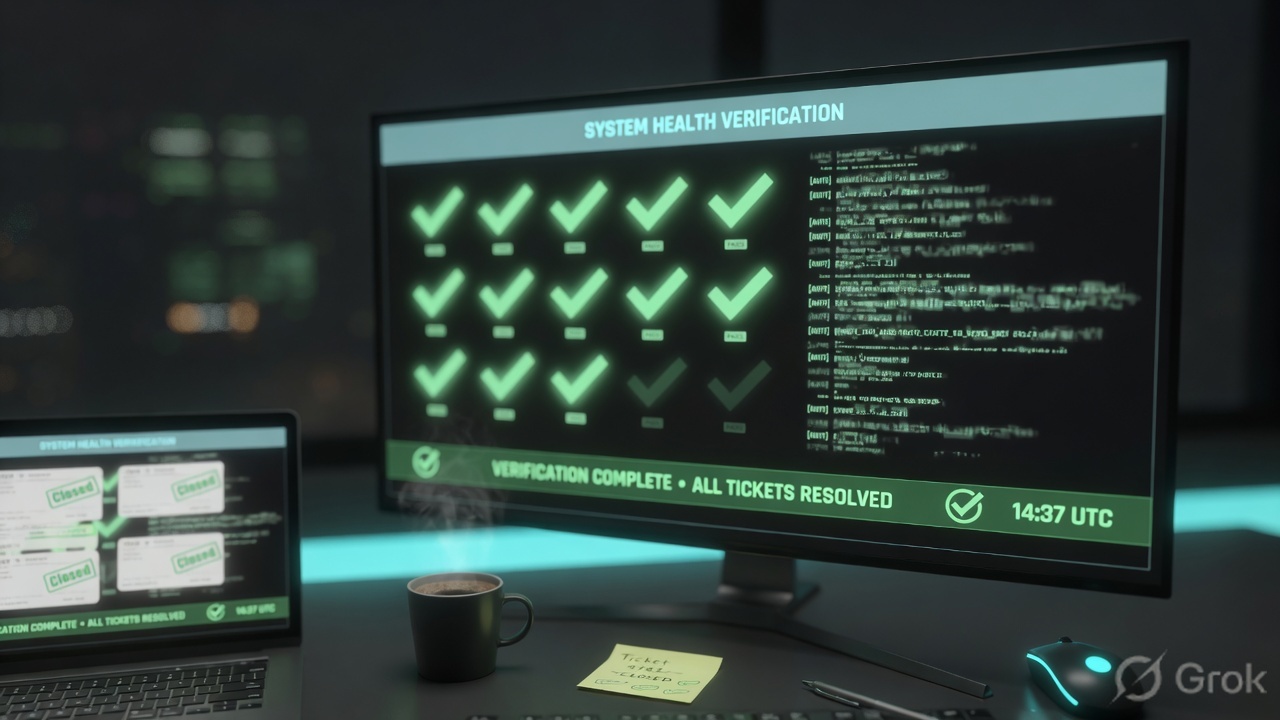
Host is Assessed on Assets / Asset Details. Collector Active, event source Running with incoming parsed (or Last Scan Time in minutes if this is an agent-only host). If behavior: investigation Status + Detection Rule + Rule Action quoted. If weakness: First Found + risk + exception quoted, and Test Credentials explained. Same IP in both is a pivot with one contain owner. A green dashboard tile with an Unassessed host is not success.
6. Runtime — complementary scan, Rule Action, quarantine
After the asset exists, later events of the same host skip the “is this a new ticket?” question and ride the existing investigation or the existing finding. Official complementary scanning: the Scan Engine consults the agent assessment record and skips local checks the agent already ran, so scheduled jobs get shorter and you stop double-correlating the same local QIDs. Official caveat: fully elevated credentials or Scan Assistant are required to recognize a fresh agent upload; keep complementary scanning off the primary ad-hoc template.
If you changed Rule Action after the last match, the open investigation keeps the old Action. The next match follows the new recipe. Assess Activity tracks for 7 days, writes an Assessment Report, then switches the Action Off unless you change it. That is the later-events bar in Flow 2, not a broken Library.
Official quarantine: the Insight Agent backups the Windows firewall, blocks inbound/outbound except DNS UDP/53, DHCP UDP/67, Collectors, and the Insight Platform. ICMP and other UDP die. It can take up to 30 minutes to regain Platform access; the Asset Details page may show offline during that window — expected. The Asset Info quarantine toggle can take up to 6 hours to enable after firewall prep; during that lag you can still quarantine from the investigation. Undo Quarantine restores the original firewall. Source: Quarantine an Asset.
Official Collector delay: up to 5 minutes for endpoint information to show in InsightIDR when you use the Collector path. Do not flip Rule Action because the last PowerShell line is not in Log Search yet. Attribution needs a supported Event Source plus reliable IP→asset (usually Insight Agent + DHCP).
Quarantine is a network stamp on an existing asset with a live agent. It is not a VM exception, and it is not a second Isolate-Host.
7. Traps + factory proof
| Symptom | Looks like | Actually | First move |
|---|---|---|---|
| Dashboard green, “Rapid7 not seeing host” | Platform outage | Host Unassessed, or never in a site / no agent | Assets / Asset Details. Coverage ticket if missing. |
| Why no detection? | Rule is broken | Rule Action Off / Tracks Notable Events / Assess Activity, or collector Inactive | Library Rule Action, then Data Collection Health. |
| Scan completed, 0 local vulns on a DC | Clean week | Unauthenticated job or Test Credentials failed | Test Credentials. Do not tell the CISO “clean.” |
| Last Scan is last month, Last Scan Time is 16m | Stale estate | Engine job is old; agent is live | Read both fields. Complementary scan next window. |
| Last Scan Time is 12 days | Fewer findings, we patched | Dark agent — quieter list because nothing uploaded | Coverage ticket. Do not celebrate the PDF. |
| Event source Running, EPM 0 | AD is fine | No events — WMI / ports / wrong DC | Monitor Health incoming vs parsed. Event Source Troubleshooting. |
| Collector Inactive | Need a new rule | On-prem worker stopped | Restart Collector service. Then re-check Event Sources. |
| “Rapid7 critical, isolate it” | One ticket | VM finding vs IDR investigation mixed | Name the product. One contain owner. Never isolate twice. |
| Quarantine toggle grey | Agent broken | Firewall prep lag up to 6 hours | Take Action from the investigation. Do not wait on the toggle. |
| InsightConnect Isolate-Host last=success | Need IDR quarantine too | Already contained | Collect and remediate. Do not isolate again. |
- Host is on Assets / Asset Details as Assessed (name, IP, site). Unassessed = not done.
- Pipe: Collector Active + event source Running + Monitor Health incoming/parsed — or agent Last Scan Time in minutes.
- Last Scan (engine / site) and Last Scan Time (agent) named separately.
- If behavior: Investigations Status + Detection Rule + Rule Action.
- If weakness: First Found + risk + exception (reason + expiry). Test Credentials explained if local vulns are empty.
- Same IP in VM and IDR is a pivot with one contain owner. Quarantine only from IDR / agent, and only once.
- A dashboard tile, a completed site job, or a green Activate toast is not the proof.
Rapid7 is a collector + scan factory. A Collector, Insight Agent, or Scan Engine manufactures an asset. InsightIDR stamps a detection; InsightVM stamps a finding. I prove the ticket on Assets, then Data Collection Health or Last Scan Time, then either Rule Action on the investigation or First Found on the vulnerability. A green dashboard is not an asset. Completed is not authenticated. Same IP is a pivot, not a merge.
Related: Evidence desk — first tool + proof field · InsightIDR interview Q&A · InsightVM + Exposure Command · InsightConnect SOAR · Rapid7 hub
Knowledge check
Six judgment questions. Map each miss back to the section named in the reason.
Sources
- Collector Overview — on-prem worker, Event Source = one device, normalization + user attribution, 5-minute delay, DHCP + Insight Agent for attribution
- Collector Installation and Deployment — Data Collection → Setup Collector / Activate Collector, agent ports 5508 / 6608 / 8037, Collector → platform 443
- Collector Requirements — about 50–60 Event Sources per Collector, maximum recommended 80
- Collector Troubleshooting — Collector Shows as Inactive, restart Collector service
- Monitor Event Source Health — Data Collection → Data Collection Health → Monitor Health, incoming vs parsed
- Event Source Troubleshooting — status Running, Start Running / Stop Running
- SIEM (InsightIDR) Event Sources — Data Collection → Event Sources → Add Event Source, Collected By Collectors vs Rapid7 Cloud Platform
- Rapid7 Agents (Insight Agents) with SIEM (InsightIDR) — endpoint detections, quarantine, Settings → Rapid7 Agent (Insight Agent) → Domain Controller Events
- Modify Detection Rules — Detection Rule Library, Rule Action list, Rule Priority, exceptions, Assess Activity 7 days
- Quarantine an Asset — Investigations → Take Action → Rapid7 Agent (Insight Agent) Actions → Quarantine Asset, Undo Quarantine, 30-minute / 6-hour lags
- Configuring scan credentials — Administration > Scans > Shared Credentials > Manage shared credentials for scans, shared vs site-specific
- InsightVM Quick Start Guide — Test Credentials, Invalid credentials, Connection refused
- Locating and working with assets — Assessed vs Unassessed, Last Scan vs Last Scan Time, agent icon
- Using the Insight Agent with InsightVM — complementary scanning, agent assessments already authenticated, ~6-hour cycle
- Scan Template Best Practices — Skip checks performed by the Insight Agent, do not enable complementary scanning on the primary ad-hoc template
- Working with vulnerabilities — First Found, risk, exceptions
Related: Rapid7 evidence desk — first tool + proof field · InsightIDR interview Q&A · InsightVM and Exposure Command · InsightConnect SOAR · Rapid7 interview hub · Rapid7 security platform hub