A firewall migration is a language rewrite, not a file copy. Export the vendor’s documented file, convert like-for-like onto a matching PAN-OS base, map interfaces to named zones, prove sessions in Monitor → Logs → Traffic, then move ports to App-ID with Policy Optimizer. Expedition can type objects; it cannot invent the implicit ASA permit or the missing Check Point route file.
Why this migration fails on Saturday

Check Point, Cisco ASA, and FortiGate all keep “who may talk.” They do not keep it the same way. ASA can allow inside→DMZ because security-level 100 is higher than 50. Check Point can hide the real rule across policy layers and NAT. FortiGate can hide destination NAT inside a VIP while the policy still says the public IP.
PAN-OS is zone-based and denies all interzone traffic until a Security rule allows it. If you only import objects, Saturday’s outage is already scheduled.
“Expedition said 0 errors. Users on VLAN 20 cannot reach 10.20.8.15. Traffic log is empty.” Empty log usually means the packet never matched a session you expected — wrong zone, wrong virtual router, or implicit deny — not “PAN is broken.”
Mental model: translate, then improve

Hold two jobs in your head. Job 1 — translate: same IPs, same ports, same NAT direction, same VPN peers, traffic still flows. Job 2 — improve: replace “tcp/443 any” with the applications you actually saw, attach Security profiles, turn on decryption only after the path is proven.
Palo Alto’s own best-practice guide says the first phase is a like-for-like port-based policy on PAN-OS, then Policy Optimizer converts those rules to applications. Do not App-ID the entire internet on the cutover night.
The tool types. I decide zones, NAT direction, and when App-ID is safe. If I skip the route file or the implicit ASA permit, the XML can still be “valid.”
Hard word · Zone
A named security boundary bound to one or more interfaces. Policy is zone-to-zone, not “GigabitEthernet0/1.”
Hard word · Like-for-like
The first imported Security policy still uses services/ports so Saturday traffic matches Friday traffic.
Hard word · Policy Optimizer
PAN-OS view that shows which applications a port-based rule actually saw, so you can replace the port safely.
Hard word · Expedition
Palo Alto’s old migration VM. Useful parsers. End of Life January 2025. TAC does not support it.
The six-phase path (flowchart first)
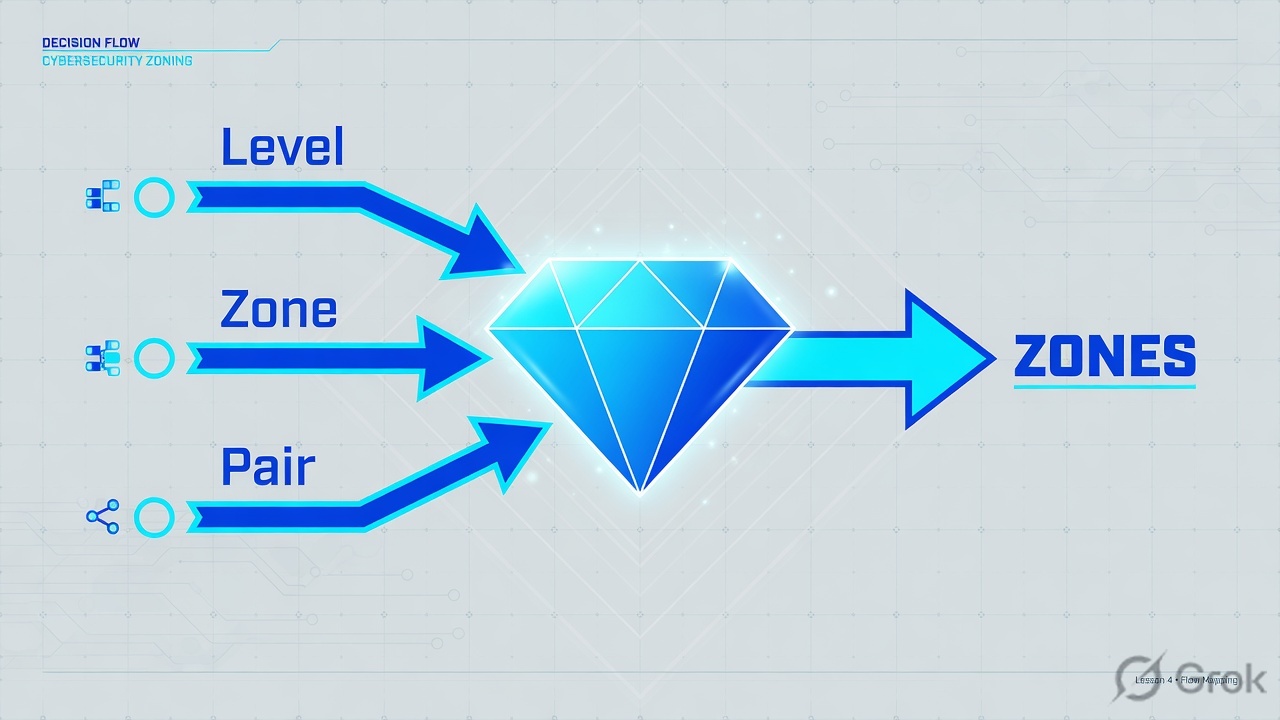
Read left → right. Diamond of death is skipping Map: a converted rule with the wrong zone is a silent deny.
Which source file to bring
If the file is wrong, every later click is theatre. These are the files Palo Alto’s Expedition export guide documents — still the right inputs even if a human or Migration Factory does the typing.
| Source | What you export | Also collect | What the tool will not invent |
|---|---|---|---|
| Check Point ≥ R80 | ShowPolicyPackage .tar.gz (JSON/HTML snapshot) |
Route table: netstat -nr or show route all |
Which policy package is actually installed on the gateway; inline layer order |
| Check Point < R80 | objects_5_0.C (or objects.C), Policy.W / rulebases_5_0.fws |
Same route file from the gateway | Provider-1 / CMA context if you pulled the wrong CMA |
| Cisco ASA | terminal pager 0 then more system:running-config / show running as .txt |
Each context (changeto context), PSKs, crypto maps, same-security permit setting |
Implicit security-level allows; those become explicit PAN rules or they die |
| FortiGate | Admin → Configuration → Backup → Local PC (.conf) |
If VDOMs: VDOM Config + the VDOM name; VIP list; central vs policy NAT mode | VIP/DNAT paired Security rule; SD-WAN rules (often rebuild) |
Expedition 2’s published matrix (beta) lists Check Point R75/R77 and >R80, Cisco ASA 8.2–9.6 (and Firepower in ASA syntax), FortiGate 4.0/5.0/6.0 for address/service/security/NAT/L3/static routes. VPN is marked for Cisco ASA only in that table. Anything outside the matrix is a rebuild, not a surprise “success.”
Palo Alto ended support for Expedition 1 and 2 in January 2025. TAC does not support the tool. Their public alternatives are Strata Cloud Manager cleanup/optimization for SCM-managed configs, plus Professional Services / Migration Factory. If you still run a local VM, keep it offline, treat XML as a draft, and never expose it to the internet. Source: pan.dev/expedition and the LiveCommunity EoL note.
Click the vendor — then do it
Click your source. Side A is only the export. Side B is convert + zone map. Side C is PAN-OS load and proof. Same three sides for every vendor.
Side A — Export Check Point
Primary source: Expedition Export · Checkpoint and Check Point ShowPolicyPackage.
-
R80+ : run ShowPolicyPackage on the management server
Expedition documents tool v2.0.6. On many R80+ Jumbo systems the wrapper is already there:
Check Point management (expert / wrapper)$MDS_FWDIR/scripts/web_api_show_package.sh $MDS_FWDIR/scripts/web_api_show_package.sh -k Standard $MDS_FWDIR/scripts/web_api_show_package.sh -k Standard -d "Corp-Domain"
Output is a
.tar.gz. Use domain name or CMA IP, not CMA name. Pull the package that is installed on the gateway, not an old unused package. -
Collect the route file (mandatory for zone math)
On the gateway:
netstat -nrorshow route all. Expedition uses this to guess zones. No route file → wrong zones → Saturday deny. -
Pre-R80 : pull $FWDIR/conf files
objects_5_0.C(orobjects.C),Policy.W/rulebases_5_0.fws, plus the same route file. On Provider-1, switch context to the right CMA first.
Side A — Export Cisco ASA
Primary source: Expedition Export · Cisco.
-
Turn paging off, dump the running config
ASA CLIterminal pager 0 more system:running-config ! or: show running
Save as
.txt. If you leave paging on, the file is silently truncated and NAT/VPN objects vanish. -
Multi-context: every context, then system
changeto context <name>, dump again, thenchangeto system. One context is not “the firewall.” -
Write down what the converter cannot see
Pre-shared keys, whether same-security-traffic permit inter-interface is on, and every security-level pair that has no ACL (implicit allow). Those pairs need explicit PAN-OS rules.
Side A — Export FortiGate
Primary source: Expedition Export · Fortinet.
-
GUI backup to the PC
Go to Admin → Configuration → Backup. Choose Local PC (or USB). You get a readable
.conf. Newer FortiOS builds may show the same action under System → Config → Backup — same file type; do not invent a third format. -
VDOMs: pick the VDOM you are actually replacing
If VDOMs are enabled, Expedition says choose VDOM configuration (VDOM Config) and the VDOM name. A global-only backup is the wrong lab.
-
Inventory VIPs and NAT mode before convert
Write every VIP (public IP → real server) and whether the box is in central NAT or policy NAT. On PAN-OS you will recreate destination NAT and a Security rule that uses the pre-NAT zone / post-NAT address the way PAN-OS expects.
Admin → Configuration → Backup
Backup configuration
Side B — Convert and map (all three sources)
Primary source: Migrate a Port-Based Policy to PAN-OS Using Expedition.
-
Create a project and import the vendor file
Inspect format, required files, and parser logs. If Check Point imported zero rules, you likely fed HTML instead of the
.tar.gz, or the wrong package name. -
Import a PAN-OS base that matches the target version
Factory default or an Iron-Skillet Day-1 XML for the same PAN-OS major version you will run. Do not merge a 9.1 export onto a 11.1 box and hope.
-
Clean before you merge
Remove or replace non-TCP/UDP “services” (ping/ICMP become applications). Delete unused and duplicate objects. Drop disabled rules. Rename interfaces to PAN names (
ethernet1/1, notport1). -
Rename zones to the job they do
Expedition auto-assigns zone names. Change them to
trust,untrust,dmz(or your standard) and bind them to the right interfaces. Check the virtual router for static routes — bulk-migrate if there are many; type them if there are three. -
Merge onto the base, then export
New box: Generate XML & Set Output, import, load. Existing box:
load config partialover SSH so you do not wipe management. Clear ARP on adjacent switches if the MAC is about to change (clear arp allon PAN-OS).
Projects → Mumbai-DC-Cutover → Import
Import source + PAN-OS base
Side C — Load on PAN-OS and prove it
Primary source: same Expedition best-practice page, then Policy Optimizer.
-
Commit the like-for-like policy
Confirm Network → Interfaces and Network → Zones match the spreadsheet from phase 2. Management profile still allows your jump host.
-
Pilot one path before the building
One VLAN or one IPSec peer. Generate traffic. Open Monitor → Logs → Traffic. You want Rule, From Zone, To Zone, App, Action = allow, bytes > 0.
-
Only then open Policy Optimizer
Policies → Security → Policy Optimizer. Start with rules that saw a small, stable set of well-known apps. Replace the service with those applications (often
application-default). Leave noisy port-80/443 rules until you have a week of logs.
Policies → Security → Policy Optimizer → No App Specified
No App Specified
Need the exact click for Zones after import?
Network → Zones — each zone type Layer3, interfaces attached. Then Policies → Security — Source Zone / Dest Zone must match those names. A rule that still says zone Inside while the interface sits in trust will never hit.
After go-live: packet to log
If the log is empty, the session never formed. Check zone + VR + routing before you add another any-any rule.

Traps and the proof checklist
| What you see | Likely cause | First fix | Proof |
|---|---|---|---|
| Inside → DMZ dead, no deny log | ASA implicit security-level allow was never written as a PAN rule | Add explicit trust→dmz Security rule; check interzone-default | Traffic log: Rule name + allow + bytes |
| Check Point import is empty | Wrong package, HTML instead of .tar.gz, or no R80 ShowPolicyPackage |
Re-run web_api_show_package.sh -k <installed package> |
Parser shows rule count > 0 |
| Zones look random | No route file on Check Point; FortiGate port names left as port1 |
Import netstat -nr; rename interfaces to ethernet1/x |
Network → Zones matches the spreadsheet |
| Inbound VIP works, return path uses private IP | FortiGate VIP / bidirectional NAT not paired on PAN | Destination NAT + Security rule using PAN NAT semantics | Session table shows bidirectional NAT |
| Everything on tcp/443 breaks after “App-ID cleanup” | Job 2 done on night 1; Policy Optimizer not given time | Revert those rules to service; convert only stable apps | Policy Optimizer “apps seen” is a short, known list |
| Expedition VM on a LAN with a browser | EoL software, known critical bugs historically, no TAC | Isolate / power off after export; prefer PS / Migration Factory / SCM | VM has no default route to the internet |
- Source file checksum stored with the change ticket
- Zone spreadsheet: old IF / security-level / VDOM → PAN interface / zone / VR
- Implicit ASA paths listed as new Security rules
- NAT pairs (especially FortiGate VIP) tested both directions
- One VPN peer or one VLAN piloted
- Traffic log: Rule, From/To Zone, App, Action, bytes
- Rollback: previous PAN-OS config saved, old gateway still powered for fallback
- App-ID conversion scheduled after a quiet week, not tonight
Unsafe: import, commit, delete the old firewall, then discover interzone-default. Safe: convert → review NAT/VPN/unused → pilot one path → cut → watch logs → Policy Optimizer later.
Knowledge check
Six judgment calls. Pick the first fix a sober L2 would do on Saturday.
Sources
- Palo Alto — Expedition 2.0 overview, EoL note, vendor matrix: pan.dev/expedition/docs
- Palo Alto — vendor export recipes (Check Point, Cisco, Fortinet): expedition_export
- Palo Alto — like-for-like then Policy Optimizer: Migrate a Port-Based Policy Using Expedition and Policy Optimizer
- Palo Alto LiveCommunity — Expedition EoL + SCM / Migration Factory: EoL announcement
- Check Point — ShowPolicyPackage: github.com/CheckPointSW/ShowPolicyPackage
- Migration questions: fwmigrate@paloaltonetworks.com
Related: Check Point → Palo Alto (zones, NAT, App-ID) · Firewall migration playbook (multi-destination) · PAN-OS Security policy · Zones, interfaces, VR · PAN-OS NAT · Check Point vs Palo Alto vs Fortinet · ASA interview