FTD site-to-site lives under Devices → VPN → Site To Site. Policy-based uses a crypto-map and Protected Networks (the interesting-traffic ACL). Route-based uses a VTI — the routing table decides what gets encrypted; selectors are effectively 0.0.0.0/0. IKE SA is only the control channel. The child IPsec SA plus NAT exemption plus ACP (or sysopt permit-vpn on policy-based only) move the packet. Remote access is a different object: Devices → VPN → Remote Access — connection profile, group policy, address pool, AAA, identity cert, Secure Client image. Prove with packet-tracer twice, then show crypto ikev2 sa Status UP-ACTIVE / READY and matching child selectors.
1. Why IKE READY is not a tunnel
Operators treat a green IKE icon as “VPN is up.” Users still cannot reach HQ. The IKE SA is only the handshake. Interesting traffic needs a child IPsec SA whose selectors match, a NAT exemption so PAT does not rewrite the inner packet, and an Access Control allow (unless you enabled sysopt permit-vpn on a policy-based tunnel).
That is the interview sentence. Everything else on this page is how you pick crypto-map vs VTI vs remote access, click the real FMC fields, and prove it on the CLI.
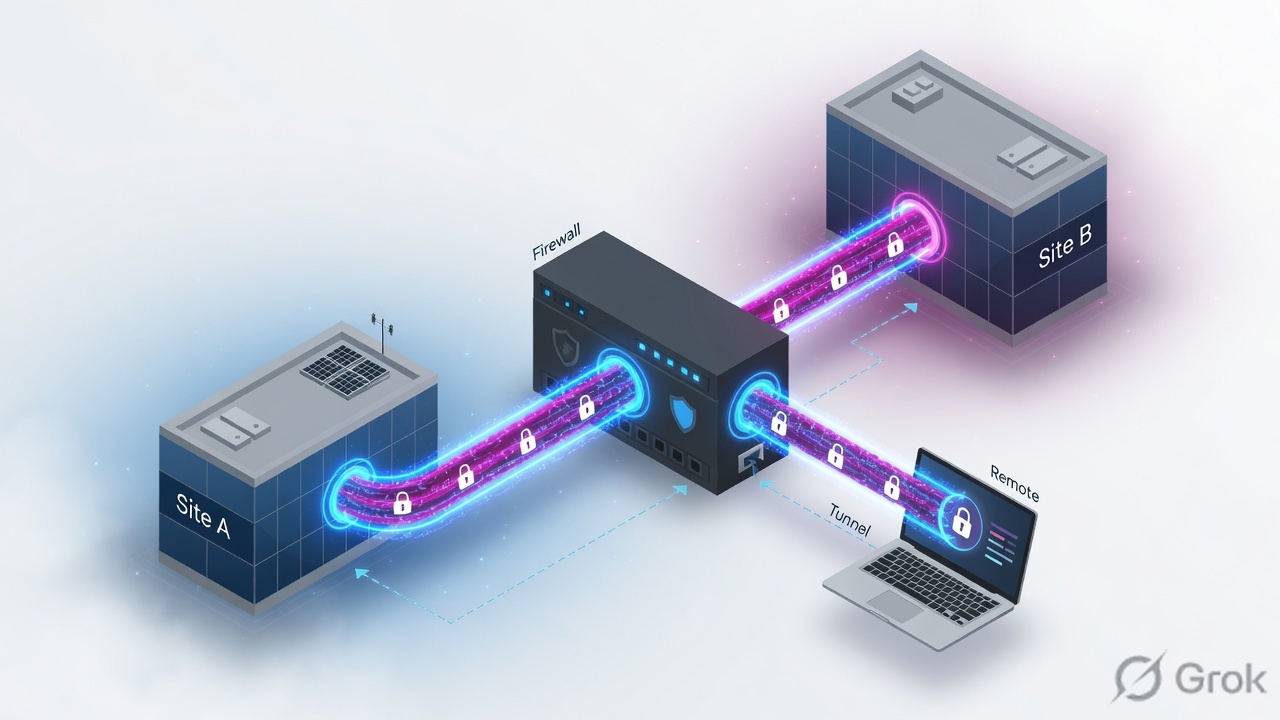
Three production tickets this model closes:
- IKE READY, no user traffic. Almost always Protected Networks mismatch, missing identity NAT, or ACP drop — not a bad PSK.
- First
packet-traceris VPN encrypt DROP. Official TAC: run it twice. The first packet brings the tunnel up. Do not rebuild the PSK. - Secure Client connected, LAN dead. Pool traffic hits PAT or the ACP.
sysopt connection permit-vpnis off by default; if you leave it off, write the allow plus NAT exemption.
Protected Networks — the networks each endpoint encrypts. FMC builds the crypto ACL from this list. Peers cannot overlap. Do not mix “Protected Networks” on one node with a crypto ACL on the other.
Crypto-map (policy-based) — interesting traffic is an ACL. Point-to-point, hub-and-spoke, or full mesh. Classic ASA style.
VTI (route-based) — a Tunnel interface in a security zone. Static VTI from FTD 6.7; dynamic VTI (hub) from 7.3. Routing (static / BGP / OSPF / EIGRP) sends packets into the tunnel. Selectors are any-to-any.
Connection profile — RA tunnel-group. How the user binds: AAA, address pool, default group policy. FMC ships DefaultWEBVPNGroup.
Group policy — session attributes after auth: split tunnel, banner, Secure Client profile, idle timeout. RADIUS Class-25 / IETF-Class can override it.
sysopt permit-vpn — Bypass Access Control for decrypted VPN. Global. Official: works for policy-based S2S and RA. Does not apply to VTI — you must write ACP both ways.
NAT exemption — Static Manual NAT, original = translated, no-proxy-arp + route-lookup. Stops PAT eating VPN traffic.
2. Mental model
Hold three parts. Interviews fail when people mix them.
1. Control (IKE SA)
IKE policy + PSK or certificate. Peers authenticate and build the IKE SA. IKEv2 is the FMC default. Green here does not move a LAN packet. CLI: show crypto ikev2 sa.
2. Data (child IPsec SA)
IPsec proposal + PFS + lifetimes. Policy-based: Protected Networks become selectors. VTI: 0.0.0.0/0. This is what show crypto ipsec sa lists — look at encaps / decaps.
3. Forward (NAT + ACP)
Identity NAT so PAT does not rewrite the inner flow. ACP allow, or sysopt permit-vpn on policy-based / RA only. VTI also needs a route into the Tunnel interface.
Remote access is not S2S
A user, not a peer LAN. Identity cert + AAA + pool + connection profile + group policy + Secure Client image. License: AnyConnect Plus, Apex, or VPN Only, plus strong encryption.
Policy-based asks “does this flow match the Protected Networks?” Route-based asks “does the route point at the VTI?” Remote access asks “did this user authenticate, and did they get a pool address?” IKE READY is none of those three.
Official S2S order: topology name + type + IKE version → endpoints (device, interface, Protected Networks) → IKE policy + auth → IPsec proposal → Advanced (optional sysopt permit-vpn) → NAT exemption → ACP → Deploy. Official RA order: identity cert, RADIUS/LDAP, IPv4 pool, Secure Client image → wizard (target device, protocols, connection profile, group policy, access interface + cert) → NAT exemption → ACP or sysopt → Deploy.
3. Decision + IKE → child SA flowchart
Read this before you click Add VPN. The packet does not encrypt, then negotiate. IKE builds keys. Then a matching child SA, NAT exemption, and ACP carry the LAN flow.
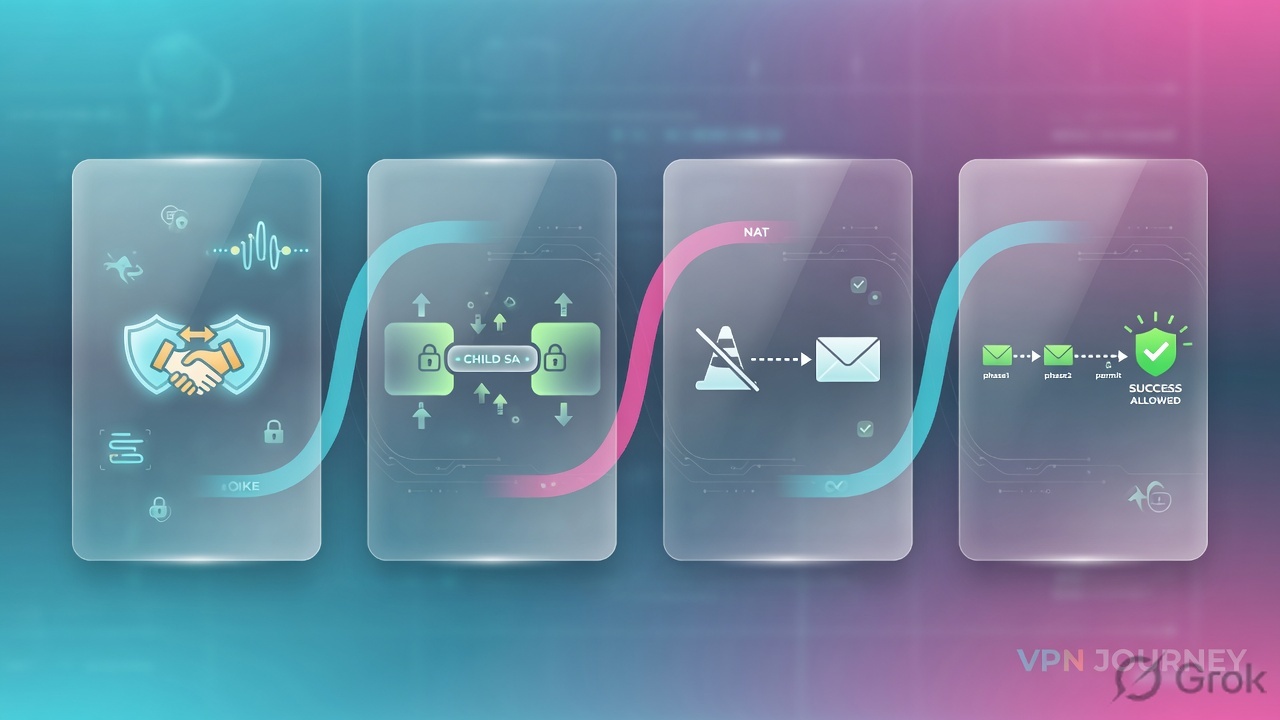
Read left → right, then down. Red box is the ticket that looks like “VPN is broken.” Green box is the only moment LAN traffic can move.
If you remember one picture: first tracer DROP is not a broken PSK. Second tracer ALLOW plus matching child selectors closes the ticket.
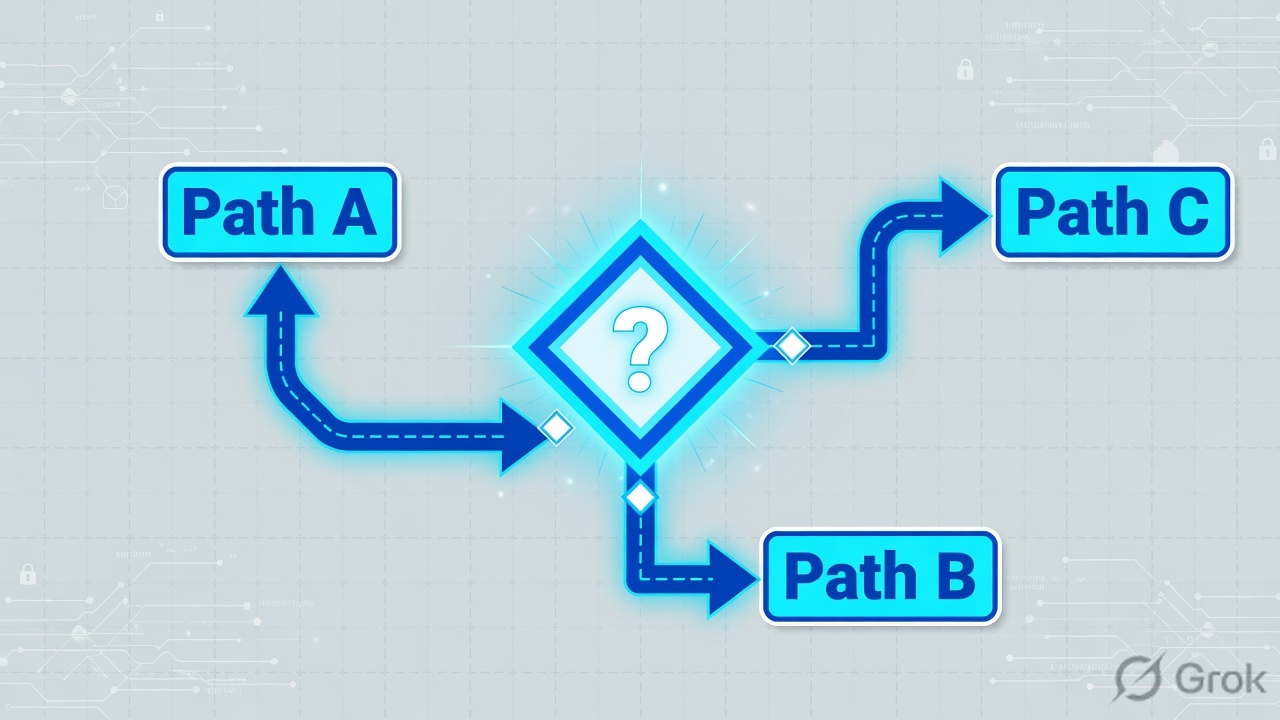
4. How to choose S2S vs VTI vs RA
One choice per job. Do not enable every checkbox “so the tunnel is safer.”
| You need | Choose | Where | Why |
|---|---|---|---|
| Two LANs, peer speaks crypto-map / Protected Networks | Policy Based (Crypto Map), Point to Point, IKEv2 | Devices → VPN → Site To Site → Add VPN → Threat Defense Device | FMC builds the crypto ACL from Protected Networks. Mirror the peer ACL. Default IKE is IKEv2. |
| Cloud (AWS/Azure), BGP/OSPF over the tunnel, or you are tired of ACL pairs | Route Based (VTI) — Static VTI (6.7+); Dynamic VTI hub (7.3+) | Same wizard, radio Route Based (VTI) | Routing decides encryption. Selectors are 0/0. Official: preferred for dynamic routing and cloud. VTI is routed-mode only; not on clusters. |
| Users on laptops, not a site LAN | Remote Access — SSL/TLS and/or IPsec-IKEv2 + Secure Client | Devices → VPN → Remote Access → Add | Connection profile + group policy + pool + AAA + identity cert. AnyConnect Plus/Apex/VPN Only + strong encryption. |
| New S2S, peer supports IKEv2 | IKEv2 only | Topology IKE Version checkboxes | FMC default. IKEv1 if a device in the topology cannot do v2. IKEv1 is not for CC/UCAPL devices. |
| Decrypted VPN should skip ACP (policy-based or RA) | sysopt permit-vpn |
S2S Advanced → Tunnel · RA Access Interfaces | Global. You lose Snort/ACP on that decrypted flow. VPN filter can still apply. Does not work on VTI — write ACP both ways. |
| Keep inspection on VPN users | Leave sysopt off. Write ACP allows. For RA, TAC prefers uRPF + null route for the pool | Policies → Access Control · Devices → Interfaces → Advanced → Enable Anti Spoofing | Clear-text that happens to match the pool ACL would otherwise be permitted. uRPF drops spoofed pool sources. |
| Stop PAT rewriting inner VPN packets | Static Manual NAT exemption, original = translated, no-proxy-arp + route-lookup | Devices → NAT | Official S2S and RA both call this out. Missing exemption is the #1 “IKE up, ping dies” cause. |
| New crypto on 6.7+ | AES-256, SHA-256 or SHA-512, DH 14 or 19/20/21. No 3DES/DES/MD5/DH 1/2/24 | IKE tab / IPsec tab objects | Weak algorithms were removed for new tunnels from 6.7. Upgrade can block until you rewrite the policy. |
Source: FMC Site-to-Site VPNs, TAC 216276 (VTI), FMC Remote Access VPN.
Do not mix Protected Networks on one node with a crypto ACL on the other — FMC forbids it. Do not set Protected Networks to any on both hub-and-spoke ends (no crypto ACL is generated). Do not put a double-quote in a PSK. Do not reuse UDP 500/4500 or TCP 443 if PAT already owns those ports. Do not treat FMC tunnel colour as live — official interval is about five minutes; confirm on CLI.
5. Runbook · Side A peer, Side B FMC, Side C proof
Lab story (RFC 5737 / documentation addresses only): FTD outside 203.0.113.10, inside LAN 10.10.113.0/24. Peer (ASA / extranet / cloud) 198.51.100.20, remote LAN 10.10.110.0/24. Optional VTI Tunnel1 192.0.2.1/30, peer VTI 192.0.2.2. RA pool 10.20.20.10–10.20.20.200. PSK is a generated secret — never a dictionary word, never pasted into screenshots.
Primary S2S source: Configure Site to Site VPN on FTD Managed by FMC (215470). VTI: 216276. RA: Configure Secure Client Remote Access VPN on FTD (212424).
Side A — the peer / IdP first
-
Collect the four numbers that must match
Peer public IP or FQDN, IKE version, PSK or cert, and the exact Phase 2 selectors (or “route-based / 0/0”). For AWS, download both tunnel outside IPs and the CIDRs. For Azure, read policy-based vs route-based. For ASA, copy the crypto-map ACL. For RA, collect the IdP or RADIUS host that the data interface can reach — VPN AAA does not use the Management-only table.
-
Agree crypto both sides actually support
Lab IKE: AES-256, SHA-256, PRF SHA-256, DH group 14 (or 19/20/21). Lab IPsec: ESP AES-GCM-256 (hash built-in) or AES-256 + SHA-256. Match PFS: both on (same group) or both off. TAC 215470 lab used GCM-256 and PFS disabled — only because the peer did. Do not invent “standard 8 hours” if the cloud template published different lifetimes.
Side B — FMC objects, then Deploy
-
Policy-based S2S topology
Devices → VPN → Site To Site → Add VPN → Firepower Threat Defense Device (some FMC builds say Secure Firewall Threat Defense Device). Topology Name e.g.
HQ-BR1-IKEv2. Radio Policy Based (Crypto Map). Network Topology Point to Point. IKE Version IKEv2.Node A: FTD, outside interface (IP auto-fills), Protected Networks =
10.10.113.0/24. Node B: Extranet, name +198.51.100.20, Protected Networks =10.10.110.0/24. IKE tab: new IKEv2 policy (priority, lifetime, integrity SHA256, encryption AES-256, PRF SHA256, DH 14), Authentication Pre-shared Manual Key. IPsec tab: new IKEv2 IPsec proposal, ESP AES-GCM-256. Optional Advanced → Tunnel → Bypass Access Control (sysopt permit-vpn). Save. -
Or: route-based VTI
Same wizard, radio Route Based (VTI), IKEv2. Node A: create Static VTI — Name
VTI-BR1, Security ZoneVTI-Zone, Tunnel ID1, IP192.0.2.1/30, Tunnel Source = outside, mode ipsec ipv4. Node B: Extranet + peer IP. IKE + IPsec as above. Then Devices → Device Management → Routing → Static Route: InterfaceVTI-BR1, Network10.10.110.0/24, Gateway192.0.2.2. ACP: In-Zone ↔ VTI-Zone both directions. Official:sysopt permit-vpndoes not apply. -
NAT exemption (both S2S styles, and RA)
Devices → NAT, policy that targets this FTD → Add Rule. Static Manual NAT. Interface objects: inside → outside. Translation: original source
10.10.113.0/24= translated source same; original dest10.10.110.0/24= translated dest same. Advanced: no-proxy-arp and route-lookup. Save. For RA, exempt inside ↔ pool the same way. -
ACP if sysopt is off
Policies → Access Control → Access Control, policy on this FTD → Add Rule. Allow inside LAN ↔ remote LAN (or pool) both ways — one bidirectional rule is what TAC 215470 uses. Deploy.
-
Remote access wizard (when the ticket is users, not sites)
Prereqs first: Objects → Object Management → PKI → Cert Enrollment then Devices → Certificates → Add. Objects → RADIUS Server Group. Objects → Address Pools → IPv4 Pools. Objects → VPN → AnyConnect File (Secure Client pkg). Then Devices → VPN → Remote Access → Add: name the profile, select the FTD, SSL and/or IPsec-IKEv2. Connection Profile Name, Authentication Server, Address Pools. Edit Group Policy → AnyConnect tab → Client Profile. Select images. Access interface = outside + device identity certificate. Finish → Deploy.
Devices → VPN → Site To Site → Add VPN → Threat Defense Device
Create New VPN Topology
Click next: IKE tab → new IKEv2 policy (AES-256 / SHA256 / DH 14) → IPsec tab → AES-GCM-256 proposal → Devices → NAT identity exemption → Deploy. Source: TAC 215470 Step 1–6 · FMC Site-to-Site VPNs.
Devices → VPN → Remote Access → Add → Connection Profile
Connection Profile
Click next: Finish → Deploy → identity NAT for inside ↔ RA-Pool → ACP allow (or enable sysopt on Access Interfaces). Source: TAC 212424 · FMC Remote Access VPN wizard.
Side C — prove it
-
Bring the child SA up with packet-tracer — twice
On the FTD CLI, from diagnostic/expert as your build requires:
FTD CLI · do not use the firewall inside IP as sourcepacket-tracer input inside icmp 10.10.113.10 8 0 10.10.110.10 packet-tracer input inside icmp 10.10.113.10 8 0 10.10.110.10
First run: Phase VPN / encrypt = DROP is expected. Second run: UN-NAT hits the identity NAT, ACCESS-LIST ALLOW, VPN encrypt ALLOW.
-
Quote the SAs
Proof linesshow crypto ikev2 sa show crypto ikev2 sa detailed show crypto ipsec sa show crypto ipsec sa peer 198.51.100.20 show vpn-sessiondb detail l2l
You want Status
UP-ACTIVE, role INITIATOR or RESPONDER,READY, CHILD count ≥ 1, local selector10.10.113.0/24and remote10.10.110.0/24(policy-based). Then a real ping from a host — encaps and decaps increment. FMC colour can lag ~5 minutes; CLI wins.
6. Runtime path after Deploy
After Deploy succeeds, a new inner packet walks this path. Use it when the tunnel “looks up” and the app still fails.

| Station | What FTD does | If it dies here |
|---|---|---|
| Route-lookup | Picks egress (outside, or VTI) | VTI: missing static/BGP into Tunnel1. Policy-based: RRI default-on can install a reverse route — disable RRI if “any” Protected Networks drop default traffic. |
| UN-NAT / NAT | Identity exemption, dest untranslated | PAT ate the packet. Add Static Manual NAT, no-proxy-arp, route-lookup. |
| Access-list | ACP (or skipped if sysopt on policy-based/RA) | VTI always needs ACP both ways. RA pool clear-text can match a sloppy allow — TAC: uRPF + null route for the pool. |
| VPN encrypt | Child SA encrypts ESP | First tracer DROP → run again. Persistent DROP → selectors, PSK, UDP 500/4500, NAT-T. |
| Wire | ESP or UDP 4500 to the peer | Capture on outside: capture capout interface outside match ip host 203.0.113.10 host 198.51.100.20 — need bidirectional UDP 500/4500. |
RA runtime is different after the user authenticates: the client gets a pool address; a /32 route is installed; inner traffic is from that pool, not from the home LAN. AAA attributes beat the group policy; the connection-profile default group policy is last. FTD does not inherit leftover attributes from system DfltGrpPolicy.
7. Traps + proof checklist
Most “VPN is down” tickets are one of these. Quote the evidence before you add a second topology.
| Symptom | Likely cause | First check |
|---|---|---|
| First packet-tracer VPN encrypt DROP | Tunnel was down; tracer is the interesting traffic | Run the same command again. TAC 215470: first fail is expected. |
| IKE READY, ping dies, second tracer still DROP | No identity NAT, or ACP deny, or selector mismatch | NAT table for no-proxy-arp route-lookup. ACP. Child sa local/remote selectors. |
| No IKE SA at all | PSK, version, UDP 500/4500, identity, ports in use by PAT | show crypto ikev2 sa. Capture both ways. Official: 500/4500 already in use → S2S service will not start. |
| SA up, encaps only, no decaps | Peer has no return SA/route, or inbound ESP dropped | show crypto ipsec sa counters. Peer ACL mirror. NAT-T / UDP 4500. |
| VTI IKE up, no traffic | Missing ACP or missing route into the VTI | sysopt will not save you. Add both-direction ACP + static/BGP via Tunnel1. |
| Secure Client connects, LAN dead | NAT/ACP on the pool, or AAA only reachable on Management | Identity NAT pool ↔ inside. ACP. show route vs show route management-only. test aaa-server authentication. |
| FMC green, CLI empty (or the reverse) | FMC refresh is not realtime | Official: about five minutes. Trust CLI. Overview → Dashboards → Site to Site VPN on newer FMC. |
- Second
packet-tracer: VPN encrypt ALLOW, NAT phase shows the identity exemption. show crypto ikev2 sa—UP-ACTIVE,READY, CHILD count ≥ 1.show crypto ipsec sa— selectors match Protected Networks (or 0/0 on VTI); encaps and decaps both move after a host ping.- RA:
show vpn-sessiondb anyconnect(orsecure clienton newer code) lists the user and pool IP; inside host answers that pool IP. - You did not use the FTD inside address as the tracer source.
Interview close: “On FTD, IKE READY is the control SA. Policy-based uses Protected Networks as the crypto ACL. VTI uses the route table and ignores sysopt permit-vpn. Remote access is a connection profile plus group policy plus pool. I prove with packet-tracer twice and show crypto ikev2 sa, not with the FMC icon.”
Knowledge check
Six judgment questions. Map each miss back to the section in the reason.
Sources
- FMC Device Configuration — Site-to-Site VPNs — topologies (PTP / hub-and-spoke / full mesh), Policy Based vs Route Based, Protected Networks, IKE/IPsec options, sysopt, RRI, NAT-T notes.
- Configure Site to Site VPN on FTD Managed by FMC (215470) — wizard clicks, identity NAT, packet-tracer twice,
show crypto ikev2 sa. - Configure Route Based Site to Site VPN on FMC Managed FTD (216276) — Static VTI fields, ACP required, sysopt does not apply, verify CLI.
- FMC Device Configuration — Remote Access VPN — wizard, connection profile, group policy, AAA order, licenses, sysopt, NAT exemption, DNS.
- Configure Secure Client (AnyConnect) Remote Access VPN on FTD (212424) — cert, RADIUS, pool, images, wizard, uRPF vs sysopt.
- FMC VPN Monitoring and Troubleshooting — dashboard / CLI when the GUI lags.
Related: FTD NAT — exemption and section order · Access Control Policy · FTD & FMC fundamentals · HA, clustering & packet-tracer · Session factory · Cisco Secure Firewall hub