Lessons · FortiGate · FMG · FAZ · Policy package workflow
This lesson is how FortiManager turns an ADOM edit into a FortiGate running config: policy package, Installation Targets, Install Preview, then revision. Packet allow/deny still lives on the FortiGate. Tenant split on the firewall is VDOM — ADOM is the FortiManager isolation, not a VDOM.
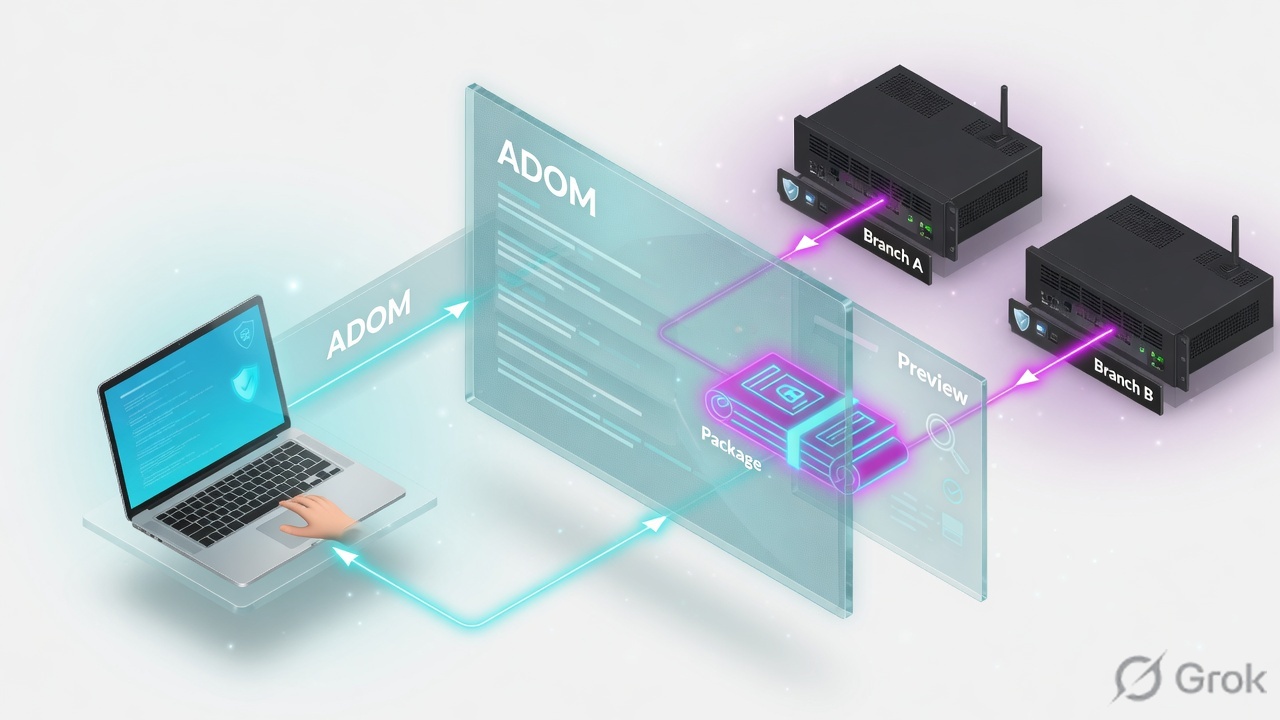
Switch to ADOM BRANCH. Edit the policy package and ADOM objects, not the FortiGate GUI. Add devices under Installation Targets. Run Device Manager › Install Wizard › Install Policy Package & Device Settings. Tick Create ADOM Revision. Open Install Preview, download the CLI, confirm the device list. Only then Install. Proof: diagnose dvm device list shows pkg:[installed]PKG_BRANCH, conf: in sync, dm: installed. Lab: FMG 10.20.20.5, FGT-NOIDA 10.20.20.1, FGT-PUNE 10.20.30.1.
Why a GUI save is not an install
The day-one ticket is always the same: “I saved the object on FortiManager, so the firewall has it.” Wrong. Policy & Objects writes the ADOM database. The FortiGate still runs whatever was last installed. Three silent-wrong states look identical from the branch:
- Object changed in ADOM
BRANCH; package status is Modified; nobody ran Install Wizard. - Install ran against FGT-NOIDA only. FGT-PUNE is also a target of
PKG_BRANCHbut was skipped, or was never in Installation Targets. - Install ran, preview was skipped, and a shared ADOM object hit a second site.
Green means the selected targets accepted the script FortiManager built. If FGT-PUNE was in that list, Pune took the same object. Proof is Install Preview per device, not the task colour.
Concept — ADOM, package, device DB
An ADOM (administrative domain) is the FortiManager tenant. Policy packages, ADOM objects and VPN console settings live here. Switch ADOM in the header before you touch Policy & Objects. Installing from the wrong ADOM is how root objects land on a branch.
A policy package is the central policy set assigned to one or more FortiGates (and VDOMs) as Installation Targets. Objects used by that package are ADOM-level unless you give them a per-device mapping. One object, many packages — one edit, many next installs.
ADOM
Tenant. Lab: BRANCH. Header switch. Policy & Objects, Device Manager and ADOM Revisions are per ADOM.
Policy package
PKG_BRANCH. Firewall policies + Installation Targets. Status: Modified / Imported / Synchronized / Out of Sync / Unknown / Installed.
Device database
FMG’s copy of each FortiGate. Install copies ADOM objects here first (VDOM copy), then diffs against the live box.
Revision
ADOM revision = snapshot of packages + objects. Device revision = created on install, retrieve, auto-update — not on import.
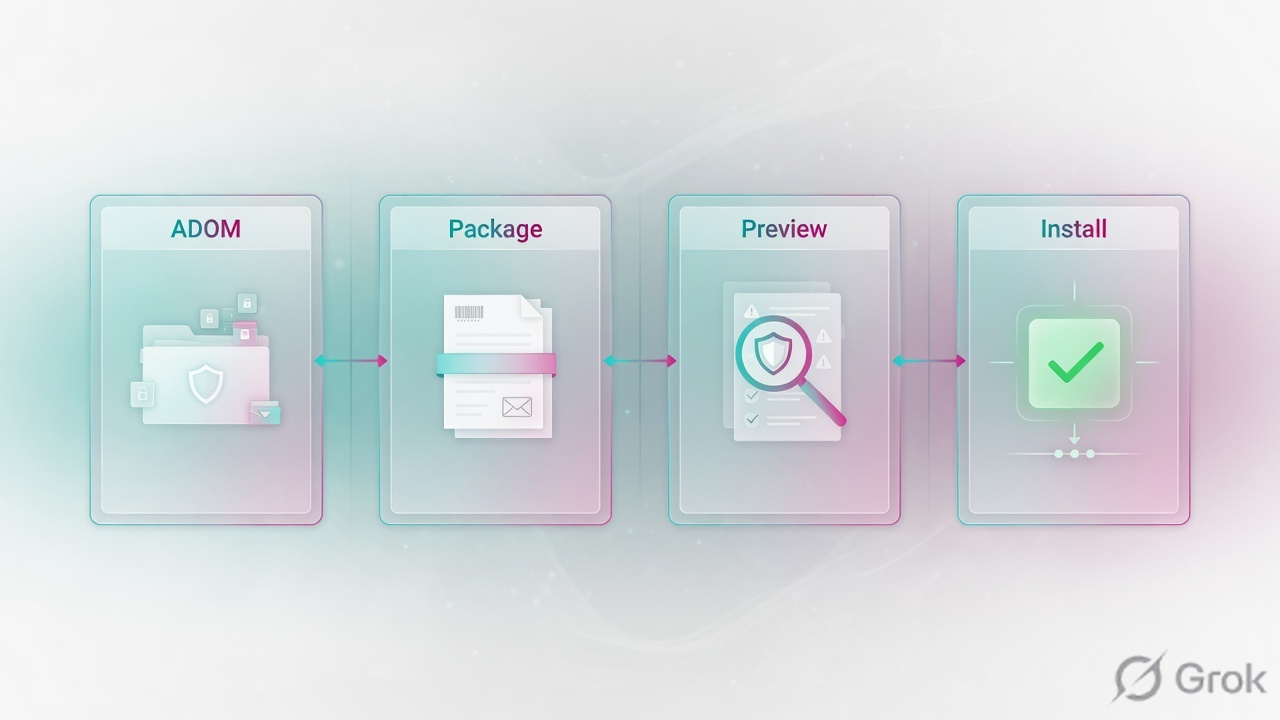
The ADOM holds the objects. The policy package names the targets. Install copies into the device database, then preview shows the CLI. A revision is the rollback. No preview, no install.
Path — preview then install
Healthy change: edit package and objects → FortiManager validates policy, objects and interface mapping → Install Preview (download the text) → Install → review ADOM revision and device revision. If a user report says “it is broken”, find the stage where evidence stops. Author centrally. Push only what preview listed.
Read left → right, then the gold bar. ADOM DB is not the FortiGate. Preview is the last chance to see FGT-PUNE in the blast radius.
| Object | Lab value | If missing |
|---|---|---|
| ADOM | BRANCH (header switch) | You edit root. Wrong objects, wrong package list. |
| Policy package | PKG_BRANCH | Install Wizard has nothing to select, or the wrong package. |
| Installation Targets | FGT-NOIDA, FGT-PUNE (VDOM root) | Preview: No Preview / No record found. Device never gets the package. |
| ADOM object | LAN_NET = 10.20.20.0/24 | Shared by every package in BRANCH that references it. Edit once, install many. |
| Normalized interface | LAN / WAN mapped per device | Validation fails; that device is skipped for install. |
| Proof | diagnose dvm device list | GUI “Modified” yellow is pending, not installed. |
Install vs Import vs Retrieve
Pick the operation the ticket actually needs. Mixing them is the usual “pkg unknown after rollback” case.
Three columns, three tickets. Import is not a push. Retrieve is not a package update.
| Need | Use | Skip |
|---|---|---|
| Push approved policy to FGT-NOIDA | Install Wizard → Install Policy Package & Device Settings → Preview → Install | Saving the address and walking away. That is ADOM DB only. |
| Push only interfaces / routes / system | Install Device Settings Only (or Quick install device DB) | Re-installing the whole package to fix a static route. |
| FortiGate was edited locally; FMG should learn policies | Retrieve (device DB + revision), then Import into the package | Install — that overwrites the local edit with the ADOM copy. |
| Rollback last bad push | Device revision Restore + Install Device Settings Only; or ADOM Revisions Restore then preview | Install Policy Package & Device Settings onto a restored device revision (merges current package). |
Do — Side A / B / C
Side A is ADOM, package and targets. Side B is the edit and Install Preview. Side C is status plus revision. Do not start at C.
Side A — ADOM, package, targets
-
Switch ADOM BRANCH
Header ADOM selector →
BRANCH. If ADOMs are off you are in a single global space — enable them before you pretend you have tenants. Source: FortiManager Administration Guide — Switching between ADOMs. -
Package and Installation Targets
Policy & Objects › Policy Packages › PKG_BRANCH › Installation Targets. Both FGT-NOIDA and FGT-PUNE must sit in Selected. Empty list = No Preview later. Workspace mode: lock the ADOM, or lock the device and the package, or Install Wizard stays grey / the package is missing from the list.
ADOM BRANCH › Policy Packages › PKG_BRANCH › Installation Targets
PKG_BRANCH targets
Source: FortiManager Administration Guide — Policy package installation targets. Config status and policy package status are separate columns. Modified on the package means FMG has pending policy/object changes — not that the FortiGate has them.
diagnose dvm adom list
# BRANCH  … mode=normal

diagnose dvm device list
# FGT-NOIDA  10.20.20.1  ADOM BRANCH
# |- STATUS: dev-db: not modified; conf: in sync; cond: OK; dm: installed; conn: up
# |- vdom:[3]root flags:0 adom:BRANCH pkg:[installed]PKG_BRANCH
# FGT-PUNE   10.20.30.1  ADOM BRANCH
# |- … pkg:[installed]PKG_BRANCH
Side B — edit, then preview, then install
-
Edit the object in the ADOM
Policy & Objects › Object Configurations › Addresses —
LAN_NETstays10.20.20.0/24for this lab. If Noida really needs a different subnet, do not reuseLAN_NETon Pune: clone a per-site object or a dynamic mapping. Where-used / object references before you save. -
Install Wizard
Device Manager › Device & Groups › Install Wizard (or Install › Install Wizard). Choose Install Policy Package & Device Settings. Package
PKG_BRANCH. Tick Create ADOM Revision, nameBRANCH-CHG-041, comment the change ticket. Next. Validation covers policy/object, interface mapping, install prep. Devices that fail validation are skipped.
Install Wizard › Install Policy Package & Device Settings › Preview
Install Preview — PKG_BRANCH
Source: FortiManager Administration Guide — Installing policy packages and device settings. Install Preview is optional in the GUI and mandatory in this lesson. Download the text. If FGT-PUNE shows the same LAN_NET CLI and that was not the ticket, stop — do not click Install.
diagnose dvm device list
# FGT-NOIDA … pkg:[modified]PKG_BRANCH
# FGT-PUNE  … pkg:[modified]PKG_BRANCH
# Modified = ADOM/package pending. FortiGate still has the last install.

diagnose fmpolicy print-adom-package BRANCH PKG_BRANCH
# ADOM copy of the package — not proof the gate has it
Side C — prove install and revision
-
Task Monitor, then dvm list
System Settings › Task Monitor (or
diagnose dvm task list). Thendiagnose dvm device list. You wantpkg:[installed]PKG_BRANCH,conf: in sync,dm: installed,conn: up. Source: FortiManager — Viewing policy package status; Community technical guide ondiagnose dvm device list. -
ADOM revision and device revision
Policy & Objects › ADOM Revisions —
BRANCH-CHG-041exists; Summary / CLI Diff vs current database. Device revision: Device Manager › FGT-NOIDA › Revision History (CLIdiagnose dmserver revlist). Install, retrieve and auto-update add a row. Import does not. -
Spot-check the FortiGate
On FGT-NOIDA:
show firewall address LAN_NET. That is the running config. FMG GUI objects are not.
diagnose dvm device list
# FGT-NOIDA 10.20.20.1 ADOM BRANCH
# |- STATUS: dev-db: not modified; conf: in sync; cond: OK; dm: installed; conn: up
# |- vdom:[3]root flags:0 adom:BRANCH pkg:[installed]PKG_BRANCH
# FGT-PUNE  10.20.30.1 … pkg:[installed]PKG_BRANCH

diagnose dvm task list
diagnose dmserver revlist FGT-NOIDA
# newest row = this install, not the last retrieve
Preview downloaded, device list matches the ticket, Task Monitor success, pkg:[installed]PKG_BRANCH, ADOM revision named, FortiGate show matches. That is the close — not “I clicked OK on LAN_NET.”
One flow after go-live
Engineer in ADOM BRANCH edits LAN_NET on PKG_BRANCH. Package status goes Modified on every target. Install Wizard copies ADOM objects into each device database (VDOM copy). Device DB shows Modified. FortiManager diffs that DB against the live FortiGate and builds CLI. Install Preview for FGT-NOIDA and FGT-PUNE both list the address change. If Pune is not in the ticket, remove it from this install or split the object. Then Install. ADOM revision BRANCH-CHG-041 is created. Each gate gets a device revision. diagnose dvm device list flips to pkg:[installed].
Local FortiGate GUI edit later: auto-update may refresh the device DB and add a revision; package can go Out of Sync. Retrieve if you want FMG to learn device settings. Import if you want those policies in the package. Install if you intend to overwrite the box with the ADOM copy — that is a different ticket.
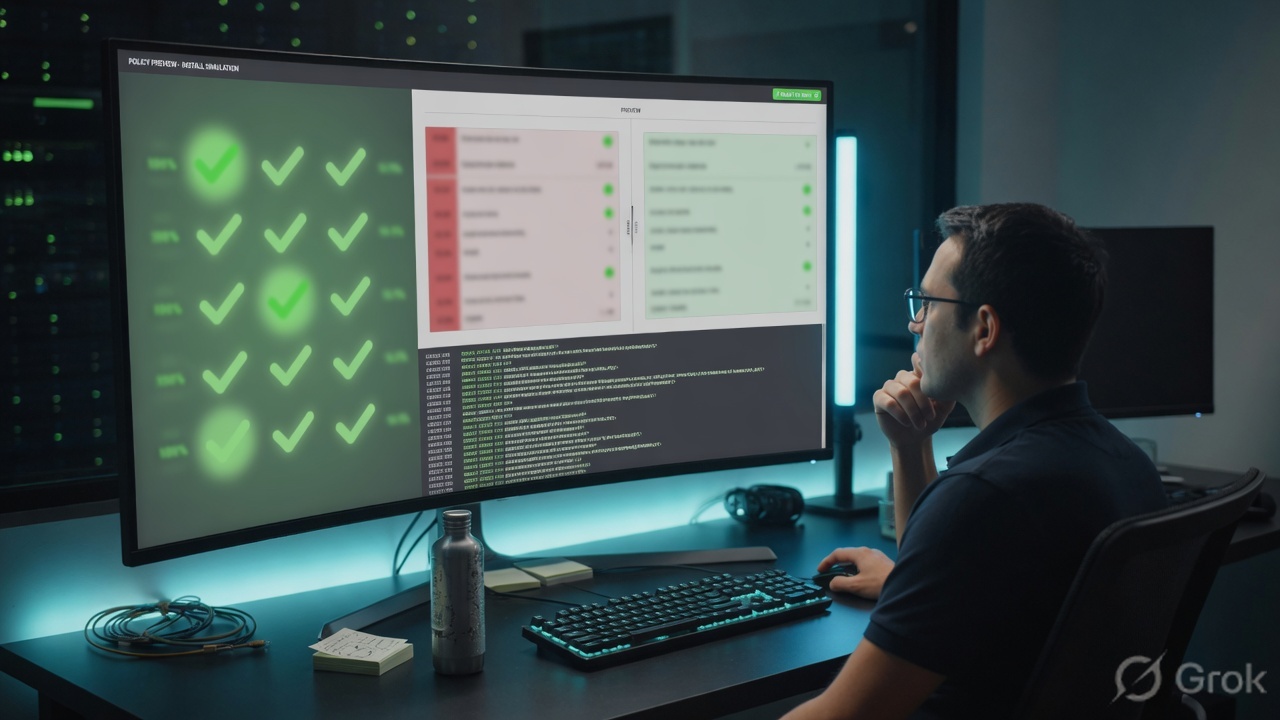
diagnose dvm device list pkg/conf/dm fields, and ADOM Revisions. Artwork checkmarks are not FortiManager.# Workspace mode on: lock ADOM BRANCH, or: # Device Manager › FGT-NOIDA › Lock # Policy & Objects › PKG_BRANCH › Lock # Device unlocked → Install Wizard grey. Package unlocked → missing from the package list. # Source: Fortinet Community — Policy Package installation with Workspace Mode enabled
Traps + proof
| Symptom | Likely cause | Proof |
|---|---|---|
| Object saved, gate unchanged | ADOM DB only. Package Modified. No Install. | pkg:[modified]. FortiGate show still old. |
| Noida change killed Pune | Shared ADOM object and/or shared Installation Targets. Preview skipped. | Preview CLI for FGT-PUNE lists the same LAN_NET. Where-used on the object. |
| Install Preview empty / No record found | Device not in Installation Targets. | Policy Packages › Installation Targets. Add, then preview again. |
| Device skipped during wizard | Validation: policy/object, interface mapping, or install prep failed. | Wizard validation pane. Normalized interface mapping for that serial. |
| Install Wizard grey / package missing | Workspace mode: device or package not locked. | Lock ADOM, or lock device + package. |
| pkg unknown after rollback | Restored a device revision then used Install Policy Package & Device Settings (merged current package), or restore without Import. | Restore + Install Device Settings Only, Import from gate, then Install to mark synchronized. |
| Edited in ADOM root | Header still on root. BRANCH package never saw the object. | ADOM selector. diagnose dvm adom list. |
ADOM objects are global to the ADOM. One CIDR change is every package that references it, on the next install of those targets. Clone per site, or use dynamic mappings. Preview is how you see the extra CLI before it is too late.
- Header ADOM is
BRANCH. PackagePKG_BRANCH. Targets: only the gates in the change window. - Where-used on every edited object. No surprise second package.
- Install Wizard: Create ADOM Revision named. Validation clean.
- Install Preview downloaded. Assigned Devices dropdown checked per serial. Unexpected CLI → stop.
- After Install: Task Monitor success;
diagnose dvm device list→pkg:[installed]PKG_BRANCH,conf: in sync; ADOM Revisions has the name; FortiGateshowmatches.
Knowledge check
Six judgment items. Submit once. Reasons point back at the section to re-read.
Sources
- FortiManager Administration Guide — Installing policy packages and device settings (Install Wizard, Create ADOM Revision, Install Preview, Policy Package Diff)
- FortiManager Administration Guide — Sequence of operations for installation to managed devices (ADOM Database → Device Database copy, then diff/push)
- FortiManager Administration Guide — Policy package installation targets (config status vs policy package status)
- FortiManager Administration Guide — ADOM revisions (Policy & Objects › ADOM Revisions; restore of packages, objects, VPN console)
- FortiManager Administration Guide — Operations: Install device settings only, Install policy package, Import configuration, Retrieve configuration, Auto-update, Revert
- Fortinet Community — Technical Guide: device database status / policy package status (
diagnose dvm device list, pkg installed/modified/unknown, import does not create a revision) - Fortinet Community — Technical Tip: Policy Package installation with Workspace Mode enabled (lock ADOM, or lock device and package)
Related: FortiManager interview · FortiGate · FMG · FAZ architecture · Zone, policy, NAT · FortiAnalyzer logs and hunt · VDOMs