Mail instance mail_lab fetches a message. Classifier sets type Phishing. Incoming mapper fills fields. Type-attached playbook pb_phish_lab autoruns. Reputation writes DBotScore into context and a War Room entry. If VirusTotal errors, a conditional on isError or missing DBotScore.Score holds the case — I do not closeInvestigation. Isolate / PAN-OS tag waits on a manual approval entry. I prove it on incident #12481, not on the dashboard colour.
1. Ticket hook — closed while VT is red
Night shift. Phishing queue shows #12481 Closed — benign. Work Plan still has a red url task against http://203.0.113.50/login. Context has no DBotScore. A junior wants the playbook disabled “so cases stop auto-closing.” Another wants Continue on error on every task. A third will isolate the mailbox from the same reputation step.
That is the interview. A close without score is a silent miss. Continue on error without an isError branch is the same miss with a green playbook. Auto-contain on a timeout is a self-inflicted IR event. Disable playbook is not a workaround — it is turning the SOAR off.
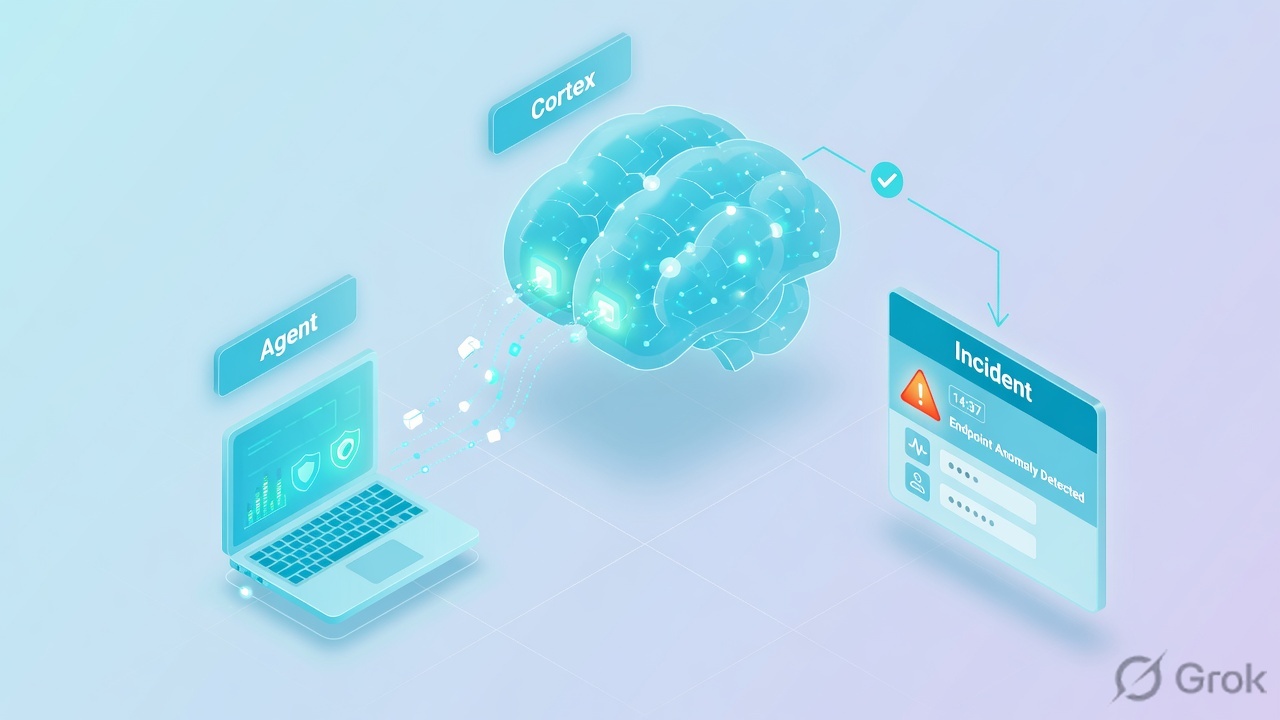
pb_phish_lab. An XDR agent alert still dies in Unclassified if that chain is wrong.Classifier — picks the incident type from incoming JSON. Incoming mapper — maps JSON keys onto incident fields (unmapped keys sit in incident.labels). Incident type — layout + attached playbook + SLA. Playbook — orchestrates tasks. Automation — script (Set, filters, transforms). Integration command — vendor action, e.g. !url on instance vt_lab. War Room — chronological entries (commands, notes, files, errors). Context — per-incident JSON; quote DBotScore.Score (0 unknown, 1 good, 2 suspicious, 3 bad), DBotScore.Vendor, DBotScore.Type. Work Plan — playbook task states. Continue on error — task Advanced; only safe with a following isError / missing-score branch. Manual / collection task — the approval gate. Pre-process rule — drop / drop-and-update before the incident exists.
2. Mental model: five objects, one case
Interviewers mix “SOAR” with “SIEM” and “EDR” on purpose. XSOAR does not detect the phish. It classifies what an integration fetched, maps fields, runs the type’s playbook, and records every automated or human action. A content pack on Marketplace with no instance inspects nothing. A playbook on a type that never matches never runs.
What XSOAR owns
Incident object, type, layout, playbook version, context JSON, indicators, War Room audit, jobs, RBAC on who may approve isolate. DBotScore is how reputation becomes a number the playbook can branch on.
What the engineer owns
Which instance fetches, whether classifier + mapper were tested on a sample, which playbook is attached, whether error paths exist, and the War Room entry that proves the last action — before anyone hits Close.
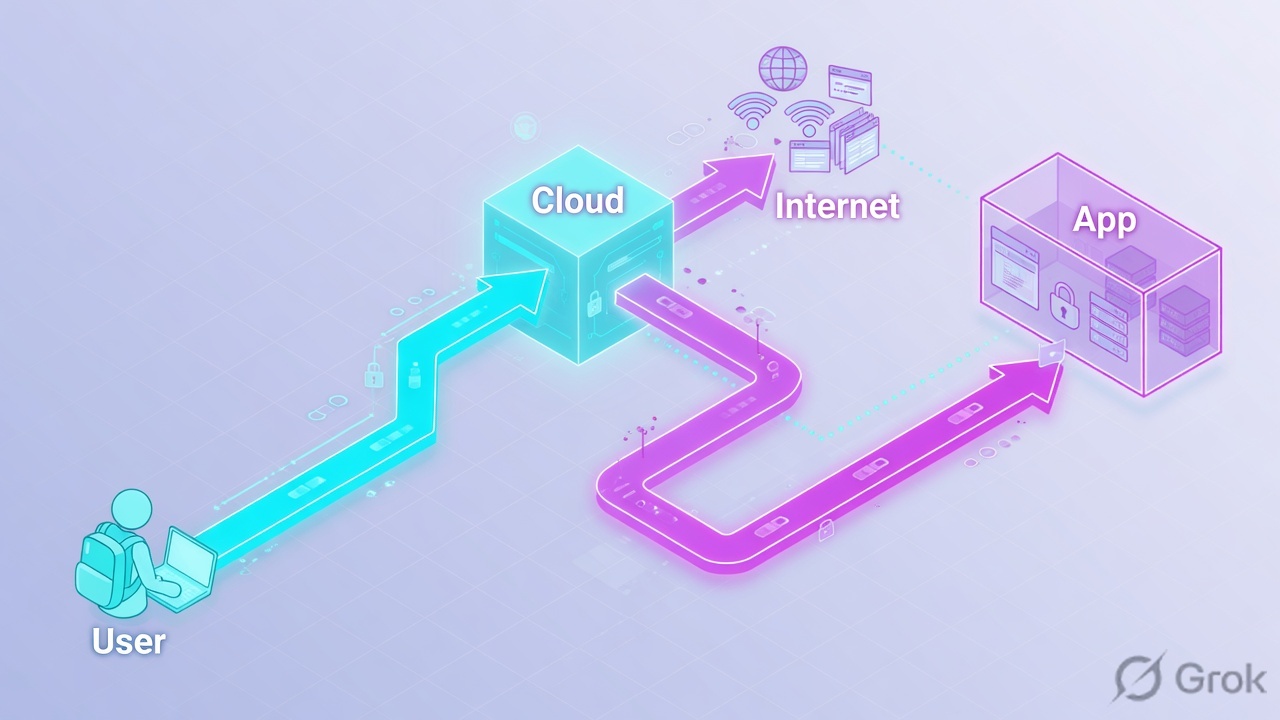
Lab tree you should be able to draw cold:
- Instance
mail_lab— Fetches incidents enabled; classifier + incoming mapper bound on the instance. - Incident type
Phishing— layout + attached playbookpb_phish_lab(autorun). - Reputation instance
vt_lab— command!urlwritesDBotScore. - Containment instance
panos_lab— only after a manual approval task. - Incident
#12481— URL indicatorhttp://203.0.113.50/login.
3. Ingest order and the error branch
Flowchart first. Recite this order; do not skip classifier, and do not skip the failure path.
Classifier picks type. Mapper fills fields. Playbook on the type writes War Room. A drop-close without DBotScore is the failure this page exists for.
Start from the red Work Plan task. No DBotScore is not “benign.” A following isError branch is what makes Continue on error legal.
4. How to choose classifier, mapper, task type
Four tables. Interviewers mix them. Keep the verbs separate: classify, map, orchestrate, prove, approve.
Classifier vs mapper vs type vs playbook
| Classifier | Incoming mapper | Incident type | Playbook | |
|---|---|---|---|---|
| Job | Pick the type from the event | Copy JSON keys into incident fields | Layout, SLA, attached playbook | Run tasks on that incident |
| If it fails | Type Unclassified / wrong type; Work Plan empty or the wrong book | Fields empty; data only in incident.labels |
No autorun, wrong layout | Tasks error, skip, or close blind |
| Where you prove it | Settings → Classification & Mapping → Test; incident Type field | Same Test; Context / incident fields vs labels | Settings → Objects Setup → Incident Types → Playbook | Work Plan + War Room |
| Interview trap | “The mapper picks the playbook” | “Labels mean mapping worked” | “Any type can run any book without attach” | “Green Closed means enrichment ran” |
Command vs automation vs playbook
| Integration command | Automation | Playbook | |
|---|---|---|---|
| Example | !url url=… using=vt_lab |
Set, filters, isError helpers |
pb_phish_lab + sub-playbooks |
| Use when | One vendor action, structured outputs | Transform, glue, calculate | Order, conditions, approvals, loops |
| Trap | Hard-coding one vendor when !url can fan out |
40-line Python inside a conditional | No error path; contain in the enrich task |
Enrichment-only vs approval-gated vs auto-contain
| Enrichment-only | Approval-gated | Auto-contain | |
|---|---|---|---|
| What runs | Extract, reputation, ticketing, assign | Same, then manual/collection, then PAN-OS / XDR | Reputation task immediately isolates / tags |
| Choose when | New pack, unproven instance, first 2 weeks | Production IR — default for isolate, block, disable user | Only after a named exception and a proven Score 3 path |
| Interview trap | Leaving it forever (SOAR as a pretty SIEM) | Approval with no War Room note (unauditable) | Auto-isolate on timeout or Score 0 |
War Room vs Context vs Work Plan vs Indicators
| Place | What you quote | What it is not |
|---|---|---|
| War Room | Command output, error text, analyst note, approval answer | The dashboard tile |
| Context Data | DBotScore.Score, Vendor, Type, URL.Data |
A screenshot of Closed |
| Work Plan | Task completed / error / skipped / waiting | Proof of reputation by itself |
| Indicators | Reliability, verdict, linked incidents | A substitute for the War Room error |
5. Do: War Room + DBotScore + approval
Side A is the instance. Side B is the playbook branch. Side C is the close proof. Do not start at YAML.
-
Side A — instance that should have fetched
Settings → Integrations → Instances →
mail_lab/vt_lab. Enabled. Fetches incidents on mail. Test. Read the last error. If Test fails, stop — the playbook is not the patient. Check engine vs cloud, key expiry, 429. Then Classification & Mapping → Test with a saved sample. Confirm typePhishingand mapped fields, not a labels dump. -
Side B — playbook error path
On
pb_phish_lab, reputation task Continue on error = on. Next task is conditional:isErrorORDBotScore.Scoreempty → setEnrichmentFailed, assign, retry. Score 1 → close with reason. Score 2/3 → manual approval. Do not putpanos-register-ip-tagon the reputation task. Version, run Playbook Debugger on#12481, then attach on the type. -
Side C — prove close or contain
Re-run from the failed Work Plan task. Quote War Room error gone, Context
DBotScore.Scorepresent, approval entry if Score 3, then the PAN-OS / XDR command entry. Close reason matches the score. Original URL retest. Change record for the playbook version.
Phishing · pb_phish_lab · Owner unassigned · Status Closed (benign) — wrong
War Room · evidence, not the badge
Phishing here.url=http://203.0.113.50/loginDBotScore written. Continue on error = true. Next task was closeInvestigation.Training mock. Real console labels vary by XSOAR 6 vs 8, but the three quotes do not: Work Plan state, War Room error, Context DBotScore.Score.
{
  "URL": { "Data": "http://203.0.113.50/login" },
  "DBotScore": {
    "Indicator": "http://203.0.113.50/login",
    "Type": "url",
    "Vendor": "VirusTotal",
    "Score": 3
  }
}

# Score 3 → manual approval task → then panos_lab
# Score empty + War Room error → do not closeInvestigation# in the incident, not in a random dashboard !url url="http://203.0.113.50/login" using="vt_lab" # Settings → Integrations → Instances → vt_lab → Test # never: disable pb_phish_lab # never: Continue on error on every task + close as benign # never: isolate in the same task as reputation
Instance fetches, classifier Test returns Phishing, mapper fills emailfrom / URL fields, type has pb_phish_lab attached, Work Plan shows extract → enrich → condition. A known-bad URL then either writes Score 3 and waits on approval, or a red task holds via isError. Empty Work Plan with “we installed the pack” is a classify/attach miss, not a clean mailbox.
6. Runtime path after go-live
After pb_phish_lab is attached, every new fetch still walks classifier → mapper → type → playbook. Pack updates do not magically add your error branch. Instance Test going red at 02:00 is how you get a queue of Closed-benign with empty scores — unless pre-process dropped the events first.
- New event → instance fetch (or REST) → pre-process (drop / link) → classifier → mapper → type playbook.
- Extract indicators → reputation commands →
DBotScorein context + War Room entry (manual!urlalways prints; some auto-extract flows skip War Room print — still check Context). - Condition on Score /
isError→ assign or approval → contain command →closeInvestigationwith a reason that matches evidence. - Jobs and SLA timers keep running after you leave the tab. A waiting manual task is not a close.

#12481, not a pretty Gantt. You still quote DBotScore.Score and the approval entry in the runbook.7. Eight interview scenarios
Q1 · Architecture — five objects, one dead case
Instance mail_lab shows last fetch 02:14. Incident #12481 exists, type Unclassified, Work Plan empty, War Room only “incident created.” Fetch succeeded. Why is investigation dead, and what sits in front of the playbook that a SIEM never had?
Phishing, so the type-attached playbook pb_phish_lab never autoran. Order is integration fetch → classifier (type) → incoming mapper (fields) → incident type (layout + playbook) → tasks that write War Room and context. A SIEM stored the mail event. XSOAR has to classify it before any book runs. Empty Work Plan after a successful fetch is a classify/type miss, not “XSOAR is down.”Strong framing (say this)
Fetch worked. Classify failed. I quote Classification & Mapping Test and the Type field on #12481, not the green instance.
Evidence to name
Settings → Classification & Mapping → Test; incident Type; Incident Types → attached playbook; Work Plan empty vs War Room “created only.” Playbook lifecycle lesson.
Q2 · Compare — classifier vs mapper vs attached playbook
A junior says “fix the mapper so the phishing playbook runs.” Type is already Phishing. emailfrom is empty; the sender sits in incident.labels. Work Plan is running. Who is right, and what does each object own?
pb_phish_lab to parse labels.Strong framing (say this)
Classifier = type. Mapper = fields. Type = which book. I name which of the three is empty before I edit YAML.
Evidence to name
Classification & Mapping Test sample; field vs incident.labels; Incident Types → Playbook; Context Data after remap.
Q3 · Scenario — playbook closed while enrichment failed
#12481 is Closed — benign. Work Plan url task is Error against http://203.0.113.50/login. Context has no DBotScore. A junior wants pb_phish_lab disabled. First action — not a reboot, not “SOAR is broken.”
isError OR missing DBotScore.Score → set EnrichmentFailed, assign, retry. Do not closeInvestigation as benign. Fix vt_lab Test if the instance is the error. Re-run from the failed task. Do not disable the playbook.Strong framing (say this)
Red task, no Score, no close. I will name the error entry and the missing DBotScore before I change a setting.
Evidence to name
Work Plan error; War Room error text; Context DBotScore absent; task Advanced Continue on error; vt_lab Test. Same failure the playbook-lifecycle lesson uses.
Q4 · Evidence — War Room, not a guess
An analyst says the URL was malicious so they isolated. Closed is green. A junior starts diffing playbook YAML against last week’s export. What do you open first, and which fields do you quote?
#12481 → War Room for the !url / reputation entry and the isolate command; Context Data for DBotScore.Score, DBotScore.Vendor, DBotScore.Type, URL.Data; Work Plan for task state (completed vs error vs skipped vs waiting). Indicators tab for reliability. If Score is missing or the isolate has no approval entry, the close is not proven. YAML diffs waste the change window. If War Room has no reputation entry and Context is empty, reputation never ran — check instance, not the firewall.Strong framing (say this)
Give me #12481. I will quote Score, Vendor, Work Plan state, and the approval note before I talk isolate.
Evidence to name
War Room; Context DBotScore.*; Work Plan; Indicators. Calculate Severity By Highest DBotScore pack as the named severity pattern.
Q5 · Troubleshoot — queue went quiet at 02:00
No new phishing incidents since 02:00. pb_phish_lab is unchanged and still attached. Mail is flowing. First check, then the next two — not a playbook rewrite.
mail_lab: enabled, Fetches incidents, last fetch timestamp/error, Test. Then pre-processing rules (Drop / Drop and update) that started matching. Then classifier mapping to a type with no autorun. Engine disconnected, API 401/429, or Fetches incidents unchecked are the usual 02:00 stories. Do not “run playbook on all incidents” as step one. Do not disable fetch to clear a backlog.Strong framing (say this)
Fetch, then pre-process, then classify. I will not edit pb_phish_lab until Test and last-fetch time are honest.
Evidence to name
Instances → Test / last error; Fetches incidents checkbox; Pre-Process Rules; Classification Test; engine status.
Q6 · Compare — command vs automation vs playbook
A developer wants a 200-line Python automation that fetches mail, scores URLs, and calls PAN-OS. A pack already exposes !url and a Phishing playbook. What belongs in which object, and when is the custom automation justified?
!url using=vt_lab). Automation = transform/logic (Set, filters, isError). Playbook = order, conditionals, sub-playbooks, manual approval. Use the generic !url so any reputation instance can fan in. Custom automation is for a transform the pack does not have — not for re-implementing fetch. Do not put isolate in the same automation as reputation.isError branch you can screenshot in an interview.Strong framing (say this)
Command does I/O. Automation does math. Playbook does judgement and approval. I will not hide isolate inside Python.
Evidence to name
Task type on Work Plan (regular / conditional / manual / playbook); command outputs in Context; pack vs custom automation in Settings.
Q7 · Scenario — approval gate before contain
DBotScore.Score is 3 on http://203.0.113.50/login. CISO policy: no auto-block. The playbook still has panos-register-ip-tag on the next task, no person in the path. How do you gate it, and what is the unsafe shortcut?
panos_lab or XDR isolate. Keep enrichment-only until that gate is proven in Dev. Version the playbook, Debugger on a sample, promote. Auto-contain on Score 0/empty or on the same task as reputation is the blast radius. Closing and “letting IR handle it later” drops the audit.Strong framing (say this)
Score 3 waits. A named human writes yes in War Room. Then panos_lab. I will not isolate on a timeout.
Evidence to name
Work Plan waiting on manual; War Room approval entry; subsequent PAN-OS / core-isolate-endpoint entry; playbook version in content.
Q8 · Unsafe shortcut — Continue on error everywhere
A junior enabled Continue on error on every task so “incidents do not get stuck,” then closed 40 as duplicate overnight. Separately they disabled pb_phish_lab on the type to stop the noise. What do you undo, and which direction does each control face?
pb_phish_lab on type Phishing. Continue on error stays only on flaky enrichment, and only with a following isError / missing-Score branch that holds. Reopen the 40: if War Room has no reputation and no duplicate-link pre-process hit, they were not duplicates. Disable-playbook is Transparent-forever — fetch still creates cases, nobody investigates. Duplicate-close is a pre-process / link job, not a blanket close. Do not “enable every pack unstaged.”Strong framing (say this)
Continue on error is a fuse, not a master bypass. I re-attach the book, restore the error branch, and reopen anything closed without Score.
Evidence to name
Incident Types → playbook attached; task Advanced Continue on error; Work Plan error with no next conditional; War Room close reasons; pre-process rules for true dupes.
8. Traps and proof checklist
| Trap | What you see | Safer next step |
|---|---|---|
| Pack installed, type not classified | Unclassified, Work Plan empty, fetch green | Classification & Mapping Test → attach pb_phish_lab on Phishing |
| Mapper miss | Fields empty, incident.labels full, conditions skip |
Map sender/URL fields; re-run extract |
| Playbook not attached | Right type, no Work Plan | Incident Types → Playbook; do not paste YAML into War Room |
| Failed enrichment still closes | Red url task, no DBotScore, Closed benign |
isError / missing Score branch; never close |
| Continue on error everywhere | Green book, silent misses | Fuse only on reputation + a following hold |
| Disable playbook to stop noise | Incidents pile, nothing investigates | Fix the branch; keep the book attached |
| Auto-contain on the enrich task | Isolate / PAN-OS on timeout or Score 0 | Manual/collection approval after Score 3 |
| Fetch quiet, YAML first | No new incidents, book unchanged | Instance Test, Fetches incidents, pre-process, engine |
| Integrate every API | Twelve reputation vendors, no owner | Integrate where War Room output has an owner |
| Trust Closed | Badge green, Context empty | War Room + DBotScore.Score + Work Plan state |
- Object tree spoken:
mail_labfetch → classifierPhishing→ mapper fields →pb_phish_lab→ War Room on#12481. - Classifier vs mapper vs attached playbook named as three jobs.
- Error path named: Continue on error and
isError/ missingDBotScore.Scorehold. - War Room error + Context
DBotScore.Score / Vendor / Type+ Work Plan state quoted. - Containment gated by manual/collection; PAN-OS / XDR only after the approval entry.
- Silent fetch debugged from Instances → Test, not from YAML first.
Knowledge check
Six judgment items. Each maps to a promise bullet. Check answers, then reset and re-read the traps table if you miss any.
Sources
- Classification and Mapping — classifier picks incident type; mapper maps event attributes to fields (unmapped stay in
incident.labels) - Playbooks overview — manual, conditional, and command tasks;
!url/!filegeneric commands - Playbook conventions — auto-extract per task; common authoring mistakes
- Calculate Severity By Highest DBotScore — Score as the branch input
- Cortex XSOAR docs — incident type attaches the playbook after classify + pre-process
- Integrations reference — commands and context outputs
- Cortex XSOAR product
Related: XSOAR playbook lifecycle · Cortex XDR architecture · Cortex XSOAR syllabus · Interview hub