Quick answer
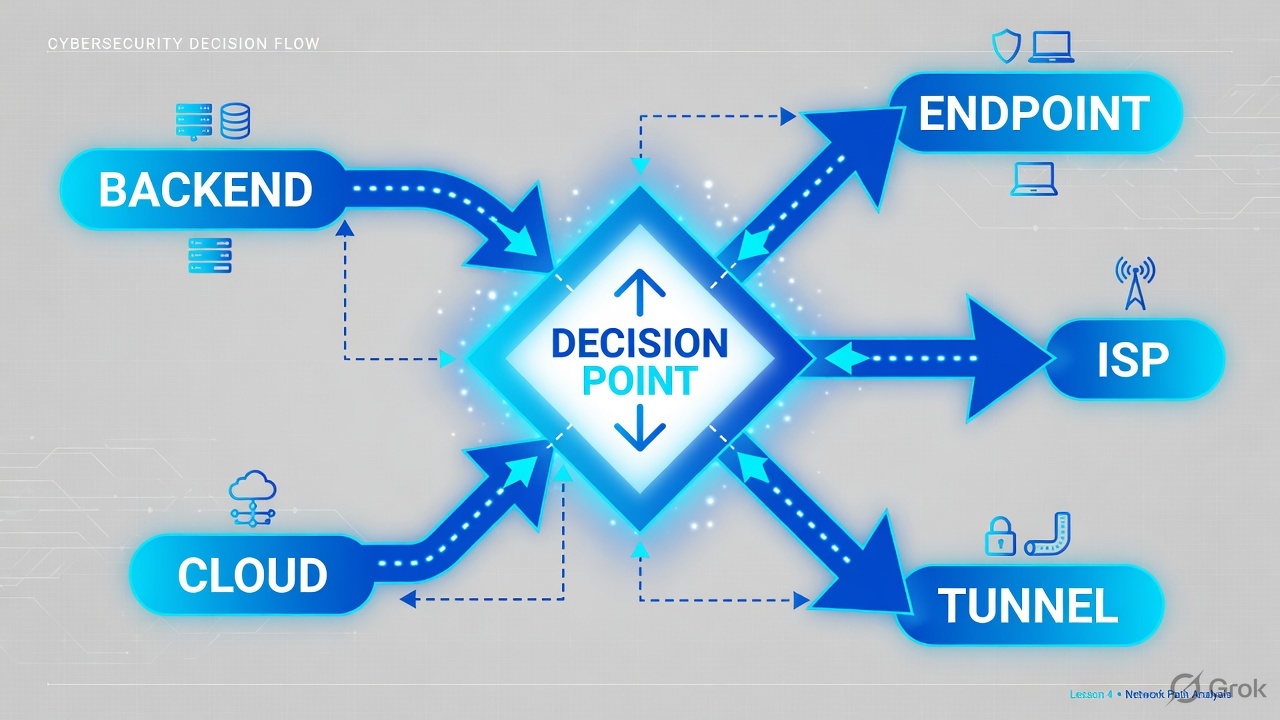
Never start with “Zscaler is slow.” Convert the ticket into which segment is slow: endpoint, LAN/Wi-Fi, ISP, Z-Tunnel (DTLS/TLS), Service Edge, inspection, destination (ZIA) or App Connector → backend (ZPA). Measure each hop. Observation → Hypothesis → Evidence → Root cause. Speedtest.net is not proof.
Why “Zscaler is slow” is the wrong ticket
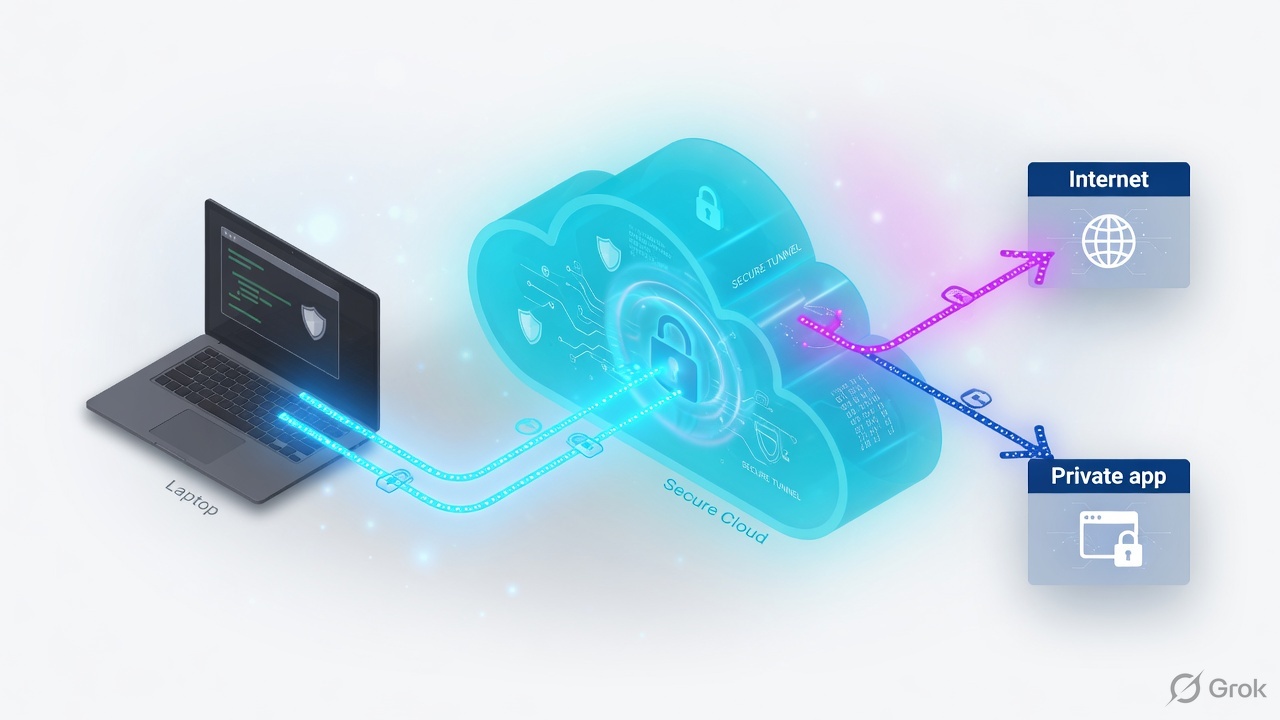
Priya in Pune opens Teams. It crawls. The helpdesk sees ZCC green and types “Zscaler issue” into the ticket. That sentence has no owner. ZIA and ZPA share a laptop and an ISP, then they split. You cannot TAC a feeling.
Performance troubleshooting is path isolation. Each hop gets a measurement and an owner before anyone changes a forwarding profile or disables SSL inspection.
Say this out loud
I do not fix Zscaler. I name the slow segment, prove it, then assign the owner.
Mental model — two products, one laptop
ZIA is Internet Access. ZCC captures eligible internet/SaaS traffic and sends it in Z-Tunnel 2.0 to a ZIA Public Service Edge. Policy, SSL inspection, DLP, and threat scan run inline, then ZIA forwards to the destination.
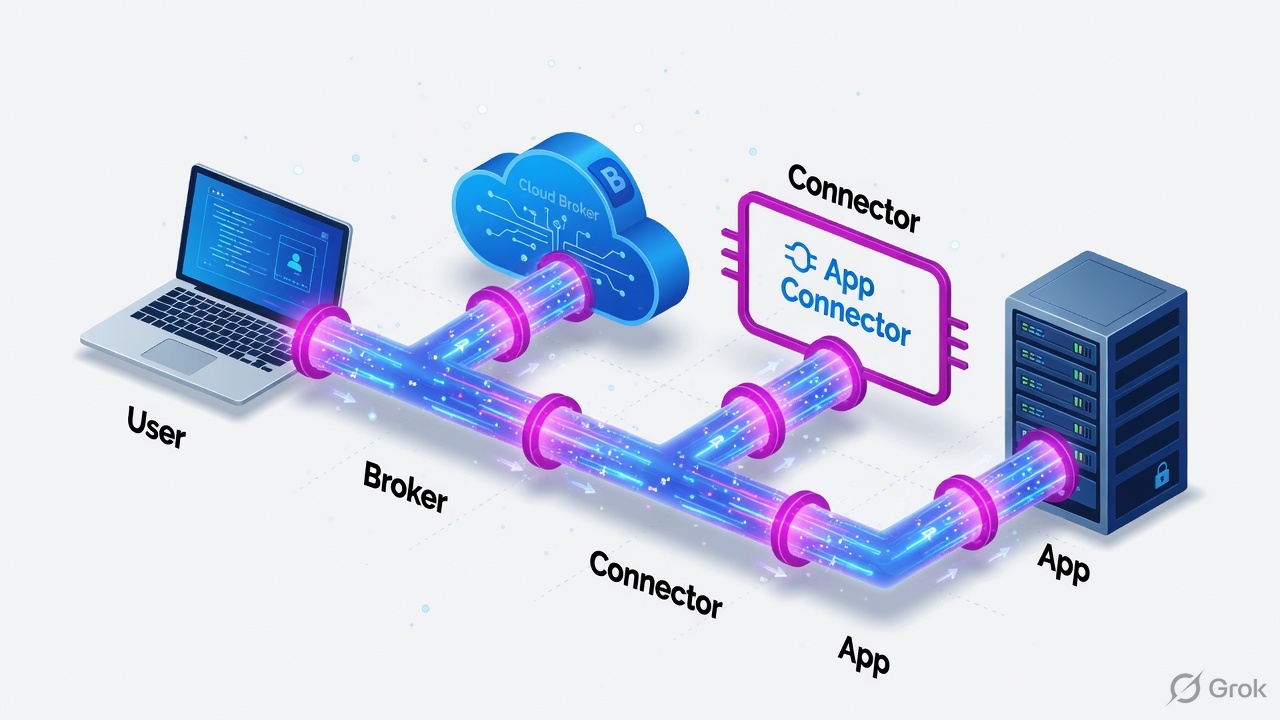
ZPA is Private Access. The user never sits on the LAN. The browser talks to a synthetic IP. A ZPA Service Edge brokers a microtunnel. An App Connector dials the real backend outbound. Traceroute to the synthetic IP does not test the application.
Pre-train these words before the runbook:
- Z-Tunnel 2.0 — DTLS (UDP/443) data plane by default, TLS (TCP/443) fallback. Control channel is TLS/443.
- Service Edge — the Zscaler node ZCC actually connected to. Hostname often carries geography. Validate in ZCC diagnostics, not in a GeoIP website.
- Synthetic IP — ZPA’s internal mapping (example 100.64.x.x). Not the backend.
- Cloud Path / Cloud Performance Test — Zscaler/ZDX tools that measure the ZIA path. Prefer these over Speedtest.net.
Rule from the masterclass: microsoft.com is ZIA. erp.internal.example is ZPA. Do not mix desks.
| Attribute | ZIA | ZPA |
|---|---|---|
| Traffic | Internet, SaaS, cloud apps | Internal / private apps |
| Example | www.microsoft.com | erp.internal.example |
| App Connector | No | Yes — outbound to cloud and to backend |
| Synthetic IP | No | Yes — client never sees 192.168.1.101 |
| First worry | Tunnel, ISP, destination latency | Connector health, backend reachability |
Source: Techclick classroom PDF Zscaler ZIA & ZPA — End-to-End Slowness & Performance Troubleshooting Masterclass, ZIA vs ZPA comparison table.
Where slowness can live
Scope first. One user on one laptop is rarely a Zscaler cloud incident. Many users on one ISP prefix, or many users on one Service Edge, change the owner.
Zones 6–9 need ZCC evidence before TAC. Zones 13–15 exist only for ZPA.

How to choose the first test
| If you see… | Do this first | Do not |
|---|---|---|
| One user, ZCC on, same Wi-Fi | Hotspot test + clean laptop on same LAN | Open TAC for a cloud outage |
| Many Jio users, high RTT to Edge | Read actual Service Edge in ZCC; compare hotspot ISP | Declare MaxMind GeoIP as root cause |
| Stalls only on that ISP, DTLS up | Authorized TLS fallback test, UDP loss evidence | Permanently force TLS for the org |
| Tunnel RTT healthy, app still slow | Keep going: inspection, DNS, destination, ZDX Cloud Path | Stop at the Service Edge |
| Private ERP slow, internet fine | ZPA desk: connector health, tcpdump from connector | Traceroute the synthetic IP |
Runbook — isolate, then prove
Side A — laptop / ISP (before you touch Zscaler policy)
Scope
How many users? One site or many ISPs? Same destination? Same time window? A single-user problem investigated as a cloud incident wastes the day.
Identify the connected Service Edge
ZCC tray → Advanced → Diagnostics. Record ZIA Edge, ZPA Edge if any, tunnel version, DTLS or TLS, ZCC version. Menu labels vary by ZCC version — capture a screenshot.
Hotspot split
Same laptop, same destination, mobile hotspot. If it becomes fast, the corporate Wi-Fi/LAN or that ISP path owns the ticket, not ZCC itself.
ZCC · Advanced · Diagnostics
Tunnel diagnostics
Authoritative signal is the Edge hostname in ZCC, not a GeoIP website. Dummy names for training.
Side B — ZIA path (internet / SaaS)
Prefer Zscaler’s own tests
Use the Zscaler Cloud Performance Test first. If licensed, ZDX Cloud Path per hop. Browser DevTools Timing next (DNS, TCP, TLS, TTFB). ICMP ping to a Zscaler IP can lie because ICMP is deprioritized.
Controlled ON vs authorized bypass
Same laptop, same Wi-Fi, same URL, similar time of day. Record download, upload, DNS, TCP connect, TLS, TTFB, page load. A faster bypass does not prove Zscaler is broken — the two paths may hit different CDNs. Bypass only under change control. Do not leave SSL inspection off.
DTLS vs TLS
DTLS uses UDP/443. Some ISPs throttle UDP. Compare DTLS vs TLS with traffic evidence (loss, stalls). Zscaler documents a TLS test via forwarding profile Primary Transport Selection, or (if allowed) user override +
http://127.0.0.1:9000/zconfigthen Restart Service. Do not make TLS permanent from one test. Official runbook: ZCC performance support.MTU / fragmentation
Z-Tunnel adds overhead. Symptoms: large uploads stall, small APIs work. Windows:
ping -f -l 1400 [Service Edge IP]. Linux:ping -M do -s 1400 [Service Edge IP]. Wireshark:ip.flags.mf == 1. MSS often needs ~1350–1400 in tunneled paths.DNS and SSL inspection
If DevTools DNS is 300–800 ms, that is DNS, not the tunnel. If the browser cert issuer is Zscaler, inspection is on — compare one authorized inspection bypass for that destination only.
Side C — ZPA path (private app)
Six domains
User → ZPA Edge · Policy · Edge → Connector · Connector health · Connector → backend · Backend app. Measure each.
Connector health
systemctl status zpa-connector, CPU, disk,journalctl -u zpa-connector --since "1 hour ago". Connector must resolve and reach ZPA cloud on TCP/443 outbound. Dummy NXDOMAIN on the broker hostname is a DNS problem on the connector host, not a user laptop problem.Backend from the connector
curl -vk https://192.168.1.101·mtr 192.168.1.101·sudo tcpdump -i any host 192.168.1.101 and tcp port 443 -nn -vv. Training IPs from the masterclass: connector 192.168.1.100, backend 192.168.1.101:443.Read the handshake
SYN + SYN-ACK + ACK = path and port are open. Repeated SYN, no SYN-ACK = drop/route/backend down. SYN + RST = port closed or ACL reject. Then look at TLS time vs HTTP silence — silence after GET is the application, not ZPA transport.
ZPA Admin Portal → Diagnostics → User Status
User Status
Portal path may vary by Zscaler UI version. Copy Connection ID into the TAC pack. Dummy values.
sudo tcpdump -i any host 192.168.1.101 and tcp port 443 -nn -vv
sudo tcpdump -i any host 192.168.1.101 and tcp port 443 -nn -w /tmp/backend_traffic.pcap
# Wireshark: tcp.analysis.retransmission  tls.handshake  tcp.flags.reset == 1
Source: masterclass pages on ZPA tcpdump + classroom sheet ZPA App Connector - Backend TCPDump Troubleshooting.
Runtime path after go-live
GeoIP mismatch, UDP throttle, and “Zscaler processing” are hypotheses until the pack exists.

Classroom case: India user on Jio, “slow when ZCC is on.” Incorrect GeoIP (US/Israel) is a hypothesis. Validate public IP/ASN, several GeoIP sources including MaxMind, the actual connected Edge, RTT, and a hotspot comparison. Incorrect MaxMind ≠ automatic wrong Service Edge. Correction is prefix + geofeed (RFC 8805), not one IP. Recheck after MaxMind publishes; then TAC if the Edge is still wrong.
Traps and the TAC pack
| Trap | What it looks like | Proof |
|---|---|---|
| Stopping at the Edge | 25 ms to ZIA, app still slow | Cloud Path / DevTools TTFB / destination hop |
| ICMP as truth | High ping, fine HTTPS | Cloud Performance Test, TCP ACK timing |
| Speedtest as RCA | Fast Speedtest, slow CRM | Time the real workflow |
| Synthetic IP traceroute | Weird 100.64 path | curl/mtr/tcpdump from the connector |
| Permanent TLS / SSL off | “It got faster” | Authorized test only, then rollback |
| GeoIP as RCA | MaxMind says US | ZCC Edge hostname + RTT + hotspot |
- Username/UPN, timezone timestamp, physical location, ISP, public IP, ZCC version
- Z-Tunnel version, DTLS or TLS, connected ZIA Edge, ZPA Edge if used
- Destination URL, reproduction steps, Cloud Performance Test, MTR/path
- ZCC log bundle, ZDX if licensed, GeoIP screenshots, ON vs OFF, user count, hotspot result
- Check status.zscaler.com first
Sample title: “Possible incorrect Service Edge / GeoIP — Jio India, RTT to connected Edge 210 ms, hotspot 35 ms.”
Unsafe: disable Zscaler, turn off SSL inspection for the company, traceroute a ZPA synthetic IP, tell TAC “it is slow.” Safe: isolate the hop, authorized bypass for one URL, TLS fallback as a timed test, connector-side tcpdump, full evidence pack.
Knowledge check
Six judgment items from the slowness masterclass. Pick one, then Check answers.
Sources
- Techclick classroom PDF: Zscaler ZIA & ZPA — End-to-End Slowness & Performance Troubleshooting Masterclass (62 pages). Download for enrolled students: PDF.
- Techclick sheet: ZPA App Connector - Backend TCPDump Troubleshooting.
- Zscaler Help — ZCC performance support troubleshooting runbook (DTLS UDP throttle, TLS fallback).
- Zscaler Help — About Z-Tunnel 1.0 & 2.0.
- Zscaler Help — Using the Zscaler Cloud Performance Test tool.
- Zscaler Help — Evaluating the Cloud Path (ZDX).
- Zscaler status: status.zscaler.com.
Related: ZIA + ZPA troubleshooting desk · ZCC troubleshooting · ZPA performance and MTU · App Connector troubleshooting · Logs, ZDX, five tickets · Zscaler troubleshooting lab