A user or device hands a flow to the Zero Trust Exchange (ZTE). The exchange is a proxy factory, not a network you join. Internet and SaaS go down the ZIA line: a Public Service Edge inspects (SSL + SSMA) and opens its own connection to the destination. Private apps go down the ZPA line: a Service Edge brokers an inside-out tunnel to an App Connector. Official Help is explicit: in Internet & SaaS the Service Edge inspects the data; in Private Access it does not inspect the data as it flows through. ZIA and ZPA run on separate multi-tenant clouds. The Central Authority writes policy; it is not on the live path. Allow is a policy decision. It is never the last sentence.
User or device arrives at the Zero Trust Exchange. Destination class picks the line: ZIA inspects internet and SaaS; ZPA brokers the private app. I name the line first, then forwarding, then who is on the ticket, then the exact transaction.
1. Why the factory matters
Students memorise ZIA versus ZPA like two products you pick at random. In production they are two lines inside one exchange. The ticket is almost never “the proxy is down.” It is “this person, on this path, to this destination, at this minute.” If you skip the first stamps, you rebuild SAML for a down Z-Tunnel, or you add a ZIA URL allow for a private FQDN that should have been a ZPA Application Segment.
The lie that burns L2 is: “Zscaler allowed it, so the user should be happy.” Allow is a policy decision. The browser can still die on inspect, pin, posture, a dead App Connector, or traffic that never reached the factory. Unauthenticated is often a forwarding miss, not a broken IdP.
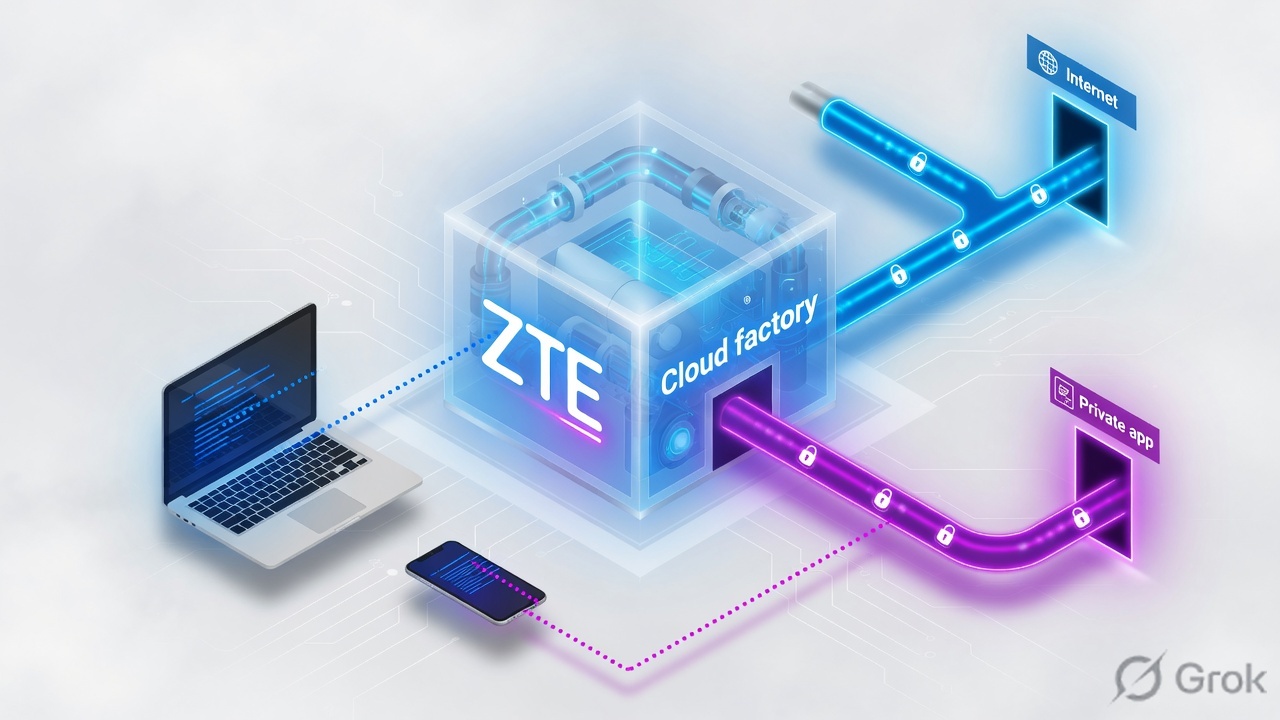
Zscaler connects the user to the application, not to your network. Apps stay invisible to the internet. That is the factory contract — official Zero Trust Exchange architecture, not a slogan.
2. Mental model — one exchange, two lines
Memorise three parts. Skip one and you debug the wrong console.
- Arrival — Client Connector (Z-Tunnel), GRE/IPSec, PAC, or Branch Connector hands the flow to a Service Edge.
- Factory — the Service Edge identifies the user or location, loads the activated policy the Central Authority already pushed, and classifies the destination.
- Line — public internet/SaaS runs ZIA (inspect + egress). Private FQDN runs ZPA (broker + App Connector). Default on ZPA is deny until an Access Policy allows.
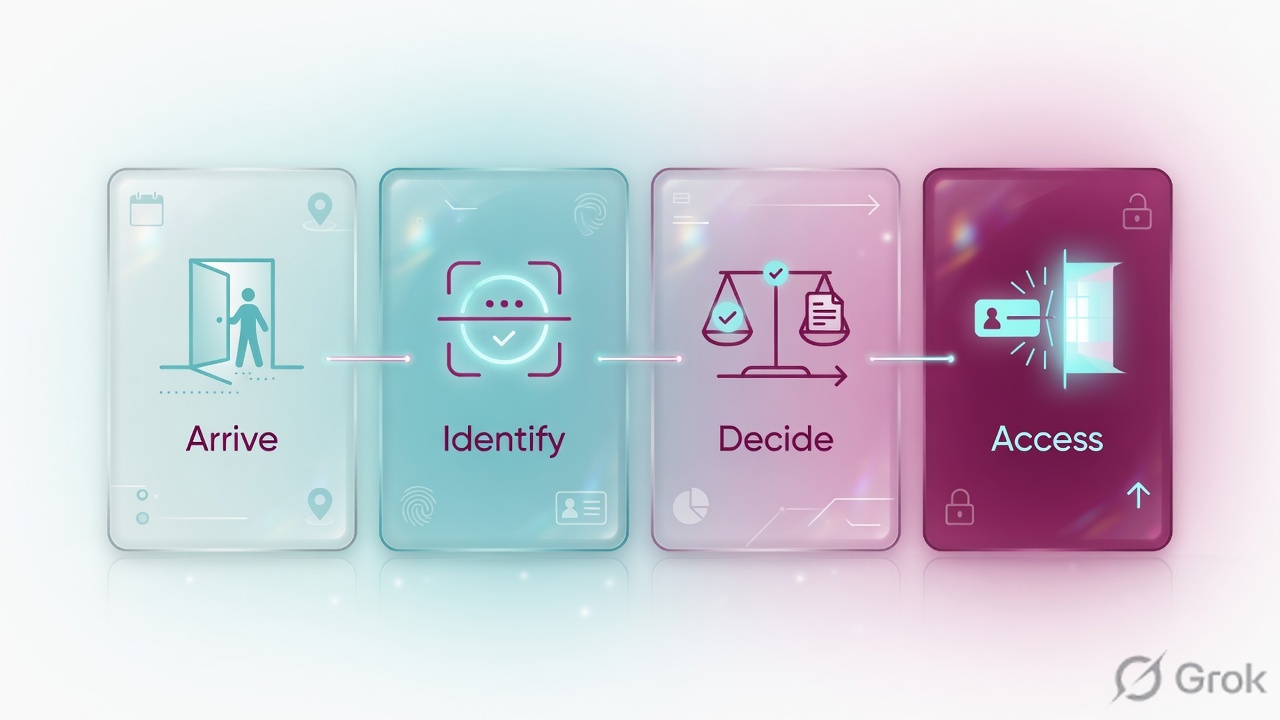
Solid arrows = user session. Dashed = control. If you draw the Central Authority on the solid line, the interview is already lost.
Hard words before the runbook
| Term | Meaning on a ticket |
|---|---|
| Zero Trust Exchange (ZTE) | The cloud-native platform that brokers user-to-app, app-to-app, and machine-to-machine sessions from identity and context. Not a LAN you join. |
| Public Service Edge (ZIA) | Full-featured secure internet gateway. Inspects web traffic bidirectionally. SSL + SSMA (Single-Scan Multi-Action). Opens its own connection to the destination. |
| Public / Private Service Edge (ZPA) | Brokers Client Connector to App Connector. Official Help: does not inspect the data as it flows through, unlike the ZIA edge. |
| Central Authority (CA) | Brain of the cloud: policy, config, software, feeds. Pushes to edges. Never inspects the live session. ZIA and ZPA each have their own CA fabric. |
| Z-Tunnel 2.0 | DTLS or TLS tunnel from Client Connector to the Service Edge. Carries all ports and protocols. Tunnel down = factory never saw the flow. |
| App Connector | VM next to the private app. Outbound-only to the ZPA Service Edge. No inbound VIP on the app. Closest healthy connector wins. |
| Application Segment | ZPA object: FQDN + port + server group. Enabled is the object. It is not the allow. |
| Access Policy | ZPA allow/deny for user, group, posture, Connector group. Default is block until a rule allows. |
| Location | ZIA named source (public IP, GRE/IPSec, dedicated port). Known location can run place-only policy. Unknown / Road Warrior must authenticate or is refused. |
| Nanolog | ZIA log store. A compressed TLS copy leaves the edge. A Nanolog outage does not stop enforcement. |
ZPA Help: Private Access runs on a unique multi-tenant infrastructure, separate from Internet & SaaS. The user still has one identity. The session is still one factory ticket. The inspect engine is not shared. Do not expect a ZIA URL rule to grant crm.internal.example.
3. Decision flow — ZIA or ZPA
Draw this on the whiteboard before you open Admin. The diamond is not “is Zscaler up?” The diamond is “did a flow arrive, and what class of destination is it?”
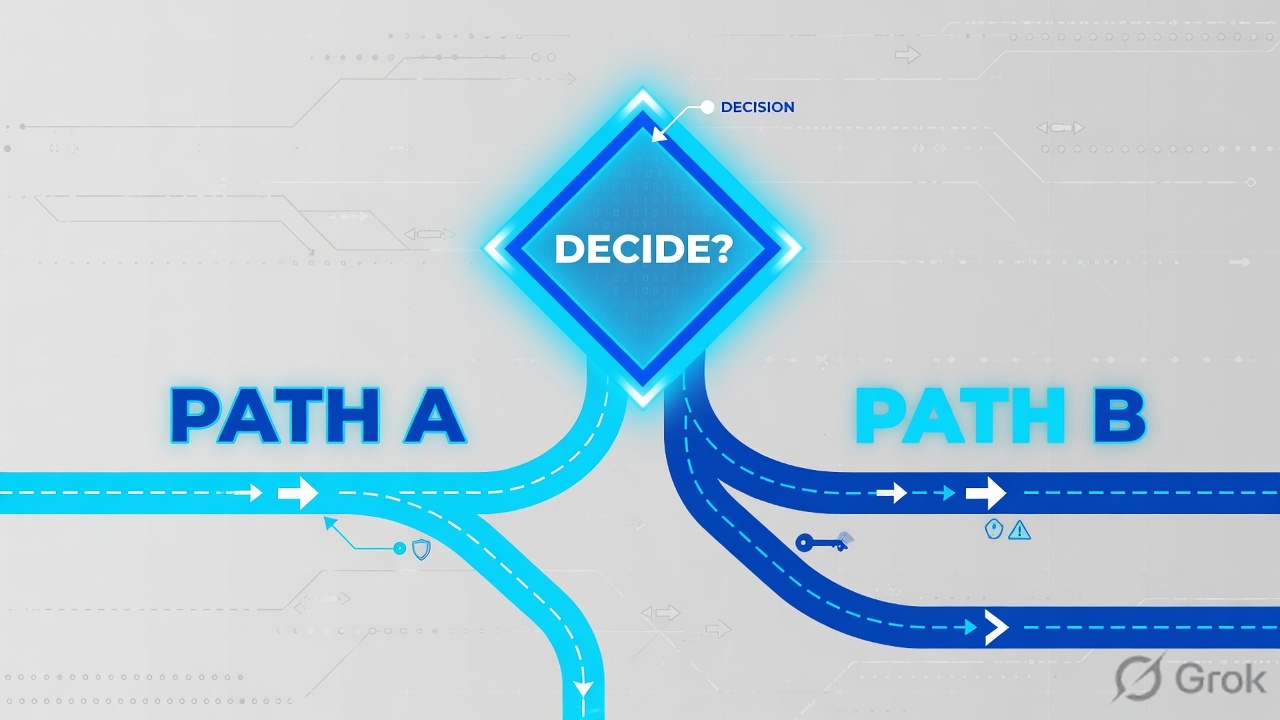
Diamond = decision. Always start with forwarding, then identity, then destination class. ZDX and Branch are later lessons — they watch or steer; they do not print the session.
4. How to choose the line
Use this table in design reviews and in the first five minutes of a Sev-2. The wrong line wastes an hour of “why is URL filtering not seeing CRM.”
| Situation | Prefer | Do not |
|---|---|---|
| Internet / SaaS — URL, SSL inspect, DLP, cloud-app | ZIA Public Service Edge + named user or known Location | Hide a private app behind a ZIA allow |
| Internal FQDN, no inbound VIP, least privilege | ZPA Application Segment + Access Policy + App Connector group | Treat Enabled as an allow |
| Roaming laptop, all ports/protocols | Client Connector Tunnel (Z-Tunnel 2.0) to the nearest Service Edge | Assume PAC-only still covers non-web |
| Known office, many users, internet breakout | GRE or IPSec to a ZIA Public Service Edge, bound to a Location | Quote the tunnel without a Location match |
| Branch / IoT / no Client Connector | Branch Connector forwards the flow to the ZTE, then ZIA or ZPA by destination | Stop at the classify rule — you still need the ZIA or ZPA transaction |
| Need residency or a dedicated inspect edge | ZIA subcloud, or Private / Virtual Service Edge for Internet & SaaS | Assume “Private Service Edge” means ZPA |
| One user slow, peers fine | Prove the factory line first, then ZDX score / Cloud Path | Open a tenant Sev-1 from a single score |
5. Runbook Side A → B → C
Goal for a new Finance SaaS plus a private CRM on the same laptop: the flow reaches the exchange, internet goes to ZIA, CRM goes to ZPA, and you can quote both transactions.
Primary source for arrival: Zscaler Help — Choosing Traffic Forwarding Methods and Configuring Forwarding Profiles for Zscaler Client Connector. Primary source for the two lines: Understanding the Zscaler Cloud Architecture for Internet & SaaS and Understanding the Private Access Architecture.
Side A — Get the flow to the factory
-
Name the arrival method
Laptops: Client Connector Forwarding Profile Tunnel (Z-Tunnel 2.0) for internet, Private Access enabled for internal FQDNs. Known office: GRE or IPSec from the firewall to a ZIA Public Service Edge, bound to a Location. PAC-only is web-only. Branch without ZCC: Branch Connector forwards to the ZTE, then ZIA or ZPA by destination.
-
Prove the laptop actually arrived
From the pilot machine open
https://ip.zscaler.com. You want a Zscaler cloud and a Location (or Road Warrior if that is the design). Client Connector status should show Internet & SaaS and Private Access connected to a Service Edge. If the page says you are not going through Zscaler, stop — there is no factory ticket to debug. -
Stamp who is on the ticket
Known Location can run place-only policy. Unknown location must authenticate or is refused. Groups come from SCIM (directory write), not from the SAML password success. Full Entra SAML+SCIM walk is the authentication lesson. Do not rebuild an IdP until arrival is proven.
Infrastructure / Connectors / Client / Forwarding Profile for Platforms / Add
Add Forwarding Profile
Source: Zscaler Help — Configuring Forwarding Profiles for Zscaler Client Connector. Path on Experience Center: Infrastructure → Connectors → Client → Forwarding Profile for Platforms. Older Client Connector Portal label: Administration → Forwarding Profile. Lab values only.
Side B — Pick the line and the objects
-
ZIA for the SaaS
Policy → URL & Cloud App Control (and SSL Inspection if you inspect). Rule for group Finance, action Allow + inspect unless a pin exception is owned. ZIA writes stay PENDING until Activation → Activate. Proof is a web log row with the username or the Location you designed — not an empty user on a rule you thought was group-based.
-
ZPA for the private CRM
Resource Management → Application Management → Application Segments → Add. Application
crm.internal.example, port443, server10.50.8.20, App Connector group next to that server. Then Policy → Access Policy → Add Rule: users in Finance, posture managed, action Allow. ZPA blocks until this rule exists. ZPA has no Activate step — the object is live when saved. -
Do not cross the lines
A ZIA URL allow does not grant a private FQDN. An Enabled Application Segment does not grant the user. Branch Direct / Drop is a steer, not a ZIA or ZPA close. Write the owner on any Direct exception.
Policy / Access Policy / Add Rule
Add Access Policy
Source: Zscaler Help — Understanding the Private Access Architecture / Configuring Access Policies. Enabled is the object. Access Policy is the allow. Default deny until this rule exists.
Side C — Prove which line ran
-
ZIA web log shows the SaaS transaction
Analytics → Web Insights (or Insights → Logs). Filter user
user@lab.example, URL of the SaaS. You wantaction=allowed, an SSL decision, and the rule name.https://ip.zscaler.comshould name the same cloud and Location you designed. -
ZPA access decision + connector health
Diagnostics / user activity for
user@lab.exampletoCRM-Prod. Quote policy name, posture, Connector group, and server10.50.8.20:443. Enabled segment without this quote is not a close. -
Do not stop at “protected”
Client Connector “protected” is intended path, not proof that this URL was inspected or this CRM was brokered. The transaction is the last sentence.
ZSC-LAB > show zte session user@lab.example
arrival: Z-Tunnel 2.0
service_edge: DEL2
zia: saas.example.test action=allowed ssl=inspected rule=Finance-SaaS
zpa: crm.internal.example policy=Finance-CRM-Allow connector=DC1-Connectors
location: user=user@lab.example  (not empty)

ZSC-LAB > show zia forwarding
user: user@lab.example
forwarding: Z-Tunnel 2.0
service edge: DEL2
status: protected
note: protected ≠ transaction
- Rebuilding SAML because Z-Tunnel is down.
- Adding a ZIA URL allow for
crm.internal.example. - ZPA Application Segment Enabled, Access Policy never written.
- Treating the ZIA and ZPA Service Edges as the same inspect engine.
- Quoting Client Connector “protected” as proof the app answered.
6. Runtime path after go-live
After Activate (ZIA) or Save (ZPA), the Central Authority is off the wire. Client Connector or the branch tunnel carries the session to the nearest legal Service Edge. Destination class splits the factory. The destination never sees the laptop’s private IP on the ZIA line — it sees a Zscaler egress. On the ZPA line the App Connector, not the user, reaches the server.

Same identity, two exits. The ZPA edge brokers; it does not inspect like the ZIA edge. Official Help, Understanding Service Edges.
7. Traps + proof
| Symptom | Likely cause | First check |
|---|---|---|
| Unauthenticated / empty user | Tunnel down, PAC miss, or location-only policy | ip.zscaler.com + Client Connector status — not a new IdP |
| Allow screenshot, browser still fails | Inspect/pin, path, or you quoted policy not the transaction | Name the line, then the exact ZIA or ZPA row |
| CRM unavailable, segment green | No Access Policy, bad posture, dead connector | Policy decision + connector + server:443 |
| URL filter “does not see” CRM | You are on the ZIA line for a private FQDN | Destination class → ZPA, not another URL allow |
| Office works, home fails | On-Trusted vs Off-Trusted forwarding, or unknown location refused | Forwarding Profile states + Location auth setting |
| Policy you saved does nothing | ZIA still PENDING, or you edited the wrong cloud | Activation → Activate; confirm admin.<your-cloud> |
| Protected on ZCC, no log row | You stopped at arrival | Protected ≠ transaction. Find the web log or ZPA access event |
https://ip.zscaler.comnames your cloud and the Location (or Road Warrior) you designed.- Client Connector shows Internet & SaaS and Private Access connected — then you still quote a transaction.
- SaaS: ZIA web log with user or Location, action, SSL decision, rule name, bytes.
- CRM: ZPA Access Policy allow + healthy App Connector + server reachable.
- ZIA policy you care about is ACTIVE, not PENDING.
- A hotspot test (unknown location) still reaches the exchange if that is the design.
I name the factory line first — ZIA inspect or ZPA broker — then forwarding, then who is on the ticket, then the exact transaction. Allow is never the last sentence. Night-shift commands live on the evidence desk.
Knowledge check
Six judgment questions. Map each to the factory path, a line choice, or a trap. Check + Reset.
Sources
- Zscaler Help — What is Zscaler Internet & SaaS? (part of the Zero Trust Exchange; traffic routed to the nearest Public Service Edge)
- Zscaler Help — Understanding the Zscaler Cloud Architecture for Internet & SaaS (Central Authority, Public Service Edges, Nanolog)
- Zscaler Help — Understanding Public Service Edges for Internet & SaaS (full-featured secure internet gateway; bidirectional inspect)
- Zscaler Help — Understanding Policy Enforcement (SSMA on the ZIA Public Service Edge)
- Zscaler Help — Choosing Traffic Forwarding Methods
- Zscaler Help — Configuring Forwarding Profiles for Zscaler Client Connector (Infrastructure → Connectors → Client → Forwarding Profile for Platforms)
- Zscaler Help — About Z-Tunnel 1.0 & Z-Tunnel 2.0 (DTLS/TLS; all ports and protocols)
- Zscaler Help — What Is Zscaler Private Access?
- Zscaler Help — Understanding the Private Access Architecture (CA as brain of ZTE; Z-Tunnel; separate multi-tenant fabric from ZIA)
- Zscaler Help — Understanding Service Edges (ZIA inspects; ZPA does not inspect as traffic flows through)
- Zscaler Help — About App Connectors
- Zscaler Help — Configuring Access Policies
Related: Blog 2 · Zscaler evidence desk · ZIA authentication (SAML + SCIM) · ZIA architecture — every hop · Traffic forwarding · ZPA architecture · ZIA traffic flow · Zscaler practice dashboard