Wiz is a graph factory. A cloud-account connector talks to the provider and prints Inventory nodes. A Control is a graph query plus a severity. When that query matches inventoried nodes and edges, Wiz opens an Issue. The attack path is the finished ticket — hops from an entry point to data or admin. Success is connector Status = Connected with a fresh Last scan, the object in Inventory, Issue Status + Control + Resource quoted, and hops written left to right. Connected is not remediating. A Critical CVE on an isolated box is a patch item, not this factory’s P1.
I do not start with the CVE export. I ask whether the account is talking, whether Inventory printed the object, which Control stamped the Issue, and whether the attack path still reaches data. An OPEN Issue with no hops is a header. A green connector with a dead token on the sibling account is a coverage lie.
1. Why a CVE list is not a factory ticket
Every other briefing starts with CVSS. “400 Criticals, Wiz is noisy.” That is why students freeze in interviews. The real object is the graph ticket. Features are only stamps the factory puts on inventoried nodes before it draws a path to data.
Official Wiz surfaces you will actually open: Settings → Cloud Configuration (some tenants say Connectors), left-nav Inventory, left-nav Issues, Issue details → Attack Path or View in graph, and left-nav Security Graph (visual explorer or WQL). Confirm current labels in your tenant on docs.wiz.io. The factory order never changes even when a menu is renamed.
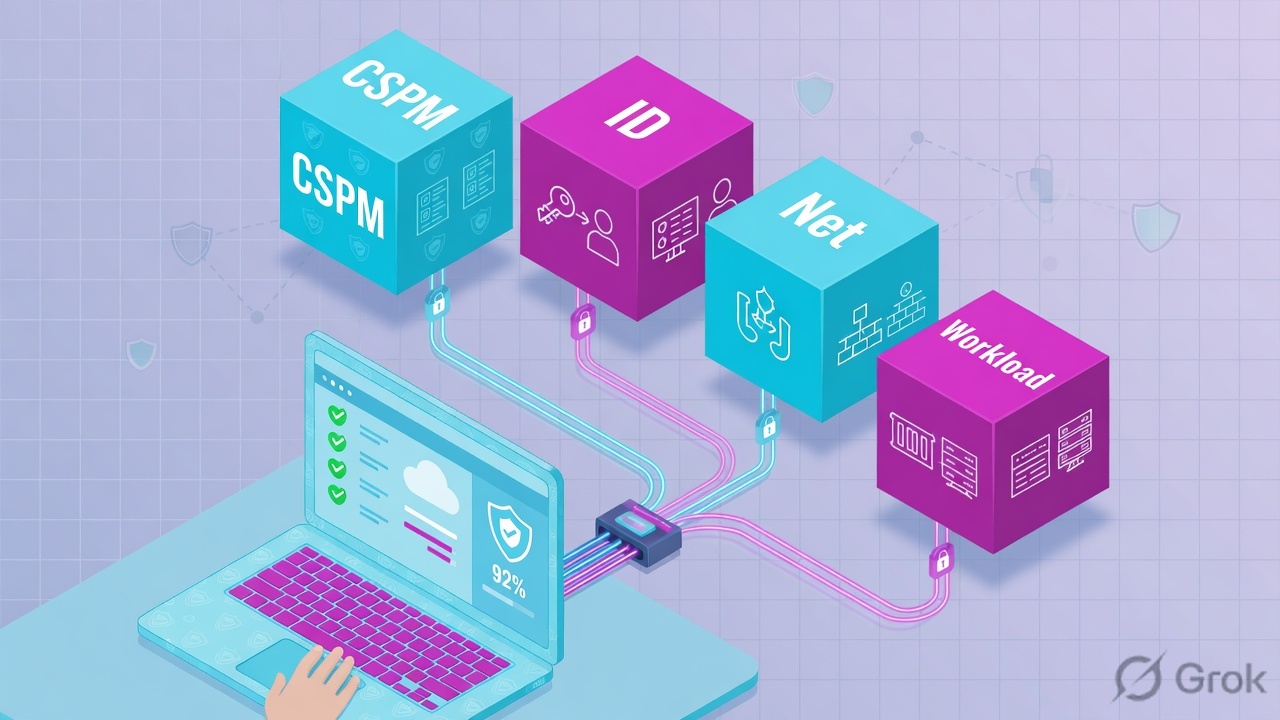
What the ticket asked
“Wiz is noisy — dump the Criticals.” That sentence is a hypothesis. The factory may already have printed one toxic path to payroll and 399 isolated patch items.
What you prove first
Identity of the cloud account, then connector Status + Last scan, then whether Inventory has the object, then the Issue quartet. The evidence desk is the night-shift version of this order.
“The connector is Connected, so Wiz is working — we need a wider mute.” Connected only means the factory floor is powered. If Inventory never printed the bucket, or the Control never matched, or the attack path still reaches payroll, you did not close a ticket. Widening a mute just hides more printed tickets.
Hard words before the runbook
Connector / cloud account
The read-only link that feeds the factory. Official proof fields: Status, Last scan, account / subscription ID. Path: Settings → Cloud Configuration. Same shape on AWS, Azure, GCP.
Inventory
The printed node: name, type, cloud account, region. No node = the Control has nothing to match. Agentless coverage still has to land; serverless and some workload types have their own coverage notes.
Control + Issue
A Control is a graph query + severity. An Issue is one match. Official statuses used across Wiz docs and integrations: OPEN, IN_PROGRESS, RESOLVED, REJECTED. Severity: CRITICAL through INFORMATIONAL.
Attack path + exception
Ordered hops from an entry point to data or admin. Exception is a time-boxed waiver (control, owner, expiry, reason). When it expires the Issue reopens. That is expected, not a new breach.
Official Issue fields integrations pull from issuesV2: id, title, severity, status, control, resource. Official Cloud Events sit next to a finding so you can name the control-plane actor. Use those words in the ticket. Source: Wiz Docs — Issues field mapping (Datadog / Proofpoint integrations) + Cloud Events + exception management.
2. Mental model — four factory stations
Hold four parts. Interviews fail when people mix them. Skipping a station is how you mute a Critical on a bucket Wiz never inventoried, or brief “full coverage” on a sibling account whose token expired.
1. The worker is the connector
One cloud-account link. It sees the provider. Status + Last scan is the heartbeat. Error or stale scan means the factory floor is dark. A green toast is not Last scan.
2. The ticket is Inventory
Nodes: bucket, instance, role, cluster, function. The first scan of a new account is setup. Later scans of the same objects ride that graph. No node = nothing for a Control to stamp.
3. The stamps are Control + Issue
Control = which graph query. Issue = one match, with Status / Severity / Resource. Project is the owner slice. Closing the Issue without a cloud change is not a stamp — it is a mute.
4. Proof is the attack path
Issues → Attack Path (or View in graph) is the live table. A CVE export is history. A Security Graph / WQL query is the what-if when no Issue fired. Empty query result is honest.
Read left → right. Station 1 is Status plus Last scan. The path is last, and only after Inventory printed a node. An exception is a dated stamp, not a mute.
Concept: Wiz manufactures inventory from a connector and writes Issues when a Control matches the graph. Path: connector → inventory → issue/control → attack path. Do: never open the CVE export first.
Connector answers “is this account talking?” Official: Status, Last scan, account / subscription ID. Source: Wiz Docs — connecting a cloud account / Google Cloud connector (same Status + account pattern on AWS / Azure).
Inventory answers “did the factory print this object?” Official: resource name, type, cloud account, region. Missing object → stop. Source: Wiz Docs — Inventory / cloud resources (product docs root) + Serverless coverage notes.
Control / Issue answers “which query matched, at what severity, on which node?” Official statuses: OPEN / IN_PROGRESS / RESOLVED / REJECTED. Source: Wiz Docs — Issues; issuesV2 field mapping on Datadog / Proofpoint integrations.
Attack path answers “how does an attacker walk from the internet to data?” Official: Issue details → Attack Path or View in graph. Security Graph / WQL is the what-if when no Issue fired. Source: Wiz Docs — Security Graph (product docs root) + MCP server surfaces (Issues, inventory, Security Graph).
Connector is the worker. Inventory is the ticket. Control is the stamp. Attack path is the proof. I do not mute, exception, or rewrite a Control until I can quote the station that made me do it.
3. First scan vs later scan
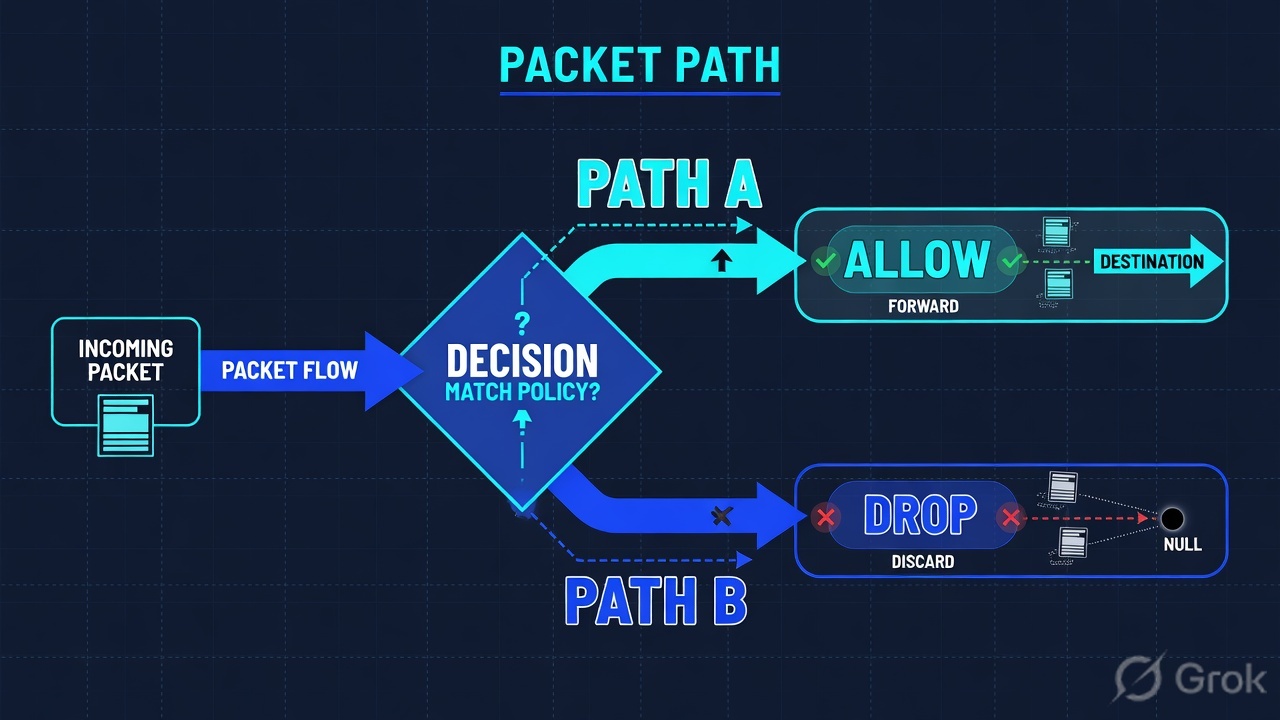
The first scan of a newly connected account has no graph yet. It walks setup: connector authenticates → inventory is printed → Controls evaluate against new nodes and edges → Issues are allocated. Later scans of the same objects skip that empty-floor queue and ride the existing graph. That is why “I removed the public ACL” sometimes does nothing until the next scan reprints the node, and why “I added a Control” does not close old Issues until re-eval.
Read left → right, then the green later-scan bar. Decision diamond = “is Last scan fresh and is this object already a node?” Do not hunt Issues on a dark connector.
The first packets of a Wiz ticket are not CVEs. They are nodes and edges. A public security group plus an instance role with s3:* plus a bucket with payroll hits is a toxic combination — the chain, not one score. If your only move is a patch window on a nearby VM, you left the door open. OPEN with hops still reaching data is a live ticket, not a missing scanner checkbox.
4. How to choose the stamps
You are not choosing a product. You are choosing what the factory is allowed to write on the ticket tonight. Isolate is a temporary break of a hop. Change-control is a lasting cloud change. Exception is a dated waiver. Mute is not on the table.
| Choice | Use when | Do not use when | Proof you were right |
|---|---|---|---|
| Break the first hop (isolate) | Public SG, public ACL, or SSRF-able metadata hop is on the Attack Path tonight. | You start a 40-package patch window while the door is still open. | Later scan: hops no longer reach the data node. Issue leaves OPEN. |
| Scope the identity (CIEM) | The role on the path is admin-equivalent or holds s3:*. That is blast radius. |
You quote “184 entitlements” as the risk and leave the role attached. | Identity finding: admin-equivalent is no longer true after the change + later scan. |
| Exception: control + owner + expiry + reason | You cannot break a hop in this change window. Compensating control named. | You Reject the Issue or leave it OPEN with no owner. That is a mute. | Exception id visible; calendar reminder before expiry. Source: exception management. |
| Ops ticket on the connector | Status is Error or Last scan is stale / failed. Token, permission, org-link. |
You brief leadership that the estate is clean because Issues is empty. | Sibling account returns Connected + fresh Last scan. Coverage failed = 0. |
| Security Graph / WQL query | No Issue fired and someone still claims a path exists. | You invent a mute from an empty Issues queue without asking the graph. | Query returns matching edges — or returns empty, and you say that out loud. |
| Wait for later scan (do not click Resolved) | You already changed the cloud object. The graph has not reprinted yet. | You click Resolved at 02:00 so the war-room can close. Next scan reopens it. | Next Last scan + Issue Status = RESOLVED because the Control no longer matches. |
A Control is a query contract, not a vibe. Official wording in Wiz integrations: Issues carry status, severity, control, resource. The factory is literal. If the node is missing, the query cannot match. If the exception is still in date, the Issue stays quiet on purpose. Source: Wiz Docs — Issues field mapping + exception management.
5. Runbook Side A → B → C
Lab values only. Tenant WIZ-LAB, account AWS-LAB / 123456789012, sibling AWS-SANDBOX, bucket lab-finance, Issue WIZ-1042, exception EX-22, actor arn:aws:iam::123456789012:user/ops. Nothing here is a live tenant.
Side A — connector (building the factory floor)
Primary source: Wiz Docs — connecting a cloud account / Google Cloud connector (docs.wiz.io/wiz-docs/docs/gcp-connector). Same Status + account pattern on AWS / Azure. UI may say Connectors or Cloud Configuration.
-
Prove the account on the ticket is the one talking
Settings → Cloud Configuration. Filter provider AWS and account
123456789012. QuoteStatusandLast scan. Wrong subscription is the first trap. If the ticket says prod and the connector is sandbox, you are looking at a twin. -
If Status is Error or Last scan is stale, stop
There is no honest Issue hunt. Token expired, missing permission, org-link gap, or the account was never added. Open an ops ticket on the connector. Do not brief “estate is clean.”
-
Check the sibling before you promise coverage
Lab sibling
AWS-SANDBOXisStatus = Error,Last scan = failed, token expired. Connected on AWS-LAB does not cover it. Coverage is a count of talking workers, not a green toast on one row.
Settings › Cloud Configuration › AWS-LAB
Cloud account AWS-LAB
Connected proves the worker is talking. It does not flip WIZ-1042 to RESOLVED. Check the sibling row before you brief coverage.
AWS-SANDBOX · Status = Error · Last scan = failed · token expired
AWS-LAB · Status = Connected · Last scan = 22m · account 123456789012
Source: Wiz Docs — connecting a cloud account / Google Cloud connector. UI may say Connectors or Cloud Configuration. Dummy account 123456789012 only. Training mock · not live.
Side B — Inventory then Control / Issue (printing the ticket, choosing stamps)
Primary source: Wiz Docs — Inventory / cloud resources (product docs root docs.wiz.io/wiz-docs/docs) + Issues field mapping via issuesV2 (Datadog, Proofpoint).
-
Open Inventory for the named resource
Inventory. Search
lab-financeor the ARN. Read type, cloud account, region. If the object is missing, Wiz never built a node — the Control cannot fire. Fix coverage, then wait for the next scan. -
Only then open Issues
Issues. Filter Issue id
WIZ-1042, Resource, Project, Status. Official statuses:OPEN,IN_PROGRESS,RESOLVED,REJECTED. Severity:CRITICAL,HIGH,MEDIUM,LOW,INFORMATIONAL. -
Read the four columns that close a finding header
Status— is it still open?Severity— what Wiz scored.Control— which graph query matched.Resource— which node. That quartet is the ticket header, not the whole story. Do not close it from this page. -
If you cannot remediate this window — Create Exception
Path: Issues → [Issue] → Create Exception. Required: Control, Owner, Expiration date, Reason. Compensating control named. An exception with no date is a mute. Source: Wiz Docs — exception management.
Issues › WIZ-1042
WIZ-1042 · Public bucket with sensitive data Critical
First lookup is Inventory. These Control fields only exist after the node was printed. Destination of the path is why severity is CRITICAL.
Source: Wiz Docs — Issues; issuesV2 fields Status, Severity, Control, Resource. Dummy values only. Click next: Attack Path hops, then Cloud Events for PutBucketAcl.
Path:            Inventory → lab-finance → related Issues
                 Issues → WIZ-1042
Quote:           Status=OPEN  Severity=CRITICAL
                 Control=Public bucket with sensitive data
                 Resource=lab-finance · AWS S3 · AWS-LAB
If missing node: stop — Control cannot fire
If connector Error: stop — this is coverage, not a mute
Say the word predicted. Inventory + Issue header is a what-if until you open the path. The live ticket is Side C. Compare hops and Cloud Event actor before you isolate or exception.
Side C — prove the path in Attack Path
Primary source: Wiz Docs — Security Graph / graph search (product docs root) + Cloud Events (docs.wiz.io/wiz-docs/docs/gcp-cloud-events) + exception management (docs.wiz.io/docs/exception-management-with-wiz-code).
-
Baseline the factory floor
Connector
Status = Connected,Last scaninside the ticket window, account123456789012. Half of “it doesn’t match the doc” is a different tenant. Half of empty Issues is a dark connector. -
Open Attack Path on the Issue
Issues → WIZ-1042 → Attack Path (or View in graph). Official wording: the walk from an entry point to data or admin. This is not the CVE export. Quote hops left to right.
-
Read the stamps on the walk
You need an entry hop (Internet / public ACL / public SG), an identity hop if one exists (
s3:*/ admin-equivalent), a data hop (sensitive hits). Copy the first unnecessary hop for tonight’s isolate. -
If hops still reach data, do not add a mute
Break the first hop, or write exception
EX-22with owner + expiry. Name the Cloud Event actor if one exists. That is the evidence desk, not a missing scanner.
Issues → WIZ-1042 → Create Exception
Exception EX-22
| Hop | Node | Stamp | Tonight |
|---|---|---|---|
| 1 | Internet → Public ACL | entry | break or waive |
| 2 | lab-finance · 14 hits | data | why CRITICAL |
Row 1 is tonight. Row 2 is why severity is CRITICAL. Encryption on the bucket is not a close.
Click next: save only if you cannot break hop 1 this window. Then set a calendar reminder before 2026-08-20. Source: Wiz Docs — exception management. Required fields: Control, Owner, Expiration date, Reason.
WIZ-LAB > show connector AWS-LAB
Status=Connected  Last scan=22m  account=123456789012

WIZ-LAB > show inventory lab-finance
type=AWS S3 Bucket  account=AWS-LAB  region=ap-south-1
public=ACL-AllUsers  encryption=AES-256  sensitive-hits=14

WIZ-LAB > show issue WIZ-1042
Status=OPEN  Severity=CRITICAL
Control=Public bucket with sensitive data
Resource=lab-finance

WIZ-LAB > show attack-path WIZ-1042
Internet -> Public ACL -> lab-finance -> sensitive objects
effective-permissions=s3:*

WIZ-LAB > show cloud-event
actor=arn:aws:iam::123456789012:user/ops
action=PutBucketAcl  at=09:02Z  result=success

WIZ-LAB > show exception EX-22
control=Public bucket with sensitive data
owner=ciso  expires=2026-08-20  reason=migration
Connector Status = Connected and Last scan inside the window. Inventory shows lab-finance on AWS-LAB. Issue quartet quoted. Attack Path hops written left to right. First hop you will break is named — or exception EX-22 has owner + expiry + reason. After a cloud change, a later scan flips Issue Status to RESOLVED. A Resolved click at 02:00 is not that. Cloud Event actor is on the ticket, or you say “no change event in window.”
6. Runtime — scan lag, exceptions, dead tokens
After the node exists, later scans skip the empty-floor queue. Official later-scan shape: refresh Last scan, reprint changed properties, re-evaluate Controls against current edges, flip Issue Status if the match died, keep a still-valid exception quiet. That is why “I fixed the ACL” can look like Wiz is stuck for one scan cycle.
If the application of the factory is not yet known — new account, new region, new serverless type — Inventory has to print the node first. Serverless and some workload types have their own coverage notes. Do not promise “Wiz sees every function” from a VM-only mental model. Source: Wiz Docs — Serverless.
Content of the path then updates if a profile of risks still chains. If the inner hop changes (public ACL removed but instance role still s3:*), the Control may still match on another query. Decrypt-the-envelope equivalent here is opening Cloud Events so you can name who changed the control plane. Certificate-pin equivalent: a compensating control you named on the exception, with an owner and an expiry.
Two accounts are two factory floors. Green Connected on AWS-LAB means that floor is printing. It does not mean AWS-SANDBOX recovered. Prove the sibling with the same Status + Last scan. A failed token is an ops finding. Do not promise 100% coverage.
The red hop is isolate. The amber hop is blast radius. The navy hop is why severity is Critical. The green box is the later scan that actually closes the ticket.
Concept: later scans ride the graph; they do not invent a new factory. Path: cloud change → wait for Last scan → Control re-eval → Issue Status. Do: never click Resolved to fake the later scan.
7. Traps + factory proof
| Symptom | Looks like | Actually | First move |
|---|---|---|---|
| 400 Criticals in Slack | Wiz is noisy | Most are isolated patch items; one path reaches data | Highest Issue → Attack Path hops |
| Empty Issues, CISO in channel | Estate is clean | Dark connector or missing Inventory node | Status + Last scan, then Inventory |
| ACL fixed, Issue still OPEN | Wiz is stuck | Later-scan path — node not reprinted yet | Wait for Last scan; do not click Resolved |
| Vuln scan clean, Wiz Critical | False positive | Toxic combination of medium hops | Quote hops; break the first one |
| Same Issue two weeks later | New breach | Exception expired; Control still matches | Read owner + expiry, then remediate or renew |
| Connected, “100% coverage” | Healthy estate | Sibling token expired (AWS-SANDBOX) | Count failed connectors; never say 100% |
| AES-256 on the bucket | Data is safe | Public + sensitive hits is the headline | Inventory public flag + DSPM hits |
| 184 entitlements | We’ll prune later | admin-equivalent is the blast radius | Scope the role on the path |
- Connector on the ticket account:
Status = Connected,Last scaninside the window, account id matches. Sibling failures named. - Inventory shows the object: name, type, cloud account, region. Missing object → stop.
- Issues → WIZ-1042 quartet:
Status,Severity,Control,Resource. - Attack Path hops left to right. First hop you broke (or will break) is named.
- Cloud Event actor + action + timestamp, or you say “no change event in window.”
- If waived: exception id, owner, expiry, reason, compensating control. Calendar reminder before expiry.
- After a cloud change: later scan flipped Issue
Statusbecause the Control no longer matches — not because someone clicked Resolved. - Owner ticket in the cloud queue. The same business object (payroll bucket) is no longer on a public path — or the waiver is dated.
Wiz is a graph factory. The connector prints inventory. A Control stamps an Issue when the graph query matches. The attack path is the finished ticket. I prove the ticket with Status and Last scan, the Inventory object, the Issue quartet, and hops left to right. Connected is not remediating. A CVE list is a different factory.
Related: The Wiz evidence desk — first tool + proof field · Wiz Security Graph · Wiz CIEM entitlements · Wiz CNAPP hub · Dummy lab
Knowledge check
Six judgment questions. Map each miss back to the section named in the reason.
Sources
- Wiz Docs — Documentation home — confirm current console labels in your tenant
- Wiz Docs — Product documentation root — Issues, Inventory, Security Graph, Cloud Configuration
- Wiz Docs — Google Cloud connector — cloud-account / connector
Status+ account pattern; same shape on AWS / Azure - Wiz Docs — Cloud Events — control-plane change context next to a finding
- Wiz Docs — Datadog managed integration — Issues as the object integrations pull;
issuesV2fields - Wiz Docs — Proofpoint integration — Issues ingest /
issuesV2field mapping (status, severity, control, resource) - Wiz Docs — Exception management — time-boxed waiver; Issue reopens when it expires
- Wiz Docs — Serverless — Inventory / graph coverage of workload types
- Wiz Docs — Set up Wiz MCP server — Issues, inventory, Security Graph as the queryable surfaces
Related: Blog 2 · Wiz evidence desk · Wiz Security Graph · Wiz CIEM · Wiz CNAPP hub
Lab values only (WIZ-1042, EX-22, AWS-LAB, AWS-SANDBOX, 123456789012, lab-finance). Confirm live UI labels on docs.wiz.io before you change a production tenant. Nothing here is sent to a live tenant.