Connector / cloud account answers “is this account even talking to Wiz?” Inventory answers “does Wiz even know this resource?” Issues answers “did a Control open, at what severity, in what status, on which resource?” Attack path / Graph answers “how does an attacker walk from the internet to data?” Security Graph answers “is there a path at all — even when no Issue fired?” Connected is not remediating. Empty Issues is data. A graph path is not a CVE argument.
1. Why “is Wiz connected?” is five questions
Operators collapse five failures into one sentence. The connector token expired. The resource was never inventoried. A Control never matched. The attack path is the ticket, not the CVE list. The graph query is empty because there is no reachable chain. Those are five first clicks.
This page is the night-shift desk for proof. The factory taught that a graph path is not a CVE argument. Here you learn the five console surfaces you actually open, in order, when someone asks you to prove Wiz is connected — or to explain why there is no Issue on this resource.
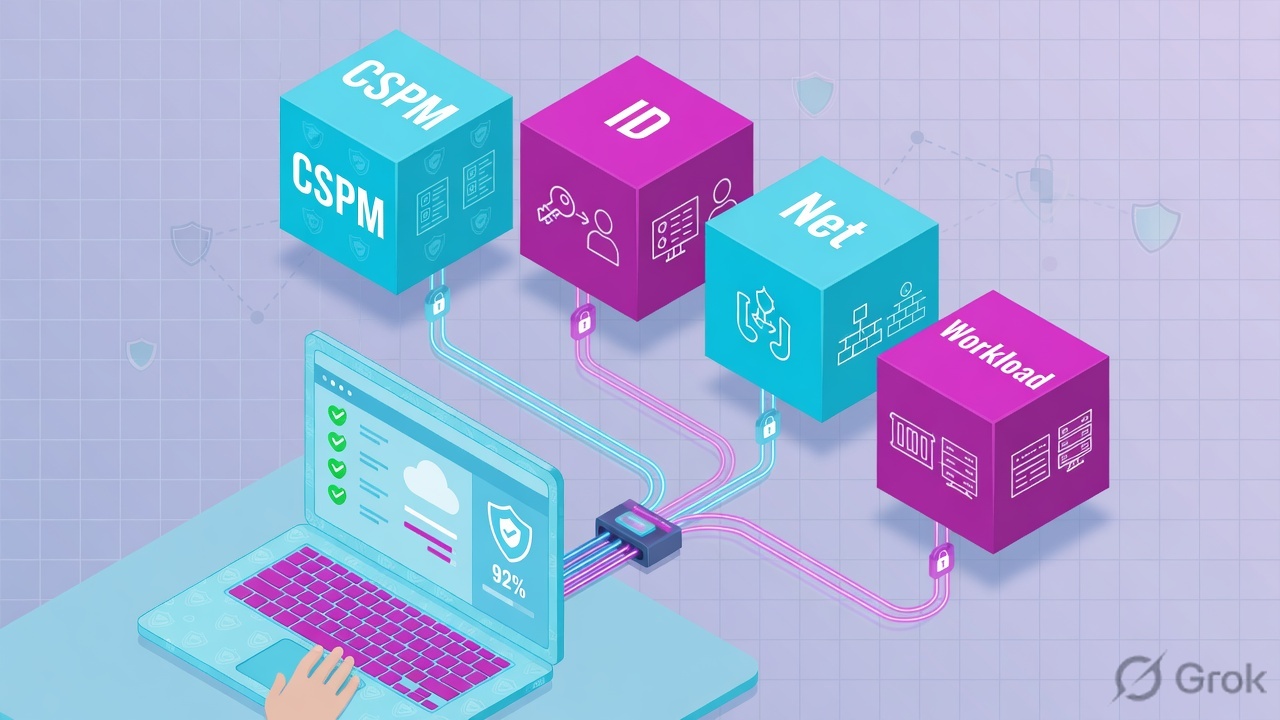
Concept: empty Issues is usually a coverage gap or a missing graph path, not “Wiz is down.” Path: Connector → Inventory → Issues → Attack Path → Security Graph. Do: quote one official field before you mute, exception, or change a Control.
If they say “prove Wiz is working,” do not say “I opened the portal.” Say: “I prove the account with connector Status + Last scan, the object with Inventory, the finding with Issue Status + Control + Resource, the walk with the attack path, and the missing Issue with a Security Graph query.”
2. Mental model — five proof tools
Memorise five named objects before you click. Each tool is allowed to prove one thing. Over-claiming a field is how you mute a Critical at 02:00 or brief “full coverage” on a failed token.
1 · Issues
Left nav Issues. Proves one Control match: Status, Severity, Control, Resource. Does not prove the account is scanning. Empty list is data.
2 · Inventory resource
Left nav Inventory, then the resource drawer. Proves Wiz saw the object: name, type, cloud account, region. Missing object → stop. There is no Issue to hunt.
3 · Connector / cloud account
Settings → Cloud Configuration (UI may say Connectors). Proves the account link: Status, Last scan, account / subscription ID. Connected ≠ remediating.
4 · Graph / attack path
Issue details → Attack Path (or View in graph). Proves the ordered hops: internet → exposure → resource → identity → data. A CVE list is not this view.
5 · Security Graph
Left nav Security Graph — visual explorer or WQL. Proves whether a relationship exists when no Issue fired. Empty query result is the honest answer.
Hard words, once
Control = graph query + severity that opens Issues. Issue = one match (OPEN / IN_PROGRESS / RESOLVED / REJECTED). Toxic combination = co-occurring risks that form a path. Exception = time-boxed waiver. WQL = Wiz Query Language.
Read left → right. Each box is allowed one claim. If you cannot name the field, you are not proving — you are guessing.
I prove the account, then the object, then the Issue, then the hops, then the graph query. I do not mute, exception, or rewrite a Control until I can quote the field that made me do it.
3. Decision flow — ticket → first tool
Flowchart first. Do not open Issues filters or write an exception until a diamond says so.
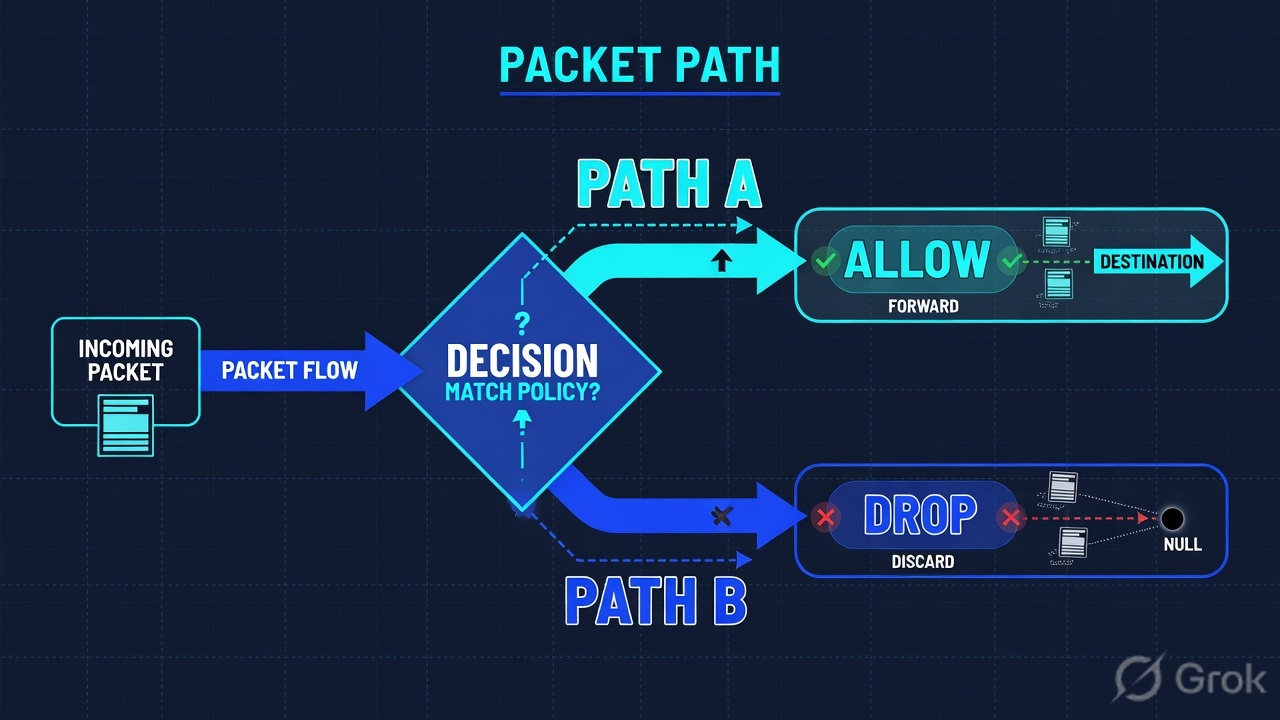
Read the diamond first. “Why no Issue?” never starts in a mute. A failed connector never starts in Security Graph. A clean vuln scan never starts as “false positive.”
4. How to choose — first tool + proof field
Print this next to app.wiz.io. If you cannot recite the proof field, you are not ready to mute, exception, or change a Control.
| If the ticket says… | First tool (official path) | Proof field | Do not open first |
|---|---|---|---|
| “Is Wiz even connected?” / new account missing | Settings → Cloud Configuration (or Connectors) | Status (Connected / Error) + Last scan + cloud account / subscription ID |
A new Issue exception |
| “Why no Issue on this bucket / VM / role?” | Inventory → that resource | Resource present: name + type + cloud account + region. Missing = not scanned. | Issues mute, or a custom Control |
| Wiz opened a Critical; leadership wants it gone | Issues → that Issue id | Status + Severity + Control + Resource |
A CVE spreadsheet sort |
| Vuln scan is clean; Wiz still Critical | Issue → Attack Path / View in graph | Hops left → right (internet → exposure → identity → data) | Patch window on an isolated CVE |
| “I think there is a path but no Issue fired” | Security Graph (visual explorer or WQL) | Query result: matching nodes/edges — or empty | Inventing a Control from Slack |
A connector in Connected with a fresh Last scan proves inventory is being built. It does not close an Issue. Issues resolve when the graph no longer matches the Control — after a cloud change and a later scan — not when you click Resolved at 02:00. Confirm current labels in your tenant on docs.wiz.io.
5. Runbook Side A → B → C
Side A proves the account and the object exist in Wiz. Side B proves the Issue and the walk. Side C proves (or disproves) a path when no Issue fired. On a messy Sev-2, do them in this order until a field lights up.
Side A — Connector, then Inventory
-
Prove the cloud account is talking to Wiz
Path: Settings → Cloud Configuration (some tenants: Settings → Connectors). Filter the provider (AWS / Azure / GCP / OCI / Kubernetes) and the account or subscription on the ticket. Quote
StatusandLast scan. Source: Wiz Docs — connecting a cloud account / connector (Google Cloud connector documents the same Status + account pattern). -
If Status is Error or Last scan is stale, stop
There is no honest Issue hunt. Token expired, missing permission, org-link gap, or the account was never added. Open an ops ticket on the connector. Do not brief “estate is clean.”
-
Open Inventory for the named resource
Path: Inventory. Search the ARN, resource name, or native ID. Read type, cloud account, region. If the object is missing, Wiz never built a node — the Control cannot fire. Fix coverage, then wait for the next scan.
-
Only then are you allowed to talk about Issues
Connected + object present is the floor. It is not a verdict. A public bucket that is in Inventory and still has no Issue is a Side C question, not a mute.
Settings / Cloud Configuration / AWS-LAB
Cloud account AWS-LAB
AWS-SANDBOX · Status = Error · Last scan = failed · token expired
Connected on AWS-LAB does not cover AWS-SANDBOX.
Source: Wiz Docs — connecting a cloud account / Google Cloud connector (docs.wiz.io/wiz-docs/docs/gcp-connector). UI may say Connectors or Cloud Configuration. Lab account 123456789012 only. Training mock · not live.
Inventory / Storage / lab-finance
Resource lab-finance
Source: Wiz Docs — Inventory / cloud resources (product docs root docs.wiz.io/wiz-docs/docs). If this drawer is empty for the ticket’s ARN, stop — the Control cannot fire. Lab names only.
Side B — Issues, then attack path
-
Open the Issue, not a CVE export
Path: Issues. Filter Issue id, Resource, Project, Status. Official Issue statuses used across Wiz docs and integrations:
OPEN,IN_PROGRESS,RESOLVED,REJECTED. Severity:CRITICAL,HIGH,MEDIUM,LOW,INFORMATIONAL. -
Read the four columns that close a finding ticket
Status— is it still open?Severity— what Wiz scored.Control(source rule) — which graph query matched.Resource— which node. That quartet is the ticket header. Source: Wiz Docs — Issues (see also Datadog / Proofpoint integrations that map the same Issues fields fromissuesV2). -
Open Attack Path / View in graph
On the Issue: Attack Path or View in graph. Quote hops left to right. The first unnecessary hop is tonight’s isolate. The last hop is why it is Critical. A clean vuln scan on an isolated box is a later queue.
-
If the Issue “came back,” read the exception before you page the bridge
Time-boxed exceptions expire. The Issue reopens. That is expected, not a new breach. Remediate or renew with owner + date. Source: Wiz Docs — exception management.
Issues / WIZ-1042
Issue WIZ-1042
| Id | Resource | Severity | Status | Control |
|---|---|---|---|---|
| WIZ-0881 | app-worker | HIGH | RESOLVED | Unused admin-equivalent role |
| WIZ-1042 | lab-finance | CRITICAL | OPEN | Public bucket with sensitive data |
Source: Wiz Docs — Issues; field mapping also documented via Wiz integrations that pull issuesV2 (Datadog managed integration, Proofpoint integration). Lab identities only.
Path:            Issues → WIZ-1042 → Attack Path
Quote:           Status=OPEN  Severity=CRITICAL
                 Control=Public bucket with sensitive data
                 Resource=lab-finance
Hops:            Internet → Public ACL → lab-finance → sensitive objects
If empty Issue:  Inventory first, then connector Status / Last scan
Side C — Security Graph (why no Issue / is there a path?)
-
Ask a relationship question, not a CVE question
Path: Security Graph. Visual explorer or WQL. Example shape: internet-exposed resource with an identity edge to data classified sensitive. Source: Wiz Docs — Security Graph / graph search (product docs root).
-
Read the result as proof
Matching nodes and edges = a path exists. Empty = the graph does not currently connect those conditions. Empty is honest. It is not “Wiz is down” if Side A already showed Connected + object present.
-
If the path exists and no Issue fired, name the gap
Possible honest gaps: Control not in this subscription, Project filter hiding the Issue, exception still active, or the combination is not a built-in Control. Do not invent a mute. Ticket the Control owner or write a scoped custom Control under change-control.
- Side A account: connector
Status= Connected andLast scanis inside the ticket window. Side A object: Inventory shows the resource on that account. - Side B: Issue row names
Status+Severity+Control+Resource. Attack Path names hops left to right. - Side C: Security Graph query returns the path — or returns empty, and you say that out loud.
- After a cloud change: later scan flips Issue
StatustoRESOLVED. A Resolved click at 02:00 is not that.
6. Five tickets as full stories
These five land every quarter. Memorise first tool + proof field. Times and identities below are lab-only.
| Ticket | Symptom | First tool | Proof field |
|---|---|---|---|
| WEVD-01 | “Is Wiz even connected?” / new account missing from coverage | Settings → Cloud Configuration | Status + Last scan + account ID |
| WEVD-02 | “Why no Issue on this resource?” | Inventory → resource | Object present (name · type · account) — or missing |
| WEVD-03 | Critical opened; leadership wants it gone today | Issues → that id | Status + Severity + Control + Resource |
| WEVD-04 | Vuln scan clean; Wiz still Critical | Issue → Attack Path | Hops left → right + first hop to break |
| WEVD-05 | “There must be a path” but no Issue fired | Security Graph | Query result — matching edges or empty |
WEVD-01 — Prove the account (connector / cloud account)
01:42 · P2. Finance Slack: “Wiz is down, the new sandbox isn’t showing anything.” L1 already drafted a tenant-wide mute.
First tool: Settings → Cloud Configuration (or Connectors). Filter AWS-SANDBOX.
If Error: quote Status = Error and the last-scan failure (token expired, missing permission, org-link). That sentence is the ticket. Next check is the connector credential — not Issues.
If Connected: quote Status + Last scan + account ID. Now you are allowed to open Inventory for the resource they named. Connected is not “Wiz is fine.”
Do not trust Connected on a sibling account. AWS-LAB Connected does not cover AWS-SANDBOX. The proof is the row for the account on the ticket.
WEVD-02 — Prove the object (Inventory)
02:05 · P2. “Why is there no Issue on lab-finance?” Someone wants a custom Control written at 02:00.
First tool: Inventory. Search lab-finance (or the ARN).
If missing: Wiz never built the node. Quote “not in Inventory” + the cloud account you searched. Go back to WEVD-01. A Control cannot match a node that does not exist.
If present: quote type + cloud account + region. Now you may open Issues filtered on that resource — and if still empty, go to WEVD-05 (Security Graph), not a mute.
I would not write a Control from Slack. I would paste whether the resource is in Inventory. Missing object = coverage. Present + no Issue = graph question.
WEVD-03 — Prove the finding (Issues)
02:20 · P1. WIZ-1042 Critical. Leadership wants it gone. A junior analyst dumps 400 CVEs into a sheet.
First tool: Issues → WIZ-1042. Filter is already the id.
Proof field: Status = OPEN, Severity = CRITICAL, Control = Public bucket with sensitive data, Resource = lab-finance. That quartet is the ticket header. Closing the Issue without a cloud change is not remediation. Isolate the public hop, then wait for the next scan to flip Status.
I would not sort the week by CVSS. I would quote Control + Resource + Status. Resolved is a later scan after the hop is gone.
WEVD-04 — Prove the walk (attack path)
02:40 · P2. Vuln scan on the nearby VM is clean. CISO still sees Critical. Senior engineer says “false positive.”
First tool: Issue → Attack Path / View in graph.
Proof field: hops left to right — Internet → Public ACL / SG → compute or bucket → identity → sensitive data. The factory sentence: a graph path is not a CVE argument. Break the first unnecessary hop tonight. Shrink the role under change-control.
A Critical CVE on an isolated box is a patch item. Three Mediums that chain from the internet to payroll are the Wiz ticket. If you answer with CVSS you fail the desk and the interview.
WEVD-05 — Prove the missing Issue (Security Graph)
03:00 · P3. Inventory has the bucket. Connector is Connected. Issues filter on that resource is empty. Someone says “Wiz is broken.”
First tool: Security Graph — visual explorer or WQL. Ask: is this resource internet-reachable, and does an identity edge reach sensitive data?
If empty: the graph does not currently connect those conditions. That is why no Control fired. Say “no matching path” — not “Wiz is down.”
If hops exist: quote them. Then check Project filters, an active exception, or whether this combination is even a Control in this tenant. Ticket the Control owner. Do not mute the empty queue.
I would leave Issues alone until the query returns. Empty graph + Connected connector + object in Inventory is a scoped “no path” — not a Sev-1.
7. Traps + close-the-ticket proof
| You see | Weak close | Strong close |
|---|---|---|
| Empty Issues queue | “Wiz is noisy / Wiz is down” / mute | Connector Status + Inventory present/missing first |
| Connector Connected | “Wiz is fine” | You only proved the account. Open Inventory, then Issues. |
| Sibling account Connected | “Full coverage” | Quote the row for the account on the ticket. Failed sibling is an ops finding. |
| Resource missing in Inventory | Write a custom Control at 02:00 | Not scanned. Fix connector / org-link / wait for scan. |
| Issue OPEN Critical | Click Resolved / dump CVEs | Quote Control + Resource + attack-path hops |
| Vuln scan clean | “False positive” | Attack Path is the language. Path ≠ CVE list. |
| Issue came back | Page the breach bridge | Read the exception expiry. Renew or remediate. |
| Graph query empty | “Wiz cannot see AWS” | No matching path. Side A already proved Connected + object. |
- UTC window written next to the tool you opened.
- Account proved: connector
Status+Last scan+ account ID when the ticket is “is Wiz connected?” - Object proved: Inventory name + type + cloud account — or “not in Inventory.”
- One finding quoted: Issue
Status+Severity+Control+Resource, or attack-path hops, or a Security Graph result (including empty). - Next tool named — or change-control owner named. No mute without residual control.
- Sibling-account Connected not used as coverage for the ticket’s account.
I name the question, then the first tool, then one official field. Connector proves the account. Inventory proves the object. Issues proves the Control match. Attack path proves the walk. Security Graph proves whether a path exists when no Issue fired. I do not mute, exception, or rewrite a Control until that field is on the ticket. Factory model: a graph path is not a CVE argument.
Knowledge check
Six night-shift judgments. Each maps to a first tool or a proof field. Check answers, then Reset if you picked the wrong surface.
Sources
- Wiz Docs — Documentation home (confirm current console labels in your tenant)
- Wiz Docs — Product documentation root (Issues, Inventory, Security Graph, Cloud Configuration)
- Wiz Docs — Google Cloud connector (cloud-account / connector Status + account pattern; same shape on AWS / Azure)
- Wiz Docs — Cloud Events (control-plane change context next to a finding)
- Wiz Docs — Datadog managed integration (Issues as the object integrations pull)
- Wiz Docs — Proofpoint integration (Issues ingest /
issuesV2field mapping) - Wiz Docs — Exception management (time-boxed waiver; Issue reopens when it expires)
- Wiz Docs — Serverless (Inventory / graph coverage of workload types)
- Wiz Docs — Set up Wiz MCP server (Issues, inventory, Security Graph as the queryable surfaces)
Related: Blog 1 · Wiz session factory — a graph path is not a CVE argument · Wiz CNAPP hub · Wiz Security Graph · All lessons
Lab values only (WIZ-1042, AWS-LAB, AWS-SANDBOX, 123456789012, lab-finance). Confirm live UI labels on docs.wiz.io before you change a production tenant.