TTechclick All blogs
VAPT · Interview Prep
L1 → L2 → L3 ENGINEER

VAPT Interview Questions & Answers

54 real VAPT / Penetration Testing interview questions — answered in plain language a student can understand, yet precise enough to say in the room. Covers the pentest methodology, OWASP Top 10, tools (nmap, Burp, Metasploit, sqlmap), privilege escalation, CVSS and reporting — with branded whiteboard diagrams for the concepts interviewers ask you to draw.

👤 TechClick · 📅 Jun 3, 2026 · ⏱ 24 min read · 🏷 VAPT · PenTest

54 questions · 22 foundational (L1) · 19 working-knowledge (L2) · 13 design & scenario (L3)

⚡ Quick Answer

54+ real VAPT / Penetration Testing interview questions with detailed, student-friendly answers covering the pentest methodology, OWASP Top 10, tools (nmap, Burp, Metasploit, sqlmap), privilege escalation, CVSS and reporting. Free for VAPT & security job seekers.

💡Pro Tip

In a VAPT interview, structure beats memorisation — when a question stretches you, reason out loud from fundamentals instead of guessing. Use the visual cheat-sheets below to lock in the diagrams interviewers love, and note that every answer ends with a 👉 Interview tip giving the exact line to say.

Visual cheat-sheets — the whiteboard answers

Penetration Testing Methodology (5 Phases)11. Recon / OSINTPassive + active info gathering: WHOIS, DNS, subdomains, employees, leaked creds22. Scanning / EnumerationPort scan, service/version detect, banner grab, map live hosts and attack surface33. Vulnerability AnalysisIdentify and validate weaknesses, map to CVEs, rule out false positives44. ExploitationGain initial foothold using a confirmed vuln within agreed scope and rules of engagement55. Post-Exploit / PrivEscEscalate privileges, pivot, persist, assess real business impact66. ReportingRisk-rated findings, evidence, remediation; then re-test the fixes
Walk the interviewer through Recon to Reporting in order to prove you follow a repeatable, scoped methodology and never just fire random exploits.
Vulnerability Assessment vs Penetration TestVulnerability Assessment (VA)• Goal: find and list weaknesses• Mostly automated scanning• Broad coverage, low depth• No active exploitation• Run frequently (monthly/quarterly)• Output: prioritized vuln list• Lower cost, lower skillPenetration Test (PT)• Goal: prove real exploitability + impact• Manual, human-driven, creative• Narrow scope, high depth• Actively exploits and chains flaws• Point-in-time (e.g. annual/release)• Output: attack narrative + risk• Higher cost, expert skill
Nailing this distinction up front signals you understand depth, cost, and intent, which is the question every VAPT interviewer opens with.
OWASP Top 10 (2021)A01 Broken Access ControlIDOR, missing authz, path traversal, privilege escalationA02 Cryptographic FailuresWeak/old crypto, plaintext data, exposed secrets in trans…A03 InjectionSQLi, command, LDAP injection; XSS now lives hereA04 Insecure DesignMissing threat modeling, flawed logic by designA05 Security Misconfigura…Default creds, verbose errors, open cloud bucketsA06 Vulnerable ComponentsOutdated libs/frameworks with known CVEsA07 ID & Auth FailuresWeak passwords, no MFA, broken session mgmtA08 Software & Data Integ…Insecure deserialization, unsigned CI/CD updatesA09 Logging & Monitoring …No audit trail, breaches undetectedA10 SSRFServer forced to fetch attacker-controlled internal URLs
Reciting the 2021 list with one concrete example each shows you track the current standard, not the outdated 2017 order.
Common Pentest Tools by PhaseRecon / OSINTtheHarvester, Amass, Sublist3r, Shodan, MaltegoScanning / EnumNmap, Masscan, Nessus, OpenVAS, enum4linuxWeb App TestingBurp Suite, OWASP ZAP, sqlmap, ffuf, NiktoExploitationMetasploit, searchsploit, manual PoC, HydraPassword CrackingHashcat, John the Ripper, CrackMapExecPost-Exploit / PrivEscMimikatz, BloodHound, LinPEAS/WinPEAS, PowerSploitPivoting / C2Cobalt Strike, Sliver, Chisel, proxychains
Mapping tools to phases instead of dumping a tool list tells the interviewer you understand the workflow, not just buzzwords.
CVSS v3.1 Severity BandsNone0.0 - no exploitable security impactLow0.1 - 3.9 minimal impact, limited conditionsMedium4.0 - 6.9 moderate impact or harder to exploitHigh7.0 - 8.9 serious impact, often remotely exploitableCritical9.0 - 10.0 severe, easy exploit, fix immediatelyBase metricsAttack Vector, Complexity, Privileges, UI, Scope, C/I/ANoteCVSS = technical severity; pair with business context for…
Knowing the exact score ranges lets you defend why a finding is Critical vs High, which is the credibility test in any VAPT report review.

Fundamentals & Methodology (9)

L11. What is the difference between Vulnerability Assessment and Penetration Testing? When would a client choose one over the other?

A Vulnerability Assessment (VA) finds and lists weaknesses, usually with automated scanners. It is broad, fast, and answers "what could be wrong?" but does not prove exploitability. A Penetration Test (PT) goes further: a human actively exploits chosen weaknesses to prove real impact, answering "what can an attacker actually do?"

Think of a home inspection: VA is a checklist of every unlocked window and weak lock; PT is hiring someone to actually break in and show what they could steal.

  • Choose VA for routine, frequent hygiene, large asset coverage, or early-stage maturity.
  • Choose PT for high-value systems, compliance (such as PCI DSS), or before a major launch where proof of impact matters.

Most engagements blend both, which is why the industry uses the term VAPT.

👉 Interview tip: Say VA is breadth plus automation, and PT is depth plus human exploitation with proof.

L12. Explain black-box, white-box, and gray-box testing. Give a real scenario where a client would deliberately pick gray-box.

These describe how much knowledge the tester is given:

  • Black-box: zero internal info. The tester acts like an outside attacker with only a URL or IP. Realistic but slow, and may miss deep flaws.
  • White-box: full access - source code, architecture diagrams, credentials. Most thorough, fastest coverage, but less like a real attacker.
  • Gray-box: partial knowledge, such as a normal user login and basic docs. Balances realism and depth.

It is like testing a bank: black-box is a stranger off the street, white-box is the architect with blueprints, and gray-box is a regular customer with an account.

Real gray-box scenario: a multi-tenant SaaS app where the biggest risk is a logged-in user escalating privileges or accessing another tenant's data. The client gives a standard user account so testers can spend budget on authentication and authorization flaws instead of burning days enumerating the perimeter.

👉 Interview tip: Frame gray-box as "maximum value per hour" - it skips low-value recon and targets real risk.

L13. Walk me through the phases of a penetration test from start to finish. Why is pre-engagement scoping just as important as exploitation?

A typical engagement flows through these phases:

  1. Pre-engagement / scoping: agree on targets, timing, methods, and legal authorization (Rules of Engagement).
  2. Reconnaissance: gather info (OSINT, DNS, subdomains).
  3. Scanning / enumeration: map live hosts, ports, services, and versions.
  4. Exploitation: actively break in to confirm vulnerabilities.
  5. Post-exploitation: assess impact - pivot, escalate, access data.
  6. Reporting: document findings, risk, and remediation.

Like a heist movie, the weeks of casing the place matter more than the few minutes inside.

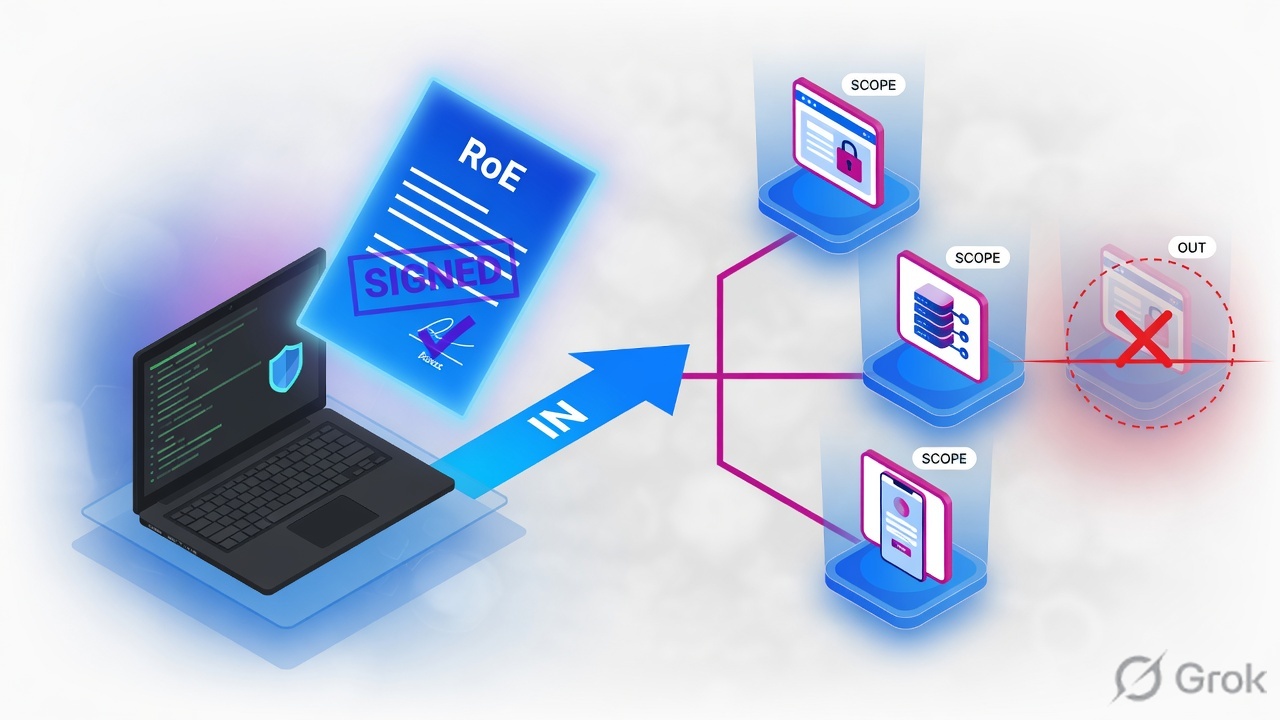
Why scoping equals exploitation in importance: without clear, written scope you risk testing the wrong systems, breaking production, or acting illegally. Scope defines what is in and out, time windows, off-limit actions (for example, no DDoS), and who to call if something breaks. A brilliant exploit on an out-of-scope server is a liability, not a win.

👉 Interview tip: Mention that scoping protects you legally and protects the client's uptime.

L14. What is the CIA triad and how does each pillar map to the kinds of vulnerabilities you test for?

The CIA triad is the three core goals of security:

  • Confidentiality - only authorized people see data. You test for SQL injection, broken access control / IDOR, weak encryption, information disclosure, and exposed secrets.
  • Integrity - data is not tampered with. You test for CSRF, insecure deserialization, missing input validation, weak signing, and parameter tampering.
  • Availability - systems stay up for legitimate users. You test for DoS conditions, resource exhaustion, and rate-limit gaps (often analyzed rather than actively flooded in a pentest, since taking production down is usually out of scope).

Think of a pharmacy: confidentiality means patient records stay private, integrity means prescriptions cannot be altered, and availability means the pharmacy is open when needed.

Every finding ultimately violates one or more pillars, which helps you explain why a bug matters in business terms.

👉 Interview tip: Tie each bug you mention back to a CIA pillar - it shows you think in impact, not just exploits.

L15. What does 'proof of concept' mean in a pentest, and why is a vulnerability scanner's output not the same as a confirmed finding?

A proof of concept (PoC) is concrete evidence that a vulnerability is real and exploitable - the exact request, payload, screenshot, or extracted data showing the attack works. It turns a theory into a demonstrated fact.

A scanner only reports what might be wrong, often by matching version numbers or patterns. This produces:

  • False positives - a flagged flaw that is not actually exploitable (for example, a patch was back-ported but the version string still looks old).
  • No impact context - the scanner cannot tell you what data an attacker actually reaches.

Like a smoke alarm beeping, it signals a possible fire, but a firefighter must confirm there is an actual blaze before you evacuate the building.

A pentester's job is to validate scanner output, remove false positives, and attach a PoC so the client trusts the finding and can reproduce it.

👉 Interview tip: Say "a scanner finds suspects; a PoC convicts them" - manual validation is what separates a pentest from a scan.

L26. Compare PTES and NIST SP 800-115. How do their phase models differ, and which would you anchor a methodology to and why?

PTES (Penetration Testing Execution Standard) has seven detailed phases: pre-engagement interactions, intelligence gathering, threat modeling, vulnerability analysis, exploitation, post-exploitation, and reporting. It is practitioner-driven and explicitly covers business-facing steps like scoping and threat modeling.

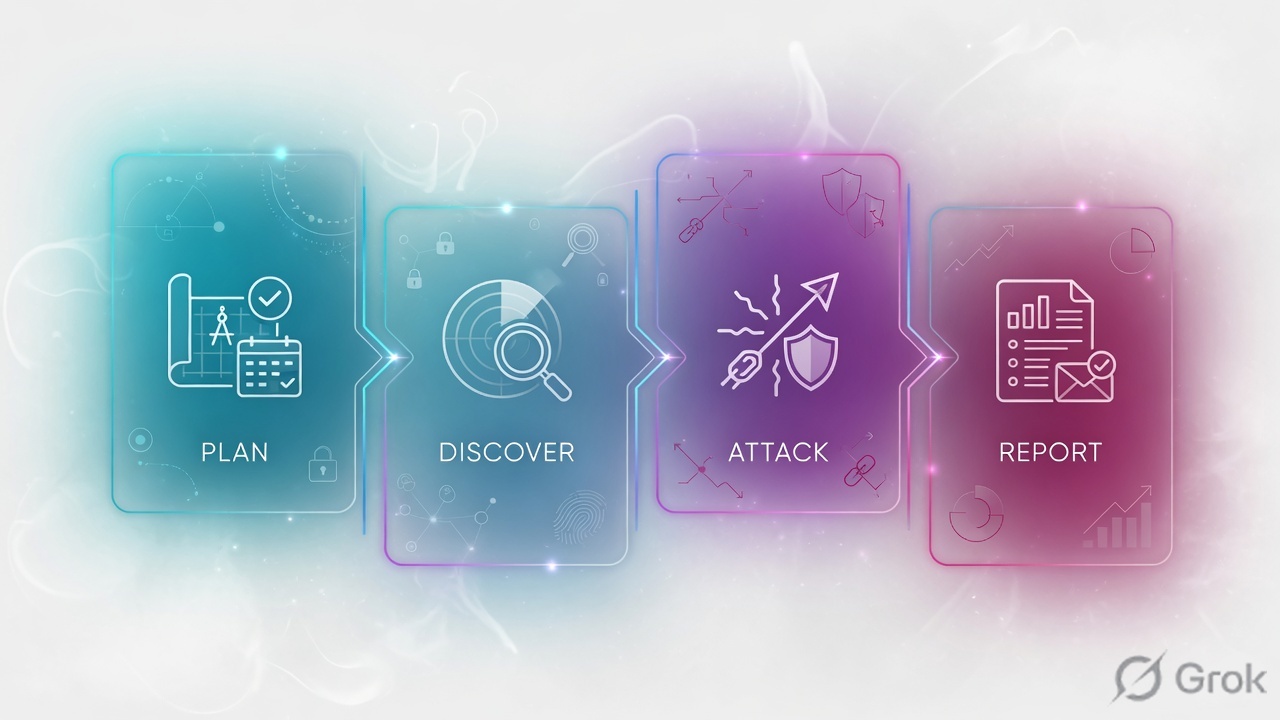
NIST SP 800-115 is a U.S. government technical guide whose core execution model is leaner - four phases: planning, discovery, attack (with a feedback loop back to discovery as new targets surface), and reporting. It is also broader than just pentesting, covering reviews and target identification across security testing in general.

PTES reads like a full operational playbook; NIST reads like a government framework you cite for compliance.

  • Anchor to PTES for the operational "how," because its threat-modeling and post-exploitation depth produce richer, business-relevant findings.
  • Map to NIST SP 800-115 when the client needs a recognized standard to reference.

👉 Interview tip: Show you can use one as the working method and the other as the compliance citation - real teams blend them.

L27. What is the difference between the OWASP Top 10 (risk taxonomy) and the OWASP WSTG (testing methodology)? Why is conflating them a problem?

The OWASP Top 10 is a risk awareness list - the ten most critical web application security risk categories (for example, Broken Access Control, Injection, and Security Misconfiguration). It tells you what commonly goes wrong, but not how to test for it.

The OWASP Web Security Testing Guide (WSTG) is a methodology - hundreds of concrete, step-by-step test cases (with IDs like WSTG-ATHN-01) covering authentication, session management, input validation, and more. It tells you how to test thoroughly.

Like a restaurant, the Top 10 is the menu of common food-safety hazards, while WSTG is the full kitchen inspection checklist.

Why conflating them is dangerous: treating the Top 10 as your test plan gives false confidence and gaps - it is a high-level awareness document, not exhaustive coverage. Many real bugs (business-logic flaws, specific session issues) live in WSTG cases that never map cleanly to a Top 10 bucket.

👉 Interview tip: Say "the Top 10 scopes the conversation; WSTG drives the actual testing."

L38. How would you design a repeatable testing methodology for a new team, and how does MITRE ATT&CK fit into mapping your findings?

I would build a methodology that is standardized, documented, and tool-agnostic so results are consistent regardless of who runs the test:

  1. Anchor to a framework - PTES for flow, plus OWASP WSTG / MASVS for web and mobile test cases, so coverage is auditable.
  2. Define stage gates and templates - a standard scoping form, evidence-capture rules, severity scoring (CVSS), and a fixed report template.
  3. Maintain a living checklist per asset type, version-controlled and peer-reviewed.
  4. Build a knowledge base of payloads, prior findings, and lessons learned.

It is like a surgical checklist - consistency reduces missed steps and human error.

MITRE ATT&CK fits at the findings and post-exploitation layer. I map each demonstrated action to ATT&CK techniques (for example, T1078 Valid Accounts and T1059 Command and Scripting Interpreter). This translates raw findings into adversary behavior the blue team understands, shows defensive coverage gaps, and aligns the report with detection engineering.

👉 Interview tip: Stress that ATT&CK turns "we found a bug" into "here is the attack chain your detections must catch."

L39. What is the difference between a red team engagement and a standard penetration test in terms of objectives, scope, stealth, and deliverables?

A standard pentest aims for broad coverage - find as many exploitable vulnerabilities as possible in a defined scope within a time box. A red team is objective-driven - emulate a real adversary to achieve a goal (for example, "reach the crown-jewel database") and test whether the blue team can detect and respond.

  • Objectives: pentest enumerates weaknesses; red team tests detection and response against a realistic threat.
  • Scope: pentest is explicit and often narrow; red team is broad and goal-based, and may include phishing, physical, and wireless vectors.
  • Stealth: pentest is mostly noisy and announced; red team is quiet and evasive, with defenders usually unaware (only a small "white cell" knows).
  • Deliverables: pentest yields a list of findings plus remediation; red team yields an attack narrative, a detection timeline, and blue-team gaps.

A pentest is a building inspection; a red team is hiring actors to break in unannounced to test the guards.

👉 Interview tip: Mention purple teaming - red and blue collaborating - as the modern maturity goal.

Web & API Vulnerabilities (9)

L110. Explain SQL injection. What are the main types, how do you confirm one is exploitable, and what is the correct remediation?

SQL injection (SQLi) happens when user input is concatenated into a database query, so an attacker's text becomes code instead of data. Think of a librarian who reads your note aloud as a command: if your note says "and also hand over every member's card," they obey.

  • In-band: results come back in the same response. Error-based (a DB error message leaks data) and UNION-based (append UNION SELECT to pull extra columns).
  • Blind: no data is shown. Boolean-based (true/false conditions change the page) and time-based (a payload like SLEEP(5) delays the response).
  • Out-of-band: data is exfiltrated over a separate channel such as DNS or HTTP when in-band/blind are impractical.

Confirm by injecting a single quote ' to provoke an error, then a logic test like ' OR '1'='1 or a time payload. A consistent delay or a reproducible behaviour change proves it, ideally validated by hand before trusting a scanner.

Remediation: parameterized queries / prepared statements are the primary fix; add least-privilege DB accounts, server-side input validation, stored-procedure hygiene, and a WAF as defence-in-depth (never as the primary control).

Interview tip: always say parameterized queries first because escaping and WAFs are secondary.

L111. What are the three types of Cross-Site Scripting? Explain stored XSS to a non-technical stakeholder in plain language.

Cross-Site Scripting (XSS) lets an attacker run their own JavaScript in another user's browser, in the context of the trusted site. Three types:

  • Stored (persistent): the malicious script is saved on the server (e.g. in a comment or profile field) and runs for everyone who later views that page.
  • Reflected: the script is bounced straight back in the immediate response, usually via a crafted link the victim is tricked into clicking.
  • DOM-based: the flaw is entirely in client-side JavaScript that writes attacker-controlled input into the page, so the server may never see the payload.

Stored XSS in plain language: imagine a community notice board where anyone can pin a note. A bad actor pins a note that secretly contains a hidden instruction. Every visitor who reads the board unknowingly follows that instruction, for example handing over their login session. Because the note stays pinned, it harms every future visitor automatically.

Fix: context-aware output encoding (the primary control), input validation, a strong Content-Security-Policy, and HttpOnly cookies so script cannot steal the session.

Interview tip: stress that stored XSS is usually the most dangerous because it is persistent and affects every future user without further attacker action.

L112. What is CSRF, how does it work, and what defenses (tokens, SameSite cookies) stop it?

Cross-Site Request Forgery (CSRF) tricks a logged-in victim's browser into sending an unwanted, state-changing request to a site they are authenticated to. It abuses the fact that browsers automatically attach cookies to every request bound for a domain.

How it works: you are logged into your bank. You visit a malicious page that silently submits a hidden form to bank.com/transfer. Your browser attaches your session cookie, so the bank believes you made the transfer. It is like someone forging your signature on a cheque, because the bank only checks the cheque is in your name, not who actually wrote it.

  • Anti-CSRF tokens: a secret, unpredictable per-session or per-request value the attacker cannot read or guess (synchronizer token pattern). This is the robust primary defence.
  • SameSite cookies (Lax / Strict): the browser refuses to send the cookie on cross-site requests, breaking the attack.
  • Also: validating the Origin / Referer header, and re-authenticating for sensitive actions.

Interview tip: note that SameSite=Lax is now the default in major browsers, but it is defence-in-depth, not a substitute for tokens (top-level cross-site GET navigations still send Lax cookies).

L213. What is IDOR, and how do you test for it during an engagement?

Insecure Direct Object Reference (IDOR) is a broken access-control flaw where the app exposes a reference to an internal object (like ?invoice_id=1043) but fails to check whether the logged-in user is authorized to access it. Change the ID, get someone else's data. It is like a hotel where any room key opens any door because reception never checks which room is yours.

How I test it:

  1. Map every request that references an object: numeric ID, UUID, username, filename, or an encoded/hashed value.
  2. Capture a request as User A in Burp, then replay it swapping in User B's ID (and/or session) to see if A can read or modify B's resource.
  3. Test all verbs (GET, POST, PUT, DELETE) since read access may be locked down while write is not.
  4. Try incrementing/decrementing IDs, and decode-then-tamper Base64 or hashed references.
  5. Automate cross-account checks with Burp's Autorize or Auth Analyzer extension.

Interview tip: emphasize testing with two real accounts. IDOR is fundamentally an authorization bug, not an authentication one.

L214. Explain SSRF. Walk me through how an SSRF in a cloud app could reach the instance metadata endpoint at 169.254.169.254 and what an attacker gains.

Server-Side Request Forgery (SSRF) tricks the server into making HTTP requests to a destination the attacker chooses. If an app fetches a user-supplied URL (image import, webhook, PDF render) without validation, the attacker can point it at internal targets the server can reach but the attacker normally cannot.

Cloud metadata chain:

  1. The app has a feature like ?url=https://example.com/logo.png.
  2. The attacker swaps it for http://169.254.169.254/latest/meta-data/, the link-local cloud metadata endpoint reachable only from inside the instance.
  3. On IMDSv1 (no session token required), the server fetches it and returns the response to the attacker.
  4. The attacker walks to iam/security-credentials/<role> and harvests the instance's temporary AWS access keys.

What they gain: the instance's IAM role credentials, letting them call AWS APIs (read S3, enumerate resources, sometimes spin up infrastructure) as that role. This is the core of the Capital One pattern.

Defences: enforce IMDSv2 (session-token bound, low hop-limit) and disable IMDSv1, allowlist outbound destinations, and block requests to link-local / internal IP ranges.

Interview tip: always name IMDSv2 as the cloud-specific fix and pair it with least-privilege IAM.

L215. Walk me through the OWASP Top 10:2025. What changed from 2021 - specifically the new Software Supply Chain Failures category, Security Misconfiguration moving up, and SSRF being folded into Broken Access Control?

The OWASP Top 10:2025 (announced November 2025, finalized early 2026) re-groups the 2021 list using a much larger dataset (175,000+ CVEs analysed) plus a community survey. Key shifts:

  • Broken Access Control stays A01 (#1), and SSRF is now folded into it. OWASP treats SSRF as the server being coerced into reaching resources it should not, which is an access-control failure rather than a standalone category. Its CWE coverage grew from 34 to 40 to absorb SSRF.
  • Security Misconfiguration climbed sharply, from #5 in 2021 to A02 (#2) in 2025, reflecting how common cloud, IaC, and default-setting mistakes have become as deployments grow more complex.
  • Software Supply Chain Failures is the headline new category at A03, expanding the old "Vulnerable and Outdated Components." It now covers the whole chain: dependencies, build tools, CI/CD pipelines, container registries, and artifact integrity, driven by incidents like SolarWinds/SUNBURST and Log4Shell.
  • Cryptographic Failures and Injection both remain on the list but drop in rank (A04 and A05); Mishandling of Exceptional Conditions also enters as a new category.

Analogy: 2025 stops treating a poisoned supplier as merely "an old part" and recognizes the whole delivery truck can be hijacked.

Interview tip: frame each change as data-driven re-grouping, not brand-new risk classes, and lead with supply chain plus misconfiguration as the 2025 story.

L216. In the OWASP API Security Top 10 2023, how is API1 BOLA different from a classic web IDOR, and why is API2 Broken Authentication called out separately?

API1:2023 Broken Object Level Authorization (BOLA) shares the same root cause as web IDOR: the server does not verify the caller owns the object ID they request. The difference is context and scale:

  • APIs expose object IDs directly and constantly (every GET /users/{id}/orders), often with predictable IDs and no UI to hide them, so BOLA is more prevalent and far easier to enumerate at scale. It has ranked #1 on the API list since 2019.
  • Mobile and SPA clients make the object references obvious in traffic; there is no "page" abstraction masking them.

So BOLA is IDOR generalized to machine-to-machine API design, where per-object authorization checks are frequently missing across many endpoints.

API2:2023 Broken Authentication is called out separately because authentication and authorization are distinct failures. BOLA assumes you are correctly logged in but accessing the wrong object; API2 covers flaws in proving who you are: weak JWT validation, credential stuffing, missing rate limits on login, and broken token rotation. Both must be tested independently.

Interview tip: say it cleanly. Authentication is who you are; authorization (BOLA) is what you are allowed to touch.

L317. Explain XXE and SSTI. How do you detect each, and how would you escalate an SSTI to remote code execution?

XXE (XML External Entity): an XML parser configured to resolve external entities lets an attacker define an entity pointing at a local file or a URL. Detect it by submitting XML with a declared entity such as !ENTITY xxe SYSTEM "file:///etc/passwd" and checking whether the file content is reflected, or by using out-of-band (OOB) callbacks to your server for blind cases. Impact: local file read, SSRF, and sometimes denial of service.

SSTI (Server-Side Template Injection): user input is rendered as part of a server-side template (Jinja2, Twig, Freemarker). Detect it by injecting math like {{7*7}} or ${7*7}; if the response shows 49, the template engine evaluated it. A polyglot probe helps fingerprint which engine is in use before you commit to payloads.

Escalating SSTI to RCE: once evaluation is confirmed, identify the exact engine, then break out of the template sandbox to reach OS functions. In Jinja2 you walk Python's object model, for example using __class__ / __mro__ / __subclasses__ to locate a class exposing os.popen (or similar), then call it to run commands. Each engine has its own gadget chain.

Interview tip: always identify the engine before firing payloads. Wrong-engine payloads waste time and trip WAFs.

L318. Describe a real attack on JWT/OAuth token handling - for example token-scope enforcement failures or alg-confusion. How would you test the full token lifecycle including rotation endpoints?

alg-confusion attack: a server that verifies RS256 (asymmetric) tokens but also accepts HS256 can be tricked. The attacker switches the header to alg: HS256 and signs the token using the server's public key as the HMAC secret. If the library naively uses the same key for both algorithms, the forged token validates, leading to full account takeover. The alg: none variant strips signing entirely where the library still accepts it.

Scope enforcement failure: an OAuth access token issued for read scope is accepted by a write endpoint because the API only checks the token is valid and never checks the scope claim, giving privilege escalation.

Testing the lifecycle:

  • Issuance: inspect the claims, try alg: none and HS256/RS256 confusion, attempt to crack weak HMAC secrets with hashcat, and look for missing aud / iss / exp validation.
  • Use: replay an expired or revoked token, swap scopes, and tamper with sub to test IDOR-via-JWT.
  • Refresh / rotation: reuse a consumed refresh token (rotation should invalidate the whole token family), test refresh-token replay across devices, and confirm that logout or revocation truly kills the token server-side.

Interview tip: stress that JWTs are stateless, so revocation and rotation must be enforced explicitly; many real bugs hide there.

Recon, Scanning & Tools (9)

L119. What is the difference between passive and active reconnaissance? Name tools you'd use for each.

Reconnaissance is the first stage of a pentest — gathering information about your target before attacking. It splits into two flavours.

Passive recon collects data without touching the target's systems. You only query third-party sources, so the target sees no traffic from you. Think of it like reading a company's public phone book — nobody knows you looked. Tools: theHarvester, Shodan, Google dorks, WHOIS, and certificate transparency logs (crt.sh).

Active recon sends packets directly to the target — port scans, banner grabs, DNS zone-transfer attempts. It is more accurate but noisy and detectable (firewall/IDS logs, alerts). Tools: nmap, masscan, dnsenum, and banner-grabbing with netcat.

Note the grey area: querying the target's own DNS server or visiting its website is technically interaction. Purists call DNS/web browsing semi-passive. Good methodology: exhaust passive sources first, then go active only on confirmed in-scope assets.

Interview tip: Stress that passive recon = zero footprint on the target, active recon = direct interaction and detectable. Confusing the two is a common junior mistake.

L120. Explain common Nmap scan types: -sS vs -sT, -sV, -p-, and -A. What does each one tell you?

Nmap is the standard port scanner. The flags control how it probes.

  • -sS (SYN / half-open scan): sends a SYN, waits for the SYN-ACK, then replies RST instead of completing the handshake. Fast and stealthier; needs root/raw-socket privileges. Tells you which ports are open, closed, or filtered.
  • -sT (TCP connect scan): completes the full 3-way handshake via the OS connect() call. No root needed, but slower and more likely to be logged by the target application.
  • -sV (version detection): probes open ports to identify the service and version (e.g. Apache httpd 2.4.49) — critical for matching CVEs.
  • -p-: scans all 65,535 TCP ports, not just the top 1,000 that Nmap scans by default.
  • -A (aggressive): bundles version detection, OS detection, default NSE scripts, and traceroute. Loud but information-rich.

Analogy: -sS knocks and runs; -sT rings the bell and waits.

Interview tip: Mention that -sS needs privileges (and silently falls back to -sT without them) and that -A is noisy — this shows you think about stealth, not just syntax.

L121. Walk me through the core features of Burp Suite — Proxy, Repeater, and Intruder — and what you use each for.

Burp Suite is the go-to web-app testing platform. It sits as a man-in-the-middle proxy between your browser and the target, letting you inspect and tamper with every request.

  • Proxy: the heart of Burp. It intercepts HTTP/S traffic so you can read, pause, and edit requests before they reach the server. You point the browser through Burp and trust its CA certificate so HTTPS can be decrypted. Use it to map the app and capture interesting requests.
  • Repeater: lets you manually resend and tweak a single request over and over. Perfect for testing one parameter — change a value, hit Send, watch the response. Your main tool for manually probing SQLi, IDOR, and auth logic.
  • Intruder: automates payload injection into chosen positions. Use it for fuzzing, brute-forcing logins, or enumerating IDs with attack types like Sniper and Cluster Bomb. (Note: the free Community edition throttles Intruder heavily — a paid Professional licence removes the speed limit.)

Analogy: Proxy = a wiretap, Repeater = redial-by-hand, Intruder = an auto-dialer.

Interview tip: Say Repeater is for precision manual testing and Intruder is for automation — knowing when to use which signals real hands-on experience.

L122. You run Nessus or Nikto and get a list of findings. How do you separate real issues from false positives before reporting?

Automated scanners like Nessus and Nikto are pattern-matchers — they often flag issues by banner version alone, so blindly copying their output into a report is unprofessional. You must validate manually.

  • Read the evidence: check the plugin output, the request/response, and why the tool flagged it.
  • Manually verify: reproduce the finding yourself — craft the request in Burp Repeater or curl and confirm the vulnerable behaviour actually occurs.
  • Beware version-only flags: a banner saying OpenSSH 7.4 doesn't prove exploitability if the distro back-ported the security patch.
  • Check context and scope: is the host in scope? Is the supposed vuln actually reachable, or is it behind auth or a WAF?
  • Confirm impact: only report what you can demonstrate or credibly justify.

Analogy: a scanner is a metal detector that beeps — you still have to dig to see if it's treasure or a bottle cap.

Interview tip: Say you never paste raw scanner output into a report — manual confirmation plus a proof-of-concept is what separates a pentester from a scan-button-pusher.

L223. How would you enumerate subdomains and the external attack surface of a target using OSINT tools like Amass, theHarvester, and Shodan?

External attack-surface mapping starts with finding every internet-facing asset the organisation owns — ideally without touching them directly.

  • Amass: aggregates subdomains from dozens of passive sources (certificate transparency, DNS datasets, search engines) and can also do active DNS brute-forcing. Run amass enum -d target.com to build a subdomain map. (Note: brute-force mode and resolution are active, so they touch the target's DNS.)
  • theHarvester: pulls emails, hostnames, and employee names from search engines and public sources — useful for mapping the phishing surface and naming conventions: theHarvester -d target.com -b all.
  • Shodan: queries a pre-built index of internet-connected hosts. Search org:"Target Inc" or ssl:target.com to find exposed services, open ports, banners, and even outdated software — all without scanning the target yourself.

Workflow: enumerate subdomains (Amass) then resolve them to live IPs, check each in Shodan for exposed services, and cross-reference emails (theHarvester). Finally validate live hosts with a light probe such as httpx.

Interview tip: Mention deduplicating and resolving results, plus confirming ownership/scope — finding a subdomain isn't proof you're allowed to test it (watch out for shared/cloud IPs you don't own).

L224. What are Nmap NSE scripts and when would you use them? Give an example of a script category that's useful during enumeration.

The Nmap Scripting Engine (NSE) lets Nmap run small Lua scripts that go beyond plain port scanning — they perform deeper interrogation like vulnerability checks, brute-forcing, and detailed service enumeration. You invoke them with --script, e.g. nmap --script=http-enum -p80,443 target.

Scripts are grouped into categories so you can run a whole class at once:

  • default (also run via -sC) — safe, generally useful scripts run automatically.
  • discovery — gathers more info (e.g. dns-brute, smb-os-discovery), great during enumeration.
  • vuln — checks for known vulnerabilities (e.g. http-shellshock).
  • auth / brute — test or guess credentials.
  • safe vs intrusive — flag how aggressive a script is.

During enumeration, the discovery category shines — e.g. smb-enum-shares lists accessible SMB shares, revealing data exposure quickly.

Interview tip: Warn that brute and vuln scripts can be intrusive and may crash fragile services — confirm scope before running them against production.

L225. How do you use Burp Collaborator to detect out-of-band vulnerabilities like blind SSRF or blind XXE?

Some vulnerabilities give no visible response in the page — the server processes your payload but you can't see the result. These are blind / out-of-band (OOB) bugs, and Burp Collaborator is built to catch them.

Collaborator is a server (Burp-hosted or self-hosted) that listens for DNS, HTTP/S, and SMTP interactions. The idea: you inject a unique Collaborator subdomain as a payload; if the target reaches out to it, you get proof the payload executed — even with no on-page response.

  • Blind SSRF: put a Collaborator URL in a parameter that fetches remote content. If the server makes an outbound request to your Collaborator domain, SSRF is confirmed.
  • Blind XXE: inject an external entity pointing to your Collaborator host. A DNS or HTTP hit proves the XML parser resolved your external entity.

Generate a payload via the Collaborator client (or right-click then Insert Collaborator payload), plant it, then poll for interactions. A DNS lookup alone confirms reachability.

Analogy: it's a tracer dye — you can't see inside the pipe, but the dye coming out the other end proves a connection.

Interview tip: Note that a DNS-only hit still proves the vuln, even when egress HTTP is firewalled — many segmented networks allow outbound DNS but block direct HTTP.

L326. An interviewer says 'I just run Nessus and Metasploit for everything.' Why is over-reliance on a single tool a red flag, and how do you chain findings manually instead?

Saying you "just run Nessus and Metasploit" is a red flag because those tools mostly find known, signatured issues. Real engagements hinge on logic flaws, chained misconfigurations, and business-logic abuse that no scanner detects. Over-reliance means:

  • Missed vulns: IDOR, auth bypass, race conditions, and SSRF chains rarely show up in Nessus.
  • False confidence: automated output is full of false positives and lacks impact context.
  • Noisy and fragile: firing blind Metasploit exploits can crash production hosts.

Instead, you chain findings manually: combine low-severity issues into a high-impact path. For example — an exposed .git folder leaks source, the source reveals an API key, the key grants S3 access, a writable bucket lets you plant a web shell, and you achieve RCE. Each step alone is rated low; together it's critical.

Methodology: enumerate thoroughly, understand the app's logic, validate by hand in Burp Repeater, then escalate by linking weaknesses. Tools assist; the analyst chains.

Interview tip: Give a concrete chain (info-leak then credential then privilege escalation). Demonstrating chaining is what separates senior pentesters from scan-and-report juniors.

L327. How do you approach pentesting an LLM-based application — prompt injection, jailbreaks, RAG data leakage — and how does the OWASP LLM Top 10 guide that work?

LLM apps add a new attack surface where untrusted text becomes executable instruction. I structure testing around the OWASP Top 10 for LLM Applications (2025 edition), which catalogues the key risks.

  • Prompt injection (LLM01): test direct injection ("ignore previous instructions") and indirect injection — malicious instructions hidden in a web page, PDF, or email the model later ingests.
  • Jailbreaks: bypass safety guardrails via role-play, encoding, or multi-turn manipulation to force disallowed output (OWASP treats jailbreaking as a form of prompt injection under LLM01).
  • Sensitive information disclosure (LLM02): probe whether the app leaks training data, secrets, or PII in its responses.
  • RAG / vector and embedding weaknesses (LLM08): test whether the retrieval layer leaks other tenants' documents or lets you poison the vector store; related system-prompt leakage is its own category (LLM07).
  • Excessive agency (LLM06): if the LLM can call tools or APIs, test whether injection can trigger unintended actions (send email, delete data).
  • Improper output handling (LLM05): check whether model output flows unsanitised into a browser (XSS) or a shell (command injection).

Analogy: treat the LLM like a gullible intern with system access — anything it reads, it might obey.

Interview tip: Emphasise indirect prompt injection and treating all model output as untrusted input — the two most-tested 2026 LLM concepts. Bonus points for naming the renumbered 2025 categories correctly.

Network, Active Directory & Privilege Escalation (9)

L128. What is privilege escalation? Explain the difference between vertical and horizontal privilege escalation with an example of each.

Privilege escalation is gaining more access rights than you were originally granted on a system. Think of it like sneaking from a hotel lobby into the manager's office, or quietly stealing another guest's room key.

  • Vertical (privilege elevation) means moving upward to a higher privilege level. Example: you land on a Linux box as a low-privileged www-data web user and abuse a misconfigured sudo rule or a kernel exploit to become root.
  • Horizontal means staying at the same privilege level but accessing another user's data or session. Example: as user alice you reuse a leaked session cookie to read bob's emails (same access tier, different account). An IDOR is the classic web version.

Attackers often chain them: go horizontal to a juicier account, then vertical to admin.

Interview tip: Say vertical = up, horizontal = sideways, and always give one Linux/AD example and one web example to show breadth.

L129. Describe an enumeration-first approach to privilege escalation. What would WinPEAS or LinPEAS look for before you attempt any exploit?

Enumeration-first means you gather everything about the box before firing exploits. Like a burglar walking every room and noting unlocked windows before forcing a door: noisy exploits can crash the box or alert defenders, so you map weaknesses first and pick the easiest, quietest win.

LinPEAS (Linux) hunts for: kernel/OS version, SUID/SGID binaries, writable files in $PATH and writable cron jobs, sudo rules (sudo -l), readable /etc/shadow or SSH private keys, Linux capabilities, weak service configs, and credentials in shell history, config files, and environment variables.

WinPEAS (Windows) hunts for: unquoted service paths, weak service and file permissions, AlwaysInstallElevated, stored credentials (registry, SAM, cmdkey, Credential Manager), token privileges like SeImpersonatePrivilege, scheduled tasks, and unpatched software.

Interview tip: Frame it as "enumerate, prioritise quick wins, then exploit" and never lead with a kernel exploit you did not need.

L130. On Linux, how do SUID/SGID binaries lead to privilege escalation, and what is GTFOBins?

A SUID (Set User ID) binary runs with the owner's privileges, not yours, so a SUID-root program executes as root regardless of who launches it. SGID does the same with the group. They exist for legitimate reasons (e.g. passwd needs root to edit /etc/shadow).

The danger: if a SUID-root binary can spawn a shell, read/write files, or run other commands, you inherit root. Example: a SUID find abused with find . -exec /bin/sh -p \; drops a root shell. You discover SUID files with find / -perm -4000 -type f 2>/dev/null.

GTFOBins (gtfobins.github.io) is a community catalog of Unix binaries and the exact one-liners to abuse them via SUID, sudo, capabilities, or file read/write. It is your cheat-sheet once you know which binary is SUID.

Interview tip: Mention the -p flag. Without it many shells drop the elevated privileges back to your real UID.

L231. Name three common Windows privilege escalation paths — for example unquoted service paths, weak service permissions, or token impersonation via SeImpersonatePrivilege.

Three reliable Windows local privilege-escalation paths:

  1. Unquoted service paths: a service whose path has spaces but no quotes (e.g. C:\Program Files\My App\svc.exe) makes Windows try C:\Program.exe first. If you can write to an earlier folder in that path, you drop a malicious exe that runs as the service account (often SYSTEM) on restart.
  2. Weak service permissions: if your user has SERVICE_CHANGE_CONFIG rights (check with accesschk.exe), you repoint the service binary path to your payload, restart the service, and inherit its high privileges.
  3. Token impersonation via SeImpersonatePrivilege: common on service accounts. The "Potato" family (PrintSpoofer, GodPotato, JuicyPotatoNG) tricks a SYSTEM process into authenticating to you, then you impersonate its token to become SYSTEM.

Others: AlwaysInstallElevated registry keys, DLL hijacking, and stored credentials.

Interview tip: Tie each path to the token or service account you end up running as. Interviewers want to hear "this gets me SYSTEM".

L232. What is Kerberoasting? Walk through the attack and how you'd detect a service account is vulnerable to it.

Kerberoasting abuses how Kerberos issues service tickets. Any authenticated domain user can request a TGS (service ticket) for any account that has a Service Principal Name (SPN). Part of that ticket is encrypted with the service account's password-derived key. You take the ticket offline and crack it. No admin rights are needed to request it.

Steps:

  1. Find accounts with SPNs set (these are usually service accounts).
  2. Request TGS tickets, e.g. GetUserSPNs.py (Impacket) or Rubeus kerberoast.
  3. Crack the extracted hashes offline with hashcat, mode -m 13100 for RC4 tickets or -m 19700 for AES-256, using a wordlist.

Vulnerable when: the SPN account has a weak human-set password. RC4 makes cracking far faster, but AES tickets are still crackable if the password is weak. Detect by enumerating SPN accounts (setspn -Q */* or an LDAP query) and flagging weak passwords and accounts not using a gMSA.

Interview tip: The defense (gMSA or long random passwords, plus AES-only and disabling RC4) earns big points.

L233. Explain Pass-the-Hash and AS-REP Roasting. What conditions in Active Directory make each possible?

Pass-the-Hash (PtH): Windows NTLM authentication proves identity with the password hash, not the plaintext. So if you steal an account's NTLM hash (from LSASS, the SAM, or DCSync), you authenticate as that user without ever cracking the password, like opening a door with a copy of the key instead of guessing the combination. Tools: impacket-psexec, impacket-wmiexec, Mimikatz sekurlsa::pth.

Conditions for PtH: NTLM authentication is in use, local admin credentials are reused across machines, and hashes are recoverable from memory (no Credential Guard / no LSA protection).

AS-REP Roasting: targets accounts with "Do not require Kerberos pre-authentication" set. You request an AS-REP for such a user; part of it is encrypted with their password-derived key, which you crack offline (GetNPUsers.py, hashcat -m 18200). No credentials are needed at all.

Interview tip: Stress that AS-REP Roasting needs the pre-auth-disabled flag on the target, while PtH needs a stolen hash you already obtained.

L234. How do you use BloodHound/SharpHound to find attack paths to Domain Admin in a large AD environment?

BloodHound turns Active Directory into a graph of who can reach what, so instead of guessing you literally see the shortest path to Domain Admin, like Google Maps for an AD attack.

Workflow:

  1. Collect with SharpHound (the collector) as any domain user: SharpHound.exe -c All. It enumerates users, groups, sessions, ACLs, GPOs, and trusts, outputting JSON in a ZIP.
  2. Import the data into BloodHound (now BloodHound CE, backed by Neo4j).
  3. Query using built-ins like "Shortest Paths to Domain Admins", or mark your owned user and run "Shortest Path from Owned Principals".

You then follow edges like MemberOf, AdminTo, HasSession, GenericAll, ForceChangePassword, or DCSync rights, chaining the cheapest abuses to reach DA.

Interview tip: Name a few edges (GenericAll, ForceChangePassword, DCSync). It proves you read the graph, not just ran the tool.

L335. Explain DCSync and Golden Ticket attacks. What privileges are required for each and how do they relate to the krbtgt account?

Both attacks revolve around krbtgt, the special account whose password hash signs and encrypts every Kerberos TGT in the domain. Owning it means owning Kerberos.

DCSync abuses the directory replication protocol. With replication rights (DS-Replication-Get-Changes plus Get-Changes-All, held by Domain/Enterprise Admins or any account granted them), an attacker asks a DC to "replicate" account data and silently pulls password hashes for any account, including krbtgt, without running code on the DC. Tools: Mimikatz lsadump::dcsync or impacket-secretsdump.

Golden Ticket: once you have the krbtgt hash (often via DCSync), you forge your own TGTs offline for any user, in any group (including Domain Admins), with an arbitrary lifetime. This is full domain persistence that DCs trust blindly.

So DCSync steals the krbtgt key; the Golden Ticket uses it. Defense: rotate the krbtgt password twice, and alert on replication requests from hosts that are not DCs.

Interview tip: Say "DCSync needs replication ACLs; Golden Ticket needs the krbtgt hash" so you do not confuse the two prerequisites.

L336. Walk me through a full lateral movement chain in an enterprise network — from initial foothold, through credential harvesting with Mimikatz/Impacket, to domain dominance — mapping the steps to MITRE ATT&CK technique IDs.

A realistic chain, mapped to MITRE ATT&CK:

  1. Initial Access: a phishing attachment lands a beacon. T1566 (Phishing).
  2. Execution / Discovery: run SharpHound/BloodHound to map the domain. T1059 (Command and Scripting Interpreter), T1482 (Domain Trust Discovery), T1087 (Account Discovery).
  3. Credential Access: dump LSASS with Mimikatz sekurlsa::logonpasswords. T1003.001 (OS Credential Dumping: LSASS Memory). Kerberoast SPN accounts. T1558.003 (Kerberoasting).
  4. Lateral Movement: Pass-the-Hash via impacket-psexec or wmiexec to a server. T1550.002 (Use Alternate Authentication Material: Pass the Hash) plus T1021.002 (SMB/Windows Admin Shares).
  5. Privilege Escalation to DA: reach an account with replication rights and run DCSync. T1003.006 (OS Credential Dumping: DCSync).
  6. Domain Dominance / Persistence: forge a Golden Ticket with the krbtgt hash. T1558.001 (Golden Ticket).

Like a thief who picks one lock, copies the master key, then opens every door.

Interview tip: Show the loop (harvest creds, move, harvest again) and always cite the LSASS dump (T1003) as the pivot point.

Scoring, Reporting & Ethics (9)

L137. What are the CVSS severity bands, and what is the difference between a base score and the exploitability vs impact subscores?

CVSS (Common Vulnerability Scoring System) rates severity on a 0 to 10 scale, grouped into bands:

  • None: 0.0
  • Low: 0.1 to 3.9
  • Medium: 4.0 to 6.9
  • High: 7.0 to 8.9
  • Critical: 9.0 to 10.0

The Base score reflects the intrinsic, constant qualities of a vulnerability. It is built from two halves:

  • Exploitability subscore - how easy it is to attack: Attack Vector, Attack Complexity, Privileges Required, and User Interaction.
  • Impact subscore - what happens if exploited: the effect on Confidentiality, Integrity, and Availability.

Think of a car recall: exploitability is how likely the part fails, and impact is how bad the crash would be. Severity needs both.

👉 Interview tip: Note that a high base score can come from easy exploitation OR severe impact - always read which half drove it.

L138. What goes into a penetration test report? Why does the executive summary need different language than the technical findings?

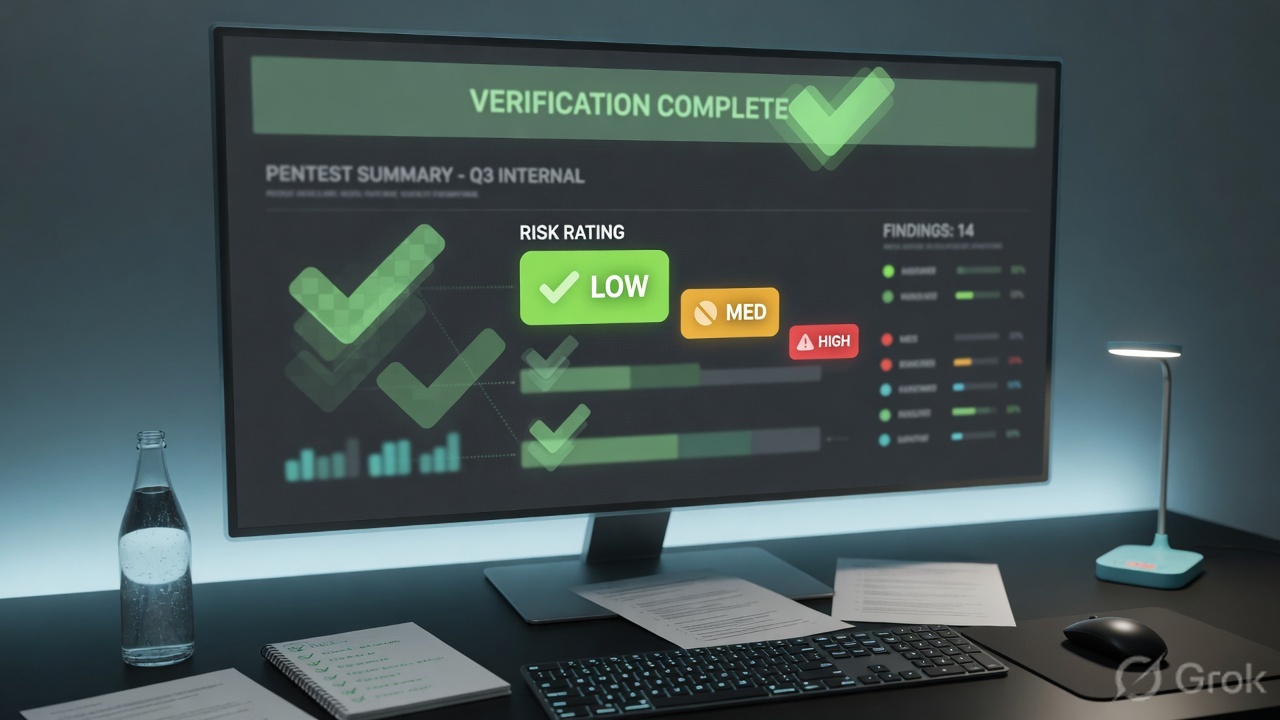
A solid report typically contains:

  • Executive summary - a business-level risk overview for leadership.
  • Scope and methodology - what was tested, how, and when.
  • Findings - each with a description, severity (CVSS), affected assets, PoC/evidence, and impact.
  • Remediation - prioritized, actionable fixes.
  • Appendices - tool output and raw data.

The executive summary targets non-technical decision-makers who control budget and risk acceptance. They need business impact and priorities - "an attacker could access all customer data" - not packet captures. The technical findings target engineers who need exact reproduction steps and configs to fix the issue.

Same incident, two audiences: tell the CEO "the vault door does not lock," and tell the locksmith "pin three is worn 0.4mm."

👉 Interview tip: Say a great report is judged by whether the client can act on it - clarity beats jargon.

L139. Why does scope and written authorization (Rules of Engagement) matter before you touch a target? What would you do if you discovered a system outside scope was exploitable?

Scope and written authorization - the Rules of Engagement (RoE) - are what make testing legal instead of a crime. Unauthorized access violates laws like the U.S. CFAA or India's IT Act, regardless of good intent. The RoE and a signed authorization document (the "get-out-of-jail letter") define targets, time windows, permitted techniques, off-limit actions, and emergency contacts.

Like a locksmith hired to test your locks, doing the exact same actions without written permission is breaking and entering.

If I find an out-of-scope system is exploitable:

  • Stop - do not exploit or access it.
  • Document the discovery factually.
  • Notify the client contact promptly.
  • Request a scope change in writing before going further.

Acting without authorization, even helpfully, exposes both you and your firm to legal liability.

👉 Interview tip: Emphasize "stop and report" - showing restraint signals professional maturity more than aggression does.

L140. How do you handle sensitive data and client confidentiality during and after an engagement?

Sensitive data (credentials, PII, internal docs, findings) must be protected end to end:

  • Minimize collection - extract only enough to prove impact; never dump entire customer databases.
  • Encrypt at rest and in transit - full-disk encryption on test machines, and encrypted channels for transferring evidence.
  • Access control - only the engagement team can see the data; apply least privilege.
  • Secure reporting - deliver reports over encrypted channels, not plain email, and redact where possible.
  • Data destruction - securely wipe client data after the agreed retention period.

An NDA usually governs all of this legally. Treat client data the way a doctor treats patient records - confidential by default, shared only with those who need it.

Mishandling data can cause more damage than the original vulnerability and destroys client trust.

👉 Interview tip: Mention secure deletion and NDA compliance - interviewers value candidates who think about data after the test ends.

L241. How do you prioritize findings? Walk me through why CVSS alone is not enough and how business impact changes the ranking.

CVSS gives a useful technical severity baseline, but it is context-blind. It does not know whether the vulnerable host stores customer payments or is an isolated test box. Two findings with an identical CVSS 9.8 can carry wildly different real risk.

I prioritize by layering on:

  • Asset criticality - a Medium bug on a crown-jewel system can outrank a Critical on a sandbox.
  • Real-world exploitability - is it internet-facing? Is exploit code public, or is it in EPSS or the CISA KEV catalog?
  • Business impact - regulatory exposure, revenue, reputation, and safety.
  • Attack chains - low-severity bugs that combine into a critical path.

It is like triage in an ER: you do not treat purely by how loud the patient is, you treat by what is actually life-threatening and treatable now.

So I present a risk-ranked list, not just a CVSS-sorted one, and I explain the reasoning.

👉 Interview tip: Say CVSS answers "how bad is the bug"; risk answers "how bad is it for this client" - the second drives the fix order.

L242. What changed in CVSS v4.0 versus v3.1 — the Vulnerable/Subsequent System impact replacing Scope, Attack Requirements, the new User Interaction levels, and Temporal renamed to Threat?

CVSS v4.0 refined v3.1 to reduce "score bunching" and add nuance:

  • Scope replaced by Vulnerable/Subsequent System metrics - instead of a vague binary Scope flag, v4.0 separately scores impact on the Vulnerable System (VC/VI/VA) and the downstream Subsequent System (SC/SI/SA), which is clearer for chained impact.
  • New Attack Requirements (AT) metric - captures whether specific prerequisite conditions in the target (for example, a race condition or a particular configuration) must exist for the attack to succeed, complementing Attack Complexity.
  • User Interaction expanded - from a simple yes/no to None / Passive / Active, distinguishing a routine action (like opening a file) from a deliberate, socially engineered one.
  • Temporal renamed to Threat - and refocused on exploit maturity, using threat intelligence to adjust the worst-case base score downward.
  • New nomenclature - CVSS-B (Base), CVSS-BT, and CVSS-BTE signal which metric groups were used.

The net effect is that v4.0 scores are more precise and exploit-aware.

👉 Interview tip: Drop the new acronyms (VC/VI/VA, AT, Threat) - it shows you are current, not stuck on v3.1.

L243. How would you pair CVSS with EPSS and the CISA KEV catalog to give a client a real-world, exploit-aware prioritization rather than a raw severity list?

Each source answers a different question, so I combine all three:

  • CVSS - how severe the vulnerability is if exploited (the impact baseline).
  • EPSS (Exploit Prediction Scoring System) - how likely it is to be exploited in the wild within the next 30 days, expressed as a probability from 0 to 1.
  • CISA KEV (Known Exploited Vulnerabilities catalog) - whether it is already being actively exploited right now (a binary, authoritative flag).

My prioritization logic:

  1. On KEV - top priority, patch now, because real attacks are happening.
  2. High CVSS plus high EPSS - severe and likely, so it is urgent.
  3. High CVSS plus low EPSS - severe but unlikely, so schedule it without panicking.

Like a weather alert: CVSS is how destructive the storm could be, EPSS is the chance it actually hits you, and KEV means it is already on your street.

👉 Interview tip: Say this triage stops teams from drowning in "Critical" CVEs and focuses limited patching effort on what attackers actually use.

L344. An interviewer says 'the team lead writes the reports, testers just find bugs.' Why is that a red-flag mindset, and why is reporting arguably the most valuable part of the engagement?

That mindset is a red flag because it treats reporting as clerical overhead rather than core craft. The client does not pay for the thrill of a shell - they pay for a deliverable that drives risk reduction. The report is the product; everything else is process.

Why reporting is the most valuable phase:

  • It is what survives - the exploit ends in minutes, but the report informs remediation, audits, and budgets for months.
  • It converts technical work into decisions - clear impact and prioritized fixes let leadership act.
  • Reproducibility matters - if a tester cannot document a finding clearly, engineers cannot fix it, and the value evaporates.

A chef who cooks brilliantly but cannot write the recipe cannot run a kitchen. Testers must own their write-ups, because the person who found the bug understands its nuance best.

Practically, junior testers who cannot report well stall their careers; communication is a senior differentiator.

👉 Interview tip: Frame strong writing as a force-multiplier skill, not a chore - it is how findings become impact.

L345. How do you stay current with new vulnerabilities and techniques? What feeds, labs, and practices keep your skills sharp, and how do you bring that into a continuous/PTaaS workflow?

Security moves fast, so I treat learning as a routine, not an event:

  • Threat feeds - CISA KEV alerts, NVD/CVE updates, vendor advisories, EPSS shifts, and curated newsletters and researchers on X / Mastodon.
  • Hands-on labs - Hack The Box, TryHackMe, the PortSwigger Web Security Academy, and CTFs to practice fresh techniques safely.
  • Research reading - bug-bounty write-ups, conference talks (DEF CON, Black Hat), and PoC repos.
  • Community and tooling - follow tool releases (Burp Suite, nuclei templates) and contribute where possible.

It is like a doctor doing continuing education - skills decay if you stop.

Bringing it into a continuous / PTaaS workflow: I fold new intel into living test cases and detection templates (for example, adding a fresh KEV CVE check to the automated scan layer), so the platform continuously re-tests assets between manual deep-dives. PTaaS (Penetration Testing as a Service) blends always-on automated coverage with periodic human validation, shrinking the window between disclosure and detection.

👉 Interview tip: Name specific, current sources (KEV, PortSwigger, EPSS) - vagueness here signals a stale skillset.

Troubleshooting & Real Scenarios (9)

L146. Your Nmap scan shows all ports as filtered and the target seems unreachable. How do you troubleshoot whether it's a firewall, a host-discovery issue, or your own scan flags?

"All filtered" means probes are being silently dropped, usually by a firewall, but I rule out my own setup first. It is like a doorbell that does not ring: is the bell broken, the wire cut, or am I at the wrong house?

  1. Confirm reachability: ping, then traceroute to see where packets die. Note that hosts often block ICMP, so a failed ping is not conclusive.
  2. Bypass host discovery: the host may be marked down and skipped. Use nmap -Pn to treat the target as up and force port probing.
  3. Change technique: try a SYN scan -sS, then a full-connect -sT; add a UDP scan -sU for services like DNS and SNMP that TCP scans miss.
  4. Evade the firewall: scan from a trusted source port (--source-port 53 or 443), slow the timing with -T2, or fragment packets with -f.
  5. Check my own side: am I on the right interface or VPN? Is my host firewall or a local NAT dropping replies? Run tcpdump to confirm packets actually leave my machine.

Interview tip: always mention -Pn and verifying egress with tcpdump; it shows methodical layering rather than guessing.

L147. Burp Suite isn't intercepting HTTPS traffic from the target app - you see certificate errors. How do you diagnose and fix this?

Certificate errors mean the client does not trust Burp's interception certificate. Burp is a man-in-the-middle proxy, and the app correctly refuses an untrusted cert. The fix is to make the client trust Burp's CA.

  1. Install Burp's CA cert: with the proxy configured, browse to http://burpsuite (or http://burp), download the CA certificate, and import it into the system or browser trust store.
  2. Confirm proxy config: the client must point at Burp's listener (e.g. 127.0.0.1:8080) and that listener must actually be running on the right interface.
  3. Mobile and thick clients: install the CA at the system level. Android ignores user-store certificates for apps targeting API 24+ (Android 7+).
  4. Certificate pinning: if the app pins its certificate, importing the CA will not help. Bypass it with Frida or Objection, or patch the APK.
  5. TLS quirks: client-certificate auth or modern TLS settings may require adjusting Burp's per-host TLS / upstream certificate options.

Interview tip: distinguish a missing CA (easy fix) from certificate pinning (needs Frida/Objection); interviewers want to hear pinning explicitly called out.

L148. You found a vulnerability in a live production system mid-engagement that could crash it if exploited. Walk me through what you do next.

My first duty is do no harm; production stability and the rules of engagement (RoE) come before proving the bug. I treat it like a doctor spotting a fragile artery: I document it, I do not cut.

  1. Stop: do not run the destructive proof-of-concept or any payload that could trigger the crash (no full DoS or overflow attempt).
  2. Document safely: capture enough evidence to prove the issue non-destructively, such as version banners, a benign indicator, or a request/response showing the vulnerable code path.
  3. Check the RoE / scope: confirm whether testing this is even permitted and what the agreed crash and escalation procedure is.
  4. Notify immediately: alert my team lead and the client point of contact out-of-band. For a critical finding this is an immediate flag, not a wait-for-the-report item.
  5. Get sign-off: attempt deeper validation only in a staging environment or an approved maintenance window, with explicit written approval.
  6. Report: document the risk, likelihood, business impact, and remediation.

Interview tip: lead with ethics and communication; interviewers value judgment and client trust over landing the exploit.

L249. sqlmap reports a parameter as injectable but you can't extract any data. How do you investigate whether it's a true positive, a WAF, or a tooling limitation?

"Injectable but no data" is a classic split between a real-but-restricted injection, a WAF interfering, and sqlmap being mis-tuned. I isolate the variable methodically.

  1. Verify manually: reproduce the detection by hand in Burp. Send a true-versus-false boolean payload and a time-based SLEEP; a consistent delay confirms a true positive independent of sqlmap.
  2. Suspect a WAF: look for blocked, 403, or scrubbed responses. Run sqlmap --identify-waf, then apply tamper scripts (e.g. --tamper=space2comment,between) and slow it with --delay and --random-agent.
  3. Fix tooling: the DBMS may be misdetected. Set --dbms, raise --level / --risk, and pick the right technique (e.g. --technique=BT for blind). Confirm the injection point and any needed --prefix / --suffix.
  4. Account for blind: time-based extraction is slow and noisy; raise threads cautiously or pivot to boolean-based.
  5. Check privileges: the DB user may simply lack rights to read the target tables, a true positive with limited impact.

Interview tip: always validate manually first; proving it by hand separates a real finding from a scanner artifact.

L250. You have a low-privilege shell on a Linux host but standard privesc enumeration turns up nothing obvious. Walk me through how you'd keep digging.

When the easy wins (sudo -l, SUID, kernel exploit) are dry, I get systematic; privesc usually hides in context, not a single misconfig. It is like searching a room you have already glanced at and now checking under the rug.

  • Re-run enumeration thoroughly: sudo -l, SUID/SGID binaries (find / -perm -4000), capabilities (getcap -r /), cron jobs, and writable PATH entries, cross-checking each against GTFOBins.
  • Hunt credentials: config files, .bash_history, .env files, DB connection strings, SSH keys, backups, and password reuse across services.
  • Watch the system live: run pspy to catch root cron jobs and processes and the argument paths they call, often a writable script run as root.
  • Internal services: use ss -tulpn to find localhost-only services (databases, admin panels), then pivot to or exploit them.
  • Writable files: world-writable scripts, a writable /etc/passwd, weak systemd unit files, and Docker group membership.
  • Re-baseline: re-run LinPEAS and read every flagged item, not just the red ones.

Interview tip: name pspy and GTFOBins specifically; they signal hands-on experience beyond just running LinPEAS.

L251. During an AD assessment your CrackMapExec/Impacket commands start failing and accounts begin locking out. How do you adjust to avoid disruption while still progressing?

Account lockouts are a red alert: they disrupt the client and signal my activity is noisy or hitting the lockout policy. I stop spraying and get surgical. It is like testing keys on a lock that jams after three tries; blindly trying more just breaks the lock.

  1. Halt immediately: stop all password spraying and brute attempts to prevent further lockouts.
  2. Learn the policy: enumerate the domain lockout policy (net accounts, or query via LDAP) for the threshold, observation window, and reset time, then spray below threshold (e.g. one attempt per account per window) with long delays.
  3. Notify: tell the client point of contact about the lockouts per the RoE; some accounts may need unlocking.
  4. Switch tactics away from password guessing: pivot to Kerberoasting and AS-REP roasting (offline cracking, no lockout risk), pass-the-hash with credentials already obtained, and BloodHound to find attack paths that need no further guessing.
  5. Slow and target: throttle the tooling and add jitter, and prefer service accounts, which often have no lockout policy.

Interview tip: lead with reading the lockout policy and spraying below threshold, and name Kerberoasting / AS-REP roasting as lockout-free alternatives.

L352. Walk me through the Capital One breach - SSRF reaching AWS IMDSv1, IAM role assumption, then S3 exfiltration. How would you have tested for and prevented that chain?

The 2019 Capital One breach chained a web flaw into a cloud takeover:

  1. A misconfigured WAF / proxy was vulnerable to SSRF, so it could be coerced into making outbound requests.
  2. The attacker pointed it at the IMDSv1 metadata endpoint http://169.254.169.254/latest/meta-data/iam/security-credentials/ and retrieved the WAF's IAM role credentials.
  3. Those over-permissioned credentials allowed s3:ListBucket and s3:GetObject, so the attacker exfiltrated data on roughly 100 million customers from S3.

How I would test it: probe every URL-fetching feature for SSRF, then attempt to reach 169.254.169.254; if it is reachable on IMDSv1, retrieve the role credentials and, with explicit approval, enumerate the role's permissions to demonstrate blast radius.

Prevention (defence-in-depth):

  • Enforce IMDSv2 (session-token required, low hop-limit) and disable IMDSv1.
  • Fix the SSRF: allowlist outbound hosts and block link-local / internal ranges.
  • Least-privilege IAM; the role should never have broad S3 read.
  • Encrypt S3 data and enable GuardDuty / CloudTrail alerting on anomalous metadata access.

Interview tip: stress that no single fix would have stopped it; IMDSv2 and least-privilege IAM together break the chain.

L353. Pick a named CVE chain you know well - ProxyLogon (CVE-2021-26855/27065), MOVEit (CVE-2023-34362), or Citrix Bleed (CVE-2023-4966) - and walk me through the exploitation, impact, and detection.

I will take ProxyLogon, the 2021 Microsoft Exchange chain.

Exploitation:

  1. CVE-2021-26855 is a pre-auth SSRF in Exchange's frontend (the X-BEResource cookie / Autodiscover path). It lets an unauthenticated attacker send requests to the backend as the Exchange server, bypassing authentication.
  2. That SSRF is chained with CVE-2021-27065, an arbitrary file write, to drop a web shell (e.g. into the OWA or ECP virtual directory).
  3. The web shell yields unauthenticated remote code execution as SYSTEM on the Exchange server.

Impact: full mailbox access, RCE on the Exchange server, and lateral movement into Active Directory. It was exploited at scale by the HAFNIUM group against tens of thousands of servers in early 2021.

Detection: hunt for suspicious .aspx files (web shells) in OWA / ECP / ASP.NET paths, anomalous POST requests to Autodiscover and ECP, unusual w3wp.exe child processes (e.g. spawning cmd or powershell), and the X-BEResource cookie pattern in IIS logs. Microsoft's Test-ProxyLogon script and the patched cumulative updates were the response.

Interview tip: frame it as "SSRF + file write = pre-auth RCE"; naming both CVEs and the web-shell drop shows you understand the chain, not just one bug.

L354. A client's CI/CD pipeline is in scope. How would you assess supply-chain attack surface - dependency/artifact trust, code-signing gates, build-pipeline compromise like SUNBURST?

CI/CD is high-value because it is a trusted path straight to production: compromise the build and you sign your malware with the victim's own keys, exactly like SUNBURST (SolarWinds), where attackers injected backdoored code into the build process so it shipped inside legitimately signed updates. Supply-chain attacks are now their own OWASP 2025 category (A03), which underlines the priority.

How I would assess it:

  • Dependency trust: check for pinned versions and lockfiles, integrity hashes, and exposure to dependency confusion (internal package names claimable on public registries) and typosquatting; run SCA tooling (e.g. npm audit, Trivy).
  • Artifact integrity: are build outputs signed and verified before deploy? Look for SLSA provenance, Sigstore / cosign signing, and tamper-evident artifact storage.
  • Pipeline hardening: review over-privileged runner service accounts and tokens, secrets exposed in plaintext env vars or logs, untrusted pull-request triggers running on privileged runners (poisoned pipeline execution), and mutable build steps.
  • Code-signing gates: are signing keys held in an HSM or isolated signing step, with mandatory review or two-person approval before release? Can a developer bypass the gate?
  • Access and audit: branch protection, MFA on the source-control system, and immutable build logs.

Interview tip: name SLSA and dependency confusion, and stress that the build system itself is a production asset to defend, not just the app.

Quick Prep Drill

20-minute drill: Pick one question from each section, set a 90-second timer, and answer out loud. If you can sketch the key VAPT diagram from memory and land each 👉 Interview tip, you’re interview-ready.