Trend Vision One is an XDR factory. A protection or sensor agent on the host prints telemetry. Endpoint Inventory is the live table — official column Last agent status reported. If a detection model correlates the events, Workbench (Agentic SIEM and XDR → Workbench) prints a ticket with Status, Score, Model name. If only a granular filter fired, Observed Attack Techniques lists the event — and official Help says that event might not generate a Workbench insight or alert. Detection Model Management and Endpoint Security Policies (XDR for Endpoints (EDR)) are the switches. Success is a live last-seen, then a Workbench ID or a named Detection filter, then a named policy — not “the icon is green.”
I do not start with isolate. I ask whether the sensor checked in, which product family Inventory lists, whether Workbench printed an ID or only OAT stamped a filter, and whether the detection model and XDR for Endpoints (EDR) were even on. An OAT row is not a Workbench ID. A Successful isolate task is managing-server receipt, not agent finish.
1. Why a green last-seen is not a Workbench ID
Every other briefing starts with the filename. vssadmin.exe. “Trend missed it.” That is why students freeze in interviews. The real object is the telemetry the sensor printed. Workbench, OAT, and policy are only stamps the factory puts on that telemetry before anyone isolates.
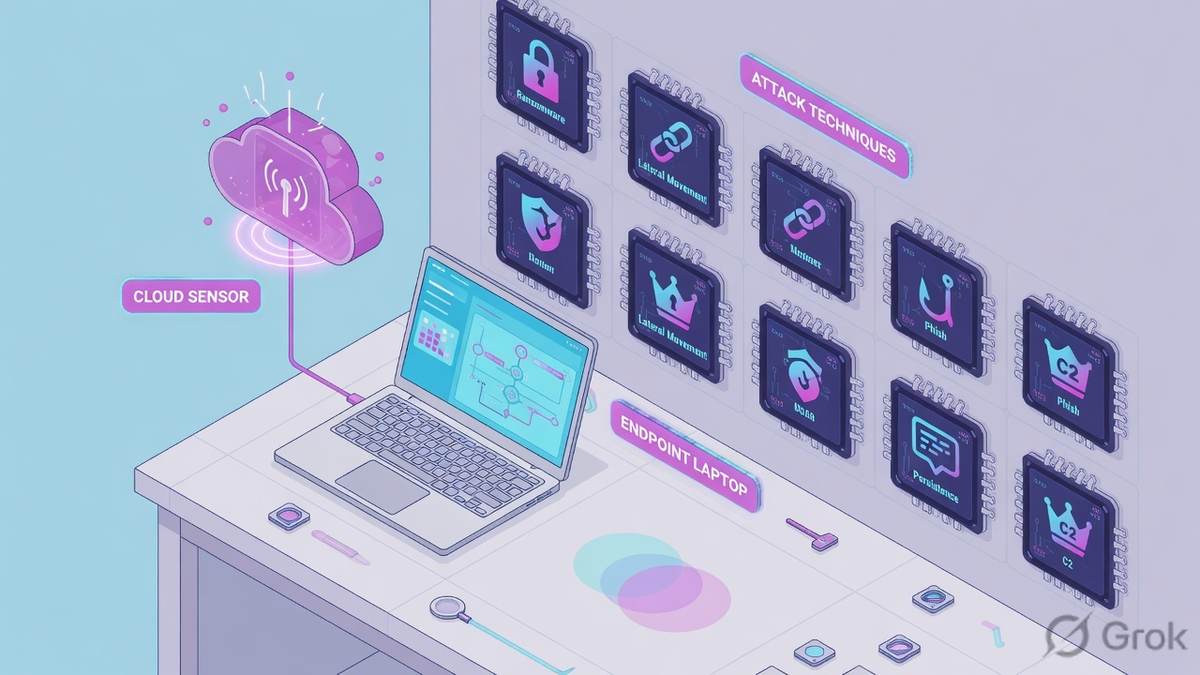
Official factory floor: a protection or sensor agent on the endpoint, Endpoint Inventory as the live list of those agents, then Agentic SIEM and XDR apps that turn events into Observed Attack Techniques rows and — sometimes — Workbench alerts. The console only knows what the agent last reported. Official Inventory column: Last agent status reported is the last time the agent connected with Vision One, as a range plus an exact timestamp. Hours old is a dark factory floor. Seconds old is a live worker.
What the ticket asked
“Trend missed vssadmin.” That sentence is a hypothesis. The factory may already have stamped an OAT filter, or printed Workbench WB-1042, and you have not opened either.
What you prove first
Identity of the host, then Last agent status reported, then Workbench ID or OAT Detection filter, then the assigned policy / EDR switch. The evidence desk is the night-shift version of this order.
“The tray is green, so Trend is working — we need a wider exception.” A green icon only means a local process is running. If Last agent status reported is five days old, or Available Actions says Sensor disabled, or XDR for Endpoints (EDR) is off on the assigned policy, the factory did not print the ticket you think it printed. Widening an exception just stamps more events as invisible.
Hard words before the runbook
Sensor / product family
Official Security Deployment tiles: Standard Endpoint Protection, Server & Workload Protection, Sensor only, Connected Endpoint Protection. Quote the product, not “Apex is installed.”
Sensor disabled vs Unmanaged
Sensor disabled = sensor installed but not enabled via sensor or policy settings. Unmanaged endpoints = discoverable, no protection or sensor agent. Those are different tickets.
Workbench vs OAT
Workbench is a correlated or standalone alert (Insights / All Alerts). OAT is the individual filter event. Official: OAT events might not generate a Workbench insight or alert.
Policy switch
Detection Model Management turns models and exceptions on or off. Endpoint security policy + XDR for Endpoints (EDR) is whether the host can even emit EDR telemetry.
Official Isolate Endpoint task statuses: Pending approval, Rejected, In progress, Queued (agent offline), Successful, Unsuccessful. Official wording: Task status means the managing server received the command — not that the Security Agent finished it. Restore connection is a later task on that isolate record. Use those words in the ticket.
2. Mental model — four factory stations
Hold four parts. Interviews fail when people mix them. Skipping a station is how you isolate a five-day last-seen, or hunt a Workbench ID that a filter was never going to create.
1. The worker is the sensor
A protection or sensor agent on the host. It sees the endpoint. Last agent status reported is the heartbeat. Sensor disabled means the worker is installed and the switch is off. A green tray is not this column.
2. The live table is Inventory
Endpoint Security → Endpoint Inventory. Official: manage, locate, take action. Columns you quote: Endpoint name, Endpoint GUID, product family, last-seen, Isolation status, Endpoint security policy, XDR for Endpoints (EDR).
3. The stamps are Workbench / OAT
Workbench = Status, Score, Model name, Workbench ID. OAT = Event severity, Detected, Detection filter, Tactic / Technique ID. One is an alert. The other is a filter fire. Do not swap them.
4. The switch is policy
Detection Model Status decides whether filters become Workbench alerts. Endpoint Security Policies decide whether EDR is even on. Empty Workbench after a change window is often this station, not a miss.
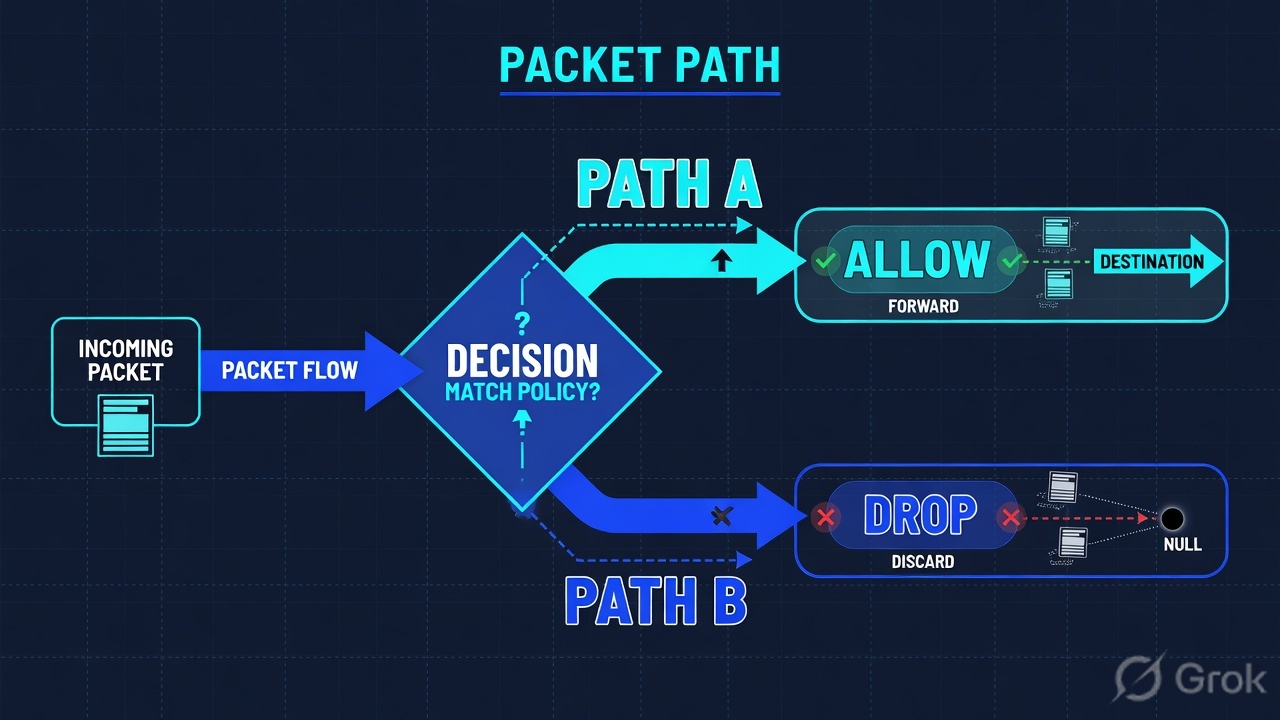
Read left → right. Station 1–2 are last-seen plus product. Station 3 is Workbench or OAT. Policy is last before you isolate.
Concept: Vision One manufactures telemetry on a sensor and writes alerts or filter events in the cloud. Path: sensor → inventory → Workbench / OAT → policy. Do: never open Isolate Endpoint first.
Sensor answers “is this host talking?” Official: Last agent status reported, product family, Available Actions (Sensor disabled, Unmanaged endpoints, Sensor update recommended, Immediate action required). Source: Endpoint Inventory + table columns.
Workbench / OAT answers “what did the factory stamp?” Official Workbench: Insights for high-priority correlated alerts; All Alerts for root-cause and impact. Official OAT: granular predefined or custom detection filters; those events might not generate a Workbench insight or alert. Source: Workbench + Observed Attack Techniques.
Policy answers “was the switch on?” Official: Detection Model Management configures how Vision One detects events in OAT and generates alerts in Workbench. XDR for Endpoints (EDR) is configured in Endpoint Security Policies or a policy override. Source: Detection Model Management + Inventory columns.
3. First telemetry vs empty Workbench
The first event of a new process has no Workbench ID yet. It walks the factory: sensor observes → Inventory still shows a live last-seen → assigned detection filters stamp OAT → a detection model may correlate a Workbench alert. Later events of the same story ride that filter. That is why “I enabled the model” sometimes does nothing until the next matching event, and why “I isolated the leftover hostname” does nothing if you picked the stale Endpoint GUID.
Read left → right, then the yellow sensor stop. Decision diamonds = last-seen, then Workbench-exists. Empty Workbench is a branch, not a crash.
IR chat: “vssadmin ran, why is Workbench empty?” Official Observed Attack Techniques Help: events listed there might not generate a Workbench insight or alert. Quote Detection filter + Event severity. Next click is Query in XDR Data Explorer or Add to Workbench Insight — not Isolate Endpoint, not “Trend is broken.”
4. How to choose the stamps
You are not choosing a product. You are choosing which station is allowed to write on the ticket.
| Choice | Use when | Do not use when | Proof you were right |
|---|---|---|---|
| Endpoint Inventory first | Anyone asks “is Vision One seeing this?” Last-seen unknown. Tray-icon argument. | You already have a Workbench ID and last-seen was proved this shift. | Last agent status reported + product family + Sensor disabled vs Unmanaged |
| Workbench All Alerts | Ticket already names an ID, or you need Status / Score / Model name. | Inventory last-seen is days old. Isolate will sit Queued. | Workbench ID, Status (Open / In progress / Closed), Score, Model name |
| Observed Attack Techniques | Host looks dirty, Workbench is empty, last-seen is live. | You treat the filter row as a Sev-1 Workbench case and page SOC. | Detection filter + Event severity + Technique ID. Official: may never become Workbench. |
| XDR Data Explorer | You have a Highlight or Event UUID and need the event, not the title. | You use Search as a substitute for last-seen or for a policy switch. | Data source / processor + Log type (Detection / Telemetry / System) + hits |
| Detection Model on | You want matching filters to be able to generate Workbench alerts. | You disable the Workbench app because Finance is angry about daily noise. | Model Status + applicable products. Exceptions have an owner and an expiry. |
| XDR for Endpoints (EDR) on | The assigned Endpoint security policy should emit EDR telemetry. | You hunt a missing Workbench ID after a change window turned EDR off. | Inventory columns: Endpoint security policy + XDR for Endpoints (EDR) |
| Isolate Endpoint | Last-seen is live, Workbench or OAT+Search proved staging, owner accepts the blast radius. | Unmanaged host, Sensor disabled, last-seen five days, or CREM-only High tile. | Response Management Action = Isolate Endpoint + task status. Restore is a second task. |
Workbench Score is not a vibe. Official Alert details: Vision One calculates the score from the severity of the matched detection model and the impact scope. Starting 18 January 2021 the maximum is 99, and that model only applies to new alerts. Quote Score next to Model name. Source: Alert details.
5. Runbook Side A → B → C
Lab values only. Hostname SENSOR-LAB-17, Workbench WB-1042, product Standard Endpoint Protection, policy Lab-Standard-EDR, last-seen 14s, Isolation off. Nothing here is a live tenant.
Side A — sensor and inventory (building the factory floor)
Primary source: Endpoint Inventory + table columns.
-
Open Endpoint Inventory on the failing name
Path: Endpoint Security → Endpoint Inventory. Filter Endpoint name
SENSOR-LAB-17. If two rows share a name, quote Endpoint GUID. Do not trust a colleague’s row from a different hostname. -
Read Available Actions, not the wallpaper
Official tiles: Immediate action required, Unmanaged endpoints, Sensor disabled, Sensor update recommended. Sensor disabled = installed but not enabled via sensor or policy settings. Unmanaged = no protection or sensor agent. Those are different tickets. Sensor-only endpoints are not in endpoint groups — use Add filters.
-
Quote the live columns
Copy
Last agent status reported(range + exact timestamp), product family (Standard Endpoint Protection / Server & Workload / Sensor only / Connected Endpoint Protection),Isolation status,Endpoint security policy,XDR for Endpoints (EDR). Lab: 14s, SEP, Isolated = No, Lab-Standard-EDR, EDR enabled.
Endpoint Security → Endpoint Inventory → SENSOR-LAB-17
Endpoint SENSOR-LAB-17
Available Actions for this host: none of Unmanaged · Sensor disabled · Sensor update recommended. Isolation off means isolate is still a decision.
Source: Endpoint Inventory + table columns. Dummy lab host only. Next click: Workbench if you have an ID; OAT if Workbench is empty. Do not isolate from this screen until Side B exists.
Side B — Workbench and OAT (printing the ticket)
Primary source: Workbench + Observed Attack Techniques + Alert details.
-
Open the alert before you tune
Path: Agentic SIEM and XDR → Workbench. Insights is the high-priority correlated view. All Alerts is the full list for root-cause and impact. Quote Workbench ID, Status, Score, Model name, Impact scope, Data source / processor. Lab:
WB-1042, Open, High / Score 81, Possible ransomware staging, 1 endpoint, Standard Endpoint Protection. -
If Workbench is empty, open OAT — do not declare a miss
Path: Agentic SIEM and XDR → Observed Attack Techniques. Filter Event severity + last Detected, then Add filter on Detection filter / Technique ID / endpoint name. Official: these events might not generate a Workbench insight or alert. Lab filter: Volume shadow copy deletion.
-
Prove the event in XDR Data Explorer
Path: Agentic SIEM and XDR → XDR Data Explorer. Select Data source / processor and Log type (Detection events, then Telemetry events if Detection is empty). Investigate host =
SENSOR-LAB-17, or Search Event UUID from Highlights. Confirm query fields in the tenant. Saved queries store the string, not the results (cap 200).
Agentic SIEM and XDR → Workbench → All Alerts → WB-1042
Alert WB-1042
Findings stay “—” until you set True positive / False positive / Benign true positive / Noteworthy / Other findings. Change Status only after these identity fields are on the ticket.
Source: Workbench + Alert details. Lab values only. Next click: Search Event UUID or Investigate host in XDR Data Explorer. Do not open CREM from this screen.
V1-LAB > show inventory SENSOR-LAB-17
endpoint=SENSOR-LAB-17 guid=EP-LAB-17-0001
product='Standard Endpoint Protection'
last_agent_status_reported=14s isolation=off
policy=Lab-Standard-EDR xdr_for_endpoints=enabled

V1-LAB > show workbench WB-1042
id=WB-1042 status=Open score=81
model='Possible ransomware staging' endpoints=1
data_source='Standard Endpoint Protection'

V1-LAB > show oat endpoint=SENSOR-LAB-17
filter='Volume shadow copy deletion' severity=High
technique=T1490 detected=10:41Z
note='OAT events might not generate a Workbench alert'
Side C — policy, then isolate only if Side A + B exist
Primary source: Detection Model Management + Isolate Endpoint task.
-
Read the switches before you hunt a missing ID
Path: Agentic SIEM and XDR → Detection Model Management. Tabs: Detection Models, Custom Models, Custom Filters, Exceptions. Official: this app configures how Vision One detects events in OAT and generates alerts in Workbench. Quote model Status, severity, applicable products.
-
Read EDR on the assigned policy
From the Inventory row:
Endpoint security policy+XDR for Endpoints (EDR). Overrides live under Endpoint security policy on the selected endpoints. If EDR is disabled, empty Workbench is expected. Do not invent an isolate to “make Trend see it.” -
Tune with owner + expiry — do not disable Workbench
Daily noise is Exceptions (Detection Model Management → Exceptions), scoped, with an owner and an expiry. Do not disable the Workbench app. Do not delete the model so Finance can work.
-
Isolate is a Response Management task
Context menu → Isolate Endpoint → Description → Create. Monitor under Workflow and Automation → Response Management. Statuses: Pending approval, Rejected, In progress, Queued (agent offline), Successful, Unsuccessful. Official: Successful is managing-server receipt, not agent finish. Restore connection is a later task. Critical endpoints can be excluded; isolated infra can get inbound/outbound exceptions.
Agentic SIEM and XDR → Detection Model Management → Detection Models
Possible ransomware staging
If Status were off, or EDR disabled on the policy, empty Workbench is the factory working as configured — not a miss.
Source: Detection Model Management + Isolate Endpoint task. Dummy lab only. Next: if you isolate, open Response Management and plan Restore connection.
Inventory: SENSOR-LAB-17, last-seen 14s, SEP, Isolation off, policy Lab-Standard-EDR, EDR enabled. Workbench: WB-1042 Open, Score 81, Model name Possible ransomware staging — or OAT Detection filter named with Event severity. Search: Data source + Log type + hits. Isolate only after those exist; task status quoted as managing-server receipt. Restore plan named.
6. Runtime — isolate, restore, old filters
Once sensors are connected, every night-shift ticket is the same walk. Do not invent a new order because a tile is red.
After go-live this is the only order. Policy is station 4, not station 1. Restore is a second task, not a reboot.
Later events of the same filter ride the existing OAT story. Adding the event to a Workbench Insight (official OAT action) updates impact scope and highlighted object — it does not invent a sensor that was never talking.
Hide Value on an OAT Detection filter is temporary. Official: you cannot save the Hidden objects list; leaving Observed Attack Techniques resets it. That is not an exception. Exceptions live under Detection Model Management and need an owner.
If you clicked View Event from an old Workbench ID and OAT is empty, do not declare the filter dead on this page — confirm retention and the date in your tenant Help before you tune. Night-shift field map: evidence desk.
Network, email, and endpoint degrade independently. A delayed network source is a caveat on the story, not a reason to stop IR when the endpoint sensor is healthy and Search already has the hash. Sensor health is not a message verdict: a green Cloud Email sensor does not make that one document clean.
7. Traps + factory proof
| Symptom | Looks like | Actually | First move |
|---|---|---|---|
| Empty Workbench, host looks dirty | Trend missed it | OAT-only filter, or model / EDR off | OAT Detection filter, then policy Status |
| Tray green, last-seen 5 days | Sensor is fine | Dark factory floor | Inventory Last agent status reported |
| Sensor disabled | Laptop is off | Installed, switch off via sensor or policy | Available Actions — not a Workbench hunt |
| Unmanaged | Isolate from context menu | No protection or sensor agent | Deploy an agent. Do not isolate. |
| Isolate Successful | Host is off the wire | Managing server received the command | Quote official task-status wording; restore is later |
| Isolate Queued | Platform bug | Agent offline — last-seen already told you | Sensor ticket first |
| EDR disabled after change window | Silent miss | Switch off — expected quiet | Endpoint security policy + EDR column |
| Daily Workbench noise | Disable Workbench | Exception without owner | Scoped exception, owner + expiry |
| High CREM tile, no Workbench | Page SOC | Exposure queue, not this factory stamp | Do not isolate from CREM-only |
| OAT Hide Value | Permanent tune | List resets when you leave OAT | Detection Model exception if it must persist |
- Endpoint Inventory hostname matches the ticket (Endpoint GUID if two hosts share a name).
Last agent status reportedis seconds-to-minutes, not days. Product family quoted.- Available Actions is not Sensor disabled / Unmanaged for this host.
- Either Workbench ID + Status + Score + Model name, or OAT Detection filter + Event severity (and you said out loud that OAT might never become Workbench).
- XDR Data Explorer: Data source / processor + Log type + hits in the UTC window — if you needed the event, not the title.
- Policy: Detection Model Status and/or
XDR for Endpoints (EDR)on the assigned Endpoint security policy. - If you isolated: Response Management Action = Isolate Endpoint + task status. Restore connection named as a second task.
- If you tuned: exception owner + expiry. Workbench app still on.
Vision One is an XDR factory. The sensor prints telemetry. Endpoint Inventory proves the host with Last agent status reported. Workbench stamps a correlated alert — or Observed Attack Techniques stamps a filter that official Help says might never become a Workbench ID. Detection Model Management and XDR for Endpoints (EDR) are the switches. I isolate only after those stations exist, and I treat a Successful task as managing-server receipt, not agent finish.
Next: run the five night-shift tickets on the evidence desk. Practice console: Vision One hub simulator (key trendvisionone).
Knowledge check
Six judgment questions. Map each miss back to the section named in the reason.
Sources
- Trend Vision One Online Help — platform map: Agentic SIEM & XDR (Workbench, XDR Data Explorer, Observed Attack Techniques, Detection Model Management), Endpoint Security
- Endpoint Inventory — Available Actions (Immediate action required, Unmanaged endpoints, Sensor disabled, Sensor update recommended); Security Deployment product families; Isolate Endpoint / Restore connection; sensor-only endpoints are not in groups
- Endpoint Inventory table columns —
Last agent status reported,Isolation status,Endpoint security policy,XDR for Endpoints (EDR), Endpoint GUID, Endpoint name - Workbench — Agentic SIEM and XDR → Workbench; Insights vs All Alerts
- Alert details — Status (Open / In progress / Closed), Score (model severity + impact scope; max 99 after 18 Jan 2021), Workbench ID, Model name, Impact scope, Data source / processor, Findings, Highlights
- Observed Attack Techniques — Event severity, Detected, Detection filter, Tactic / Technique ID; OAT events might not generate Workbench; Query in XDR Data Explorer; Add to Workbench Insight; Hide Value is not saved
- XDR Data Explorer — Agentic SIEM and XDR → XDR Data Explorer; Data source / processor; Log type (Detection / Telemetry / System events); Investigate host; saved queries store the string, not results (cap 200)
- Detection Model Management — configures OAT events and Workbench alerts; tabs Detection Models, Custom Models, Custom Filters, Exceptions
- Detection model / filter exceptions — Detection Model Management → Exceptions
- Endpoint security policy overrides — per-endpoint overrides from Inventory
- Isolate Endpoint task — context menu; Response Management statuses; Task status is managing-server receipt; Restore connection is a later task
- Restore Connection task
Related: Blog 2 · Evidence desk — first tool + proof field · Trend Vision One interview hub · Dummy lab
Dummy lab data only. Confirm live syntax, permissions and change-control on the production release before you type on a real tenant.