Explore → Assets answers “is this host even in the container?” Last Scan Time / Last Authenticated Scan / Last Licensed Scan answers “when did an assessment last land — and was it credentialed?” Sensors answers “is the Nessus scanner or Tenable Agent that should have hit this host Online, and when did it last connect?” Explore → Findings answers “is this Plugin ID New, Active, Fixed, or Resurfaced — and what is VPR?” Scans → Vulnerability Management Scans answers “is the job Initializing, Running, Publishing Results, Completed, Pending, or Aborted?” A green dashboard tile is not a host record. An empty weekly PDF is not a dead platform.
1. Why “is it scanning?” is five questions
Operators collapse five failures into one sentence. The IP was never observed as an asset. The last licensed scan is eighteen days old. The Pune Nessus scanner is Offline. Plugin 156999 is Fixed on this Asset ID but still on the PDF. The 02:00 job sat in Pending until Tenable aborted it at four hours. Those are five first clicks.
This page is the night-shift desk for proof. The factory taught completed ≠ authenticated ≠ exploitable. Here you learn the five tools you actually open, in order, when someone asks you to prove Tenable Vulnerability Management / Nessus is scanning — or to explain why a host is missing.
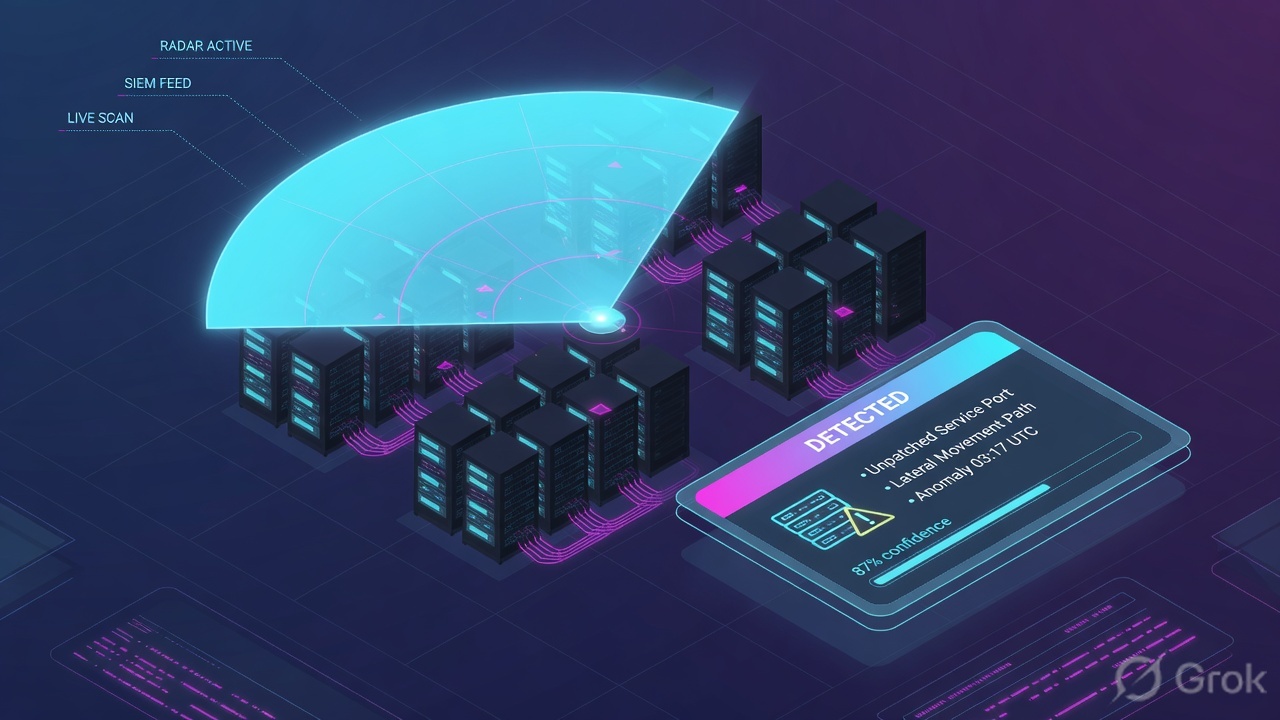
If they say “prove Tenable is scanning,” do not say “I opened Explore.” Say: “I prove the host in Explore Assets with Asset Name + Last Seen, the assessment with Last Authenticated Scan vs Last Licensed Scan, the sensor with Status + Last Connect, the finding with Plugin ID + State, and the job with scan Status.”
2. Mental model — five proof tools
Memorise five named objects before you click. Each tool is allowed to prove one thing. Over-claiming a field is how you launch a second scan of a box that was never in the target list.
1 · Asset
Explore → Assets (Hosts). Proves the record: Asset Name, Asset ID, IPv4 Addresses, Last Seen, Sources, Has Agent. Does not prove last licensed scan or a Plugin ID.
2 · Last scan
Same asset pane / columns: Last Scan Time, Last Authenticated Scan, Last Licensed Scan, Last Scan Target, Last Scan ID. Proves when an assessment last landed — and whether credentials or only discovery ran.
3 · Scanner / agent
Sensors → Nessus Scanners (Linked Scanners) or Nessus Agents → Linked Agents. Proves sensor life: Status (Online / Offline), Last Connect, Last Scanned, Health. Online ≠ it reached the subnet.
4 · Plugin / finding
Explore → Findings (Vulnerabilities). Proves one result: Plugin ID + State (New / Active / Fixed / Resurfaced) + VPR + Severity + First Seen. Empty list is data.
5 · Scan job
Scans → Vulnerability Management Scans. Proves the job: Status (Initializing → Running → Publishing Results → Completed), plus Scanner, Targets, Warnings. Pending is not Running.
Hard words, once
Last Licensed Scan = last scan with non-discovery plugins (counts toward license). Managed = assessed in 90 days. Unmanaged = discovered, not assessed in 90 days. State ≠ Severity.
Read left → right. Each box is allowed one claim. If you cannot name the field, you are not proving — you are guessing.
I prove the asset, then the last scan, then the scanner or agent, then the finding, then the job. I do not launch a VLAN-wide Advanced scan, unlink an agent, or recast a Plugin ID until I can quote the field that made me do it.
3. Decision flow — ticket → first tool
Flowchart first. Do not open Create a Scan until a diamond says so.
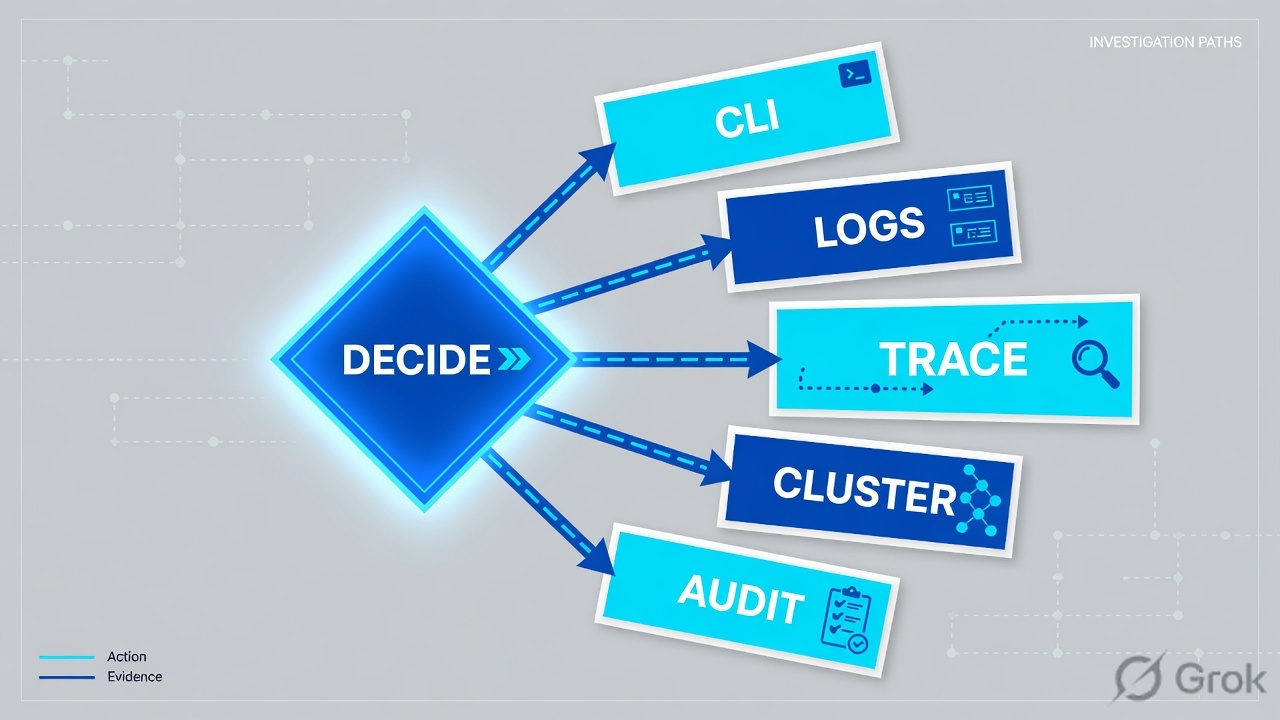
Read the diamond first. A missing host never starts in Findings. A whole-VLAN miss never starts in one Plugin ID. “Is the job running?” never starts in VPR.
4. How to choose — first tool + proof field
Print this next to cloud.tenable.com. If you cannot recite the proof field, you are not ready to change anything.
| If the ticket says… | First tool (official path) | Proof field | Do not open first |
|---|---|---|---|
| Host missing / “is this box even in Tenable?” | Explore → Assets → Hosts (also check Unmanaged Assets if Last Licensed Scan is older than 90 days) | Asset Name + Asset ID + Last Seen + IPv4 Addresses — or the official empty result |
A new unauthenticated Advanced scan of the VLAN |
| Host exists; last scan looks weeks old / findings look too small | Same asset details / columns: last-scan family | Last Scan Time + Last Authenticated Scan + Last Licensed Scan + Last Scan Target |
Recast / Accept, a plugin disable |
| Agent installed yesterday; still no findings — or scanner “green” but VLAN empty | Sensors → Nessus Agents → Linked Agents or Nessus Scanners → Linked Scanners | Status (Online / Offline / Initializing) + Last Connect + Last Scanned + Health |
Explore Findings VPR sort |
| “This plugin is gone” / empty detections on a live host | Explore → Findings → Vulnerabilities | Plugin ID + State + VPR + First Seen / Last Seen / Last Fixed |
Scanner Hard restart |
| “Is the scan actually running?” / whole branch missed 02:00 | Scans → Vulnerability Management Scans → that job → See All Details | Status (Initializing / Running / Publishing Results / Completed / Pending / Aborted / Canceled) + Warnings + Scanner + Targets |
A new Recast so the PDF shrinks |
Tenable Asset Columns: an authenticated scan that only uses discovery plugins updates Last Authenticated Scan, but not Last Licensed Scan. An unauthenticated scan that runs non-discovery plugins updates Last Licensed Scan, but not Last Authenticated Scan. A licensed scan is what can identify vulnerabilities and count toward the license. Quote both timestamps. One fresh date is not “fully scanned.”
5. Runbook Side A → B → C
Side A proves the asset and the last scan. Side B proves the plugin / finding. Side C proves the scanner or agent and the scan job. On a messy Sev-2, do them in this order until a field lights up.
Side A — Asset record + last scan (inventory / assessment)
-
Prove the host exists before you talk about Plugin ID
Open Explore → Assets. Filter Hosts on hostname,
IPv4 Addresses, or tag. Official: Asset Columns; View Asset Details. QuoteAsset Name(Tenable builds it from Agent Name, local hostname, NetBIOS, DNS/FQDN, then IPv4/IPv6),Asset ID(the TVM UUID),Last Seen(last successful scan or import),Sources,Has Agent,Has Plugin Results. No row → stop. The IP was never observed, lives in another Network, or aged into a place your filter hides. -
If the weekly PDF is empty, also open Unmanaged Assets
Official Asset Types: Managed Assets were assessed for vulnerabilities in the past 90 days. Unmanaged Assets were discovered by Tenable Vulnerability Management or Nessus but not scanned for vulnerabilities in the past 90 days. A host that “vanished” from Managed is often still there as Unmanaged — that is a last-scan ticket, not “Tenable deleted Finance.”
-
Quote Last Scan Time, then split authenticated vs licensed
On the same asset:
Last Scan Time(last_scan_time),Last Authenticated Scan(last_authenticated_scan_time),Last Licensed Scan(last_licensed_scan_time),Last Scan Target(the IP or FQDN the last scan aimed at),Last Scan ID. Official: Asset Columns; Explore Assets export keys. If Last Licensed Scan is null or old while Last Authenticated Scan is fresh, last night may have been discovery-only. If Last Licensed Scan is fresh and Last Authenticated Scan is empty, you scanned the cover, not the book. -
Match Last Scan Target to the name they typed
DHCP and dual-home hosts lie.
Last Scan Targetis the address the job used. If they searched the new IP and the record still keys on the old FQDN, you are looking at a merge / Tenable UUID problem — the factory’s ghost-asset trap — not a dead scanner.
Explore / Assets / Hosts · filter
Assets
| Asset Name | IPv4 | Last Seen | Last Auth Scan | Last Licensed Scan | Has Agent |
|---|---|---|---|---|---|
| fin-app-41.lab.example | 203.0.113.41 | 16 min | 2026-08-15 02:11Z | 2026-08-15 02:11Z | Yes |
| lab-build-09.lab.example | 203.0.113.19 | 18 days | — | 2026-07-28 | No |
Source: Tenable Docs — Asset Columns (Asset Name, Last Seen, Last Authenticated Scan, Last Licensed Scan); Explore Assets Export Fields (last_scan_time, last_authenticated_scan_time, last_licensed_scan_time, has_agent). Lab identities and RFC 5737 IPs only. Training mock · not live.
Side B — Plugin / finding (what the engine said)
-
Open Findings, not Recast
Path: Explore → Findings → Vulnerabilities. Official: Findings Columns; View Findings Details; Vulnerability States. Filter Asset Name +
Plugin ID+ time. A WAS finding is a different finding type — do not close a host OpenSSL ticket from Web Application Findings. -
Read State, then Plugin ID, then VPR
Stateis New (seen once), Active (seen more than once; the Active filter also returns New), Fixed (previously seen, no longer detected — useLast Fixed), or Resurfaced (was Fixed, seen again).Plugin ID+Plugin Namename the check.VPRis 0.1–10.Severityis the CVSS-based column — the factory already taught you not to sort the night on Severity alone. -
If the row is empty, that is a Side A or Side C ticket
Empty Findings with a missing asset is inventory. Empty Findings with a stale Last Licensed Scan is assessment. Empty Findings with Status = Aborted is the job. Official Scans note: an asset that only received inventory scanning continues to report old vulnerabilities until it ages out, even if it is offline. Stale Active is not “still exploitable tonight” until Last Seen is fresh.
Path:            Explore → Findings → Vulnerabilities
Asset:           fin-app-41.lab.example   Asset ID = TVM UUID
Plugin ID:       156999   (lab)
Quote:           State + Plugin ID + VPR + First Seen / Last Seen
If Fixed:        Last Fixed
If empty list:   Last Licensed Scan / Linked Agent Status / scan Status
Side C — Scanner / agent health + scan job status
-
If they said “we installed the agent,” open Linked Agents — not Findings
Path: left nav Sensors (default tab is Nessus Scanners / Linked Scanners) → Nessus Agents → Linked Agents. Official: Manage Linked Agents; Agent Status; View Sensors. After install the agent should appear once it links. No row means it never presented the linking key to this container.
-
Read Status, then Last Connect, then Last Scanned, then Health
Status: Online = the host is connected and talking to Tenable Vulnerability Management. Offline = powered down or not on a network — in TVM the Offline badge appears after the agent has not connected for two hours. Initializing = checking in. Export columns:Last Connect(last check-in, ISO-8601),Last Scanned,Last Plugin Update. Official Agents: linked agents check in on start, after a restart, and when metadata updates (no more than every 10 minutes).Health: Healthy / Warning / Critical / Unknown. Overall Health: Safe Mode (agent ≥ 10.9.0) means it cannot compile plugins or run scans, but it stays connected so you can recover it — that is not “Online means scanning.” -
If the whole VLAN missed 02:00, open the scanner and the job
Same Sensors page, Nessus Scanners → Linked Scanners. Quote scanner
Status(Online / Offline),Last Scanned,Scans(jobs currently running),Plugin Set, Network. Official Error Messages: Inactive Scanners and Routed To Inactive Scanners mean the scanner group has no active scanner — confirm the group, then re-run. Then open Scans → Vulnerability Management Scans, click the job, See All Details. -
Read scan Status the way Tenable defines it — not the way Slack uses “running”
Official typical flow: Initializing → Running → Publishing Results → Completed. Hover Status for targets scanned and elapsed / final time. Pending = queued, assigning tasks to sensors — Tenable aborts scans that stay Pending more than four hours (overlap / schedule). Running shows a percent of completed scan tasks (a job under 120 IPs is one task, so the bar jumps 0 → 100). Publishing Results starts when Running hits 100%. Aborted = scanner/platform problems, or queued ≥ four hours — open the Warnings tab (and Download All Warnings JSON). Canceled is a user stop. Paused more than 14 days times out to Aborted. Empty = new or not yet run. History:
Start Time,End Time,Duration,Status. Individual scan details keep 35 days of plugin/asset tabs; scan data is retained 15 months.
Sensors / Nessus Agents / Linked Agents / fin-app-41
Linked agent
Status = Offline · Last Connect older than 2 hours
Initializing = checking in · Safe Mode = cannot compile plugins or run scans.
Source: Tenable Docs — Manage Linked Agents (Last Connect, Last Scanned, Status online/offline/unlinked); Agent Status (Online, Offline after two hours, Initializing); View Sensors (Health, Last Plugin Update); Agent Safe Mode. Lab agent name only.
Scans / Vulnerability Management Scans / Weekly-Pune-Adv / See All Details
Scan details
Status = Pending · queued > 4 hours → Aborted
Warnings: Inactive Scanners · Routed To Inactive Scanners
Source: Tenable Docs — Scan Status (Initializing, Running, Publishing Results, Completed, Pending 4-hour abort, Aborted, Canceled, Paused 14-day timeout); Scan Details (Status, Start Time, Template, Scanner, Targets, Warnings, History). Lab scan name only.
- Side A asset: Explore Assets returns Asset Name + Asset ID + Last Seen. Side A last scan: Last Scan Time plus both Last Authenticated Scan and Last Licensed Scan, or you can name why they differ.
- Side B: Findings quotes Plugin ID + State + VPR (and Last Fixed if State is Fixed).
- Side C sensor: Linked Agents / Linked Scanners shows Status and Last Connect for the sensor that owns the host.
- Side C job: scan Status is Running (with %) or Completed — not Pending mistaken for Running — and Warnings is empty or quoted.
6. Five tickets as full stories
These five land every quarter. Memorise first tool + proof field. Times and identities below are lab-only (RFC 5737 addresses, example.com names).
| Ticket | Symptom | First tool | Proof field |
|---|---|---|---|
| TENED-01 | Finance box missing from the weekly; “is Tenable even scanning?” | Explore → Assets | Asset row — or official empty search |
| TENED-02 | Host in inventory; last scan 18 days / findings look thin | Asset last-scan columns | Last Scan Time + Last Authenticated Scan + Last Licensed Scan |
| TENED-03 | Agent installed last night; still no findings | Sensors → Linked Agents | Status + Last Connect + Last Scanned + Health |
| TENED-04 | CISO: “plugin 156999 is gone”; weekly still lists it | Explore → Findings | State + Plugin ID + VPR + Last Seen / Last Fixed |
| TENED-05 | Whole Pune VLAN missed 02:00; “is the scan actually running?” | Scans → VM Scans + Linked Scanners | Job Status + Warnings + scanner Status |
TENED-01 — Prove the asset (Explore → Assets)
01:42 · P2. Priya: the Finance box is not on the weekly. L1 already queued an unauthenticated Advanced scan of 203.0.113.0/24.
First tool: Explore → Assets → Hosts. Search fin-app-41 and 203.0.113.41. If Managed is empty, switch to Unmanaged Assets (not assessed in 90 days).
If empty on both: the host was never observed in this Network / container. Quote the empty result. Next check is discovery targets, Network assignment, or a linking-key agent that never checked in — not a new scan template. Official: assets appear when a scanner, agent, import, or connector identifies them.
If present: quote Asset Name, Asset ID, IPv4, Last Seen, Sources, Has Agent. Now you are allowed to ask about Last Licensed Scan. The asset card is not a Plugin ID.
Do not trust a colleague’s Explore search from a different access group. Scan-level “Can View” is not the same as aggregated Explore access (official Scan Details note). Dual-home / DHCP: search Last Scan Target as well as the IP they typed tonight.
TENED-02 — Prove the last scan (auth vs licensed)
02:20 · P2. Host exists. Last Seen is this week. Findings look suspiciously small. Security thinks Tenable stopped.
First tool: the same asset details. Read the three clocks.
Proof field: Last Scan Time + Last Authenticated Scan + Last Licensed Scan + Last Scan Target. If Last Authenticated Scan is last night and Last Licensed Scan is 18 days old, last night was discovery-only — official: discovery-plugin auth updates Last Authenticated Scan only. If Last Licensed Scan is last night and Last Authenticated Scan is empty, the job finished unauthenticated — completed ≠ authenticated (factory stamp two). Quote Last Scan ID if you need the exact job on the Scans page.
I would not declare a platform outage from one stale clock. I would paste both last-scan fields and say whether last night was licensed, authenticated, or only discovery. Unlocking the scan account is change-control, not isolate.
TENED-03 — Prove the agent (Linked Agents)
02:05 · P2. Imaging dropped the Tenable Agent at 18:00. Findings are still empty. Someone wants the installer re-pushed.
First tool: Sensors → Nessus Agents → Linked Agents. Filter the hostname.
Proof field: no row → never linked (linking key / outbound to Tenable / wrong container). Status = Initializing and Last Connect is minutes → it is checking in; wait. Status = Online, Last Connect minutes, Last Scanned empty → linked but no agent scan job has finished — that is a scan configuration / agent group ticket, not an MSI ticket. Status = Offline and Last Connect older than two hours → the host is not talking; re-push will not help until the box is up and can check in. Health = Safe Mode → quote Overall Health: Safe Mode; recover the agent (it cannot compile plugins or run scans).
I would not re-push. I would quote Status + Last Connect + Last Scanned. Re-push is change-control when the agent already linked. Official: Offline agents keep trying connectivity about every 30 minutes; triggered scans can still run offline and upload later.
TENED-04 — Prove the finding (Explore → Findings)
02:40 · P2. CISO: “Plugin 156999 is gone.” The weekly PDF still lists it. L1 wants the plugin disabled.
First tool: Explore → Findings. Filter host + Plugin ID 156999 (lab).
Proof field: State + Plugin ID + VPR + Last Seen. Active + Last Seen last night → it is not gone. Fixed + Last Fixed today → the weekly is stale. Resurfaced → it was Fixed and came back; that is a patch-regressed ticket, not a new CVE until the plugin says so. Empty row with a fresh Last Licensed Scan → the finding is not on this Asset ID; do not disable the plugin globally to clean a PDF.
WAS findings live under Web Application Findings, not this host Plugin ID. Recast / Accept changes visible severity or hides the finding — it does not rewrite the raw scan (factory Side C). Quote State on the live Asset ID, not the PDF cover.
TENED-05 — Prove the job is running (scan Status + scanner)
03:00 · P1. Pune VLAN: every desk missed the 02:00 scan. Findings for that tag are empty. L1 wants a force launch of every Advanced scan in the folder.
First tool: Scans → Vulnerability Management Scans for Weekly-Pune-Adv, then Sensors → Nessus Scanners → Linked Scanners for Pune-Nessus-01.
Proof field: job Status + Warnings + scanner Status. Pending since 02:00 and it is now 03:00 — still legal (four-hour abort has not fired); do not stack a second launch. Pending past four hours → official Aborted; reduce overlapping scans. Running 0% with one task (< 120 IPs) can sit at 0 until the single task finishes — that is not “stuck.” Status = Completed and Findings empty → the job finished; go back to targeting / auth / Last Scan Target, not another launch. Scanner Offline + Warnings “Inactive Scanners” / “Routed To Inactive Scanners” → restore the sensor, then re-run. Simultaneous VLAN silence is almost never “every Plugin ID Fixed at once.”
I would leave Recast alone. I would paste job Status, the Warnings line, and scanner Status. A second unauthenticated /24 is change-control, not isolate. Hover Status for targets + elapsed time before you say the job is dead.
7. Traps + close-the-ticket proof
| You see | Weak close | Strong close |
|---|---|---|
| Empty Explore Assets (Managed) | “Tenable is down” / scan the /24 | Check Unmanaged (90-day rule); quote empty or the Asset ID |
| Host present, still “missing” | “Inventory is fine” | You only proved the record. Open Last Licensed Scan / agent next |
| Last Authenticated Scan fresh, Last Licensed Scan old | “We scanned last night” | Official: discovery-only auth does not update Last Licensed Scan |
| Last Licensed Scan fresh, Last Authenticated Scan empty | “We are safe” | Unauthenticated licensed scan. Factory stamp two |
| No Linked Agent row after install | Re-push the MSI | Never linked. Prove linking key / outbound / container |
| Agent Offline | Sev-1 platform | Official: Offline after two hours without connect. Quote Last Connect |
| Health = Safe Mode | “Online, so it scanned” | Cannot compile plugins or run scans. Recover the agent |
| Empty Findings on a live host | Disable the plugin | Last Licensed Scan + agent Status + job Status first |
| State = Fixed, weekly still lists it | New critical | Quote Last Fixed. The PDF is stale |
| Scan Status = Pending | Launch it again | Queued. Four-hour abort if it stays there. Check overlap |
| Running 0% on a small job | Abort and rerun | Official: < 120 IPs = one task; bar jumps 0 → 100 |
| Scanner Online, VLAN quiet | Hard-restart Nessus | Targets, Network, Warnings, Last Scan Target |
| Completed job, old vulns remain | “Scan failed” | Official: inventory-only assets keep reporting until they age out |
- UTC window written next to the tool you opened.
- Host proved in Explore → Assets (Managed or Unmanaged) when the ticket is “is this box in Tenable?”
- One field quoted:
Last Seen/Last Scan Time, orLast Authenticated Scan+Last Licensed Scan, or sensorStatus+Last Connect, or findingState+Plugin ID, or jobStatus+ Warnings. - Next tool named — or change-control owner named. No Launch Scan without residual control.
- Peer or second host compared when you claim “not a container outage.”
- Auth-vs-licensed split and Pending-vs-Running not used as the only “Tenable is down” proof.
I name the question, then the first tool, then one official field. Explore Assets proves the host. Last Authenticated Scan vs Last Licensed Scan proves the assessment. Sensors Last Connect proves the scanner or agent. Findings State + Plugin ID proves the result. Scan Status proves the job. I do not launch a /24, re-push an agent, or disable a plugin until that field is on the ticket. Factory model: completed ≠ authenticated ≠ exploitable.
Knowledge check
Six night-shift judgments. Each maps to a first tool or a proof field. Check answers, then Reset if you picked the wrong surface.
Sources
- Tenable Docs — Asset Columns (
Asset Name,Asset ID,Last Seen,Last Authenticated Scan,Last Licensed Scan,Last Scan Target,Has Plugin Results,Sources) - Tenable Docs — Explore Assets Export Fields and Associated CSV Keys (
last_scan_time,last_authenticated_scan_time,last_licensed_scan_time,last_scan_id,last_observed,has_agent) - Tenable Docs — Asset Types (Managed = assessed in 90 days; Unmanaged = discovered, not assessed in 90 days)
- Tenable Docs — View Asset Details
- Tenable Docs — Findings Columns (
Plugin ID,Plugin Name,State,VPR,Severity,First Seen,Last Seen,Last Fixed,Last Authenticated Scan) - Tenable Docs — Vulnerability States (New, Active, Fixed, Resurfaced)
- Tenable Docs — View Findings Details
- Tenable Docs — Scan Status (Initializing → Running → Publishing Results → Completed; Pending 4-hour abort; Paused 14-day timeout; task %)
- Tenable Docs — Scan Details (Scans → Vulnerability Management Scans; Status, Start Time, Template, Scanner, Targets, Warnings, History)
- Tenable Docs — Scans (inventory-scanned assets keep reporting until they age out)
- Tenable Docs — Error Messages (Agent Unscanned lastConnected/lastScanned; Inactive Scanners; Routed To Inactive Scanners)
- Tenable Docs — View Sensors and Sensor Groups (Status, Health, Last Scanned, Last Plugin Update, Scans count)
- Tenable Docs — Manage Linked Agents (Sensors → Nessus Agents → Linked Agents; Last Connect, Last Scanned, Status)
- Tenable Docs — Agent Status (Online; Offline after two hours; Initializing)
- Tenable Docs — Agents (check-in on start / restart / metadata, no more than every 10 minutes)
- Tenable Docs — Agent Safe Mode (cannot compile plugins or run scans; Overall Health: Safe Mode)
- Tenable Docs — Agent Connection Disruptions (connectivity retry ~30 minutes; offline triggered scans)
Related: Blog 1 · Tenable session factory — completed ≠ authenticated ≠ exploitable · Tenable interview hub · VPR prioritization · Nessus scanning · WAS lesson