Tenable Vulnerability Management is a scan factory. Official: “sensors” is the collective term for the applications that gather vulnerability data. You install and link Nessus scanners and Tenable Agents (or use Tenable-managed cloud scanners), then you create a scan from a template. Launching the job breaks it into scan tasks (Initializing), assigns those tasks to sensors (Pending), lets the sensors run and send results (Running), then indexes them (Publishing Results → Completed). A finding is one instance of a vulnerability on an asset, uniquely identified by plugin ID, port, and protocol. Success is an asset in Explore → Assets with a recent Last Licensed Scan (and Last Authenticated Scan if you claimed credentials), plus the finding row in Explore → Findings — not a dashboard tile.
I do not start with twelve criticals. I ask which sensor gathered, whether the scan job left Pending, whether the host is even an asset, and whether the finding is Plugin ID plus port plus protocol. Completed is the job. Authenticated is Last Authenticated Scan. The finding is the stamp.
1. Why Completed is not a finding
Every other brief starts with “Tenable found twelve criticals.” That is why students freeze on night tickets. The real object is the factory line. A sensor that never reached the subnet, a job that sat in Pending until Tenable aborted it at four hours, a host that was only discovered (no license-counting assessment), and a finding that is Fixed on this Asset ID but still on last week’s PDF are four different stations.
Official Get Started order is the factory order: install and link sensors, create a scanner group and a Basic Network Scan, create an agent group and a Basic Agent Scan, launch, confirm the jobs completed, then review discovered assets, then add credentials and look at Findings and Assets. Students who skip to Explore → Findings and sort by Severity fail. Students who can name the four stations pass.
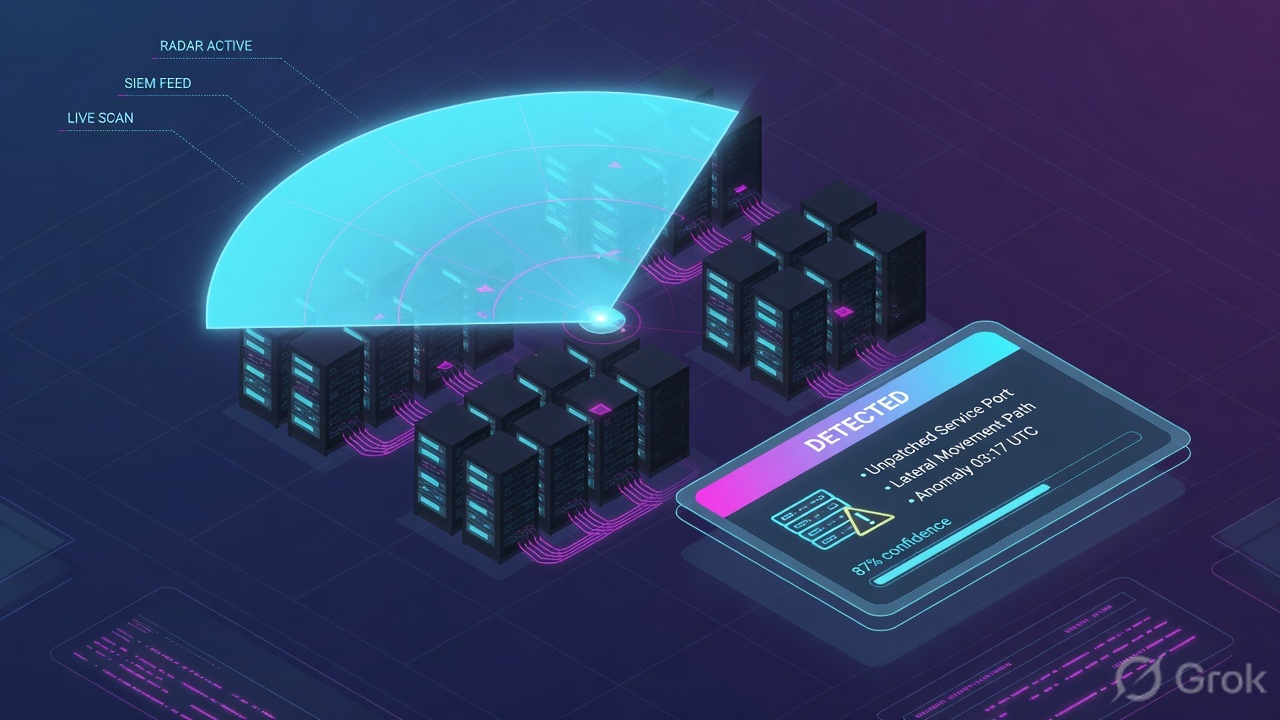
What the ticket asked
“Scan finished, host missing, wipe the criticals.” That sentence mixes three factory failures into one Slack line.
What you prove first
Which sensor should have hit this host, then whether the job left the queue, then whether Explore has an asset, then the finding. The evidence desk is the night-shift version of this order.
“Status = Completed, so we are safe — the critical count is the risk.” Completed only means the latest run of that scan configuration finished. Official wording: “The latest run of the scan is complete.” It does not mean credentials worked, the new VLAN was in Targets, or Plugin 156999 is exploitable on a live high-ACR host.
2. Mental model — four stations
Hold four objects. Interviews fail when people mix them. Pre-train the hard words before the runbook.
1. The gatherer is the sensor
Official: sensors gather vulnerability data. Cloud sensors are Tenable-managed and scan internet-facing assets. Linked sensors you install and authenticate with a linking key: Nessus scanners, Tenable Agents, Network Monitor, OT connectors, Web App scanners.
2. The run is the scan job
A scan configuration names the template, the sensors, the targets (network, target group, list, or asset tag), the schedule, and the credentials. Launching it creates scan tasks. Status is the job, not the estate.
3. The ticket is the asset
Explore → Assets. An asset is an entity of value a scanner identified. Last Seen is any successful observation. Last Licensed Scan is the last non-discovery assessment that counted toward license. Assets with no update for 15 months age out.
4. The stamp is the finding
Explore → Findings. Official: a finding is a single instance of a vulnerability on an asset, uniquely identified by plugin ID, port, and protocol. State is New / Active / Fixed / Resurfaced. Data is retained 15 months. Severity is CVSS-based; VPR is the prioritization score.
Read left → right. Do not open Findings until you can name the sensor and the job that printed the asset.
Sensor vs agent. A Tenable Nessus scanner probes from the network — it needs reachability and, for local checks, credentials. A Tenable Agent is a host-based sensor you install on the endpoint. Official: agents run as a local service, compile results on the host, and upload over outbound TCP 443. They do not need ongoing host credentials and they can assess laptops that left the building. You cannot launch a scan against an individual agent — you target an agent group.
Discovery vs assessment. A Host Discovery template (or discovery-only plugins, or NNM in discovery mode) finds assets. Those assets do not count toward license. An assessment scan — authenticated or not — finds vulnerabilities and generally does count. An authenticated scan that uses only discovery plugins updates Last Authenticated Scan but not Last Licensed Scan. An unauthenticated scan that runs non-discovery plugins does the reverse.
Finding State is not Severity. New = detected once. Active = detected more than once (the Active filter also returns New). Fixed = previously seen, no longer detected. Resurfaced = was Fixed, seen again. Severity is the CVSS-based column. VPR is Tenable’s 0.1–10 prioritization number. Recast can change visible severity; it does not rewrite the raw scan and it does not change VPR.
Linking key authenticates a linked sensor to your container. Scanner group pools Nessus scanners so a job load-balances. Agent group is the target list for an agent scan. Network (Settings) splits overlapping RFC1918 so 192.168.1.50 in Branch A is not Branch B. TAI (Tenable Asset Identifier) is written to the host when Create unique identifier on hosts scanned using credentials is on — that is how agent + Nessus merge instead of licensing two ghosts. Managed credential lives in Settings → Credentials and can be reused; scan-specific credentials die with the scan.
3. Factory flow — official scan lifecycle
Official Scans FAQ names four phases. Draw this before you open Explore. The first diamond is not Severity. It is “did a sensor get a task?”
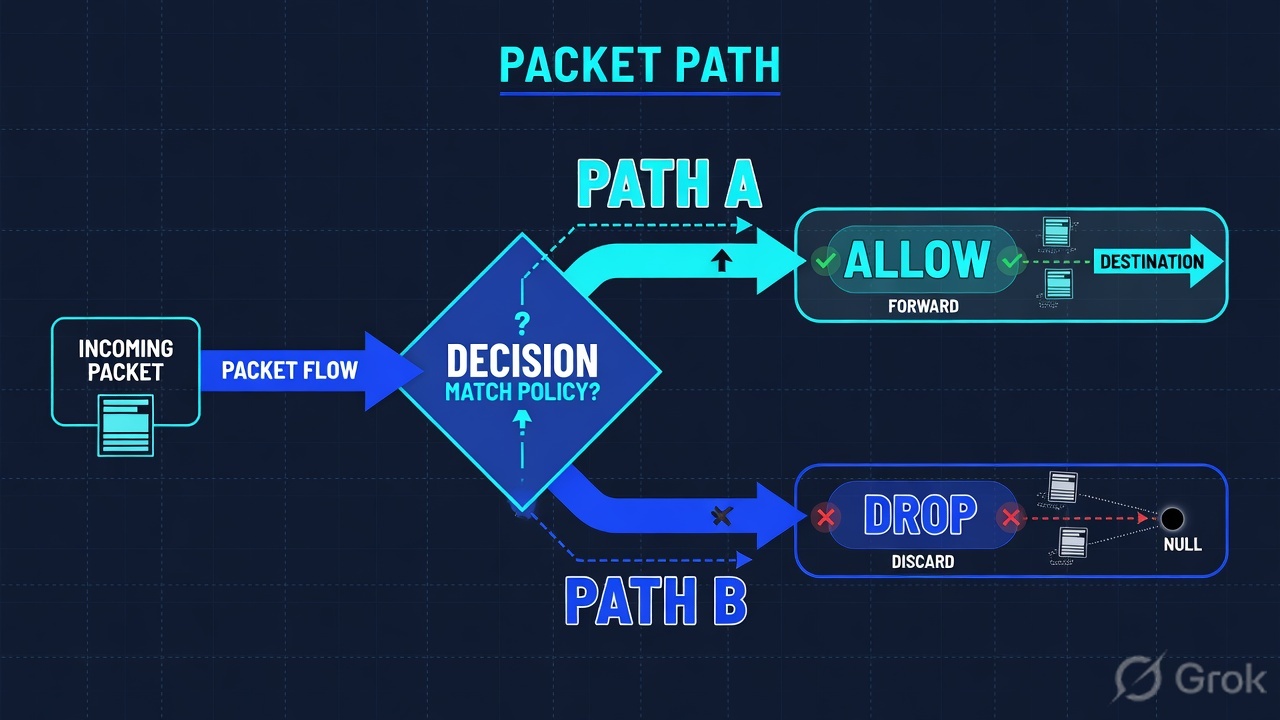
Read left → right, then the red/green split. Decision diamond = “did a linked or cloud sensor actually receive a task?”
A Host Discovery job that Completed on 842 addresses printed assets, not findings. Those records do not count toward license and they do not update Last Licensed Scan. An Advanced Network Scan that Completed with locked scan accounts printed banners, not patches. The factory finished the job. It did not stamp the book. Treat failed authentication and discovery-only Completeds as coverage incidents, not a clean week.
4. How to choose sensor, template, credentials
You are not choosing a logo. You are choosing which gatherer the factory is allowed to send, and how deep the stamp may go.
| Choice | Use when | Do not use when | Proof you were right |
|---|---|---|---|
| Linked Nessus scanner (active network) | Servers, workstations, network devices the scanner can route to. Pair with managed Host credentials for local checks. | Laptops that leave the building, DMZ hosts that refuse inbound SMB/SSH, or OT boxes that die if probed. | Sensors → Nessus Scanners → Linked Scanners: scanner Online. Asset Last Licensed Scan moves after the job Completes. |
| Tenable Agent | Transient devices, no usable scan password, hardened segments that allow only outbound 443. | You need a view of services the host does not run locally (neighbor discovery, unauthenticated perimeter). | Sensors → Nessus Agents → Linked Agents: Status online, Last Connect recent. Agent scan targets a group, not one hostname. |
| Cloud scanner | Internet-facing assets Tenable should see from outside your firewall. Tenable manages the sensor. | Internal RFC1918 that the cloud cannot route to. You cannot rename a cloud scanner. | Scan configuration uses a cloud scanner; external asset Last Seen updates. |
| Tenable Network Monitor | Continuous discovery, fragile devices, seeing assets join without an active probe. Needs SPAN / TAP / mirror. | You installed NNM on a VM with no traffic feed and expected findings. | NNM tab shows the sensor linked; new hosts appear from passive observation. |
| Host Discovery template | Weekly map when you do not have NNM. Official recommendation: weekly if no passive monitor. | You brief the CISO on “zero criticals” from a discovery-only Completed job. | Assets appear; Last Licensed Scan does not move. License count does not grow from discovery alone. |
| Basic / Advanced Network or Agent Scan | Day-to-day assessment. Basic = current plugins, quick. Advanced = full knobs — official caution: misconfig can saturate the network. | You use Advanced as the first lab scan. Start Basic, then deepen. | Job Completes; findings appear with Plugin ID. Last Licensed Scan updates. |
| Credentialed Patch Audit (Nessus only) | You want missing patches with a login, not a banner list. | The managed account is locked. Then this template is a scan-quality incident. | Last Authenticated Scan and Last Licensed Scan both move. |
| Managed credentials | Reuse across scans. Tenable stores them in the credential manager. Grant other users permission to use them. | You bury passwords only on one scan (scan-specific dies with the scan) or only on a user-defined template (Tenable recommends managed instead). | Settings → Credentials shows the object. Scan Credentials tab attaches it. First successful set of a type is the one used. |
| Web Application Scan | DAST on HTML5 / AJAX / SPA. WAS crawls the app. Keep it off the host-plugin ticket. | You file XSS as host plugin 156999. | Scans → Web Application Scans. Findings type = Web Application Findings. |
I start with the gatherer, not the critical count. If they say Tenable is down, I ask: is the linked Nessus scanner or the agent offline, is the job Pending, is the host missing from Explore → Assets, or is the finding Fixed? Those are four stations.
5. Runbook Side A → B → C
Lab values only. Scanner SCN-DEL, agent AGT-LAB-41 on win-finance-41, agent group finance-laptops, scanner group lab-internal-scanners, scan SCAN-LAB-1042, asset ASSET-LAB-41 at 192.0.2.41, plugin 156999 port 443 protocol TCP, managed credential LAB\svc-tenable-scan. Nothing here is a live tenant.
Side A — link the gatherers (building the factory floor)
Primary source: Get Started with Tenable Vulnerability Management · Sensors · Agents · Linked Scanners. Official first move after the deployment plan: install Nessus / Agent / NNM, then Link a Sensor.
Sensors → Nessus Scanners → Linked Scanners
Linked scanners
| Name | Status | Groups | Network | Version |
|---|---|---|---|---|
| SCN-DEL | Online | lab-internal-scanners | Default | 10.8.1 |
| SCN-PUNE | Offline | lab-internal-scanners | Default | 10.8.1 |
Default landing is Nessus Scanners + Linked Scanners. Switch to Nessus Agents → Linked Agents for AGT-LAB-41 (Status online · Last Connect · Last Scanned · Groups).
Source: Tenable — Sensors / Manage Linked Scanners / Manage Linked Agents. Path: left navigation Sensors. Online is hygiene. Online is not “this scanner routed to 10.40.0.0/22.” Dummy names only.
-
Install, then link — do not skip the key
Install Tenable Nessus (or Tenable Core + Nessus) on the scanner VM, and the Agent MSI/RPM/DEB on endpoints via your software distribution. During install you paste the linking key for this container. Reinstall without the key = a new stranger, not SCN-DEL. Source: Get Started · Link a Sensor.
-
Pool scanners; group agents
Sensors → create scanner group
lab-internal-scannersand put SCN-DEL in it. Official: assign large jobs to the group so Tenable load-balances. Create agent groupfinance-laptopsand put AGT-LAB-41 in it. Official: agent scans target groups, not a single agent name. -
Read Status and Last Connect before you blame the plugin
Linked Agents export fields include
Status(online/offline/unlinked),Last Connect(last check-in),Last Scanned,Groups. Agents check in on start, after restart, and on metadata updates (no more often than every 10 minutes). An offline agent with a stale Last Connect cannot have stamped last night’s job. -
Split overlapping IP with Networks
If two branches both use 192.168.1.0/24, put their scanners or agents in different Networks. Official: a scanner or agent is in Default until you move it; it can be in only one network at a time. Same IP in two networks is two assets, not one confused host.
Side B — create and launch the job (printing the ticket)
Primary source: Create a Scan · Scan Templates · Credentials · Launch a Scan. Path: left navigation Scans → Vulnerability Management Scans → Create a Scan.
Scans → Vulnerability Management Scans → Create a Scan
Create a Scan · SCAN-LAB-1042
Tabs after the template: Settings, Credentials, Compliance/SCAP, Plugins. Save or Save & Launch. Agent scans use the Nessus Agent tab and an agent group as the target.
Source: Tenable — Create a Scan. Required role: Scan Operator or above. Dummy targets use RFC 5737 192.0.2.0/24. Click next: watch Status leave Empty / Initializing.
-
Pick the template tab that matches the gatherer
Create a Scan → Nessus Scanner, Nessus Agent, or User Defined. First production jobs: Basic Network Scan on the scanner group, Basic Agent Scan on the agent group. Official Get Started uses exactly those two. Advanced is for people who already survived Basic.
-
Fill Settings, then Credentials
Settings = Basic (name, targets, schedule, permissions), Discovery, Assessment, Report, Advanced. Credentials = scan-specific, or attach a managed Host credential. Official note: if a scan has several credentials of one type, Tenable tries them in the order you added them and keeps the first successful login — it does not try the rest, even if a later set has more privilege.
-
Leave TAI on
Advanced → General Settings → Create unique identifier on hosts scanned using credentials is on by default. That writes the Tenable Asset Identifier (Windows registry or Unix
/etc/tenable_tag) so a later agent scan and this Nessus scan merge. Turn it off and you license ghosts after DHCP moves. -
Save & Launch, then watch the official flow
Initializing = the cloud is slicing the job into tasks. Pending = assigning those tasks to SCN-DEL or to agents in
finance-laptops. Running = sensors working; a percent is completed-task share. Publishing Results starts when Running hits 100%. Completed = you may open results. Hover the status for target count and elapsed time. Source: Scan Status.
TENABLE-LAB > show scan SCAN-LAB-1042
name=SCAN-LAB-1042 template=Advanced Network Scan
scanner=lab-internal-scanners targets=192.0.2.0/24
status=Completed started=02:00Z completed=03:12Z
warnings=0

TENABLE-LAB > show scan SCAN-LAB-AG-07
name=SCAN-LAB-AG-07 template=Basic Agent Scan
agent-group=finance-laptops status=Completed
Say the word job. This is the configuration’s latest run. It is not “those 12 criticals are exploitable today.” Compare it to the asset and finding in Side C.
Side C — prove the asset and the finding in Explore
Primary source: Use the Assets Page · Asset Columns · Findings · Findings Columns · Vulnerability States. Path: left navigation Explore → Assets, then Explore → Findings.
-
Prove the host is even in the container
Explore → Assets (default: licensed Host assets, last 30 days). Open
ASSET-LAB-41. QuoteAsset Name,Asset ID,IPv4 Addresses192.0.2.41,Last Seen,Sources,Agent Nameif an agent saw it. Empty list is data — the factory never printed a ticket. Do not argue Plugin ID on a missing asset. -
Separate Last Seen from Last Authenticated from Last Licensed
Last Seen= last successful observation, including discovery.Last Authenticated Scan= last credentialed scan (a credentialed discovery-only job updates this and not Last Licensed).Last Licensed Scan= last scan with non-discovery plugins that counted toward license (an unauthenticated assessment updates this and not Last Authenticated). Lab: both authenticated and licensed at 2h, ACR 7. That is a real assessment on a weighted host. -
Open the finding as plugin + port + protocol
Explore → Findings (default: vulnerabilities, last 30 days). Official unique key: plugin ID, port, and protocol. Quote Plugin ID
156999, Port443, ProtocolTCP, StateActive, VPR, Severity, First Seen, Scan ID. Tenable recommends putting aLast Seenfilter in every query. Findings counts in the query builder can cache for about 60 minutes. -
If you cannot patch, recast is a later exception — not a fifth station
From the finding row you can apply a recast rule (hide or change visible severity). That is the evidence-desk / exception path. It is not how you invent a finding that the factory never stamped. Walk it on the evidence desk after this page.
Explore → Findings · Vulnerabilities
Findings
| Plugin ID | Port / Proto | State | Severity | VPR | Last Auth Scan |
|---|---|---|---|---|---|
| 156999 | 443 / TCP | Active | Critical | 9.1 | 2h |
| 156999 | 443 / TCP | Fixed | Critical | 9.1 | 18d |
Top row is tonight’s stamp: same plugin + port + protocol, State Active, Last Authenticated Scan 2h. Bottom row is a Fixed twin on an old observation — do not reopen it as a new CVE.
Click next: open the details pane, read Solution / Fix, quote Asset ID. Source: Findings · Findings Columns · Vulnerability States. Dummy plugin only.
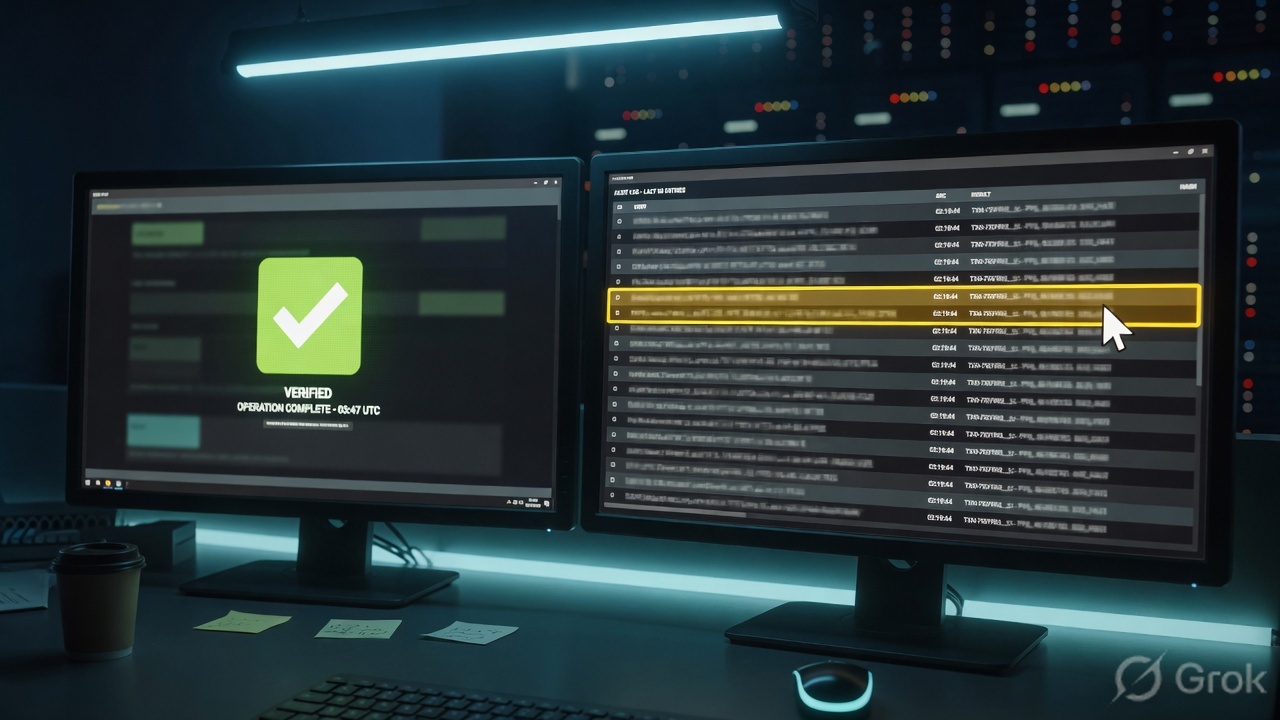
TENABLE-LAB > show asset ASSET-LAB-41
asset=ASSET-LAB-41 name=win-finance-41
ipv4=192.0.2.41 last-seen=2h
last-authenticated-scan=2h last-licensed-scan=2h
acr=7 sources=NESSUS_AGENT,NESSUS_SCAN
agent-name=AGT-LAB-41

TENABLE-LAB > show finding plugin=156999 asset=ASSET-LAB-41
plugin=156999 port=443 protocol=TCP
state=Active vpr=9.1 severity=Critical
first-seen=2026-08-01 scan-id=SCAN-LAB-1042
SCN-DEL or AGT-LAB-41 is online with a fresh Last Connect. SCAN-LAB-1042 is Completed (not Pending, not Aborted). Explore → Assets shows ASSET-LAB-41 with Last Licensed Scan tonight and, if you claimed credentials or an agent, Last Authenticated Scan tonight. Explore → Findings shows plugin 156999 / 443 / TCP in State New or Active. That is the factory working. Completed with no asset row is not.
6. Runtime — after go-live
Once sensors are linked and a schedule exists, later nights are not “create the factory again.” They are: did the gatherer check in, did the job leave the queue, did the asset’s licensed timestamp move, did the finding State change.
Agents keep working while the laptop is off-net. Official: if the agent misses a scheduled window you can configure it to run when it next comes online. Check-ins are outbound 443. A freeze window on the agent profile can block upgrades during business hours — it is not a scan outage. Scanner groups keep eating tasks until capacity is full; overlapping schedules are how you earn a four-hour Pending abort.
After App-ID-style surprises: when a new plugin set lands, Last Plugin Update on the agent matters. Continuous assessment (Linux/Windows agents) reports software-inventory change between baseline agent scans — findings can look different from a standard agent job. WAS Completeds still do not belong on the host-plugin Jira.
Recast / Accept sits after the four stations. A time-boxed Accept hides the finding from default views; it does not rewrite VPR or the raw plugin output. If the rule expires, State can look like a brand-new critical. That is the factory restamping, not a new CVE, until the plugin or advisory says otherwise.
After go-live the loop is the same every week: sensor, job, asset timestamps, finding State. Never skip the first box.
Concept: Tenable is a scan factory — sensor/agent → scan job → asset → finding. Path: link gatherers, launch a templated job, watch Initializing → Completed, then Explore. Do: quote SCN-DEL or AGT-LAB-41 Status, SCAN-LAB-1042 Completed, ASSET-LAB-41 Last Authenticated Scan, plugin 156999 / 443 / TCP / Active.
7. Traps + Explore proof
| Symptom | Looks like | Actually | First move |
|---|---|---|---|
| Completed + missing host | Tenable is down | Target list, Network, or sensor never reached the IP | Sensors Status, then Explore → Assets Last Seen |
| Empty criticals this week | Clean estate | Discovery-only job, or failed credentials, or Aborted Pending | Scan Status + Last Authenticated Scan vs Last Licensed Scan |
| Job stuck Pending | Still running overnight | Queue; four hours later it is Aborted | Reduce overlapping schedules; check scanner group capacity |
| Scanner Online, new VLAN empty | Range is clean | Online ≠ routed; tag / target / firewall | Targets + one test live host + that host’s Last Seen |
| Agent installed, no findings | Agent is broken | Agent not in a group, or no agent scan aimed at that group | Linked Agents: Groups, Last Connect, Last Scanned |
| Two assets, one laptop | Need two recasts | DHCP + TAI off, or two Networks | Asset ID / TAI / Agent Name / MAC — merge, do not patch the ghost |
| Same critical came back | New CVE | State Resurfaced, or an Accept expired | State + Last Fixed + recast Expires |
| XSS on the OpenSSL ticket | One Jira | WAS finding vs host finding | Scans → Web Application Scans; keep finding types split |
- I named sensor / agent, scan job, asset, and finding as four different stations.
- Sensors: SCN-DEL or AGT-LAB-41
Status=onlineand a recentLast Connect. - Scans → Vulnerability Management Scans: SCAN-LAB-1042
Completed(not Pending, not Aborted). I hovered Status for targets + elapsed time. - Explore → Assets: ASSET-LAB-41 exists;
Last Licensed Scanis this window;Last Authenticated Scanmatches if I claimed credentials or an agent. - Explore → Findings: plugin
156999, port443, protocolTCP, State New or Active — not a leftover Fixed row. - I did not brief “safe” from a Host Discovery Completed, and I did not mix WAS into this host ticket.
Tenable is a scan factory. A sensor or agent gathers. A scan job is sliced into tasks and assigned. An asset is printed in Explore. A finding is stamped as plugin ID plus port plus protocol. I prove the ticket with sensor Status and Last Connect, job Status Completed, Last Authenticated Scan versus Last Licensed Scan, and finding State. Completed without an asset is not success.
Next: run the same objects as night tickets on the Tenable evidence desk — first tool + one official proof field.
Knowledge check
Six judgment questions. Map each miss back to the section named in the reason.
Sources
- Get Started with Tenable Vulnerability Management — install and link sensors, Basic Network Scan + Basic Agent Scan, then Findings and Assets
- Sensors — cloud vs linked; Nessus, Agents, NNM, OT connectors, WAS; scanner groups vs agent groups; Networks
- Agents — outbound 443, local processing, no host passwords, agent groups as targets, check-in behavior
- Linked Scanners — Nessus active, NNM passive, WAS application-layer; linking key; Tenable Core
- Manage Linked Agents — Sensors → Nessus Agents → Linked Agents; Status, Last Connect, Last Scanned
- Manage Linked Scanners — Sensors → Nessus Scanners → Linked Scanners
- Scans — templates, lifecycle phases, Initializing / Pending / Running / Completed
- Create a Scan — Scans → Vulnerability Management Scans → Create a Scan; Settings / Credentials / Compliance / Plugins
- Scan Status — typical flow Initializing → Running → Publishing Results → Completed; Pending > 4 hours = Aborted; pause 14-day timeout
- Discovery Scans vs. Assessment Scans — license counting; credentialed vs unauthenticated
- Credentials in scans — scan-specific, template-specific, managed; first successful credential of a type; TAI
- Assets and Use the Assets Page — Explore → Assets; 15-month age-out
- Asset Columns — Last Seen, Last Authenticated Scan, Last Licensed Scan, ACR, Agent Name, Sources
- Findings — unique key plugin ID + port + protocol; 15-month retention
- Use the Findings Page — Explore → Findings
- Findings Columns — Plugin ID, Port, Protocol, State, VPR, Severity, Last Authenticated Scan
- Vulnerability States — New, Active, Fixed, Resurfaced
Related: Tenable evidence desk · Tenable interview hub · VPR prioritization · Agents and NNM sensors · Nessus scanning
Dummy lab data only. These are not live tenant API calls. Confirm current syntax, permissions, and privacy rules on the production release before you type anything on a live system.