Sophos is a Central + XGS policy factory. Central assigns a device a policy and Intercept X intercepts on that laptop. The XGS then stamps the same conversation with a firewall rule, an SD-WAN path, or a VPN tunnel. Success is a Log viewer row with log_type and fw_rule_id — or an official SD-WAN / IPsec status field when the WAN died before a Destroy could be logged. A Base Policy existing in the list is not assignment. A green shield is not Health status. Accept is not the log.
I do not start with another Accept. I name the laptop in Computers & Servers, quote the Policies tab, then ask whether Intercept X is sending a heartbeat to this XGS. Only then do I read the firewall rule, the SD-WAN gateway, or the IPsec Connection. I close with a log field, not a screenshot of a shield.
Concept
Two floors, one ticket. Central prints identity and Intercept X. XGS prints the network stamp. The log is the finished product.
Path
Device/policy → Intercept X / Security Heartbeat → firewall rule or SD-WAN or VPN → Log viewer (log_type + fw_rule_id).
Do
Side A assigns and proves the Central policy. Side B stamps the XGS rule / path. Side C quotes the log. Do not invent a second Accept.
Desk
Night-shift “is it working?” is five proof tools. That write-up lives on the evidence desk. This page is the factory that desk inspects.
1. Why a green shield is not a session
Every other blog starts with “turn on Intercept X” or “add an HTTPS Accept.” That is why juniors freeze at 01:40. The real object is the policy path. Features are stamps the factory puts on one conversation before it lets two sides talk — and before it writes a log line you can paste.
Official Central: you manage protected computers on My Environment → Computers & Servers. Health is an icon beside the name (Good / Warning / Bad / Unknown). Last active is Online or a last-contact timestamp. Agent mode is Endpoint, XDR, or XDR Sensor. The policy that actually applies is on that computer’s Policies tab — not the fact that a Base Policy exists in My Products → Endpoint → Policies.
Official XGS: firewall rules control how traffic flows between zones. Sophos Firewall evaluates rules, not rule groups, top-down, first match. After Accept it can still apply a linked NAT, a web policy, Synchronized Security Heartbeat, an SD-WAN route, or an IPsec selector. The session is logged when the firewall receives a connection Destroy — not when you click Save.
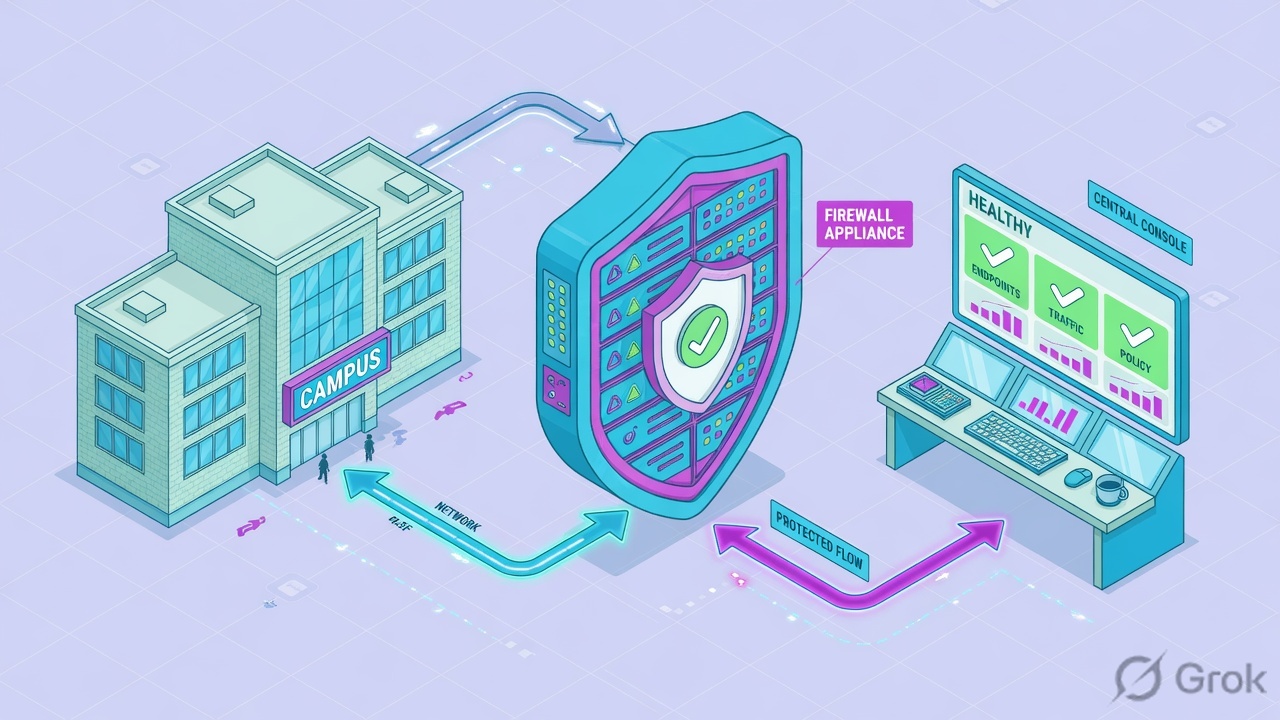
“The shield is green and the rule is Accept, so Sophos is fine — add a wider rule.” A green tray icon is not the Computers & Servers Health status column. An Accept only means the XGS was willing to print the network stamp. If Intercept X was never assigned, or Heartbeat is missing, or Destroy never arrived, widening the rule just prints more dead tickets.
What the ticket asked
“Sophos is blocking Outlook.” That sentence is a hypothesis. The factory may have no device, a wrong policy, a red heartbeat, or an Accept with no log.
What you prove first
Identity of the laptop, then the assigned policy, then heartbeat to this XGS, then the live rule or path, then one log field. The evidence desk is the night-shift version of this order.
2. Mental model — four stamps, two floors
Hold four stamps. Interviews fail when people mix the Central floor with the XGS floor.
1. Device / policy Central
Is this computer in the estate, online, and assigned the Threat Protection (and any Web / Peripheral) policy you intended? User policy vs device policy + list order decide what wins.
2. Intercept Intercept X
Intercept X is the agent that enforces that policy on the laptop. Security Heartbeat is how the endpoint tells a registered XGS its health (green / yellow / red / missing).
3. Path stamp XGS
Firewall rule (Accept / Drop / Reject + Log firewall traffic). Then SD-WAN if you steer ISPs. Then IPsec / SSL VPN if the site path is a tunnel. These are three stamps, not three products.
4. The log Proof
Log viewer (upper-right of any XGS page) is the finished ticket: module + log_type + fw_rule_id. Central Events / TAC Detections are the endpoint floor’s log. Empty is allowed to mean “logging off” or “no Destroy yet.”
Read left → right. If you cannot name the stamp, you will open the wrong console. Central first, then XGS, then the log.
Device / policy answers “is this laptop even in the factory, and which recipe did Central hand it?” Official: a user policy applies to every device that user signs into. A device (computer) policy applies to specific computers or groups, regardless of who logs on. If both could apply, the policy higher in the list wins. You check by opening the computer → Policies. Source: About Policies + Computer Policies.
Intercept answers “is the agent enforcing that recipe and telling the firewall it is healthy?” Official Threat Protection: a device’s health is red if it has threats, out-of-date software, is not compliant with policy, or is not properly protected. Device Isolation can isolate red devices. Security Heartbeat on the XGS firewall rule sets Minimum source HB permitted (Green / Yellow / No restriction) and optionally Block clients with no heartbeat.
XGS path answers “which door, which ISP, which tunnel?” Firewall rules match source zone, destination zone, networks, services, optional users, then action. From SFOS 18 onward, routing lives in SD-WAN policy routing, not inside the firewall rule. Site-to-site IPsec is policy-based (selectors + a matching firewall rule) or route-based (XFRM + static / SD-WAN routes).
Log answers “which module wrote the last word?” Official Log viewer: firewall sessions log on Destroy. SSL/TLS logs after the handshake completes and when the connection closes. Syslog field names you quote: log_type, log_component, fw_rule_id.
3. Factory path — device → intercept → XGS → log
Flowchart first. Prose second. This is the whiteboard when someone says “internet is down” or “Sophos blocked Outlook.”
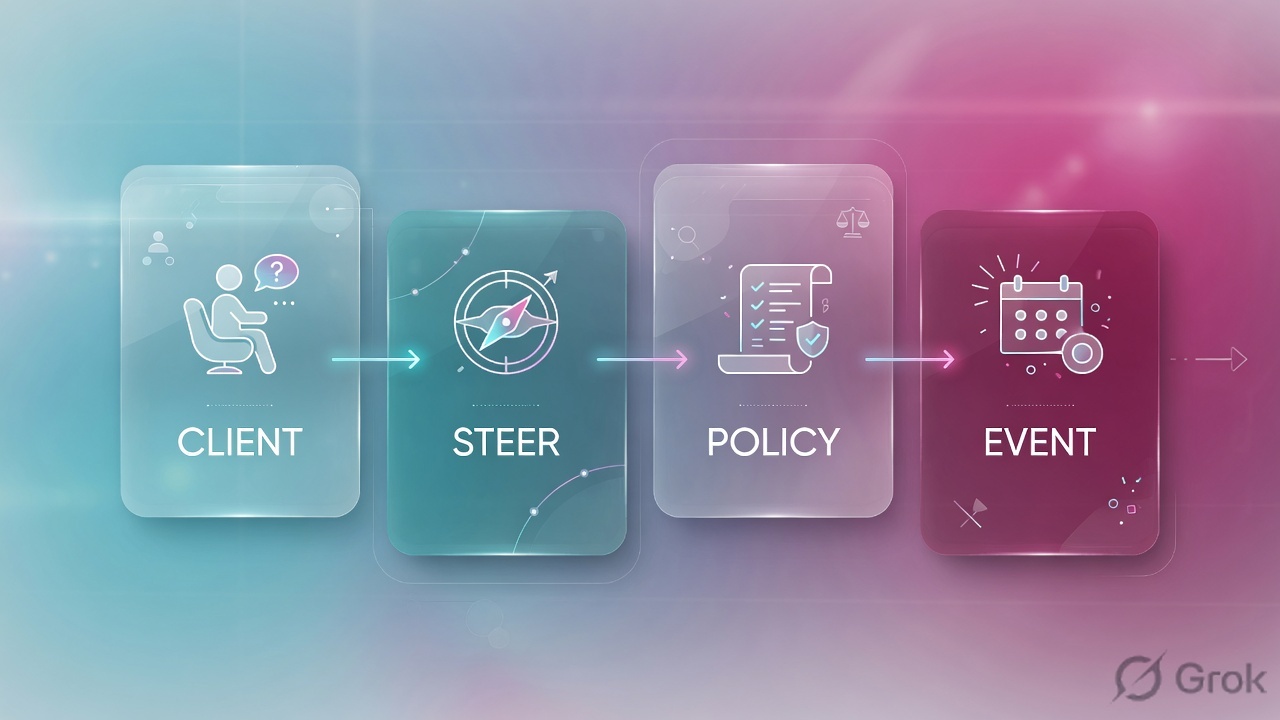
Read left → right, then the green close bar. Diamonds are Central questions. The XGS row is stamps after the first match.
Base Policy is the default catch-all. Official: later you check which policy was applied by opening the computer and looking at the Policies tab. A finance Peripheral Control or Threat Protection policy that is turned on in the list can still lose to a higher user policy, or never be assigned to this device. Existence is not assignment. Reset health status is not assignment either — it only clears old alerts so current issues show.
4. How to choose the next stamp
You are not choosing a product. You are choosing which floor prints the next stamp, and what proof you will quote.
| Choice | Use when | Do not use when | Proof you were right |
|---|---|---|---|
| Fix in Central first | Device missing, Last active stale, Agent mode = XDR Sensor only, Policies tab shows the wrong Threat Protection. | The laptop is Online, policy is assigned, and Log viewer already cites fw_rule_id=14. |
Computers & Servers row + Policies tab names TP-Finance-Intercept. |
| Device policy vs user policy | Device policy when the laptop must keep the recipe no matter who signs in. User policy when the person travels across machines. | You create both and assume they merge. Official: the higher list item wins. | That computer’s Policies tab shows the winner. Source: About Policies. |
| Intercept X (Endpoint / XDR) | You need protection on the laptop. Agent mode Endpoint or XDR includes anti-malware. Heartbeat can then inform the XGS. | You install XDR Sensor and expect Intercept X to block. Official: XDR Sensor is detection only — no Sophos protection. | Agent mode column + Assigned Products on Summary. Sensor-only shows a warning when you pick it. |
| Heartbeat gate on the rule | Minimum source HB = Yellow or Green for LAN→WAN finance. Block clients with no heartbeat when unmanaged devices must not use this door. | You set Block clients with no heartbeat on a guest VLAN that has no Intercept X, then wonder why browsers die. | Control center Security Heartbeat widget counts + the rule’s HB icons. Source: Add a firewall rule. |
| Action = Accept + Log firewall traffic | Known LAN→WAN service you will have to prove later. Logging must be on in the rule and under System services → Log settings. | A second Accept under a working match. Top-down already stopped. Auto-created IPsec / MTA rules may already sit above you. | Log viewer Firewall module: fw_rule_id matches the rule you named. |
| SD-WAN SLA vs first available | SLA (Best quality or Custom latency / jitter / loss) for SaaS that dies at 200 ms. First available when any live ISP is enough. | You steer on a green gateway icon. Health-check up is not Custom SLA pass. In use is not “SLA met.” | Routing → SD-WAN routes hover Active; SD-WAN Log viewer module; Historical performance. |
| IPsec Connection vs Active | Quote Connection on Site-to-site VPN → IPsec when the site path is the tunnel. Active alone can be a half-built or idle object. | You treat a green Active pill as “Pune can reach HQ.” Partial tunnels exist. | Connection status + a matching firewall / SD-WAN hit. Source: IPsec connections. |
| Central Admin isolate vs Heartbeat block | Admin isolate (Actions on the computer) when EDR/XDR/MDR says investigate this one host. Heartbeat block when the XGS must refuse a red / missing estate at the door. | You isolate the fleet from Central because Outlook is slow. Isolation is not a WAN repair. | Summary shows Isolated by Admin, or the rule’s HB action matches the widget. |
Official: Sophos Firewall applies firewall rules before source NAT. A Create linked NAT rule SNAT is listed in NAT rules, tagged with the firewall rule ID and name. A NAT rule above that linked rule can still win. Default MASQ translates the original IP to the WAN interface IP (or the XFRM IP on some route-based VPNs). Deleting Default SNAT IPv4 is a trap — it reappears when you create or update a WAN interface. Turn it off if you must. Source: NAT rules + Add a firewall rule.
5. Runbook Side A → B → C
Lab values only. Central computer FIN-LAPTOP-22, last user finance.user@example.lab, client 192.0.2.25, SaaS 198.51.100.80:443, appliance XGS-LAB-2100, serial XGS2100LAB001, PAT 203.0.113.10. Nothing here is a live tenant.
Side A — Central device and the assigned policy
Primary source: Computers and servers + Computer Policies + Set up policies + Threat Protection Policy.
My Environment › Computers & Servers › FIN-LAPTOP-22
FIN-LAPTOP-22
Policies tab is the assignment proof. TP-Finance-Intercept exists in My Products → Endpoint → Policies — that is not this proof. Dummy names only.
Source: Computers and servers (Health status, Last active, Agent mode, Tamper protection) + Computer Policies (Policies tab). Click next: confirm Threat Protection settings, then leave Central only if this laptop is Online and assigned.
-
Name the laptop, not the rumour
My Environment → Computers & Servers. Filter Device name
FIN-LAPTOP-22or IP192.0.2.25. Quote Health status, Last active, Agent mode, Tamper protection. Unknown health plus a grey Last active is an estate problem, not an XGS problem. Source: Computers and servers. -
Open the Policies tab
Click the name → Policies. Official wording: this tab shows the policies that are applied to the computer. Quote Threat Protection =
TP-Finance-Intercept. If you see only Base Policy and you expected a finance recipe, stop. Do not add an XGS Accept to compensate. Source: Computer Policies + Set up policies. -
Read the recipe, do not assume Intercept X
My Products → Endpoint → Policies → Threat Protection. Confirm the policy is turned on. Device Isolation (red health) is a choice, not a default you invent. Recommended settings exist; Account Health Check can flag drift. Agent mode XDR Sensor means no Sophos anti-malware — Intercept X is not on that path. Source: Threat Protection Policy + Computers and servers Agent mode.
-
Only then involve the XGS
If Heartbeat will gate the firewall rule, the XGS must be registered with the same Central account and Central management / Security Heartbeat turned on. Path: XGS Sophos Central → Register (OTP or super-admin email), then Central My Products → Firewall Management → Firewalls. Status Not managed by Sophos Central means registered for Heartbeat only — group policy from Central will not push. Source: Enable Sophos Central management of Sophos Firewall.
Side B — Intercept gate, then the XGS stamps
Primary source: Add a firewall rule + Firewall rules + SD-WAN profiles / Managing SD-WAN routes + IPsec connections + Security Heartbeat.
Rules and policies › Firewall rules › IPv4 › Add firewall rule › New firewall rule
New firewall rule
Configure Synchronized Security Heartbeat is on the same Add rule page. Use web proxy instead of DPI stays Off unless you need SafeSearch / parent proxy. Dummy values only.
Source: Add a firewall rule — Rule name, Rule position, Action Accept/Drop/Reject, Log firewall traffic, Source zones, Create linked NAT rule, Web policy, Minimum source HB permitted, Block clients with no heartbeat. After Save, review position against auto-created MTA / IPsec / hotspot rules.
-
Stand on the XGS that will print the ticket
System services → High availability if the pair exists. Active-passive: the primary processes traffic. An empty Live connections table on the auxiliary is not “the firewall has no sessions.” Register both HA devices from the primary (Central synchronization → Register both HA devices) when Central management is in play. Source: HA modes and device roles + Manage an HA pair in Sophos Central.
-
Save Accept with logging and the Heartbeat gate
Use the mock. Log firewall traffic is how this rule can ever appear in Log viewer or syslog. Heartbeat: Yellow permits green or yellow endpoints; Block clients with no heartbeat refuses laptops that never phoned this XGS. Endpoints that never sent a heartbeat are allowed unless you select both source and destination “block no heartbeat” options. Source: Add a firewall rule §10.
-
Confirm NAT, then decide SD-WAN vs VPN
Linked NAT appears in Rules and policies → NAT rules with this rule’s ID and name. Internet egress: MASQ is the default. Site path: Routing → SD-WAN profiles (health check + Service Level Agreement) then Routing → SD-WAN routes. Tunnel path: Site-to-site VPN → IPsec (policy-based uses the firewall rule + local/remote subnets; route-based uses XFRM + SD-WAN / static routes). Source: NAT rules + SD-WAN + Site-to-site VPN.
-
Do not celebrate Save
A saved rule is a recipe. Auto-created rules may now sit above Finance-HTTPS. Side C is the proof. Source: Firewall rules — review rule positions after every automatic or manual create.
Side C — prove the finished ticket in the log
Primary source: Log viewer + Log settings + Syslog guide for SFOS 21.5 + Managing SD-WAN routes + IPsec connections. Night-shift field list: evidence desk.
-
Turn the recorder on before you replay
Rule: Log firewall traffic already on. Box: System services → Log settings — Local reporting includes Firewall (and SD-WAN if you will quote that module). Central: XGS Sophos Central services if you expect the same logs in Central. Source: Log settings + Add a firewall rule logging note.
-
Replay the business click, then open Log viewer
Upper-right of any XGS page → Log viewer (new full-screen window). Module selector → Firewall. Add filter source IP
192.0.2.25. Official: the session appears when Destroy arrives. SSL/TLS rows appear after the handshake completes. -
Quote two fields, not a screenshot
Detailed view:
log_type(Firewall) +fw_rule_id(14) + action / status. If the user still sees a block page, switch module to Web or IPS — that is a later stamp on the same Accept, not a missing rule. Source: Log viewer + Syslog guide. -
If the Firewall module is empty, do not add Accept
Official caveat: sessions closed without a Destroy (loss of internet) are not logged. Then the first tool is Routing → SD-WAN routes (hover Active) or Site-to-site VPN → IPsec (Connection), not a new Top rule. Confirm you are not on the HA auxiliary. Source: Log viewer “When are sessions logged” + Managing SD-WAN routes.
Log viewer → Firewall → Add filter
Firewall events
| Time | log_type | fw_rule_id | src → dst | status | bytes |
|---|---|---|---|---|---|
| 10:42:51 | Firewall | 14 | 192.0.2.25 → 198.51.100.80:443 | Allow · 0 rcvd | 1904 / 0 |
| 10:44:12 | Firewall | 14 | 192.0.2.25 → 198.51.100.80:443 | Allow · Destroy | 8120 / 44102 |
Row 1 is Accept with no return bytes — isolate NAT, SLA, or the server. Row 2 is the close: same fw_rule_id, Destroy, bytes both ways.
Click next: if both rows are missing, check Log firewall traffic + Log settings, then SD-WAN / IPsec status. Source: Log viewer + Syslog guide (log_type, fw_rule_id).
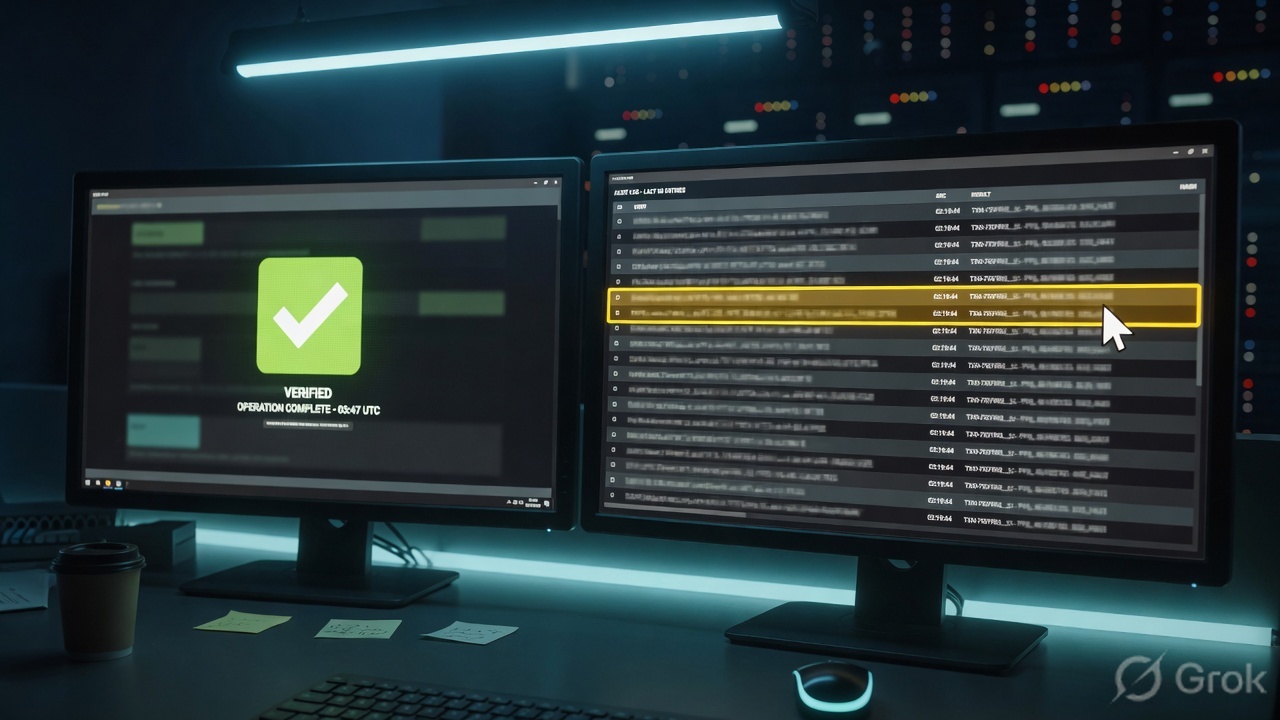
device="SFW" date=2026-08-16 time=10:44:12 timezone="IST"
device_name="XGS-LAB-2100" device_id=XGS2100LAB001
log_id=010101600014 log_type="Firewall" log_component="Firewall Rule"
log_subtype="Allowed" status="Allow" fw_rule_id=14
src_ip=192.0.2.25 src_port=51901 dst_ip=198.51.100.80 dst_port=443
src_trans_ip=203.0.113.10 proto=TCP user_name="finance.user"
hb_status="yellow"
Computers & Servers: FIN-LAPTOP-22 Online, Health Good (or an explained Warning), Agent mode XDR. Policies tab: TP-Finance-Intercept. XGS rule 14 Accept, Log firewall traffic on, min source HB Yellow. Log viewer: log_type=Firewall fw_rule_id=14 with return bytes, or a documented SD-WAN / IPsec field if Destroy never arrived. That is working. Accept with an empty viewer is not.
6. Runtime — list order, auto-rules, missing heartbeat
After go-live the factory keeps moving. Central applies policies in list order — drag the most specific to the top. A new user policy can silently steal a laptop from your device policy. Re-open the computer’s Policies tab after every “we cloned a policy” change. Source: Set up policies + About Policies.
On the XGS, later packets of an allowed flow ride the connection the first match created. A new Accept underneath that match will not see them. Automatically created MTA, IPsec, and hotspot rules land at the top and are evaluated first. Creating another Top rule shuffles the table. Official warning: overlapping criteria can break mail delivery or stop a tunnel coming up. After every auto-create, re-read positions. Source: Firewall rules.
Heartbeat is timed. Missing heartbeats are detected only in the zones you list under Sophos Central → Optional configurations → Missing heartbeat zones. If the policy blocks a zone but that zone is not listed, the Control center widget can show Missing while you stare at the wrong VLAN. Endpoints that go to sleep sign out of Synchronized user ID — traffic then follows “unknown user” rules, not the finance group you expected. Source: Security Heartbeat + Synchronized user ID authentication.
SD-WAN: a gateway can be up (health check answered) and still fail Custom SLA (latency / jitter / loss). Hover Active on the route; read Historical performance. IPsec: Active is not Connection. A partial tunnel can look alive while one selector is down. Central SD-WAN connection groups use green / orange / red tunnel status — still not an XGS firewall Allow. Source: Managing SD-WAN routes + IPsec connections + Manage an SD-WAN connection group.
HA is two copies of the XGS floor. Green sync means the book copied. It does not mean Outlook recovered. Prove with the same click, on the new primary, and a new Log viewer row. Conn-sync enabled does not mean every UDP flow survived.
Firewall Accept plus a web-policy category block is two stamps, not a missing rule. DPI is the default engine; SSL/TLS inspection rules apply on detected TLS. Use web proxy instead of DPI only when you need SafeSearch, YouTube restrict, parent proxy, or caching. A pinned banking app that refuses the re-signing CA needs a Don’t decrypt / Local TLS exclusion — not SSL/TLS engine off. Source: Add a firewall rule Web filtering + SSL/TLS inspection rules.
7. Traps + Log viewer proof
| Symptom | Looks like | Actually | First move |
|---|---|---|---|
| Green tray shield, Outlook still dead | Sophos is fine | Tray ≠ Health status / Policies tab | Computers & Servers, then Policies tab |
| Finance USB still mounts | Peripheral policy broken | Policy exists, not assigned (or user policy won) | That computer → Policies tab |
| XDR Sensor, “Intercept didn’t block” | Signature miss | Agent mode is detection-only | Agent mode column — Endpoint or XDR |
| Accept + spinning browser | Missing rule | No return path, or no Destroy log yet | Log viewer bytes; then NAT / SD-WAN / server |
| Added Top Accept, mail died | SMTP server | Auto MTA rule no longer first | Review rule positions |
| SaaS slow, both WANs green | Need a new Accept | Health-check up, SLA fail | SD-WAN Active + Historical performance |
| Pune “VPN is up” | IPsec Active | Connection down / partial tunnel | IPsec Connection status |
| Empty Live connections | No policy | You are on the HA auxiliary | System services → High availability |
| Empty Log viewer, session on screen | Sophos hid the block | Logging off, or no Destroy (WAN died) | Log settings, then SD-WAN / IPsec |
| Unmanaged laptop hits finance rule | Need another Drop | No heartbeat, block-none not set | Block clients with no heartbeat on that rule |
FIN-LAPTOP-22is Online on Computers & Servers; Health is Good or an explained Warning — not a phone photo of the tray.- Policies tab lists
TP-Finance-Intercept(and the Web / Peripheral policies you intended). - Agent mode is Endpoint or XDR, not XDR Sensor, if you expected Intercept X to block.
- This XGS is the HA primary (if paired) and is registered to the same Central account if Heartbeat is in the rule.
- Rule 14: Accept, Log firewall traffic on, source HB meets Yellow, position still above the catch-alls and below any intended IPsec / MTA autos.
- SD-WAN chosen gateway meets SLA, or IPsec Connection is up if the path is a tunnel.
- Log viewer Firewall:
log_type+fw_rule_id=14+ return bytes — or a documented empty-log reason plus a path status field. - The same Outlook click the user failed now completes. No second Accept was added under a working match.
Sophos is a Central + XGS policy factory. I prove the device and the assigned policy first. Intercept X plus Security Heartbeat is the intercept stamp, not a second firewall. The XGS then matches a firewall rule, an SD-WAN SLA path, or an IPsec Connection. I close with Log viewer log_type and fw_rule_id. A green shield is not health. Accept is not the log.
Five night-shift tickets mapped to first tool + one official field are on Prove Sophos is working — the evidence desk. Practice the same isolate-then-quote discipline on the Sophos dummy lab.
Knowledge check
Six judgment questions. Mapped to assignment, intercept, Accept-is-not-the-log, SLA vs up, IPsec Connection, and empty Destroy. Check, then reset.
Sources
- Sophos Central Admin — Computers and servers — Health status, Last active, Agent mode, Tamper protection, Reset health status
- Sophos Central Admin — Computer Summary — security health icons, Actions, Agent Summary, Isolated by Admin
- Sophos Central Admin — Computer Policies — Policies tab shows policies applied to the computer
- Sophos Central Admin — Set up policies — My Products → Endpoint → Policies; list order; Computers → Policies tab
- Sophos Central Admin — About Policies — Base Policy; user vs device; list priority
- Sophos Central Admin — Threat Protection Policy — red health factors; Device Isolation
- Sophos Central Admin — Firewall Management — monitor and configure connected XGS devices
- Sophos Central Admin — Enable Sophos Central management of Sophos Firewall
- Sophos Firewall — Firewall rules — evaluate rules not groups; default Drop all #0; auto-created rules at top
- Sophos Firewall — Add a firewall rule — Action, Log firewall traffic, linked NAT, Web policy, Synchronized Security Heartbeat
- Sophos Firewall — NAT rules — MASQ; linked NAT; firewall before SNAT
- Sophos Firewall — SSL/TLS inspection rules — Decrypt / Don’t decrypt; Local TLS exclusion
- Sophos Firewall — SD-WAN profiles — health check; SLA
- Sophos Firewall — Managing SD-WAN routes — Active gateway; SLA isn’t met
- Sophos Firewall — Site-to-site VPN — policy-based vs route-based IPsec; SSL VPN
- Sophos Firewall — IPsec connections — Active vs Connection
- Sophos Firewall — Security Heartbeat
- Sophos Firewall — Log viewer — Destroy timing; SSL/TLS timing; module selector
- Sophos Firewall — Log settings — Log firewall traffic; Local reporting; Firewall / SD-WAN types
- Sophos Firewall — Syslog guide for SFOS 21.5 —
log_type,fw_rule_id - Sophos Firewall — HA modes and device roles
- Sophos Firewall — Live connections
Related: Prove Sophos is working — the evidence desk · Sophos Firewall hub · Dummy lab · All lessons
Dummy lab data only. Confirm current field names on the production Central and SFOS release before you type on a real estate. HA conn-sync enabled does not mean every UDP flow survived.