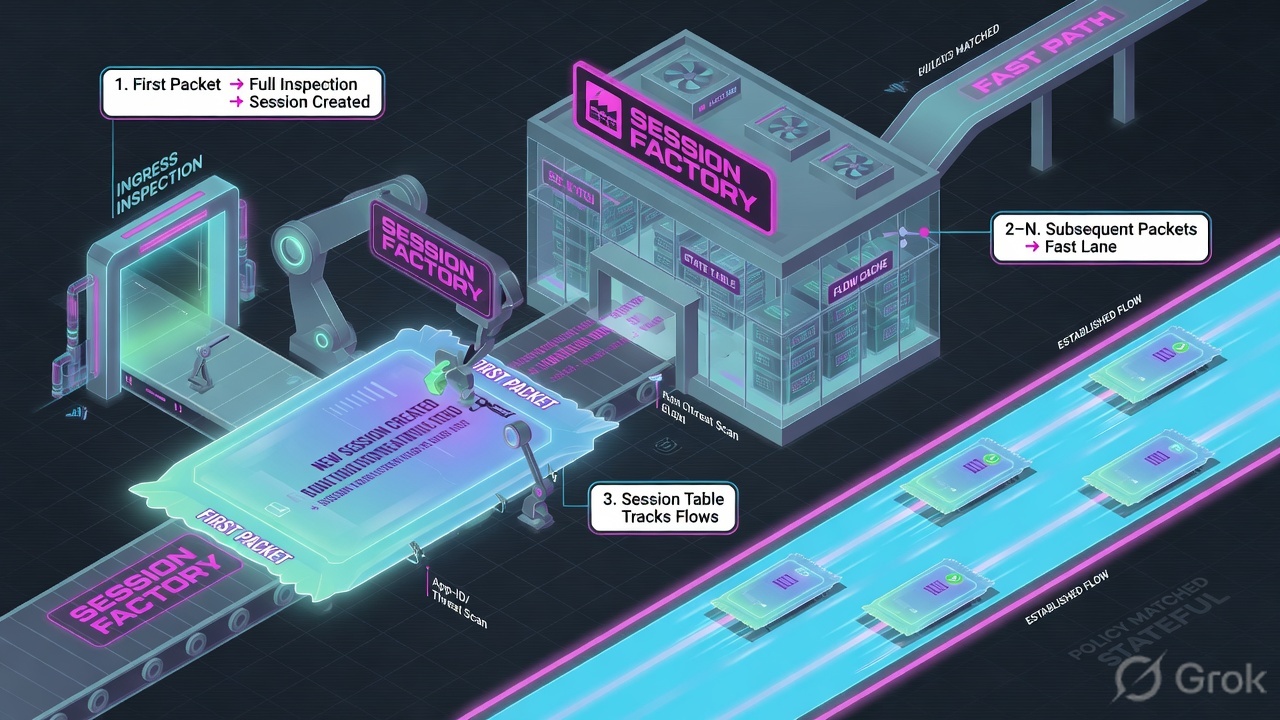
A SonicWall NSa is a stateful session factory. A packet becomes a connection only after it arrives on a named interface in a zone, matches an Access Rule for that source-zone → destination-zone pair, hits a NAT Policy if addresses must rewrite (or a VPN policy’s Local / Destination Networks if it should enter a tunnel), and SonicOS writes a row in Connections. Allow is a permit. A green tile is not a session. Capture ATP is last.
I do not start with Capture ATP. I name the X-port and the zone, then the zone-pair Access Rule, then NAT or the VPN networks, then I filter Connections for the source IP. Empty Connections means the factory never printed the ticket. Allow without a Connections row is not success.
1. Why allow is not a connection
Every other write-up starts with Capture ATP, Client DPI-SSL, or “just add a LAN → WAN allow.” That is why students freeze at 02:10. The real object is the connection. Features are stamps SonicOS puts on a ticket after the factory is willing to print it.
Official SonicOS: Access Rules, NAT Policies, and security services apply on zone-to-zone traffic. The interface is how the packet enters a zone. Same IPs on the wrong X-port are a different factory job. Default stateful inspection allows sessions that originate from LAN or WLAN toward WAN or DMZ, allows DMZ toward WAN, and denies WAN toward LAN or DMZ. Return traffic for a LAN-initiated session is the state table — not a second Allow you forgot to write.
What the ticket asked
“HTTPS is dead — disable Capture ATP.” That sentence is a hypothesis. The factory may already have allowed the flow and never written a Connections row — or written a one-way row while the next hop stayed silent.
What you prove first
Identity of the box, then X-port and zone, then whether Connections shows the 5-tuple. The evidence desk is the night-shift version of that order: Connections first, then Access Rule Name, then ATP.
“The rule is Allow, so SonicWall is fine — we need a wider rule or we disable ATP.” An Allow only means the factory was willing to print the ticket. If Connections is empty, or the row never grows a return half, widening the rule just prints more dead tickets.
2. Mental model — four stamps
Concept: SonicOS is a factory that stamps a packet into a connection. Hold four stamps. Interviews fail when people mix them.
Path: named X-port in a zone → zone-pair Access Rule (first match) → NAT Policy or VPN Local / Destination Networks → Connections row.
Do: Read NETWORK | System > Interfaces, then the Zone Matrix Access Rule, then NAT (or the VPN Network tab), then filter Connections. Only then talk DPI-SSL or Capture ATP.
1. Zone / interface is the floor
Official default: X0 = LAN (Trusted), X1 = WAN (Untrusted). Default LAN IP is 192.168.168.168. A zone assignment is required. Unassigned never matches a LAN → WAN rule.
2. Access Rule is whether
POLICY | Rules and Policies > Access Rules. Zone Matrix. Top-down, first match, per source zone → destination zone. Action is Allow, Deny, or Discard. Allow is a permit, not a live session.
3. NAT / VPN is how
NAT is a separate table. Default outgoing many-to-one hides LAN behind the WAN interface IP. Inbound publish needs NAT and a matching Access Rule. VPN interesting traffic is Local Networks + Destination Networks — not “SA up.”
4. Proof is Connections
MONITOR | Tools & Monitors > Connections is the live table (operators still say Connection Monitor). System Logs Access Rule Name is history. A written Allow with zero traffic statistics is not a hit.
Read left → right. Yellow is where most “policy is broken” tickets actually die. Green is the only proof that matters on this page.
Hard words before the runbook
- X0 / X1 — SonicWall physical port names. Official shipping map is X0 = LAN, X1 = WAN. Confirm Zone, IP Assignment, IP Address, and Default Gateway on NETWORK | System > Interfaces. Do not guess from the chassis sticker.
- Zone — trust group with a security type. Official defaults that you cannot delete: LAN (Trusted), WAN (Untrusted), DMZ (Public), plus VPN, SSLVPN, WLAN, MULTICAST. Custom zones live under OBJECT | Match Objects > Zones.
- Allow Interface Trust — zone setting. When enabled, interfaces in that zone trust each other (intra-zone). When it is off, you write Access Rules even for two LAN X-ports.
- Zone pair / Zone Matrix — source zone → destination zone. Access Rules are shown and matched per pair. Official control: Zone Matrix Selector or From Zone / To Zone.
- Allow / Deny / Discard — Access Rule actions. Official: Deny notifies the sender (TCP RST). Discard silently drops. Implicit Deny is the default answer if nothing matched.
- NAT Policy — separate table under POLICY | Rules and Policies > NAT Rules. Original Source / Destination / Service versus Translated Source / Destination / Service. Default outgoing many-to-one is preconfigured per interface.
- Local Networks / Destination Networks — the Network tab on a site-to-site VPN Policy. That is the proxy ID / interesting traffic. Phase 2 only protects what is listed.
- Connections — MONITOR | Tools & Monitors > Connections. Official live table of sessions through the appliance. Operators still say Connection Monitor. Filter on
Src IP. - Access Rule Name — official System Logs column: “Name of the Access Rule triggering the event, if any.” History, not the live table. Night-shift isolate lives on the evidence desk.
- Client DPI-SSL / Server DPI-SSL — SonicOS TLS decrypt names, attachable on the Access Rule security profile. Client SSL = users outbound (firewall CA). Server SSL = inbound to a hosted server (real cert + key).
- Classic Mode vs Policy Mode — Classic keeps Access Rules and NAT as separate tables (this lesson). Policy Mode merges security into one table. Same factory idea; different left-nav. Quote the mode on the box before you recite a path.
3. Zone pair first, then NAT or VPN
Draw this on the whiteboard before you open Capture ATP. Diamond = decision. Dummy lab values only: host 10.10.8.22 → 198.51.100.80:443, rule name Finance-HTTPS, outbound NAT off the WAN X-port toward 203.0.113.10.
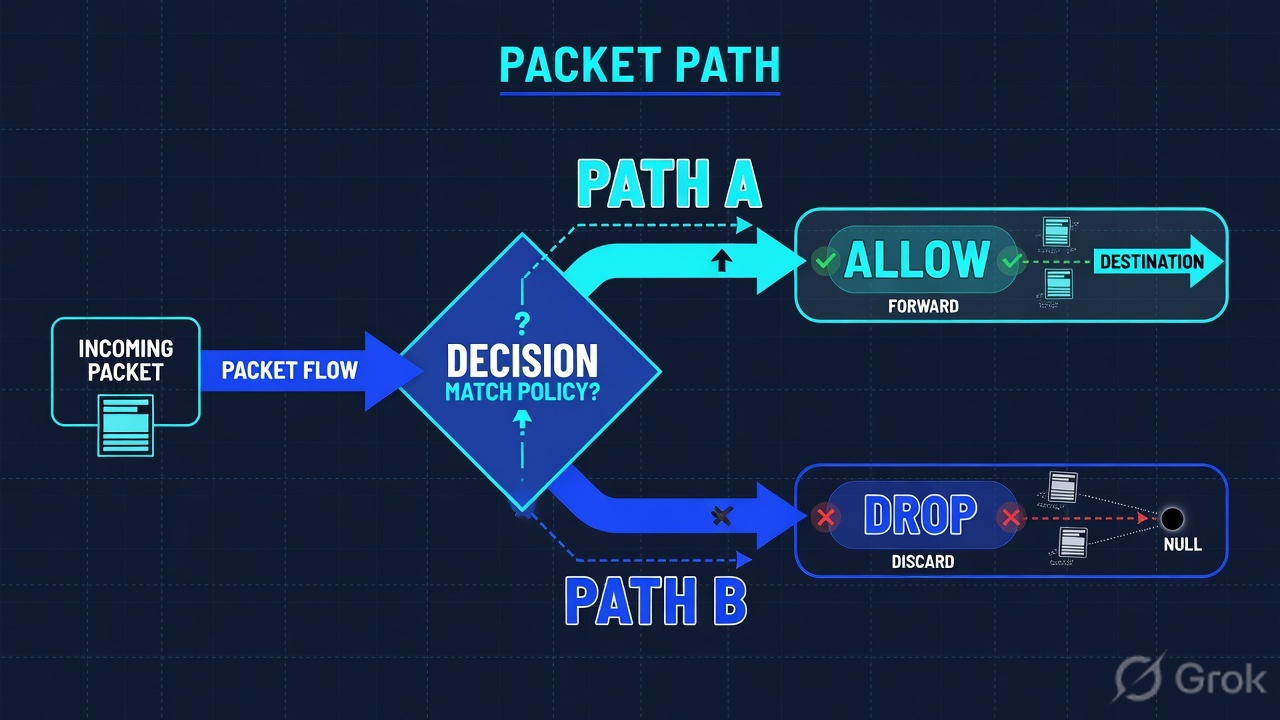
Always start at the X-port. Diamond answers are yes/no — not “maybe ATP.” Night-shift field names live on the evidence desk.
Official default: sessions originating from LAN toward WAN are allowed. Adding a second Any-Any on that pair does not create a connection that the first Allow already permitted. If Connections is empty, the packet never entered that zone pair — wrong X-port, Unassigned VLAN, or you are staring at the idle HA peer. If Connections exists and the app still dies, you are in NAT, ARP, DPI-SSL, or VPN networks — not a missing Allow.
4. How to choose the station
You are not choosing a product. You are choosing which stamp the factory failed to write. If X then Y.
| If you see | Choose this station | Do not start here | Proof you were right |
|---|---|---|---|
| Cable moved, new VLAN, Zone = Unassigned | NETWORK | System > Interfaces — bind X-port / sub-interface to the zone | A new Any-Any Access Rule | Interfaces table: Zone matches the pair you wrote the rule for |
| Rule is Allow, Connections filter is empty | Wrong zone pair or idle HA peer — redraw the floor, then re-filter | Capture ATP, extra LAN → WAN Allow | Filtered Connections still empty after you confirm the active unit and the X-port |
| Allow + Connections row, app still spins | NAT Policy on the egress X-port, then next-hop ARP | A wider Access Rule (Allow already happened) | NAT hits increment; next hop is reachable on that X-port |
| Published server: inbound NAT done, still timeout | Matching WAN → LAN/DMZ Access Rule using the same original source / dest / service as the NAT | Only another NAT line | Official pairing: inbound NAT + Allow Access Rule. Connections shows the WAN source. |
| App works on phone LTE, fails on office LAN | POLICY | DPI-SSL > Client SSL exclude (object or Common Name), or disable Client DPI-SSL on that one Access Rule | A new LAN → WAN Allow (it already allows) | Scoped exclude; inspection stays on for the rest of HTTPS |
| IPsec SA green, one remote subnet dead | VPN Policy → Network tab: Local Networks / Destination Networks | Bounce IKE, change Phase 1 | Subnet listed; Currently Active VPN Tunnels still shows the tunnel |
| HA peer shows idle | Normal in active/standby — retest on the current active | Declaring the pair broken | Connections on the active unit, not the idle book |
Official inbound pairing (SonicWall technical documentation + Knowledge Base): a NAT Policy translates a public address to a private address. An Access Rule allows the flow. Common port-forwarding mistake: the Access Rule must use the original source, destination, and service from the inbound NAT — not the translated private IP as if it were the packet SonicOS first saw from WAN.
5. Runbook Side A → B → C
Lab values only. Hostname NSA-LAB, management https://192.168.168.168/sonicos (official default X0 LAN address), finance host 10.10.8.22, SaaS 198.51.100.80, WAN PAT 203.0.113.10, gateway 203.0.113.1. Nothing here is a live tenant.
Side A — zones and interfaces (building the factory floor)
Primary source: SonicOS 7 System — NETWORK | System > Interfaces · SonicOS 7.1 Objects — Zones · Getting started with SonicWall firewalls.
-
Open NETWORK | System > Interfaces
Confirm each X-port: Zone, Mode / IP Assignment, IP Address, Subnet Mask, Default Gateway (WAN), link. Official default: X0 = LAN at
192.168.168.168, X1 = WAN. The default LAN interface cannot be unassigned. A VLAN sub-interface left on Unassigned never matches a LAN → WAN rule. -
Quote the zone, not the mnemonic
Shipping folklore is useful on day one. It is not a law. A cable move, a PortShield group, or a lab that NATs off a different X-port will lie if you never open the table. Write the Zone you see.
-
Create or confirm zones
OBJECT | Match Objects > Zones. Security Type is Trusted / Untrusted / Public / Encrypted / Wireless. Enable Allow Interface Trust on LAN if two LAN X-ports should talk without an extra rule. Do not invent a custom zone and then write the Access Rule against LAN.
NETWORK › System › Interfaces › Edit X1
Edit Interface — X1
HTTPS Management (keep scoped — do not open to Any)
Official default WAN face is X1. Quote this table. A lab that NATs off another X-port is still this screen, not the chassis sticker.
Source: SonicOS 7 System — NETWORK | System > Interfaces. Getting started with SonicWall firewalls. Dummy addressing only. Click next: note Zone + gateway, then open POLICY | Rules and Policies > Access Rules for that zone pair.
Side B — Access Rule, then NAT, then VPN networks (printing the ticket)
Primary source: How to Configure Access Rules (SonicOS 7.X) · SonicOS 7.1 Rules and Policies — Access Rules / NAT Rules · SonicOS/X 7 IPSec VPN — Network tab and auto-added Access Rules.
POLICY › Rules and Policies › Access Rules › LAN → WAN › Add
Adding Rule
Zone Matrix is LAN → WAN. First match wins. Default LAN → WAN Allow already exists below — put Finance-HTTPS above any catch-all if you need a named hit. Security profile can enable or disable Client DPI-SSL per rule.
Source: How to Configure Access Rules — Policy → Rules and Policies | Access Rules → Zone Matrix Selector. Fields: from/to zones, service, Allow/Deny. Security profiles include Client DPI-SSL / Server DPI-SSL. Dummy values only.
-
Write or confirm the zone-pair Access Rule
Use the mock above. Select the Zone Matrix cell (example LAN to WAN). Find the first-match rule. Dummy:
Finance-HTTPS, source LAN, dest Any, service HTTPS, action Allow, logging on. Default deny below is expected. Action values are Allow, Deny, or Discard — pick on purpose. Source: How to Configure Access Rules. -
Write outbound NAT in the other table
POLICY | Rules and Policies > NAT Rules → Add. Official many-to-one: Original Source = LAN Subnets (or the LAN X-port subnet), Translated Source = WAN Interface IP, Original Destination = Any, Translated Destination = Original, Original Service = Any, Translated Service = Original. SonicOS ships a default outgoing NAT per configured interface. Do not invent a second PAT and then wonder which one hit. Source: SonicOS 7.1 NAT Rules — Creating a Many-to-One NAT Policy.
-
If you publish a server, add inbound NAT and the WAN → zone Allow
Official: inbound NAT translates the public IP (and optional port) to the private server. Pair it with an Access Rule from WAN to the server’s zone. Use the original destination and service from the NAT in that Access Rule. The Public Server Wizard builds address objects + NAT + Access Rule together — use it when you want all three stamps at once. Source: How can I enable port forwarding… + Common mistakes with port forwarding.
-
If the flow should enter a tunnel, list the networks
NETWORK | IPSec VPN > Rules and Settings → VPN Policy → Network tab. Under Local Networks and Destination Networks, choose the address objects that must enter the tunnel. Official: when you add a VPN Policy, SonicOS auto-creates non-editable Access Rules so traffic can traverse Trusted zones and the VPN zone. Those auto-rules are not a substitute for listing
10.50.0.0/24. A missing Destination Network leaves Phase 2 up for other selectors and printers on the WAN default route. -
Do not celebrate a saved rule
A named Allow in the Zone Matrix means the recipe printed. It does not mean SaaS answered. Side C is the proof.
NAT Policy (inbound)
  Original Source:        Any
  Translated Source:      Original
  Original Destination:   webserver_public_ip     (203.0.113.20)
  Translated Destination: webserver_private_ip    (10.10.8.80)
  Original Service:       HTTPS
  Translated Service:     Original

Access Rule (WAN → LAN)  — use the ORIGINAL dest + service
  From: WAN / Any
  To:   LAN / webserver_public_ip
  Svc:  HTTPS
  Action: Allow
Say the pairing out loud. The Access Rule matches what WAN sent, not the private IP after rewrite. Source: Common mistakes with port forwarding — “original source, destination and service fields in the inbound NAT should be used in the access rule.”
Side C — prove the connection in Connections
Primary source: Monitor connections on the SonicWall firewall — Tools & Monitors | Connections · SonicOS 7 Tools & Monitors — Viewing Connections · MONITOR | Logs > System Logs (Access Rule Name).
-
Baseline the box
HOME / System Status: hostname
NSA-LAB, firmware train, this unit active if HA. Half of “it doesn’t match the doc” is a different SonicOS train (Classic vs Policy Mode). Half of empty Connections is the idle standby. -
Reproduce, then open the live table
Have finance click SaaS. Then MONITOR | Tools & Monitors > Connections (operators: Connection Monitor). Official: all active connections to the appliance are displayed; you can filter. Filter
Src IP = 10.10.8.22. This is not System Logs. -
Read the official columns on the row
You need a row. Official Viewing Connections columns include
Src IP,Src Port,Dst MAC,Dst Vendor. IPv4 / IPv6 tabs. Empty filtered table = no session. You are still in this factory, not on the evidence desk’s Capture ATP ticket. -
If the row exists, then you may read history
MONITOR | Logs > System Logs — official column
Access Rule Name. POLICY | Rules and Policies > Access Rules → Settings > Grid Settings → display traffic statistics; Restore restarts the counts; reproduce; quote the increment. That isolate is the evidence desk. -
If Connections is empty, do not add a rule yet
Confirm X-port / zone, the Zone Matrix pair, NAT egress, and that you are on the active unit. Then Packet Monitor (INVESTIGATE | Packet Monitor or MONITOR | Tools & Monitors > Packet Monitor) if you must see the drop. Packet Monitor is not a substitute for Connections.
MONITOR / Tools & Monitors / Connections / IPv4
Connections Live table
| Src IP | Src Port | Dst MAC | Dst Vendor |
|---|---|---|---|
| 10.10.8.22 | 51844 | 00:53:00:11:22:33 | Lab-ISP |
| 10.10.8.40 | 44312 | 00:53:00:aa:bb:cc | Lab-Core |
Row for 10.10.8.22 is the printed ticket. Empty filter = factory never printed. Dst MAC missing / incomplete next hop is the ARP station, not a missing Allow.
Click next: if the row exists, open System Logs and quote Access Rule Name, then Access Rule traffic statistics. If the row is missing, go back to Interfaces and the Zone Matrix. Source: SonicOS 7.0 Tools & Monitors — Viewing Connections; Monitor connections on the SonicWall firewall. Lab identities only.
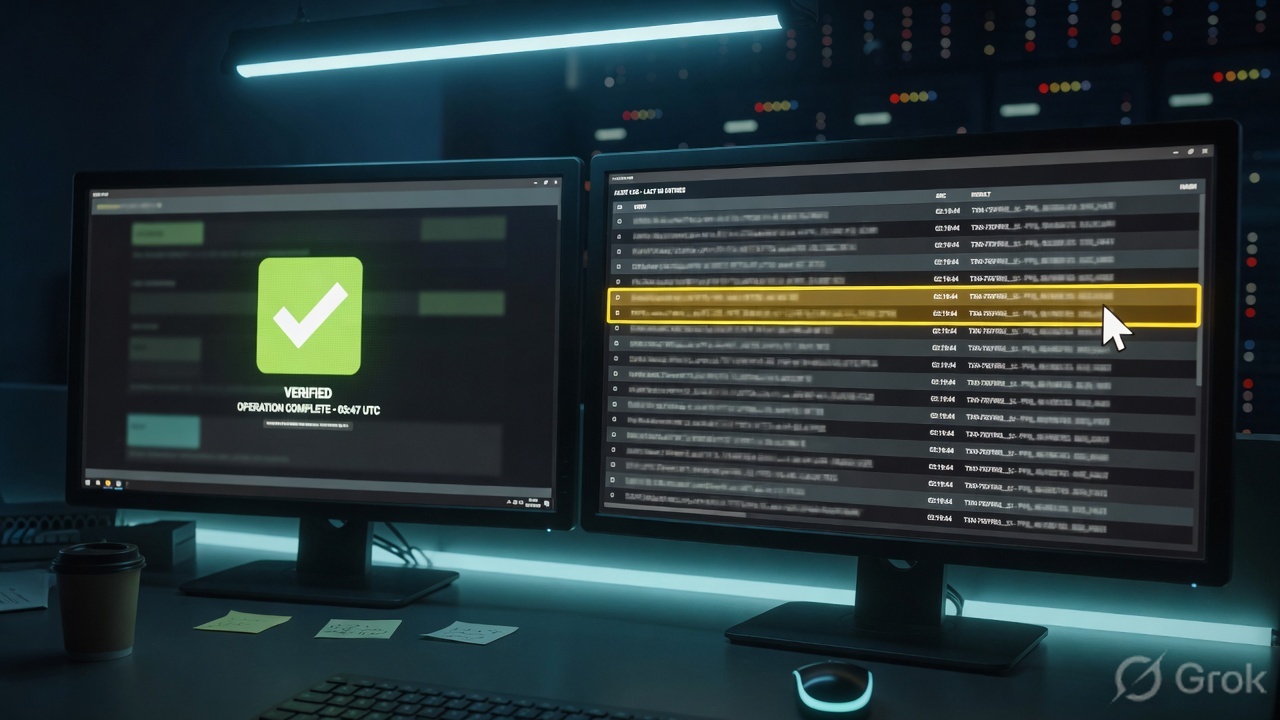
Interfaces: X-port, Zone, gateway match the drawing. Zone Matrix first-match is Finance-HTTPS Allow. NAT many-to-one hits on the WAN X-port you ARP on. Connections Filter on 10.10.8.22 returns a row with Src Port. System Logs Access Rule Name = Finance-HTTPS. Access Rule traffic statistics increment after Restore + reproduce. That is working. Allow with empty Connections is not.
6. Runtime — Connections after go-live
Once the factory is built, a Finance HTTPS flow should look like this. Use it in interviews as the “walk the packet” answer.
Finance-HTTPS is a stamp, not the destination handshake. Connections is where you read the finished ticket.
After the row exists, later packets of that connection ride the state table. That is why “I added a more specific Allow” sometimes does nothing until the old connection ages out or you flush it in a change window. Official Connections is the live book — System Logs will still show the Access Rule Name that first printed the ticket.
Client DPI-SSL is a second walk through the same factory: terminate TLS when the Access Rule security profile says so, re-sign with the firewall CA, inspect, re-encrypt. Certificate-pinned finance apps will scream. That is the app refusing a substitute certificate — not a broken Allow. Exclude those hosts on purpose (address object or Common Name), with an owner. Do not disable Client DPI-SSL globally to fix one pin.
HA is two copies of the factory. Active/standby means one unit is printing Connections rows and the other holds a copy of the book. Green HA state means the book is synced. It does not mean SaaS recovered. Prove that with the same finance click on the current active.
Capture ATP / RTDMI sits after the connection exists. If Connections is empty, you are not on an ATP ticket. Walk back to zone, rule, NAT/VPN. The night-shift field list — Connections, Access Rule Name, traffic statistics, Currently Active VPN Tunnels, ATP verdict — is the evidence desk.
7. Traps + Connections proof
| Symptom | Looks like | Actually | First move |
|---|---|---|---|
| Allow + spinning browser | Missing rule | Empty Connections, or a row with no return / dead next hop | Connections Filter, then NAT / ARP on the egress X-port |
| Added a LAN → WAN Allow, nothing changed | Need Any-Any | Default LAN → WAN already allowed; packet is not in that zone pair — or old connection still rides the table | Interfaces Zone, then wait / flush the row in a window |
| Inbound NAT done, server still times out | NAT is wrong | No matching WAN → zone Access Rule, or the rule used the translated private IP | Pair original dest + service on the Allow |
| App works on LTE, fails on LAN | Need a new Allow | Client DPI-SSL re-sign + pin | Scoped Client SSL exclude, owner + expiry |
| IPsec SA established, one VLAN dead | Tunnel is flapping | Subnet missing from Local / Destination Networks | VPN Policy Network tab — do not bounce IKE |
| New drop after a recable | Rule broke | X-port Zone ≠ the pair you wrote | NETWORK | System > Interfaces |
| HA is green, app is dead | License / HA bug | You are on the idle peer, or the new active has no return path | Retest the same click on the current active |
| System Logs empty, session exists | SonicWall is down | Logging off on that rule, or Grid Settings hid the column | Enable logging; quote Access Rule Name when it appears — do not add Any-Any “to get a log” |
- You are on the box you think you are (hostname, SonicOS train, Classic vs Policy Mode, not the idle HA peer).
- NETWORK | System > Interfaces: X-port, Zone, IP, gateway match the drawing. Official default X0 = LAN / X1 = WAN unless this table says otherwise.
- Zone Matrix first-match for that pair is
Finance-HTTPS(or the named rule you intended), action Allow. - NAT many-to-one (or the inbound pair) hits on the same flow; translated egress is the X-port you ARP on.
- If VPN: tunnel is in Currently Active VPN Tunnels and the subnet is listed on Local / Destination Networks.
- MONITOR | Tools & Monitors > Connections Filter
Src IP = 10.10.8.22returns a row withSrc Port. - System Logs
Access Rule Namematches. Access Rule traffic statistics increment after Restore + one reproduce. - If Client DPI-SSL is on: clients trust the firewall CA; pinned hosts are on the exclude list.
- User can complete the same SaaS click you used as the test.
SonicOS is a session factory. I name the X-port and the zone, then the zone-pair Access Rule, then NAT or the VPN Local / Destination Networks, then I prove the ticket in Connections. Allow is whether. NAT is how. SA up is not the subnet. Empty Connections is the factory, not Capture ATP. I do not start with ATP.
Related on this path: SonicWall evidence desk — five official proof fields after the factory has printed a row · Zones, interfaces, objects · Access rules and NAT · DPI-SSL deep dive.
Knowledge check
Six judgment questions. Map each miss back to the section named in the reason.
Sources
- How do zones work in SonicOS — Access Rules, NAT Policies, and security services apply zone-to-zone; default LAN → ANY allowed, DMZ → LAN denied
- SonicOS 7.1 Objects — default zones — LAN Trusted, WAN Untrusted, DMZ Public; default zones are not deleted
- SonicOS 7.1 Objects — adding a zone (Classic) — OBJECT | Match Objects > Zones; Allow Interface Trust; Access Rules deny lower-trust sources
- SonicOS 7 System — Interfaces — NETWORK | System > Interfaces
- Getting started with SonicWall firewalls — interfaces, zones, default outbound NAT
- How to Configure Access Rules — POLICY | Rules and Policies | Access Rules; Zone Matrix; Allow/Deny; Client/Server DPI-SSL on the rule
- SonicOS 7.0 Rules and Policies (Classic) — create Access Rules — Zone Matrix Selector
- What does Allow, Deny & Discard do — action on a matching Access Rule; implicit Deny
- How do I configure NAT policies — default outgoing NAT per interface; inbound translate public → private
- SonicOS 7.1 — Creating a Many-to-One NAT Policy — Original Source / Translated Source = WAN Interface IP
- Enable port forwarding and allow access to a server — inbound NAT and WAN → zone Access Rule
- Common mistakes with port forwarding — Access Rule uses original source, destination, and service from the inbound NAT
- SonicOS/X 7 IPSec VPN — site-to-site — Local Networks / Destination Networks
- SonicOS/X 7 IPSec VPN — auto-added Access Rules — non-editable rules for Trusted ↔ VPN; not a substitute for listing the subnet
- SonicOS/X 7 IPSec VPN — Currently Active VPN Tunnels
- Monitor connections on the SonicWall firewall — Tools & Monitors | Connections; filter
- SonicWall technical documentation — SonicOS 7 administration set (Tools & Monitors — Viewing Connections; Monitor — System Logs)
Related: SonicWall evidence desk · SonicWall interview hub · Dummy lab (simulator key sonicwall) · Zones, interfaces, objects · Access rules and NAT · DPI-SSL deep dive