Qualys is an asset+scan factory. A Cloud Agent (outbound HTTPS, activation key) or a scanner appliance (internal or External) is the worker. It prints an asset in Host Assets / CSAM. VMDR stamps that asset with a QID — status New / Active / Fixed / Reopened, typeDetected Confirmed / Potential / Information. Success is Last Checked In in minutes (or lastVmScanDate today), the host in inventory, and a detection you can quote — not a green dashboard tile and not a quieter weekly PDF.
I do not start with the criticals count. I ask whether a sensor checked in, whether the host exists as an asset, which tracking method owns it, and whether VMDR stamped a QID as Active and Confirmed. A Finished scan is a job state. A dark agent is a coverage ticket. Confirmed is not exploited.
1. Why a dashboard tile is not an asset
Every other briefing starts with the weekly count. “80 criticals.” “Qualys is not scanning Finance.” That is why students freeze in interviews. The real object is the asset the factory printed. Detections are only stamps VMDR puts on that asset after a Cloud Agent or a scanner uploaded host data.
Official VMDR starts with asset discovery and inventory. Official GAV / CSAM uses a combination of Qualys sensors — Cloud Agents, scanners, and passive network sensors — to collect asset data. Official scanning basics: you add IPs under Assets → Host Assets, then you scan them. If the IP is not in the subscription and not in the scan target, the factory never printed a ticket. A green VMDR tile cannot invent that host.
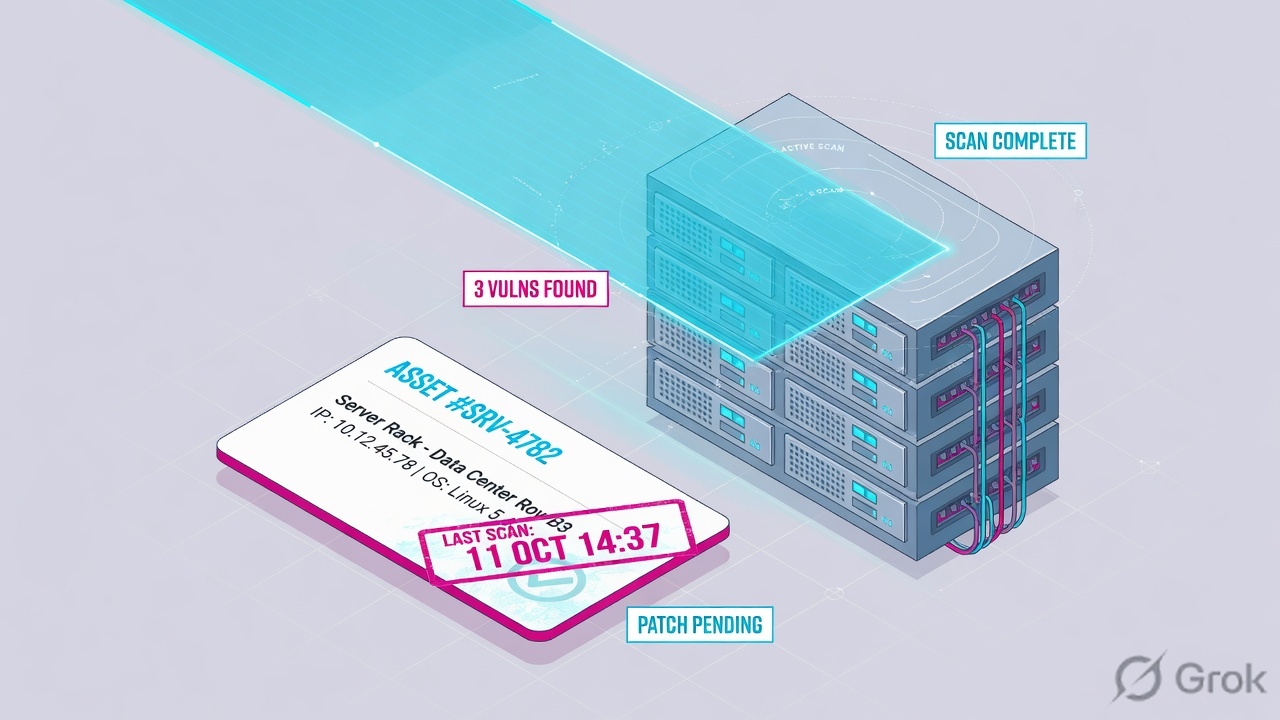
What the ticket asked
“Qualys is not scanning Finance.” That sentence is a hypothesis. The factory may already have printed ASSET-LAB-41 and stamped QID 150001 while FIN-WEB-07 never checked in.
What you prove first
Identity of the host, then whether an asset exists, then Last Checked In or last scan, then the QID status. The evidence desk is the night-shift version of this order.
“The dashboard is green, so Qualys is scanning — we need a wider scan of the VLAN.” A green tile only means some sensor talked recently. If Last Checked In is twelve days, or the IP was never added as a host asset, or the scan target used tag Finanace, the factory did not print the ticket you think it printed. Launching another unauthenticated scan just reprints the same gap.
Hard words before the runbook
Cloud Agent
Lightweight software on the host. Outbound HTTPS to the Qualys Cloud Platform. Needs an activation key and a configuration profile. Official status path: Cloud Agent → Agents.
Last Checked In
Timestamp of the latest agent activity — VM scans, PC scans, manifest downloads, other Cloud Agent work. Official: more recent than Last Activity. Minutes = live. Days = dark.
Scanner appliance
Internal physical/virtual scanner, or External (Qualys cloud scanners). Official launch path: VM/VMDR → Scans → Scans → New → Scan. Heartbeat check every 4 hours.
Asset
The inventory object. VM: Assets → Host Assets. CSAM: Inventory → Assets. Tracking method: Agent UUID, IP, DNSNAME, NETBIOS, INSTANCE_ID. No asset = no QID home.
QID
Qualys Identification — the finding ID. Not a CVE. One QID can bundle related CVEs. Lab finding: qid=150001.
Detection stamp
vulnerabilities.status = New / Active / Fixed / Reopened. typeDetected = Confirmed / Potential / Information. Confirmed means Qualys confirmed the finding exists, not that it is exploited.
Official Cloud Agent journey: generate activation key → install agent → host scans → transmit and analyze host data → remediate → monitor. Official scanner job: Queued → Running → Loading → Finished (results processed). Official merge: assets with a Cloud Agent can be tracked by agent UUID; assets without an agent are tracked by IP. Use those words in the ticket.
2. Mental model — sensor, asset, detection
Hold three parts. Interviews fail when people mix them. Skipping a station is how you celebrate a quieter PDF while 22 agents are dark, or treat a Finished job as proof that Finance was in the target.
1. The worker is the sensor
Cloud Agent on the host, or a scanner appliance on the wire. Last Checked In is the agent heartbeat. Connected + Heartbeat Checks Missed is the appliance heartbeat. A green dashboard is not a heartbeat.
2. The ticket is the asset
Host Assets / CSAM inventory. First check-in or first scan of a new IP is setup. Later interval scans ride that asset. No asset = nothing for VMDR to stamp.
3. The stamp is the VMDR detection
QID = what finding. status = New / Active / Fixed / Reopened. typeDetected = Confirmed / Potential / Information. QDS is the finding score. TruRisk is a later rank on the asset, not the factory itself.
4. Proof is the live table
Cloud Agent → Agents is the live agent table. Host Assets / Inventory is the live asset table. VMDR Vulnerabilities is the stamp list. Scan list Finished is history of a job, not a host.
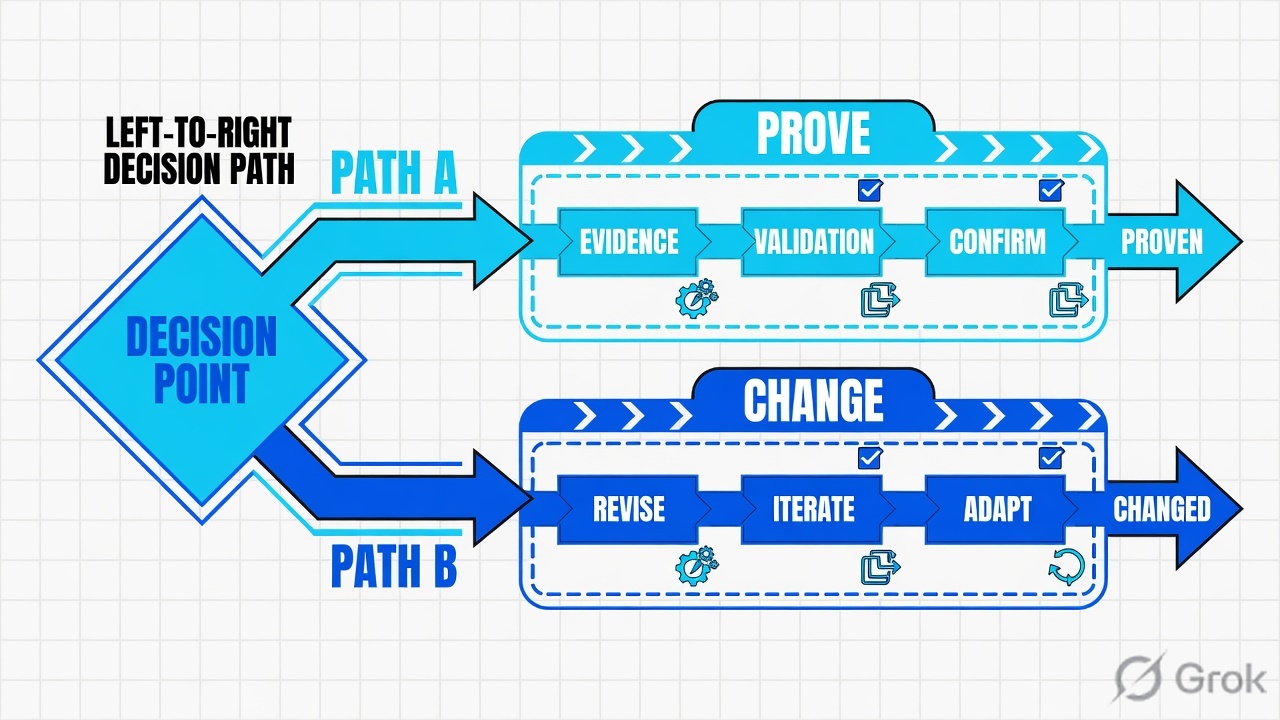
Read left → right. Station 1 is the sensor heartbeat. VMDR is the stamp, not the factory floor. Merge decides whether agent and scanner share one asset record.
Concept: Qualys manufactures assets from sensors and writes detections in VMDR. Path: Cloud Agent or scanner → asset → VMDR QID. Do: never open the weekly criticals first.
Cloud Agent answers “is this host talking?” Official: Last Checked In, Last Activity, Status (Provisioned → Manifest Downloaded → Inventory Scan Complete), activation key, configuration profile. Source: Cloud Agent — Agent Status.
Scanner answers “did a job run against this target?” Official: option profile, Scanner Appliance (External / named appliance / All Scanners in Asset Group / All Scanners in TagSet), target Assets or Tags, scan status Queued → Running → Loading → Finished. Source: Launch Vulnerability Scan + Scan Status.
Asset answers “does this host exist in the subscription?” Official: Host Assets, tracking method, tags, merge option. Source: Scanning basics + Asset Tracking and Data Merging.
VMDR detection answers “what finding did the factory name?” Official: QID, QDS 1–100, status New / Active / Fixed / Reopened, typeDetected Confirmed / Potential / Information. Source: What is VMDR + VMDR search tokens.
3. First check-in vs later scans
The first check-in of a new Cloud Agent, or the first scan of a new IP, has no asset yet. It walks factory setup: sensor registers or job launches → platform prints the asset → VMDR can stamp QIDs. Later agent intervals (official Cloud Agent VM scan often every four hours) and later scheduled scanner jobs ride that asset. That is why “I added the tag” sometimes does nothing until the next scan, and why “I launched a scan” does nothing if the IP was never in Host Assets.
Read left → right, then the green later-scans bar. Decision diamond = “did this sensor check in?” Days-old Last Checked In skips setup and becomes a coverage ticket.
Official scan status Finished means the scanners finished the job, results loaded, and processing completed — vulnerabilities detected, none detected, or target hosts down. It is a job state. If FIN-WEB-07 was never in Host Assets, never in the asset group, and never matched the tag Include list, Finished just means the factory ran a different ticket. Open the scan Preview / Appendix for hosts not scanned before you launch another VLAN-wide job.
4. How to choose Cloud Agent vs scanner
You are not choosing a product. You are choosing which worker the factory is allowed to use on this host.
| Choice | Use when | Do not use when | Proof you were right |
|---|---|---|---|
| Cloud Agent | Managed Windows / Linux / cloud host you can install on. Continuous inventory. Remote / DHCP / laptop. | Network device, printer, OT box, or anything you cannot install on. Use a scanner. | CA → Agents: Last Checked In minutes, Status Inventory Scan Complete / VM Manifest Downloaded. |
| Internal scanner appliance | Hosts inside the corporate network. Asset groups or tags. You own VSCAN-PUNE-01. | Perimeter IPs. Official: do not mix external and internal targets in one job. | Scans → Appliances: Connected. Heartbeat Checks Missed = 0. Scan list Running → Finished. |
| External (Qualys cloud scanners) | Perimeter IPs already in the subscription. Official External option on Launch Scan. | RFC1918 / lab 192.0.2.0/24. External cannot see inside. Temporarily add agent addresses cannot be used with External. | Scan uses External. Host Info lastVmScanDateScanner moves. |
| Authenticated option profile | You need local QIDs. Records exist under Scans → Authentication. Profile has authentication enabled. | You only created the record and left the default profile with auth off. Official: both are required. | Authentication record Pass. Fewer Potential, more Confirmed local QIDs. |
| On-demand agent scan | You cannot wait for the next interval. CA → Agent → On Demand Scan. Inventory / Vulnerability / PC. | The agent is INACTIVE or Last Checked In is days. On-demand queues on a dark host. | Last Checked In refreshes. lastVmScanDateAgent moves. |
| Discovery map first | You do not know what is live. Official: run a map, then add discovered assets to the account. | You skip Host Assets and launch a vulnerability scan at a guessed range. | New IPs appear under Assets → Host Assets before the VM job. |
Official scanning basics: authenticated scanning is optional for VM but recommended; it is required for compliance scans. Official: enable authentication in the option profile and include the IPs in authentication records. Official: Cloud Agent works offline with automatic syncing — the console only knows what the agent last uploaded. Source: Why Use Host Authentication + Cloud Agent Overview.
I say Cloud Agent or scanner first, then the asset, then the QID. I do not sort the week by raw criticals. A disconnected agent is uncovered, not compliant. Finished is a job, not a host.
5. Runbook Side A → B → C
Lab values only. Hostname ASSET-LAB-41, IP 192.0.2.41, user example\finance.user, activation key KEY-LAB-FINANCE, scanner VSCAN-PUNE-01, tag Finance, QID 150001. Dark twin: FIN-WEB-07 / 192.0.2.7, Last Checked In 12d. Nothing here is a live tenant.
Side A — sensors (building the factory floor)
Primary source: Cloud Agent Overview + Agent Status + Launch Vulnerability Scan + Check Scanner Appliance Status.
Cloud Agent › Agent Management › Agents
Agents
| Asset | Last Checked In | Last Activity | Status | Key | Tags |
|---|---|---|---|---|---|
| ASSET-LAB-41 | 16m | Inventory Scan Complete · 18m | Connected | KEY-LAB-FINANCE | Finance, Prod |
| FIN-WEB-07 | 12d | Manifest Downloaded · 12d | Disconnected | KEY-LAB-FINANCE | Finance |
| LAB-VM-22 | 8m | Inventory Scan Complete · 9m | Connected | KEY-LAB-LAB | Lab |
Three rows. Work ASSET-LAB-41 (live). FIN-WEB-07 is a coverage ticket — do not stamp QIDs you cannot refresh. LAB-VM-22 is not tonight’s Finance job.
Source: Cloud Agent — Agent Status (Last Checked In, Last Activity, Provisioned, Manifest Downloaded, Inventory Scan Complete). Activation key from Agent Management → Activation Keys. Dummy values only.
-
Create or quote the activation key
Cloud Agent → Activation Keys → New Key. Official: an activation key groups agents and binds them to your account. Provision the applications you actually own (VM / VMDR at minimum). Lab key
KEY-LAB-FINANCE. Source: Cloud Agent Installation / Activation Keys. -
Assign a configuration profile
Cloud Agent → Configuration Profiles. Official: the profile defines how the agent collects data (intervals, Reduced Activity Period). Status Configuration Downloaded means the host has the profile you think it has. Source: Cloud Agent Overview — Configuration Profiles.
-
Prove the agent heartbeat
Cloud Agent → Agents. Filter hostname. Read Last Checked In, Last Activity, Status. Minutes = you can stamp QIDs. Days = restore check-in (outbound HTTPS to the platform, key, profile). Never-seen agents never get QIDs. Source: Tell me about Cloud Agent Status.
-
If this host cannot take an agent, prove the scanner
VM/VMDR → Scans → Appliances. Official: check whether the appliance is online and ready. Qualys heartbeat-checks every appliance every 4 hours. Lab
VSCAN-PUNE-01must show Connected, Heartbeat Checks Missed = 0. Source: Check Scanner Appliance Status + Heartbeat Check Notification.
asset            : ASSET-LAB-41
ip               : 192.0.2.41
cloudAgent       : Connected
lastCheckedIn    : 16m
lastActivity     : Inventory Scan Complete · 18m
activationKey    : KEY-LAB-FINANCE
profile          : Finance-Default
trackingMethod   : Agent UUID
Side B — print the asset (Host Assets, tags, merge)
Primary source: Scanning basics (Host Assets, asset groups, tags) + Asset Tracking and Data Merging + CSAM Configure Tags.
-
Confirm the host is in the subscription
VM/VMDR → Assets → Host Assets (AGMS subscriptions: Address Management). Official: if the IPs you want to scan are not listed, add them (or have your manager add them). CSAM path: Inventory → Assets. No row = the factory has no ticket. Source: Scanning — The Basics.
-
Quote the tag, do not guess it
CSAM → Tags (or VM asset tagging). Lab dynamic tag
Financeusesquery=name:FIN-*. A host namedFN-APP-01or taggedFinanacewill not enter a tag-scoped scan. Official Launch Scan: Include hosts / Do not include hosts, Any vs All. Source: CSAM — Configure Tags + Launch Scan Tags target. -
Name the tracking method
Official merge: assets with a Cloud Agent can be tracked by agent UUID; assets without an agent are tracked by IP. Path: VMDR → Assets → Setup → Asset Tracking and Data Merging. Option 3 / smart merging gives one record when an agent exists. Option 1 keeps agent and IP as separate tickets. Source: Asset Tracking and Data Merging.
-
Launch the scanner job only after the target exists
VM/VMDR → Scans → Scans → New → Scan. Title, option profile, Scanner Appliance, then Assets or Tags. Do not mix external and internal IPs. Source: Launch Vulnerability Scan.
VM/VMDR → Scans → Scans → New → Scan
Launch Vulnerability Scan
Internal appliance, not External. Tag Finance must match the CSAM string. Authentication is on in this profile and the Windows record includes 192.0.2.41.
Source: Launch Vulnerability Scan — Title, Option Profile, Scanner Appliance (External / named / All Scanners in Asset Group / All Scanners in TagSet), Assets or Tags, Any vs All. Dummy values only.
asset            : ASSET-LAB-41
interfaces       : 192.0.2.41
trackingMethod   : Agent UUID
tags             : Finance, Prod
acs              : 5
lastVmScanDate   : 2026-08-16T04:10Z
lastVmScanDateAgent    : 2026-08-16T04:10Z
lastVmScanDateScanner  : 2026-08-16T03:40Z
merge            : Option 3 · single unified view
Side C — prove the VMDR detection
Primary source: What is VMDR + VMDR search tokens + Scan Status. Path: VMDR → Vulnerabilities, then the scan Preview if the QID is missing.
-
Open the QID on the asset, not the weekly PDF
Filter
vulnerabilities.vulnerability.qid:150001and hostname. Readvulnerabilities.status(New / Active / Fixed / Reopened),typeDetected(Confirmed / Potential / Information),lastFoundDate. Confirmed is not exploited. Empty list is data — the factory did not stamp this finding. Source: What is VMDR + VMDR search tokens. -
If the QID is missing, do not add a wider scan first
Prove Last Checked In, then Host Assets, then whether the job’s target included this tag / IP. Official scan Preview Summary: hosts scanned, appliances used, vulnerabilities detected. Appendix is why a host was not scanned. Source: Scan Status.
-
If auth was the point, prove Pass
Scans → Authentication. Official host status: Pass / Fail / Not Attempted. Fail with a Cause is a credentials ticket, not a Qualys outage. Source: Why Use Host Authentication — verify authentication.
-
If Last Checked In is days, stop. That is a sensor ticket
On-demand scan will not refresh a dark agent. Internal scanner will not invent an IP that is not in the subscription. Restore the worker. The evidence desk is the field map.
VMDR → Vulnerabilities → qid:150001 · ASSET-LAB-41
Detection details
Active + Confirmed on a live agent is a printed ticket. Do not mix a WAS finding on FINANCE-PORTAL into this host QID unless you have a documented link.
Click next: if you must patch, that is later work. This factory lesson stops when the QID is quoted. Night-shift proof fields are on the evidence desk. Source: What is VMDR + VMDR search tokens.

asset                 : ASSET-LAB-41
ip                    : 192.0.2.41
lastCheckedIn         : 16m
lastVmScanDate        : 2026-08-16T04:10Z
qid                   : 150001
status                : Active
typeDetected          : Confirmed
qds                   : 95
lastFoundDate         : 2026-08-16T04:10Z
scanJob               : LAB-FINANCE-AUTH-41 · Finished
scanner               : VSCAN-PUNE-01 · Connected · missed=0
authRecord            : Windows-Finance · Pass
Predicted host = ASSET-LAB-41, Last Checked In minutes (or lastVmScanDate today). Tracking method named. Tag string quoted. QID 150001 Active + Confirmed with lastFoundDate. If you launched a scanner job: Finished and this IP is in the Preview host list. If Last Checked In is 12 days, that is a coverage ticket — not a compliance win and not a missing QID.
6. Runtime — merge, port flip, stale last scan
After the asset exists, later agent intervals and later scanner jobs skip “is this a new host?” and ride the existing record. Official Cloud Agent FAQ: the agent VM scan can run about every four hours, so the same QID can be detected multiple times in a day. That is a refresh, not a new outbreak.
Official scanning basics: the scanner includes port details when reporting a QID; the Cloud Agent reports the same QID without port. When both sensors detect QID 123, it can appear as two entries. If merge is on, a later scanner report with port can mark the agent-reported (no-port) QID Fixed — and the next agent scan can mark the scanner-reported (with-port) QID Fixed. That flip is a tracking collision, not a patch. Do not close the change ticket on the flip alone.
Official merge Option 3: one asset record, agent UUID + all scanned IPs. Official Option 1: separate records per agent and per scanned IP — a roaming laptop becomes multiple tickets. Official smart merging: merge only when an agent is found. Changing merge after the fact can leave unauthenticated QIDs stale on the agent-tracked host. Path: VMDR → Assets → Setup → Asset Tracking and Data Merging.
Official caveat on last scan: Host Info Last Scan Date / QQL lastVmScanDate, lastVmScanDateAgent, lastVmScanDateScanner prove when a VM assessment last landed. The date does not always move. Pair it with Last Checked In and lastFoundDate. A Finished job whose results are still Loading or Finished, Not Processed has not stamped Host Assets yet. With NDSM off, processing waits for a user login.
Two workers can stamp the same QID differently. Merge is a tracking decision. The flip is not a reboot.
Once the agent is talking and the first Host Assets row exists, the nightly loop is short. You do not rebuild the tag tree every ticket.
- Cloud Agent health: Last Checked In minutes vs days vs never. Appliance: Connected vs Heartbeat Checks Missed.
- Host Assets / CSAM: is the host there, which tracking method, which tag string.
- VMDR Vulnerabilities: QID status + typeDetected + lastFoundDate.
- If you launched a job: Finished and processed, Preview host count, Appendix for misses.
- If auth was required: record Pass, not Not Attempted.
- Only then rank with TruRisk / ACS / QDS — that is prioritization, not the factory.
Live sensor + host in inventory + Active Confirmed QID = printed ticket. Dark agent = coverage. Finished without this IP = wrong target. Port flip = merge collision. Potential = not Confirmed. TruRisk is how you rank tonight after the factory printed the stamp.
7. Traps + factory proof
| Symptom | Looks like | Actually | First move |
|---|---|---|---|
| Weekly PDF got quieter | We patched | Last Checked In is days — factory stopped uploading | CA → Agents. Restore check-in. Do not celebrate. |
| Scan status Finished | Finance was scanned | Job finished. This IP may not have been in the target | Preview / Appendix. Host Assets row. Tag string. |
| Host missing from VMDR | Qualys is down | IP never added, or agent never Provisioned | Assets → Host Assets, then CA → Agents. |
| QID flips Active / Fixed daily | Unstable patch | Scanner reports port; agent does not — merge collision | Read both rows. Do not close on the flip. |
| Only Potential QIDs | Estate is clean | Unauthenticated banner scan, or auth Fail / Not Attempted | Scans → Authentication. Enable auth in the option profile. |
| You patched tag Finance; host still open | Patch Management broken | Host tagged Finanace or name not FIN-* |
CSAM → Tags. Quote the query. |
| Appliance Connected, Heartbeat Checks Missed = 4 | Scans will be fine | Platform has not heard from the appliance in ~16 hours | Scans → Appliances. Network / polling. Do not launch a 2 000-IP job. |
| WAS has 2 highs on FINANCE-PORTAL | Host QID 150001 | WAS lives on the web app unless you documented a link | Keep it on WAS. Do not mix into host VMDR. |
| EC2 / Azure VM “not scanning” | VM/VMDR Scan is broken | Official: generic vulnerability scan does not cover those cloud assets | Use EC2 Scan or Cloud Perimeter Scan. Do not invent a VLAN job. |
- Cloud Agent → Agents: Last Checked In minutes, Status past Provisioned (Inventory Scan Complete or VM Manifest Downloaded).
- Or Scans → Appliances:
VSCAN-PUNE-01Connected, Heartbeat Checks Missed = 0. - Assets → Host Assets (or CSAM Inventory) shows the host, IP
192.0.2.41, tracking method named. - Tag string is exactly
Finance— notFinanace. lastVmScanDate(or Agent / Scanner split) is today, or you can explain why the date stalled.- VMDR: QID 150001 Active + Confirmed, lastFoundDate quoted.
- If you launched a job: status Finished and processed, and this host is in the Preview list.
- If auth was required: Authentication record Pass for this IP.
Qualys is an asset+scan factory. Cloud Agent or scanner prints the host. The platform tracks the asset by UUID or IP. VMDR stamps a QID — status and typeDetected. I prove the ticket with Last Checked In, Host Assets, and an Active Confirmed detection. A green dashboard is not an asset. Finished is not this IP. A dark agent is uncovered, not compliant.
Related: Blog 2 · Evidence desk — first tool + proof field · Qualys VMDR hub · Dummy lab
Knowledge check
Six judgment questions. Map each miss back to the section named in the reason.
Sources
- Qualys Cloud Agent Overview — lightweight agent, outbound HTTPS, activation key journey, configuration profiles, on-demand scan, Reduced Activity Period
- Tell me about Cloud Agent Status — Last Checked In, Last Activity, Provisioned, Manifest Downloaded, Configuration Downloaded, Inventory Scan Complete
- Cloud Agent Installation — activation key groups agents and binds them to the account
- On-demand Scan — Cloud Agent → Agent → On Demand Scan; Inventory / Vulnerability / PC
- Scanning — The Basics (VM/VMDR) — Host Assets, asset groups, tags, External vs internal, authentication, scanner vs agent QID (port), Cloud Agent interval FAQ
- Launch Vulnerability Scan — VM/VMDR → Scans → New → Scan; option profile; Scanner Appliance; Assets or Tags; Any vs All
- Scan Status — Queued, Running, Loading, Finished / Not Processed, NDSM processing
- Asset Tracking and Data Merging — UUID vs IP, merge options 1–4 / smart merging
- Why Use Host Authentication — records + option profile; Pass / Fail / Not Attempted
- Check Scanner Appliance Status — Scans → Appliances, online and ready
- Scanner Appliance Heartbeat Check Notification — platform heartbeat every 4 hours; missed checks 1–5
- What is VMDR — starts with asset discovery; QID, QDS, ACS, tags, QQL, TruRisk
- Get Started with Global AssetView — Cloud Agents, scanners, passive sensors build inventory
- CSAM — Configure Tags — dynamic tags / QQL
- Search Tokens for VMDR — vulnerabilities.status, typeDetected
Related: Qualys evidence desk — prove it is scanning · Qualys VMDR hub · Dummy lab