AssetView / Host Assets answers “is this host even in the subscription?” Cloud Agent answers “did this box check in — and did it ever reach Scan Complete?” Last Scan Date / lastVmScanDate answers “when did a VM assessment last land?” VMDR detections answers “is this QID New, Active, Fixed, or Reopened — Confirmed or Potential — and when was it last found?” Scans → Appliances answers “is the scanner that should have hit this VLAN Connected?” A green dashboard tile is not a host record. An empty weekly PDF is not a dead platform.
1. Why “is it scanning?” is five questions
Operators collapse five failures into one sentence. The IP was never added as a host asset. The Cloud Agent never registered. The last VM scan is eighteen days old. The QID is Potential, not Confirmed. The Pune virtual scanner missed four heartbeats. Those are five first clicks.
This page is the night-shift desk for proof. The factory taught TruRisk, last-checkin, and pending reboot as the week’s sentence. Here you learn the five tools you actually open, in order, when someone asks you to prove Qualys is scanning — or to explain why a host is missing.
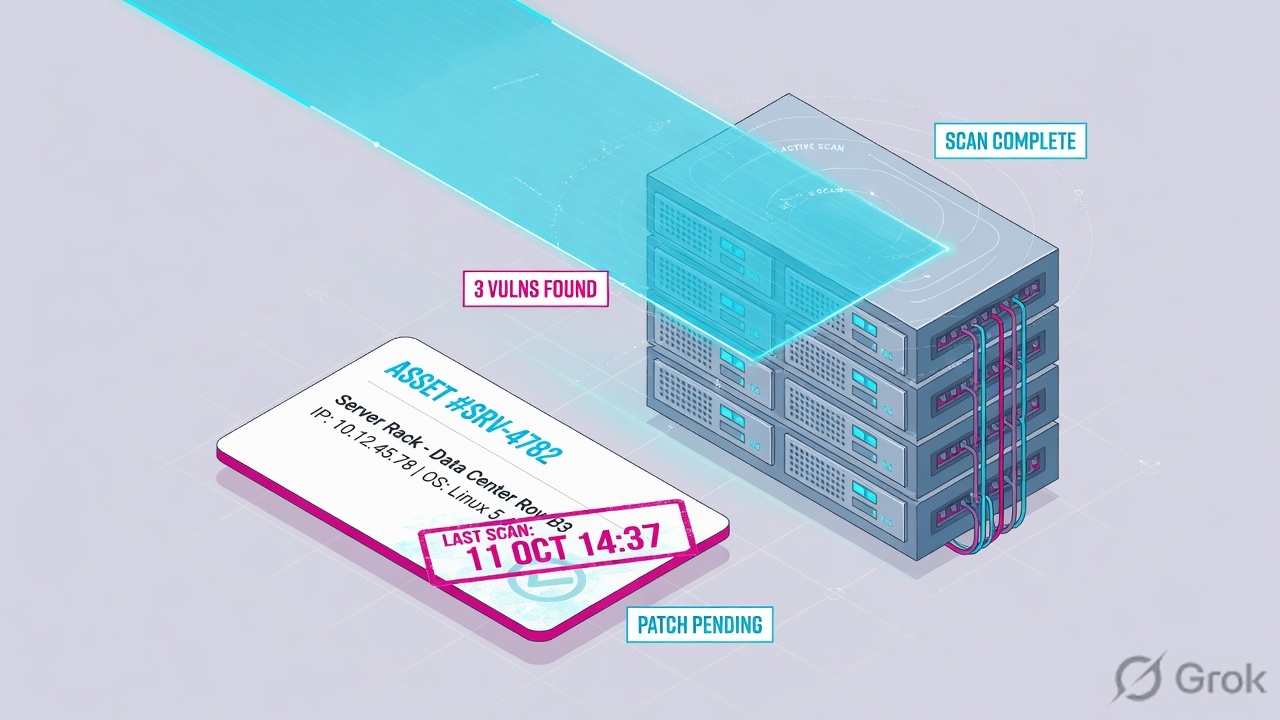
If they say “prove Qualys is scanning,” do not say “I opened VMDR.” Say: “I prove the host in AssetView / Host Assets, the agent with Last Checked In and Status, the assessment with Last Scan Date, the finding with VMDR status + typeDetected, and the sensor with Appliances Connected / Heartbeat Checks Missed.”
2. Mental model — five proof tools
Memorise five named objects before you click. Each tool is allowed to prove one thing. Over-claiming a field is how you launch a second scan of a box that was never in the target list.
1 · AssetView / host
AssetView Assets list (CSAM: Inventory → Assets). VM/VMDR: Assets → Host Assets → Info. Proves the host exists: name, interfaces.address, trackingMethod, tags. Does not prove last scan or a QID.
2 · Cloud Agent status
Cloud Agent (CA) app → Agents tab. Proves check-in: Last Checked In, Last Activity, Status (Provisioned → Scan Complete), agentStatus ACTIVE / INACTIVE (48 hours). Does not prove a scanner appliance is up.
3 · Last scan
Host Info Last Scan Date. AssetView / VMDR tokens lastVmScanDate, lastVmScanDateAgent, lastVmScanDateScanner. Proves when a VM assessment last landed. Official caveat: the date does not always move.
4 · VMDR detection
VMDR Vulnerabilities. Proves one finding: vulnerabilities.status (New / Active / Fixed / Reopened) + typeDetected (Confirmed / Potential / Information) + lastFoundDate. Empty list is data.
5 · Scanner appliance
VM/VMDR Scans → Appliances. Proves the internal sensor: Connected icon + Heartbeat Checks Missed (platform checks every 4 hours). A Sample-looking capacity % is not a host allow.
Hard words, once
trackingMethod = IP, DNSNAME, NETBIOS, INSTANCE_ID. Scan Complete = platform assessed the last agent upload. Appendix = why a host was not scanned. Confirmed ≠ exploited.
Read left → right. Each box is allowed one claim. If you cannot name the field, you are not proving — you are guessing.
I prove the host, then the agent, then the last scan, then the detection, then the appliance. I do not launch a VLAN-wide scan, re-push an installer, or close a QID until I can quote the field that made me do it.
3. Decision flow — ticket → first tool
Flowchart first. Do not open New Scan until a diamond says so.
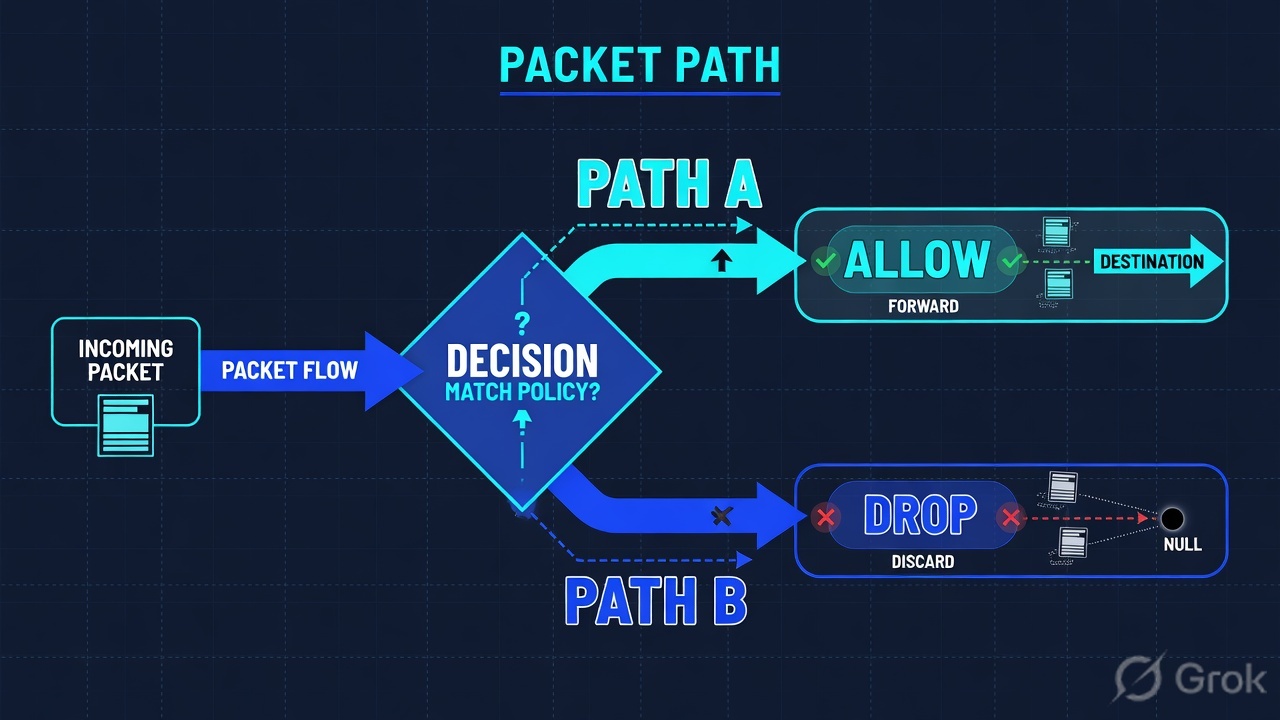
Read the diamond first. A missing host never starts in VMDR. A whole-VLAN miss never starts in one QID. “No agent status” never starts in typeDetected.
4. How to choose — first tool + proof field
Print this next to the Qualys Cloud Platform. If you cannot recite the proof field, you are not ready to change anything.
| If the ticket says… | First tool (official path) | Proof field | Do not open first |
|---|---|---|---|
| Host missing / “is this box even in Qualys?” | AssetView Assets, or CSAM Inventory → Assets, or VM/VMDR Assets → Host Assets → Info | name + interfaces.address + trackingMethod — or the official empty result |
A new unauthenticated scan of the VLAN |
| Agent installed yesterday; still no VMDR row | Cloud Agent (CA) → Agents tab | Last Checked In + Status (Provisioned / Inventory Scan Complete / Scan Complete) + agentStatus ACTIVE | INACTIVE (48h) |
VMDR Prioritization, Patch job |
| Host exists; last scan looks weeks old | Host Assets → Info, or QQL lastVmScanDate / lastVmScanDateAgent / lastVmScanDateScanner |
Last Scan Date (VM and, if used, compliance) plus which sensor last wrote it | A Cloud Agent reinstall |
| “This QID is gone” / empty detections on a live host | VMDR Vulnerabilities | vulnerabilities.status + typeDetected + lastFoundDate |
Scanner appliance reboot |
| Whole branch / VLAN missed the 02:00 scan | VM/VMDR Scans → Appliances | Connected icon + Heartbeat Checks Missed (check every 4 hours) | A new severity-5 QID exception |
Qualys Host Information: if the host was found alive, the scan’s date becomes Last Scan Date — even when authentication failed. The date is not updated when a previously alive host is later detected dead, or when an active host is scanned with no vulnerabilities. Asset Search, Host list API, and VM detection API follow the same rule. A stalled date is not automatically “Qualys is down.”
5. Runbook Side A → B → C
Side A proves the host and the Cloud Agent. Side B proves the last scan and the VMDR finding. Side C proves the scanner appliance. On a messy Sev-2, do them in this order until a field lights up.
Side A — Host record + Cloud Agent (inventory / check-in)
-
Prove the host exists before you talk about QIDs
Search AssetView (or CSAM Inventory → Assets) for
name,interfaces.address, ornetbiosName. Parallel path in VM/VMDR: Assets → Host Assets → Info. Official: View Host Information; Manage Your IPs (Host Assets). If AGMS is on, the tab is Address Management. Quote IP, DNS / NetBIOS,trackingMethod, tags, First Found Date. No row → stop. The IP was never added, was purged, or tracking does not match the name they typed. -
If they said “we installed the agent,” open Cloud Agent — not VMDR
Path: Cloud Agent (CA) app → Agents tab. Official: Tell me about Cloud Agent Status; Cloud Agent Status (getting started). After install you should see status within a few minutes. No status means the agent did not connect and register — usually HTTPS 443 to the Cloud Platform URL under Help → About, or a missing proxy.
-
Read Last Checked In, then Status, then ACTIVE / INACTIVE
Last Activity= provisioning, manifest download, inventory sync.Last Checked In= latest VM / PC scan, manifest download, or other agent activity — officially more recent than Last Activity. Status walk: Provisioned → Manifest / Configuration Downloaded → Inventory Scan Complete → Scan Complete (platform assessed the upload). AssetViewagentStatus: ACTIVE = communicated in the last 48 hours; INACTIVE = has not. First Scan Complete can sit for 30 minutes to 2 hours on the baseline upload. That lag is documented. It is not a Sev-1. -
If the host is missing and there is no agent, check whether anyone added the IP
Official scanning basics: IPs you can scan live under Assets → Host Assets. If the IP is not listed, add it (or have a Manager add and assign it), then scan. A discovery map finds live devices; it does not invent a host asset for VM until you add it.
Inventory / Assets · QQL search
Assets
| Name | IP | trackingMethod | agentStatus | lastVmScanDate |
|---|---|---|---|---|
| fin-app-41.lab.example | 203.0.113.41 | IP | ACTIVE | 2026-08-15 |
| lab-build-09.lab.example | 203.0.113.19 | DNSNAME | INACTIVE | 2026-07-28 |
Source: Qualys Docs — Search Tokens for IT Assets (AssetView): name, interfaces.address, trackingMethod, agentStatus, lastVmScanDate, lastCheckedIn. CSAM tenants: Inventory → Assets. Lab identities and RFC 5737 IPs only. Training mock · not live.
Cloud Agent / Agents / fin-app-41
Agent summary
No status on Agents tab after install
→ agent did not connect to the Cloud Platform and register (443 / proxy / Help → About URL).
Source: Qualys Docs — Tell me about Cloud Agent Status (Last Checked In, Last Activity); Cloud Agent Status (Provisioned, Manifest Downloaded, Inventory Scan Complete, Scan Complete); Troubleshooting (no status = not registered). Lab host only.
Side B — Last scan + VMDR detection (assessment / finding)
-
Quote Last Scan Date, and say which sensor wrote it
Host Assets → Info → Last Scan Date (VM, and compliance if used). QQL:
lastVmScanDate, pluslastVmScanDateAgentvslastVmScanDateScannerwhen you must split sensors. Official: View Host Information; AssetView search tokens. If the date is null, CSAM purge rules treatlastVMScanDateIS NULL as “never scanned by VM.” -
If last night’s scan “ran” but the date did not move, open the scan Appendix
Path: VM/VMDR Scans → View. Official: Vulnerability Scan Results. Appendix lists hosts not scanned: paused, canceled, excluded (per-scan or global Excluded Hosts), not alive (and Scan Dead Hosts off), hostname not resolved for that tracking method, or scan discontinued. Authentication failures also land in the Appendix — run Reports → New → Authentication Report before you launch another scan.
-
Read the three VMDR columns that close a finding ticket
VMDR Vulnerabilities. Quote
vulnerabilities.status(New / Active / Fixed / Reopened — Fixed list is last 365 days),vulnerabilities.typeDetected(Confirmed / Potential / Information),vulnerabilities.lastFoundDate. Optional siblings:firstFoundDate,qid,detectionSource.name(e.g. QUALYS_AGENT). Confirmed means Qualys verified the condition. Official KB: an authenticated scan or Cloud Agent can still return Potential when the signature cannot prove the patch/workaround. Confirmed is not “already exploited.”
Path:            VMDR → Vulnerabilities
Host:            name:`fin-app-41`   or   asset.name
QID filter:      vulnerabilities.vulnerability.qid:90405
Quote:           status + typeDetected + lastFoundDate
If empty list:   lastVmScanDate / Agents Status / Scans Appendix
If Fixed:        lastFixedDate  (Fixed window = last 365 days)
Side C — Scanner appliance (the sensor that should have hit the VLAN)
-
Open Appliances, not a new option profile
Path: VM/VMDR Scans → Appliances. Official: Check Your Scanner Status; Scanner Appliance Heartbeat Check Notification. After you add a scanner, refresh — the UI can take a few minutes. Internal IPs need an appliance in the account; External uses Qualys cloud scanners. You will not see the Scanner Appliance option if you have no appliances.
-
Read Connected, then Heartbeat Checks Missed
The green Connected icon means the appliance is ready to process scans and pull software updates. Platform heartbeat is every 4 hours. Preview pane shows Heartbeat Checks Missed. Official: if you still see Connected, the appliance is ready — a missed check can be stale after it recovered. Capacity starts at 100% until you launch a scan.
-
If Connected is gone, prove reachability before you rewrite the schedule
Help → About lists Cloud Platform URLs the appliance must reach (management, health checks, scan-data upload — LAN by default). Split WAN is documented when the scan network has no direct Internet. Do not treat a dark appliance as “everyone’s QIDs Fixed together.”
Scans / Appliances
Scanner appliances
Connected icon missing · Heartbeat Checks Missed: 3
heartbeat every 4 hours · email on 1–5 missed checks if opted in.
Source: Qualys Docs — Check Your Scanner Status (Scans → Appliances, Connected, capacity); Scanner Appliance Heartbeat Check Notification (4-hour heartbeat, Heartbeat Checks Missed, Connected = ready). Lab appliance name only.
- Side A host: AssetView / Host Assets returns the IP + tracking method. Side A agent:
Last Checked Inis minutes and Status is Scan Complete (or you can name the lag). - Side B scan: Last Scan Date (or
lastVmScanDateAgent/lastVmScanDateScanner) matches the window — or the Appendix names the official miss reason. - Side B finding: VMDR row quotes
status+typeDetected+lastFoundDatefor that QID. - Side C: Appliances shows Connected and Heartbeat Checks Missed for the scanner that owns the VLAN.
6. Five tickets as full stories
These five land every quarter. Memorise first tool + proof field. Times and identities below are lab-only (RFC 5737 addresses, example.com names).
| Ticket | Symptom | First tool | Proof field |
|---|---|---|---|
| QYED-01 | Finance box missing from the weekly PDF; “is Qualys even scanning?” | AssetView / Host Assets | Host row — or official empty search |
| QYED-02 | Agent installed last night; still no VMDR detections | Cloud Agent → Agents | Last Checked In + Status + ACTIVE/INACTIVE |
| QYED-03 | Host in inventory; last scan 18 days ago | Host Info / lastVmScanDate | Last Scan Date + agent vs scanner token |
| QYED-04 | CISO: “QID 90405 is gone”; weekly still lists it | VMDR Vulnerabilities | status + typeDetected + lastFoundDate |
| QYED-05 | Whole Pune VLAN missed the 02:00 scan; Web-style “Qualys is down” | Scans → Appliances | Connected + Heartbeat Checks Missed |
QYED-01 — Prove the host (AssetView / Host Assets)
01:42 · P2. Priya: the Finance box is not on the weekly. L1 already queued an unauthenticated scan of 203.0.113.0/24.
First tool: AssetView / CSAM Inventory → Assets, query name:`fin-app-41` or interfaces.address:203.0.113.41. Same fact on VM/VMDR Assets → Host Assets → Info.
If empty: the host is not a scan target. Quote the empty result. Next check is add-IP / assignment / purge / trackingMethod mismatch — not a new option profile. Official: if the IPs you want to scan are not listed, add them.
If present: quote name, IP, trackingMethod, tags, First Found Date. Now you are allowed to ask about Last Scan Date. The host card is not a QID.
Do not trust a colleague’s AssetView search from a different Business Unit. Unit Manager scope hides hosts. AGMS tenants will not see a Host Assets tab — use Address Management. CSAM Inventory is the same question with a newer label.
QYED-02 — Prove the agent (Cloud Agent status)
02:05 · P2. Imaging dropped the agent at 18:00. VMDR is still empty. Someone wants the installer re-pushed.
First tool: Cloud Agent → Agents. Filter the hostname.
Proof field: no Status → never registered (443 / Help → About URL / proxy). Status = Inventory Scan Complete and Last Checked In is minutes → inventory landed; wait for Scan Complete (documented 30 min–2 h on first baseline). Status = Scan Complete and agentStatus ACTIVE → the agent is talking; empty VMDR is a last-scan or QID question, not an installer question.
I would not re-push. I would quote Last Checked In and Status. Re-push is change-control when the agent already registered.
QYED-03 — Prove the last scan (Last Scan Date)
02:20 · P2. Host exists. Agent ACTIVE. Last Scan Date is 18 days old. Security thinks Qualys stopped.
First tool: Host Assets → Info, and split lastVmScanDateAgent vs lastVmScanDateScanner.
Proof field: Last Scan Date + which sensor. Then Scans → View for the job that should have included this IP. If the host is in the Appendix as not alive, excluded, or auth-failed, that sentence is the ticket. Remember the official stall: dead-after-alive, or active host with no vulnerabilities, will not move Last Scan Date.
I would not declare a platform outage from one stalled date. I would paste Last Scan Date, the Appendix reason, and whether the agent token is fresher than the scanner token.
QYED-04 — Prove the detection (VMDR)
02:40 · P2. CISO: “QID 90405 is gone.” The weekly PDF still lists it. L1 wants the QID disabled.
First tool: VMDR → Vulnerabilities. Filter host + vulnerabilities.vulnerability.qid:90405.
Proof field: status + typeDetected + lastFoundDate. Active + Confirmed + lastFound last night → it is not gone. Fixed + lastFixedDate today → the weekly is stale. Potential after an authenticated scan is allowed — official KB: agent/auth does not force Confirmed. Empty row with a fresh lastVmScanDate → the finding is not on this host; do not disable the QID in the KnowledgeBase to clean a PDF.
WAS detections live on the web app, not on this host QID. Scanner + agent can both report the same QID (port vs no port) and flip Fixed/Active when asset merging is on — official scanning-basics note. Quote both rows before you close.
QYED-05 — Prove the appliance (scanner health)
03:00 · P1. Pune VLAN: every desk missed the 02:00 scan. VMDR for that tag is empty. L1 wants Force-rescan of the subscription.
First tool: Scans → Appliances for the scanner assigned to that asset group / tag set.
Proof field: Connected missing + Heartbeat Checks Missed ≥ 1 at 02:00. Simultaneous VLAN death is almost never “every QID Fixed at once.” Restore 443 to the platform URL, wait for Connected, then re-run the scheduled scan. If Connected is green, open the scan Appendix — excluded hosts and Scan Dead Hosts explain a quiet VLAN without a dark appliance.
I would leave the KnowledgeBase alone. I would paste Connected + Heartbeat Checks Missed + the scan’s Appendix. A second unauthenticated /24 is change-control, not isolate.
7. Traps + close-the-ticket proof
| You see | Weak close | Strong close |
|---|---|---|
| Empty AssetView / Host Assets | “Qualys is down” / scan the /24 | Quote the empty search; add or assign the IP; re-search |
| Host present, still “missing” | “Inventory is fine” | You only proved the record. Open Last Scan Date / agent next |
| No agent Status after install | Re-push the MSI | Official: not registered. Prove 443 / proxy / Help → About URL |
| Status stuck on first Scan Complete | Sev-1 platform | Documented 30 min–2 h baseline. Quote Last Checked In |
| Last Scan Date did not move | Qualys stopped scanning | Official stall (dead / no vulns) or Appendix reason |
| Empty VMDR on a live host | Disable the QID | lastVmScanDate + Appendix + agent Status first |
| Potential after Cloud Agent | “Agent is broken” | Official: auth/agent can still be Potential |
| Appliance Connected, VLAN quiet | Reboot the scanner | Appendix: excluded / not alive / auth fail |
| Heartbeat Checks Missed, icon green | Declare scanner dead | Official: Connected = ready; missed count can lag recovery |
- UTC window written next to the tool you opened.
- Host proved in AssetView / Host Assets when the ticket is “is this box in Qualys?”
- One field quoted:
Last Checked In+ Status, or Last Scan Date /lastVmScanDate, or VMDRstatus+typeDetected+lastFoundDate, or Appliances Connected + Heartbeat Checks Missed. - Next tool named — or change-control owner named. No New Scan without residual control.
- Peer or second host compared when you claim “not a tenant outage.”
- Last Scan Date stall and Potential-after-agent not used as the only “Qualys is down” proof.
I name the question, then the first tool, then one official field. AssetView / Host Assets proves the host. Cloud Agent Last Checked In proves check-in. Last Scan Date proves the assessment. VMDR status + typeDetected proves the finding. Appliances Connected / heartbeat proves the sensor. I do not launch a /24, re-push an agent, or disable a QID until that field is on the ticket. Factory model: TruRisk is the first Qualys sentence.
Knowledge check
Six night-shift judgments. Each maps to a first tool or a proof field. Check answers, then Reset if you picked the wrong surface.
Sources
- Qualys Docs — Search Tokens for IT Assets (AssetView) (
name,interfaces.address,trackingMethod,agentStatus,lastCheckedIn,lastVmScanDate,lastVmScanDateAgent,lastVmScanDateScanner) - Qualys Docs — View Host Information (Assets → Host Assets → Info; Last Scan Date; First Found Date; tracking; official date-stall cases)
- Qualys Docs — Manage Your IPs (Host Assets)
- Qualys Docs — Scanning – The Basics (VM/VMDR) (Host Assets target list; AGMS Address Management; maps vs add-IP; scanner option; Appendix-related scan behaviour)
- Qualys Docs — Tell me about Cloud Agent Status (
Last Activity,Last Checked In) - Qualys Docs — Cloud Agent Status (Provisioned, Manifest Downloaded, Configuration Downloaded, Inventory Scan Complete, Scan Complete)
- Qualys Docs — Cloud Agent Troubleshooting (no status = not registered; 443 / Help → About; first Scan Complete lag)
- Qualys Docs — Tell me about Vulnerability Scan Results (Scans → View; Appendix reasons a host was not scanned; Authentication Report)
- Qualys Docs — Vulnerability Status Levels (New, Active, Fixed, Re-Opened)
- Qualys Docs — Severity Levels (Confirmed vs Potential; auth/agent can still be Potential)
- Qualys Docs — Search Tokens for VMDR (
vulnerabilities.status,typeDetected,lastFoundDate,qid,detectionSource.name) - Qualys Docs — Check Your Scanner Status (VM/VMDR → Scans → Appliances; Connected; capacity)
- Qualys Docs — Scanner Appliance Heartbeat Check Notification (4-hour heartbeat; Heartbeat Checks Missed; Connected = ready)
- Qualys Docs — Create Asset Purge Rules (
lastVMScanDate/ never scanned by VM) - Qualys Docs PDF — API (VM, PC) User Guide (scan results XML; cited from scan-results Help)
Related: Blog 1 · Qualys session factory — TruRisk is the first sentence · Qualys VMDR practice hub