Smart Search answers “did this message even hit PPS?” TAP threat answers “what did Attachment Defense / URL Defense / message-text condemn?” Disposition answers “was it messagesBlocked (quarantined by PPS) or messagesDelivered?” quarantineRule / policyRoutes answers “which rule and which policy route took the action?” TAP Dashboard answers “did someone click, and was the click permitted or blocked?” A delivered threat is not a healthy click. An empty TAP SIEM window is not “Proofpoint is down.”
1. Why “is it working?” is five questions
Operators collapse five failures into one sentence. The MX never pointed at PPS. TAP never saw a threat, so SIEM is empty. Attachment Defense quarantined the CEO lookalike. A rewritten URL flipped malicious an hour after delivery and the user clicked. A new policy route held every vendor invoice. Those are five first clicks.
This page is the night-shift desk for proof. The factory taught the inbound line — MX → PPS → TAP → rewrite → mailbox → click-time → TRAP. Here you learn the five tools you actually open, in order, when someone asks you to prove Proofpoint is working or to explain why a message landed.

If they say “prove Proofpoint is working,” do not say “I opened the admin console.” Say: “I prove the wire with Smart Search GUID + clusterId, the TAP verdict with threatsInfoMap/classification, the hold with messagesBlocked + quarantineFolder, the rule with quarantineRule + policyRoutes, and the click with TAP Dashboard clickTime.”
2. Mental model — five proof tools
Memorise five named objects before you click. Each tool is allowed to prove one thing. Over-claiming a field is how you release a TAP quarantine or disable URL Defense at 02:00.
1 · Smart Search
Email Protection message search (official product name on the TRAP data sheet). Proves whether PPS processed this recipient + UTC window. Quote GUID (unique in PPS), QID, clusterId, messageTime. Empty row is data.
2 · TAP threat
TAP Dashboard Threat Detail, or SIEM threatsInfoMap. Proves the condemned artifact: classification (Malware / Phish / Spam / Impostor / TOAD) + threatType (Attachment / URL / Message) + threatStatus.
3 · Disposition
SIEM event type. messagesBlocked = quarantined by PPS. messagesDelivered = delivered by PPS (can still carry a later-condemned threat). Do not confuse this with messageParts/disposition (inline vs attached).
4 · Rule / policy hit
quarantineRule is the name of the rule that quarantined (blocked events only). policyRoutes are the PPS routes the message matched. modulesRun lists the modules that processed it (official example: pdr, sandbox, spam, urldefense).
5 · TAP Dashboard
threatinsight.proofpoint.com. Clicks are a later event: clicksPermitted vs clicksBlocked, plus clickTime. completelyRewritten is true / false / na. Campaign and VAP live here — they are not the first click on a missing-mail ticket.
Hard words, once
PPS = Proofpoint Protection Server (Email Protection filter). TAP = Targeted Attack Protection. TRAP = Threat Response Auto-Pull (post-delivery retract; uses Smart Search). GUID unique; QID and messageID are not.
Read left → right. Each box is allowed one claim. If you cannot name the field, you are not proving — you are guessing.
I prove the wire, then the TAP threat, then the disposition, then the rule, then the click. I do not release, allow-list, or bounce PPS until I can quote the field that made me do it.
3. Decision flow — ticket → first tool
Flowchart first. Do not open the filter editor, a domain allow-list, or TRAP auto-pull until a diamond says so.
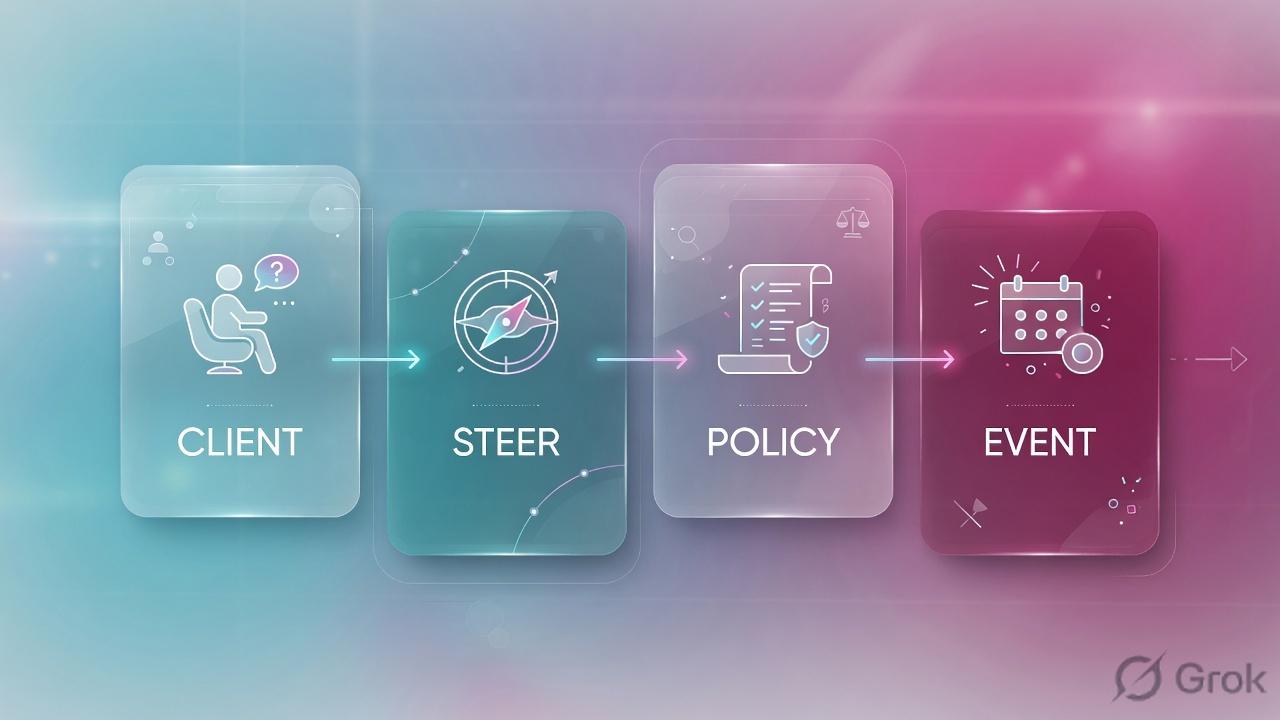
Read the diamond first. A click ticket never starts in Smart Search alone. A missing-mail ticket never starts in clicksPermitted. Empty Smart Search never starts in quarantineRule.
4. How to choose — first tool + proof field
Print this next to the TAP Dashboard. If you cannot recite the proof field, you are not ready to change anything.
| If the ticket says… | First tool (official path) | Proof field | Do not open first |
|---|---|---|---|
| Mail-down / “is Proofpoint even working?” / nothing in any inbox | Email Protection Smart Search (message search). Official: GUID identifies the message in PPS. | GUID (unique) + clusterId + messageTime — or an empty search for that recipient + UTC |
A new domain allow-list / bounce PPS |
| “Why did this mail land?” after a TAP campaign | TAP Dashboard Threat Detail, or SIEM /v2/siem/messages/delivered |
messagesDelivered + threatsInfoMap/classification + threatType + completelyRewritten |
Disable URL Defense |
| CEO / CFO mail missing; user wants a release | Smart Search, then TAP threat on that GUID |
messagesBlocked + quarantineFolder + classification (often Phish / Impostor) |
Release on request |
| Vendor invoices held after a filter / route change | Smart Search → message detail → rule columns | quarantineRule + policyRoutes + modulesRun |
Org-wide DMARC off / TAP off |
| User clicked a rewritten login URL | TAP Dashboard · click event (/v2/siem/clicks/permitted or clicks/blocked) |
clickTime + clicksPermitted or clicksBlocked + classification |
Smart Search only, then close |
SIEM field messageParts/disposition is inline or attached. Official Help: inline = message body; attached = attachment. That is not the mail verdict. The verdict is the event type — messagesBlocked vs messagesDelivered, or clicksPermitted vs clicksBlocked. Quoting MIME disposition as “Proofpoint allowed it” fails the ticket.
5. Runbook Side A → B → C
Side A proves the wire: did PPS see this message? Side B proves the TAP verdict, the disposition, and the rule. Side C proves the click the user felt, then TRAP. On a messy Sev-2, do them in this order until a field lights up.
Side A — Smart Search (did it hit PPS?)
-
Write recipient + subject + UTC before you click
Copy the mailbox, the approximate send time in UTC, and any Message-ID the user pasted. SIEM Help: all timestamps in returned events are UTC. SIEM query time is event create time, not always
messageTime. If you search the wrong hour you will invent an outage. -
Open Smart Search, not the filter editor
Path: Email Protection → Smart Search. Official TRAP data sheet names Smart Search as a source TRAP uses to find and retract mail. Filter recipient + time window. Add subject or sender domain if you already know it.
-
Read the three columns that prove the wire
GUID— “the ID of the message within PPS… guaranteed to be unique.”QID— queue ID, “not unique.”messageID— header Message-ID, “not unique.” QuoteGUID+clusterId+messageTime. Source: SIEM API — Message Events. -
If Smart Search is empty, stop hunting TAP
Empty search for that recipient + UTC means PPS never processed the message. Next check is MX / DNS / smarthost / TLS to the cluster — not
quarantineRule, not a TAP Threat Detail, not a TRAP pull. A green cluster LED on someone else’s screen is not this user’sGUID.
Email Protection / Smart Search
Smart Search
| messageTime | Recipient | GUID | QID | clusterId | Folder |
|---|---|---|---|---|---|
| 01:08:12Z | cfo@lab.example | a11e…lab | q1ABcDEF001 | lab_hosted | — |
| 01:12:44Z | cfo@lab.example | c26dbea0-80d5-463b-b93c-4e8b708219ce | r2FNwRHF004109 | lab_hosted | Attachment Defense |
Source: Proofpoint Help — SIEM API Message Events (GUID, QID, clusterId, messageTime, quarantineFolder). TRAP data sheet names Smart Search. Lab identities only. Training mock · not live.
Side B — TAP threat, disposition, rule
-
Open Threat Detail on the GUID you already have
Path: TAP Dashboard
https://threatinsight.proofpoint.com→ Threats → Threat Detail. Official Threat API: the threat ID is the URL suffix of the Threat Detail page (…/threat/email/<threatId>). Same fields stream from SIEM/v2/siem/messages/blockedand/v2/siem/messages/delivered. -
Read classification, then threatType, then threatStatus
Official
threatsInfoMap/classification: Malware, Phish, Spam, Impostor (BEC / message-text), TOAD.threatType: Attachment, URL, Message.threatStatus:active,falsepositive,cleared. Impostor is not “spam.” Do not say spam when the field says Phish or Impostor. -
Read the event type — that is the disposition
messagesBlocked= “messages with threats which were quarantined by PPS.”messagesDelivered= “messages with threats which were delivered by PPS.” On blocked events also quotequarantineFolder(official example:Attachment Defense). -
Then the rule — only after the event type
quarantineRule= “the name of the rule which quarantined the message. This appears only for messagesBlocked events.” Official example:module.sandbox.threat.policyRoutes= routes matched during PPS processing (example:default_inbound,executives).modulesRunproves which engines actually ran.
TAP / Threats / Threat Detail / email / 2fab740f…95ca
Threat Detail
sandboxStatus (attached PDF): threat
malwareScore: 100 · phishScore: 46 · impostorScore: 0
Do not quote messageParts/disposition=attached as the mail verdict.
Source: Proofpoint Help — SIEM API Message Events; Threat API (Threat Detail URL suffix). Official example values: quarantineFolder=Attachment Defense, quarantineRule=module.sandbox.threat. Lab identities only.
Path:            TAP Dashboard → Threat Detail  (or SIEM messages/blocked)
GUID:            c26dbea0-80d5-463b-b93c-4e8b708219ce
Event:           messagesBlocked
classification:  Phish
threatType:      Attachment
quarantineFolder:Attachment Defense
quarantineRule:  module.sandbox.threat
policyRoutes:    default_inbound, executives
Do not quote:    messageParts/disposition (that is MIME inline/attached)
Side C — TAP Dashboard click + TRAP
-
Treat clickTime as a second event
Official click fields:
clickTime,clickIP,classification(Malware / Phish / Spam),url,threatStatus,GUID(ties back to the PPS message). Endpoints:/v2/siem/clicks/permittedand/v2/siem/clicks/blocked. Delivery time and click time are two timestamps. TAP URL Defense re-checks at click-time. -
Read completelyRewritten on the parent message
Official:
true= every URL threat instance was rewritten;false= at least one threat URL was not rewritten;na= no URL-based threats. A permitted click on a rewritten URL is still a people + control event. Isolation (credential reset, hunt) is not a filter edit. -
TRAP pulls after delivery — it is not mail-down
Official TRAP data sheet: automatically quarantine malicious mail that bypassed the perimeter; retract forwards and distribution-list copies; ingest from TAP, Smart Search, CSV, or a manual report. CLEAR sends PhishAlarm reports to an abuse mailbox, then TRAP retracts on a match. Quote the incident + recipient list. Do not page PPS because auto-pull is working.
- Side A: Smart Search returns a
GUID+clusterIdin the ticket’s UTC window — or you can show the empty search and move to MX / smarthost. - Side B: Event type named (
messagesBlockedormessagesDelivered) plusclassification+threatType. On a hold, alsoquarantineFolder+quarantineRule. - Side C: Click row names
clickTimeand permitted vs blocked. TRAP lists the mailboxes pulled. Policy was not edited to “prove” the click.
6. Five tickets as full stories
These five land every quarter. Memorise first tool + proof field. Times and identities below are lab-only.
| Ticket | Symptom | First tool | Proof field |
|---|---|---|---|
| PPED-01 | “Proofpoint is down — nothing is arriving” | Smart Search | GUID + clusterId + messageTime — or empty search |
| PPED-02 | Phish landed in the inbox; TAP should have held it | TAP threat / SIEM delivered | messagesDelivered + classification + completelyRewritten |
| PPED-03 | CFO missing a CEO mail; wants a release | Smart Search → TAP threat | messagesBlocked + quarantineFolder + classification |
| PPED-04 | User clicked a rewritten login URL | TAP Dashboard clicks | clickTime + clicksPermitted + classification |
| PPED-05 | Vendor invoices held after a 02:00 route change | Smart Search → rule columns | quarantineRule + policyRoutes + modulesRun |
PPED-01 — Prove the wire (Smart Search)
01:18 · P1. Whole-company “mail is down.” Someone photographed a green node LED and still wants PPS bounced. L1 drafted a domain allow-list for *.
First tool: Email Protection → Smart Search. Filter a known-good recipient (for example priya@lab.example) and the last 30 minutes UTC. You are proving whether PPS is processing, not whether TAP found malware.
If empty: quote the empty search (recipient + UTC). Next check is MX, DNS, smarthost, or TLS to the cluster. There is no quarantineRule to chase and no TAP Threat Detail. SIEM /v2/siem/all will also look empty — TAP SIEM only returns click and message events relating to known threats.
If a row exists: quote GUID + clusterId + messageTime. Proofpoint processed mail. The incident is content, routing to one mailbox, or a downstream store — not a cluster bounce. Official: clusterId is “the name of the PPS cluster which processed the message.”
Do not treat an empty TAP SIEM window as “Proofpoint is down.” TAP SIEM is threat events, not a mail-flow heartbeat. Smart Search on ordinary mail is the wire proof.
PPED-02 — Prove why it landed (TAP threat + delivered)
01:36 · P2. A credential-phish is sitting in Finance. Channel: “TAP is broken — whitelist nothing, disable URL Defense.” Someone already opened the filter editor.
First tool: TAP Dashboard Threat Detail (or SIEM messages/delivered) for that recipient + hour. You need the event type before you touch a rewrite setting.
Proof field: event = messagesDelivered; threatsInfoMap/classification = Phish (or Malware); threatType = URL or Attachment; completelyRewritten = true / false / na; threatStatus at threatTime. Official SIEM note: a message can be delivered first and condemned later — query time is event create time, which is after messageTime and after threatTime.
If completelyRewritten is false, at least one threat URL was not rewritten — that is a rewrite-coverage ticket, not “turn TAP off.” If it is true and nobody clicked, Side C is still a hunt (TRAP) but not an isolate-the-mailbox-for-fun.
I would not disable URL Defense. I would paste messagesDelivered + classification + completelyRewritten + threatTime. Next tool is TAP clicks for that GUID, then TRAP. Activate is not proof.
PPED-03 — Prove the hold (disposition + folder)
01:52 · P2. CFO: “the CEO mail is missing — release it.” Subject looks like a wire. L1 is one click from quarantine release.
First tool: Smart Search for cfo@lab.example + subject + last hour. Then open TAP Threat Detail on the GUID.
Proof field: event = messagesBlocked (quarantined by PPS); quarantineFolder = Attachment Defense (or the folder you actually see); classification = Phish or Impostor; sandboxStatus on the attached part = threat when Attachment Defense condemned the file. Official sandbox values also include clean, prefilter, uploaded, inprogress, uploaddisabled, unsupported — uploaded / inprogress means the verdict was not back at process time.
Impostor (BEC / message-text) often has no malware hash. That is still TAP / Advanced BEC Defense, not a helpdesk release. Do not allow-list the lookalike From domain.
I would keep it quarantined. I would quote messagesBlocked + folder + classification. Next is TRAP for similar copies. A user request is not a residual control.
PPED-04 — Prove the click (TAP Dashboard)
02:11 · P1. Same CFO. “I already opened the login.” Rewrite was on. Someone typed Sev-1 “mail-down” because TRAP started pulling copies.
First tool: TAP Dashboard clicks for that recipient — SIEM clicks/permitted first, then clicks/blocked. Filter the GUID from PPED-03 if you have it.
Proof field: clickTime (not messageTime) + event clicksPermitted (or clicksBlocked) + classification + url + threatStatus. Official: clickIP may be the NAT/firewall address. GUID on the click ties it to the PPS message.
Permitted click + Phish or Malware is isolate: reset, hunt, TRAP retract of siblings. TRAP auto-pull of forwards is the product working (data sheet: retract from individuals and distribution lists). It is not a PPS outage.
Closing as “mail was delivered, so we are fine” ignores click-time. TAP URL Defense sandboxes again when the URL is clicked. Two times on the timeline.
PPED-05 — Prove the rule (quarantineRule + policyRoutes)
02:28 · P2. AP inbox: every vendor.example invoice since 02:00 is in quarantine. Someone wants DMARC reject off for the organisation. Last change: a new inbound policy route for finance.
First tool: Smart Search → one held invoice → rule columns. You are proving which PPS object acted, not whether TAP is “too aggressive.”
Proof field: quarantineRule (blocked events only) + policyRoutes (example pair: default_inbound, a finance/exec route) + modulesRun. If modulesRun is spam / policy and threatsInfoMap is empty or classification is Spam, this is a filter/route ticket. If classification is Impostor or Phish, do not “fix the vendor” by disabling TAP.
Vendor SPF/DKIM/DMARC breaks are Email Fraud Defense / DNS change-control with an owner and an expiry — not isolate, not org-wide reject off. Speak SPF, DKIM, and DMARC as one sentence, then name the scoped exception.
I would not disable DMARC or TAP. I would paste quarantineRule + policyRoutes + modulesRun on one GUID. Change-control owns the route edit. Re-search the same recipient after the change.
7. Traps + close-the-ticket proof
| You see | Weak close | Strong close |
|---|---|---|
| Empty Smart Search | “Proofpoint is down” / bounce PPS | Quote recipient + UTC + empty result; fix MX / smarthost; search again |
| Smart Search row, still failing | “Proofpoint is fine” | You only proved the wire. Open TAP threat + disposition for that GUID |
| Empty TAP SIEM | TAP must have blocked everything / TAP is dead | SIEM is known-threat events only. Start at Smart Search |
messagesDelivered + Phish | Disable URL Defense | Quote classification + completelyRewritten + threatTime; check clicks; TRAP |
messagesBlocked + user request | Release so Finance can work | quarantineFolder + classification; keep held; hunt similar |
messageParts/disposition=attached | “Disposition is attached, so it landed” | MIME only. Verdict is messagesBlocked / messagesDelivered |
clicksPermitted | “Mail was delivered, we are fine” | clickTime + isolate + TRAP. Two events |
| TRAP auto-pull running | Page PPS / “mail-down” | Auto-pull is post-delivery response. Quote mailboxes pulled |
| Vendor invoices + new route | Org DMARC off / TAP off | quarantineRule + policyRoutes; scoped change-control |
sandboxStatus=uploaded | “Sandbox is broken” | Official: uploaded / inprogress = no verdict yet at process time |
- UTC window written next to the tool you opened.
- Wire proved in Smart Search (
GUID+clusterId+messageTime) when the ticket is “is Proofpoint working?” - One transaction quoted: TAP
classification+threatType, ormessagesBlocked/messagesDelivered, orquarantineRule+policyRoutes, or one clickclickTime. - Next tool named — or change-control owner named. No release / allow-list / bounce without residual control.
- MIME
messageParts/dispositionnot used as the mail verdict. - Click tickets name isolate vs change-control explicitly.
I name the question, then the first tool, then one official field. Smart Search proves the wire. TAP classification proves the threat. messagesBlocked / messagesDelivered proves the hold. quarantineRule + policyRoutes proves the object. TAP Dashboard clickTime proves the click. I do not release, allow-list, or bounce PPS until that field is on the ticket. Factory model: session factory.
Knowledge check
Six night-shift judgments. Each maps to a first tool or a proof field. Check answers, then Reset if you picked the wrong surface.
Sources
- Proofpoint Help — SIEM API (
GUID,QID,clusterId,messageTime,messagesBlocked/messagesDelivered,clicksPermitted/clicksBlocked,quarantineFolder,quarantineRule,policyRoutes,modulesRun,threatsInfoMap/*,completelyRewritten,messageParts/disposition,clickTime; UTC; event-create-time caveat) - Proofpoint Help — Threat Insight Dashboard API Documentation (Campaign, Forensics, People, Reports, SIEM, Threats, URL Decoder)
- Proofpoint Help — Threats API (Threat Detail URL:
threatinsight.proofpoint.com/…/threat/email/<threatId>) - Proofpoint Help — People API (top clickers; blocked vs permitted clicks)
- Proofpoint Help — Campaign API
- Proofpoint Help — Forensics API
- Proofpoint Help — URL Decoder API
- TAP Dashboard — threatinsight.proofpoint.com
- Proofpoint Help — Essentials Threat API (same blocked / delivered / click event model on Essentials)
- Proofpoint — Targeted Attack Protection (TAP Threat Insight Dashboard; Attachment Defense; URL Defense; VAP)
- Proofpoint — TAP data sheet (click-time sandbox; Attack Index; Advanced BEC Defense)
- Proofpoint — Threat Response Auto-Pull (TRAP)
- Proofpoint — TRAP data sheet (Smart Search as a retract source; forwards / DL expansion; CLEAR + PhishAlarm)
- Proofpoint — Email Protection
- Proofpoint — Email Fraud Defense (SPF / DKIM / DMARC)
- Proofpoint — Resolving TAP Alerts with TRAP (search / message markers; TAP credentials into TRAP)
Related: Blog 1 · Proofpoint session factory · TAP URL + attachment defense · TRAP lesson · Email fraud / DMARC · Proofpoint practice dashboard