Proofpoint is a mail-path factory. Inbound MX lands on a Proofpoint Protection Server (PPS) cluster. PPS filter modules and Targeted Attack Protection (TAP) stamp the message — Attachment Defense sandboxes the file, URL Defense rewrites remaining links to the URL Defense Redirector. Official disposition is then messagesBlocked (quarantined by PPS) or messagesDelivered (delivered by PPS). A later user click is a new TAP event (clicksPermitted / clicksBlocked, clickTime). Success is a quoted GUID + named event — not the word “spam.”
I do not start with a whitelist. I ask whether MX hit this PPS cluster, which modules ran, whether TAP Attachment or URL Defense stamped the message, whether PPS quarantined or delivered it, and whether anyone later clicked a rewritten URL. Delivery is not click-time. Click-time is not a missing MX.
Concept
One mail-path ticket. PPS prints the hop. TAP writes the threat stamps. Disposition is the hold. Click-time is a later walk through the same factory.
Path
MX → PPS filter / TAP → messagesBlocked or messagesDelivered → mailbox → URL Defense Redirector at click → TAP click event.
Do
Side A points MX at the cluster you own. Side B turns on TAP rewrite and attachment sandbox. Side C quotes GUID + disposition or clickTime.
Desk
Night-shift “is Proofpoint working?” is five proof tools. That write-up lives on the evidence desk. This page is the factory that desk inspects.
1. Why “spam” is not a mail path
Every other blog starts with TAP, Impersonation, and DMARC as three marketing boxes. That is why students freeze in interviews. The real object is the mail path. Features are only stamps the factory puts on a message before it lets the mailbox, or a later click, happen.
Official SIEM overview: TAP events are blocked or permitted clicks recognized by URL Defense, and blocked or delivered messages that contain threats recognized by URL Defense or Attachment Defense. The first hop is still PPS. Official: clusterId is “the name of the PPS cluster which processed the message.” Same envelope on a different cluster is a different factory job.

What the ticket asked
“Spam filter ate the CEO mail.” That sentence is a hypothesis. The factory may already have quarantined a TAP threat and printed a correct hold.
What you prove first
Which PPS cluster, then whether a GUID exists, then blocked vs delivered, then whether anyone clicked. The evidence desk is the night-shift version of this order.
Hard words before the runbook. PPS is the Proofpoint Protection Server — the filter node that owns GUID, QID, clusterId, policyRoutes, and modulesRun. TAP is Targeted Attack Protection — Attachment Defense plus URL Defense. Disposition here is the official event type: messagesBlocked = quarantined by PPS, messagesDelivered = delivered by PPS. That is not messageParts/disposition (inline vs attached). Click-time is the second verdict, when the user actually hits a rewritten URL on the URL Defense Redirector. Impostor is the official SIEM classification for BEC / message-text threats. sandboxStatus is Attachment Defense’s verdict on a message part.
“The spam filter is too aggressive — whitelist the domain.” An allow-list only means the factory was told to skip stamps. If TAP already wrote classification=Phish and messagesBlocked, widening the sender just prints more delivered threats. Name the station that acted.
2. Mental model — ticket plus four stamps
Hold four parts. Interviews fail when people mix them.
1. The ticket is the mail path
One envelope, one PPS GUID (unique), one clusterId. QID and header messageID are not unique. messageTime is when PPS delivered or quarantined.
2. The stamps are TAP + scores
Attachment Defense = is the file sick (sandboxStatus). URL Defense = were remaining URLs rewritten (completelyRewritten). Scores (spamScore, phishScore, impostorScore, malwareScore) are 0–100 certainty, not the hold.
3. The hiring manager is disposition
messagesBlocked = quarantined by PPS. messagesDelivered = delivered by PPS — and can still carry a later-condemned threat. quarantineRule + policyRoutes name the object that acted.
4. Proof is GUID, then clickTime
Email Protection message search / Smart Search is the live table for the hop. TAP Dashboard Threat Detail is the stamp. clickTime is a later walk. Reports API calls the two eras preDeliveryProtected vs postDeliveryProtected.
Read the solid arrow first (PPS hop / messageTime). If the dashed click stays empty, do not invent a click incident. Re-read stamps before you touch a filter.
Attachment Defense answers “is this part sick?” Official messageParts/sandboxStatus: threat = sandbox returned malicious; clean = clean; prefilter = no active content, not sent to sandbox; uploaded / inprogress = uploaded, no verdict yet at process time; uploaddisabled = eligible but PPS policy did not upload; unsupported = Attachment Defense does not scan this part. Pending is not mail-down.
URL Defense answers “did we rewrite remaining URLs for click-time protection?” Official Help: URL Defense rewrites URLs to the URL Defense Redirector so they survive forwarding. Hosts you will see: urldefense.proofpoint.com (v1/v2) and urldefense.com (v3). completelyRewritten is true (all URL threats rewritten), false (at least one threat URL was not), or na (no URL-based threats).
Disposition answers “did PPS quarantine or deliver?” Official: messagesBlocked = messages with threats which were quarantined by PPS. messagesDelivered = messages with threats which were delivered by PPS. On blocked events also quote quarantineFolder and quarantineRule. Do not quote MIME messageParts/disposition=attached as “it landed.”
Click-time answers “did someone actually walk the rewritten link?” Official click fields: clickTime, clickIP (may be the NAT/firewall address), url, userAgent, classification (Malware / Phish / Spam), GUID (ties back to the PPS message). Endpoints: /v2/siem/clicks/permitted and /v2/siem/clicks/blocked.
3. MX setup vs click-time path
The first hop of a new envelope has no TAP click yet. It walks PPS processing — MX → cluster → modules → TAP attachment / URL rewrite → disposition. A later click of the same GUID skips that queue and rides the URL Defense Redirector. That is why “mail was delivered clean” sometimes does nothing when the user clicks an hour later.
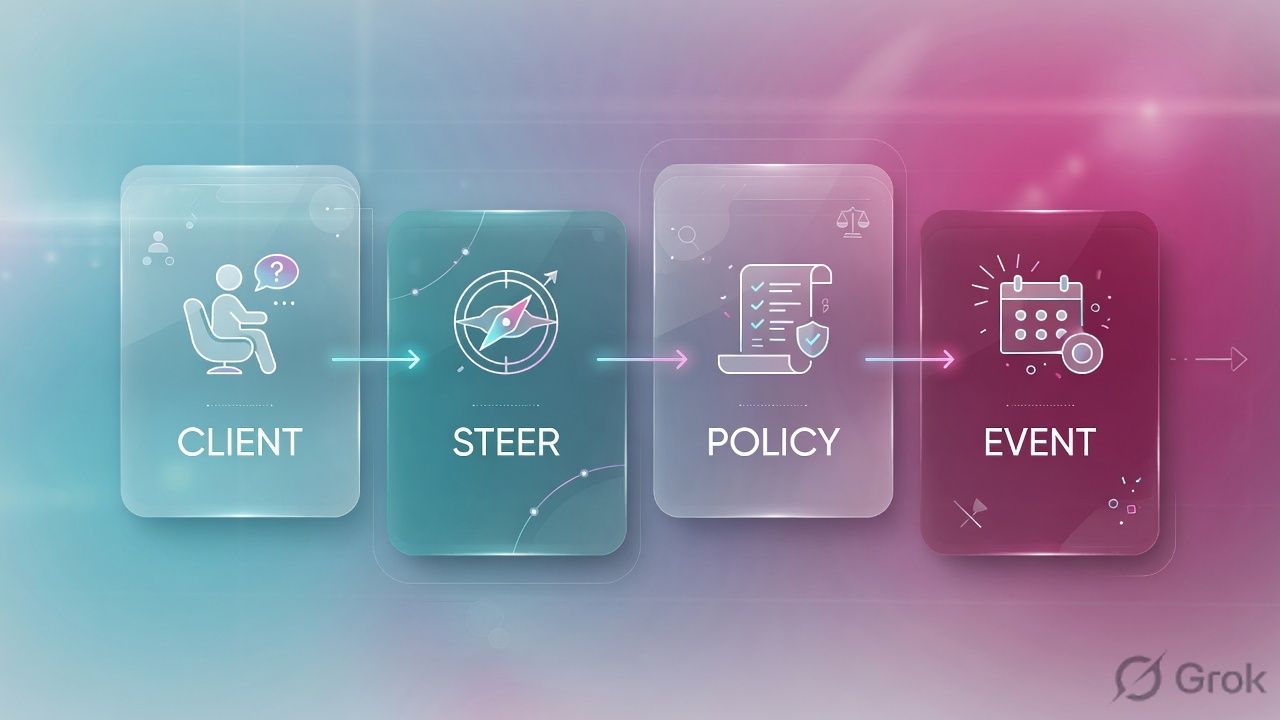
Read left → right, then the green click-time bar. Decision diamond = “is this already a click on a rewritten URL?” Disposition sits after TAP stamps on purpose.
The first minutes of a risky attachment are still just “uploaded.” Official: uploaded means PPS sent the part to the sandboxing service but did not yet have a verdict at process time; inprogress means it was awaiting scanning. That is not a down cluster and not a reason to release. If your filter says “Finance is waiting,” those first minutes must still exist long enough for Attachment Defense to finish — the same way a PAN-OS session must live long enough for App-ID. inprogress with no GUID is a different ticket (MX never arrived).
4. How to choose the next stamp
You are not choosing a product. You are choosing what the factory is allowed to write on the ticket.
| Choice | Use when | Do not use when | Proof you were right |
|---|---|---|---|
| Leave TAP Attachment on | Every inbound allow that can carry a file. Official sandbox is how threatType=Attachment gets a chance. |
You set policy that yields sandboxStatus=uploaddisabled so Finance is not delayed. |
sandboxStatus is threat / clean / prefilter — not silently disabled. |
| URL Defense rewrite remaining URLs | Production inbound. Click-time protection requires the Redirector rewrite. | You disable rewrite because a vendor “cannot parse urldefense.” Scoped decoder + exception, owner + expiry. | completelyRewritten=true on URL threats; decoder returns decodedUrl. |
| Keep messagesBlocked | classification is Phish, Malware, Impostor, or TOAD and quarantineFolder names TAP / sandbox. |
CFO asks for a release and you have not read threatsInfoMap. |
Event type stays messagesBlocked. Hunt similar; do not release on request. |
| Treat messagesDelivered as a live threat | TAP later condemned the URL or file. Official: delivered messages can contain known threats. | You close because “it landed, so we are fine.” | messagesDelivered + classification + later clickTime or post-delivery retract. |
| Filter policy quarantine (Essentials) | You have a documented country / sender condition. Official path: Security Settings → Email → Filter Policies, Direction Inbound, Company Level. | You use a geo filter to “fix” an Impostor CEO. That is the wrong stamp. | Message detail Client GeoIP Lookup matches the IF clause; usage stats increment. |
| People / VAP after the hop | You already have the GUID. Official People API: Very Attacked People + top clickers (blocked or permitted). |
You start a missing-mail ticket in VAP. | /v2/people/vap or /v2/people/top-clickers after the hop is proved. |
completelyRewritten is a rewrite contract, not a vibe. Official wording: true means all instances of URL threats were successfully rewritten; false means at least one threat URL was not; na means the message did not contain URL-based threats. Source: SIEM API Message Events.
5. Runbook Side A → B → C
Lab values only. Cluster pps-lab-us1, recipient cfo@lab.example, sender domain partner.example, GUID a11c4e20-lab5-4b21-9e03-ppfact0001042, QID LAB-QID-1042, threat URL host login.example-secure.test. Nothing here is a live tenant.
Side A — MX, cluster, authentication (building the factory floor)
Primary source: SIEM API Message Events (clusterId, GUID, senderIP) + URL Decoder API (clusterName of the PPS cluster which rewrote the message).
-
Point inbound MX at the PPS cluster you own
Inbound MX must resolve to this lab’s Email Protection / PPS cluster, not the mailbox and not a different geography. Official:
clusterIdis the name of the PPS cluster which processed the message. If you search TAP on the wrong cluster, you invent a miss. -
Prove the hop before you tune a filter
Email Protection → Smart Search (message search). Filter recipient + UTC window. Quote
GUID(unique in PPS),clusterId,messageTime. Empty search for that recipient + UTC means PPS never processed it — next check is MX / DNS / TLS to the cluster, not a TAP Threat Detail. -
Do not treat a vendor auth fail as “Proofpoint is down”
SIEM scores (
spamScore,phishScore,impostorScore) are 0–100 certainty. A legitimate vendor who changed ESP often fails alignment and lands in a filter or Impostor path. That is their DNS plus yourpolicyRoutes— not a cluster bounce. A scoped exception with an owner and an expiry, not org-wide TAP off.
Email Protection › Smart Search
Message search
| messageTime | Recipient | GUID | QID | clusterId | Folder |
|---|---|---|---|---|---|
| 09:12:18Z | cfo@lab.example | a11c4e20-lab5-…1042 | LAB-QID-1042 | pps-lab-us1 | Attachment Defense |
| 09:18:02Z | priya@lab.example | b22d5f31-lab5-…2108 | LAB-QID-2108 | pps-lab-us1 | Delivered |
Row 1 is the hold — PPS processed it on pps-lab-us1 and quarantined. Row 2 is the wire proof that the cluster is not down. Dummy values only.
Source: SIEM API Message Events — GUID unique, QID not unique, clusterId, messageTime, quarantineFolder. Official example folder name: Attachment Defense. Training mock · not live.
Side B — TAP and filter policy (printing the ticket, choosing stamps)
Primary source: SIEM API (URL Defense + Attachment Defense event types) + How do I decode a rewritten URL? + Essentials Filter Policies path when you are on that SKU.
TAP Dashboard › Threats › Threat Detail
Threat Detail
Official Threat API: threatId is the URL suffix of Threat Detail (…/threat/email/<threatId>). completelyRewritten=na because this row is an attachment threat, not a URL threat.
Source: SIEM API Message Events + Threats API (Threat Detail URL suffix). Official example values in Help: quarantineFolder=Attachment Defense, quarantineRule=module.sandbox.threat. Dummy identities only.
-
Keep Attachment Defense able to upload
Path: TAP Dashboard → Threats / Threat Detail on the
GUIDyou already have. ConfirmmodulesRunincludes the sandbox module andsandboxStatusis not stuck onuploaddisabledbecause someone “sped up Finance.” Official:uploaddisabledmeans the part was eligible but was not uploaded because of PPS policy. -
Keep URL Defense rewrite + click-time
Official Help: as part of providing click-time protection, URL Defense rewrites URLs to the URL Defense Redirector. Decode on TAP Dashboard → Tools → URL Decoder, or
POST /v2/url/decode. Authenticated decode also returnsmessageGuid,clusterName,recipientEmail. -
Write inbound filter policy only when the condition is yours
On Essentials SKUs the documented path is Security Settings → Email → Filter Policies. Direction = Inbound. Scope = Company Level. Example official logic: IF Client IP Country IS <country> DO Quarantine AND (optional) Require Admin Privileges to Release. This is not a TAP replacement.
-
Save, then do not celebrate
A saved filter or a green TAP card means the recipe printed. It does not mean the CFO’s message is the hop you think it is. Side C is the proof.
GET https://tap-api-v2.proofpoint.com/v2/siem/messages/blocked
    ?format=json&interval=2026-08-16T09:00:00Z/2026-08-16T10:00:00Z
    --user "$PRINCIPAL:$SECRET"

messagesBlocked[0]:
  GUID:              a11c4e20-lab5-4b21-9e03-ppfact0001042
  QID:               LAB-QID-1042
  clusterId:         pps-lab-us1
  messageTime:       2026-08-16T09:12:18.000Z
  recipient:         cfo@lab.example
  quarantineFolder:  Attachment Defense
  quarantineRule:    module.sandbox.threat
  policyRoutes:      ["default_inbound","executives"]
  modulesRun:        ["spam","sandbox","urldefense"]
  threatsInfoMap[0].classification: Phish
  threatsInfoMap[0].threatType:     Attachment
  messageParts[0].sandboxStatus:    threat
  completelyRewritten:              na
Say the word predicted if you only have SIEM. The live click may still be absent. Compare this block to TAP Dashboard Threat Detail and, if anyone clicked, to /v2/siem/clicks/permitted in Side C. Service principal and secret are created on the TAP Dashboard Settings page. Official: all timestamps UTC; max query window 1 hour; lookback 7 days.
Side C — prove the hop, then the click
Primary source: SIEM API Click Events + How do I decode a rewritten URL? + Reports API pre-delivery vs post-delivery.
-
Baseline the cluster, then the GUID
Smart Search must show
clusterId=pps-lab-us1and theGUIDin the ticket’s UTC window — or you can show the empty search and move to MX. Half of “it doesn’t match the doc” is the wrong TAP instance. Half of empty TAP SIEM is ordinary mail with no known threat. -
Read the stamps on Threat Detail
You need event type messagesBlocked or messagesDelivered, a
classification, athreatType, and on a hold alsoquarantineFolder+quarantineRule. Copy theGUIDfor the click hunt. -
If the user clicked, treat two timestamps
Official:
clickTimeis “the time the user clicked on the URL.” It is notmessageTime. Decode the rewritten URL on Tools → URL Decoder. Then readclicksPermittedvsclicksBlocked. A permitted click is an incident, not “mail was delivered clean.” -
If s2c analog is empty — no click and a hold — do not add a whitelist
Check MX / cluster,
policyRoutes, and the sandbox. That is the evidence desk, not a missing allow-list.
GET https://tap-api-v2.proofpoint.com/v2/siem/clicks/permitted
    ?format=json&interval=2026-08-16T10:00:00Z/2026-08-16T11:00:00Z

clicksPermitted[0]:
  GUID:           a11c4e20-lab5-4b21-9e03-ppfact0001042
  recipient:      cfo@lab.example
  clickTime:      2026-08-16T10:43:00.000Z
  clickIP:        203.0.113.10
  classification: Phish
  threatStatus:   active
  url:            https://login.example-secure.test/
  userAgent:      Mozilla/5.0 lab-browser
  campaignId:     lab-camp-1042

Note About Event Time:
  SIEM query window is event *create* time, not clickTime.
A later condemn can surface this click hours after 10:43Z.Smart Search GUID + clusterId=pps-lab-us1. Event type named (messagesBlocked or messagesDelivered). On a hold: quarantineFolder + classification. On a click: clickTime ≠ messageTime, plus permitted vs blocked. Application of the factory left “spam” and became a named TAP or filter object. A whitelist with no GUID is not success.
6. Runtime — later condemn, rewrite gaps, VAP
After the hop exists, later clicks skip PPS setup and ride the Redirector. Official click-time Help: rewritten URLs point at the URL Defense Redirector service and are specially encoded to survive forwarding. That is why a forwarded CFO mail still shows urldefense.proofpoint.com / urldefense.com and why decode is a first-class tool, not a hobby.
If the application — here, the threat — is not yet known at hop time, Attachment Defense may log uploaded or inprogress. After the sandbox names the file, TAP can condemn later. Official SIEM note: event-create time is always after messageTime / clickTime or after threatsInfoMap/threatTime (when Proofpoint recognized and condemned the threat). A sinceSeconds=3600 pull can therefore return a message first observed days ago. Students invert this and declare SIEM “late” or “down.”
URL Defense then inspects at click if the rewrite actually happened. If completelyRewritten=false, at least one threat URL left the factory without a Redirector wrapper. That is a stamp failure, not a reason to disable rewrite globally. Decode the ones that did rewrite; hunt the ones that did not; scoped exception only with an owner and an expiry. Certificate-pinned or vendor-broken parsers will scream. That is the app refusing a substitute URL — document it, do not “rewrite off for the company.”
Reports API names the two eras students collapse: preDeliveryProtectedMessages (blocked/quarantined before delivery) and postDeliveryProtectedMessages (remediated after delivery), plus potentiallyExposedMessages. Official Dashboard card: Dashboard → Executive Summary → Inbound Email Protection Breakdown. Pre-delivery is the first-hop factory. Post-delivery is TAP/TRAP working after the mailbox. Exposed is not “PPS failed”; it is the set you still have to hunt.
People is two copies of attention, not a second MX. Official People API: /v2/people/vap (Very Attacked People; window 14 / 30 / 90 days; attackIndex vs vapAttackIndexThreshold) and /v2/people/top-clickers (users who clicked malicious URLs, regardless of whether the clicks were blocked). VAP is who got attacked. Top clickers are who walked the Redirector. Neither replaces Smart Search on a missing-mail ticket.
Read left → right. Delivered is not the end of the factory. Click-time and post-delivery are later stamps on the same GUID.
7. Traps + GUID / clickTime proof
| Symptom | Looks like | Actually | First move |
|---|---|---|---|
| CFO: missing CEO mail | Spam filter / whitelist domain | messagesBlocked + TAP classification |
Smart Search GUID, then Threat Detail |
| Allow + user clicked | Mail was delivered clean | Click-time is a new TAP event | clickTime + permitted vs blocked |
| sandboxStatus uploaded / inprogress | Mail is down / release now | Verdict not back at process time | Wait or isolate — do not release blind |
| Empty TAP SIEM window | Proofpoint is down | SIEM is known-threat events only | Smart Search ordinary mail first |
| Added a filter, nothing changed | Save failed | Wrong cluster, or hop already finished | Quote clusterId; re-search the GUID |
| messageParts/disposition=attached | “Disposition says it landed” | MIME only — inline vs attached | Read messagesBlocked / Delivered |
| Vendor invoices held | Disable TAP / org DMARC off | quarantineRule + policyRoutes |
Scoped change-control, not TAP off |
| completelyRewritten=false | Rewrite is broken, turn it off | At least one threat URL skipped the wrapper | Decode what did rewrite; hunt the gap |
| clickIP is a firewall | Wrong user / spoofed click | Official: NAT shows the firewall address | Trust recipient + GUID, not the IP vibe |
| VAP list is hot, mail “missing” | Start in People | VAP is who was attacked, not the hop | Smart Search first, People after |
- MX for the lab domain points at the PPS cluster you think it is (
clusterId/ decoderclusterName). - Smart Search returns the recipient + UTC
GUID, or you can show the empty search and move to DNS / TLS. - Event type named:
messagesBlocked(quarantined by PPS) ormessagesDelivered(delivered by PPS). - TAP stamp left “spam”:
threatsInfoMap/classification+threatType(Attachment / URL / Message). - On a hold:
quarantineFolder+quarantineRule+policyRoutes+modulesRun. - On an attachment:
sandboxStatusis a real verdict, not an unexplaineduploaddisabled. - On a URL threat:
completelyRewrittenistrueunless you documented the gap. - On a click:
clickTime≠messageTime; event isclicksPermittedorclicksBlocked. - No live tenant IDs. Lab values only (
cfo@lab.example,pps-lab-us1).
Proofpoint is a mail-path factory. MX lands on a PPS cluster. Filter modules and TAP stamp the message — Attachment Defense on the file, URL Defense on remaining links. Disposition is messagesBlocked or messagesDelivered. A later click is a new TAP event on the URL Defense Redirector. I prove the ticket with a GUID + clusterId, then the named event, then clickTime if someone walked the link. “Spam” without those fields is not an answer.
Related: The evidence desk · TAP URL + attachment defense · Email security map · Proofpoint hub
Knowledge check
Six judgment questions. Map each miss back to the section named in the reason.
Sources
- Proofpoint Help — SIEM API — event types (clicks blocked/permitted; messages blocked/delivered);
GUIDunique,QID/messageIDnot;clusterId;messageTime;messagesBlocked= quarantined by PPS;messagesDelivered= delivered by PPS;quarantineFolder;quarantineRule;policyRoutes;modulesRun;completelyRewritten;messageParts/sandboxStatus;messageParts/dispositioninline vs attached;threatsInfoMap/classification(Malware / Phish / Spam / Impostor / TOAD);threatTypeAttachment / URL / Message; click fieldsclickTimeclickIPurluserAgent; UTC; event-create-time caveat; 1-hour / 7-day window - Proofpoint Help — How do I decode a rewritten URL? — click-time protection; URL Defense rewrites to the URL Defense Redirector; Tools page URL Decoder on TAP Dashboard
- Proofpoint Help — URL Decoder API —
urldefense.proofpoint.comv1/v2 andurldefense.comv3; authenticated fieldsmessageGuid,clusterName,recipientEmail - Proofpoint Help — Threats API — Threat Detail URL suffix
threatinsight.proofpoint.com/…/threat/email/<threatId>; Settings page service principal - Proofpoint Help — People API — Very Attacked People; top clickers (blocked or permitted clicks)
- Proofpoint Help — Reports API — Dashboard → Executive Summary → Inbound Email Protection Breakdown;
preDeliveryProtectedMessages/postDeliveryProtectedMessages/potentiallyExposedMessages - Proofpoint Help — Threat Insight Dashboard API Documentation — Campaign, Forensics, People, Reports, SIEM, Threats, URL Decoder
- Proofpoint Help — Filter mail from a specific Country of Origin — Security Settings → Email → Filter Policies; Inbound; Company Level; Client GeoIP Lookup
- Proofpoint Help — Essentials Threat API — same blocked / delivered / click event model on Essentials
Related: Prove Proofpoint is working — evidence desk · TAP URL + attachment defense · Email security map · TRAP auto-pull · Proofpoint interview hub
All GUIDs, recipients, and cluster names on this page are fictional lab data. Confirm live syntax and privacy rules before you type on a real tenant.