The ticket — and why this comparison matters in 2026
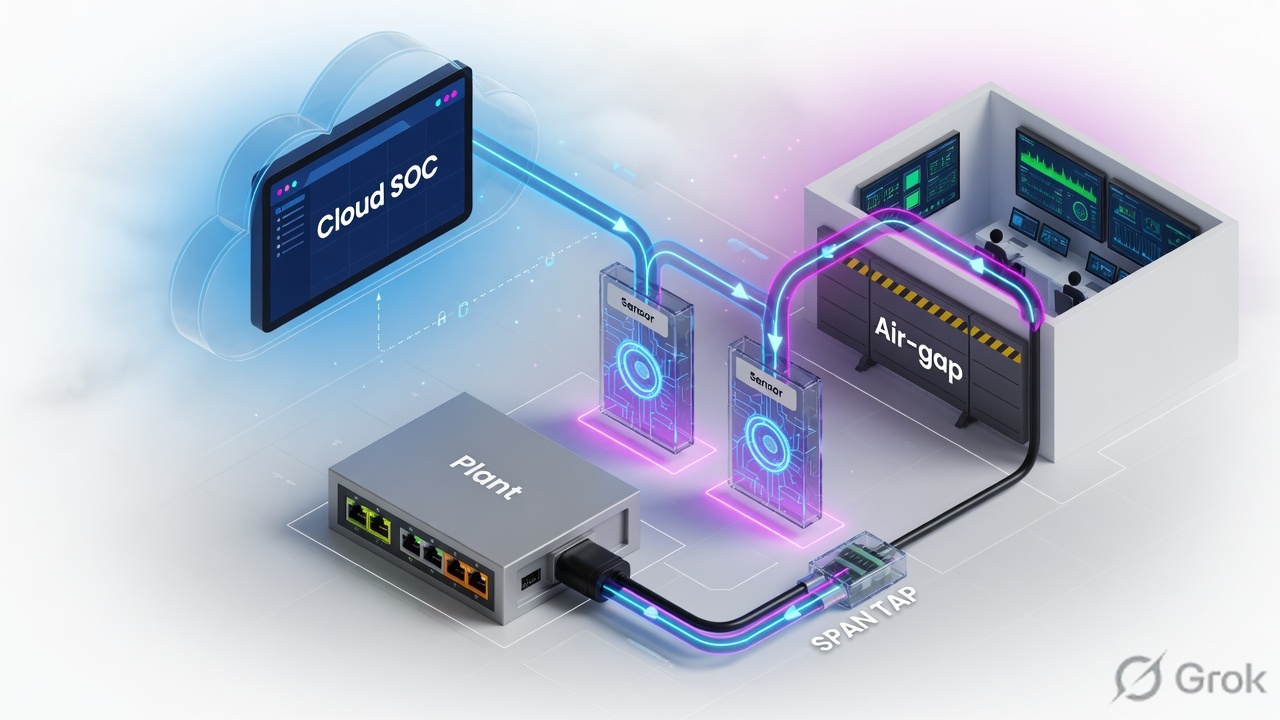
A night-shift ticket from a Maharashtra pharma site: batch hold, HMI freeze, historian gap. The engineering laptop that caused it had Microsoft Defender for Endpoint. The PLC did not. IT asked SOC to “check Sentinel.” Sentinel had no OT device entity, no Modbus function-code context, and no site/zone map. That is the gap both of these platforms exist to close.
Primary keyword: OT security Microsoft Defender for IoT vs Nozomi. Secondary: Guardian sensor, Vantage, Arc, Azure portal OT sensor, Microsoft Sentinel OT, air-gapped CMC, Purdue model.
Three 2025–2026 facts change how you brief a CISO. First, Microsoft still ships Defender for IoT OT network sensors (latest line in Microsoft Learn as of June 2026: sensor 26.1.1; April 2026 26.1.0 moved the sensor OS to Debian 12). Second, the legacy on-premises management console is not available for download after 1 January 2025 — air-gap is now sensor UI, CLI, and APIs, not a Microsoft central console. Third, in September 2025 Mitsubishi Electric agreed to acquire Nozomi Networks in a deal reported around one billion dollars; 2026 coverage describes Nozomi continuing as a specialist OT platform with partner integrations. Verify current ownership on the vendor site before a procurement interview.
IT–OT convergence is not a slogan here. Engineering laptops, jump hosts, and poorly segmented Level 3.5 DMZs are how ransomware and “IT malware” become process stops. A sensor that only lives in the Microsoft stack is a good answer if the SOC already lives there. A sensor family that includes CMC, Guardian Air, Arc, and Smart Polling is a better answer if the plant is air-gapped, wireless, or host-blind. Most large estates eventually do a bit of both.
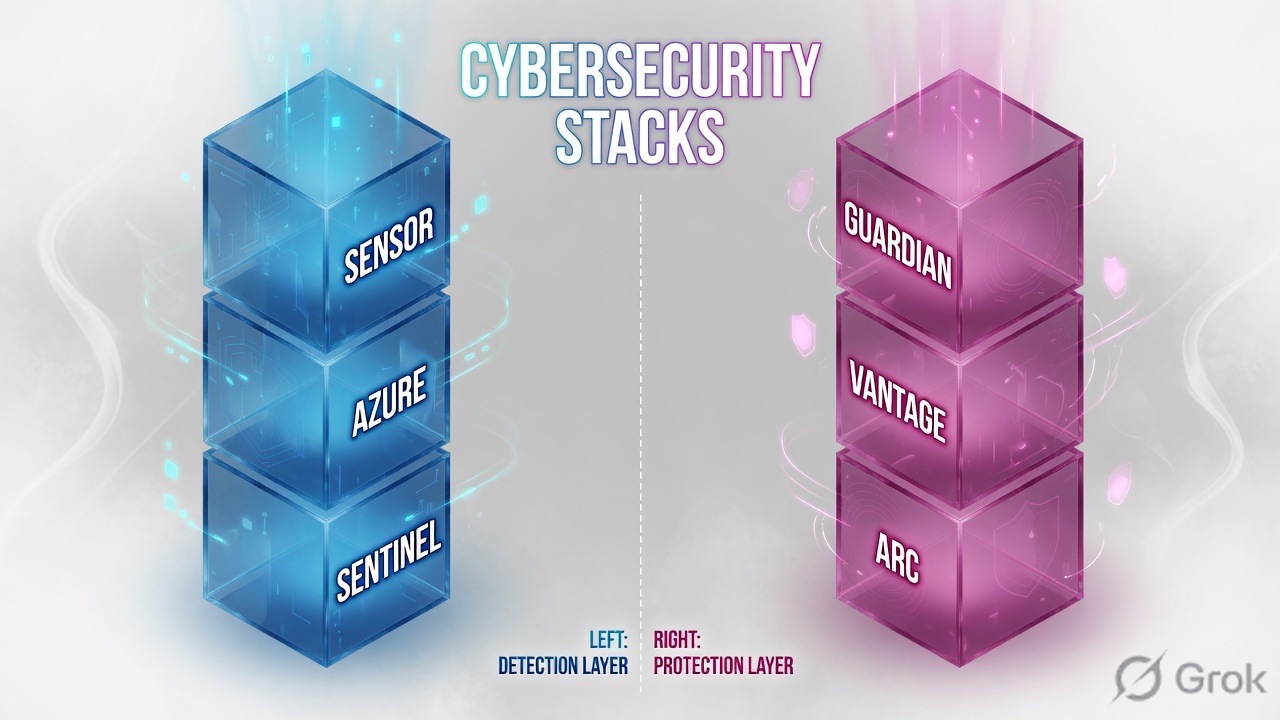
Microsoft Defender for IoT is a SPAN/TAP OT network sensor whose cloud brain is the Azure portal and whose SOC brain is Microsoft Sentinel. Nozomi Guardian is also a SPAN/TAP sensor; its cloud brain is Vantage, its air-gap brain is CMC, and Arc covers the engineering host that the network sensor cannot see. Same mirror port. Different operating system for the SOC.
What both platforms actually do
Strip the marketing. Both are passive OT/IoT network monitoring platforms. You attach them to a switch SPAN (mirror) or a network TAP. They do not become the default gateway. They do not inline-block like an NGFW. They parse industrial protocols, build an asset inventory, learn a baseline, and raise alerts when traffic violates the protocol, the learned policy, or a known ICS malware pattern.
Microsoft Defender for IoT
OT network sensor (VM or appliance) plus Azure portal. Cloud-connected or locally managed. Analysis stays on the sensor; Azure gets telemetry and insights. Native Sentinel connector and a Defender for IoT solution (analytics rules, workbooks, playbooks, MITRE ATT&CK for ICS).
Nozomi Networks
Guardian (passive sensor), optional Guardian Air (wireless), Remote Collectors, Arc (Windows/Mac/Linux host sensor), Arc Embedded on supported Mitsubishi Electric iQ-R PLCs, Vantage (AWS SaaS) or CMC (on-prem). Optional Smart Polling, Asset Intelligence, Threat Intelligence, Vantage IQ.
Hard vocabulary before the runbook: SPAN/TAP = copy of packets, not a bump-in-the-wire. DPI = decode of protocol fields, not just IP/port. Microsoft documents Layer-6 DPI on the OT sensor. Asset in Defender for IoT is a unique IP+MAC pair; OT assets go inactive after 60 days with no traffic. Enterprise IoT in Microsoft (printers, conferencing kits via Defender for Endpoint) is a different product path — do not treat it as plant OT monitoring.
Sentinel is the cricket scoreboard. The OT sensor is square-leg umpire. Microsoft’s umpire already wears the SOC jersey. Nozomi’s umpire is a specialist who radioes the score in — including process values the scoreboard never learned to write down.
Architecture on the Purdue map
Read bottom to top. The sensor copies Level 2 conversations so you can infer Level 1 devices. It does not sit in front of the PLC.
Microsoft building blocks
Microsoft Learn lists two OT monitoring components: the Azure portal (cloud management, workbooks, recommendations, Sentinel integration, activation files, threat-intel packages) and the OT network sensor (physical or VM). Sensors are cloud-connected or locally managed. Cloud-connected sensors still show detections on the sensor console; alerts also go to Azure and threat intel can push automatically. Local sensors stay on the console; you upload threat intel by hand.
Five analytics engines on the sensor (Microsoft names): protocol violation (example: Illegal MODBUS Operation — Function Code Zero), policy violation using Behavioral Anomaly Detection as in NISTIR 8219 (Unauthorized HTTP User Agent), industrial malware (Stuxnet-related, Triton, Havex, NotPetya patterns), anomaly detection (PLC scan, periodic M2M), and operational incident (device unresponsive; Siemens S7 stop PLC command). Processing is on-box so thin plant WAN links only carry insights.
Air-gap after the console retirement: keep using the sensor UI, the OT sensor CLI (system sanity, network validate, syslog/API to a SIEM). Sensor versions released after 1 January 2025 do not connect to the old on-prem management console.
Nozomi building blocks
Guardian is the on-prem passive sensor (hardware, VM, embedded, or container). It can stand alone or report to CMC (on-prem manager for air-gap and data residency) or Vantage (SaaS on AWS). Remote Collectors ship packet streams to a Guardian. Guardian Air extends into wireless. Arc is the host sensor for engineering workstations; it can send to Guardian or straight to Vantage. Smart Polling is optional low-volume active discovery on Guardian — only if operations approve extra packets on the process network.
Limitation to state honestly: Microsoft’s strength is SOC glue (Azure RBAC, Sentinel incidents, Defender XDR adjacency). Nozomi’s strength is OT surface area (wireless, host, embedded PLC sensor, living multi-sensor air-gap manager). Microsoft is weaker as a central air-gap console in 2026. Nozomi’s Sentinel story exists (Azure Marketplace solution) but is third-party designed — confirm the live connector in Content hub; do not invent a codeless connector.
Side-by-side capabilities
| Job | Microsoft Defender for IoT | Nozomi Networks | Field takeaway |
|---|---|---|---|
| Passive capture | OT sensor on SPAN/TAP | Guardian on SPAN/TAP | Tie. If you have no mirror, neither product works. |
| Asset discovery | Agentless DPI; inventory keyed by IP+MAC; inactive after 60 days | Passive inventory (type, firmware, serial when visible); Smart Polling optional for silent assets | Nozomi if you must query mute devices. Microsoft if you refuse any active packets. |
| Threat detection | Five on-sensor engines; malware examples include Triton/Havex/Stuxnet-related | Baseline + signatures; Threat Intelligence / Vantage IQ add-ons | Both detect ICS-odd traffic. Do not buy on “AI” as a slogan. |
| Endpoint coverage | Not this sensor. Enterprise IoT is Defender for Endpoint. | Arc on Windows/Mac/Linux; Arc Embedded on supported iQ-R PLCs | If the blast radius is the engineering PC, Nozomi Arc is in-scope. Microsoft OT sensor is not. |
| Cloud vs air-gap | Azure portal; local sensor UI after console retirement | Vantage SaaS or CMC on-prem | True multi-sensor air-gap manager still exists on the Nozomi side. |
| SOC integration | Native Sentinel connector + Defender for IoT solution | Marketplace Sentinel solution; MECM enrichment; syslog/API | Microsoft-first SOC → Defender for IoT. Plant-first OT team → Nozomi, then feed SIEM. |
| Wireless OT | Not Guardian Air | Guardian Air | Wi-Fi/Bluetooth plant floor is a Nozomi-shaped problem. |
| Zero Trust for OT | Visibility into who talked; does not replace IEC 62443 zones | Same — visibility and detection, not an inline PEP | Neither product is your OT firewall. Pair with segmentation. |
Realistic limits. Microsoft Azure last-detection time can lag the sensor by up to about one hour — time-critical work stays on the sensor console. Capture filters (network capture-filter) can drop the very ports you needed (Modbus 502). Nozomi Smart Polling can look like an attack to a brittle PLC if someone “just enables it.” Sentinel ingestion has a cost; so do extra Guardian/Arc licenses. No vendor market-share numbers here — they change and they do not help you place a SPAN.
When to choose which — or both
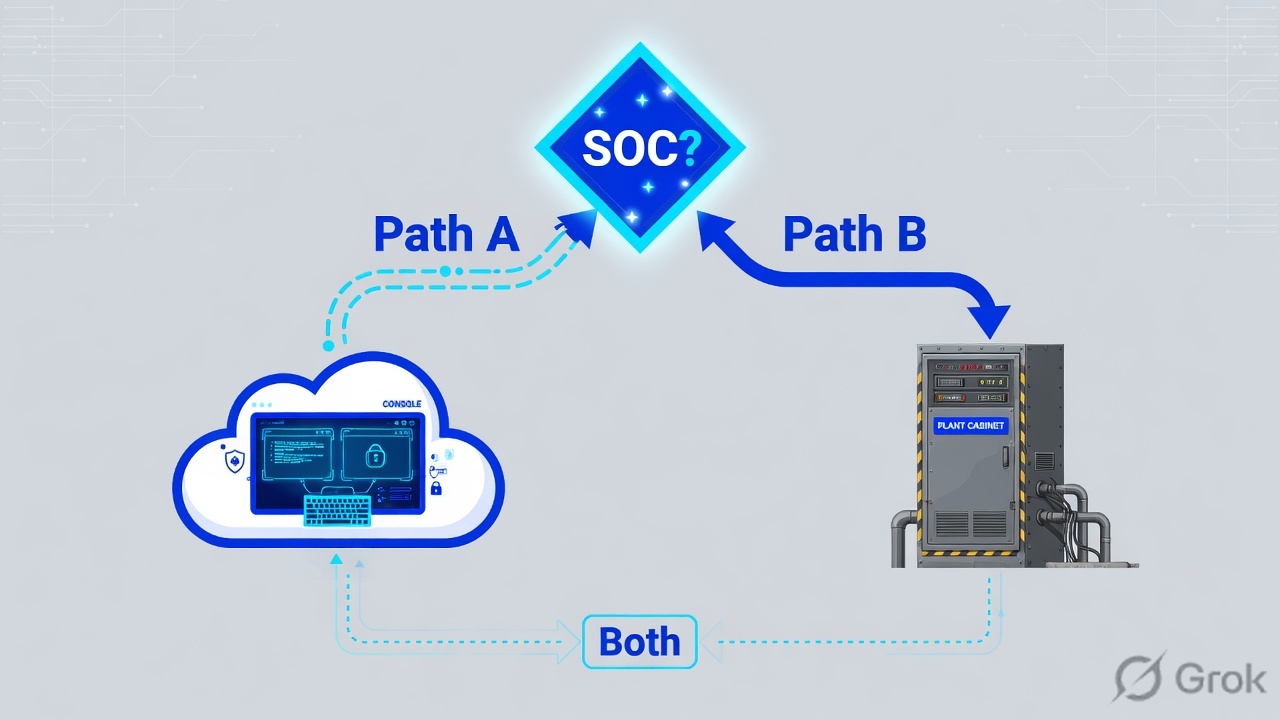
Diamond = ownership of triage. Bottom box is coexistence, not a third product.
| Choose | When the plant looks like this |
|---|---|
| Microsoft Defender for IoT | SOC already runs Sentinel/Defender XDR. Leadership wants one Microsoft conversation. Sites can cloud-connect sensors. You need ATT&CK for ICS content in Sentinel without a custom parser project. |
| Nozomi | NERC CIP / nuclear / defence air-gap needs a living multi-sensor manager (CMC). You need Arc on engineering PCs, Guardian Air, Arc Embedded, or process-variable depth. Smart Polling is approved by operations. |
| Both | OT engineering owns Guardian locally. Corporate SOC will not learn a second console. Forward Nozomi events into Sentinel (Marketplace solution or syslog) while Microsoft sensors cover Microsoft-standard sites. |
Zero Trust for OT is visibility + segmentation + least privilege on engineering access. These sensors are the visibility layer. They do not replace a Purdue Level 3.5 firewall, jump-host MFA, or an allow-list of who may write a PLC. If a vendor slide says “Zero Trust OT in a box,” treat it as a visibility starting point, not a policy enforcement point.
Three plant decisions
1 · Multi-site manufacturing, Microsoft SOC
Twelve discrete plants, Entra ID, Defender XDR, Sentinel already paid. OT switches can SPAN. Some sites have internet via a tightly firewalled management VLAN.
What would you do? Start with Defender for IoT OT sensors, cloud-connected, one Azure site per plant. Onboard from Azure portal → Microsoft Defender for IoT → Sites and sensors → download activation file. Install the Microsoft Defender for IoT solution from Sentinel Content hub so OT alerts become incidents with ICS ATT&CK mapping. Do not buy a second OT console “because manufacturing is special” until a plant is actually air-gapped.
Decision point: if one plant forbids cloud, that plant’s sensor stays locally managed. Do not resurrect the retired on-prem console.
2 · Transmission utility, air-gapped control centre
Substation networks, NERC CIP culture, no direct internet from OT. Wireless radios and engineering laptops in the field. Process values (breaker status, tap positions) matter as much as CVEs.
What would you do? Nozomi Guardian on TAP/SPAN, CMC as the air-gap manager, Arc on engineering workstations, Guardian Air if the radio/Wi-Fi story is in scope. Forward syslog/API to the utility SIEM if they have one. Microsoft Defender for IoT can still monitor in local mode, but you lose the Microsoft console they retired and you still need a multi-sensor manager — that is CMC’s job.
3 · Water treatment + city SOC hybrid
SCADA at the plant, corporate IT in Azure, a shared SOC that already investigates Entra and endpoint incidents. The plant vendor forbids active scanning. A contractor laptop keeps appearing on Level 2.
What would you do? Passive only. Either sensor works for the SPAN. Prefer Defender for IoT if the SOC’s muscle memory is Sentinel, and add Nozomi Arc later if the contractor laptop is the repeating blast radius (network DPI will not tell you which process on the laptop spoke Modbus). Coexistence: Guardian or Microsoft sensor at the plant, alerts in Sentinel, jump-host policy in Entra Conditional Access — three different controls, one incident narrative.
Hybrid runbook — Side A / B / C
Side A — plant / switch (operations)
Get a legal mirror
On the OT distribution switch, SPAN or TAP the Level 2 VLAN that actually carries PLC/HMI talk. Confirm with the controls engineer. Source: Microsoft Learn traffic-mirroring / SPAN articles.
Never inline the sensor
Management NIC to a management VLAN. Monitor NIC to the mirror. If the sensor reboots, the process network must not notice.
NTP and capture filters
Same NTP for every sensor. Do not exclude TCP/UDP 502, 102, or the vendor ports you care about.
Side B — Microsoft product
Azure / Defender for IoT / Sites and sensors / Onboard OT sensor
Onboard OT sensor
Primary source: Microsoft Learn — Onboard OT sensors to Defender for IoT. Allow-list outbound endpoints from More actions → Download endpoint details.
Sentinel / Content hub / Microsoft Defender for IoT
Install solution, then connector
On the sensor as admin (Microsoft Learn CLI reference):
shell> system version
shell> system sanity
[+] Network Processor | Running ...
[+] Traffic Monitor | Running ...
[+] Web Apps | Running ...
System is UP! (medium)
shell> network validate
Success! (Appliance configuration matches the network settings)
shell> system ntp enable 10.0.0.1
Health messages to treat as tickets: NTP not configured / no NTP connection, traffic bandwidth near or over limit, monitored-device count near or over limit, disk almost full.
Side C — Nozomi + coexistence
Guardian on the same class of SPAN
Confirm topology shows HMI–PLC conversations. Source: Nozomi Guardian product page — passive mirrored ports or taps.
Pick Vantage or CMC
Cloud-ok multi-site → Vantage. Air-gap → CMC. Do not send process-network payloads to SaaS if the policy forbids it.
SOC glue
Azure Marketplace Nozomi Networks solution into Sentinel, or syslog. MECM integration if Windows node enrichment is the gap. Confirm the live connector; marketplace copy changes.
- SPAN RX counters increment on the monitor NIC (
network list). - Inventory shows at least one PLC/HMI with a vendor type, not only IT laptops.
- A test policy-odd conversation (lab only) produces a sensor alert.
- If cloud-connected Microsoft: alert in Azure, then a Sentinel incident after connector install.
- SOC does not close OT alerts as “IT scan noise” without an OT owner.
Unsafe shortcuts and how they fail
| Symptom | Likely cause | Fix |
|---|---|---|
| Empty inventory | No SPAN, wrong NIC, or sensor inline by mistake | network list, network blink eth0, confirm switch mirror. Never inline. |
| Cloud sensor missing in Azure | Outbound endpoints blocked | Download endpoint details JSON from Sites and sensors; allow-list those FQDNs. |
| Sensor live, Azure stale | Documented last-detection lag (up to ~1 hour) | Triage on the sensor console for process-time work. |
| Cert / correlation weirdness | NTP skew | system ntp enable <IPv4> UDP 123; same NTP everywhere. |
| No Modbus alerts | Capture filter dropped 502 | Re-run network capture-filter; do not exclude process ports. |
| PLC glitch after “discovery” | Active scan or Smart Polling without operations sign-off | Stop the scan. Passive only until the controls engineer agrees. |
| Sentinel has no OT incidents | Connector/solution missing, or sensor not cloud-connected | Content hub + data connector; confirm plan streaming. |
| Bought Defender for IoT to watch printers | Confused with Enterprise IoT / Defender for Endpoint | Different path. Plant OT is the network sensor. |
It is not an agent on the PLC. Do not use the retired Microsoft on-prem console on a post-January 2025 sensor. Azure last-detection is not live. There is no “Microsoft Guardian.” Nozomi does have a Microsoft story (Sentinel marketplace + MECM). Treating OT alerts like IT malware tickets — reboot the HMI — is how you become the outage.
Revision cards
Same wire
Both sit on SPAN/TAP. Buying criteria start after that sentence.
Microsoft glue
Azure portal + Sentinel solution + ATT&CK for ICS. Console retired 1 Jan 2025.
Nozomi surface
Guardian, Vantage, CMC, Arc, Guardian Air, optional Smart Polling.
Both is valid
Plant sensor of choice, SOC in Sentinel. Forward alerts. Do not dual-SPAN blindly without switch capacity.
Proof
system sanity → System is UP! Inventory has a PLC. SOC has an OT incident owner.
Safety
No Nmap on Level 1. No inline sensor. No Smart Polling as a default.
Practical next steps / lab
Lab map: Microsoft Sentinel on an Azure trial or Techclick Azure; Nozomi Academy/Labs (demo, not a live plant). Task: onboard a virtual OT sensor conceptually, run the CLI sanity set, install the Sentinel solution, then in Nozomi lab find whether the manager is Vantage or CMC. Write three sentences: what Microsoft showed the SOC vs what Nozomi showed on the asset. Homework: draw Purdue 0–3 and mark the SPAN; list four Nozomi components from memory; pick one plant and write a because-sentence.
Related Techclick lessons: All OT topics in one map, Defender for IoT architecture, Purdue model, Sentinel integration, Nozomi overview, Arc endpoint.
Techclick CTA: If you are placing sensors this quarter, bring one plant network sketch to class or a Techclick OT clinic — we will mark SPAN points, Microsoft vs Nozomi, and the Sentinel landing before you write the RFP. Site ai.techclick.in · WhatsApp +91 92772 29456 · exams at exam.techclick.in.
Knowledge check
Six judgment items. No “what is a SPAN?” trivia. Check answers, then Reset if you missed the traps section.
Sources
- Microsoft Learn — Defender for IoT OT architecture and components
- Microsoft Learn — What is Microsoft Defender for IoT?
- Microsoft Learn — What’s new (sensor 26.1.1 June 2026; 26.1.0 Debian 12 April 2026)
- Microsoft Learn — On-premises management console retirement
- Microsoft Learn — CLI command reference from OT network sensors
- Microsoft Learn — Connect Defender for IoT with Microsoft Sentinel
- Nozomi — Guardian sensor, CMC, Vantage overview, Smart Polling
- Cybersecurity Dive — Mitsubishi Electric agrees to buy Nozomi Networks (deal reported ~$1B, Sept 2025). Confirm current ownership on the vendor site.
- BxC Security — NIDS comparison of Microsoft Defender for IoT and Nozomi Networks (Nov 2025). Practitioner comparison, not a vendor spec.
- NIST SP 800-82 Rev. 3 — Guide to Operational Technology (OT) Security.
Related: Architecture · Purdue · Sentinel · Nozomi overview · Arc
Visual asset generation prompts
Use these five self-contained prompts in ChatGPT Images / Grok Imagine. Overlay the Techclick logo top-right after export. Captions in the lesson already teach; do not rely on tiny text in the bitmap.
Visual 1 — architecture comparison (hero.jpg)
Filename: hero.jpg · Place: after H2 “The ticket”. Alt: Plant SPAN tap feeding a cloud SOC path and an air-gapped plant path in parallel.
Clean technical architecture illustration for a cybersecurity training blog: a factory OT switch with a passive SPAN tap feeding two glass sensor appliances in parallel, then splitting upward to a cloud SOC console on the left and an on-prem industrial control room on the right. Soft blue and magenta accent lighting on white mist background, isometric 3D, high contrast, minimal labels with only these short words: SPAN TAP, Plant, Cloud SOC, Air-gap. Professional SaaS product diagram style, no clutter, no tiny unreadable text, no fake logos of real vendors. 16:9.
Visual 2 — feature comparison (compare.jpg)
Filename: compare.jpg · Place: H2 “Side-by-side capabilities”. Alt: Two parallel stacks: sensor-cloud-SOC versus Guardian-Vantage-Arc.
Abstract two-column comparison illustration for a cybersecurity lesson: left column a blue glass tower of three stacked cubes labeled Sensor, Azure, Sentinel; right column a magenta glass tower of three stacked cubes labeled Guardian, Vantage, Arc. White mist studio, isometric 3D, cyan and royal blue plus soft magenta, large readable type, classroom poster quality, 16:9, no vendor logos, no paragraphs of text.
Visual 3 — decision flowchart (decision.jpg)
Filename: decision.jpg · Place: H2 “When to choose which”. Alt: Decision diamond splitting a Microsoft-first SOC path from an air-gap ICS path, rejoining at both.
Abstract decision-flow illustration: a glowing diamond decision node labeled SOC? splitting into two clear paths labeled Path A and Path B in large readable type. Path A leads to a cloud-shaped console. Path B leads to an industrial plant cabinet. A thin lower path rejoins both into a small box labeled Both. Cyan and royal blue on light gray, flat technical infographic style, wide 16:9, no paragraphs of text, no vendor logos.
Visual 4 — IT-to-OT attack path (attack.jpg)
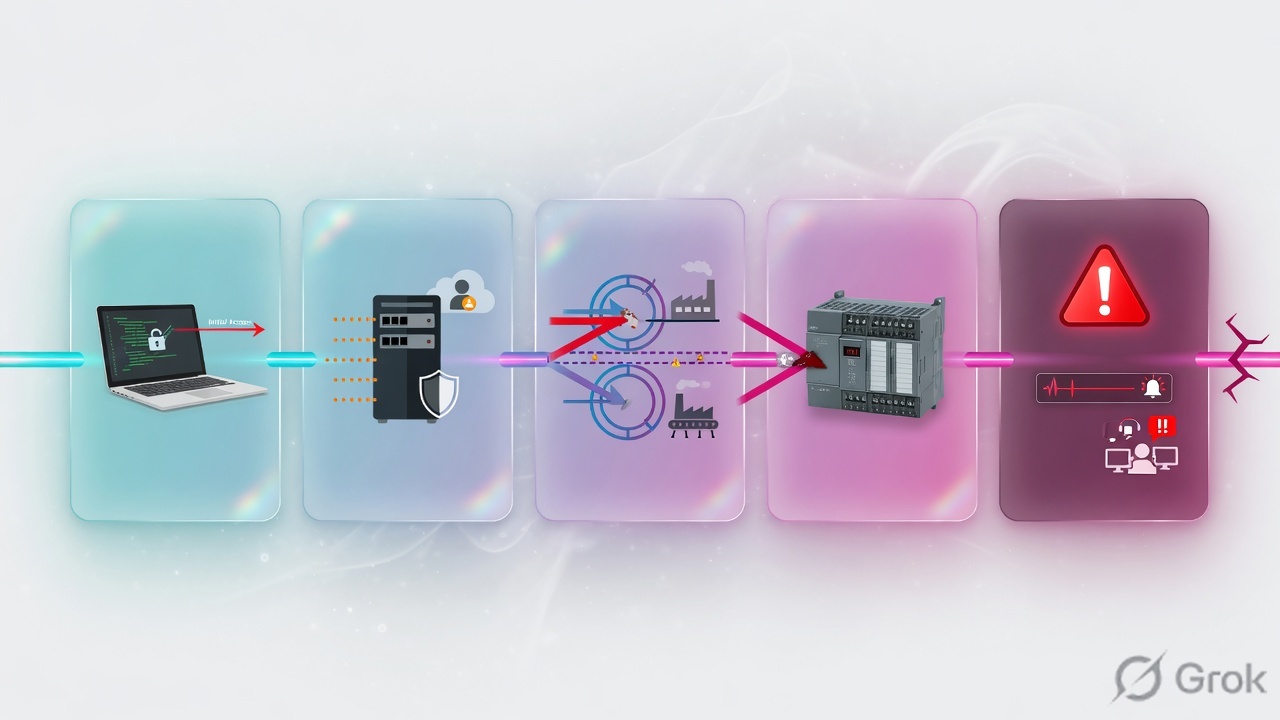
Filename: attack.jpg · Place: H2 “Three plant decisions”. Alt: Five-stage journey from compromised laptop through jump host and plant VLAN to PLC then SOC alert.
Elegant sequence of five connected glass panels showing an IT-to-OT attack journey left to right: Laptop, Jump host, Plant VLAN, PLC, SOC alert. Soft gradient cyan-to-magenta, modern glassmorphism, minimal icons, training-course aesthetic, 16:9, no microscopic labels, no fake vendor logos, white mist background.
Visual 5 — hybrid deployment runbook (runbook.jpg)
Filename: runbook.jpg · Place: H2 “Hybrid runbook”. Alt: Operations desk verifying hybrid OT sensor health and a deployment checklist.
Soft-focus operations desk scene with a large monitor showing abstract green health indicators and unreadable log lines, plus a clipboard checklist with large ticks. Calm professional lighting, cyan accent, conveys hybrid OT sensor deployment verification and pilot success, photoreal-lite, 16:9, no readable fake PII, no vendor logos.