An SRX is a stateful flow session factory. The first packet of a new flow has no session yet. Junos looks it up on source/destination address and port, protocol, and a unique token for the zone and virtual router. Miss → first-packet processing (screens, dest NAT, route, from-zone/to-zone policy, source NAT, then session create). Hit → fast-path processing. Success is a Valid session whose In and Out packet counters both increment — not a permit line in the book.
I do not start with another permit. I ask whether a session formed, which from-zone/to-zone context ran, which policy the first packet matched, whether dest NAT rewrote before that lookup, and whether Out packets increment. Permit with Out 0 is a printed ticket with a dead return half.
1. Why permit is not a session
Every other blog starts with “write a from-zone to-zone policy.” That is why students freeze when the policy already says permit and the browser still spins. The real object is the flow session. A policy is only the hiring decision the factory makes on packet one. NAT, screens, AppID, and cluster membership are stamps on that ticket — not twelve extra products.
Official flow model: Junos treats a stream of related packets as one flow. Characteristics — which policy, whether NAT applies, whether an ALG is needed — are assessed for the first packet of that flow and cached. A session stores those measures, the state of the flow, and the resources (NAT ports, ALG gates) the rest of the packets will reuse.
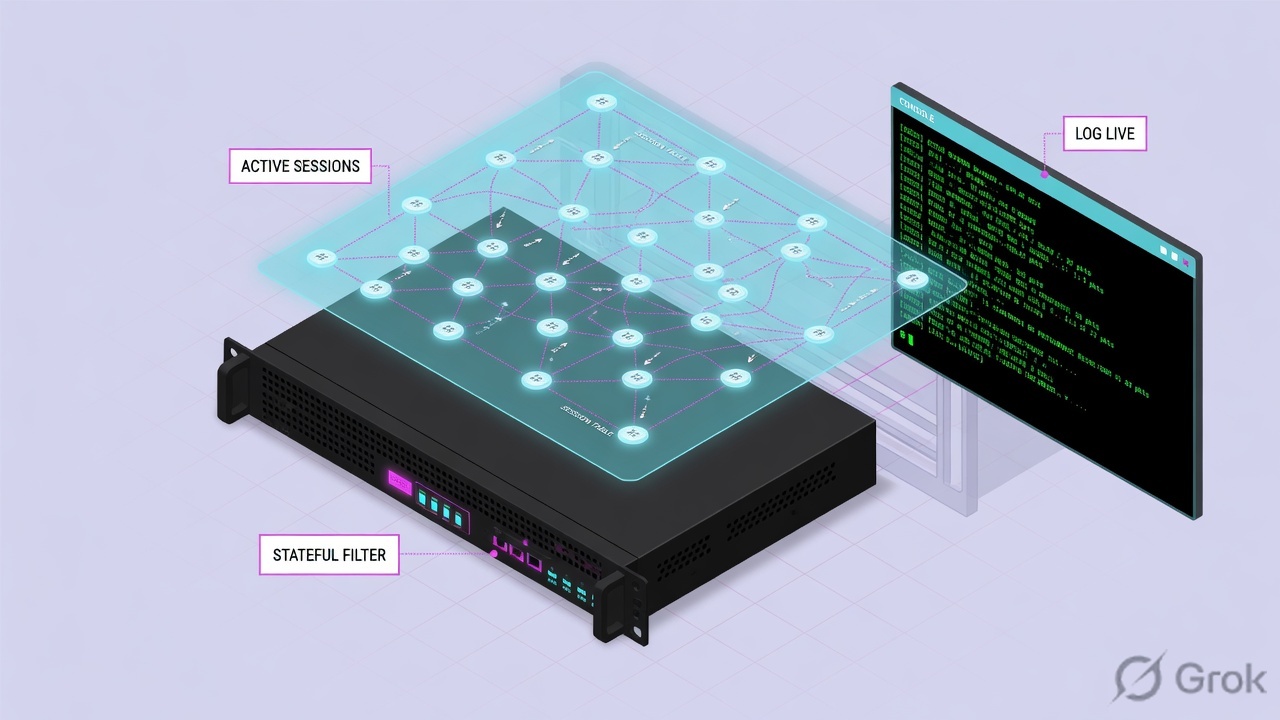
What the ticket asked
“Firewall is blocking finance HTTPS.” That sentence is a hypothesis. The factory may already have permitted the flow and printed a dead ticket — Valid, named policy, Out still zero.
What you prove first
Identity of the box, then whether a two-way session exists, then which policy the first packet matched. The evidence desk is the night-shift version of this order.
“The policy is permit, so the firewall is fine — we need a wider rule.” A permit only means the factory was willing to print the ticket. If the reverse half never arrives, widening the rule just prints more dead tickets.
2. Mental model — ticket plus factory stations
Hold four parts. Interviews fail when people mix them.
1. The ticket is the session
Two halves. In is the incoming (forward) flow. Out is the reverse flow. Official field names on show security flow session. State Valid means the slot is live. It does not mean the application answered.
2. The doorway is the zone
A zone is a collection of interfaces that define a security boundary. Incoming zone = the interface the packet arrived on. Outgoing zone = the forwarding lookup. That pair is the policy context.
3. The hiring manager is policy
Each from-zone / to-zone context is its own ordered list. First match wins. Permit, deny, or reject. Return packets of this session do not need a second permit. A new connection started from the other side does.
4. Proof is the session table
show security flow session is the live table. J-Web Monitor → Security → Flow Session is the same table in a browser. Syslog RT_FLOW_SESSION_* is history. A commit is only a recipe.
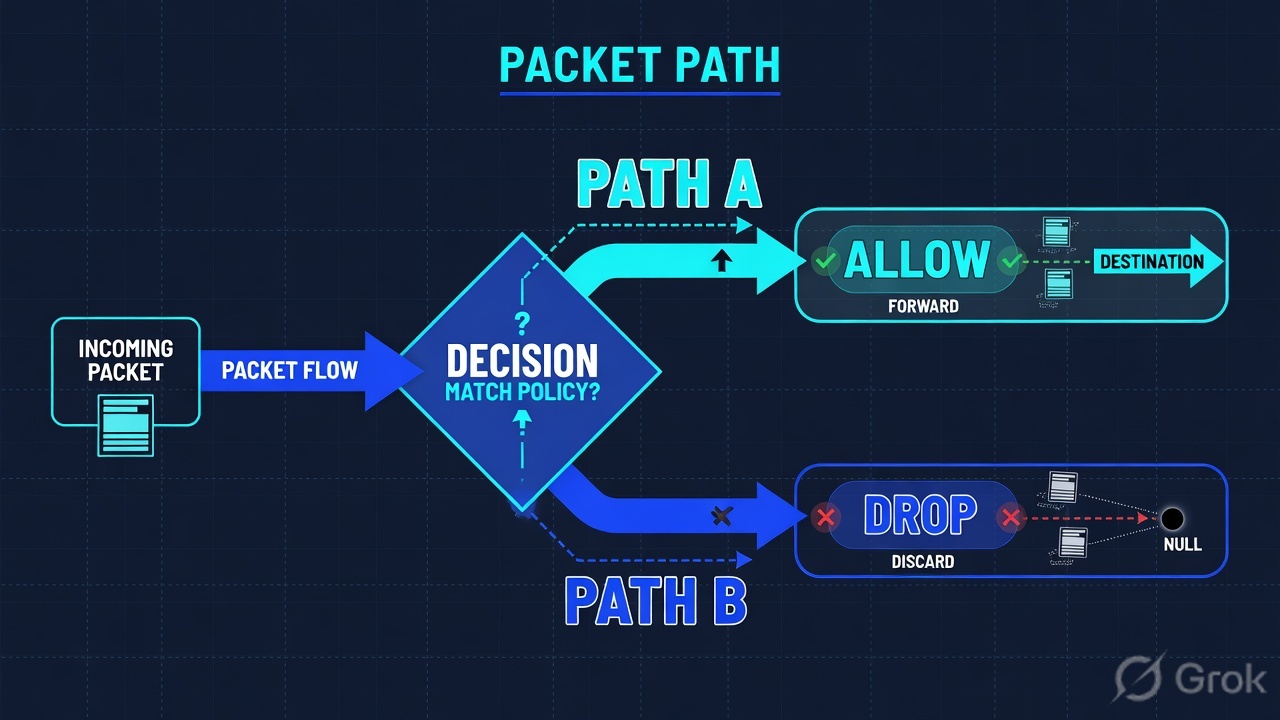
Read the solid arrow first (In). If the dashed return stays empty, do not add a rule. Re-read stations before you touch the policy book.
Pre-train three words before J-Web. An interface starts in the null zone and will not pass transit traffic until you bind it. Official: “By default, interfaces are in the null zone. The interfaces will not pass traffic until they have been assigned to a zone.” host-inbound-traffic is traffic to the SRX itself (SSH, ping, J-Web) and is dropped unless you enable it — it is not a transit policy. A screen is a zone option (SYN flood, land, ping-of-death), not a then permit line.
junos-https is a predefined application: TCP destination port 443. It is not “whatever SaaS speaks HTTPS.” Dynamic application / AppID is a different object on the policy. If the ticket is “only port 443,” this match is correct. If the ticket is “only Salesforce,” you need application identification, not this alias.
3. First-packet processing vs fast path
The first packet of a new flow has no session yet. Junos tries to match it to an existing session on six official criteria: source address, destination address, source port, destination port, protocol, and a unique token from a given zone and virtual router. Miss → first-packet processing, also called session setup. Hit → fast-path processing. That is why “I added a permit” sometimes does nothing until the old session dies.
Read left → right, then the green fast-path bar. Decision diamond = “session already exists?” Dest NAT sits before policy on purpose.
During first-packet processing for a flow, NAT rules are applied in this order: (1) static NAT, (2) destination NAT, (3) route lookup, (4) security policy lookup, (5) reverse mapping of static NAT, (6) source NAT. Static and destination NAT run before route and policy. Source NAT runs after. Source: Junos OS NAT Overview, “Understanding NAT Rule Sets and Rules.”
Students coming from vendors that match policy on pre-NAT addresses write the security destination as the public VIP and then wonder why the context never hits. On SRX, dest NAT rewrites first. The policy destination must be the translated (real) address. Juniper states that SRX devices perform policy lookup and service lookup based on the translated destination port.
4. How to choose the next station
You are not choosing a product. You are choosing which factory station to inspect next. Dummy outputs live on the evidence desk.
| You see | Choose | Do not use when | Proof you were right |
|---|---|---|---|
| Session Valid, named policy, Out Pkts 0 | show arp no-resolve, then route and source NAT. Isolate the return. |
You stack a second permit in the same context. | Out Pkts increment, or you name Incomplete ARP / missing reverse route. |
| No session after a VLAN / cutover | show security zones — redraw interface → zone. Null zone drops transit. |
You edit the old trust→untrust rule first. | Ingress IF is in the from-zone you think you edited. |
| Empty table after a power event | show chassis cluster status — name RG0 and RG1 primaries separately. |
You assume “node0 is primary” covers the data plane. | You are on the RG1+ primary, then the session command is re-run. |
| Policy uses junos-https | Treat it as predefined TCP/443. Enough for “port 443 only.” | You claim it is the SaaS AppID. | Application on the session is the predefined service, not a dynamic name. |
| Server must start a new connection back | Write a second policy in the reverse context. | You expect the stateful return of this session to cover a new SYN. | A new Session ID appears for the reverse 5-tuple. |
| SSH to the box fails; transit is fine | Zone host-inbound-traffic system-services (ssh, ping, https). | You add a transit permit from-zone to-zone. | Management session reaches the RE. Transit policy is unchanged. |
| Dest NAT works in the NAT table, policy misses | Rewrite the policy destination to the post-DNAT address. | You match the public VIP as if policy ran first. | First packet creates a session whose Policy name is the intended rule. |
| Need PAT so the server can answer | Source NAT rule-set from zone / to zone, action interface (egress IP + PAT). |
You hide NAT inside the security policy the way some vendors do. | Out dest is the interface address; show security nat source rule hits increment. |
To allow A→B you configure a policy from zone A to zone B. Return packets of that session ride the session table on the fast path. A new connection started from B to A needs a second policy. Juniper states this as two unidirectional policies, one per direction of new traffic. Source: Security Policies Overview.
5. Runbook Side A → B → C
Lab values only. Hostname srx-lab, model srx380, Junos 23.4R2.13. User 10.10.8.22 on ge-0/0/1.0 (zone trust) to SaaS 198.51.100.80:443 on ge-0/0/0.0 (zone untrust). Interface source NAT to 203.0.113.20. Policy allow-app / id 4. Session ID 1042. Addresses are RFC 5737 / RFC 1918. Confirm live syntax on the installed Junos train before you type on a customer box. Primary source for each block is named.
Side A — bind the doorway (zones)
Primary source: Junos OS Security Zones + J-Web “Add a Zone.” Interfaces are the doorway. Until ge-0/0/1.0 is in trust and ge-0/0/0.0 is in untrust, no transit policy can see the packet. Default: interfaces sit in the null zone.
Security Policies & Objects › Zones/Screens › Zone List › +
Add a Zone
Host inbound is per zone or per interface; interface overrides zone. This is traffic to the SRX, not transit. Dummy values only.
Source: J-Web for SRX — Add a Zone. Path: Security Policies & Objects → Zones/Screens. Click + on the Zone List page. Fields: Zone Name, Interfaces, Host Inbound Traffic, Screen.
-
Bind untrust the same way
Zone
untrust, interfacege-0/0/0.0. Enable only the host services you intend. Factory-default branch boxes (SRX300/320/340/345/380 and kin) allow trust→untrust and deny untrust→trust — do not assume that after the first commit. Source: Security Policies Overview, platform-specific factory-default policy. -
Give the box a way out
A default route toward the untrust next hop is what makes the to-zone untrust. Incoming zone is the ingress interface. Outgoing zone is the forwarding lookup. Same IPs with no route out of untrust never reach the trust→untrust context.
-
Prove the map
Operational:
show security zones. If the packet ingresses an interface that is not in the from-zone you edited, the context never runs. Dummy lab output is on the evidence desk.
set security zones security-zone trust interfaces ge-0/0/1.0
set security zones security-zone trust host-inbound-traffic system-services ping
set security zones security-zone trust host-inbound-traffic system-services ssh
set security zones security-zone untrust interfaces ge-0/0/0.0
set routing-options static route 0.0.0.0/0 next-hop 198.51.100.1
Side B — print the ticket (policy + source NAT)
Primary source: Security Policies Overview + J-Web “Add a Rule to a Security Policy” + NAT Overview. Policy is the permit to create a session. Source NAT is the rewrite so the server can answer. They are separate hierarchies on SRX — unlike some vendors that NAT inside the rule.
Security Policies & Objects › Security Policies › +
Add a Rule
J-Web fields: Rule Name, Source Zone, Destination Zone, Addresses, Services, Dynamic applications, Action, Session initiate / Session close. Dest NAT (if used) has already rewritten the destination before this lookup.
Source: J-Web for SRX — Add a Rule to a Security Policy. Path: Security Policies & Objects → Security Policies. Click + ; inline fields; tick; then Save. Logging both session-init and session-close is valid and has a documented flow-code cost.
-
CLI equivalent (lab)
Lab CLI · security policy — not a live tenantset security policies from-zone trust to-zone untrust policy allow-app match source-address finance-net set security policies from-zone trust to-zone untrust policy allow-app match destination-address any set security policies from-zone trust to-zone untrust policy allow-app match application junos-https set security policies from-zone trust to-zone untrust policy allow-app then permit set security policies from-zone trust to-zone untrust policy allow-app then log session-init set security policies from-zone trust to-zone untrust policy allow-app then log session-close
Each context is its own ordered list. First match wins. If there is no matching policy, the packet is dropped. Put
allow-appabove any catch-all. Source: Configuring Security Policies. -
Source NAT — interface PAT
Source NAT is a separate hierarchy. Official interface NAT: translate the original source IP to the egress interface IP; port address translation is always performed. Lab rule-set
TRUST-TO-UNTRUST, rulePAT-OUT, from zone trust, to zone untrust, source10.10.8.0/24, action interface.Lab CLI · source NATset security nat source rule-set TRUST-TO-UNTRUST from zone trust set security nat source rule-set TRUST-TO-UNTRUST to zone untrust set security nat source rule-set TRUST-TO-UNTRUST rule PAT-OUT match source-address 10.10.8.0/24 set security nat source rule-set TRUST-TO-UNTRUST rule PAT-OUT then source-nat interface
Source NAT rule-set matching prefers more specific from/to (interface beats zone beats routing-instance). You cannot specify the same source and destination conditions on two source NAT rule-sets. Source: NAT Overview · Source NAT.
-
Commit, then do not celebrate
A green commit means the recipe printed. It does not mean finance HTTPS answered. If a session for this 5-tuple already exists, later packets stay on the fast path until the slot times out or you clear it in a change window. Side C is the proof.
junos-https is a predefined policy application: TCP destination port 443. Dynamic applications on the J-Web rule (Any / Specific / None) are the AppID object. Logging service-name="junos-https" on a session only proves the port match, not that Salesforce was identified. Source: Predefined Policy Applications · Add a Rule (Services vs Dynamic applications).
Side C — prove the two-way session
Primary source: show security flow session Output Fields + J-Web “Monitoring Flow Session Statistics.” Official: Policy name is the name and ID of the policy that the first packet of the session matched. In is the incoming flow. Out is the reverse flow.
-
Baseline the box
show version— quote hostnamesrx-lab, model srx380, Junos 23.4R2.13. If logical-systems or tenants exist, say so before any flow output. Half of “it doesn’t match the doc” is a different train. Half of empty session tables is the wrong cluster node. -
Click finance HTTPS, then open the live table
show security flow session destination-prefix 198.51.100.80or J-Web Monitor → Security → Flow Session (high-end platforms also label this Flow Session Statistics). This is not a syslog page. Filter source10.10.8.22and dest port 443. -
Read the stamps on the row
You need State Valid, Policy name
allow-app/4, In packets incrementing onge-0/0/1.0, Out packets incrementing onge-0/0/0.0. Copy the Session ID. Out destination203.0.113.20is the PAT’d source — interface NAT already happened. -
If Out is zero, do not add a rule
Next:
show arp no-resolve,show route 198.51.100.80,show security nat source rule all. Proof of a two-way session is Out packets incrementing, not another commit. That isolate path is the evidence desk.
Monitor → Security → Flow Session
Flow Session
| Session ID | Policy name | State | In If / Pkts | Out If / Pkts | Timeout |
|---|---|---|---|---|---|
| 1042 | allow-app/4 | Valid | ge-0/0/1.0 · 12 | ge-0/0/0.0 · 0 | 1800 |
| 1108 | allow-app/4 | Valid | ge-0/0/1.0 · 84 | ge-0/0/0.0 · 91 | 1800 |
Row 1042 is the dead ticket — permit + 0 Out. Row 1108 is the proof: same policy, packets both ways. Out dest on 1042 is 203.0.113.20 (interface PAT).
Click next: copy Session ID 1042, then run show security flow session session-identifier 1042 (or extensive). Compare Policy name / In / Out to the CLI Output Fields table. Source: J-Web Monitoring Flow Session Statistics + show security flow session.

user@srx-lab> show security flow session destination-prefix 198.51.100.80
Session ID: 1042, Policy name: allow-app/4, Timeout: 1800, Valid
  In: 10.10.8.22/51901 --> 198.51.100.80/443;tcp, Conn Tag: 0x0, If: ge-0/0/1.0, Pkts: 12, Bytes: 1880
  Out: 198.51.100.80/443 --> 203.0.113.20/18422;tcp, If: ge-0/0/0.0, Pkts: 0, Bytes: 0
Total sessions: 1
Predicted context = trust→untrust. Live Policy name = allow-app/4. State Valid. In Pkts > 0 and Out Pkts > 0. Interfaces match the zone map. ARP complete for the egress next hop. The user can finish the same finance HTTPS click. Permit with Out 0 is not success. The stock dummy lab is the failure case — keep it that way until you can say why.
6. Runtime — old slots, screens, RG0 vs RG1
After the first packet creates the session, later packets take the fast path. Official fast-path: the SPU applies configured screens, performs TCP checks, applies cached flow services (NAT, ALG, IPsec), then prepares the packet for forwarding (filters, shaping, scheduling) and transmits it. Policy is not re-evaluated. That is why a newly committed permit does not touch an existing 5-tuple until timeout or clear security flow session in a change window.
Screens still apply on the zone during fast-path. A session can match allow-app and still die on an ids-option (SYN flood, land, ping-of-death). Quote the screen. Do not argue the policy hit-count. Source: Traffic Processing — Understanding Fast-Path Processing.
If you change source NAT, remember the documented refresh: when interface NAT is configured and the interface IP changes, sessions set up with that NAT are refreshed and new sessions are set up with the new address. Verify with the same show security flow session command. Source: Monitoring Security Flow Sessions.
A chassis cluster is two copies of the factory. RG0 is created at cluster init and owns the Routing Engine. Preemption cannot be enabled on RG0; a manual failover restarts RE processes and can drop routing state. RG1+ owns reth child links and the data-plane sessions that belong to that group. The two primaries can sit on different nodes. If you SSH to node0 because “it is primary” and RG1 is primary on node1, show security flow session on node0 is the wrong factory. Pair show chassis cluster status with the session command; on a live cluster add node primary or a node-id. Source: Chassis Cluster Redundancy Groups.
Logging is not free. Session log is enabled in the flow code. Juniper documents that enabling both session-init and session-close degrades performance further than init alone. Use both when you need the create and the close reason; do not leave them on every catch-all as a reflex. Source: Security Policies Overview.
7. Traps + session-table proof
| Symptom | Looks like | Actually | First move |
|---|---|---|---|
| Permit + spinning browser | Missing rule | 0 Out — return path / NAT / ARP / server | Session ID + In/Out, then ARP / route |
| Added a permit, nothing changed | Commit failed | Old session on the fast path | Wait timeout or clear the session in a window |
| No session after a VLAN cutover | Policy text still “correct” | Ingress IF left the from-zone (or still null) | show security zones interface list |
| Empty table after a power event | Policies vanished | You are on the RE primary, not the data primary | Name RG0 and RG1+ Status separately |
| Dest NAT hits, policy misses | NAT is broken | Policy destination is the pre-DNAT VIP | Match the translated (real) address |
| junos-https permit, wrong SaaS still flows | AppID failed | Predefined TCP/443 is not a brand filter | Dynamic application, not this alias |
| SSH to the box fails; users browse | Need a transit permit | host-inbound-traffic not enabled | Zone system-services ssh / https |
| Permit matched, session dies anyway | Need a wider rule | Zone screen / ALG / NAT pool exhaustion | Quote the screen or NAT hits — not another permit |
| Manual RG0 failover as a test | Harmless HA drill | RE process restart, routing churn | Use RG1 for data tests; RG0 only with change-control |
show versionis the box you think it is (hostname, model, Junos train, not the passive RE).- Zone map: ingress IF in from-zone, egress IF in to-zone. Nothing left in the null zone that should pass transit.
- Policy in that exact context, action permit, application you actually intended (
junos-httpsvs dynamic). show security flow session(or Monitor → Security → Flow Session) shows the 5-tuple: State Valid, Policy nameallow-app/4.- In Pkts > 0 and Out Pkts > 0 (same Session ID).
- If Out is 0: ARP complete for egress next hop; route via expected IF; source NAT as designed.
- Cluster: RG0 primary named, RG1+ primary named, session command run on the data primary.
- User can complete the same finance HTTPS click you used as the test.
An SRX is a flow session factory between zones. The first packet of a new flow walks first-packet processing: incoming zone, dest NAT, route, from-zone/to-zone policy, source NAT, then the session table. Later packets ride the fast path. I prove the ticket with show security flow session: Session ID, Policy name of the first-packet match, In and Out both incrementing. Permit without Out is not success.
Related: The evidence desk — first tool + proof field · Flow session troubleshooting · Architecture and zones · Security policies and AppID · NAT, VPN, screens · Juniper SRX hub
Knowledge check
Six judgment questions. Map each miss back to the section named in the reason.
Sources
- Traffic Processing on SRX Series Firewalls Overview — flow vs packet, six session-match keys, first-packet processing (screens / route / policy / service / NAT), fast-path (screens, TCP checks, cached NAT/ALG/IPsec, forward)
- NAT Overview — Understanding NAT Rule Sets and Rules — official first-packet order: static NAT → dest NAT → route → policy → reverse-static → source NAT; policy/service lookup on translated destination port
- Source NAT — interface NAT = egress-interface IP; PAT always performed
- Destination NAT — dest NAT on first packet of the flow, after static NAT, before source NAT
- Security Policies Overview — from-zone / to-zone context, ordered list, unidirectional new traffic, session-init / session-close, factory-default branch policy
- Configuring Security Policies — first match applied; no match = drop
- Security Zones — zone is a collection of interfaces; default null zone; host-inbound-traffic; screens
- Predefined Policy Applications — HTTPS / port 443 as a predefined application
- show security flow session — Session ID, Policy name (first-packet match + id), Timeout, State, In / Out, Pkts, Bytes, If, node filter
- Monitoring Security Flow Sessions — session-init / session-close syslog fields; interface-NAT refresh
- Chassis Cluster Redundancy Groups — RG0 = Routing Engine (no preempt); RG1+ = data / reth; independent failover
- J-Web — Add a Zone — Security Policies & Objects → Zones/Screens
- J-Web — Add a Rule to a Security Policy — Security Policies & Objects → Security Policies; Rule Name, zones, Services, Dynamic applications, Action, Session initiate / close
- J-Web — Monitoring Flow Session Statistics — Monitor → Security → Flow Session / Flow Session Statistics
Related: Blog 2 · Evidence desk · Flow session troubleshooting · Architecture and zones · Security policies and AppID · Juniper SRX hub · Dummy lab
Every CLI block on this page is fictional lab data paired with the evidence desk (client 10.10.8.22:51901, dest 198.51.100.80:443, PAT 203.0.113.20, Session ID 1042). Nothing is sent to a live tenant or device.