Open Operations → RADIUS → Live Logs on the primary PAN first. Filter the MAC. Quote Failure Reason. Empty row → TCP Dump on the PSN (host <NAD> and port 1812). Green Auth-Accept but a dead port → NAD show authentication sessions interface Gi1/0/12 details and read Status. You do not restart Application Server to fix 22056.
I quote the reason code, the policy set, and the result. I do not say RADIUS failed. Live Logs is history of what ISE decided. TCP Dump is whether the packet arrived. show authentication sessions is whether the NAD applied it. A green PSN is not proof that this closet used it.
1. Why the desk exists
The session factory taught you that ISE manufactures an AuthC + AuthZ result. This page is 01:10, when Slack wants a restart and you have sixty seconds to pick a window. The four tools below live under Operations plus one Catalyst command. None of them is Policy → Policy Sets.
Official help is blunt: the Operations menu is viewed from the primary Policy Administration Node (PAN). It does not appear on the primary Monitoring node. Live Logs are last 24 hours. Older than that is Operations → Reports → Reports → Endpoints and Users → RADIUS Authentications.
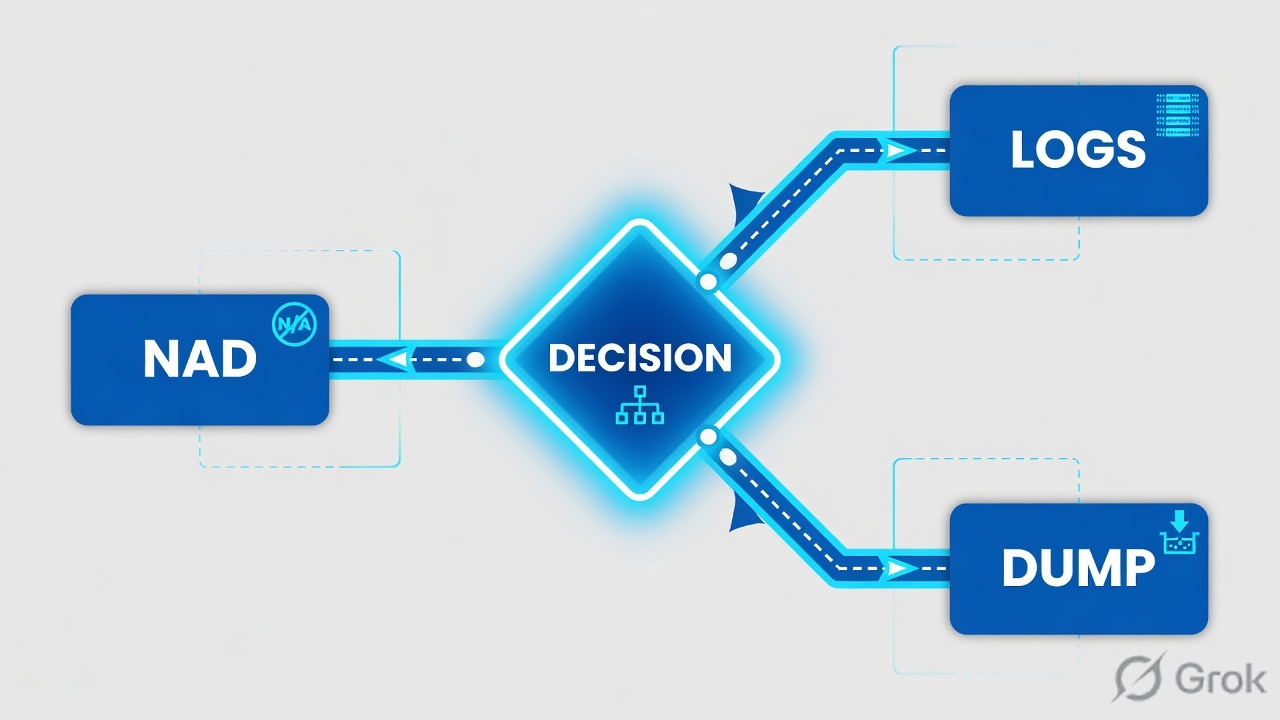
Live Logs — last-24-hour RADIUS authentications on the primary PAN. Failure Reason — the official numbered code (22056, 11007, 11036, 5411…). Live Sessions — sessions ISE still holds. TCP Dump — ISE sniffs a node interface against a Boolean filter. NAD — Network Access Device (switch / WLC). show authentication sessions — Catalyst proof of what the port actually applied.
2. Mental model — four tools
Each tool answers one question. Use the wrong one and you will quote a field that cannot prove the ticket.
Live Logs
History of ISE’s decision. Path: Operations → RADIUS → Live Logs. Proves Status, Event, Failure Reason, Identity, Endpoint ID, Network Device, Policy Set / Authorization Profile, Auth Method, Authentication Protocol, Session ID.
Live Sessions
What ISE still thinks is live. Path: Operations → RADIUS → Live Sessions. Proves the session still exists, Authorization Profile, Posture Status, and the NAD. Not proof the switch applied the VLAN.
TCP Dump
The wire at ISE. Path: Operations → Troubleshoot → Diagnostic Tools → General Tools → TCP Dump. Proves whether a RADIUS Access-Request arrived on that node, on that port.
NAD show auth session
Catalyst twin of “did the port take the result.” Command: show authentication sessions interface Gi1/0/12 details. Proves Status, Method, VLAN Policy, User-Name, Common Session ID.
| Tool | When it exists | It cannot prove |
|---|---|---|
| Live Logs | A RADIUS request reached a PSN and MnT stored it. Last 24 hours, primary PAN only. | That the NAD applied the VLAN or dACL. A request that never left the closet. |
| Live Sessions | ISE still holds a session object for that endpoint. | Yesterday’s outage. A failed AuthC that never created a session. The switchport state. |
| TCP Dump | After you pick the node interface, set a filter, click Start, and reproduce. | Anything if you left the filter empty and captured the whole PSN. The identity-store miss (that is 22056). |
show authentication sessions |
While the authenticator still holds the client on that interface. | Why ISE chose a store (Live Logs). Whether RADIUS left the NAD (TCP Dump on ISE or SPAN). |
3. First-tool decision
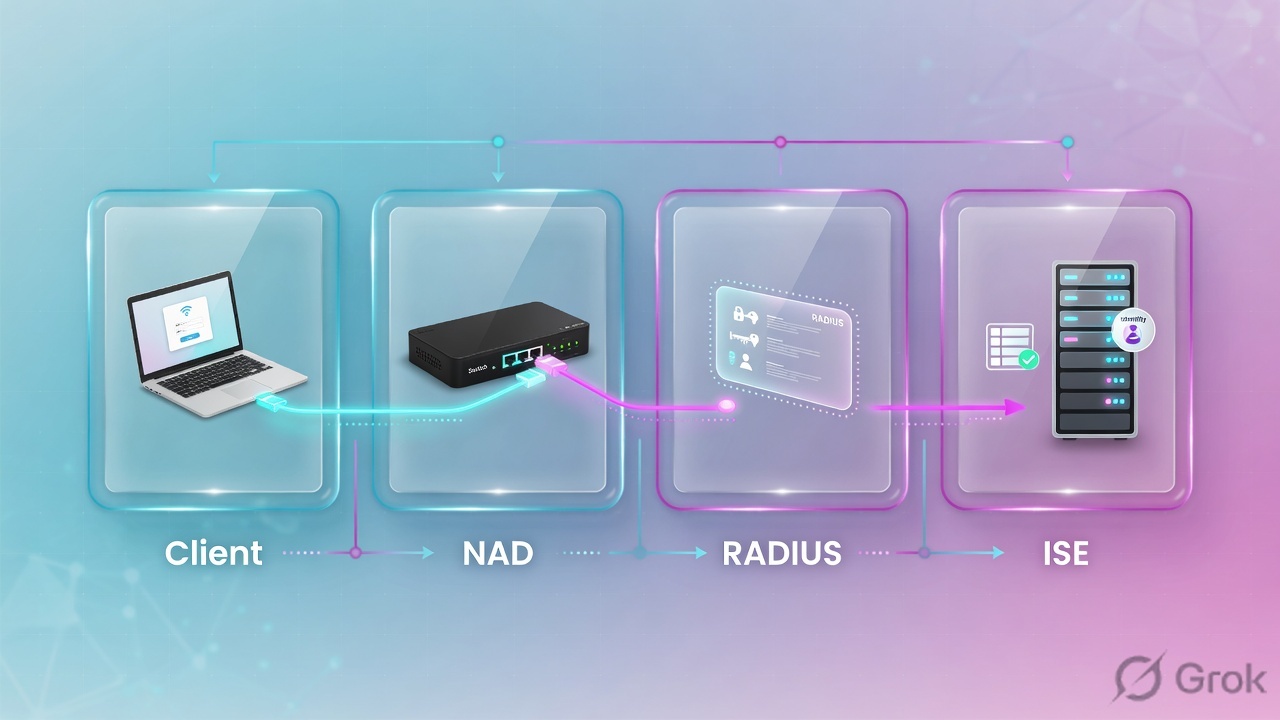
Do not improvise. Ask two questions out loud: is there a Live Log row for this MAC, and did ISE already Accept? The flowchart is the whole first minute.
Read left → right, then down. Diamond = is there a row. Pink is “ISE never logged it.” Amber is “ISE accepted; the NAD did not.”
4. Five tickets · first tool + proof field
Memorise this table. It is the interview and the bridge. Dummy 5-tuple on this page: user finance.user, MAC AA:BB:CC:DD:EE:FF, NAD 192.0.2.10 (SW-FIN-01) Gi1/0/12, PSN 198.51.100.20, policy set Wired-MAB-then-Dot1X.
| # | Ticket you hear | First tool | Proof field you quote |
|---|---|---|---|
| 1 | “RADIUS failed. Restart ISE.” User cannot get on the wire. | Operations → RADIUS → Live Logs (filter MAC) | Failure Reason = 22056 Subject not found in the applicable identity store(s) |
| 2 | Dashboard green. One closet fails. Live Logs empty for that NAS / MAC. | Operations → Troubleshoot → Diagnostic Tools → General Tools → TCP Dump | Access-Request absent on host 192.0.2.10 and port 1812 — or present + Live Logs 11007 |
| 3 | Live Logs green Auth-Accept. Port still dead. | NAD show authentication sessions interface Gi1/0/12 details |
Status = Authz Failed (VLAN Policy / dACL / AVP mismatch) |
| 4 | User hangs, then fails. Password already reset twice. | Operations → RADIUS → Live Logs | Failure Reason = 5411 No response received during 120 seconds on last EAP message sent to the client |
| 5 | New closet, or secret rotated last change window. | Operations → RADIUS → Live Logs | Failure Reason = 11036 The Message-Authenticator RADIUS attribute is invalid |
Source for Live Log columns: ISE 3.4 Troubleshoot — RADIUS Live Logs. Source for TCP Dump clicks: same chapter, “TCP Dump Utility to Validate Incoming Traffic.” Source for NAD command: Troubleshoot Dot1x on Catalyst 9000 and the failed-auth community guide.
Event is the headline (5400 Authentication failed / 5200 Authentication succeeded). Failure Reason is why. 22056 is a store miss. 24408 is a wrong AD password. 15039 is AuthZ reject after AuthC passed. 5411 is a silent client. Saying “RADIUS failed” collapses four different desks into one wrong restart.
5. Runbook · Side A logs, Side B dump, Side C NAD
Work the same MAC through all three sides. Do not skip to C because a switch login feels more senior. Primary source for Side A: Cisco’s high-level flow in How To Troubleshoot ISE Failed Authentications & Authorizations — Live Logs first, then NAD, then the wire.
Side A — Live Logs then Live Sessions
-
Open Live Logs on the primary PAN
Operations → RADIUS → Live Logs. Official note: you view RADIUS live logs only on the primary PAN. Filter Endpoint ID (MAC) even for 802.1X — the username may not be known yet. Live Logs hold ~24 hours. If the row is gone, open Operations → Reports → Reports → Endpoints and Users → RADIUS Authentications.
-
Read four columns before you speak
Status (green pass / red fail) · Event · Failure Reason · Network Device + Device Port. Then click Details. Quote Policy Set, identity store, Auth Method, Authentication Protocol, and Session ID. Identity shows as INVALID when the name is not in any ID store — enable Disclose Invalid Usernames under Administration → System → Settings → Security Settings only for a timed debug window.
-
If Status is green and the user is still dead, change tool — do not rewrite the rule
Open Operations → RADIUS → Live Sessions and confirm ISE still holds the session and the Authorization Profile. Then go to Side C. A 5200 Auth-Accept plus Posture Status NonCompliant is posture, not 22056. A 5200 plus a dead port is NAD apply, not identity store.
Operations › RADIUS › Live Logs
Live Logs
| Status | Identity | Endpoint ID | Network Device | Event | Failure Reason | Auth |
|---|---|---|---|---|---|---|
| Fail | finance.user | AA:BB:CC:DD:EE:FF | 192.0.2.10 Gi1/0/12 | 5400 Authentication failed | 22056 Subject not found in the applicable identity store(s) | PEAP / MSCHAPv2 |
| Pass | corp.laptop$ | 00:11:22:33:44:66 | 192.0.2.10 Gi1/0/8 | 5200 Authentication succeeded | — | EAP-TLS |
Highlight row finance.user. Event 5400 is the headline. Failure Reason 22056 is the proof field. Click Details for Resolution Steps. Training mock · RFC 5737 only.
Source: ISE 3.4 Troubleshoot — Operations → RADIUS → Live Logs, primary PAN only. Filter Endpoint ID. Failure Reason is a required read. Training mock · not live.
Side B — TCP Dump (when the row is missing)
Primary source: TCP Dump Utility to Validate Incoming Traffic. Official path: Operations → Troubleshoot → Diagnostic Tools → General Tools → TCP Dump.
-
Pick the node and the interface, not “the deployment”
Host Name = the PSN you think that NAD uses. Network Interface = the interface that should see RADIUS. Promiscuous Mode defaults to On — leave it. An empty dump on the wrong node is not proof the packet never left the closet.
-
Write a Boolean filter. Start. Reproduce. Stop.
Documented form:
host 192.0.2.10 and port 1812(or 1645 if that NAD is still on the old auth port). Official examples also allowip host 10.77.122.123andip host ISE123. Click Start, reproduce once, click Stop — or wait for the 500,000-packet cap. Download the file. Do not leave the capture running. -
Read one binary fact
No Access-Request = NAD path (radius-server host, source-interface, ACL, routing, dead-criteria). Access-Request present + empty Live Logs = ISE dropped it before MnT — classic 11007 (NAD object / IP mismatch) once a row appears, or a shared-secret drop that shows as 11036.
Operations › Troubleshoot › Diagnostic Tools › General Tools › TCP Dump
TCP Dump
Official fields: Status Start/Stop, Host Name, Network Interface, Promiscuous Mode, Filter (standard tcpdump Boolean). Max ~500,000 packets then auto-stop. Training mock · RFC 5737 only.
Source: Use TCP Dump to Monitor Network Traffic — Operations → Troubleshoot → Diagnostic Tools → General Tools → TCP Dump. Filter example host 10.0.2.1 and port 1812. Training mock · not live.
Side C — NAD show authentication sessions
Primary source: Cisco’s failed-auth guide and Troubleshoot Dot1x on Catalyst 9000. If SNMP is allowed, ISE can poll the same output via Operations → Troubleshoot → Diagnostic Tools → General Tools → Execute Network Device Command.
-
Quote the interface from Live Logs first
Network Device + Device Port on the Live Log row is the closet and the jack. Do not
show authentication sessionsthe whole stack and guess. -
Read Status, then Method, then VLAN Policy
show authentication sessions interface Gi1/0/12is the short view.… detailsis the proof. Status: Authorized plus a wrong VLAN is profiler / AuthZ — isolate, then name an owner. Status: Authz Failed after ISE 5200 is policy mismatch (VLAN missing, dACL syntax, AVP the switch will not apply). Method listdot1x / mab = Authen Failedwith empty Live Logs is Ticket 2, not Ticket 3.
SW-FIN-01# show authentication sessions interface Gi1/0/12 details
            Interface:  GigabitEthernet1/0/12
          MAC Address:  aabb.ccdd.eeff
             User-Name:  finance.user
               Status:  Authz Failed
               Domain:  DATA
      Oper host mode:  multi-auth
  Common Session ID:  13A37A0A0000011DC85C34C5
            Vlan Policy:  EMPLOYEE
       Current Policy:  POLICY_Gi1/0/12

Method status list:
       Method           State
       dot1x            Authc Success
       mab              Not run
What you say. “ISE Authenticated. The switch could not apply authorization — Status Authz Failed, VLAN Policy EMPLOYEE. I will not reset the password. Next proof is show vlan and the dACL syntax, with a change-control owner.”
EAPoL is client↔NAD. RADIUS is NAD↔PSN. Quote the hop that actually died. Do not restart the last hop because Slack named it.
6. After the click — what you re-read
Once the user retries, you do not open a new theory. You re-read the same MAC and the same Session ID.
- Still failing AuthC? Same Failure Reason? Then the store / password / cert did not change. A new code means a new desk.
- 22056 gone, 24408 now? The subject is in the store; the password is wrong. Do not rebuild the sequence.
- 5200 plus Posture NonCompliant? That is remediation by design. Do not bypass posture at 01:00 without an owner.
- 5200 plus NAD Status Authorized and VLAN Policy matching the profile? The ISE ticket is closed. Next is DHCP / ACL on the VLAN, not a new AuthZ rule.
- 5417 Dynamic Authorization failed after a posture CoA? NAD is not accepting CoA from that PSN. That is change-control on the switch, not a new posture policy.
7. Traps and proof checklist
| You saw | Junior close | Actual close | Proof field |
|---|---|---|---|
| Chat said ISE is down | Restart Application Server | Read Live Logs first | Failure Reason (or empty row) |
| 5400 + 22056 | RADIUS failed | Subject not in the store that policy used | 22056 + Policy Set + Identity Store |
| Empty Live Logs, PSNs green | ISE is healthy — user error | This NAD never delivered a valid request | TCP Dump Access-Request absent · or 11007 |
| 5200 Auth-Accept, port dead | Add a wider AuthZ | NAD could not apply the result | Status Authz Failed · VLAN Policy |
| 5411 after 120 seconds | Reset the password again | Client or NAD went silent mid-EAP | 5411 + last EAP method |
| 11036 on a new closet | Rebuild the policy set | Message-Authenticator / shared secret | 11036 |
| 11007 | The user is unknown | NAD IP / network device object missing | 11007 + NAS IP |
| 15039 after AuthC passed | Wrong password | Rejected per authorization profile | 15039 + Authorization Profile |
| 5417 after posture CoA | Disable posture | NAD denied Dynamic Authorization | 5417 |
- You named first tool and one proof field from the five-ticket table.
- You filtered Live Logs by MAC (Endpoint ID), on the primary PAN.
- You quoted Failure Reason (or Status on the NAD), Policy Set, and NAS + port.
- If the Live Log was empty, you captured TCP Dump with a host + port 1812 filter and Stopped it.
- If ISE Accepted and the port was dead, you read
show authentication sessions interface … detailsbefore changing policy. - You marked isolate vs change-control. Shared secret, NAD object, VLAN create, and CoA are writes.
- No production username + MAC pair pasted off-box.
I prove ISE with four tools. Live Logs first — I quote Failure Reason, not RADIUS failed. Empty logs go to TCP Dump on the PSN. Green Accept and a dead port go to show authentication sessions on the NAD. 22056 is a store miss. 11007 is a NAD object. 11036 is the secret. 5411 is a silent client. I do not restart Application Server to fix any of those.
Knowledge check
Six night-shift judgment items. Use the first-tool table, not trivia.
Sources
- Cisco ISE Administrator Guide 3.4 — Troubleshoot — Operations menu on the primary PAN; RADIUS Live Logs fields (Failure Reason, Event, Endpoint ID, Network Device); Live Sessions; TCP Dump path and filter; Execute Network Device Command
- Cisco ISE Administrator Guide 3.3 — Maintain and Monitor — Live Logs / monitoring context
- How To Troubleshoot ISE Failed Authentications & Authorizations — Live Logs first;
show authentication sessions interface; TCP Dump steps; reason codes 22056, 11007, 11036, 5411, 5417, 15039, 24408 - Troubleshoot Dot1x on Catalyst 9000 Series Switches —
show authentication sessionsand… details - Troubleshoot Dot1x and Radius in IOS and IOS-XE — NAD session vs ISE Live Logs
- Debugs to Troubleshoot on ISE
- Understand ISE Services Purpose and Troubleshooting
Related: Session factory — quote the reason code · Cisco ISE interview hub · Dummy lab