vault status answers “is this node sealed, and is it active or standby?” Audit answers “who hit which path, and did Vault return permission denied?” Policy answers “does this ACL even grant read on secret/data/…?” Auth method answers “is the mount the job uses even enabled?” Lease answers “is this dynamic secret or service token still inside its TTL?” Unsealed is not a secret. An empty audit list is not a name. A KV payload is not a lease.
1. Why “is it sealed?” is five questions
Concept: operators collapse five failures into one sentence. The node is sealed. The client is talking to a standby. The ACL never granted that path. The AppRole mount is missing. The lease expired ten minutes ago. Those are five first tools.
Path: write the failing identity, the path, and the UTC window. Then pick the tool that is allowed to answer the question. Do not open Shamir shares until Sealed is true.
Do: this page is the night-shift desk for proof. The factory taught the gates — unseal, token, ACL, namespace, leader. Here you learn the five official surfaces you actually open, in order, when someone asks you to prove Vault is working or to explain why there is no secret.
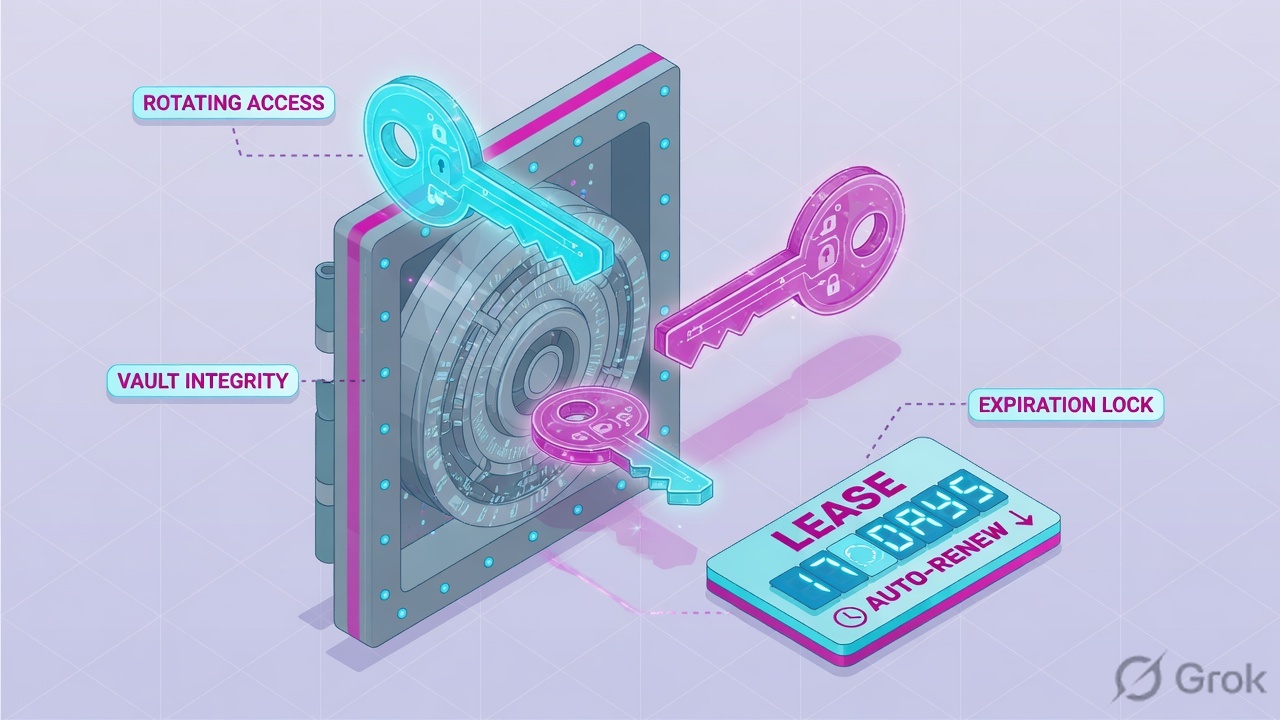
If they say “prove Vault is working,” do not say “I opened the UI.” Say: “I prove the node with vault status Sealed and HA Mode, the paper trail with the audit request.path, the grant with policy capabilities, the login door with vault auth list Path, and the remaining life with lease expire_time.”
2. Mental model — five proof tools
Memorise five named objects before you type. Each tool is allowed to prove one thing. Over-claiming a field is how you reseal a healthy cluster at 02:00.
1 · vault status
CLI against the address in VAULT_ADDR. Official command output. Proves Sealed, HA Enabled, HA Mode (active / standby). Does not prove a policy, a reader, or a lease.
2 · Audit log
First vault audit list, then the device file (lab: file/). Proves one API hop: request.path + request.operation + auth.display_name + error. Does not prove seal state.
3 · ACL policy
CLI vault policy read or UI Policies → ACL Policies. Proves the named rule: path + capabilities. Deny-by-default. Does not prove the cluster is up.
4 · Auth method
CLI vault auth list or UI Access → Auth Methods. Proves the mount exists: Path + Type. Then the role. Does not prove the secret payload.
5 · Lease
CLI vault lease lookup or UI Access → Leases. Proves remaining life: expire_time, ttl, renewable. KV does not issue leases. Token TTL is vault token lookup.
Hard words, once
Sealed = root key not reconstructed; only unseal and status work. HA Mode = active holds the lock; standby forwards or returns 307. Audit device = file / syslog / socket. Capability = create, read, update, delete, list, deny, sudo. Lease = TTL metadata on a dynamic secret or service token.
Read left → right. Each box is allowed one claim. If you cannot name the field, you are not proving — you are guessing.
I prove the node, then the paper trail, then the ACL path, then the auth mount, then the lease. I do not unseal, widen secret/*, or mint a root token until I can quote the field that made me do it.
3. Decision flow — ticket → first tool
Flowchart first. Do not open a policy PR until a diamond says so.
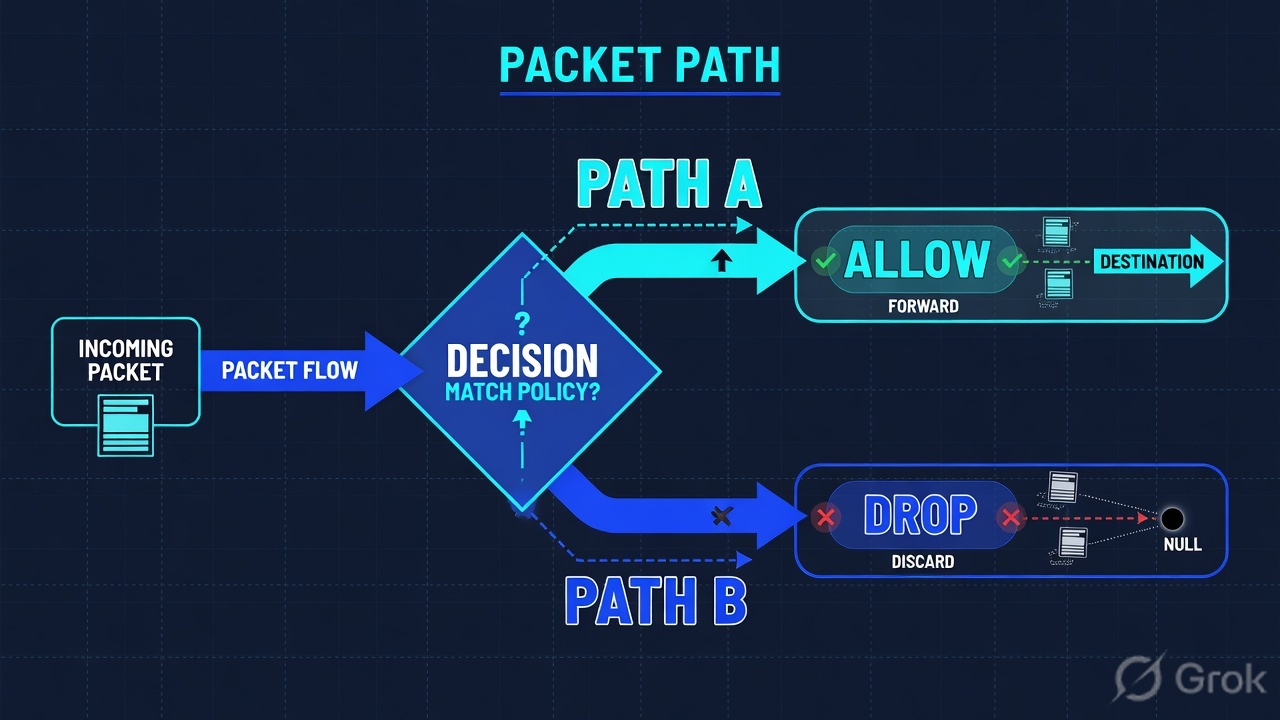
Read the diamond first. A 403 never starts with Shamir keys if Sealed is already false. A “who read payroll” ticket never starts on kv get. Expired DB creds never start on a reseal.
4. How to choose — first tool + proof field
Print this next to the on-call laptop. If you cannot recite the proof field, you are not ready to change anything.
| If the ticket says… | First tool (official) | Proof field | Do not open first |
|---|---|---|---|
| “Is Vault sealed?” / “Vault is down” / whole cluster silent | vault status against the caller’s VAULT_ADDR |
Sealed + HA Enabled + HA Mode (active / standby). Exit 0 / 2. |
A policy PR, a raft election, Shamir shares on an already-unsealed node |
| One app 403 / “the secret is gone” and status is already unsealed | vault token lookup then vault policy read <name> · UI Policies → ACL Policies |
HCL path + capabilities. On KV v2 the payload path is secret/data/<name>. |
Unseal, secret/* wildcard, a new root token |
| GRC: “who read this path last night?” | vault audit list, then the device (file / syslog / socket) |
JSON request.path + request.operation + auth.display_name + auth.policies + error |
kv get (payload, not history) |
Login fails / “AppRole is broken” / 403 on auth/approle/login |
vault auth list · UI Access → Auth Methods |
Path (e.g. approle/) + Type. Then the role token_ttl / policies. |
Disable the mount, mint root into CI |
| Dynamic creds / DB login died mid-job; cluster still answers | vault lease lookup <lease_id> · UI Access → Leases |
expire_time + ttl + renewable + id |
Reseal, destroy the secrets engine |
The Key/Value backend does not issue leases, even when a response shows a lease duration. vault lease lookup will not explain a missing static KV secret. That ticket is policy, version, or namespace — or vault token lookup ttl if the token died. Source: Lease, renew, and revoke.
Vault sends every audited request/response to all enabled devices and requires at least one of them to succeed. If every enabled device is down, Vault refuses the API call. That can look like “Vault is down” when the node is unsealed. HashiCorp recommends at least two devices. Source: Audit logging — Availability of audit devices.
5. Runbook Side A → B → C
Side A proves the node and that you can even investigate. Side B proves the identity door and the ACL. Side C proves remaining life and the paper trail. On a messy Sev-2, do them in this order until a field lights up.
Side A — Node: status + audit device
-
Run vault status on the address the client uses
Official: the
statuscommand prints whether Vault is sealed and whether HA mode is enabled, even when the node is sealed. Exit codes: 0 unsealed, 1 error, 2 sealed. Quote the table, not only the exit. Source: status — Command. -
Read Sealed, then HA Mode
Sealed=falsemeans the node is unsealed and ready to operate;truemeans you still need unseal. On an HA cluster also quoteHA Enabled,HA Mode(activeor standby), andHA Cluster. A standby that receives a write will forward (default) or return 307 to the active node’sapi_addrif forwarding is off or the client sentX-Vault-No-Request-Forwarding. Source: status output fields; High availability mode (HA). -
If Sealed is true, stop the policy hunt
Official seal concept: prior to unsealing, the only possible operations are to unseal Vault and check status. Shamir threshold or auto-unseal is change-control. Do not invent a policy bug on a sealed node.
-
Confirm an audit device exists before you promise a name
vault audit list(add-detailedforfile_pathand replication). Official example: Pathfile/, Typefile. A new cluster starts with auditing disabled. Empty list → you cannot prove who read the secret; enabling a device now only helps the next call. Source: audit list; Audit logging.
vault-lab $ vault status
Key                     Value
---                     -----
Seal Type               shamir
Initialized             true
Sealed                  false
Total Shares            5
Threshold               3
Version                 1.17.2
Storage Type            raft
Cluster Name            vault-lab
HA Enabled              true
HA Mode                 active
Active Since            2026-08-15T18:48:04Z
Raft Committed Index    1842
Raft Applied Index      1842
This node is unsealed and active. I will not unseal again. Next I name the token’s policy — unless the ticket is “who,” in which case I open the audit device.
Side B — Identity door + ACL (auth method, policy)
-
List auth methods before you blame AppRole
vault auth list. Official columns:Path,Type,Description. Detailed view adds Default TTL, Max TTL, Token Type, Replication, Accessor. Auth methods must be enabled; the same type can be mounted at different paths. Login lives under that path (for exampleauth/approle/login). Source: auth list; Authentication. -
Lookup the token the job actually holds
vault token lookup(self) or lookup by accessor. Quotepolicies,ttl,path(e.g.auth/approle/login),display_name,renewable,type. Do not lookup your personal token and call it the pipeline. Source: token lookup. -
Read the named ACL — path plus capabilities
vault policy read finance-reador UI Policies → ACL Policies. Policies are deny-by-default. Quote the HCLpathandcapabilitieslist. On KV v2 the HTTP payload issecret/data/<name>even when the CLI isvault kv get secret/<name>. A policy written only onsecret/finance/*does not grant the v2 data path.denyalways wins. Generating database credentials is a GET → you grantread, notcreate. Source: Policies. -
If login itself fails, read the role, not Slack
Example:
vault read auth/approle/role/app-finance. Quotetoken_ttl,secret_id_ttl, and attachedpolicies. Auth identities have leases too — you must reauthenticate after the lease, or renew withvault token renew. Source: Authentication — Auth leases; AppRole is one of the documented machine auth methods.
Policies / ACL Policies / finance-read
ACL policy · finance-read
Source: Vault docs — Policies (HCL path + capabilities, deny-by-default, KV v2 data path); Vault UI (authenticate, manage policies). Lab policy name only. Training mock · not live.
Access / Auth Methods
Enabled auth methods
| Path | Type | Description |
|---|---|---|
| token/ | token | token based credentials |
| approle/ | approle | n/a |
| kubernetes/ | kubernetes | n/a |
Source: Vault docs — vault auth list example columns Path / Type / Description; Authentication (enable at a path). UI Access section for auth methods. Lab mounts only.
Side C — Remaining life + paper trail (lease, audit row)
-
If the secret is dynamic, lookup the lease_id
Official: every dynamic secret and every
servicetoken gets a lease.vault readreturnslease_id. Thenvault lease lookup <id>. Quoteexpire_time,id,issue_time,last_renewal,renewable,ttl. Renew with an increment from now, not from the old expiry, and inspect the new TTL — the backend may ignore your increment. Prefix revoke:vault lease revoke -prefix database/. UI: Access tab. Source: Lease, renew, and revoke; lease command. -
If the secret is KV, lookup the token TTL instead
KV does not issue leases. A “secret expired” story on
secret/finance/dbis either a dead token (vault token lookup→ttl) or a version/path bug. Do not runlease lookupon a KV path and call it proof. -
If GRC asked who, read one audit JSON line
Official schema: one JSON object per line. Quote
type(request / response),time,auth.display_name,auth.policies,request.path,request.operation, anderrorwhen present. String values are HMAC-SHA256 by default — use/sys/audit-hashto match a known value.kv getis the payload, not the accessor history. Source: Audit logging; Audit log entry schema.
Access / Leases
Lease lookup
Source: Vault docs — lease command example fields expire_time, id, issue_time, last_renewal, renewable, ttl; “UI under the Access tab.” Lab lease id shape only. Training mock · not live.
{
  "type": "response",
  "time": "2026-08-16T02:11:04Z",
  "auth": {
    "display_name": "approle-app-finance",
    "policies": ["default", "finance-read"],
    "token_type": "service"
  },
  "request": {
    "operation": "read",
    "path": "secret/data/hr/db"
  },
  "error": "1 error occurred:\n\t* permission denied\n\n"
}- Side A:
Sealed= false andHA Modenamed on the caller’s address.vault audit listshows at least one Path/Type — or you said out loud that you cannot name a person. - Side B:
approle/(or the real mount) is inauth list. Tokenpoliciesmatch. ACLpathincludes/data/on KV v2 and the capability matches the verb. - Side C: dynamic secret →
expire_time/ttlquoted. KV → tokenttlquoted instead. GRC → one audit line withrequest.path+display_name.
6. Five tickets as full stories
These five land every quarter. Memorise first tool + proof field. Times, IPs, and identities below are lab-only.
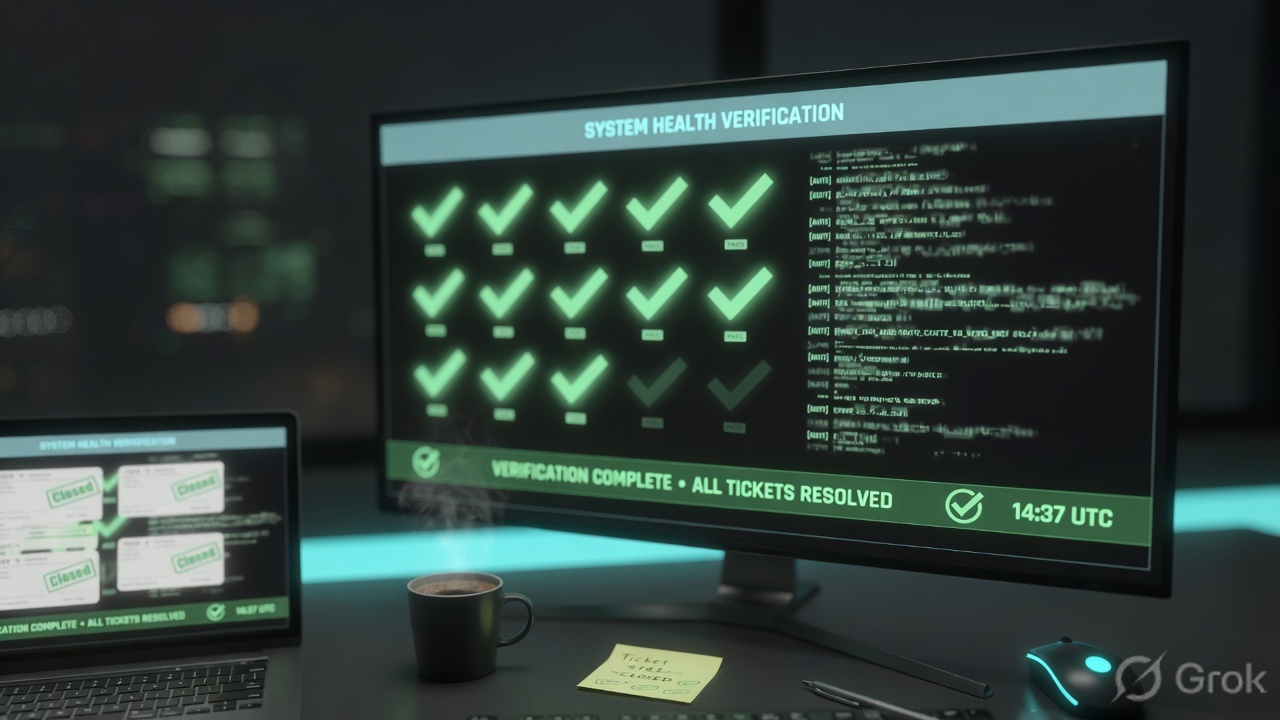
| Ticket | Symptom | First tool | Proof field |
|---|---|---|---|
| HVED-01 | Slack: “Vault is down / is it sealed?” | vault status | Sealed + HA Mode |
| HVED-02 | CI 403; cluster already answers | vault policy read | path + capabilities |
| HVED-03 | GRC: who read payroll? | vault audit list → file | request.path + auth.display_name |
| HVED-04 | Login fails; “AppRole is gone” | vault auth list | Path + Type |
| HVED-05 | DB creds died mid-job | vault lease lookup | expire_time + ttl |
HVED-01 — Prove the node (vault status)
02:10 · P1. Pipeline banner: “Vault is down.” Last green build 19:40. No raft page yet. On-call wants three Shamir shares from the safe.
First tool: vault status on the job’s VAULT_ADDR, not on your laptop’s leftover 127.0.0.1:8200.
If Sealed = true: quote it, plus Unseal Progress / Unseal Nonce if present. This is the one ticket where unseal is the work — still change-control, still threshold. Do not hunt finance-read on a sealed node. Official: only unseal and status work until the root key is reconstructed.
If Sealed = false and HA Mode = active: the node can answer the API. Stop the unseal thread. The missing secret is now Side B or Side C.
If Sealed = false and HA Mode is standby (or the caller’s address is a follower IP): isolate — point clients at the active node or the HA VIP. Official HA: standbys forward by default, or 307 to api_addr. Do not force an election for one pipeline.
Do not trust a colleague’s vault status from a different address. The proof is the node the failing client hit. Exit 2 is sealed; exit 1 is “you never reached Vault.”
I would paste Sealed=false and HA Mode=active (or the standby line) and refuse Shamir keys. Next command is token lookup / policy — not unseal.
HVED-02 — Prove the grant (ACL policy)
02:22 · P2. Status already shows unsealed + active. The job still 403s on a read. L1 drafted a policy that grants secret/*.
First tool: vault token lookup on the job token, then vault policy read of every name in policies. UI: Policies → ACL Policies.
Proof field: HCL path + capabilities. Lab: secret/data/finance/* read only. A write, or a read of secret/data/hr/db, or a KV v1-shaped /v1/secret/finance/db on a v2 mount, is the ACL (or the API path) doing its job. Least privilege is not an outage.
vault-lab $ vault policy read finance-read
path "secret/data/finance/*" {
  capabilities = ["read"]
}
path "secret/metadata/finance/*" {
  capabilities = ["list"]
}I would not unseal. I would quote the path that is missing create/update or that never included hr/ or /data/. A scoped PR is change-control. A root token in CI is not.
HVED-03 — Prove the reader (audit log)
02:40 · P3. GRC asks who read secret/data/finance/db after 01:00. Someone already ran kv get and wants to paste the username from the payload.
First tool: vault audit list. If the table is empty, your sentence is: I cannot prove who read it — no audit device. Enabling file now is change-control and only records the future. Official: a new cluster starts with auditing disabled.
If a device exists: open that file (or syslog). Quote one JSON object: time, auth.display_name, auth.policies, request.path, request.operation, error. Remember HMAC on strings — the raw token will not appear.
vault-lab $ vault audit list
Path     Type    Description
----     ----    -----------
file/    file    n/a

vault-lab $ vault audit list -detailed
Path     Type    Description    Replication    Options
----     ----    -----------    -----------    -------
file/    file    n/a            replicated     file_path=/var/log/vault_audit.log
Do not invent a username from the KV version metadata or from your own token lookup. History is the audit device (or Enterprise snapshots), not the secret engine. Exempted endpoints such as sys/seal-status will never appear — do not call that a cover-up.
HVED-04 — Prove the door (auth method)
03:05 · P2. A new namespace / a rebuilt lab / a “temporary” disable. CI cannot login. The channel says “Vault expired” and “just use a root token until morning.”
First tool: vault auth list (or UI Access → Auth Methods). Quote Path + Type. If approle/ is missing, the job is knocking on a door that is not mounted. Confirm you are in the right namespace before you enable anything.
If the mount exists: read the role. Quote token_ttl and secret_id_ttl. A 20-minute token on a 40-minute pipeline is a lease story (HVED-05), not a missing mount. Enabling or tuning an auth method is change-control.
vault-lab $ vault auth list
Path           Type          Description
----           ----          -----------
approle/       approle       n/a
kubernetes/    kubernetes    n/a
token/         token         token based credentials
I would name the mount that is missing — or name the role TTL if the mount is there. I would not paste a root token into CI. Auth is enable-at-a-path; the job must use that path.
HVED-05 — Prove remaining life (lease)
03:20 · P2. Database login worked at 01:44. At 02:04 the same pod cannot connect. Vault status is still unsealed and active. Someone typed “rotate the root.”
First tool: take the lease_id the job stored (shape database/creds/readonly/<uuid>) and run vault lease lookup. UI: Access → Leases.
Proof field: expire_time in the past and ttl = 0s. Official behaviour: once the lease is expired Vault can automatically revoke the data; for AWS/database engines that means the remote credential is gone. Renew before expiry, inspect the new lease_duration, or re-issue. Prefix revoke is for intrusion, not for this ticket.
vault-lab $ vault lease lookup database/creds/readonly/27e1b9a1-27b8-83d9-9fe0-d99d786bdc83
Key             Value
---             -----
expire_time     2026-08-16T02:04:10Z
id              database/creds/readonly/27e1b9a1-27b8-83d9-9fe0-d99d786bdc83
issue_time      2026-08-16T01:44:10Z
last_renewal    <nil>
renewable       true
ttl             0s
If the “secret” is KV, this tool is the wrong tile. Quote token ttl instead. Do not reseal a healthy node because a 20-minute database lease met a 30-minute job.
7. Traps + close-the-ticket proof
| You see | Weak close | Strong close |
|---|---|---|
Sealed=false, HA Mode=active, still 403 | “Vault is down” / unseal again | Token lookup + policy path/capabilities |
Sealed=true | A policy PR or a new AppRole | Quote Sealed + Unseal Progress; unseal under change-control |
HA Mode standby + writes 307 | Emergency raft election | Repoint VAULT_ADDR to active / VIP; quote HA Mode on that address |
Empty vault audit list | A username from kv get | “I cannot prove who read it.” Enable a device for the next incident |
| Audit device disk full / all devices down | “Network blip” | Official: Vault refuses the API if no device can write. Restore a device |
Policy read only on finance/* | Widen to secret/* | Quote the 403 as the ACL working; scoped change-control if the story needs write |
Policy missing /data/ on KV v2 | Remount the engine | Quote the HTTP path vs the CLI path |
No approle/ in auth list | Root token in CI | Quote Path/Type. Confirm namespace. Enable only with a ticket |
Lease ttl=0s | Reseal / destroy the mount | Quote expire_time. Renew earlier, or re-issue |
| KV “expired” | lease lookup on the KV path | KV has no lease. Lookup the token TTL or the KV version |
- UTC window written next to the tool you opened.
- Node proved on the failing address:
Sealed+HA Modefromvault status. - One grant quoted: ACL
path+capabilities, or authPath+Type, or leaseexpire_time+ttl, or one audit JSON line. - Next tool named — or change-control owner named. No unseal / no
secret/*/ no root token without residual control. - If GRC asked “who,” you either quoted
auth.display_nameonrequest.pathor said the audit device is missing. - You did not paste a live token, unseal share, or
secret_idinto the ticket.
I name the question, then the first tool, then one official field. vault status proves seal and HA. The audit log proves who hit which path. Policy proves the grant. Auth list proves the door. Lease lookup proves remaining life. I do not unseal, widen an ACL, or mint root until that field is on the ticket. Factory model: unsealed is necessary, not sufficient.
Knowledge check
Six night-shift judgments. Each maps to a first tool or a proof field. Check answers, then Reset if you picked the wrong surface.
Sources
- Vault docs — status command (
Sealed,HA Enabled,HA Mode, exit 0 / 1 / 2, raft fields) - Vault docs — Seal/Unseal (only unseal and status while sealed)
- Vault docs — High availability mode (HA) (active / standby, request forwarding, 307,
api_addr) - Vault docs — Audit logging (file / syslog / socket; disabled at init; availability; HMAC; exempted endpoints)
- Vault docs — File audit device (
file_path) - Vault docs — Audit log entry schema (JSON lines;
request.path,auth.display_name) - Vault docs — audit list (Path / Type;
-detailed) - Vault docs — Policies (deny-by-default;
path+capabilities; KV v2/data/;denywins) - Vault docs — policy read
- Vault docs — Authentication (enable at a path; tokens; auth leases)
- Vault docs — auth list (Path / Type / Description)
- Vault docs — token lookup
- Vault docs — Lease, renew, and revoke (dynamic secrets + service tokens; KV has no lease; UI Access tab)
- Vault docs — lease command (
expire_time,ttl,renewable) - Vault docs — KV v2 (API path
/data/) - Vault docs — Vault UI (UI at
/ui; manage policies and secrets engines)
Related: Blog 1 · Session factory — unsealed ≠ enough · HashiCorp Vault interview hub · Policy and namespace design · AppRole secret-zero · Dynamic secrets and leases · Audit device / SIEM pipeline