Vault is a secrets factory. While a node is sealed, official docs allow only unseal and status. After unseal, one HA node is active; standbys forward or return 307. Auth verifies identity and prints a token — official wording: conceptually a session ID — with policies attached at login. Those policies are deny by default and match API paths plus capabilities. Every dynamic secret and every service token carries a lease (TTL, renew, revoke). KV stores a value and does not issue a lease. Success is a named token + a matching ACL + a live expire_time — not a green seal tile.
I do not start with Shamir keys. I ask whether the node I hit is unsealed and active, whether auth issued a token, which policy path that token carries, and whether the lease is still inside TTL. Unsealed is necessary. It is not a secret.
1. Why unsealed is not a secret
Every other blog starts with “Vault is a secrets engine.” That is why students freeze at 02:10. The real object is the leased ticket. Unseal, HA, auth and policy are stations the factory walks before it prints that ticket — or refuses to.
Official seal concept: a Vault server starts sealed. It can reach storage, but it cannot decrypt. Unsealing reconstructs the plaintext root key so Vault can unwrap the encryption keyring. Until that happens, the only legal operations are unseal and status. Exit code 0 = unsealed. Exit code 2 = sealed. That is all Sealed=false promised.
Authorization is a later station. Official authentication concept: before a client can interact, it authenticates against an auth method. Vault generates a token. The token is conceptually similar to a session ID on a website. Policies attach at that moment. A perfect unseal plus a token whose policy says secret/data/finance/* read will still 403 a write, an hr/ prefix, or a KV v1-shaped HTTP call on a v2 mount.
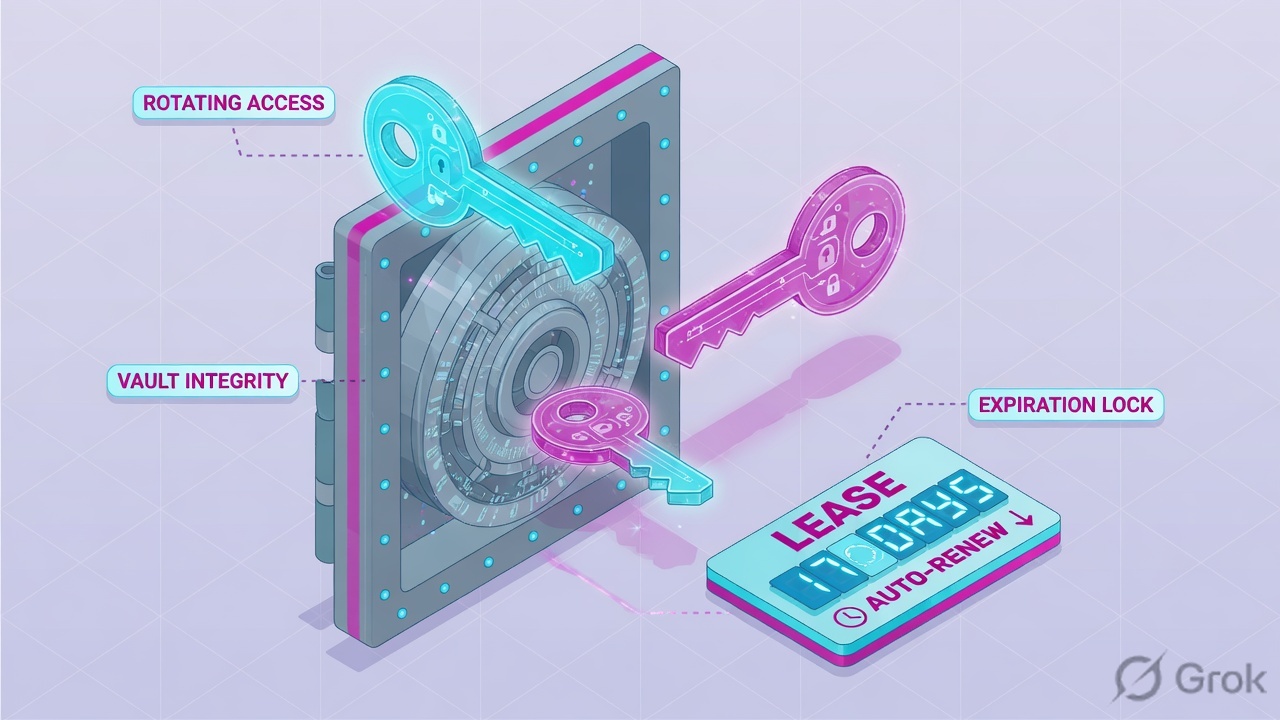
What the ticket asked
“Vault is down — pipeline 403.” That sentence is a hypothesis. The factory may already be unsealed and printing a deny.
What you prove first
Identity of the node, then Sealed + HA Mode, then the failing token, then the ACL path, then the lease. The evidence desk is the night-shift version of this order.
“Sealed is false, so Vault is fine — we need a wider policy.” An unsealed active node only means the factory can decrypt and answer. If the token is dead, the ACL is read-only, or the database lease expired, widening the policy just prints more 403s — or worse, a secret/* grant you will own at the next audit.
vault-lab $ vault status
Key                     Value
---                     -----
Seal Type               shamir
Initialized             true
Sealed                  false
Total Shares            5
Threshold               3
Version                 1.17.2
Storage Type            raft
Cluster Name            vault-lab
HA Enabled              true
HA Mode                 active
Active Since            2026-08-15T10:42:18Z
Raft Committed Index    18422
What you say: Unsealed, and this node is active. Official status fields: Sealed false means ready to operate; HA Mode active means this process holds the lock. Next command is not another unseal. Next command is the token, the policy, then the lease.
2. Mental model — four stations on one ticket
Hold four parts. Interviews fail when people mix them. Official architecture: after authentication, the auth method supplies policies, the token store issues a client token, that token may carry a lease, and later requests present the token so Vault loads the policies.
1. Unseal / HA is the floor
Shamir threshold or auto-unseal via KMS/HSM. Each Shamir node unseals itself — shares are not cluster-gossiped. One node grabs the HA lock and becomes active; the rest are standby and forward or 307. Necessary. Not a grant.
2. Auth prints the session
Mount path such as approle/, kubernetes/, ldap/, token/. Official: the generated token is conceptually a session ID. Name the mount, the role, token_ttl, secret_id_ttl. A missing mount is not a seal problem.
3. Policy is the door list
HCL path "…" { capabilities = […] }. Deny by default. Capabilities: create, read, update, patch, delete, list, sudo, deny. deny always wins. The path string must match the API, not the CLI convenience path.
4. The lease is the ticket
Official: every dynamic secret and every service token gets a lease — TTL, renewability, revoke. When the lease expires, Vault revokes the data. When you revoke a token, Vault revokes every lease that token created. KV does not issue leases.
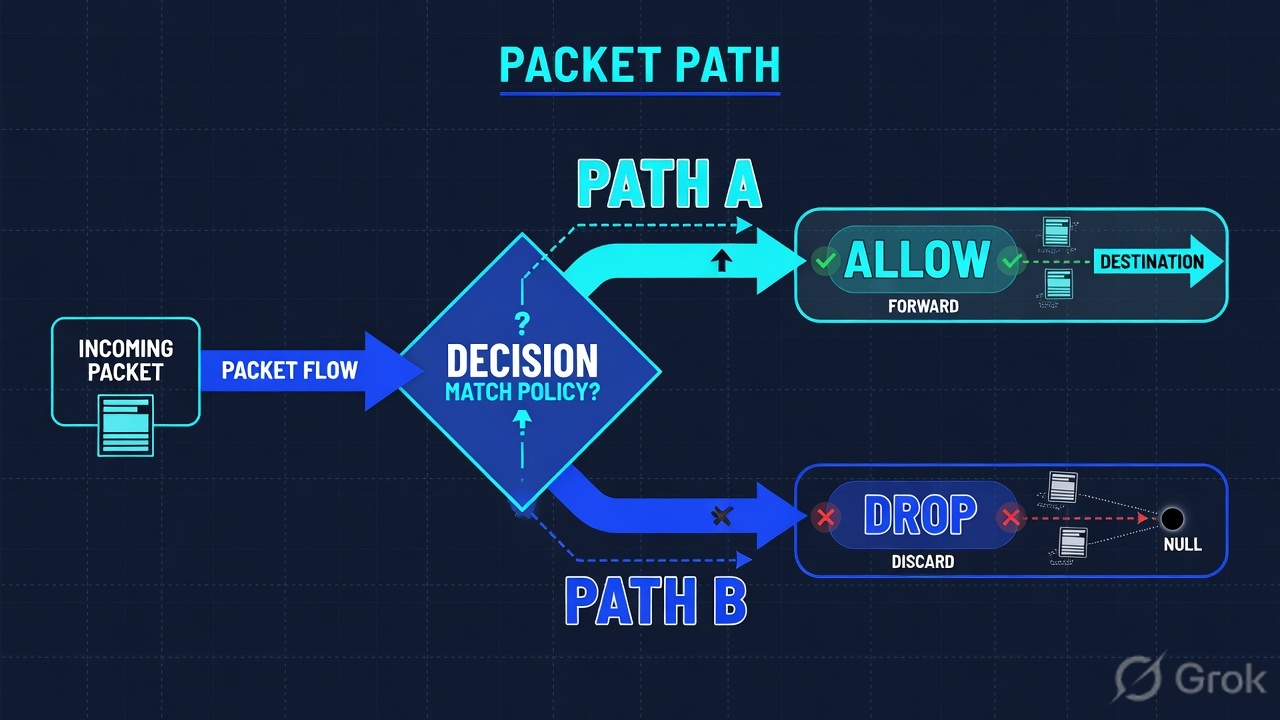
Read left → right. Station 1 is power. Station 2 prints the session. Station 3 names the door. Station 4 is the ticket that dies on a clock.
Unseal answers “can this process decrypt storage?” Official: Vault encrypts data with an encryption key, wraps that key with a root key, and wraps the root key with the unseal key (Shamir shares or an auto-unseal device). Auto-unseal recovery keys cannot decrypt the root key. If the KMS key is gone, the cluster is gone — even from backups.
Auth answers “who is on the wire, and which policies attach?” Official: enable an auth method at a path; login is not required to use the same path name as the type. AppRole is for machines: role_id plus secret_id (unless bind_secret_id is off). The login returns client_token, token_duration, token_policies.
Policy answers “may this token do this verb on this API path?” Official: empty policy grants nothing. Most-specific match wins; deny always wins. Generating database credentials is HTTP GET, so the capability is read, not create. On KV v2 the payload lives under …/data/… and list lives under …/metadata/….
Lease answers “how long is this data still valid, and can I extend it?” Official: dynamic secrets always return a lease_id. Renew increment is from now, not from the old expiry, and the backend may ignore your increment — read the new TTL. Prefix revoke (vault lease revoke -prefix database/) is the incident move. The UI lists leases under the Access tab.
3. Factory path — unseal/HA → auth → policy → lease
The first request of a new identity has no token yet. It walks the factory. Later requests of the same token skip login and ride the token lease until TTL. That is why “I fixed the policy” sometimes does nothing until the old token dies — and why a 20-minute token_ttl on a 30-minute pipeline is a design bug, not an outage.
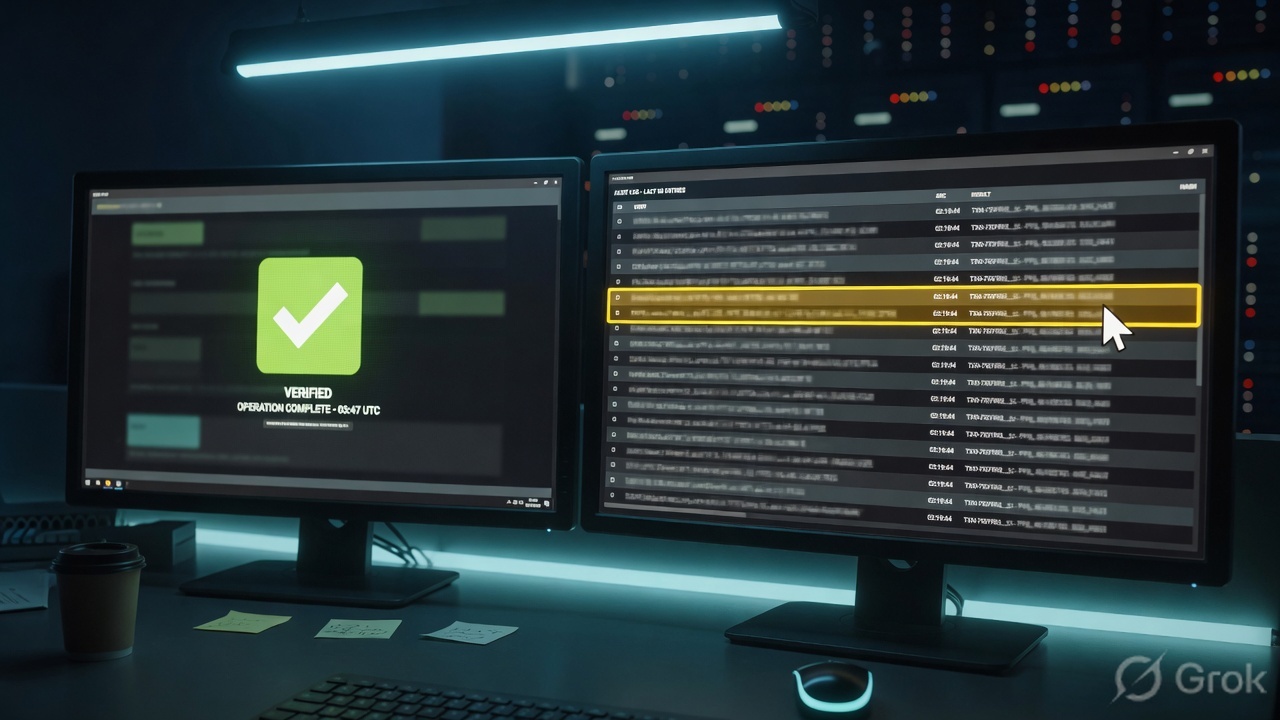
Read left → right, then the green reuse bar. Decision diamond = “is this node sealed?” Do not jump from a 403 to Shamir keys while Sealed=false.
The first packets of a CI job are a login, then a read. Official AppRole: role_id is always required; secret_id is required when bind_secret_id is true (the default). secret_id_ttl=24h and token_ttl=20m look like “Vault is down” at 02:10. Lookup the failing token. If lookup itself 403s, the session is already dead — re-auth, do not reseal.
4. How to choose the next station
You are not choosing a product. You are choosing which factory station actually failed. Same 403, five different next commands.
| Choice | Use when | Do not use when | Proof you were right |
|---|---|---|---|
| Unseal (Shamir / auto-unseal) | Sealed=true on the node the job hits. Quote Unseal Progress / recovery vs unseal keys. |
The same address already shows Sealed=false. That is malpractice. |
vault status exit 0; Sealed=false. |
| Talk to the active / VIP | Writes fail or 307; this node shows HA Mode: standby. Or request forwarding is off. |
You unseal a follower that is already unsealed. Followers still need a leader. | HA Mode: active on the address in VAULT_ADDR, or a working VIP + api_addr. |
| Fix / re-issue auth | vault auth list missing approle/, role TTL expired, or token lookup fails. |
You mint a root token into CI “until morning.” Official: root is emergency-only and revoked after setup. | Login returns token_policies including the intended name; lookup shows remaining ttl. |
| Fix the ACL path | Token works on secret/data/finance/*, fails on hr/* or on a write. Or CLI works and raw HTTP 404s without /data/. |
You rewrite the ACL to secret/* in an incident. Least privilege was working. |
vault policy read shows the API path + the verb you actually send. |
| Renew or replace the lease | Dynamic DB/AWS creds worked an hour ago. Cluster still unsealed. | You treat a KV version pin as a lease, or you “roll back” by destroying the current KV version without a ticket. | vault lease lookup quotes expire_time + ttl + renewable. |
| Enterprise namespace | Token minted in admin/, secret lives in payments/. Same path string, different tree. |
You paste the ACL into root and assume children inherit payload access. | Speak VAULT_NAMESPACE / X-Vault-Namespace out loud, then retry login in that tree. |
Official HA does not increase read scale — the bottleneck is the storage lock. Official lease increment is advisory. Official policy * glob is only valid as the last character of the path. Those three sentences save a Friday night.
5. Runbook Side A → B → C
Lab values only. Cluster vault-lab, UI https://vault-lab.example.com:8200/ui, raft node-1 10.0.7.11 leader, node-2 10.0.7.12, node-3 10.0.7.13, role app-finance, policy finance-read, KV secret/finance/db version 7, database role finance-ro. Nothing here is a live tenant. Do not paste a real token, unseal share, or secret_id into a ticket.
Side A — unseal, HA, and the auth door (building the factory floor)
Primary source: Seal/Unseal + status + High availability mode + AppRole.
-
Prove the node the job actually hits
On the caller’s
VAULT_ADDR, runvault status. QuoteSealed,HA Enabled,HA Mode,Storage Type,Version. Official: this command prints even when sealed. IfSealed=true, stop — only unseal and status work. Shamir: enter shares untilThreshold. Auto-unseal: check the KMS/HSM, not Slack for Shamir keys. -
Name the active desk
Lab: node-1
HA Mode: active, node-2/3standby. Official: the active advertisesapi_addr(orVAULT_API_ADDR). Standbys forward by default; clients can force 307 withX-Vault-No-Request-Forwarding. Writes that pin a standby address without forwarding fail in the client. Point at the HA VIP. -
Name the auth mount, not the product slogan
Run
vault auth list. Official columns: Path, Type, Description. Lab must showapprole/. Enable-at-a-path:vault auth enable -path=approle approle. A missing mount explains a CI login failure before any policy is involved. -
Read the role the pipeline uses
Lab role
app-finance. Fields that matter: token policies, token_ttl, token_max_ttl, secret_id_ttl, bind_secret_id. Official AppRole recommendstoken_type=batchfor machines. Batch tokens are not renewable — the app must re-login. That is a design choice, not an outage.
vault-lab $ vault status
Sealed                  false
HA Enabled              true
HA Mode                 active
Storage Type            raft

vault-lab $ vault operator raft list-peers
Node      Address            State     Voter
node-1    10.0.7.11:8201     leader    true
node-2    10.0.7.12:8201     follower  true
node-3    10.0.7.13:8201     follower  true

vault-lab $ vault auth list
Path           Type        Description
approle/       approle     n/a
kubernetes/    kubernetes  n/a
token/         token       token based credentials

vault-lab $ vault read auth/approle/role/app-finance
key                 value
role_name           app-finance
token_policies      [default finance-read]
token_ttl           20m
token_max_ttl       30m
secret_id_ttl       24h
bind_secret_id      true
Access › Auth Methods › approle/ › Role
Role · app-finance
Official AppRole: role_id is required at login. secret_id is required while bind_secret_id is true. Dummy values only.
Source: Vault UI — authenticate / manage auth methods (Vault UI) + AppRole. Confirm live field names on your release before you change a real role.
Side B — policy and the API path (printing the ticket, choosing stamps)
Primary source: Policies + KV v2.
Policies › ACL Policies › finance-read
ACL policy · finance-read
Deny by default. KV v2 payload is /data/. List is /metadata/. database/creds is GET → read, not create.
Source: Vault UI — manage policies (Vault UI) + Policies (deny by default, capabilities, KV v2 paths). Dummy values only.
-
Lookup the token you are actually using
Never assume the operator token is the CI token.
vault token lookupon the failing credential. Quotepolicies,path(the login path),ttl,renewable,type. Official prefixes since 1.10: servicehvs., batchhvb., recoveryhvr.. A batch token cannot be renewed — the app must log in again. -
Read the ACL, not the ticket summary
Lab policy
finance-readis read onsecret/data/finance/*, list onsecret/metadata/finance/*, and read ondatabase/creds/finance-ro. A write, anhr/prefix, ordatabase/creds/hr-ro403s on purpose. That is the control. -
Put
/data/in the policy if the mount is KV v2The CLI convenience path is
secret/finance/db. The ACL and the HTTP API use/v1/secret/data/finance/db. List needs/metadata/. This is the most common “policy looks right, API 403s” bug. Do not grant the CLI path and call it done. -
Name the namespace before you compare paths
If the org uses Enterprise namespaces, a token minted in
admin/does not inheritpayments/secrets. Same path string, different tree. SetVAULT_NAMESPACEor theX-Vault-Namespaceheader, then login again inside that namespace.
vault-lab $ vault token lookup
Key                 Value
---                 -----
accessor            3c29bc22-lab-accessor
creation_ttl        20m
display_name        approle
expire_time         2026-08-15T11:02:18Z
id                  hvs.CAESIlabdummy0001
path                auth/approle/login
policies            [default finance-read]
renewable           true
ttl                 18m
type                service

vault-lab $ vault policy read finance-read
path "secret/data/finance/*" { capabilities = ["read"] }
path "secret/metadata/finance/*" { capabilities = ["list"] }
path "database/creds/finance-ro" { capabilities = ["read"] }
Side C — prove the lease (the ticket that expires)
Primary source: Lease, renew, and revoke + lease command.
-
Read with the same token the app uses
Lab:
vault kv get secret/finance/dbreturnsusername=finance_ro,version=7. If the app expects version 6, that is a pin, not a seal. Official: KV does not issue a lease even if some responses show a duration field. -
Issue (or look up) the dynamic lease
Lab:
vault read database/creds/finance-roreturns username, password, and alease_idsuch asdatabase/creds/finance-ro/hvle-lab0001. Thenvault lease lookupthat id. Quoteexpire_time,ttl,renewable. Official: increment is from now; inspect the new TTL; the backend may ignore your request. -
Know what revoke actually does
Official: revoke the lease and the secret is invalid immediately (AWS keys deleted at the provider). Revoke the token and Vault revokes every lease that token created. Prefix revoke (
vault lease revoke -prefix database/) is how you contain a stolen role. UI path: Access → Leases. -
Confirm an audit device exists before you promise forensics
vault audit listmust show a device (lab:file/→/var/log/vault_audit.log). Official: auditing starts disabled. No device = you cannot prove who read payroll. Enabling one now only helps the next incident. Night-shift write-up: evidence desk.
Access › Leases
Lease · database/creds/finance-ro
| Lease ID | Path | Expire | TTL | State |
|---|---|---|---|---|
| hvle-lab0001 | database/creds/finance-ro | 11:44Z | 59m | live |
| hvle-lab0000 | database/creds/finance-ro | 10:40Z | 0s | revoked |
Row hvle-lab0000 is the dead ticket — creds that worked at 01:44 and died at 02:04. Row hvle-lab0001 is the proof.
Click next: copy the lease_id, then run vault lease lookup. Compare expire_time to the app error time. Source: Lease, renew, and revoke — UI under the Access tab.
vault-lab $ vault read database/creds/finance-ro
Key                Value
---                -----
lease_id           database/creds/finance-ro/hvle-lab0001
lease_duration     1h
lease_renewable    true
username           v-approle-finance-ro-lab
password           s3cret-lab-only

vault-lab $ vault lease lookup database/creds/finance-ro/hvle-lab0001
id            database/creds/finance-ro/hvle-lab0001
issue_time    2026-08-15T10:44:00Z
expire_time   2026-08-15T11:44:00Z
last_renewal  (never)
renewable     true
ttl           59m12s
Sealed=false. HA Mode: active on the address the job uses (or a VIP that lands there). Token policies include finance-read with remaining ttl. Policy path includes secret/data/finance/* and database/creds/finance-ro read. kv get shows version 7. lease lookup shows expire_time in the future and renewable=true. File audit is enabled before you promise who-read-what.
6. Runtime — renew, revoke, standby, KV
After go-live the request is no longer “enable AppRole.” It is this hop list. Official architecture: the client presents the token; Vault loads the attached policies; if the token has a lease it must be renewed or it is invalidated.
Audit is last on purpose. You cannot prove a read that never hit a device. KV and database split after ACL — only one of them has a lease.
Renew. Official: vault token renew for the identity lease; vault lease renew -increment=3600 <lease_id> for a dynamic secret. Increment is from the current time. Periodic tokens reset TTL to the configured period on each successful renew and can live indefinitely until they miss a beat — or until an explicit max TTL. A token with both a period and an explicit max TTL behaves periodic, then dies at the hard cap.
Revoke. Official: revoke a lease and the provider credential is destroyed. Revoke a parent service token and the whole child tree plus its leases die. auth/token/revoke-orphan kills the token and orphans the children — use with care. Root tokens: only init, another root, or vault operator generate-root with a quorum of unseal/recovery keys. Revoke them after the emergency.
Standby. Official request forwarding is on by default. Clients may still pin a standby, send X-Vault-No-Request-Forwarding, or hit a VIP whose api_addr is wrong and loop on 307. cluster_addr is the server-to-server TLS channel (default listener port + 1, so 8201). Only the active process listens on the cluster port.
KV is not a lease. Official note on the lease page: the Key Value backend does not issue leases. Version 7 versus version 6 is a pin. Destroying version 7 to “roll back” without change-control is an incident you caused.
7. Traps + lease proof
| Symptom | Looks like | Actually | First move |
|---|---|---|---|
Everyone 403, Sealed=true |
Policy outage | Floor is dark — only unseal + status work | vault status on the caller address, then unseal under change-control |
One app 403, others fine, Sealed=false |
Cluster down | ACL path / capability / namespace | token lookup + policy read |
Writes fail, reads work, HA Mode: standby |
Need to unseal again | You are on a follower; forwarding off or client pinned | raft list-peers; point at active / VIP |
CLI kv get works, HTTP 404 on /v1/secret/finance/db |
Broken mount | KV v2 API needs /data/ |
Compare CLI vs API path; fix client or ACL |
| Valid token, other business unit’s path | Need secret/* |
Wrong namespace tree | Name VAULT_NAMESPACE; login in that tree |
| Secret exists, app wants old version | Vault lost the secret | KV version pin — not a lease | kv get version field; do not destroy v7 mid-incident |
| DB creds worked at 01:44, failed at 02:04 | Need to reseal | Lease expired; Vault revoked the username | vault lease lookup on the stored lease_id |
| Job died after 24h | Cluster flap | secret_id_ttl or token_ttl design |
Read the AppRole; re-issue under change-control |
Write 403 on finance-read |
Seal / HA bug | ACL is read-only — least privilege working | Do not add update without an owner |
| Nobody can prove who read payroll | Need a wider ACL | No audit device — official default is off | vault audit list; say you cannot prove the past |
| Root token in Slack “until morning” | Temporary fix | Root can do anything, including never-expire | Isolate, generate-root only with quorum, revoke after |
vault statuson the job’sVAULT_ADDR:Sealed=false,HA Modenamed (active, or you switched to the leader / VIP).vault auth list— the mount the job uses exists (approle/in lab).vault token lookup— policies andttlof the failing token, not the operator token.vault policy read finance-read— path includes/data/on KV v2;database/creds/finance-roisread.- Namespace string spoken out loud if Enterprise is in play.
vault kv get secret/finance/db— version matches what the app requested.vault lease lookup—expire_timein the future,renewablematches the token type. Or you said out loud “this is KV, there is no lease.”vault operator raft list-peers— leader address equalsVAULT_ADDRor the VIP.vault audit list— a device is on before you claim forensics.- The same CI job the ticket named can complete. You did not paste a live token, share, or
secret_id.
Vault is a secrets factory. Unseal powers the floor. HA names the active desk. Auth prints a token that is the session. Policy is the door list on that token. The lease is the ticket that expires. I prove Sealed and HA Mode, then token policies, then the ACL path, then expire_time. Unsealed is not a secret. KV has no lease. Root is not a morning workaround.
Next lesson: walk the same commands as night-shift tickets on the Vault evidence desk. Dummy lab on the HashiCorp Vault hub.
Knowledge check
Six judgment questions. Map each miss back to the section named in the reason.
Sources
- Vault docs — Seal/Unseal — sealed start; only unseal + status; Shamir threshold; auto-unseal; recovery keys cannot decrypt the root key
- Vault docs — status —
Sealed,HA Enabled,HA Mode, exit 0 / 1 / 2, raft fields - Vault docs — High availability mode — active / standby, request forwarding, 307,
api_addr,cluster_addr - Vault docs — Architecture — auth → policies → token store → optional lease
- Vault docs — Authentication — enable at a path; token as session ID; auth leases;
vault token renew - Vault docs — AppRole —
role_id/secret_id, TTLs, bind_secret_id, batch token recommendation - Vault docs — auth list — Path / Type / Description
- Vault docs — Tokens —
hvs./hvb./hvr.; root; orphans; accessors; TTL / periodic / explicit max TTL - Vault docs — token lookup
- Vault docs — Policies — deny by default; path + capabilities; deny wins; GET → read on database creds; KV v2
/data/ - Vault docs — policy read
- Vault docs — KV v2 — API path
/data/, metadata, versions - Vault docs — Lease, renew, and revoke — dynamic secrets + service tokens; KV has no lease; UI Access tab; prefix revoke
- Vault docs — lease command —
expire_time,ttl,renewable - Vault docs — Vault UI — UI at
/ui; unseal, authenticate, manage policies and secrets engines - Vault docs — Namespaces — Enterprise isolation tree
Related: Vault evidence desk · HashiCorp Vault interview hub · Policy and namespace design · AppRole secret-zero · Dynamic secrets and leases · Audit device / SIEM pipeline