Microsoft Defender for Endpoint is a sensor + cloud verdict factory. The sensor on the host must be onboarded and checking in. It prints process, file and network events. Those events become a Timeline row and an alert in the cloud. Assigned attack surface reduction and next-generation protection (Microsoft Defender Antivirus Active vs Passive) stamp whether the behavior is observed or stopped. Action center is how you act — Isolate device, live response, collect investigation package. Success is Last seen in seconds, the assigned ASR / NGAV mode named, an alert you can quote, and an Action center result — not “the icon is green.”
I do not start with the filename. I ask whether the sensor checked in, what Timeline parent launched what child, which ASR / NGAV stamp that host inherited, what the alert wrote, and whether Action center can land. An Audit stamp is not a miss. A dark sensor cannot take Isolate device or live response.
1. Why a green tray is not a verdict
Every other briefing starts with the filename. invoice.docm. “Defender missed Word spawning PowerShell.” That is why students freeze in interviews. The real object is the event the sensor printed. Features are only stamps the factory puts on that event before the cloud names a verdict.
Official architecture: a sensor on the endpoint, the Microsoft Defender portal at security.microsoft.com, and cloud-delivered protection that turns those events into detections, preventions and response actions. The sensor keeps some protection when the host is offline. The console only knows what the sensor last uploaded. Official Device inventory field: Last seen is the last connection on the device page. Hours old is a dark factory floor. Seconds old is a live worker. Official Sensor health state values: Active, Inactive, No sensor data, Impaired communications, Misconfigured.
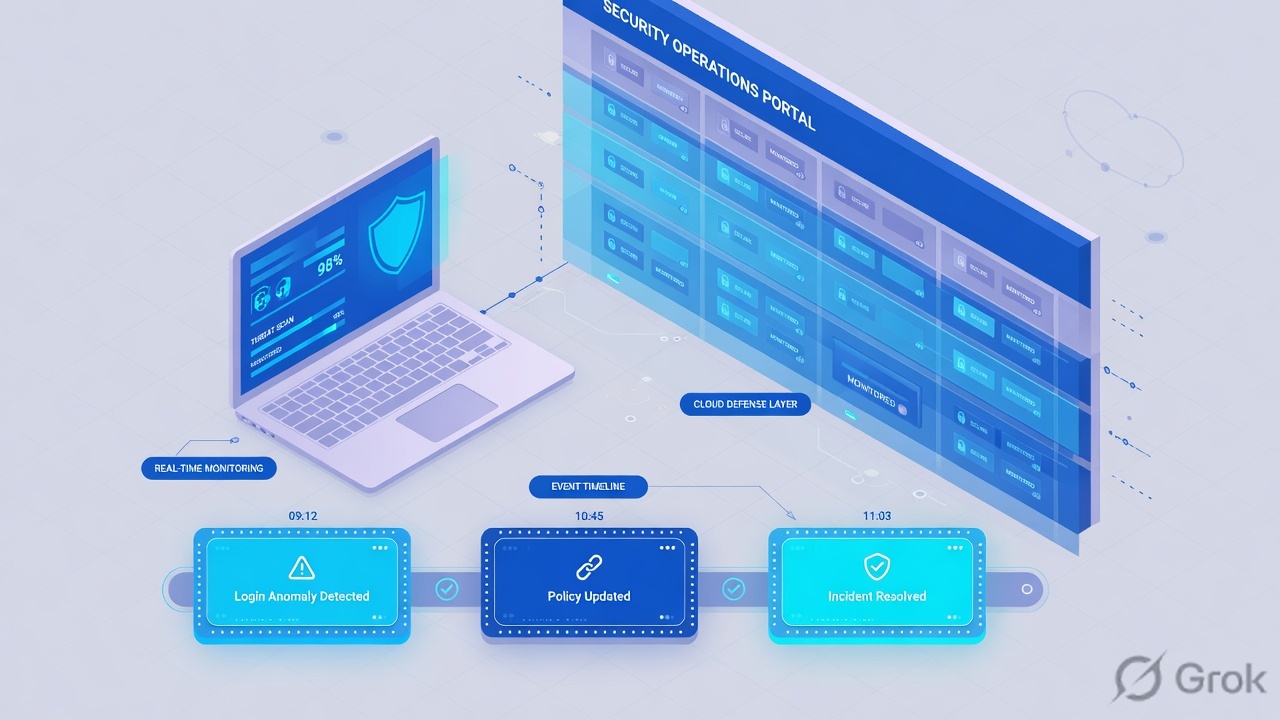
What the ticket asked
“Defender missed Word spawning PowerShell.” That sentence is a hypothesis. The factory may already have Audit-stamped the event and printed a live High alert you have not opened.
What you prove first
Identity of the device, then Last seen + Sensor health state, then the assigned ASR / NGAV mode, then the Timeline / alert. The evidence desk is the night-shift version of this order.
“The tray icon is green, so Defender is working — we need a wider exclude.” A green Windows Security icon only means a local antivirus UI is running on that laptop. If Last seen is four days old, or the assigned Office-child ASR rule is Audit, or Defender Antivirus is Passive, the factory did not print the ticket you think it printed. Widening an exclude just stamps more events as invisible.
Hard words before the runbook
Onboard / sensor
The Defender for Endpoint sensor on the host. Official Onboarding status: Onboarded, Can be onboarded, Unsupported, Insufficient info. Official health: Active / Inactive / Misconfigured. One hostname can have a leftover after a reimage.
Event / Timeline
What the sensor observed: process create, file write, network connect, script. Device page → Timeline is the live story. Later events of the same process tree ride that story. Official hunting table: DeviceProcessEvents.
ASR / NGAV stamp
ASR = attack surface reduction rules (Defender Antivirus feature). Modes: Not configured, Audit, Warn, Block, Disable. NGAV = next-generation protection = Microsoft Defender Antivirus Active / Passive / Disabled. ASR only blocks when Defender Antivirus is Active.
Cloud verdict + Action center
The Alert / Incident the cloud writes: Severity, Status (New / In progress / Resolved), Classification. Risk level is a score from active alerts — not isolation. Isolate device, live response and collect land in Action center (security.microsoft.com/action-center).
Official isolate wording: disconnects the compromised device from the network while retaining connectivity to the Defender for Endpoint service. You need at least the Active remediation actions role. Isolation is automatically lifted after seven days. Official Contain device is a different action — it is for unmanaged / not-onboarded hosts; onboarded devices then block comms with that contained device. Do not say “contain” when you mean Isolate device.
2. Mental model — four factory stations
Hold four parts. Interviews fail when people mix them. Skipping a station is how you isolate a leftover renamed device or argue an ASR miss on a host that has not checked in since Monday.
1. The worker is the sensor
One onboarded agent. It sees the host. Last seen is the heartbeat. Sensor health state = Active means the worker is talking. A green tray is not Last seen. Inactive / No sensor data is a dark floor.
2. The ticket is Timeline + alert
Process create, file write, network. The first event of a new process is setup. Later events of the same tree ride that story. Timeline is the chain. The alert is the finished ticket: Severity, Status, Classification, MITRE technique.
3. The stamps are ASR + NGAV
ASR rule mode = Audit (observe) or Block (stop) for that behavior. NGAV = Defender Antivirus Active (remediates) or Passive (reports, does not remediate). An indicator Allow can override a cloud Block. Mode is configuration, not a miss.
4. The action is Action center
Isolate device, Initiate live response session, Collect investigation package, Run antivirus scan. Official results: Success, Pending, Failed, Skipped. High Risk level is not Isolated. Empty Mitigation status means nobody clicked it (and automatic attack disruption did not either).
Read left → right, then the three stamps. Risk, Exposure and Mitigation are three different fields on the same device page.
Onboard answers “is this sensor a live worker?” Official Device inventory: Onboarding status, Sensor health state, Last seen (device page; inventory Last device update can lag). If health is Inactive, Timeline is a memory.
Timeline / alert answers “what conversation happened, and what did the cloud name it?” Official: Defender for Endpoint detection is not an audit log of every operation. Empty Alerts on a dark sensor is expected. High Severity is not Isolated.
ASR / NGAV answers “was this host even allowed to block?” Official Audit mode: features do not block apps, scripts, or connections. The Windows Event Log records events as if the feature were active. Official NGAV Passive: files are scanned and threats are reported, but Microsoft Defender Antivirus does not remediate. ASR rules require Defender Antivirus as the primary (Active) antivirus.
Action center answers “did the click land?” Official path: response actions along the top of the device page, then Action center for Success / Pending / Failed / Skipped. Isolate device is not inside Risk level.
3. First event vs later events of the tree
The first process-create of a new tree has no story yet. It walks factory setup: sensor must be onboarded and Active, the event must upload, policy stamps Audit or Block, the cloud writes Timeline + alert. Later events of the same tree ride that story. That is why “I flipped Office-child to Block” sometimes does nothing to a child that already ran — Audit already allowed it, and Isolate device is the IR click, not a retroactive ASR rewrite.
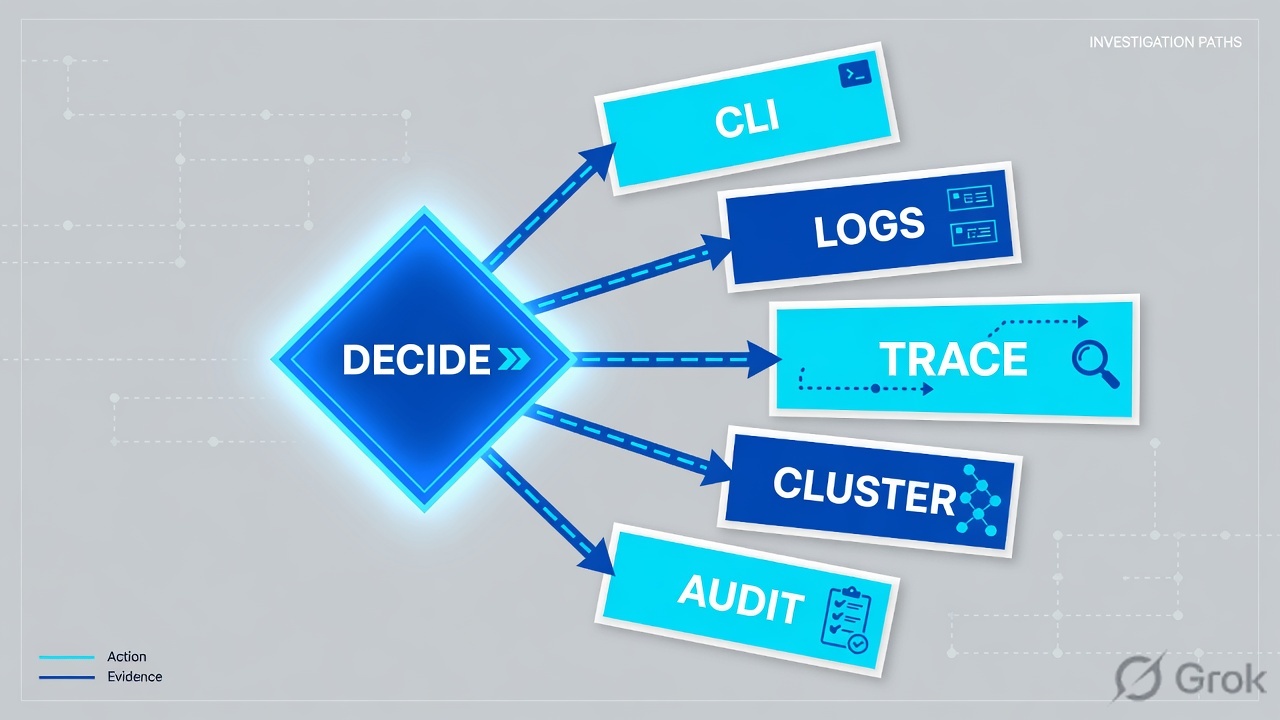
Read left → right, then the green later-event bar. Decision diamond = “did this sensor check in?” Do not take the diamond into Vulnerability Management.
Word → PowerShell is Block all Office applications from creating child processes (GUID D4F940AB-401B-4EFC-AADC-AD5F3C50688A). Official: creating malicious child processes is a common malware strategy; some legitimate line-of-business apps also spawn shells. Microsoft recommends ~30 days in Audit to find those apps, then Block on a ring. If the rule is Audit, the child is supposed to run and the event is supposed to fire. That is not “Defender missed it.” The LSASS rule being Block does not cover Office children — wrong stamp.
4. How to choose the stamps
You are not choosing a product. You are choosing what the factory is allowed to write on the ticket.
| Choice | Use when | Do not use when | Proof you were right |
|---|---|---|---|
| ASR Audit | First weeks of Office-child (or any “other” ASR rule) on a new ring. Microsoft: about 30 days to find line-of-business exclusions. | You leave Audit as production forever and call High alerts a miss. | Advanced hunting / Event Viewer shows the audited action. Users are not blocked. |
| ASR Block | Standard-protection rules (vulnerable signed drivers, LSASS credential steal*). Office-child after a clean audit ring + owner. | Night-shift tenant-wide flip. WMI persistence / ConfigMgr clients without an audit ring. | Effective settings = Block. Child does not start. Action type AsrOfficeChildProcessBlocked. |
| ASR Warn | Pilot users on Windows 10 1809+ / Windows 11 who need a bypass dialog. Not every rule supports Warn (LSASS does not). | As a substitute for a scoped exclusion. Older Windows 10 treats Warn like Block. | User saw the dialog. You still have an owner and an expiry. |
| NGAV Active | Defender Antivirus is the primary AV. Required for ASR rules and Network protection to enforce. | You assume Active while a third-party AV put Defender in Passive. | Get-MpComputerStatus AMRunningMode = Normal. Threats can remediate. |
| NGAV Passive + EDR in block mode | Documented third-party AV. Host is onboarded to Defender for Endpoint. EDR in block mode can still block some post-breach behavior. | You expect ASR / Network protection / file indicators to enforce. Official: those need Defender Antivirus Active. | AMRunningMode = Passive mode or EDR Block Mode. Action center shows Blocked / Prevented if EDR block fired. |
| Isolate device | Timeline shows live egress, host still talking, sensor last seen seconds. IR action — not an ASR mode. | Last seen is days old. Full VPN tunnel with no split for Defender cloud. High-value asset restriction greys it out. | Mitigation status = Isolated. Action center = Success. Device still reports to the cloud. |
| Contain device | The bad host is unmanaged / not onboarded. Onboarded neighbors then block comms with it. | You say “contain” for an onboarded laptop you meant to isolate. Official words are different. | Action center Contain = Success. Onboarded devices start blocking that IP (up to ~5 minutes). |
| Park the CVE list | Exposure / Vulnerability Management appears in the IR chat during a living-off-the-land alert. | You convert ALR-1042 into a patch ticket while rundll32 is still talking. | Second ticket for TVM. This ticket stays on the process tree. |
Microsoft FAQ: you can enable ASR rules individually. Standard-protection rules typically go to Block without a long audit (WMI persistence needs extra testing if Configuration Manager is in play). All other rules, including Office-child, need Audit first. ASR does not support a non-Microsoft antivirus as the blocking engine.
Confirm the live device, not only the Intune assignment. Device page Effective settings, or Get-MpPreference AttackSurfaceReductionRules_Ids / _Actions (1 = Block, 2 = Audit). Group Policy quotes around a GUID silently break the rule. Intune can merge ASR from several profiles — conflicting values for one rule are held back.
5. Runbook Side A → B → C
Concept is above. This is Do. Lab values only — hostname DEVICE-LAB-17, alert ALR-1042, user finance.user@lab.techclick.example, C2 203.0.113.88, file invoice.docm. Nothing here is a live tenant.
Side A — prove the sensor (the factory floor)
Primary source: Explore devices in the device inventory + Device inventory field reference.
-
Open device inventory
Microsoft Defender portal → Assets → Devices (
https://security.microsoft.com/machines). Filter Onboarding status and Risk level. You want this hostname, not a similarly named leftover. -
Read five fields before the alert title
Onboarding status, Sensor health state, Last seen, Risk level, Mitigation status (Isolated / Contained / empty). High + empty is the trap. Exposure level is TVM posture — a different stamp.
-
If last seen is days old, stop arguing ASR
This is a sensor / offboard leftover. Isolate device on a dark host queues and then fails. Official: if a device is inactive when isolation is submitted, Defender retries for up to three days, then stops. Rebuild the worker first.
Assets › Devices › DEVICE-LAB-17
DEVICE-LAB-17 Risk High Exposure Medium
High risk + empty mitigation is the interview trap. Isolate device sits in the response-action row, not inside Risk level. DEVICE-LAB-04 (not shown) is last seen 4d / Inactive — do not isolate that leftover.
Source: Device inventory field reference — Onboarding status, Sensor health state, Risk level, Exposure level, Mitigation status Isolated / Contained. Take response actions on a device — Isolate device, live response, collect. Dummy values only.
Side B — ASR / NGAV policy (choosing the stamps)
Primary source: Attack surface reduction rules reference + Intune endpoint-security ASR + Microsoft Defender Antivirus compatibility.
-
Read the rule that matches the chain
Word → PowerShell is Block all Office applications from creating child processes, not “Block credential stealing from the Windows local security authority subsystem.” Intune: Endpoint security → Attack surface reduction. Defender portal can use the same endpoint-security policies.
-
Record the mode on this device group
Lab truth: Office-child = Audit, credential-steal = Block, Defender Antivirus = Active (
AMRunningMode= Normal). That pair is why LSASS rules look healthy while macros still spawn shells. -
Do not flip Block on the night shift
ASR Block is change-control: ring, owner, exclusion list, rollback. Isolation is the IR action. Mixing them is how Finance’s invoice add-in dies at 02:00 for the whole tenant.
Endpoint security › Attack surface reduction › LAB-ASR-RING1
Attack surface reduction policy
Read Effective settings on the device, not only this assignment. Intune merge can hold back a conflicting rule. Defender Antivirus must be Active for ASR to enforce.
Source: Attack surface reduction policy settings for endpoint security in Intune — modes Not configured, Block, Audit mode, Warn, Disable. ASR rules reference — Office-child GUID d4f940ab-401b-4efc-aadc-ad5f3c50688a. Dummy values only.
MDE-LAB > show asr
rule=Block Office child process = Audit
rule=Block credential stealing = Block

MDE-LAB > show device DEVICE-LAB-17
device=DEVICE-LAB-17 os=Windows onboarding=Onboarded
sensor=Active last=20s risk=High exposure=Medium isolation=Not isolated
Side C — Timeline, then Action center (prove the two-way ticket)
Primary source: Investigate devices (Timeline) + Take response actions on a device + Live response + Action center.
-
Open Timeline, not the CVE blade
Device page → Timeline. You want
winword.exe→powershell.exe→ network. Advanced hunting table isDeviceProcessEventswithFileNameandInitiatingProcessFileName. Quote the MITRE technique on the alert (T1059.001in this lab). -
If egress is live, Isolate device
Response-action row → Isolate device → comment → Confirm. Optional selective isolation: allow Outlook and Microsoft Teams. Action center shows Success / Pending / Failed. Full VPN tunnel without a split for Defender cloud will maroon the host.
-
Collect if you still can
Initiate live response session or Collect investigation package around isolate, per your IR standard. Official live response: enable it under Advanced features; inactive session timeout is 30 minutes; one session per device; a user can hold up to five concurrent sessions; tenant cap 50.
getfile3 GB limit.putfile/ unsigned scripts are change-controlled. -
Open the vuln follow-up after containment
Exposure Medium and
CVE-2026-LABare tomorrow’s ticket. This ticket staysALR-1042+ the process tree.
Action center › History › DEVICE-LAB-17
Action center
| Action | Device | Submitted | By | Result |
|---|---|---|---|---|
| Isolate device | DEVICE-LAB-17 | 10:44:18Z | soc.lab | Success |
| Live response session | DEVICE-LAB-17 | 10:43:02Z | soc.lab | Success |
| Isolate device | DEVICE-LAB-04 | 10:40:11Z | soc.lab | Failed · Inactive |
Cloud verdict is High / T1059.001. Policy stamp is Audit — the child ran. Isolate the live Onboarded host. Do not start with CVE-2026-LAB. The Failed row is the leftover.
Click next: confirm Mitigation status = Isolated on the device page, keep Last seen incrementing, then getfile the encoded script in live response. Source: Take response actions — Action center details + Isolate device + Investigate entities using live response.

# Advanced features → Live response = On. Session idle timeout 30 min.
processes
 ImageName        PID   Username
 WINWORD.EXE      4820  LAB\finance.user
 powershell.exe   5104  LAB\finance.user
 rundll32.exe     5288  LAB\finance.user

connections
 powershell.exe  5104  ESTABLISHED  203.0.113.88:443

getfile "C:\Users\finance.user\AppData\Local\Temp\invoice.ps1"
File queued. Action center will show Success when the download lands.
Device Onboarded, Sensor health state = Active, Last seen in seconds. Timeline shows the parent/child you expected. ASR Effective settings match the Intune policy you quoted (Office-child = Audit in this lab). After isolate: Mitigation status = Isolated, Action center result = Success, device still reports to the cloud. That is working. High risk with empty mitigation is not.
6. Runtime — isolate, live response, dark hosts
Once the sensor is onboarded and ASR / NGAV is assigned, a macro does not “call Microsoft.” It hits Microsoft Defender Antivirus on the box. The rule’s action value decides block versus event. EDR still raises the alert. Risk recalculates. Nothing isolates unless a human — or automatic attack disruption, if you enabled it — takes the action.
Later events of the same tree ride the story: child network, extra script, token theft. Official detection is not a full audit log. If you need every operation, you are in the wrong product story. If you need the next sibling host, hunt DeviceProcessEvents for the same parent/child pattern — do not wait for a second High badge.
Official isolate caveats you must not invert: devices behind a full VPN tunnel may not reach the Defender cloud after isolation — use selective isolation or split-tunnel the Defender / cloud-protection endpoints. Isolation is automatically lifted after seven days. You can Release from isolation earlier. A downloadable force-release script exists for unresponsive Windows isolates; it is device-specific and expires in three days. High-value assets can grey out Isolate device and live response.
Official live response: enable it (and, recommended, live response for servers) on the Advanced features page. Unsigned script execution is a separate, warned toggle. A device can be in only one session. Commands time out at 10 minutes except getfile / findfile / run (30 minutes). Ctrl+C cancels in the portal — it does not stop remediate on the agent.
Automatic attack disruption can isolate some onboarded end-user workstations. Confirm on the incident Activities tab and Action center. Excluded devices show Isolate device as Skipped. Do not assume it ran because Risk is High.
- Process create → ASR evaluates Office-child → Audit writes an event, Block kills the child.
- EDR alert
ALR-1042→ device Risk level can go High. Intune compliance can use machine risk — that is Conditional Access, still not isolation. - Action center is the proof of the click. The button on the device page is not.
- Passive Defender Antivirus + EDR in block mode can still Prevent some post-breach behavior. ASR still will not enforce until AV is Active.
7. Traps + factory proof
| Symptom | Looks like | Actually | First move |
|---|---|---|---|
| Word spawned PowerShell, alert only | Defender missed it | Office-child ASR = Audit | Quote the mode. Isolate if egress is live. |
| Risk High, host still routing | Auto-isolate failed | Risk is a score. Mitigation empty. | Isolate device. Confirm disruption is even on. |
| CVE list in the IR channel | This is a patch ticket | Exposure / TVM is a different stamp | Stay on ALR-1042 + the tree. Open a second ticket. |
| LSASS rule is Block, macro still runs | ASR is on so everything is blocked | Wrong rule. LSASS ≠ Office child. | Read the GUID that matches the chain. |
| Action center isolate Failed | Portal bug | Dark sensor, full VPN, HVA restriction, or missing Active remediation actions role | Last seen first. Then role. Then tunnel. |
| Custom allow indicator vs Microsoft block | Cloud intelligence failed | Your Allow won | Governance ticket, not a miss. |
| ASR assigned, nothing blocked | Intune is broken | Defender Antivirus Passive, or merge held the rule back | AMRunningMode + Effective settings. |
| Live response will not connect | Need a new sensor | Feature off, HVA lock, or last seen stale | Advanced features toggle, then Last seen. |
- Device page: Onboarded, Sensor health state = Active, Last seen in seconds (not inventory lag).
- Timeline: parent → child + timestamp you expected. Hunting count is not 1 if the story claims a campaign.
- Alert: Severity / Status / Classification / MITRE quoted. High is not Isolated.
- ASR / NGAV: Effective settings (or
Get-MpPreference) match the policy you think is assigned.AMRunningModenamed. - Action center: Isolate / live response / collect = Success. Mitigation status matches. Device still reports to the cloud.
- I did not call Audit a miss. I did not wait for High to become Isolated. I kept CVEs off the IR critical path.
MDE is a sensor + cloud verdict factory. Onboard prints presence. Timeline and the alert are the ticket. ASR and NGAV are stamps — Audit observes, Block stops, Passive AV does not remediate. Action center is how I act. I prove Last seen in seconds, the assigned mode, the alert fields, and an Action center result. A green tray is not a verdict. High risk is not Isolated.
Related: The MDE evidence desk — first tool + proof field · Defender practice dashboard · Dummy lab · MDE interview Q&A
Knowledge check
Six judgment questions. Map each miss back to the section named in the reason.
Sources
- Explore devices in the device inventory — Assets → Devices,
security.microsoft.com/machines - Device inventory field reference — Onboarding status, Sensor health state, Last seen / Last device update, Risk level, Exposure level, Mitigation status Isolated / Contained
- Investigate devices in Microsoft Defender for Endpoint — Timeline, response actions on the device page
- Overview of endpoint detection and response — detections are near real-time and actionable; not a full audit log
- Attack surface reduction in Microsoft Defender for Endpoint — ASR capabilities; Audit mode does not block
- ASR rules reference — Office-child GUID, LSASS GUID, EDR alerts vs user notifications, dependencies on Defender Antivirus
- ASR FAQ — enable rules individually; ~30-day Audit; standard-protection rules; ASR uses Microsoft Defender Antivirus only
- Manage attack surface reduction settings with Microsoft Intune — Endpoint security → Attack surface reduction; Defender Antivirus must be primary
- Microsoft Defender Antivirus in Windows — next-generation protection; Active / Passive / Disabled;
Get-MpComputerStatusAMRunningMode - Microsoft Defender Antivirus compatibility — Passive only on onboarded endpoints; Passive reports and does not remediate
- Endpoint detection and response in block mode — ASR / Network protection / indicators need Defender Antivirus Active
- Take response actions on a device — Isolate device, Contain device, live response, collect, Action center, Active remediation actions role, 7-day auto-release, automatic attack disruption
- Investigate entities on devices using live response — Advanced features enablement, 30-minute idle timeout, session caps,
processes/getfile/putfile - Configure advanced features — live response toggle
- DeviceProcessEvents —
FileName,InitiatingProcessFileName
Related: The MDE evidence desk — first tool + proof field · Microsoft Defender for Endpoint hub · Dummy lab · MDE interview Q&A