CrowdStrike Falcon is a sensor + cloud verdict factory. The lightweight sensor on the host observes process, file and network activity and prints an event. That event walks the assigned detection / prevention policy (and any custom IOA). The Falcon cloud writes the verdict — Detect, Prevent, tactic, technique, severity. Real Time Response is how you act on a live host after the ticket exists. Success is last_seen in seconds, the assigned policy named, a Detection you can quote, and an RTR session that actually opened — not “the icon is green.”
I do not start with the filename. I ask whether the sensor checked in, which prevention policy that AID inherited, whether the slider said Detect or Prevent, what tactic the cloud wrote, and whether RTR can open. A Detect stamp is not a miss. A dark sensor cannot take a contain or an RTR command.
1. Why a green tray is not a verdict
Every other briefing starts with the filename. lsass.bin. “Falcon missed it.” That is why students freeze in interviews. The real object is the event the sensor printed. Features are only stamps the factory puts on that event before the cloud names a verdict.
Official CrowdStrike architecture: a single lightweight sensor on the endpoint, a 100% cloud console, and the CrowdStrike Security Cloud (Threat Graph) that turns those events into detections and preventions. The sensor keeps protecting when the host is offline. The console only knows what the sensor last uploaded. Official Hosts field: last_seen is the most recent connection to Falcon, in UTC. Hours old is a dark factory floor. Seconds old is a live worker.

What the ticket asked
“Falcon missed LSASS.” That sentence is a hypothesis. The factory may already have Detect-stamped the event and printed a live ticket you have not opened.
What you prove first
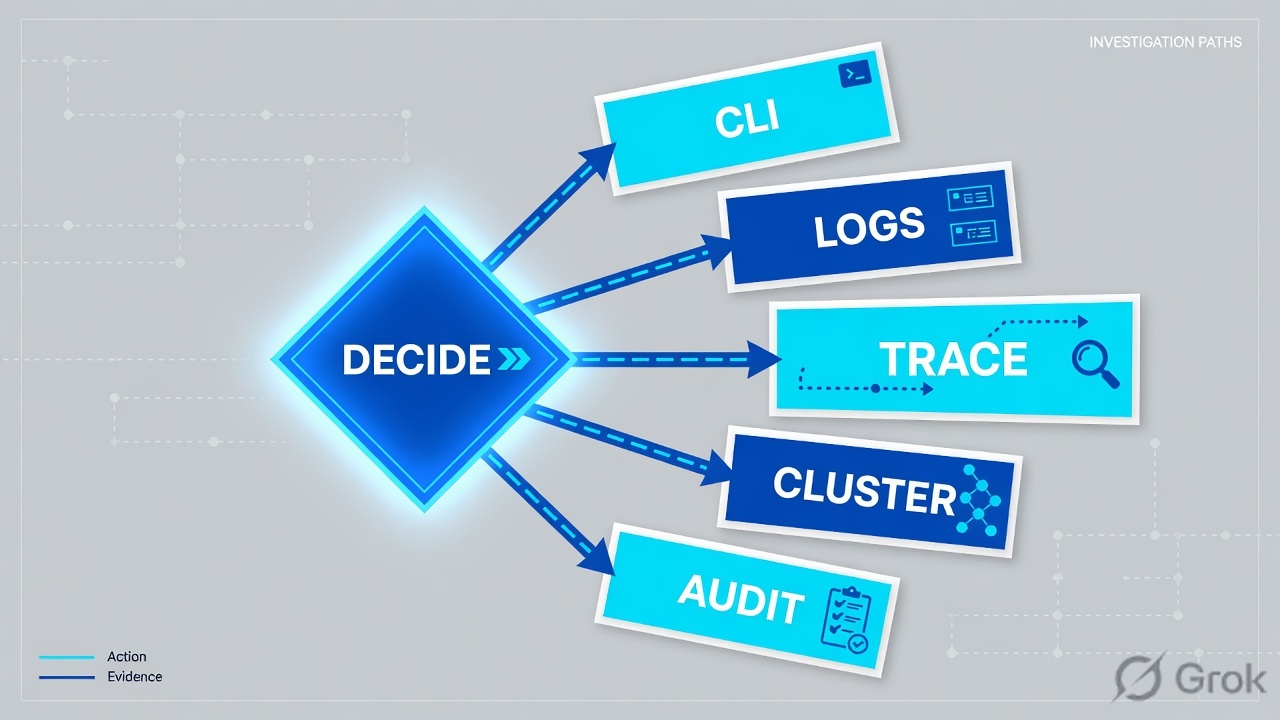
Identity of the AID, then last_seen, then the assigned Prevention policy, then the Detection tactic. The evidence desk is the night-shift version of this order.
“The tray icon is green, so Falcon is working — we need a wider exclude.” A green icon only means a sensor process is running on that laptop. If last_seen is four days old, or the assigned slider is Detect, or the host is in Reduced Functionality Mode, the factory did not print the ticket you think it printed. Widening an exclude just stamps more events as invisible.
Hard words before the runbook
Sensor / AID
The Falcon sensor on the host. device_id is the agent ID (AID). One hostname can have two AIDs after a reimage. Official Hosts filters: hostname, device_id, agent_version.
Event
What the sensor observed: process create, file write, network connect, script. Events go to the Falcon cloud. Later events of the same process tree ride the same story.
Prevention policy
Assigned to a host group. Each setting is some form of Detect or Prevent. Official API: enable / disable, add-host-group, precedence. A Detect slider is configuration, not a miss.
Cloud verdict
The Detection / Alert the cloud writes: tactic, technique, severity, status. IOA is behavior. IOC is a hash. Falcon’s word for cutting the rest of the network is contain, not isolate.
Official Hosts containment values: normal, containment_pending, contained, lift_containment_pending. Official RFM field: reduced_functionality_mode is yes or no. Official RTR: a session must be initialized; it expires after 5 minutes unless refreshed. Use those words in the ticket.
2. Mental model — five factory stations
Hold five parts. Interviews fail when people mix them. Skipping a station is how you contain a stale AID or argue an IOA on a host that has not checked in since Monday.
1. The worker is the sensor
One lightweight agent. It sees the host. last_seen is the heartbeat. RFM means the worker is injured — limited telemetry, limited prevention. A green tray is not last_seen.
2. The ticket is the event
Process create, file write, network. The first event of a new process is setup. Later events of the same tree ride that story. No event = nothing for policy to stamp.
3. The stamps are policy + IOA
Prevention policy = Detect or Prevent for that host group. Custom IOA = your own behavior rule with an action label. IOA exclusion = do not stamp this pattern. Hash IOCs are a different stamp.
4. The verdict is the cloud
Threat Graph + ML + IOA name the behavior. Official Alert fields: tactic, technique, severity, status. That is the finished ticket. Empty Detections is usually a dark sensor, not a silent miss.
Read left → right. Station 1 is last_seen plus AID. RTR is last, and only on a live host. Contain is a network stamp, not a replacement for RTR.
Concept: Falcon manufactures events on a sensor and writes verdicts in the cloud. Path: sensor → event → policy stamp → cloud verdict → RTR. Do: never open the filename first.
Sensor answers “is this AID talking?” Official: last_seen, agent_version, reduced_functionality_mode, status. Source: Hosts API — QueryDevicesByFilter.
Policy answers “was this host allowed to block?” Official: Prevention policies are assigned to host groups, have precedence, and can be enabled or disabled. Custom IOA rules carry an action_label. Source: Prevention Policy API + Custom IOA API.
Cloud verdict answers “what behavior did the factory name?” Official Alert fields: tactic, technique, severity, status. IOA is the behavior story. IOC is a hash. Source: Alerts API + CrowdStrike IOA vs IOC.
RTR answers “what is on this live host right now?” Official: initialize a session, then run commands. Sessions expire after 5 minutes unless refreshed. A dark host queues; it does not collect. Source: Real Time Response API.
3. First event vs later events of the tree
The first event of a new process has no verdict yet. It walks the factory: sensor observes → event is printed → assigned policy + IOA stamp Detect or Prevent → cloud names tactic / technique. Later events of the same process tree ride that story. That is why “I moved the slider” sometimes does nothing until the next new process, and why “I contained the leftover AID” does nothing to the laptop on the desk.
Read left → right, then the green later-events bar. Decision diamond = “is last_seen seconds?” Detect vs Prevent sits on the live branch only.
The first events of a living-off-the-land chain are still just process creates. The factory may write a Detection with action Detect and leave the process running. That is the assigned Prevention policy doing what you configured. Official: policy settings control detection and blocking behavior; custom IOA rules carry an action_label. If the slider is Detect, promoting it or containing the host is a change — writing “Falcon missed it” is a lie.
4. How to choose the stamps
You are not choosing a product. You are choosing what the factory is allowed to write on the event.
| Choice | Use when | Do not use when | Proof you were right |
|---|---|---|---|
| Prevent on the assigned policy | Production host groups that must stop known IOA / ML / ransomware classes. | A detect-only pilot you have not finished. Promoting mid-incident without change control. | Detection shows a block / prevent action. Process is not still running on RTR ps. |
| Detect on the assigned policy | Pilot, noisy app, or a documented exception with an owner. | You treat Detect as “Falcon failed” on the bridge. | Policy name + Detect slider quoted. Detection exists. Process may still be running — that is the mode. |
| Custom IOA Detect / Prevent | You need a behavior your org owns (image filename, command-line regex, parent/child). | You expected a hash IOC to catch a living-off-the-land rename. | Rule group enabled. action_label matches what you intended. Detection names the rule. |
| IOA exclusion (scoped) | A known-good tool matches an IOA. Host group + ifn_regex / cl_regex + owner + expiry. |
Tenant-wide ML off, or an exclude with no owner so Finance can work. | Exclusion id + groups listed. Next event of that pattern does not open a new Detection. |
| Network contain | Live AID, real tactic (Credential Access / T1003), status still normal. |
last_seen is days old. You would only contain the leftover AID. | status=contained on the live AID. last_seen still incrementing. RTR still opens. |
| RTR (read, then active responder) | You need live proof: ps, ls, get, filehash. Change ticket already open. |
Host is dark. You treat RTR as a scratch pad and rm first. |
Session initialized. Commands return. Session refreshed before 5 minutes. Audit trail exists. |
Detect versus Prevent is a port contract for the factory, not a vibe. Official wording: prevention policies manage what activity will trigger detections and preventions on your hosts. Custom IOA rules add your own behavior on top. Source: Prevention Policy API + Custom IOA API + CrowdStrike IOA overview.
I say last_seen, then the assigned policy stamp, then the cloud tactic. I contain a live host. I do not start with “Falcon missed it,” and I do not say isolate.
5. Runbook Side A → B → C
Lab values only. CID FALCON-LAB, hostname DEVICE-LAB-17, live AID aid-lab-17-live, leftover AID aid-lab-17-old, user example\finance.user, client 192.0.2.25, Detection DET-1042, host group Finance-Workstations. Nothing here is a live tenant. Confirm console labels on your Falcon build — CrowdStrike ships UI updates. Primary source for each block is named under the steps.
Side A — sensor and host groups (building the factory floor)
Primary source: CrowdStrike Hosts API + Host setup and management → Host management (Falcon documentation portal; also CrowdStrike tech-hub “Installing Falcon Sensor”).
-
Filter hostname, then sort Last seen
Host setup and management → Host management. Filter
DEVICE-LAB-17. Official fields:hostname,last_seen,device_id,agent_version,status,reduced_functionality_mode. If two rows share the hostname, you have a duplicate AID problem before you have an IOA problem. Work the row with last_seen in seconds. -
Read RFM and containment status
RFM
yesmeans the worker is injured — limited telemetry and prevention. Statusnormalmeans not contained.containment_pendingon a stale last_seen is theatre, not IR. Source: Hosts API filtersreduced_functionality_mode,status. -
Note sensor version and the update ring
Host setup and management → Sensor update policies. An offline host that failed a sensor update is a visibility gap, not this IOA, unless last_seen is stale on this AID. Official field:
agent_version.
Host setup and management › Host management › DEVICE-LAB-17
Host management
| Hostname | Last seen | Status | RFM | Sensor | AID (lab) | Group |
|---|---|---|---|---|---|---|
| DEVICE-LAB-17 | 22s | normal | no | 7.18 | aid-lab-17-live | Finance-Workstations |
| DEVICE-LAB-17 | 12d | normal | no | 7.11 | aid-lab-17-old | Unassigned |
| DEVICE-LAB-04 | 4d | normal | yes | 7.18 pending | aid-lab-04 | N-1 ring |
Two rows, one hostname. Work aid-lab-17-live. The 12-day AID is leftover — do not contain it. DEVICE-LAB-04 is a sensor ticket (RFM + last_seen 4d).
Source: Hosts API — last_seen, status = normal / containment_pending / contained / lift_containment_pending, reduced_functionality_mode, device_id, actions contain / lift_containment / hide_host. Dummy values only.
GET /devices/queries/devices/v1?filter=hostname:'DEVICE-LAB-17'&sort=last_seen.desc
device_id            : aid-lab-17-live
hostname             : DEVICE-LAB-17
last_seen            : 2026-08-16T10:42:18Z
status               : normal
reduced_functionality_mode : no
agent_version        : 7.18
platform_name        : Windows
product_type_desc    : Workstation
Say the word predicted. This filter is a what-if on the factory floor. The live Detection may attach to a different AID if you sorted wrong. Compare it to the Host management row and the RTR session in Side C.
Side B — prevention policy and IOA (printing the ticket, choosing stamps)
Primary source: Prevention Policy API + Custom IOA API + IOA Exclusions API. Path: Endpoint security → Configure → Prevention policies. Remember: the host inherits the policy assigned to its group. Precedence matters. Enable / disable is a factory switch, not a reboot.
Endpoint security › Configure › Prevention policies › Finance-Workstations
Prevention policy
Read the assigned policy, not the platform default. A Detect slider on interpreter/script means encoded PowerShell can still run — the factory will write a verdict, not a kill. Confirm slider names on your Falcon build.
Source: Prevention Policy API — create / update settings, enable / disable, add-host-group, set precedence. Custom IOA path is Endpoint security → Configure → Custom IOA. Dummy values only.
-
Confirm the assigned policy, not the default
Open the policy name on the host card, then the policy. Finance-Workstations Prevent is not the same as a detect-only pilot group. Official actions:
add-host-group,enable,disable, set precedence. Source: Prevention Policy API. -
Name Detect vs Prevent out loud
If the slider that matches this behavior is Detect, the process is allowed and a Detection is written. That is the product doing what you configured. Promote the slider under change control, or contain this one host — do not write “missed.”
-
If you wrote the behavior yourselves, open Custom IOA
Endpoint security → Configure → Custom IOA. Official filters:
rules.action_label,rules.pattern_severity,enabled. A custom IOA is a behavior stamp (image filename, command-line regex, process create). It is not a hash IOC. Source: Custom IOA API. -
If you must except, except small
Endpoint security → Configure → Exclusions → IOA Exclusions, or Create IOA exclusion from the Detection. Official fields:
ifn_regex,cl_regex,groups, name, comment. Host group + owner + expiry. Never a tenant-wide ML off. Source: IOA Exclusions API.
GET /policy/combined/prevention/v1?filter=name:'Finance-Workstations'
name          : Finance-Workstations
platform_name : Windows
enabled       : true
precedence    : 2
groups        : Finance-Workstations
settings      : cloud ML = Prevent / Aggressive
                interpreter-script = Detect
                sensor tampering = enabled
The factory printed Detect on interpreter/script. Encoded PowerShell can still be running. That is Side B, not a cloud outage.
Side C — cloud verdict, then RTR (prove the ticket)
Primary source: Alerts / Detects APIs + Real Time Response API + CrowdStrike EDR (network containment). Path: Activity → Detections (some builds: Endpoint detections or Next-Gen SIEM alert), then Host management → Real Time Response.
-
Open the Detection and quote the verdict
Official Alert fields:
tactic,technique,severity,status,created_timestamp. DET-1042 in this lab is Credential Access / T1003. A filename in Slack is not the verdict. Process Tree on the Detection is parent → child → command line — historical EDR, not live RTR. -
If the tactic is real and last_seen is seconds, contain the live AID
Host management → select
aid-lab-17-live→ Network contain. Official action name iscontain. Status movesnormal→containment_pending→contained. Lift islift_containment. A contained host keeps a channel to the CrowdStrike cloud so RTR still works. It stays contained across reboot. Source: Hosts PerformActionV2 + CrowdStrike EDR / contain video. -
Initialize RTR, then collect
Official:
RTR_InitSessionbefore any command. Refresh before 5 minutes (RTR_PulseSession/ batch refresh). Read-only first:ps,ls,cat,filehash. Active responder (get,kill,cp,rm) is a change. A dark host queues; it does not collect. Source: Real Time Response API. -
If last_seen is days, stop. That is a sensor ticket
RTR will not connect. Contain sits on
containment_pending. Fix power, network, RFM, or reinstall with the current CID. Do not debate the IOA.
Activity → Detections → DET-1042
Detection details
> ps
powershell.exe pid=4820 ppid=4412 user=example\finance.user
rundll32.exe pid=4904 ppid=4820
session=up last_seen=22s status=normal
Cloud verdict is Credential Access / T1003. Policy stamp is Detect — the process is still in ps. Contain the live AID, then collect. Do not start with lsass.bin.
Click next: Network contain aid-lab-17-live, refresh the RTR session before 5 minutes, get the encoded script with a change number. Source: Alerts API + Real Time Response API + Hosts contain.
detection            : DET-1042
device_id            : aid-lab-17-live
last_seen            : 22s
status               : normal
tactic               : Credential Access
technique            : T1003
severity             : high
detection_status     : new
policy               : Finance-Workstations
policy_stamp         : interpreter-script = Detect
rtr_session          : up
rtr_ps               : powershell.exe pid=4820 still running
contain              : off
Predicted host = aid-lab-17-live, last_seen seconds, RFM no. Assigned policy = Finance-Workstations. Cloud verdict quoted (tactic / technique). If you contained: status=contained and last_seen still incrementing. If you used RTR: session initialized, commands returned, session refreshed. Action Detect with a live process is a printed ticket, not a miss. last_seen 4 days with an empty RTR session is not IR.
6. Runtime — contain, RTR expiry, dark hosts
After the slot exists, later events of the same process tree skip the “is this a new story?” question and ride the existing Detection. Official RTR: the session is a second live object. It expires after 5 minutes unless you refresh it. Official contain: the sensor stays up on purpose so the cloud channel — and RTR — keep working. Everything else is cut except IPs on the containment policy.
If you moved a Prevention slider after the process already started, the running process may keep the old stamp until it dies. That is the later-events bar in Flow 2. Do not call it a failed save. Wait for a new process, or contain this host now because the tactic is real.
If last_seen goes stale after you click contain, status sits on containment_pending. That is a sensor / network problem, not a contain API bug. Official Hosts action still recorded the request. The worker never picked it up.
HA for Falcon is not two firewalls. The factory is the cloud plus every sensor. A green tray on a laptop whose AID last_seen is Monday is one worker who clocked out. Hide the leftover AID after change control so detections stop attaching to a ghost (hide_host).
Contain is a network decision. The sensor stays up on purpose so you can keep investigating. RTR is not free — refresh it.
7. Traps + factory proof
| Symptom | Looks like | Actually | First move |
|---|---|---|---|
| Green tray, empty Detections | Falcon is fine / silent miss | last_seen stale or RFM yes — no event reached the cloud | Host management last_seen + RFM |
| IOA fired, process still running | Falcon missed it | Assigned slider / custom IOA action is Detect | Read Prevention policy + action_label |
| Moved a slider, nothing changed | Save failed | Later events of the same tree ride the old stamp | Wait for a new process, or contain this host |
| RTR will not connect | Permissions / console bug | Dark sensor, or session expired at 5 minutes | last_seen, then init / pulse session |
| Contain stuck pending | API failed | Sensor never checked in to apply the action | Fix last_seen. Do not contain the leftover AID |
| Two AIDs, one hostname | Duplicate detections | Reimage / leftover install | Sort last_seen. hide_host the leftover after change control |
| Red-team demo blocked | Product failure | Prevent stamp doing its job | Time-boxed host-group exception or IOA exclusion |
| Ticket says “isolate it” | Same as Defender / S1 | Falcon contains. Status = contained | Write contain / lift_containment |
- Host management shows the AID you named.
last_seenis seconds, RFM isno. - One hostname → you stated which
device_idand why (sorted last_seen). - Assigned Prevention policy name + Detect/Prevent stamp quoted.
- Cloud verdict quoted:
tactic/technique/severity/status(or custom IOA rule name). - If contained:
status=containedon the live AID, last_seen still incrementing. - If RTR: session initialized, command output pasted, session refreshed before 5 minutes, change number on active-responder commands.
- If exception: host group,
ifn_regex/cl_regex, owner, expiry. - User / analyst can repeat the same click you used as the test. Night-shift field map: evidence desk.
Falcon is a sensor + cloud verdict factory. The sensor prints an event. Detection and prevention policy stamp Detect or Prevent. The cloud writes tactic and technique. I prove the ticket with last_seen, the assigned policy, the Detection, and an RTR session. A Detect stamp is not a miss. I contain a live host. I do not say isolate.
Related: The evidence desk · CrowdStrike Falcon hub · Dummy lab
Knowledge check
Six judgment questions. Map each miss back to the section named in the reason.
Sources
- CrowdStrike developer — Hosts API —
last_seen,device_id,agent_version,reduced_functionality_mode,status= normal / containment_pending / contained / lift_containment_pending; actionscontain,lift_containment,hide_host - CrowdStrike developer — Prevention Policy — policies control detection and blocking; enable / disable; add-host-group; precedence
- CrowdStrike developer — Custom IOA — rule groups;
rules.action_label;rules.pattern_severity - CrowdStrike developer — IOA Exclusions —
ifn_regex,cl_regex,groups - CrowdStrike developer — Alerts API —
tactic,technique,severity,status,created_timestamp - CrowdStrike developer — Detects API — detection state and assignee
- CrowdStrike developer — Real Time Response — init session, refresh, 5-minute expiry;
ps,ls,get,filehash,kill - CrowdStrike developer — Real Time Response Admin
- CrowdStrike developer — Manage your fleet — last seen, containment status, prevention / response policies
- CrowdStrike — What is EDR? — network containment; Real Time Response; process executions
- CrowdStrike — How to network contain an infected system
- CrowdStrike — Indicators of Attack (IOA)
- CrowdStrike — IOA vs IOC
- CrowdStrike — Try Falcon — single lightweight sensor; 100% cloud console; protection while offline
- CrowdStrike tech-hub — Installing Falcon Sensor — Host Setup and Management; Host management
- Falcon documentation portal — confirm current console paths and prevention-policy slider labels on your build
Related: The Falcon evidence desk — first tool + proof field · CrowdStrike Falcon hub · Dummy lab