A green Install Policy toast can still leave users dark. The Security Management Server (SMS) publishes a recipe. The Security Gateway is what enforces it. Ask that gateway fw stat (official twin: cpstat -f policy fw) for policy name and install time, then read the drop. Official: Anti-Spoofing runs on the source IP before NAT. Rule 0 + Address spoofing is topology, not a missing Accept. ClusterXL green only names who is ACTIVE — STANDBY does not forward. Retest the flow on that member.
SMS is the printer. The gateway is the press. I name who is ACTIVE, then topology, then the policy this box installed, then the rule, then NAT, then the blade. I do not add Any-Any to fix rule 0 spoofing. I do not read logs on STANDBY and call ClusterXL the outage. Accept is permission to inspect and translate — not a delivery receipt.
1. Why the toast is a trap
The ticket says “the firewall is blocking SaaS.” The screenshot is SmartConsole with a green toast. L1 SSHes the first cluster IP that answers, sees a Gaia login, and adds an Any-Any “just to test.” Twenty minutes later the same drop is still there — or worse, the cleanup rule is now theater.
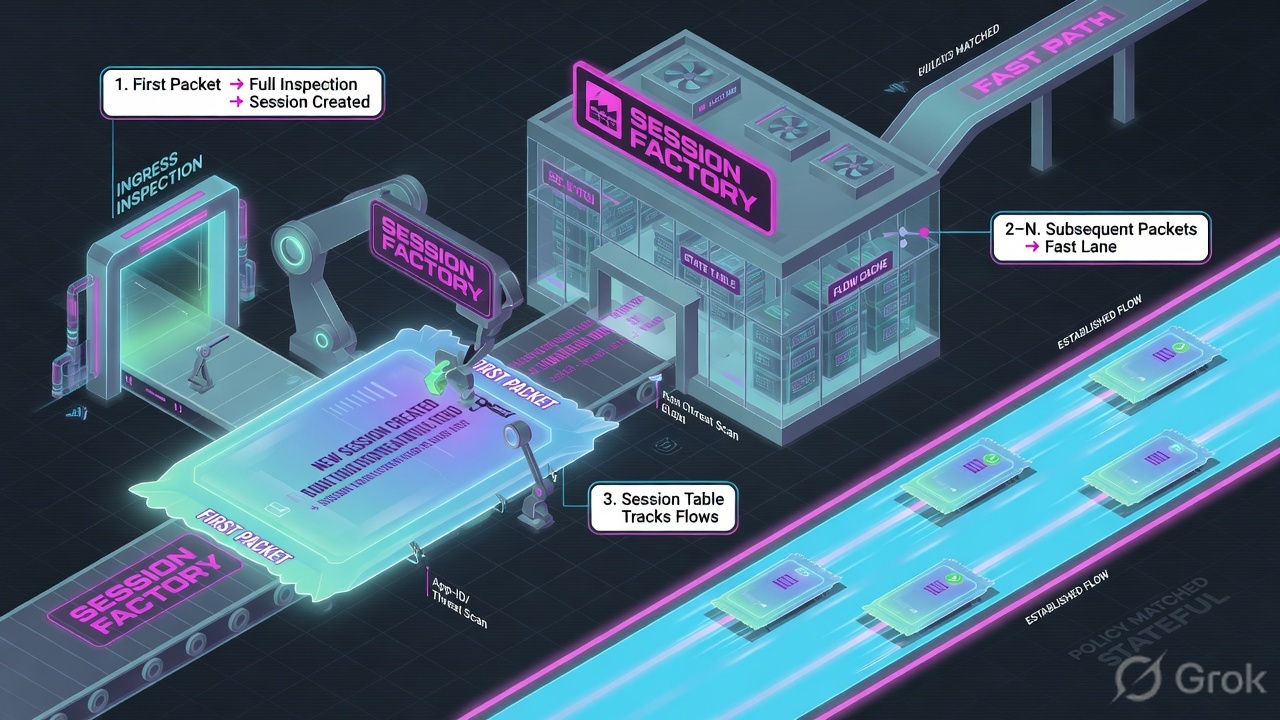
Check Point is a session factory. A connection is minted only after independent stamps. The toast is check two, and only if you asked the enforcement point. Helpdesk treats SmartConsole as the whole product. That is the lie this lesson kills.
What the ticket asked
“Firewall is blocking Salesforce.” That sentence is a hypothesis. The factory may already have Accepted the flow and printed a dead ticket — or it never reached Access Control at all.
What you prove first
Which member is ACTIVE, then whether this box installed the policy you think it did, then the drop reason. The evidence desk is the night-shift version of this order.
SMS is the design plane
Objects, layers, Publish, Install Policy. A green toast means the Management Server believes it pushed a package. It does not mean this member loaded it, or that anti-spoof will let the source in.
Gateway is the press
SecureXL / CoreXL, anti-spoof, Access Control, NAT, blades, connections table. The SYN lands here. fw stat is this box’s view of the recipe.
“Policy installed successfully, so add Any-Any — the rule must be missing.” Rule 0 Address spoofing never consults your new Accept. Anti-Spoofing already dropped the packet on the ingress interface. Widening Access Control just prints more theater.
Values on this page are dummy: Gaia R82.10 / Take_dummy_12, policy Standard installed 12Aug2026 22:10:11, cluster CP-LAB-CL-01, members 192.0.2.11 ACTIVE / 192.0.2.12 STANDBY, drop 192.0.2.25 → 198.51.100.80 tcp/443. Confirm live syntax on the production release before you type on a real gateway. Practice prompt is gaia-lab>.
2. Mental model — five stamps
Memorize the order before you open SmartConsole. Each stamp has its own menu and its own false “green.” ClusterXL is not a sixth stamp on the packet — it is which box you ask. Get that wrong and every later stamp is theater.
1. Topology Anti-spoof
Which networks may arrive on this interface. Official: Anti-Spoofing is done based on interface topology. Wrong map = rule 0 Address spoofing before any Accept is considered.
2. Installed policy fw stat
Name + date on this member. SMS success and gateway date can disagree after a partial install. Official twin: cpstat -f policy fw.
3. Access rule Accept
Ordered Access Control. First match wins. Cleanup is implicit deny. Accept is permission to continue, not a delivery receipt. Hits ≠ a live flow.
4–5. NAT then blade Hide IPS
Official: NAT is performed after Anti-Spoofing. Hide pool exhaustion looks like “firewall blocking.” IPS / Anti-Bot / Anti-Virus / Threat Emulation can Prevent after a green Accept. Threat Prevention is a separate install.
Read left → right. A later stamp can fail even when every earlier stamp is green. ClusterXL tells you which member to ask first — it is not a sixth stamp on the packet.
Pre-train the hard words before the runbook. Security Management Server (SMS) is the design plane: objects, layers, Publish, Install. Security Gateway is the data plane: interfaces, anti-spoof, connections table, NAT, blades. SmartConsole is the GUI that talks to the SMS — it is not the box that forwarded the SYN. SIC (Secure Internal Communication) must be Communicating before you trust Get Interfaces. Publish session writes your edits to the SMS database; unpublished work is not on any gateway. Install Policy pushes a package to selected targets. Access Control and Threat Prevention are separate policies you can install independently. Path: SmartConsole left pane Security Policies versus expert mode on the gateway fw stat / cphaprob state.
Vocabulary you will use on the wire
| Term | What it actually is | False green |
|---|---|---|
| Topology | Where this interface Leads To (Internet External, This Network Internal, DMZ) and which addresses sit behind it. | Get Interfaces succeeded. The new VLAN is still missing from Anti-Spoofing. |
| Anti-Spoofing | Drops a packet whose source IP is not supposed to arrive on this interface. Official: based on interface topology; checks source IP only. | Action = Detect. Packets pass. You think Prevent is on. |
| Rule 0 | Not a rule you wrote. Logs use rule 0 for implied / anti-spoof drops. Address spoofing here is topology. | “Missing allow.” The Accept you added never ran. |
fw stat |
Policy name, last install date, protected interfaces and direction on this gateway. Official R81: outdated alias; use cpstat -f policy fw. |
SMS toast. Yesterday’s date on the member. |
| ACTIVE / STANDBY | Official High Availability: only ACTIVE forwards. STANDBY waits. Load Sharing: all members ACTIVE. | Cluster object is green. You SSHed the 0% member. |
| Accept | Access Control action: the factory may continue. Next stamps still run. | Track Log shows Accept. User still has no SYN-ACK. |
| Hide NAT | Many internal IPs behind one egress IP + ports. Official: ports 600–1023 and 10,000–60,000; up to 50,000 concurrent translations. Connections start from inside only. | Access Accept. Return path is dead. |
| Threat Prevention | Dedicated policy for IPS, Anti-Bot, Anti-Virus, Threat Emulation, Threat Extraction. Install separately to reduce impact. | Access Control installed. TP package is last week’s. |
3. Decision flow on the gateway
Draw this on a whiteboard before you touch a rule. The browser never goes “through SmartConsole.” The SYN lands on an interface. Anti-spoof runs first — official wording: NAT is performed after Anti-Spoofing checks, which are performed only on the source IP. Then the installed Access Control policy. Then NAT. Then Threat Prevention. ClusterXL only decides which member owns the VIP.
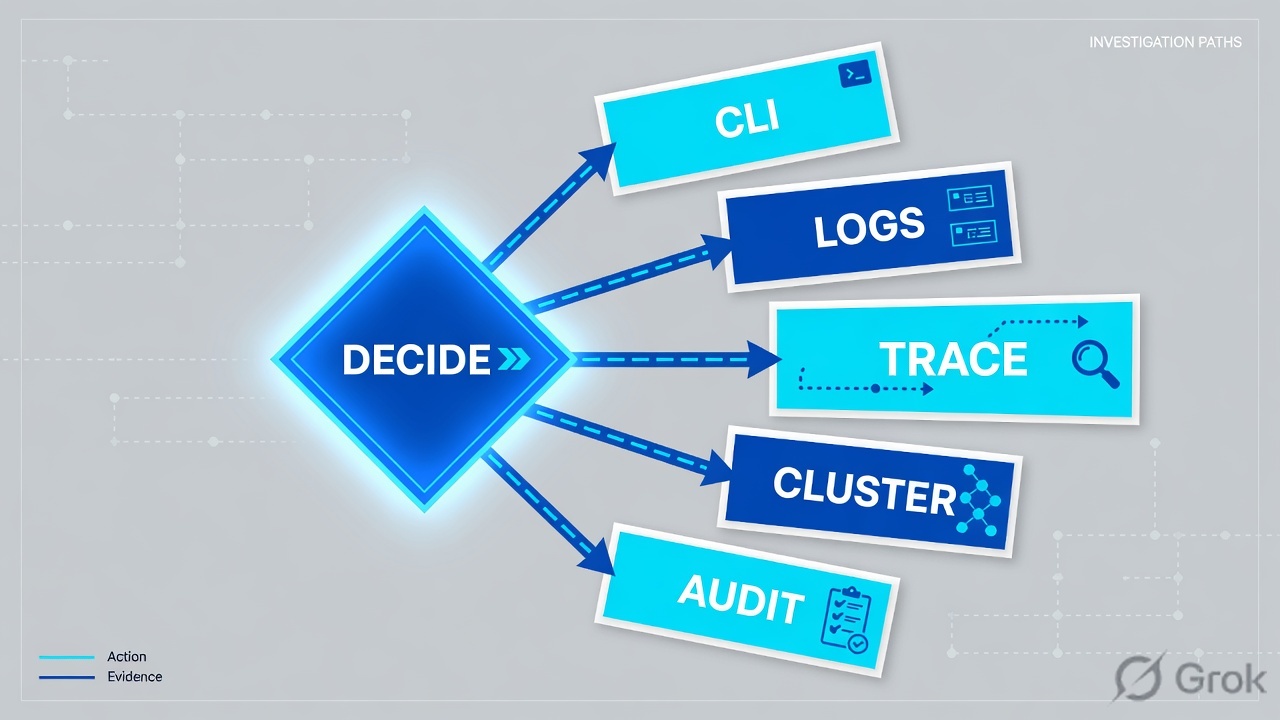
Diamond = decision. Stop at the first red stamp. Changing a later stamp will not fix rule 0 spoofing or a STANDBY SSH session. Official HA: STANDBY does not forward packets.
R81 Security Management — NAT and Anti-Spoofing: “NAT is performed after Anti-Spoofing checks, which are performed only on the source IP address of the packet.” A hide rule cannot rescue a source the ingress interface does not own. Configure Anti-Spoofing on every interface, including internal — official Preventing IP Spoofing.
4. How to choose the stamp
Use the symptom, not the user’s theory. “The firewall is down” is never a stamp.
| Symptom | Stamp | Do this | Do not |
|---|---|---|---|
| New VLAN. Drop rule 0, reason Address spoofing, interface eth0 / eth1. | Topology | Gateways & Servers → gateway → Network Management. Get Interfaces. Edit interface → General → Topology → Modify. Set Leads To and Anti-Spoofing. Publish + Install Access Control. | Add Any-Any at the top of Access Control. |
| SMS toast green. Gateway still behaves like yesterday. | Installed policy | fw stat and cpstat -f policy fw on that member. Compare Policy name + Install time to Install Policy history. |
Trust the toast. Reboot both members. |
| ClusterXL green. Logs empty. You SSHed 192.0.2.12. | Who is ACTIVE | cphaprob state or Gaia Clish show cluster state. Retest the same 5-tuple on the ACTIVE member (100% load in HA). |
Call ClusterXL the outage. Run a failover to “test the rule.” |
| Access rule Accept. SYN, no SYN-ACK. Hide NAT to one public IP. | NAT | Security Policies → NAT. Confirm Hide behind gateway / Hide behind IP. Check pool and return path. Official: Hide connections start from inside only. | Add another Accept. |
| Access rule Accept. Log shows IPS / Anti-Bot / Threat Emulation Prevent. | Blade | Security Policies → Threat Prevention. Quote protection + profile. Exception with owner, or Detect in a change window. Install Threat Prevention separately if only TP changed. | Disable the Threat Prevention policy. |
| Connections table used near limit. Random new flows fail. | Table capacity | fw tab -t connections -s. Table full vs one drop are different tickets. |
Treat one user drop as “table full.” |
| SmartConsole will not Publish. Users already passing. | Management plane | cpwd_admin list — FWM / CPD. Data plane can be healthy while SMS is sick. |
Bounce FWD to fix the GUI. |
| Spoof logs while you are learning a new subnet. | Detect vs Prevent | Official: Anti-Spoofing action Detect + Spoof Tracking Log to learn topology without dropping. Then switch back to Prevent. | Leave Detect on an external interface in production. |
5. Side A / B / C runbook
Goal: a new lab VLAN 192.0.2.0/24 is on eth1, anti-spoof allows it, Access Control accepts Finance-SaaS tcp/443, NAT hides behind the lab egress, Threat Prevention stays Prevent on the shared profile, and the gateway proves the install. Lab values only. Nothing here is a customer tenant.
Side A — SmartConsole (topology + rule of record)
Primary source: R81 Quantum Security Management Administration Guide — Manually Updating the Gateway Topology and Preventing IP Spoofing. If the VLAN is missing from the gateway object, every Accept you write is theater. Anti-spoofing runs before the ordered Rule Base.
-
Open the gateway object
Connect SmartConsole to the lab SMS. Left pane Gateways & Servers. Double-click the cluster object (dummy:
CP-LAB-CL-01) or the member you will install. Confirm SIC is Communicating before you trust Get Interfaces. Official: if SmartConsole fails to retrieve topology, check General Properties and that the gateway, SMS, and SmartConsole can communicate. -
Refresh topology — do not guess the map
Network Management. Official: click Get Interfaces and choose Get Interfaces With Topology or Get Interfaces Without Topology. With Topology, a warning asks if you want to overwrite existing Topology and Anti-Spoofing settings — read that warning. Click Yes only if you intend to replace the map. The Get Topology Results window opens. Click Accept. Then select eth1 → Edit.
-
Set Leads To and Anti-Spoofing from Topology Settings
Official interface path: navigation tree General → Topology section → Modify. Topology Settings opens. Under Leads To choose This Network (Internal) (or Internet External / Interface leads to DMZ). For internal, pick how addresses are defined:
- Not Defined — all IPs behind this interface are considered internal.
- Network defined by the interface IP and Net Mask — only the directly connected network.
- Network defined by routes — Dynamic Anti-Spoofing; the gateway recalculates from routes without another Get Interfaces.
- Specific — a Network, Host, Address Range, or Network Group. Put
192.0.2.0/24here if it is not the connected mask.
Select Perform Anti-Spoofing based on interface topology. Action = Prevent (drop spoofed packets) unless you are in a documented learn window, then Detect + Spoof Tracking Log. Optional: Don't check packets from for a scoped exception object. Click OK twice. Repeat for every interface — official: configure Anti-Spoofing on all interfaces, including internal.
-
Write the access rule under the right layer
Security Policies → Access Control → Policy. Add a scoped rule using documented columns: Source = Finance_Net, Destination = SaaS_Finance, VPN = Any (or the community you intend), Services & Applications = HTTPS, Action = Accept, Track = Log, Install On = Policy Targets / the cluster. Keep it above cleanup. Do not insert Any-Any “to test.” Hits is a counter, not proof the user’s SYN completed.
-
Check NAT and Threat Prevention — do not skip them
Security Policies → NAT. Official methods: Hide behind gateway, Hide behind IP address, or Static. Hide: connections start from internal computers; the gateway does not allow unsolicited external access to those internals. Static: external traffic can reach the translated resource. Automatic rules come from the object NAT page; Manual rules you place. Enforcement is sequential by the No. column. Install Access Control after NAT edits.
Security Policies → Threat Prevention. Confirm the profile applied to this gateway is the one the SOC thinks is live. Accept in Access Control still sends the flow through IPS / Anti-Bot / Anti-Virus / Threat Emulation / Threat Extraction if those blades are on. Official: you can install Threat Prevention separately from Access Control to reduce impact.
Gateways & Servers › CP-LAB-CL-01 › Network Management › eth1 › General › Topology › Modify
Topology Settings
Dummy lab. Field names from R81 Security Management — Preventing IP Spoofing and Manually Updating the Gateway Topology. After OK you still Publish and Install Access Control.
Source: Check Point R81 Quantum Security Management Administration Guide — Manually Updating the Gateway Topology (Gateways & Servers → Network Management → Get Interfaces) and Preventing IP Spoofing (General → Topology → Modify). Training mock · not live.
Security Policies › Access Control › Policy
Access Control · Standard
Dummy lab. Columns from R81 — The Columns of the Access Control Rule Base. Hits is a counter, not a SYN-ACK.
Source: Check Point R81 Quantum Security Management Administration Guide — The Columns of the Access Control Rule Base (No, Hits, Name, Source, Destination, VPN, Services & Applications, Action, Track, Install On). Training mock · not live.
Side B — Publish, then Install Policy on the cluster
Primary source: R81 — Installing the Access Control Policy and R81.20 — Installing the Threat Prevention Policy. The toast is not fw stat.
-
Publish the session
Official first step: Global Toolbar → Menu → Publish session. Unpublished edits are not on any gateway. If verification fails on zone or topology objects, fix that before you force install.
-
Verify Access Control (optional but cheap)
Official: Menu → Verify Access Control Policy → select the package → Verify. Alternate: Security Policies → Access Control → Actions → Verify Access Policy.
-
Install Policy on the right target
Menu → Install Policy. The Install Policy window lists Security Gateways. If more than one package exists, pick it from the Policy drop-down. Select Access Control. Select Threat Prevention if TP changed. Select
CP-LAB-CL-01(the cluster), not a single member unless that is the design. Official cluster note: if you choose the cluster-safe mode, the SMS makes sure it can install on all members before it begins; if one member cannot take the package, install fails for all of them. -
Choose Install Mode on purpose
Official two modes:
- Install on each selected gateway independently — one failure does not stop the others. For clusters, the extra checkbox For Gateway Clusters, if installation on a cluster member fails, do not install on that cluster is the safe default.
- Install on all selected gateways, if it fails do not install on gateways of the same version — all-or-nothing for that version.
Click Install. Watch the per-member result. One member can fail while a glance at the desktop still looks cheerful.
-
Name ClusterXL mode before you celebrate
Lab is High Availability (Active Up). Official: in HA only one member is ACTIVE (100% load) and the others are STANDBY (0% load). STANDBY does not forward. Load Sharing (Multicast or Unicast) means every healthy member is ACTIVE. Do not fail over in production to “test the rule” without a change window.
Menu › Install Policy
Install Policy
Dummy lab. After Install, prove on the gateway — do not close the ticket from this dialog.
Source: Check Point R81 Security Management — Installing the Access Control Policy (Menu → Publish session → Menu → Install Policy; select Access Control and targets). Threat Prevention is a separate checkbox / separate install. The toast is not fw stat.
Side C — prove on the ACTIVE member
Primary sources: R81 CLI — fw stat, cpstat, Viewing Cluster State. On the practice dashboard use allowlisted commands. Do not invent show checkpoint user ram@. Do not run unfiltered fw ctl zdebug drop on production.
gaia-lab> show cluster state
# Expert twin:
# cphaprob state

Cluster Mode:   High Availability (Active Up)

ID Unique Address  Assigned Load   State
1 (local)  192.0.2.11  100%   ACTIVE
2          192.0.2.12    0%   STANDBY
gaia-lab> fw stat
HOST     POLICY     DATE
localhost Standard   12Aug2026 22:10:11 : [>eth0] [<eth0] [>eth1] [<eth1]

# Official R81 replacement (same question):
gaia-lab> cpstat -f policy fw
Policy name: Standard
Install time: Wed Aug 12 22:10:11 2026
gaia-lab> fw log -n -c drop | tail
10:42:19 drop  192.0.2.25 -> 198.51.100.80 proto tcp 443
  rule: 0  interface: eth0  reason: Address spoofing
  src: 192.0.2.25  dst: 198.51.100.80
Live UI twin: Logs & Monitor. Filter the user 5-tuple and the install window. Copy action, rule, interface, reason / blade, and the origin gateway into the ticket. That is the close. If origin is the STANDBY member, you asked the wrong box. Field-by-field log reading lives on the evidence desk — this factory only needs you to name the stamp the log points at.
- Add Any-Any because users are down
- Trust the SMS toast instead of
fw stat/cpstat -f policy fwon the member - SSH the STANDBY and declare ClusterXL broken
- Treat Access rule Accept as “the packet was delivered”
- Run unfiltered
fw ctl zdebug dropon a production box - Disable Threat Prevention to clear the queue
- Leave Anti-Spoofing on Detect after a learn window
6. Runtime path after install
After Side A/B are live, a browser request is not “SmartConsole looks up Accept and opens SaaS.” It is a short factory line on the ACTIVE member.
- Packet arrives on an interface the gateway knows. Map it with Network Management — not with a guess. Lab interfaces are dummy eth0 / eth1 / eth2 / Sync.
- Anti-spoofing: is this source allowed on this ingress? Official: source IP only, based on topology. No → drop rule 0, reason Address spoofing. Stop. Your new Accept never ran.
- Access Control evaluates the installed package (
fw statname + date) in order. First match wins. Cleanup denies. No match you expected → quote the hit rule. Do not invent a new Any. - NAT applies (Hide / Static / no-NAT). Official Hide: many-to-one using ports 600–1023 and 10,000–60,000, up to 50,000 concurrent translations; connections start from inside. Hide pool full or missing return path → Accept in the log, still no SYN-ACK.
- Blades inspect if enabled: IPS, Anti-Bot, Anti-Virus, Threat Emulation, Threat Extraction, HTTPS Inspection. Prevent is a designed drop after Accept. Threat Prevention is a dedicated policy you can install without re-pushing Access Control.
- Connection lands in the connections table.
fw tab -t connections -s(limit / peak / used). Table full vs one drop are different incidents.
SecureXL / CoreXL sit under this path. A “fast path” miss is not an excuse to skip the drop reason. Mention acceleration only after you have the 5-tuple and the rule or blade name. fw ctl zdebug drop is a live scalpel — tight filter, short window, lab first. In class we use the dummy fw log -n -c drop | tail.
Three production tickets (same factory, different first stamp)
Scenario 1 — New VLAN dropped as spoofing
Flow: Switch adds 192.0.2.0/24 on the LAN → users source 192.0.2.25 → packet hits eth0/eth1 → topology still lists only 10.10.0.0/16 → drop rule 0 Address spoofing → never reaches the Accept you wrote. Official Anti-Spoofing example is the same shape: a packet with an internal source arriving on the external interface is blocked because the source is spoofed.
gaia-lab> fw log -n -c drop | tail
10:42:19 drop  192.0.2.25 -> 198.51.100.80 proto tcp 443
  rule: 0  interface: eth0  reason: Address spoofing
  src: 192.0.2.25  dst: 198.51.100.80
Trap: Any-Any at the top. Anti-spoofing already dropped the packet. The new rule never sees it. NAT cannot save it — official order is anti-spoof first.
Close: Gateways & Servers → Network Management → Get Interfaces / Topology → Modify. Put 192.0.2.0/24 behind the real ingress. Prevent + Log. Publish. Install Access Control. Quote a new log without rule 0. Weak interview: “I added an allow.” Strong: “Rule 0 Address spoofing is topology. I fixed Leads To, then fw stat.”
Scenario 2 — Cluster green, you are on standby
Flow: Failover drill or VIP moved → ClusterXL still High Availability (Active Up) green → you SSH 192.0.2.12 → connections look empty → two apps “fail” on the member that is not forwarding. Official: STANDBY waits for ACTIVE to fail; it does not forward packets. Assigned Load 0% is the tell.
gaia-lab> cphaprob state
Cluster Mode:   High Availability (Active Up)
ID Unique Address  Assigned Load   State
1 (local)  192.0.2.11  100%   ACTIVE
2          192.0.2.12    0%   STANDBY
If you ran fw tab -t connections -s on STANDBY, used can be near empty even while ACTIVE is busy. Official states you will also meet: ACTIVE(!) (problem, but still forwarding because it is the only member), DOWN (a Critical Device reports problem), READY, INIT. Do not treat ACTIVE(!) as healthy HA.
Trap: “Cluster is down.” Or forcing a failover without a window. Or adding Any-Any because the STANDBY has no logs for the user.
Close: Name who is ACTIVE. Retest the same HTTPS flow on that member. Quote cpstat -f policy fw on that member. Weak: “ClusterXL is broken.” Strong: “STANDBY does not forward. I moved to 192.0.2.11.”
Scenario 3 — SMS says installed, gateway disagrees
Flow: Change window. SmartConsole toast. Users still hit yesterday’s cleanup. One member in the group never took the package. Official Install Policy: you can install independently, or all-or-nothing; a cluster-safe mode fails the whole cluster if one member cannot take the package. A glance at the toast is not that per-member result.
gaia-lab> fw stat
HOST     POLICY     DATE
localhost Standard   12Aug2026 22:10:11

gaia-lab> cpstat -f policy fw
Policy name: Standard
Install time: Wed Aug 12 22:10:11 2026

gaia-lab> cpwd_admin list
APP        PID    STAT  START
FWM        1204   E     12Aug
FWD        1210   E     12Aug
CPD        1188   E     12Aug
Policy name + install time is the first Check Point evidence sentence. If FWD is not E, install can stick. Knowledge: fw stat is the gateway’s view, not the SMS view. Official R81: prefer cpstat -f policy fw; fw stat remains the interview line because every L2 still types it.
Trap: Close the change from the toast. Or reboot both members “to pick up policy.”
Close: Quote gateway install time on each member. Reinstall on the member that lagged, or fix FWD. Weak: “SMS said success.” Strong: “Member 2 still shows yesterday. I reinstalled Access Control on the cluster.”
Bonus — Accept, then the blade or the hide pool
Flow: Access rule Accept, Track Log. User still fails. Either Threat Prevention Prevents a protection, or Hide NAT ran out of ports so the SYN never gets a SYN-ACK. Official Hide: 50,000 concurrent translations; ports from two ranges. Official TP: IPS / Anti-Bot / Anti-Virus / Threat Emulation / Threat Extraction live in a dedicated policy.
Trap: “They have an Accept, so the firewall cannot be the cause.” Accept is permission to inspect and to translate — not a promise of delivery.
Close: Name the blade and protection, or the NAT rule and pool. Do not add a second Accept. Weak: “Disable IPS.” Strong: “Quote the protection, owner, and a scoped exception — or Detect in a window.”
7. Traps, proof, interview close
| Failure | Looks like | First proof | Fix |
|---|---|---|---|
| Stale topology | New VLAN down, “missing allow” | fw log rule 0 + Address spoofing |
Network Management / Topology → Modify / Anti-Spoofing |
| Partial install | SMS toast, old behavior | fw stat + cpstat -f policy fw time |
Reinstall on that member / cluster-safe mode |
| Wrong member | Cluster green, empty logs | cphaprob state / show cluster state |
Retest on ACTIVE (100% in HA) |
| Hide NAT exhausted | Accept, no SYN-ACK | NAT Rule Base + connections | Pool / Static / return path |
| Blade after Accept | “Policy deny” | Logs & Monitor blade + protection | Exception or profile change; install TP |
| Table full | Random new flows die | fw tab -t connections -s |
Capacity, not one 5-tuple |
| Management vs forward | GUI down, users fine | cpwd_admin list |
FWM / CPD, leave FWD alone |
| Detect left on | “Anti-spoof is enabled” | Topology Settings action = Detect | Switch back to Prevent after the learn window |
| Wrong Take | “We are on R82” | fw ver Hotfix line |
Quote Take_dummy_12, not just R82 |
| Get Interfaces overwrite | Yesterday’s Anti-Spoofing vanished | You clicked Get Interfaces With Topology → Yes | Use Without Topology, or re-apply Specific networks |
cphaprob state/show cluster state: expected mode (lab = High Availability Active Up); you know which IP is ACTIVE and it shows 100% load.fw statandcpstat -f policy fwon each cluster member: policyStandard(or the name you installed) and a timestamp in the change window.- Pilot 5-tuple in Logs & Monitor: Accept on the intended rule (
finance-saas), origin = ACTIVE member, no rule 0 Address spoofing. - If you changed topology: new VLAN source is not Address spoofing; Anti-Spoofing is still Prevent on the other interfaces; Spoof Tracking is Log.
- If you changed Threat Prevention: the exception is scoped; you did not set the whole profile to Detect by accident; TP install time matches the window.
- If you changed NAT: return path exists; Hide pool is not pinned at the ceiling; Hide still starts from inside only.
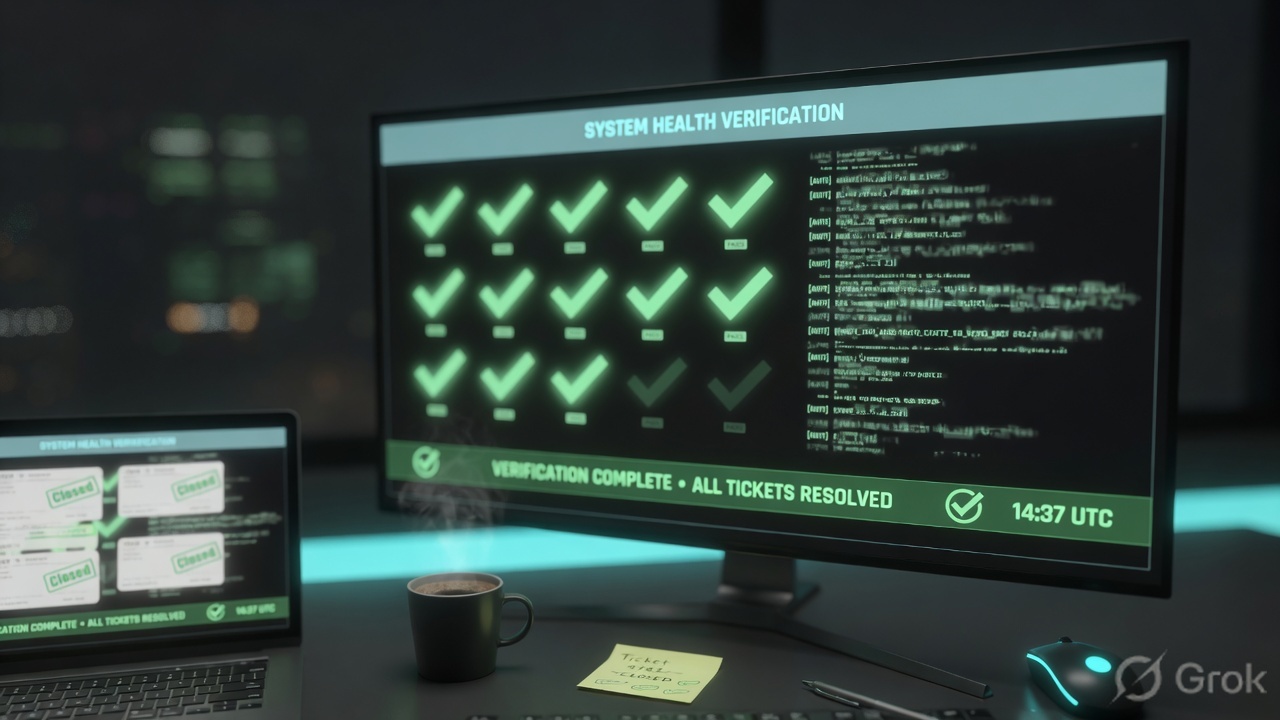
- User can complete the same SaaS click you used as the test. Accept without a SYN-ACK is not success.
Check Point is a session factory. SMS publishes the recipe; the gateway mints the connection. I name who is ACTIVE, then topology and anti-spoof, then fw stat on that member, then the Access rule, then NAT, then the blade. Rule 0 Address spoofing is topology — official: anti-spoof runs on the source IP before NAT. I do not open with Any-Any. Accept is not delivery.
Related: Check Point evidence desk · ClusterXL deep dive · NAT deep dive · Policy layers · Threat Prevention · Check Point hub
Knowledge check
Six judgment questions. Map each miss back to the section named in the reason.
Sources
- R81 Quantum Security Management — Manually Updating the Gateway Topology — Gateways & Servers → Network Management → Get Interfaces With / Without Topology; then Install the Access Control Policy
- R81 Quantum Security Management — Preventing IP Spoofing — General → Topology → Modify; Leads To; Perform Anti-Spoofing based on interface topology; Prevent / Detect; Spoof Tracking Log; configure every interface
- R81 Quantum Security Management — NAT and Anti-Spoofing — NAT is performed after Anti-Spoofing; anti-spoof checks source IP only
- R81 Quantum Security Management — Installing the Access Control Policy — Menu → Publish session → Verify → Install Policy; Access Control checkbox; two Install Modes; cluster-safe failure behavior
- R81.20 Security Management — Installing the Threat Prevention Policy — IPS / Anti-Bot / Anti-Virus / Threat Emulation / Threat Extraction; install TP separately
- R81 Quantum Security Management — Configuring the NAT Policy — Automatic vs Manual; Hide behind gateway / Hide behind IP / Static; sequential No. column; Hide port ranges and 50,000 translations
- R81 Quantum Security Management — The Columns of the Access Control Rule Base — No, Hits, Name, Source, Destination, VPN, Services & Applications, Action (Accept / Drop / Reject), Track (None / Log / Accounting), Install On
- R81 CLI — fw stat — policy name, last install date, protected interfaces; official note to use
cpstat -f policy fw - R81 CLI — cpstat —
cpstat -f policy fwPolicy name and Install time - R81 CLI — Viewing Cluster State —
cphaprob state/show cluster state; HA Active Up vs Load Sharing; ACTIVE / STANDBY / DOWN / ACTIVE(!) - sk21181 — Address spoofing drop log — official SK for anti-spoof drop messages
- R81 Logging and Monitoring Administration Guide — Logs & Monitor tracking options
Related: Check Point evidence desk · Check Point practice dashboard · Run dummy lab · ClusterXL deep dive · NAT deep dive · Logging & troubleshooting · Policy layers · Threat Prevention