Official ARM wording: Azure operations split into control plane and data plane. You use the control plane to manage resources in the subscription. You use the data plane to use the instance. Every control-plane request is sent to the Azure Resource Manager URL — global Azure is https://management.azure.com. ARM authenticates the Entra token, applies Azure RBAC, Azure Policy, management locks, and writes the Activity Log. A packet on a NIC is a different factory job: the subnet route table decides where it goes; the network security group allows or denies by five-tuple. Success is the Activity Log field you can quote and the diagnostic / flow decision — not an edit in the wrong tenant.
I do not start in the NSG blade. I name the Entra identity, the tenant, and the ARM operation. Then I ask whether this ticket is even a packet. If it is, I walk route, then effective NSG. An Activity Log Succeeded write is a receipt, not a SYN-ACK. A missing Activity Log row for Get Blob is a data-plane fact, not a broken monitor.
Concept
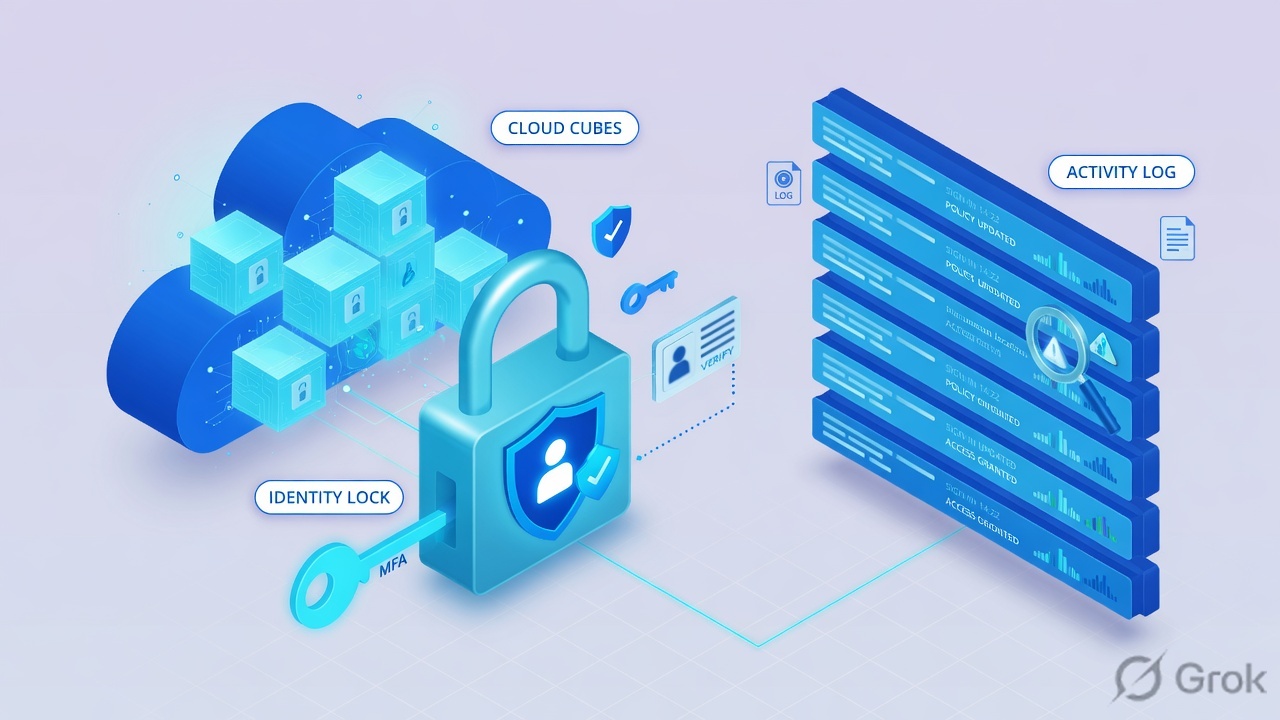
Azure manufactures control-plane requests and data-plane uses, not PAN-OS-style sessions. The object is an Entra principal plus an ARM action plus a resource. The Activity Log event is the factory receipt.
Path
Entra identity → ARM API (management.azure.com) → RBAC / Policy / lock → Activity Log. If the work is a packet: route table → NSG (subnet then NIC inbound) → diagnostic.
Do
Side A names the caller with az account show. Side B opens Activity Log and quotes operationName / caller / status. Side C reads the hop on the wire and proves it in a diagnostic. The evidence desk is the night-shift version.
1. Why Azure is two factories
Students who just finished a NGFW lesson look for a 6-tuple and a Session Browser. Azure does not have that object. Official ARM starts with a sentence you should steal: operations divide into control plane and data plane. You create a virtual machine through the control plane. After it exists, you interact with it through data-plane operations such as RDP. You create a storage account through the control plane. You read and write blobs on the data plane, at a URI that is not management.azure.com.
Three tickets that look the same in chat — “prod is down,” “AuthorizationFailed,” “users get 403” — land on three different stations. Subscription aaaaaaaa-bbbb-cccc-dddd-eeeeeeeeeeee named Techclick-Lab in tenant ffffffff-1111-2222-3333-444444444444 is not the Fabrikam-Guest tab you left open. az account show is the first command because every later az monitor activity-log list and every az network nic list-effective-nsg is scoped to wherever that call landed.
What the ticket asked
“Azure is blocking 443.” That sentence is a hypothesis. The factory may already have allowed the ARM write that changed the NSG, and the packet is still dying on a NIC deny or a UDR next hop of Internet.
What you prove first
Tenant + subscription (az account show), then whether an Activity Log event exists for the ARM action, then the hop on the wire. The evidence desk is that order under a pager.
“Disable the NSG to test.” That is a change-control event, not a diagnosis. Official: inbound traffic must pass the subnet NSG and the NIC NSG when both exist. Disabling a production NSG does not name the Entra caller, does not quote operationName, and does not prove next hop. Name the identity, quote the Activity Log field or the flow decision, then decide if you isolate or you change.
Official fact students invert: even during periods of unavailability for the control plane, you can still access the data plane of your Azure resources. You can keep reading https://myaccount.blob.core.windows.net when https://management.azure.com is unhappy. The reverse is also true — a green ARM write does not mean the blob endpoint or the VM NIC accepted a packet. Features that enforce management and governance might not apply to data-plane operations. A lock that prevents users from deleting a database does not prevent users from deleting data through queries.
2. Mental model — four stations
Hold four stations in order. Interviews fail when people start at station three because Network security groups is the menu they know.
1. Entra identity is the badge
User, group, service principal, or managed identity. Official RBAC: a security principal acquires a token for Azure Resource Manager. Lab caller is secops@lab.example in tenant ffffffff-1111-2222-3333-444444444444. az account show prints name, id, tenantId.
2. The ARM API is the request
Portal, CLI, SDK, or REST. Official: Resource Manager receives every management request, authenticates and authorizes, then forwards it to the resource provider. Host is management.azure.com. Audience of the token is ARM, not the blob endpoint.
3. Activity Log is the receipt
caller, operationName, status, authorization.action, correlationId. Administrative category records create, update, delete, and action operations performed through Resource Manager. A blob Get never lands here.
4. NSG / route + diagnostic is the wire
Route table (where), NSG (allow/deny on subnet then NIC inbound), diagnostic setting / NSG or VNet flow (the packet proof). Official next-hop types you must name: Internet, VirtualAppliance, VirtualNetworkGateway, None.
Read left → right. Stations 1–2 are the request. Stations 3–4 are the packet. Do not treat an Activity Log Succeeded as proof the SYN arrived.
Entra identity answers “whose token is on this call?” Official RBAC step 1: a user or service principal acquires a token for Azure Resource Manager. The token includes group memberships, including transitive ones. If tenantId is not the ticket tenant, stop. Microsoft Entra roles (Graph) are not Azure roles (ARM). You cannot use an Entra role permission inside an Azure custom role, or the reverse.
ARM request answers “what did they ask ARM to manage?” Official: when you send a request through any Azure API, tool, or SDK, Resource Manager receives it. It authenticates and authorizes before forwarding to the resource provider. ARM automatically applies Azure RBAC, Azure Policy, management locks, and Activity Logs. Role assignment = security principal + role definition + scope. Scope is management group, subscription, resource group, or resource. Lower levels inherit from higher levels.
Activity Log answers “did the factory print a receipt, and what did it say?” Official Administrative category: every action taken by a user or application using Resource Manager is modeled as an operation on a particular resource type. Quote caller (UPN or SPN), operationName.value (for example Microsoft.Network/networkSecurityGroups/write), and status.value (Started / Succeeded / Failed). Activity log is collected automatically. A diagnostic setting only exports it for longer retention.
NSG / route + diagnostic answers “where did the packet go, and which hop dropped it?” Official inbound: Azure first processes the NSG associated with the subnet, then the NSG associated with the NIC. Both must allow. Official routing: user-defined routes override Azure default system routes. Next hop types you name in interviews: Virtual appliance, Internet, VirtualNetworkGateway, None. Diagnostic settings collect resource logs (not on by default) and can send Activity Log plus platform metrics to Log Analytics, Storage, Event Hubs, or a partner.
3. ARM evaluation vs the wire
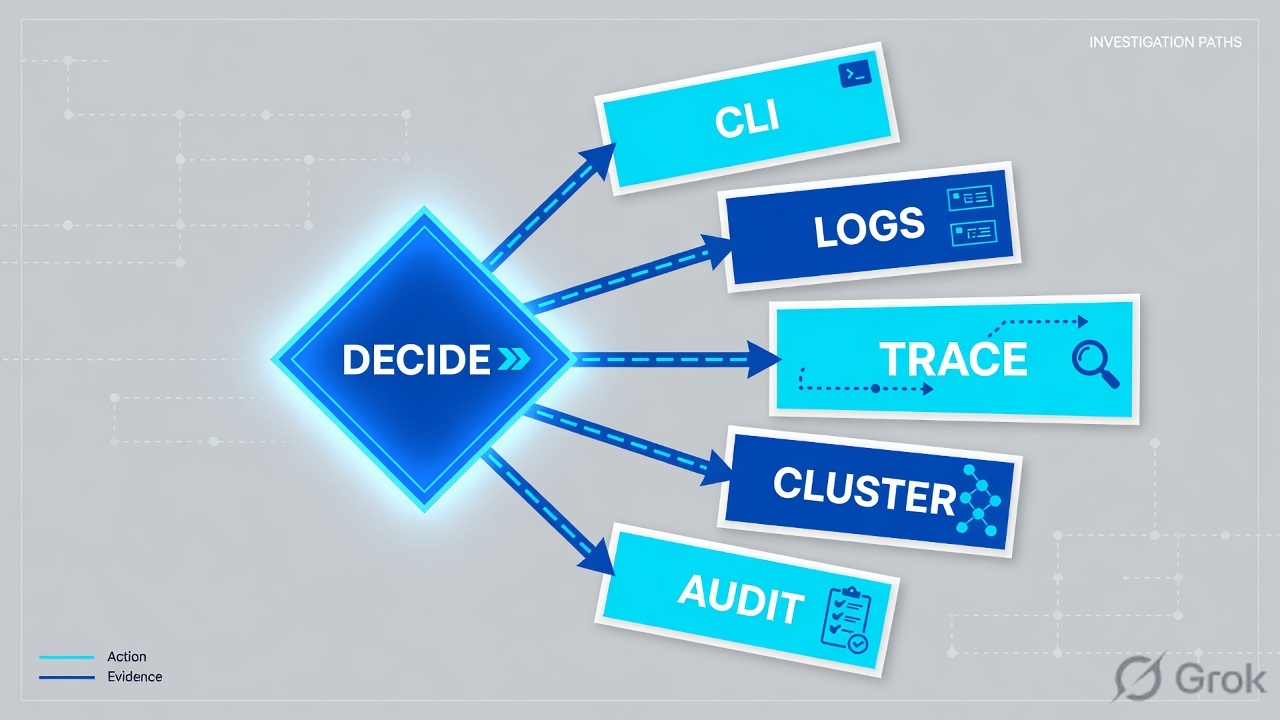
Flowchart first. Prose second. Official RBAC evaluation is a factory line on the control plane. Official VNet inbound is a different line. You pick the line from the symptom, not from the blade you like.
Read top → bottom. Diamond = decision. Three symptoms, three first reads. Do not mix an ARM AuthorizationFailed with a NIC DenyAll.
The caller acquires a token for ARM. ARM retrieves every role assignment and deny assignment that applies to the resource. A deny assignment blocks. Otherwise ARM keeps the assignments that apply to this user or their groups, then checks whether the API action is in those roles. Effective management permissions are Actions − NotActions. Effective data permissions are DataActions − NotDataActions. No matching action at the requested scope → not allowed. Conditions are evaluated last. Azure RBAC is additive across overlapping assignments. Source: What is Azure role-based access control.
On the wire, official inbound order is not the troubleshooting list you memorized. Traffic arrives at the subnet. Azure first processes the NSG associated with that subnet, if one exists. Azure then processes the NSG associated with the NIC, if one exists. To permit port 443 to the virtual machine, both NSGs must include a rule that allows it. Microsoft’s own tip: avoid associating NSGs with both a subnet and its NICs at the same time — overlapping rules are how this ticket is born. Outbound is the reverse: NIC NSG first, then subnet NSG. NSGs are stateful. You do not write a matching ephemeral outbound the way you would on an AWS NACL.
4. How to choose the station
You are not choosing a product to buy. You are choosing which factory job to read first. Pick from the table, then stay on that station until you can quote a field.
| Station | Use when | Do not use when | Proof you were right |
|---|---|---|---|
| Entra / tenant | Every ticket. Portal gear → Directories + subscriptions. CLI az account show. |
You already “know” you are in prod because the VNet is named prod. | name=Techclick-Lab and tenantId=ffffffff-…4444 match the ticket. |
| Activity Log | Someone wrote an NSG, a route table, a role assignment, or got AuthorizationFailed on an ARM API. | You need a blob Get / Put, an RDP session, or a SQL query. Those are data plane. Activity Log will be empty on purpose. | caller + operationName + status in the same subscription. |
| RBAC assignment | AuthorizationFailed on a PUT to management.azure.com. You need deny assignment vs missing Action. |
TCP 443 never reaches the NIC. That is not ARM. | Security principal + role definition + scope. Deny assignment if one exists. |
| Effective NSG | Host-level allow from a CIDR. Internals work, partner dies. Dual NSG suspected. | You saw HTTP 403 on Outlook. You are in the wrong tenant. You need an explicit “disable to test.” | NIC Help → Effective security rules. Priority + source + action. Both layers allow. |
| Route / next hop | Firewall sees no flow. App still reaches Internet. Design said “all egress through the hub NVA.” | You already have DenyAll on the NIC with a matching source miss. Routing worked enough to be evaluated. | Network Watcher next hop: nextHopType + route table ID. UDR wins over system routes. |
| Diagnostic / flow | You need the packet decision after the hop is named. Resource logs were never on. | You expect Activity Log to show Get Blob. You treat a missing diagnostic as “Azure is down.” | Diagnostic setting destination + NSG/VNet flow traffic decision (A/D). |
Identity first. Activity Log is the receipt for the ARM write. NSG = stateful allow/deny, subnet then NIC inbound. Route = direction, not a rule action. Activity Log does not see data-plane object APIs. A diagnostic setting exports; it does not invent the packet.
5. Runbook Side A → B → C
Concept is the four stations. Path is the two factory lines. Do is this runbook. Lab values only — tenant ffffffff-1111-2222-3333-444444444444, subscription aaaaaaaa-bbbb-cccc-dddd-eeeeeeeeeeee named Techclick-Lab, region eastus, caller secops@lab.example, NIC nic-app-web, NSG app-nsg, route table app-udr, partner 203.0.113.88. Nothing here is a live tenant.
Side A — name the Entra identity (building the factory badge)
Primary source: Manage Azure portal settings — Directories + subscriptions + Get subscription and tenant IDs. Console path: gear icon → Directories + subscriptions. CLI first, always.
-
Write the ticket tenant and subscription on the pad
Directory ID, subscription name, region, and the caller the ticket claims. Lab: tenant
ffffffff-1111-2222-3333-444444444444/ subscription Techclick-Lab /eastus/secops@lab.example. -
Call az account show
Dummy lab command (same shape as the practice dashboard):
az-lab $ · dummyaz account show { "id": "aaaaaaaa-bbbb-cccc-dddd-eeeeeeeeeeee", "name": "Techclick-Lab", "tenantId": "ffffffff-1111-2222-3333-444444444444", "user": { "name": "secops@lab.example", "type": "user" } } -
Match or stop
If tenantId or subscription name is not the ticket, you are looking at a twin. Do not open Activity Log, do not edit an NSG, do not “fix” a UDR here. Portal: Settings → Directories + subscriptions → All Directories → Switch. Then clear Default subscription filter if the list is still empty. Official: a leftover filter hides the subscription you just found.
Side B — print the ARM receipt (the control plane)
Primary source: Activity log in Azure Monitor + Activity Log event schema + Control plane and data plane. Console path: Monitor → Activity log. Official: Administrative category records create, update, delete, and action operations performed through Resource Manager.
Monitor › Activity log
Activity log · Techclick-Lab
| Time | Caller | Operation | Status |
|---|---|---|---|
| 2026-08-16 09:18:12 | secops@lab.example | Microsoft.Network/networkSecurityGroups/write | Succeeded |
| 2026-08-16 09:12:04 | app-sp / batch | Get Blob (storage URI) | not in Activity Log |
Official Administrative fields: caller, operationName, status, authorization.action, correlationId, claims.aud. Get Blob is a data-plane call to the storage endpoint — Activity Log will not list it.
Click next: open the event, copy eventDataId, read caller, authorization.action, status, and claims.aud (must be ARM). Source: Activity log + event schema. Dummy values only.
-
Filter Activity Log on one official operation
For a “who changed 443?” ticket: Operation =
Microsoft.Network/networkSecurityGroups/write. For a route miss:Microsoft.Network/routeTables/write. For a role change:Microsoft.Authorization/roleAssignments/write. Official: Write, Delete, or Action operations record both the start and the success or fail. -
Read the receipt fields
You need
caller(UPN or SPN),operationName.value,status.value,authorization.scope, andclaims.aud. Audiencehttps://management.azure.com/orhttps://management.core.windows.net/is ARM. No Failed status means ARM accepted the API. It does not mean the partner’s SYN was accepted. -
If the row is missing, ask which plane
Official: Activity Log Administrative is ARM. A storage Get / Put hits
https://myaccount.blob.core.windows.net— that is data plane. An RDP session is data plane. A SQL query is data plane. An empty Activity Log for Get Blob is not a broken monitor. You need a diagnostic setting on the storage account (resource logs), or you switch to the data-plane RBACDataActionsassignment. Activity log itself is collected automatically; a diagnostic setting only exports it for longer retention and Kusto.
{
  "caller": "secops@lab.example",
  "category": { "value": "Administrative" },
  "operationName": { "value": "Microsoft.Network/networkSecurityGroups/write" },
  "status": { "value": "Succeeded" },
  "authorization": {
    "action": "Microsoft.Network/networkSecurityGroups/write",
    "scope": "/subscriptions/aaaaaaaa-bbbb-cccc-dddd-eeeeeeeeeeee/resourceGroups/rg-app-lab/providers/Microsoft.Network/networkSecurityGroups/app-nsg"
  },
  "claims": {
    "aud": "https://management.azure.com/",
    "http://schemas.microsoft.com/identity/claims/tenantid": "ffffffff-1111-2222-3333-444444444444",
    "http://schemas.xmlsoap.org/ws/2005/05/identity/claims/upn": "secops@lab.example"
  },
  "eventTimestamp": "2026-08-16T09:18:12Z",
  "correlationId": "aaaa0000-bb11-2222-33cc-444444dddddd",
  "subscriptionId": "aaaaaaaa-bbbb-cccc-dddd-eeeeeeeeeeee",
  "resourceGroupName": "rg-app-lab"
}
Say the word receipt. This event proves who called ARM and which NSG they wrote. It does not prove a partner packet was accepted. Side C is the wire.
Side C — walk NSG / route, then the diagnostic (the data plane)
Primary sources: How NSGs filter traffic, Effective security rules, Virtual network traffic routing, Network Watcher next hop, Diagnostic settings. Isolate vs change-control lives on the desk. Here the rule is: do not disable the NSG to test.
Virtual machines › app-web-01 › Networking › nic-app-web › Help › Effective security rules
Effective security rules · inbound
| Priority | Name | Port | Source | Action | Associated |
|---|---|---|---|---|---|
| 100 | Allow-HTTPS | 443 | 10.0.0.0/8 | Allow | app-nsg (NIC) |
| 4096 | DenyAll | * | * | Deny | app-nsg (NIC) |
| 65000 | AllowVnetInBound | * | VirtualNetwork | Allow | default |
| 65500 | DenyAllInBound | * | * | Deny | default |
Official inbound: subnet NSG first, then NIC NSG. Both must allow. Partner 203.0.113.88 never matches 10.0.0.0/8 — they hit DenyAll at 4096.
Read the Source, then next hop. Path: VM → Networking → NIC → Help → Effective security rules. Then Network Watcher → Next hop. Source: How NSGs filter traffic + Effective security rules. Dummy values only.
-
Read the route before you blame a firewall
Console: Network Watcher → Next hop, or NIC → Effective routes. Official: UDRs override default system routes. Dummy:
az network watcher show-next-hop→nextHopType=Internet, route tableapp-udr. If the design said “all egress through the hub firewall,” this UDR is the miss. Next hop type should be Virtual appliance with the firewall private IP. Next hop None is a blackhole. They are not the same. -
Read effective security rules, not “an NSG”
Console: Virtual machines → app-web-01 → Networking → NIC → Help → Effective security rules. CLI shape:
az network nic list-effective-nsg --name nic-app-web --resource-group rg-app-lab. Official inbound: subnet first, then NIC. Both must allow. Labapp-nsg: priority 100 Allow-HTTPS from10.0.0.0/8, then 4096 DenyAll. A partner on 203.0.113.88 never matches 10/8. -
Prove the packet with a diagnostic, not a green blade
IP flow verify names the rule that allowed or denied. NSG / VNet flow logs carry the traffic decision. Resource logs are not collected by default — if the diagnostic setting was never created, the pipe is empty on purpose. Dummy:
az-lab $ · dummy flow / diagnosticaz network watcher test-ip-flow --direction Inbound --protocol TCP \ --local 10.0.9.10 --remote 203.0.113.88 --port 443 access=Deny rule=DenyAll # VNet / NSG flow decision (lab) 10.0.9.10 203.0.113.88 443 T D # D = denied
-
Change one hop, under control
If the NIC Source is the miss, add a scoped inbound allow for
203.0.113.88/32TCP 443 with a ticket description. Do not disable the NSG. Do not open0.0.0.0/0to test. Re-run IP flow verify. Partner SYN should flip from Deny to Allow. For an ARM ticket, re-read Activity Logstatusafter you attach the missing role assignment — that proof is on the evidence desk.

Tenant and subscription match the ticket. Activity Log (or the resource-log diagnostic) names the principal and the action. Packet tickets close on effective-rule action plus next hop type plus a flow decision. ARM tickets close on status and the role assignment. No NSG was disabled to “prove” reachability.
6. Runtime — after the receipt prints
A successful Microsoft.Network/networkSecurityGroups/write is a control-plane event. The new allow is now in the data-plane evaluation of later packets, but the packet still walks the official layers: route table, then subnet NSG, then NIC NSG. Official compare: inbound is subnet then NIC; outbound is NIC then subnet. Default DenyAllInBound sits at priority 65500. A custom DenyAll at 4096 beats it and beats a later allow you forgot to put above it.
The ARM path never hits an NSG. The caller is secops@lab.example in tenant ffffffff-…4444. ARM assembles the token, checks deny assignments, then looks for an Action at scope. No Action → not allowed. Official RBAC is additive: Contributor at subscription plus Reader at the resource group is still Contributor on that group. A deny assignment still wins.
Storage Get Blob is the classic trap after go-live. Official ARM: you create the storage account through the control plane; you read and write data on the data plane at the storage URI. Activity Log will stay empty for the Get. Account-level calls such as creating the account or changing the firewall are ARM and will show. If the app cannot read an object, do not spend twenty minutes on Activity Log. Open the storage diagnostic (resource logs), then the data-plane RBAC assignment (DataActions), then — if the account is behind a private endpoint — the private DNS zone privatelink.blob.core.windows.net and its virtual network link. Recreating the private endpoint does not fix a missing zone.
Activity Log eventTimestamp is when the Azure service processed the ARM request. submissionTimestamp is when the event became queryable. Flow-log timestamps are the capture window on the NIC. Do not declare “the change did nothing” because the clocks do not line up to the second. Re-run the same partner SYN after the NSG rule is visible in effective security rules, then quote the new flow decision. Source: Activity Log event schema + How NSGs filter traffic.
The first packets of HTTPS are still just TCP on the NIC. The first bytes of a blob Get never visit management.azure.com. Official: control-plane requests go to the ARM URL; data-plane requests go to an endpoint specific to your instance. An empty Activity Log for Get Blob is the factory working as designed. Use a diagnostic setting on the storage account, or stay on the data-plane RBAC line.
7. Traps + proof + desk
| Symptom | Looks like | Actually | First move |
|---|---|---|---|
| Empty Activity Log for Get Blob | Monitor is broken | Data plane — Activity Log records ARM | Diagnostic on the account, or DataActions |
| AuthorizationFailed, no useful body | Someone added a Deny | No matching Action at scope, or a deny assignment | Role assignment. Then Policy. Then lock. |
| Subnet allows 443, partner still dies | Need a wider subnet NSG | NIC NSG DenyAll / 10/8 allow | Effective security rules. Both layers. |
| Firewall sees no flow; app still egresses | Firewall is down | UDR next hop = Internet | Next hop. Virtual appliance + NVA IP. |
| Activity Log Succeeded write | Network is fine | Receipt ≠ packet. Route or NIC still drops | Effective rules, then flow |
| Edited app-nsg, prod did not move | NSG cache | Tenant / subscription is not the ticket | Stop. Switch directory. Re-run az account show |
| HTTP 403 on Outlook / portal | NSG | NSG does not speak HTTP 403 | Entra sign-in + CA grant — then the desk |
| “Just disable the NSG for five minutes” | Diagnosis | A production change, logged forever | Partner /32 + ticket description |
az account showprinted Techclick-Lab and tenantffffffff-1111-2222-3333-444444444444.- Region on the portal matches the resource.
- ARM ticket: Activity Log row with
caller,operationName, andstatus. - Object-API ticket: you did not expect Activity Log; you have a resource-log diagnostic or a DataActions assignment.
- Packet ticket: effective-rule action plus next hop type plus a flow decision (IP flow verify or NSG/VNet flow).
- Route ticket:
nextHopTypequoted. Internet vs Virtual appliance vs None named correctly. - No NSG was disabled, and no
0.0.0.0/0was added, to “prove” reachability.
Azure is a control-plane + data-plane factory. An Entra identity sends an ARM API call to management.azure.com. ARM authenticates, applies RBAC, Policy, and locks, and Activity Log prints the receipt. If the work is a packet, I walk route, then effective NSG (subnet then NIC inbound), then the diagnostic. I prove the ticket with az account show, then operationName and status, then the flow decision. I do not disable the NSG to test. The night-shift field list is the evidence desk.
Related: Azure evidence desk — first tool + proof field · NSG and Azure Firewall · Azure Security hub
Knowledge check
Six judgment questions. Map each miss back to the section named in the reason.
Sources
- Azure Resource Manager — Control plane and data plane — manage vs use;
management.azure.com; instance endpoints; locks do not govern queries - What is Azure Resource Manager? — ARM receives every management request; authenticates and authorizes; four scopes
- What is Azure role-based access control — security principal, role definition, scope; token → deny assignments → Actions − NotActions
- Manage Azure resources by using the REST API — Bearer token from Entra on ARM calls
- Activity log in Azure Monitor — subscription-level events; diagnostic setting exports for longer retention
- Activity Log event schema — caller, operationName, status, authorization, claims, Administrative category
- Diagnostic settings in Azure Monitor — Activity Log collected automatically; resource logs are not
- Network security groups overview — five-tuple; allow or deny; default DenyAllInBound 65500
- How NSGs filter traffic — inbound subnet then NIC; outbound NIC then subnet; both must allow
- Effective security rules — aggregated inbound and outbound on the NIC
- Virtual network traffic routing — UDRs override system routes; next hop types
- Network Watcher next hop — nextHopType, IP, route table ID
- Portal settings — Directories + subscriptions
- Get subscription and tenant IDs
- What is Microsoft Entra ID? — identity for Azure access
Related: Azure evidence desk · NSG and Azure Firewall · Entra Conditional Access · Defender for Cloud · Key Vault secrets · Azure Security hub