Activity Log answers “which ARM write, which caller, which status?” NSG / VNet flow logs answer “did this 5-tuple allow or deny, and which rule?” Defender for Cloud Recommendations answer “is this resource Unhealthy for this check?” Entra sign-in logs answer “did Conditional Access succeed, fail, or not apply — and which error code?” Diagnostic settings answer “is the data-plane log even landing in a destination?” A green portal icon is not a flow row. A Secure Score of 62 is not an evaluation. An empty Activity Log is not “the secret was allowed.”
1. Why “is it working?” is five questions
Operators collapse five failures into one sentence. Someone wrote the NSG at 09:18 UTC and nobody named the caller. The packet never allowed at the NIC. Defender has marked the storage account Unhealthy for a week. Conditional Access blocked the grant and helpdesk still says “MFA is on.” The Key Vault AuditEvent category never left the resource because no diagnostic setting exists. Those are five first clicks.
The factory taught the hops: tenant, then effective NSG, then UDR next hop, then Conditional Access grant. This page is the night-shift desk for proof. You are already in the subscription — or you think you are — and someone is asking whether the control even works. You open the tool that is allowed to answer that question, then you quote one official field.
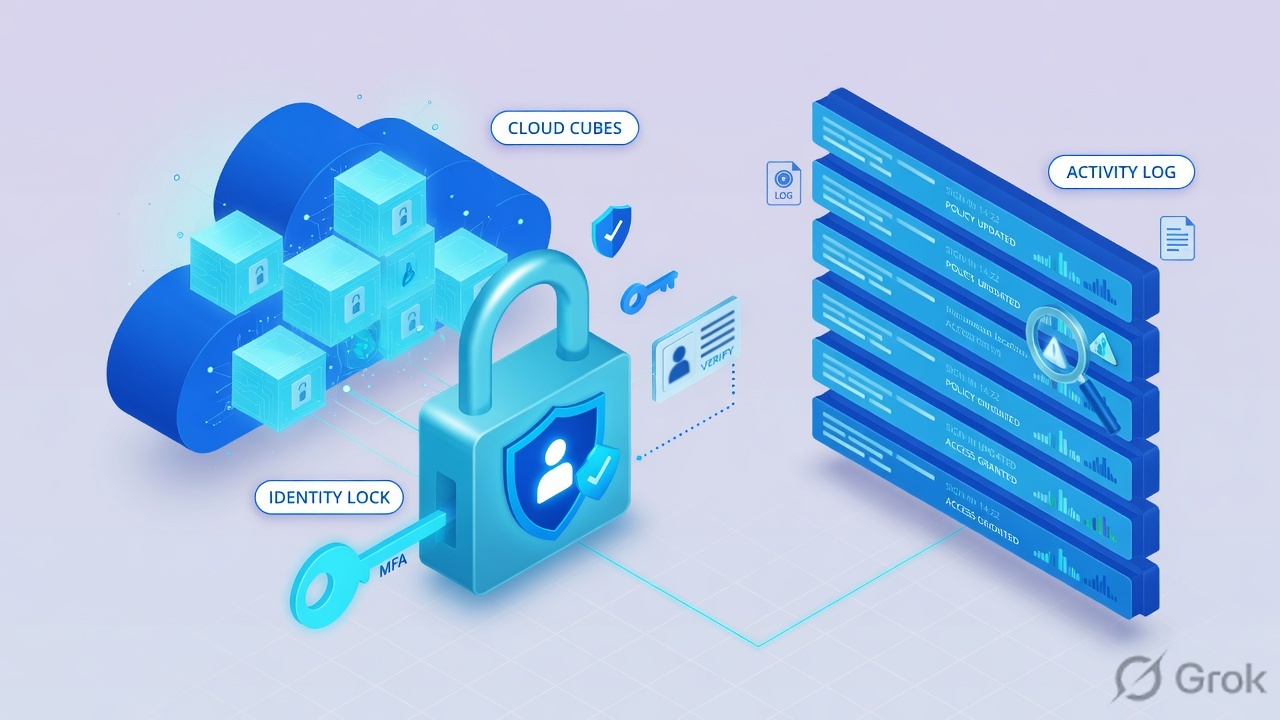
If they say “prove Azure is working,” do not say “I opened the portal.” Say: “I prove the write with Activity Log operationName + status + caller, the packet with flow-log traffic decision A or D plus the 5-tuple and rule, the posture with a Defender recommendation’s Unhealthy status, the identity grant with Entra sign-in Conditional Access Failure plus the error code, and the pipe with a diagnostic setting’s destination and categories.”
2. Mental model — five proof tools
Memorise five named objects before you click. Each tool is allowed to prove one thing. Over-claiming a field is how you ship a bad change at 02:00. The factory named the hop. This desk names the store.
1 · Activity Log
Monitor → Activity log (90 days, control plane). Proves which ARM operation ran: operationName, status, caller. Does not prove a packet, and does not show data-plane reads such as Get Secret.
2 · NSG / VNet flow
Network Watcher → Flow logs (prefer VNet; NSG flow logs retire 30 Sep 2027). Proves one 5-tuple: traffic decision A/D (NSG) or Flow state D (VNet) + rule. Does not name the caller.
3 · Defender recommendation
Defender for Cloud → Recommendations (or Inventory → resource). Proves posture: resource is Healthy, Unhealthy, or Not applicable for a named recommendation. Secure Score is the pointer.
4 · Entra sign-in log
Entra ID → Monitoring & health → Sign-in logs. Proves the identity decision: Conditional Access Success / Failure / Not Applied + error code (e.g. 53003) + policy name.
5 · Diagnostic settings
Resource → Monitoring → Diagnostic settings (or Monitor → Settings → Diagnostic settings). Proves the pipe: destination (Log Analytics / Storage / Event Hubs) + which log categories are enabled. Resource logs are not collected until a setting exists.
Hard words, once
Control plane = ARM create / update / delete / action (Activity Log). Data plane = work inside the resource (needs a diagnostic setting). Traffic decision = A allowed / D denied. Unhealthy = resource fails that recommendation. 53003 = BlockedByConditionalAccess.
Read left → right. Each box is allowed one claim. If you cannot name the field, you are not proving — you are guessing.
I prove the write, then the packet, then the recommendation status, then the Conditional Access grant, then the diagnostic pipe. I do not open 0.0.0.0/0, disable a CA policy, or grant Key Vault Owner until I can quote the field that made me do it.
3. Decision flow — ticket → first tool
Flowchart first. Do not open the NSG inbound editor or the Conditional Access policy until a diamond says so. Tenant and subscription still come from the factory: confirm them before the first lookup.
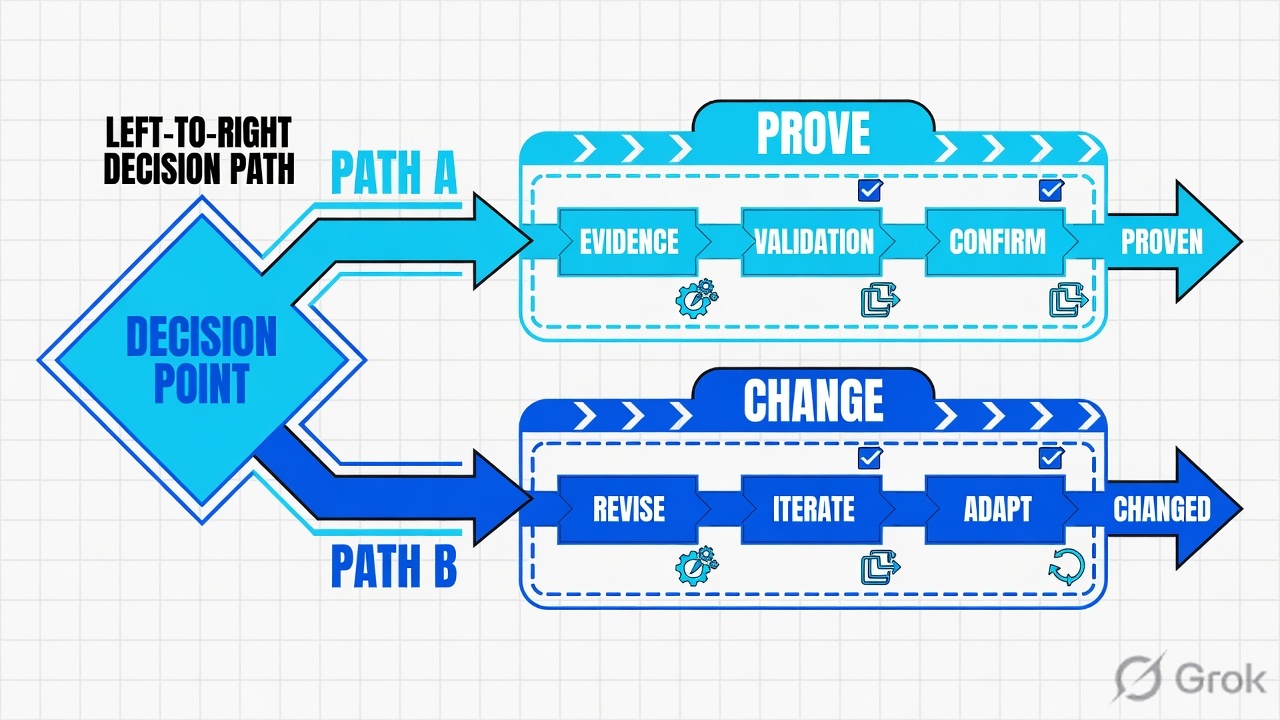
Read the diamond first. A storage-encryption finding never starts in flow logs. A partner 443 never starts in Defender Recommendations. “Get Secret” never starts as a hunt inside Activity Log.
4. How to choose — first tool + proof field
Print this next to the Azure portal. If you cannot recite the proof field, you are not ready to change anything. Official paths only — learn.microsoft.com wording.
| If the ticket says… | First tool (official path) | Proof field | Do not open first |
|---|---|---|---|
| NSG / Key Vault / role assignment “who wrote this at 09:18?” | Azure portal → Monitor → Activity log (or the resource’s Activity log). Filter Operation + time. | operationName (e.g. Microsoft.Network/networkSecurityGroups/write) + status (Succeeded / Failed) + caller |
A new inbound Allow, or flow logs |
| Partner on the internet cannot hit 443; internal 10/8 can | Network Watcher → Flow logs (VNet preferred) → storage JSON or Traffic Analytics | Traffic decision A/D (NSG) or Flow state D (VNet) + 5-tuple + rule (e.g. DefaultRule_DenyAllInBound) |
A new 0.0.0.0/0 inbound rule |
| Auditor: “Is storage encryption / public-access even on?” | Defender for Cloud → Recommendations (or Inventory → the resource) | Recommendation name + resource + status Unhealthy / Healthy / Not applicable | A live packet capture, or “Secure Score is 62 so it works” |
| User cannot open the app; helpdesk says “MFA is on / Enabled” | Entra admin center → Entra ID → Monitoring & health → Sign-in logs → Conditional Access tab | CA status Failure + error 53003 (BlockedByConditionalAccess) or 53000 (DeviceNotCompliant) + policy name |
Disable the CA policy, or an NSG edit |
| Key Vault / App Service / NSG logs empty; chat wants a rebuild | Resource → Monitoring → Diagnostic settings (or Monitor → Settings → Diagnostic settings) | Setting name + destination (workspace / storage / event hub) + which log categories are enabled — or the empty list | A new NSG Allow, or “Azure logging is down” |
Azure retains Activity Log events for 90 days. Entries are control-plane operations (create, update, delete, action). The Activity Log does not typically capture read operations. Getting a secret from a Key Vault, or a request to a database, is a resource log — not collected until you create a diagnostic setting. An empty Activity Log for “Get Secret” is expected. It is not proof that Key Vault allowed the call.
5. Runbook Side A → B → C
Side A proves the ARM write and the packet. Side B proves the recommendation status and the Conditional Access grant. Side C proves the diagnostic pipe. On a messy Sev-2, do them in this order until a field lights up. Isolate (read-only) until the field is on the ticket. Change-control is a later drawer — that split is in the factory.
Side A — Activity Log + NSG / VNet flow (write, then packet)
-
Confirm tenant and subscription, then open Activity log
Path: Azure portal → Monitor → Activity log. Opening it from Monitor filters on the subscription. Opening it from a resource filters on that resource. Official: Activity Log in Azure Monitor. Specify the time interval. Default retention is 90 days — both ends of the window must fall inside it.
-
Filter Operation + Event initiated by, then open JSON
Add Filter: Operation (create / delete / write), Event initiated by (the identity), Event category = Administrative when you are hunting a write. Open the event → JSON. Quote
operationName.value(example:Microsoft.Network/networkSecurityGroups/write),status.value(Started / In Progress / Succeeded / Failed), andcaller. Source: Azure Activity Log event schema — Administrative category. -
If the ticket is a packet, switch stores — do not stay in Activity Log
Path: search Network Watcher → Flow logs. Prefer a virtual network flow log. Official: NSG flow logs retire on 30 September 2027; Microsoft recommends migrating to virtual network flow logs. Logs land in a storage account as
PT1H.json(NSG containerinsights-logs-networksecuritygroupflowevent; VNet containerinsights-logs-flowlogflowevent). Traffic Analytics (if enabled) is the searchable view. -
Read traffic decision + 5-tuple + rule, not the NSG screenshot
NSG
flowTuplesare comma-separated: timestamp, source IP, destination IP, source port, destination port, protocol (T/U), traffic flow (I/O), traffic decision (Aallowed /Ddenied), plus version-2 flow state. The parent object namesrule(example:DefaultRule_DenyAllInBound). VNet flow logs use Flow stateDfor deny and still namerule. Quote the decision letter, the five fields, and the rule. Source: NSG Flow Logs Overview; Virtual Network Flow Logs.
Monitor / Activity log / subscription lab-prod
Activity log
| Operation | Time (UTC) | Status | Event initiated by | Resource |
|---|---|---|---|---|
| Microsoft.Network/networkSecurityGroups/write | 09:17:02 | Started | priya@lab.example | app-nsg |
| Microsoft.Network/networkSecurityGroups/write | 09:18:11 | Succeeded | priya@lab.example | app-nsg |
"operationName": { "value": "Microsoft.Network/networkSecurityGroups/write" },
"status": { "value": "Succeeded" },
"caller": "priya@lab.example"
Source: Microsoft Learn — Activity Log in Azure Monitor; Azure Activity Log event schema (Administrative: operationName, status, caller). Lab identities only. Training mock · not live.
Network Watcher / Flow logs / vnet-app-flow (Virtual network)
Flow log · vnet-app-flow
| Src | Dst | Dst port | Dir | Decision | Rule |
|---|---|---|---|---|---|
| 10.0.8.22 | 10.1.0.4 | 443 | I | A | UserRule_Allow-HTTPS-10 |
| 203.0.113.88 | 10.1.0.4 | 443 | I | D | DefaultRule_DenyAllInBound |
Source: Microsoft Learn — NSG Flow Logs Overview (flowTuples traffic decision A/D, rule); Virtual Network Flow Logs (Flow state D = deny). Lab IPs only (RFC 5737 203.0.113.88). Training mock · not live.
Side B — Defender recommendation + Entra sign-in (posture, then grant)
-
Open Recommendations, not Secure Score as the close
Path: Azure portal → search Microsoft Defender for Cloud → Recommendations. Official: Review security recommendations. Filter Environment = Azure, then open the recommendation title (or Inventory → the resource → Recommendations tab). Secure Score is a backlog pointer. The ticket is one resource against one recommendation.
-
Quote Unhealthy + recommendation name + resource
Defender for Cloud uses Healthy and Unhealthy for whether a resource is compliant with a specific security recommendation; Not applicable means the check does not apply. Resource health lists the recommendations for which that resource is Unhealthy. Quote the recommendation title, the resource ID, and Unhealthy. Source: Investigate the health of your resources; Review security recommendations.
-
If the ticket is a blocked sign-in, switch to Entra — do not stay in Defender
Path: sign in to the Microsoft Entra admin center (
https://entra.microsoft.com) as at least a Reports Reader → Entra ID → Monitoring & health → Sign-in logs. Official: Troubleshooting sign-in problems with Conditional Access. Filter Username + Date + Resource; add Conditional Access = Failure to shrink the list. Open the event that matches the user’s time. -
Read the Conditional Access tab, then the error code
CA status values: Not Applied (no policy in scope), Success (in-scope policies satisfied), Failure (in-scope grant not satisfied or set to block). Open Conditional Access and quote the policy name that resulted in the interruption. Common codes:
53003BlockedByConditionalAccess,53000DeviceNotCompliant,53001DeviceNotDomainJoined. “Enabled” on the user object is not a grant. Source: Sign-in logs; Microsoft Entra monitoring and health FAQ.
Defender for Cloud / Recommendations / Group by title
Storage accounts should use a customer-managed key for encryption
| Resource | Status | Severity | Last evaluated |
|---|---|---|---|
| stlabappuploads | Unhealthy | High | 01:20 UTC |
| stlablogs | Healthy | — | 00:10 UTC |
Source: Microsoft Learn — Review security recommendations (Defender for Cloud → Recommendations); Investigate the health of your resources (Healthy / Unhealthy). Training mock · not live.
Entra ID / Monitoring & health / Sign-in logs / Conditional Access
Sign-in · priya@lab.example
| Policy name | Result | Grant |
|---|---|---|
| CA-Require-MFA-Admins | Failure | Require multifactor authentication |
| CA-Block-Legacy | Not Applied | — |
Policy: CA-Require-MFA-Admins · grant = Require multifactor authentication
Enabled on the user object is not this grant.
Source: Microsoft Learn — Troubleshooting sign-in problems with Conditional Access (Entra ID → Monitoring & health → Sign-in logs → Conditional Access tab; error 53003). Lab identities only. Training mock · not live.
Side C — Diagnostic settings (the pipe the other tools need)
-
Open Diagnostic settings on the resource, not a random workbook
Path: on the resource menu, Monitoring → Diagnostic settings. Or Azure Monitor → Settings → Diagnostic settings → select the resource. Official: Diagnostic settings in Azure Monitor. Activity Log itself is collected without a setting; resource logs are not. If the list is empty, that is the ticket.
-
Quote destination + categories (or their absence)
A setting names: destination (Log Analytics workspace, Storage account, Event Hubs, or a partner solution), plus which log categories or category groups (
audit/allLogs) and whether AllMetrics is on. One setting can have at most one of each destination type; a resource can have up to five settings. Quote the setting name, the workspace (or storage) resource ID, and the enabled categories. A missing setting is not “Azure logging is down.” -
If Activity Log must live longer than 90 days, export it here too
Path: Monitor → Activity log → Export Activity Logs (a subscription-scope diagnostic setting). Categories include Administrative, Security, ServiceHealth, Alert, Recommendation, Policy, Autoscale. Use this when the auditor asks for 365-day control-plane history — not when the ticket is a Get Secret.
lab-app-kv / Monitoring / Diagnostic settings
Diagnostic settings
Diagnostic settings: none
Missing: destination = Log Analytics law-lab-sec · category AuditEvent
Activity Log will still show Microsoft.KeyVault/vaults/write — not Get Secret.
Source: Microsoft Learn — Diagnostic settings in Azure Monitor (resource → Monitoring → Diagnostic settings; resource logs not collected until a setting exists; destinations Log Analytics / Storage / Event Hubs). Training mock · not live.
Path:            Resource → Monitoring → Diagnostic settings
Quote:           setting name + destination resource ID + enabled categories
Empty list:      resource logs are not collected — that is the close
Activity Log:    90 days, control plane, no setting required
Export:          Monitor → Activity log → Export Activity Logs (subscription scope)
Limit:           ≤5 settings per resource; ≤1 of each destination type per setting
- Side A write: Activity Log JSON names
operationName+status+callerin the ticket window and subscription. - Side A packet: flow row names traffic decision
AorD(or VNet Flow stateD) plus the 5-tuple andrule. - Side B posture: Recommendations → Unhealthy + recommendation title + resource. Secure Score is not the close.
- Side B grant: Sign-in logs → Conditional Access Failure + error code + policy name — not “Enabled.”
- Side C: diagnostic setting destination + categories, or the empty list that proves resource logs were never collected.
6. Five tickets as full stories
These five land every quarter. Memorise first tool + proof field. Times, identities, and IPs below are lab-only (subscription lab-prod, tenant Techclick-Lab, RFC 5737 203.0.113.88).
| Ticket | Symptom | First tool | Proof field |
|---|---|---|---|
| AZ-EVD-01 | app-nsg changed overnight; who wrote it? | Monitor → Activity log | operationName = Microsoft.Network/networkSecurityGroups/write · status = Succeeded · caller = priya@lab.example |
| AZ-EVD-02 | Partner cannot hit NIC :443; corp 10/8 can | Network Watcher → Flow logs | Traffic decision D + 5-tuple 203.0.113.88 → 10.1.0.4:443 + DefaultRule_DenyAllInBound |
| AZ-EVD-03 | Auditor: is storage encryption even on? | Defender for Cloud → Recommendations | Recommendation + resource stlabappuploads = Unhealthy |
| AZ-EVD-04 | Admin cannot open Azure portal; helpdesk says Enabled | Entra → Sign-in logs → Conditional Access | CA Failure · error 53003 · policy CA-Require-MFA-Admins |
| AZ-EVD-05 | Key Vault AuditEvent empty; chat wants the vault rebuilt | Vault → Diagnostic settings | Settings = none — resource logs are not collected |
AZ-EVD-01 — Prove the write (Activity Log)
01:42 · P2. HTTPS from partners died after 09:18 UTC. L1 already drafted an inbound Allow-any. Nobody named who edited app-nsg.
First tool: Monitor → Activity log, this subscription. Filter Operation = Microsoft.Network/networkSecurityGroups/write, timespan covering 09:00–10:00 UTC. Open the Succeeded event → JSON.
Proof field: operationName = Microsoft.Network/networkSecurityGroups/write, status = Succeeded, caller = priya@lab.example, eventTimestamp = 09:18:11Z, resourceId ending in /networkSecurityGroups/app-nsg. That triple is the ticket. The factory then names the effective rule. This desk only proves who wrote it and that ARM accepted the write.
Do not hunt Get Secret or a data-plane read in Activity Log. Official: Activity Log is control plane, 90 days, and does not typically capture reads. Empty list after an Operation filter of a data-plane verb is expected. Open Diagnostic settings, or ask for the application’s error. Do not attach Contributor from an empty Administrative page.
AZ-EVD-02 — Prove the packet (NSG / VNet flow)
02:05 · P2. Partner on 203.0.113.88 cannot reach the NIC on 443. Internal 10/8 works. Network wants 0.0.0.0/0 on 443 “for five minutes.”
First tool: Network Watcher → Flow logs on vnet-app (VNet). Download the hour blob or open Traffic Analytics. Confirm the MAC / NIC is the app NIC, not a jump box.
Proof field: 10.0.8.22 → 10.1.0.4:443 T I A on UserRule_Allow-HTTPS-10; 203.0.113.88 → 10.1.0.4:443 T I D on DefaultRule_DenyAllInBound. That pair is the ticket. Next hop (factory): effective security rules, then UDR next hop if the packet never arrived. Change-control, if approved: partner /32 + description, never 0.0.0.0/0.
I would not rebuild the NIC. I would quote D + the 5-tuple + DefaultRule_DenyAllInBound. A on the corp 5-tuple in the same minute proves the target is alive. Empty flow files for five minutes after enable is expected — official setup time can be several minutes.
AZ-EVD-03 — Prove the recommendation (Defender for Cloud)
02:20 · P3. Auditor on the bridge: “You said storage encryption is on. Prove the control is working.” L1 pasted Secure Score 62. No resource, no recommendation title.
First tool: Defender for Cloud → Recommendations. Open the encryption recommendation. Filter to stlabappuploads. Or Inventory → that storage account → Recommendations tab.
Proof field: recommendation title + resource stlabappuploads + status Unhealthy. Healthy on a sibling account is a useful contrast, not a close for this resource. Not applicable means the check does not apply — do not tell the auditor “green.” Secure Score moving is not an evaluation of this bucket.
I would not screenshot the Secure Score card. I would paste Unhealthy + the recommendation name + the resource identifier and the last-evaluated time. A Preview recommendation does not affect Secure Score — still quote the status, not the score.
AZ-EVD-04 — Prove the grant (Entra sign-in log)
02:40 · P2. Priya cannot open the Azure portal. Helpdesk: “her account is Enabled.” L1 wants the MFA Conditional Access policy deleted.
First tool: Entra admin center → Entra ID → Monitoring & health → Sign-in logs. Filter Username = priya@lab.example, Date = last hour, Conditional Access = Failure. Open the event → Conditional Access tab.
Proof field: overall CA status Failure, error 53003 BlockedByConditionalAccess, policy CA-Require-MFA-Admins result Failure, grant = Require multifactor authentication. Enabled is the account state. The sign-in log is the decision. If the row is empty, you are in the wrong tenant — go back to the factory.
Activity Log will not show a Conditional Access grant. Flow logs will not show a 53003. Deleting a healthy CA policy is change-control, not isolate. If you are locked out of every admin, official guidance is another admin or a Microsoft support request — not “open 443.”
AZ-EVD-05 — Prove the pipe (Diagnostic settings)
03:00 · P2. Security wants Key Vault AuditEvent for a suspected Get Secret. Logs blade is empty. Chat typed Sev-1 and “rebuild the vault.” Activity Log is quiet except for a write last week.
First tool: Key Vault lab-app-kv → Monitoring → Diagnostic settings.
Proof field: settings list is empty. Resource logs are not collected until a diagnostic setting exists. That sentence is the ticket. Next: add a setting — destination law-lab-sec, category AuditEvent (or category group audit) — under change-control. Then wait for ingestion. Do not rebuild the vault. Do not grant the on-call Owner so they can “see something.”
I would leave the access policy alone. I would paste “Diagnostic settings: none” plus the official line that resource logs are not collected by default. Activity Log will still show Microsoft.KeyVault/vaults/write. It will not show Get Secret until the pipe exists.
7. Traps + close-the-ticket proof

| You see | Weak close | Strong close |
|---|---|---|
| Activity Log empty for Get Secret | “Key Vault is fine” / grant Owner | Data plane is not in Activity Log. Open Diagnostic settings, or switch diamond to flow logs |
| NSG write Succeeded + caller | Revert the whole NSG at 02:00 | Quote operationName + status + caller, then read effective rules (factory) |
| Flow D on public 5-tuple, A on 10/8 | 0.0.0.0/0 for five minutes | Quote decision + 5-tuple + rule; /32 + description under change-control |
| Flow log files missing for 3 minutes after enable | “Network Watcher is down” | Official: logs can take several minutes to appear as PT1H.json |
| Secure Score 62 | “The control is working” | Quote Unhealthy / Healthy on the named recommendation and resource |
| User object Enabled | Delete the CA policy | Quote CA Failure + error code + policy name from Sign-in logs |
| Diagnostic settings list empty | Rebuild the vault / “logging is down” | Resource logs are not collected. Add destination + categories |
| NSG flow logs still the only source | Create another NSG flow log | Official: new NSG flow logs are not supported; migrate to VNet flow logs (retire 30 Sep 2027) |
| Wrong tenant / subscription | Edit app-nsg anyway | Switch directory / subscription (factory). Re-open Activity Log. No writes |
- Tenant + subscription + UTC window written next to the tool you opened.
- Write tickets quote
operationName+status+callerfrom Activity Log JSON (or from a diagnostic export if older than 90 days). - Packet tickets quote traffic decision
A/D(or VNet Flow stateD) + the 5-tuple +rule. - Posture tickets quote Unhealthy / Healthy + recommendation name + resource. Secure Score is a pointer.
- Grant tickets quote CA Failure + error code + policy name. Enabled is not a grant.
- Pipe tickets quote diagnostic destination + categories, or the empty list. Resource logs are not collected by default.
- Next tool named — or change-control owner named. No
0.0.0.0/0. No Owner “to test.”
I name the question, then the first tool, then one official field. Activity Log proves the write. NSG / VNet flow proves the packet. Defender Recommendations prove the check. Entra sign-in logs prove the grant. Diagnostic settings prove the pipe. I do not change an NSG, a Conditional Access policy, or a Key Vault access policy until that field is on the ticket. Hops and isolate-versus-change: Azure Security factory.
Knowledge check
Six night-shift judgments. Each maps to a first tool or a proof field. Check answers, then Reset if you picked the wrong surface.
Sources
- Microsoft Learn — Activity Log in Azure Monitor (Monitor → Activity log; 90 days; control plane; filters Operation / Event initiated by / Event category)
- Microsoft Learn — Azure Activity Log event schema (
operationName,status,caller, Administrative category) - Microsoft Learn — Overview of Azure platform logs (Activity log vs resource logs vs metrics)
- Microsoft Learn — NSG flow logs overview (
flowTuples; traffic decisionA/D;rule; retire 30 Sep 2027) - Microsoft Learn — Virtual network flow logs (Flow state
D= deny;rule; preferred over NSG flow logs) - Microsoft Learn — Migrate to virtual network flow logs
- Microsoft Learn — Manage virtual network flow logs (Network Watcher → Flow logs; storage path)
- Microsoft Learn — Traffic analytics overview
- Microsoft Learn — Review security recommendations (Defender for Cloud → Recommendations)
- Microsoft Learn — Investigate the health of your resources (Healthy / Unhealthy; Inventory → resource)
- Microsoft Learn — Secure score in Defender for Cloud (score is a pointer, not a resource evaluation)
- Microsoft Learn — Sign-in logs in Microsoft Entra ID (Entra ID → Monitoring & health → Sign-in logs; Reports Reader)
- Microsoft Learn — Troubleshooting sign-in problems with Conditional Access (Conditional Access tab; error
53003/53000) - Microsoft Learn — Sign-in log activity details (Conditional Access Success / Failure)
- Microsoft Learn — Microsoft Entra monitoring and health FAQ (CA status Not Applied / Success / Failure)
- Microsoft Learn — Diagnostic settings in Azure Monitor (resource → Monitoring → Diagnostic settings; destinations; resource logs not collected by default)
- Microsoft Learn — Integrate Microsoft Entra logs with Azure Monitor (Entra ID → Monitoring & health → Diagnostic settings)
Related: Blog 1 · Azure Security factory · NSG and Azure Firewall · Entra Conditional Access · Defender for Cloud · Key Vault secrets · Azure Security practice dashboard