Official IAM wording: when a principal uses the console, the API, or the CLI, that principal sends a request to AWS. AWS authenticates the principal, builds a request context, then evaluates every applicable policy against that context. The printed receipt is a CloudTrail event. A packet on an ENI is a different factory job: the subnet route table decides where it goes, the network ACL is a numbered stateless list, the security group is a stateful allow list. Success is the CloudTrail field you can quote and the flow-log action — not an edit in the wrong account.
I do not start in Security Groups. I name the principal, the API action, and the CloudTrail event. Then I ask whether this ticket is even a packet. If it is, I walk route, NACL, security group. Implicit deny is a real IAM answer. A missing Event history row for GetObject is a data-event fact, not a broken trail.
Concept
AWS manufactures requests, not PAN-OS-style sessions. The object is a principal plus an action plus a resource. Policies are compared to that request context. The CloudTrail event is the factory receipt.
Path
IAM principal → API call → request-context evaluation → CloudTrail event. If the work is a packet: route table → NACL → security group → ENI (data plane).
Do
Side A names the caller with STS. Side B opens Event history and quotes eventName / errorCode. Side C reads the hop on the wire and proves it in flow logs. The evidence desk is the night-shift version.
1. Why AWS is not a session factory
Students who just finished a NGFW lesson look for a 6-tuple and a Session Browser. AWS does not have that object. Official policy evaluation starts with a sentence you should steal: a principal sends a request. The factory either allows that request or denies it. Later, if the request was “open this port” or “put this object,” a packet or a GetObject may happen on the data plane. Mixing those two jobs is how you “fix” a security group while IAM is still at implicit deny.
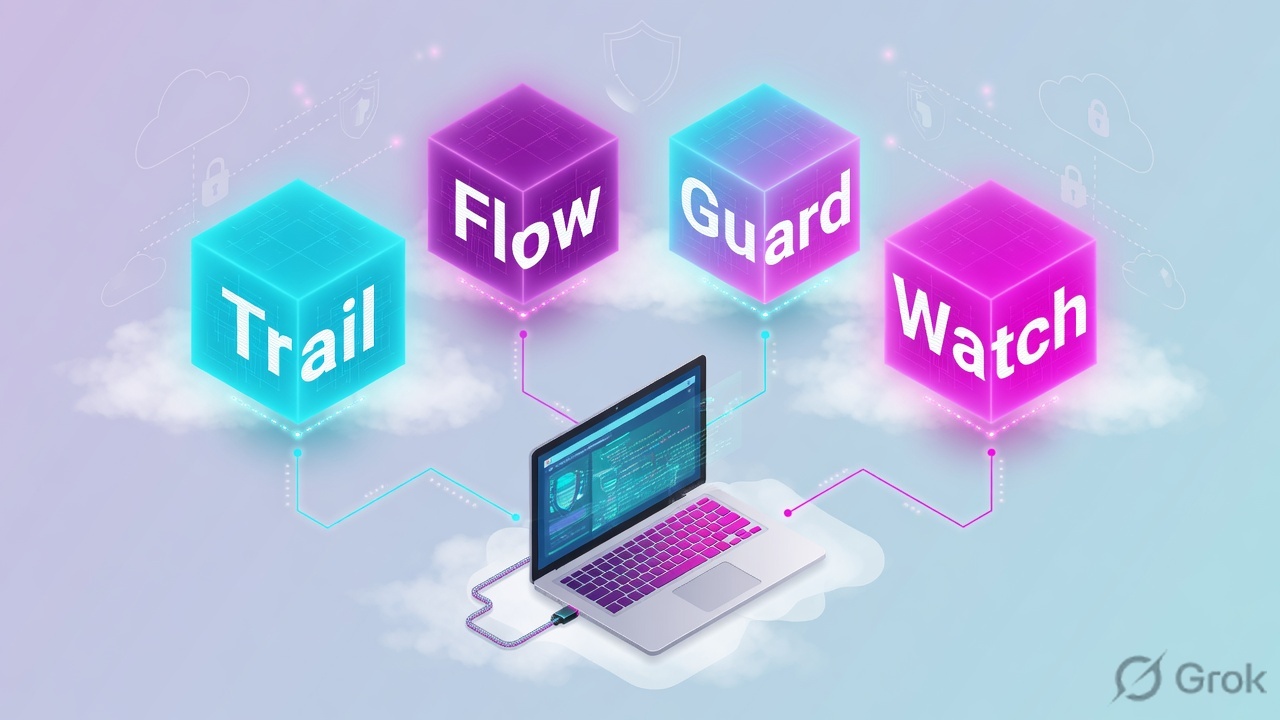
Three tickets that look the same in chat — “prod is down,” “AccessDenied,” “users get 403” — land on three different stations. Account 123456789012 in us-east-1 as assumed-role SecOpsReview is not the sandbox tab you left open. aws sts get-caller-identity is the first command because every later lookup-events and every describe-security-groups is scoped to wherever that call landed.
What the ticket asked
“AWS is blocking 443.” That sentence is a hypothesis. The factory may already have allowed the API that changed the group, and the packet is still dying on a NACL or a missing route.
What you prove first
Account + assumed role (STS), then whether a CloudTrail event exists for the action, then the hop on the wire. The evidence desk is that order under a pager.
“Open 0.0.0.0/0 on the security group to test.” That is a change-control event, not a diagnosis. Official security groups are allow-only and stateful. They cannot tell you who called the API, and they cannot deny a CIDR. Name the principal, quote the CloudTrail field or the flow REJECT, then decide if you isolate or you change.
2. Mental model — five stations
Hold five stations in order. Interviews fail when people start at station four because Security Groups is the menu they know.
1. The principal is the badge
IAM user, role, or federated principal. Official: the entity that can be authenticated and then authorized. Lab caller is arn:aws:sts::123456789012:assumed-role/SecOpsReview/lab. STS prints Account, UserId, Arn.
2. The API call is the request
Console, CLI, or SDK. Official evaluation: authenticate → process request context → evaluate policies. The context is Principal, Action, Resource, Condition — the PARC model.
3. CloudTrail is the receipt
userIdentity, eventSource, eventName, errorCode, errorMessage, requestParameters. Event history is the last 90 days of management events in one Region. Data events are not there.
4. The network path is the wire
Route table (where), NACL (stateless allow/deny on the subnet), security group (stateful allow on the ENI). Official compare table: instance vs subnet, allow-only vs allow+deny, all-rules vs first-match, stateful vs stateless.
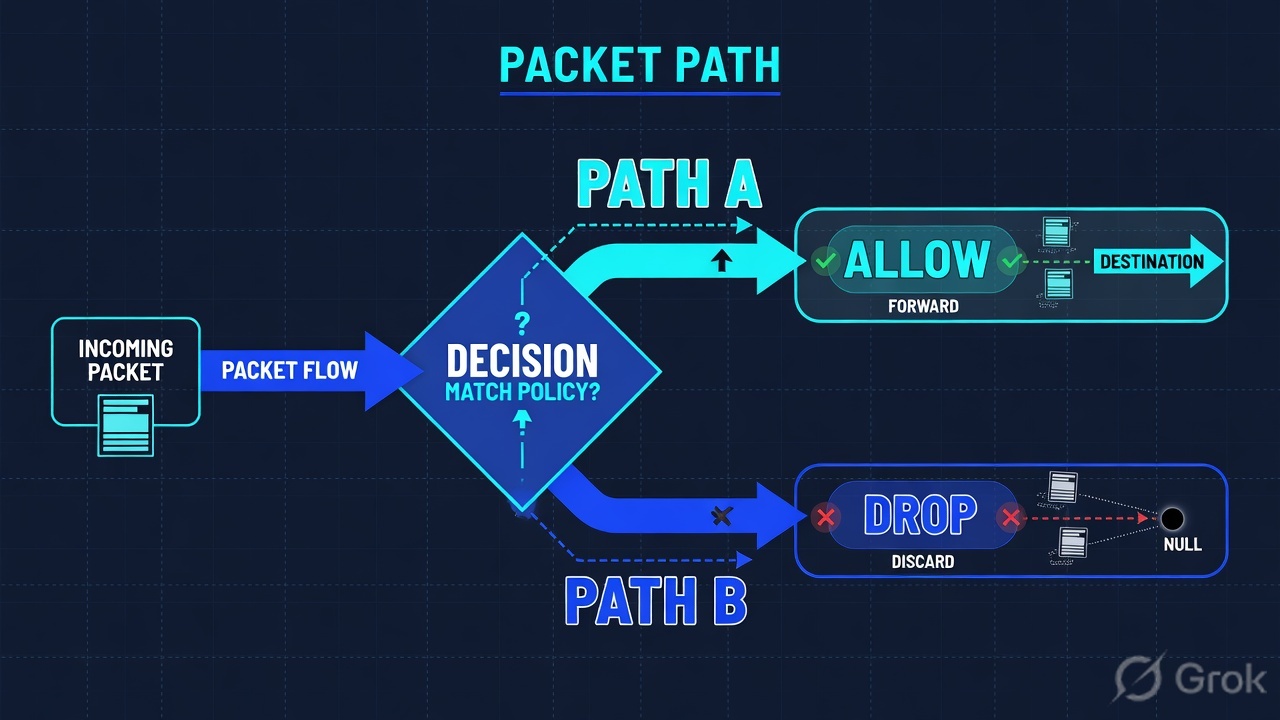
Read left → right. Stations 1–3 are the request. Stations 4–5 are the packet. Do not treat a CloudTrail receipt as proof the SYN arrived.
Principal answers “whose credentials are on this call?” Official STS: GetCallerIdentity returns Account, UserId, and Arn. No extra permission is required to call it. If Account is not the ticket account, stop.
Request context answers “what did they ask, on what, under which conditions?” Official PARC: Principal, Action, Resource, Condition. Environment data includes source IP, user agent, time of day, MFA. AWS compares that context to identity-based policies, resource-based policies, permissions boundaries, Organizations SCPs, Organizations RCPs, and session policies. An explicit deny in any of them wins.
CloudTrail answers “did the factory print a receipt, and what did it say?” Official record: userIdentity is the IAM identity, eventName is the requested action, errorCode / errorMessage appear when the service returned an error. Event history is one account, one Region, one lookup attribute, last 90 days, management events only.
Network path answers “where did the packet go, and which hop dropped it?” Official VPC: a route table is destination + target. A public subnet is a table with 0.0.0.0/0 → internet gateway. A security group is instance-level, allow-only, evaluates all rules, stateful. A NACL is subnet-level, allow and deny, first match in ascending order, stateless — return traffic needs its own rule.
3. Request evaluation vs the wire
Flowchart first. Prose second. Official IAM evaluation is a three-step factory line. Official VPC inbound is a different line. You pick the line from the symptom, not from the menu you like.
Read top → bottom. Diamond = decision. Three symptoms, three first reads. Do not mix an IAM AccessDenied with a flow REJECT.
By default every request is implicitly denied except the account root user. A request must be explicitly allowed. An explicit deny overrides an explicit allow. Same-account identity-based and resource-based policies are a union. Identity plus a permissions boundary is an intersection. Identity plus SCP plus RCP is an intersection. Source: How AWS enforcement code logic evaluates requests.
On the wire, official inbound order is not the troubleshooting list you memorized. Traffic from an internet gateway is routed to the subnet by the route table. The NACL associated with that subnet is evaluated next. The security group on the ENI is evaluated last. Return traffic is remembered by the security group and forgotten by the NACL. That is why “inbound 443 is open” and the client still hangs is almost always a missing outbound ephemeral range on the NACL (commonly 1024–65535), not a missing App-ID.
4. How to choose the station
You are not choosing a product to buy. You are choosing which factory job to read first. Pick from the table, then stay on that station until you can quote a field.
| Station | Use when | Do not use when | Proof you were right |
|---|---|---|---|
| STS / account | Every ticket. Console top-right and get-caller-identity. |
You already “know” you are in prod because the VPC is named prod. | Account=123456789012 and the assumed-role ARN match the ticket. |
| CloudTrail Event history | Someone changed a group, assumed a role, or got AccessDenied on a management API. | You need S3 GetObject / PutObject. Those are data events. Event history will be empty on purpose. |
eventName + userIdentity.arn + errorCode (or no error) in the same Region. |
| IAM simulator / PARC | AccessDenied with no useful body. You need implicitDeny vs explicitDeny. |
TCP 443 never reaches the ENI. That is not IAM. | EvalDecision plus which policy type you will read next. Missing context keys are still implicit deny. |
| Security group | Host-level allow from a CIDR or another SG. Return should just work. | You need an explicit IP deny. You saw HTTP 403. You are in the wrong account. | Inbound rule Source + flow ACCEPT / REJECT on that ENI. |
| Network ACL | Subnet-wide allow/deny. You must block a CIDR the SG cannot deny. Return looks dead after an inbound allow. | You want a per-instance allow. You expect return traffic without an outbound rule. | Rule number, inbound and outbound, including ephemeral. |
| Route table | Public IP cannot leave a private subnet. Missing 0.0.0.0/0 → igw-. S3 without a gateway endpoint and no NAT. |
You already have REJECT on the ENI with a matching SG miss. Routing worked enough to be evaluated. | describe-route-tables: Destination + Target. Public = IGW. Private = no IGW. |
Principal first. CloudTrail is the receipt for the API. SG = stateful allow on the ENI. NACL = numbered stateless list on the subnet. Route = direction, not a rule action. Event history does not see data-plane object APIs. Implicit deny means no matching Allow.
5. Runbook Side A → B → C
Concept is the five stations. Path is the two factory lines. Do is this runbook. Lab values only — account 123456789012, region us-east-1, role SecOpsReview, app role AppRole, sg-0lab1042, acl-0lab, partner 203.0.113.88. Nothing here is a live tenant.
Side A — name the principal (building the factory badge)
Primary source: STS GetCallerIdentity. Console path: top-right account menu → Account ID. CLI first, always. Official response elements are Account, UserId, Arn. Permissions are not required to call this action.
-
Write the ticket account on the pad
12-digit ID, Region, and the role the ticket claims. Lab:
123456789012/us-east-1/ VPC app subnet / assumed-roleSecOpsReview. -
Call STS
Dummy lab command (same shape as the practice dashboard):
aws-lab $ · dummyaws sts get-caller-identity { "UserId": "AROAEXAMPLE:lab", "Account": "123456789012", "Arn": "arn:aws:sts::123456789012:assumed-role/SecOpsReview/lab" } -
Match or stop
If Account is not the ticket account, you are looking at a twin. Do not open Event history, do not edit a security group, do not “fix” a NACL here. Switch profile or role. Re-run STS. Official: Account is the account that owns or contains the calling entity — not the resource you wish you were in.
Side B — print the CloudTrail receipt (the request)
Primary source: Viewing recent management events with the console + CloudTrail record contents. Console path: CloudTrail → Event history. Official limits: last 90 days, one account, one Region, one lookup attribute plus a time range.
CloudTrail › Event history
Event history · us-east-1
| Event time | User name | Event name | Resource | Error code |
|---|---|---|---|---|
| 2026-08-16 10:42:18 | SecOpsReview/lab | AuthorizeSecurityGroupIngress | sg-0lab1042 | — |
| 2026-08-16 10:38:02 | AppRole/batch | GetObject | — | not in history |
Lookup attributes (official): Event ID, Event name, Event source, Read only, Resource name, Resource type, User name, AWS access key. One attribute at a time. GetObject is a data event — Event history will not list it.
Click next: open the event, copy eventID, read userIdentity.arn, sourceIPAddress, requestParameters, and errorCode. Source: Viewing recent management events + CloudTrail record contents. Dummy values only.
-
Filter Event history on one official attribute
For a “who opened 443?” ticket: Lookup attributes = Event name, value
AuthorizeSecurityGroupIngress. For a console login: Event name =ConsoleLogin. Official: CloudTrail cannot filter on a partial value. The search is this Region only — switch Region if the resource is not inus-east-1. -
Read the receipt fields
You need
userIdentity.type(IAMUser / AssumedRole / Root),userIdentity.arn,eventSource(for exampleec2.amazonaws.com),eventName,sourceIPAddress, and whethererrorCodeis present. NoerrorCodemeans the service accepted the API. It does not mean the partner’s SYN was accepted. -
If the row is missing, ask which event category
Official: Event history supports management events only. Amazon S3 object-level APIs —
GetObject,PutObject,DeleteObject— are data events (data-plane operations). By default trails do not log them, and Event history never records them. An empty Event history for GetObject is not a broken trail. You need a trail or event data store with data events onAWS::S3::Object, or you switch to IAM simulator for the AccessDenied.
{
  "eventVersion": "1.11",
  "userIdentity": {
    "type": "AssumedRole",
    "principalId": "AROAEXAMPLE:lab",
    "arn": "arn:aws:sts::123456789012:assumed-role/SecOpsReview/lab",
    "accountId": "123456789012",
    "sessionContext": { "sessionIssuer": { "userName": "SecOpsReview" } }
  },
  "eventTime": "2026-08-16T10:42:18Z",
  "eventSource": "ec2.amazonaws.com",
  "eventName": "AuthorizeSecurityGroupIngress",
  "awsRegion": "us-east-1",
  "sourceIPAddress": "203.0.113.10",
  "userAgent": "aws-cli/2.17.0",
  "requestParameters": {
    "groupId": "sg-0lab1042",
    "ipPermissions": { "ipProtocol": "tcp", "fromPort": 443, "toPort": 443,
      "ipRanges": [{ "cidrIp": "10.0.0.0/8" }] }
  },
  "readOnly": false,
  "eventType": "AwsApiCall",
  "managementEvent": true,
  "recipientAccountId": "123456789012"
}
Say the word receipt. This event proves who called the API and what CIDR they authorized. It does not prove a partner packet was accepted. Side C is the wire.
Side C — walk the network path (the data plane)
Primary sources: Security groups, Network ACLs, Route tables, VPC Flow Logs. Isolate vs change-control lives on the desk. Here the rule is: do not open 0.0.0.0/0 to test.
VPC › Security groups › sg-0lab1042
Security group: app-web
| Type | Protocol | Port range | Source | Description |
|---|---|---|---|---|
| HTTPS | TCP | 443 | 10.0.0.0/8 | internal app-web |
Official: security groups are stateful allow lists. There is no deny rule. A partner on 203.0.113.88 will never match 10.0.0.0/8.
Read the Source. Then open VPC → Network ACLs → acl-0lab inbound and outbound, then the subnet route table. Source: Amazon VPC User Guide — security groups, network ACLs, route tables.
-
Read the route before you blame a firewall
Console: VPC → Route tables → the table associated with the app subnet. Official: every table has a local route for the VPC CIDR. A public subnet is a table with destination
0.0.0.0/0and targetigw-. A private subnet has no internet-gateway route. A missing default route looks like a drop and is not a security-group problem. -
Read NACL inbound and outbound
Console: VPC → Network ACLs → acl-0lab. Official: numbered rules, first match wins, allow and deny, stateless. If inbound 443 from the partner is allowed and outbound ephemeral (1024–65535) is not, the SYN-ACK dies and the client hangs. Quote the rule number. Do not “open the SG wider” first.
-
Read the security-group Source, then quote flow
Console: VPC → Security groups → sg-0lab1042 → Inbound rules. Then CloudWatch log group
/vpc/flow(or the flow-log destination on the ENI). Dummy:aws-lab $ · dummy flowaws logs filter-log-events --log-group-name /vpc/flow 2 123456789012 eni-0lab 10.0.8.22 10.0.9.10 53122 443 6 48 3840 … ACCEPT OK 2 123456789012 eni-0lab 203.0.113.88 10.0.9.10 53188 443 6 3 180 … REJECT OK
-
Change one hop, under control
If the SG Source is the miss, add
203.0.113.88/32TCP 443 with DescriptionINC-1042 partner 443. Do not widen the NACL “just in case.” Do not authorize0.0.0.0/0to test. Re-read the same flow filter. Partner SYN should flip from REJECT to ACCEPT. For an IAM ticket, re-run the simulator after you supply the missing context key or attach the missing Allow — that proof is on the evidence desk.
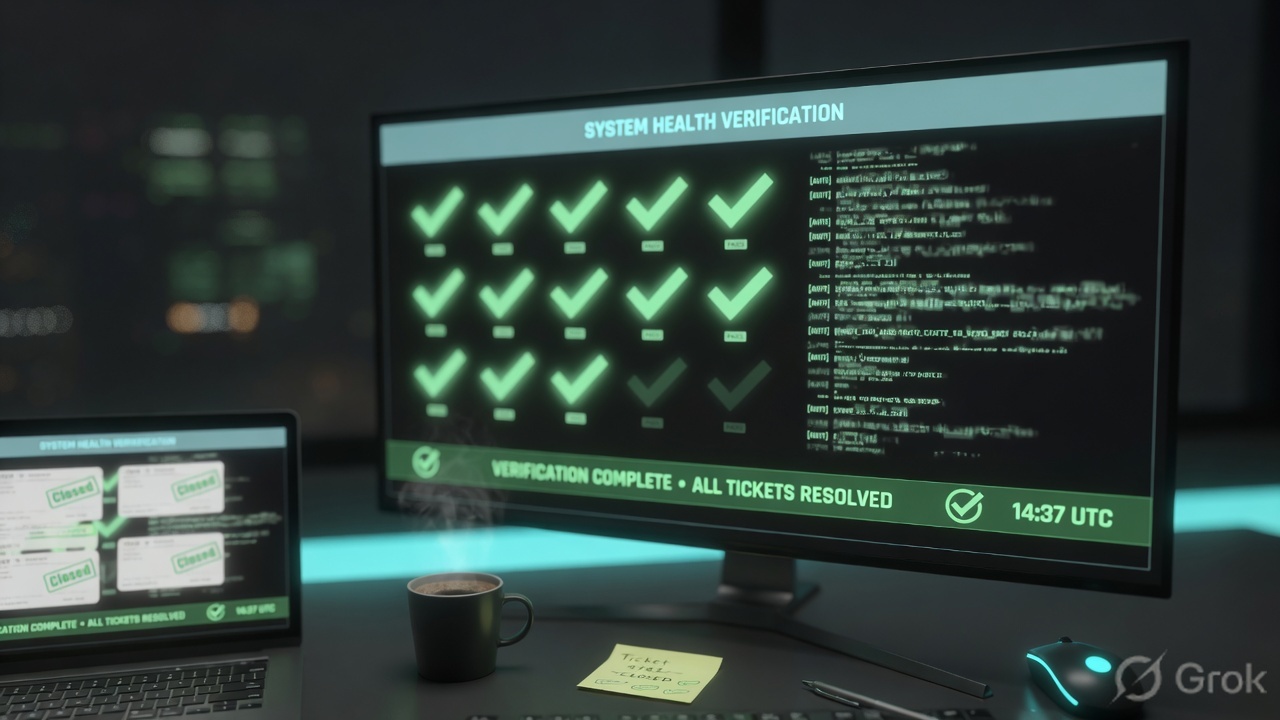
STS Account and Arn match the ticket. CloudTrail (or the data-event trail) names the principal and the action. Packet tickets close on flow ACCEPT / REJECT plus the SG Source or NACL rule number. IAM tickets close on EvalDecision. No 0.0.0.0/0 was added to “prove” reachability.
6. Runtime — after the receipt prints
A successful AuthorizeSecurityGroupIngress is a management event. The new allow is now in the request context of later packets, but the packet still walks the official layers: route table, then NACL, then security group. Official compare table: the security group evaluates all rules before it decides; the NACL evaluates in ascending order and stops at the first match. Default custom NACL is deny-all until you write allows. Default security group allows no inbound.
API path never hits SG or NACL. The caller is AppRole in account 123456789012. AWS assembles PARC, checks every applicable policy type for an explicit Deny, then looks for an Allow. No Allow → implicit deny. A condition key that is not in the request does not satisfy the Allow — the lab simulator reports MissingContextKeys=s3:ExistingObjectTag/Classification and EvalDecision=implicitDeny with MatchedStatements=none.
S3 GetObject is the classic trap after go-live. Official S3 + CloudTrail: object-level APIs are data events / data-plane operations. Event history will stay empty. Bucket-level calls such as CreateBucket or PutBucketPolicy are management events and will show. If the app cannot read an object, do not spend twenty minutes on Event history. Open the IAM policy simulator on arn:aws:iam::123456789012:role/AppRole and action s3:GetObject, then read the bucket policy and — if the object is SSE-KMS — the key policy. KMS is a second door: IAM can Allow GetObject and the key policy can still Deny kms:Decrypt.
CloudTrail eventTime is UTC from the host that served the API endpoint, not from your laptop. VPC flow-log timestamps are the start and end of the capture window on the ENI. Do not declare “the change did nothing” because the clocks do not line up to the second. Re-run the same partner SYN after the SG rule is visible in describe-security-groups, then quote the new flow line. Source: CloudTrail record contents + VPC Flow Logs.
7. Traps + proof + desk
| Symptom | Looks like | Actually | First move |
|---|---|---|---|
| Empty Event history for GetObject | Trail is broken | Data event — Event history never records it | Simulator, or a trail with S3 data events |
| AccessDenied, no detail | Someone added a Deny | implicitDeny = no matching Allow (or condition miss) | Simulator. Then identity / SCP / resource / KMS |
| Inbound 443 allowed, client hangs | Need a wider SG | NACL outbound never allowed ephemeral | Quote NACL outbound. Do not touch SG first |
| Public client never matches | NACL or WAF | SG Source is still 10/8 | Flow REJECT + Source. Partner /32 under change-control |
| CloudTrail shows the API with no error | Network is fine | Receipt ≠ packet. Route or NACL still drops | describe-route-tables, then flow |
| Edited app-web, prod did not move | SG cache | STS Account is not the ticket | Stop. Switch profile. Re-run STS |
| HTTP 403 at ALB / CloudFront | Security group | SG does not speak HTTP 403 | WAF sampled requests — then the desk |
| “Just open 0.0.0.0/0 for five minutes” | Diagnosis | A public allow, logged forever | Partner /32 + ticket Description |
- STS printed the ticket Account and role (
123456789012/SecOpsReviewin lab). - Region on the console matches the resource.
- Management-API ticket: Event history row with
eventName,userIdentity.arn, anderrorCode(or none). - Object-API ticket: you did not expect Event history; you have simulator
EvalDecisionor a data-event trail. - Packet ticket: flow ACCEPT/REJECT plus the SG Source or NACL rule number, inbound and outbound.
- Route ticket: Destination + Target quoted. Public vs private named correctly.
- No
0.0.0.0/0was added to “prove” reachability.
AWS is a request factory. A principal sends an API call. IAM evaluates the request context — Principal, Action, Resource, Condition. CloudTrail prints the receipt. If the work is a packet, I walk route, NACL, security group. I prove the ticket with STS, then eventName and errorCode, then flow ACCEPT or REJECT. I do not start with 0.0.0.0/0. The night-shift field list is the evidence desk.
Related: AWS evidence desk — first tool + proof field · SG vs NACL deep dive · AWS Security hub
Knowledge check
Six judgment questions. Map each miss back to the section named in the reason.
Sources
- IAM — Policy evaluation logic — principal sends a request; authenticate; process request context; evaluate
- IAM — Processing the request context — PARC (Principal, Action, Resource, Condition); policy types compared to the context
- IAM — How AWS enforcement code logic evaluates requests — implicit deny default; explicit allow required; explicit deny wins
- IAM — Explicit and implicit denies
- STS — GetCallerIdentity — Account, UserId, Arn; no extra permission required
- CloudTrail — Record contents — userIdentity, eventSource, eventName, errorCode, requestParameters, eventType
- CloudTrail — Viewing recent management events — Event history, 90 days, one Region, one lookup attribute
- CloudTrail — Logging management events — Event history is management events only
- Amazon S3 — CloudTrail events — GetObject / PutObject / DeleteObject are data events; Event history does not record them
- Amazon VPC — Security groups — stateful allow list on the instance / ENI
- Amazon VPC — Network ACLs — stateless numbered allow/deny on the subnet
- Amazon VPC — Compare security groups and network ACLs — official comparison table + inbound layering
- Amazon VPC — Route tables — destination + target
- Amazon VPC — Internet gateways — public subnet = route to IGW
- Amazon VPC — Flow logs — ACCEPT / REJECT
- IAM — Testing IAM policies with the policy simulator
Related: AWS evidence desk · SG vs NACL · IAM security practices · AWS Security hub