An HPE Aruba campus is a WLAN/NAC session factory. The AP associates the radio. The controller or gateway is the authenticator. 802.1X or MAC proves who (or which device) is on the wire. The factory then prints a user role — from the AAA profile, a user-derived or server-derived rule, or a ClearPass stamp (Aruba-User-Role VSA or a downloadable role). The session ACL on that role is what PEF actually enforces. Success is the expected role in show user-table with a named role-how, plus datapath hits — not green Wi-Fi bars.
I do not start with RSSI. I ask whether a user session formed, which role it became, who assigned that role, and which session ACL hit. Association is the radio. Accept is ClearPass. The role is the ticket. RF comes last.
1. Why association is not a session
Every other blog starts with SSIDs, AirMatch, and a screenshot of bars. That is why students freeze when the ticket says “Wi-Fi works, SMB does not.” The real object is the user session. Official wording: every client in a user-centric network is associated with a user role. All wireless clients start in an initial role. From that initial role they are placed into other roles as they pass authentication. Features — VAP, AAA profile, ClearPass, PEF — are only stations on that factory line.
Association proves the AP accepted the radio. 802.1X or MAC-auth proves who is on the wire. The role is what the box actually enforces. VLAN is where they landed. A client can be Associated on Corp, hold a DHCP address, and still sit in authenticated or logon with a session ACL that denies TCP 445. The green bars on the laptop do not override the role firewall.
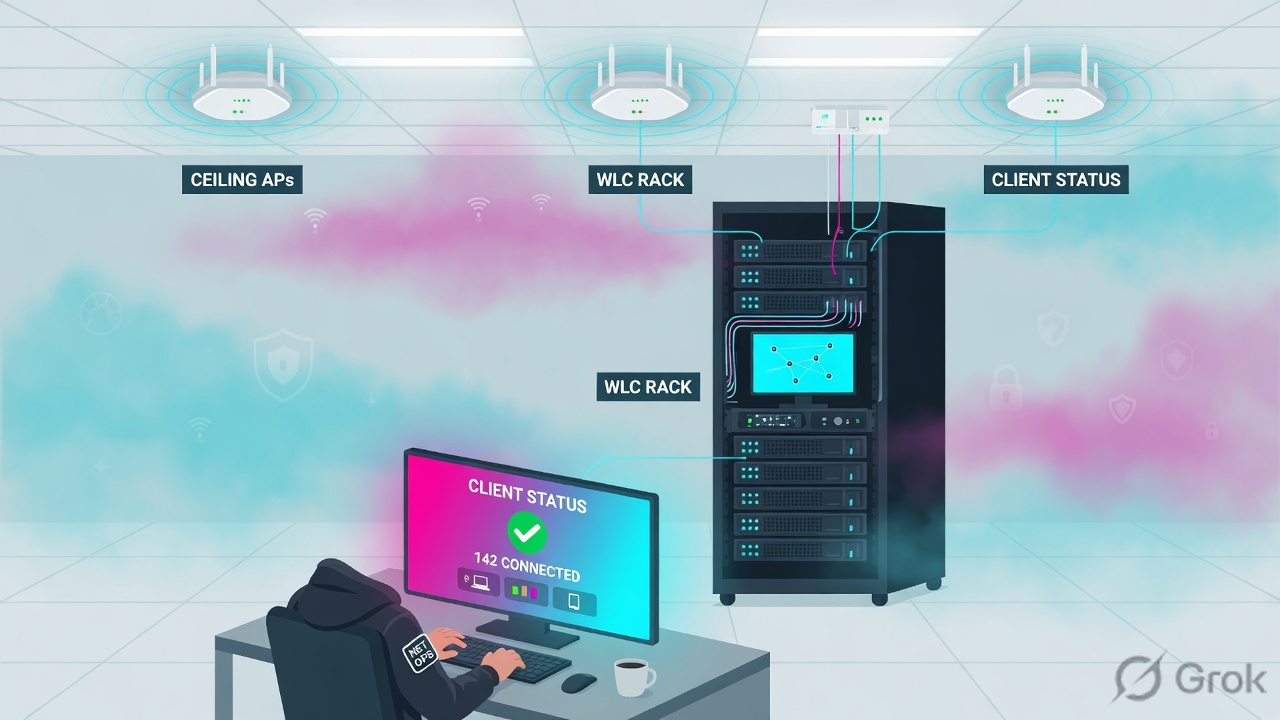
What the ticket asked
“Firewall is blocking the file share” or “Wi-Fi is slow.” Both are hypotheses. The factory may already have associated the client and printed the wrong role.
What you prove first
Which managed device owns the user, then Role + role-how in show user-table, then Access Tracker if ClearPass is in the path. The evidence desk is the night-shift version of this order.
“RSSI is fine, so Aruba is fine — we need a site survey.” An associated radio only means the AP printed the first half of the ticket. If the role is wrong, widening the channel just gives a cleaner path to the same deny.
2. Mental model — ticket plus four stamps
Hold four parts. Interviews fail when people mix them. Official ArubaOS: the AAA profile defines the role for unauthenticated users and the default role for MAC or 802.1X. ClearPass may then overwrite that name. PEF only sees the role that landed.
1. The ticket is the user session
show user-table is the live book. IP, MAC, Name, Role, Auth method, ESSID / BSSID, AP name, forward mode. Empty table on the wrong cluster member is not “not associated.”
2. Auth is the first stamp
802.1X proves a user (or machine) identity. MAC-auth proves a device OUI / MAC. PSK and open still get a role — they just skip the NAC interview. Filter with show user-table authentication-method dot1x|mac.
3. Role is the enforcement word
Local user-role, RADIUS Aruba-User-Role, or a dRole downloaded from ClearPass. Official: a role derived from an Aruba VSA takes precedence over any other user roles. role-how names the method.
4. Proof is user-table + hits
Verbose show user-table mac / ip is the finished ticket. show datapath session table <ip> and show acl hits are what PEF did. Access Tracker is what ClearPass sent. AirMatch is a different ticket.
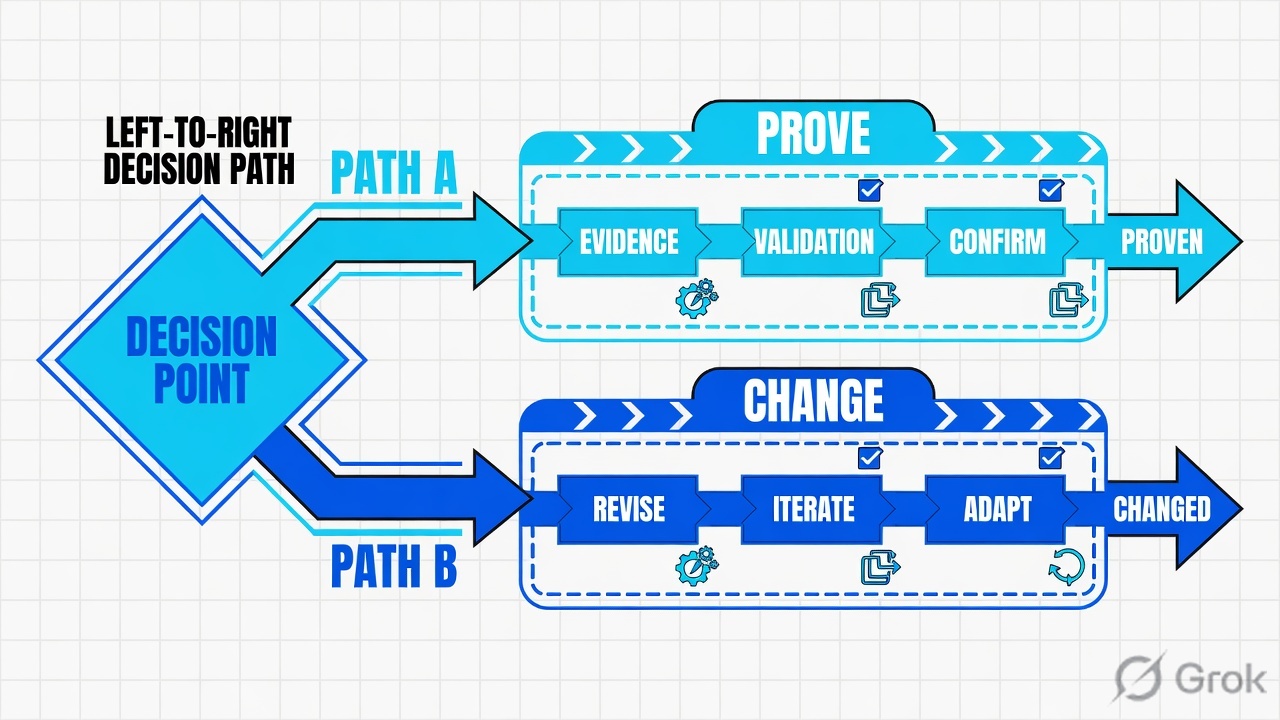
Read the solid arrow first (associated + DHCP). If the dashed SMB return is a deny, do not open AirMatch. Re-read the role stamp and who assigned it.
Auth answers “who (or which device) is on the wire?” Official aaa profile: authentication-dot1x plus dot1x-server-group for 802.1X; authentication-mac plus mac-server-group for MAC-auth. The predefined default-dot1x profile sets dot1x-default-role to authenticated and initial-role to logon. The predefined default-mac-auth profile sets mac-default-role to authenticated.
Role answers “what did they become?” Official user-role: every client is associated with a user role; wireless clients start in the initial role and move as they pass authentication. The role carries the session ACL (PEFNG license). A VLAN configured on the role only applies for Layer-2 authentication (802.1X or MAC) because that handshake finishes before DHCP. L3 methods such as captive portal or VPN ignore the role VLAN knob.
ClearPass answers “who assigned it?” Official: ClearPass can return a named role as RADIUS Aruba-User-Role (Aruba RADIUS Enforcement template), or push a downloadable user role (Aruba Downloadable Role Enforcement). Official AOS 8 role-how 10 is “Dot1X role derived from ClearPass Policy Manager VSA.” Official ClearPass 6.10 note: a DUR is not supported in AOS 10 — name the product before you design a dRole.
PEF answers “what did the firewall actually do?” Official user-role attaches access-list session <acl>. Official show acl hits lists Role, Policy, Action (permit / deny), New Hits and Total Hits. That row is the SMB ticket. Datapath session table is the live flow.
Concept: the role is the ticket. Path: AP → authenticator → 802.1X/MAC → ClearPass (if used) → role + VLAN → session ACL → RF last. Do: Side A stamps ClearPass, Side B builds the AAA / user-role floor, Side C proves the live row.
3. Factory line — AP → auth → role → enforce
A new client has no user session yet. It walks association, then the AAA profile’s initial role, then 802.1X or MAC, then role derivation, then PEF. Later packets of the same user ride that role until idle timeout, reauth, roam, or a CoA restamps it. That is why “I fixed the enforcement profile” sometimes does nothing until the old role dies.
Read left → right, then the green PEF bar. Decision diamond = “did 802.1X or MAC finish?” The VSA box wins on purpose.
ClearPass can return Access-Accept with Aruba-User-Role = authenticated while the desk needed finance. That is still a policy miss. Official VSG wording: match the letter case when configuring user roles. Official service order: services process authentication requests from the top down, similar to an ACL. A broad MAC-auth service above the 802.1X service will Accept the laptop and send the wrong profile. Reorder before you rewrite AD groups.
4. How to choose the role source
You are not choosing a vendor. You are choosing who is allowed to write the role on the ticket. Pick one winner on purpose. Mixing them without naming the winner is how “I set dot1x-default-role” tickets rot.
| Choice | Use when | Do not use when | Proof you were right |
|---|---|---|---|
| Local user-role + AAA default | Lab, single SSID, no identity split. initial-role logon, dot1x-default-role employee. |
You think RADIUS is assigning a role. It is not, unless a VSA is on the wire. | role-how 1 or 4. Role name exists under Configuration → Roles & Policies → Roles. |
| ClearPass named role | Production campus: staff vs contractor vs guest. Template Aruba RADIUS Enforcement, attribute Aruba-User-Role. |
The name on ClearPass is not spelled (and cased) as the controller role. Fallback applies. | role-how 6 / 9 / 10. Access Tracker Output shows Aruba-User-Role = the desk name. |
| dRole (downloadable) | Central policy: ClearPass owns the role body. Template Aruba Downloadable Role Enforcement. Product = Mobility Controller (AOS 8). | AOS 10 gateways — official: DUR is not supported in AOS 10. Also when TLS/trust to ClearPass is broken. | NAD shows a downloaded role; download-role enabled on the AAA profile; fallback did not land. |
| 802.1X (user / machine) | Corporate laptops with a supplicant. Server group points at ClearPass. | Headless printers. Use MAC-auth (or a dedicated IoT SSID) instead of forcing 802.1X and then wondering why they sit in logon. |
show user-table authentication-method dot1x — method 802.1X, expected role. |
| MAC-auth | Printers, phones, scanners. mac-default-role plus a ClearPass MAC service. |
As a catch-all above 802.1X. First-match will steal laptops and stamp the MAC role. | authentication-method mac. Access Tracker service is the MAC service, not the 802.1X one. |
| Role VLAN vs named VLAN VSA | L2 auth (802.1X / MAC) and you want the role to carry the VLAN. | Captive portal / VPN users — official: role VLAN has no effect after L3 auth. DHCP already ran. | vlan-how on verbose user-table matches the method you designed. |
Official AAA defaults you will hit in every lab: initial-role is logon. dot1x-default-role and mac-default-role default to guest on a fresh profile (PEFNG). The canned default-dot1x profile is the exception — its 802.1X default is authenticated. If ClearPass is silent or the VSA name does not exist on the NAD, that default is what PEF enforces. Source: aaa profile CLI.
A VSA does not “add to” the local default. Official Assigning User Roles: a role derived from an Aruba VSA takes precedence over any other user roles. If ClearPass sends Aruba-User-Role = authenticated, that name is the enforcement word — even if you typed finance on the AAA profile.
5. Runbook Side A → B → C
Lab values only. Hostname MC-LAB-01, dummy MAC aa:bb:cc:dd:ee:ff, user finance.user, ESSID Corp, client 10.10.8.22, file server 10.20.0.10, ClearPass clearpass.lab.example.com, NAD 192.0.2.10. Nothing here is a live tenant. Confirm syntax on the production AOS / ClearPass train before you type on a real box.
Side A — ClearPass (who stamps the role)
Primary source: ClearPass Policy Manager — Aruba RADIUS Enforcement Profile and Aruba Downloadable Role Enforcement Profile. Path: Configuration → Enforcement → Profiles → Add. Services path: Configuration → Services (top-down, first match).
-
Match the service on purpose
Official VSG: services process authentication requests from the top down, similar to an ACL. Put the 802.1X wireless service above any broad MAC-auth service that would also match the laptop. A first-match MAC Accept will never reach the 802.1X profile you spent the afternoon building.
-
Stamp the named role (campus default)
Configuration → Enforcement → Profiles → Add. Template = Aruba RADIUS Enforcement. Action = Accept. Attributes tab: Type
Radius:Aruba, NameAruba-User-Role (1), Valuefinance. Official VSG: match the letter case. Attach this profile to the enforcement policy that the 802.1X service uses. -
If you use dRole, name the product
Same Add path. Template = Aruba Downloadable Role Enforcement. Type populates as
Aruba_DUR. Product = Mobility Controller (or ArubaOS-Switch / MAS / AOS-CX — pick the real NAD). Role Configuration Mode = Standard (default) or Advanced. Official: DUR is not supported in AOS 10. Enabledownload-roleon the AAA profile on the NAD or the download never starts. -
Role mapping is a label, not the stamp
ClearPass Role Mapping tags the session inside Policy Manager. The enforcement profile is what the NAD receives. Accept + wrong profile is still a miss. Prove it on the Access Tracker Output tab, not on the Roles column alone.
Configuration › Enforcement › Profiles › Add
Add Enforcement Profile
Dummy lab only. Official path: Configuration → Enforcement → Profiles → Add. Attributes tab is where the NAD actually receives the stamp.
Source: ClearPass 6.11 — Aruba RADIUS Enforcement Profile (Template, Name, Action, Attributes Type / Name / Value). HPE VSG Client Services — match letter case on the role. Dummy values only.
Side B — Controller / gateway (the factory floor)
Primary source: AOS 8 aaa profile, Configuration → Authentication → AAA Profiles, and user-role / Configuration → Roles & Policies → Roles. The NAD must already have the named role or be willing to download the dRole.
Configuration › Authentication › AAA Profiles › corpnet
AAA Profile · corpnet
Initial role is unauthenticated. 802.1X default is the fallback if ClearPass is silent or the VSA name does not exist. Download Role must be on for dRole.
Source: Assigning User Roles — Configuration → Authentication → AAA Profiles; aaa profile fields initial-role, dot1x-default-role, mac-default-role, download-role, rfc-3576-server. Dummy values only.
-
Build the role and the session ACL first
Configuration → Roles & Policies → Policies, type Session, name
finance-acl. Permit DNS / DHCP / the file-share net, deny the rest of RFC1918 if that is the design. Then Roles → addfinance→ attachaccess-list session finance-acl. Officialuser-rolerequires PEFNG. Source: user-role CLI + Roles & Policies help. -
Wire the AAA profile to the VAP
Use the mock above. Know the initial role and the 802.1X / MAC defaults — those are the fallbacks. Point
dot1x-server-groupat ClearPass. Setrfc-3576-serverif you will CoA. Enabledownload-roleonly if Side A is a dRole design. -
Spell the role identically
Financeandfinanceare not a debate on the wire. If ClearPass sends a name the controller does not have, and download is off or fails, the client lands in the auth-method default. For dRole the download must succeed before the first useful session. -
Know which managed device owns the user
In a cluster you debug the member that holds the session. An empty user table on MC-A while the client is on member-2 is not “no user.” It is the wrong box.
show cluster statusfirst, thenshow user-table.
(MC-LAB-01) ^[md] (config) #aaa profile corpnet
(MC-LAB-01) ^[md] (AAA Profile "corpnet") initial-role logon
(MC-LAB-01) ^[md] (AAA Profile "corpnet") dot1x-default-role authenticated
(MC-LAB-01) ^[md] (AAA Profile "corpnet") dot1x-server-group radius-clearpass
(MC-LAB-01) ^[md] (AAA Profile "corpnet") download-role
(MC-LAB-01) ^[md] (AAA Profile "corpnet") rfc-3576-server 192.0.2.40

(MC-LAB-01) ^[md] (config) #user-role finance
(MC-LAB-01) ^[md] (config-submode) #access-list session finance-acl
A green Submit means the recipe printed. It does not mean SMB answered. Side C is the proof.
Side C — prove the two-way session
Primary source: AOS 8 show user-table (including the official role-how table), show datapath session table, show acl hits, and ClearPass Monitoring → Live Monitoring → Access Tracker.
-
Baseline the box
show cluster status— which member, config-sync. Half of empty user tables is the wrong managed device. Half of “it doesn’t match the doc” is a different AOS train (and remember: DUR is not AOS 10). -
Quote the live ticket
show user-table mac aa:bb:cc:dd:ee:ff(orip 10.10.8.22). Official fields you read out loud: Name, Current Role name,role-how, Authentication method, VLAN default / assigned / current, ESSID, AP name, AAA profile. -
If ClearPass is in the path, open Access Tracker
Monitoring → Live Monitoring → Access Tracker. Click the RADIUS row. Summary = Login Status + service. Input = what arrived. Output = what was sent to the NAD (the
Aruba-User-Roleor DUR). Accept + wrong Output is still a miss. -
If the dest still fails, read PEF — do not add an SSID
show datapath session table 10.10.8.22andshow acl hits. Role, Policy, Action, hits. A deny on TCP 445 is the SMB ticket. RF is still not allowed.
Monitoring → Live Monitoring → Access Tracker → Request 1042
RADIUS Request Details
| Field | Value |
|---|---|
| Login Status | Accept |
| Service | LAB-802.1X-Wireless |
| Enforcement Profile | LAB-Aruba-Finance |
| Radius:Aruba · Aruba-User-Role | authenticated |
| Username | finance.user |
Accept is green. The VSA is authenticated. The desk needed finance. That is the factory miss — not the AP.
Click next: compare Output Aruba-User-Role to show user-table Current Role name and role-how. Source: ClearPass 6.11 — Viewing Access Tracker Session Details (Summary / Input / Output).
(MC-LAB-01) # show user-table mac aa:bb:cc:dd:ee:ff
Name: finance.user, IP: 10.10.8.22, MAC: aa:bb:cc:dd:ee:ff, Role: authenticated
Authentication: Yes, status: successful, method: 802.1X, server: radius-clearpass
Current Role name: authenticated, role-how: 10, L2-role: authenticated
Vlan default: 1, Assigned: 20, Current: 20
Essid: Corp, AP name/group: AP-LAB-17/corp-floor
Profiles AAA: corpnet, def-role:'logon'

(MC-LAB-01) # show datapath session table 10.10.8.22
src=10.10.8.22 dst=10.20.0.10 proto=tcp 445
acl=deny-rfc1918 action=deny hits=18

(MC-LAB-01) # show acl hits
Role         Policy         Action   New Hits  Total Hits
authenticated deny-rfc1918  deny     18        18
Access Tracker Output Aruba-User-Role = finance. show user-table Current Role name = finance. role-how is 6, 9, or 10 (VSA / ClearPass), not 1 or 4 (AAA fallback) unless that was the design. show acl hits for role finance shows permit toward 10.20.0.10:445. The user can open the same share you used as the test. Associated + Accept + role authenticated is not success.
6. Runtime — roam, CoA, old roles
After the role lands, later packets skip derivation and ride PEF on that role. Official aaa profile: user-idle-timeout (30–15300 seconds, multiples of 30; 0 deletes the user on disassociation) overrides the global AAA timer when set. reauthentication-interval on the user-role (0–4096 minutes) forces a new interview. Until one of those fires — or a CoA arrives — a commit on ClearPass does not restamp the live user.
Roam is not a new factory job if the same managed device still owns the user. Official user-table output includes Roaming, ESSID / BSSID / Phy, forward mode, and mobility counters. wired-to-wireless-roam on the AAA profile (default enabled) keeps the user authenticated when they move from wired to wireless. radius-roam-accounting sends Interim-Update without user statistics when the client roams to a different AP. A morning “Wi-Fi died after I walked floors” ticket is often a new BSSID with the same wrong role — quote role-how before you blame AirMatch.
CoA is a restamp. Official role-how 12 is “Change of authorization role.” Official AAA: rfc-3576-server is the IPv4/IPv6 address of the RADIUS server allowed to send disconnect, session timeout, and CoA (PEFNG). Official Access Tracker: RADIUS Dynamic Authorization is available on a session that was previously RADIUS-controlled; the NAD must have Dynamic Authorization enabled. If you change the enforcement profile and the live role does not move, you did not fail the factory — you skipped the restamp.
Cluster HA is two copies of the factory book. show cluster status config-sync ok means the recipe is aligned. It does not mean member-2 has the user you are grepping on member-1. Official user-table also has a standby filter. Prove the business click on the member that owns the MAC.
RADIUS in, role out. CoA can reprint the ticket later. The datapath session is where allow/deny becomes visible.
Association is the AP. Accept is ClearPass. Role is enforcement. role-how names the stamp. Datapath / ACL hits close the ticket. AirMatch is a different ticket until those four are green.
7. Traps + user-table proof
| Symptom | Looks like | Actually | First move |
|---|---|---|---|
| Wi-Fi ok, SMB denied | RF / “slow Wi-Fi” | Role ACL deny on TCP 445 | show user-table then show acl hits |
| ClearPass Accept, wrong access | NAC is fine | Output VSA is the fallback name | Access Tracker Output vs Current Role |
| Expected finance, saw authenticated | SSID is wrong | VSA miss, case miss, or dRole failed | Name role-how 1/4 vs 6/9/10 |
| dRole designed, default landed | Need a new VAP | download-role off, AOS 10, or trust broken |
AAA profile + product (not AOS 10 DUR) |
| Laptop got the printer role | AD group is wrong | MAC-auth service matched first | Reorder Configuration → Services |
| Empty user-table | Not associated | Wrong cluster member | show cluster status, then the owner |
| Changed profile, role unchanged | Commit failed | Old session still on the role | CoA / reauth / idle timeout |
| Role VLAN ignored | DHCP bug | User authenticated at L3 | Official: role VLAN is L2-auth only |
| Morning RF pile-up | AirMatch broke Wi-Fi | Maybe — after role and ACL are clean | Desk: AirMatch last-run, not first |
| role-how | Official meaning | What you say |
|---|---|---|
| 1 | AAA profile default role | ClearPass never won. You are on dot1x-default-role / mac-default-role. |
| 4 | Default role for authentication type | Auth finished; no VSA / SDR overrode the method default. |
| 6 / 9 | HPE Aruba VSA / Dot1X Aruba VSA | RADIUS sent Aruba-User-Role. Spell-check the name against Roles. |
| 10 | Dot1X role derived from ClearPass Policy Manager VSA | ClearPass stamped 802.1X. Quote Access Tracker Output next. |
| 12 | Change of authorization role | A later CoA restamped the ticket. Compare timestamps. |
Full official list is 1–22 on the show user-table page (UDR, DHCP option, captive portal, SIP, mobility, system AP role, and more). You do not memorise every code on day one. You do learn to ask: which method stamped this role?
- You are on the managed device that owns the MAC (
show cluster status). show user-table mac aa:bb:cc:dd:ee:ffshows Namefinance.user, ESSIDCorp, method 802.1X.- Current Role name is
finance, notlogon/authenticated/guestunless that was the design. role-howmatches the design (10 for ClearPass Dot1X VSA; 1 or 4 if you intentionally used the AAA default).- Access Tracker Login Status = Accept; Output
Aruba-User-Role=finance(letter case). show acl hits/ datapath session for 10.20.0.10:445 ispermit, notdeny-rfc1918.- User can complete the same file-share click you used as the test.
- RF / AirMatch is still closed unless the seven lines above are green.
Aruba is a WLAN/NAC session factory. The AP associates. 802.1X or MAC authenticates. The controller prints a user role — from the AAA profile or from ClearPass via Aruba-User-Role or a downloadable role. PEF enforces the session ACL on that role. I prove the ticket in show user-table: the role name, role-how, and then ACL hits. Association without the right role is not success. RF comes last.
Night-shift tickets and the five official proof tools live on the Aruba evidence desk. This page is the factory. That page is the clipboard.
Knowledge check
Six judgment questions. Map each miss back to the section named in the reason.
Sources
- AOS 8 CLI — show user-table — live user session;
role-how/vlan-howderivation codes; filters for mac, ip, role, authentication-method - Assigning User Roles (AOS 8) — precedence (initial → UDR → auth-method default → server-derived → Aruba VSA wins); Configuration → Authentication → AAA Profiles
- AOS 8 CLI — aaa profile —
initial-role,dot1x-default-role,mac-default-role,download-role,rfc-3576-server, canned default-dot1x / default-mac-auth - AOS 8 CLI — user-role — every client has a role; session ACL; role VLAN is L2-auth only; PEFNG
- AOS 8 CLI — show datapath —
session table,user table, ACL in the datapath - AOS 8 CLI — show acl hits — Role, Policy, Action (permit/deny), New Hits / Total Hits
- ClearPass 6.11 — Aruba RADIUS Enforcement Profile — Configuration → Enforcement → Profiles → Add; Attributes Type / Name / Value
- ClearPass — Aruba Downloadable Role Enforcement — template, Product (Mobility Controller / AOS-CX / …), Standard vs Advanced; DUR not supported in AOS 10
- ClearPass 6.11 — Viewing Access Tracker Session Details — Monitoring → Live Monitoring → Access Tracker; Summary / Input / Output; Dynamic Authorization
- HPE Aruba Validated Solution Guide — Client Services Configuration — services top-down like an ACL; Aruba-User-Role letter case
Related: Aruba evidence desk · ClearPass policy pipeline · WLAN SSID and roles · Dynamic Segmentation and PEF · ClearPass Guest / Onboard / Insight · HPE Aruba practice hub · Dummy lab
Dummy lab data only. Nothing here is sent to a customer device. Filter, change-control, and vendor syntax still apply in production.