Quick answer
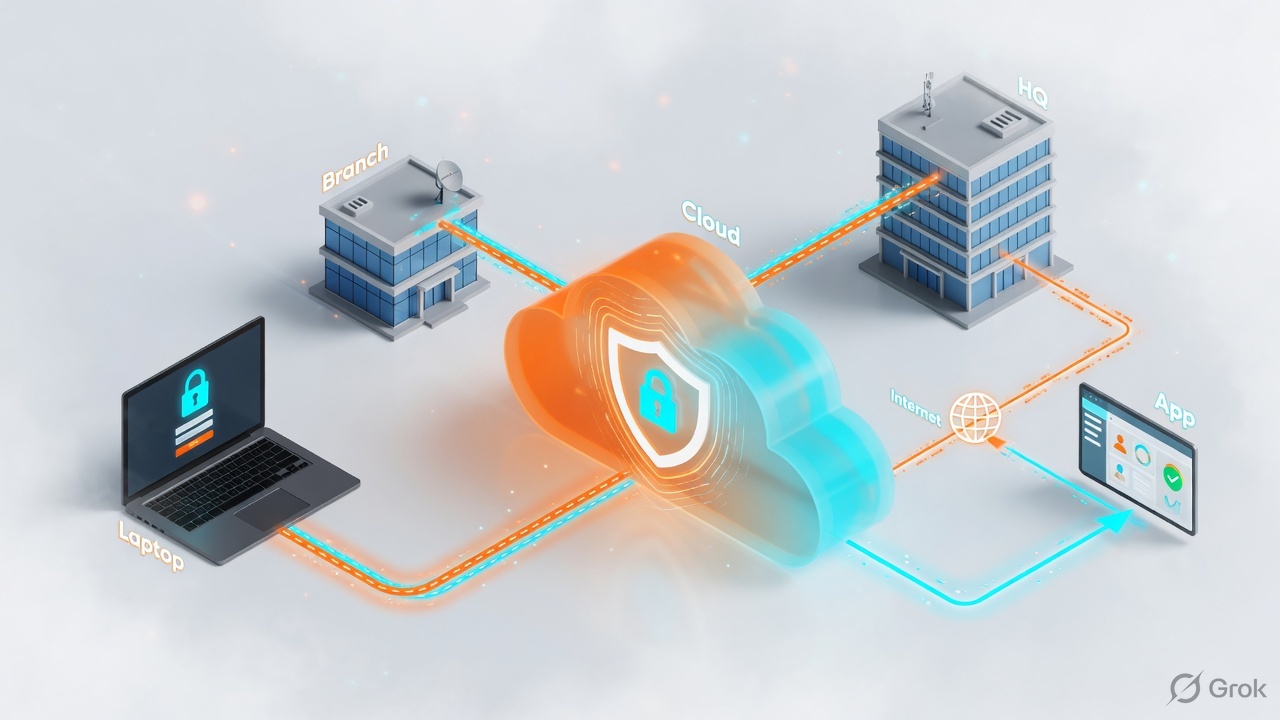
Mobile Users = laptop with GlobalProtect (or Explicit Proxy) to a cloud gateway. Remote Networks = whole branch over IPsec, no agent on every PC. Service Connection (Corporate Access Node) = hub to HQ/DC and the only path that lets Mobile Users talk to Remote Networks. Remote Networks mesh with each other. Mobile Users do not. No Service Connection → GP can reach the internet and still time out to 10.200.0.1.
Why this mix-up shows up in every ticket
Sneha’s GP tunnel is green. Teams works. The Juice Shop on a Linode lab at 10.200.0.1:3000 times out. The RN IPsec to that lab is already ESTABLISHED. She checks GlobalProtect again. Wrong desk.
Prisma Access is one security cloud with three on-ramps. You pick the on-ramp from who owns the device, not from the application name. Then you draw the return path. Mobile Users never magically inherit a Remote Network mesh.
Say this out loud
Portal hands config. Gateway enforces policy. Remote Networks mesh. Mobile Users need a Service Connection hub to reach a branch prefix.
Mental model — three objects, one infrastructure subnet
Prisma Access builds an internal backbone from the infrastructure subnet you give it. That subnet is the glue between Mobile Users, Remote Networks, and Service Connections. It must not overlap HQ, branches, cloud VPCs, or the Mobile User IP pool.
Pre-train these names before any SCM click:
- Portal — control plane. The GlobalProtect app asks it for gateways, auth, and app/tunnel settings. It does not carry user data.
- Gateway — dataplane. After the portal handshake, the app builds IPsec or SSL to a Prisma Access gateway. Security policy, App-ID, User-ID, decryption run here.
- Client IP pool — virtual address Prisma Access assigns to a connected user (lab example
100.92.0.0/16, handed out in /24 blocks per gateway). Must not overlap anything you already route. - Remote Network (RN) — IPsec from a branch NGFW or third-party CPE to a Prisma Access location. Users at that site need no agent. All onboarded RNs are fully meshed.
- Service Connection (SC / CAN) — IPsec to HQ or a data center for private apps and identity services. Also the hub that lets Mobile Users reach Remote Networks. A placeholder SC with dummy subnets is valid when you only need that hub.
If the office has no agent and one firewall, that is Remote Network. If the user is on a cafe Wi-Fi laptop, that is Mobile Users. HQ Active Directory is Service Connection.
| Mobile Users | Remote Network | Service Connection | |
|---|---|---|---|
| Who | Roaming / WFH laptop, phone | Users sitting in a branch | Apps and identity in HQ/DC |
| How they join | GlobalProtect (tunnel default) or Explicit Proxy PAC | IPsec from NGFW or third-party CPE | IPsec from HQ/DC (CAN) |
| Agent on PC? | Yes (except PAC / Prisma Browser cases) | No | No |
| Mesh | No — hub-and-spoke via SC | Yes — RNs fully meshed | Hub for MU and RN |
| Internet egress | From the gateway | From the RN location | Not for internet; private only |
| SCM path | Configuration scope Prisma Access → Mobile Users → GlobalProtect | Configuration → NGFW and Prisma Access → Remote Networks | Configuration → NGFW and Prisma Access → Service Connections |
Sources: Palo Alto Prisma Access overview; Techclick GP Mobile Users workbook; Techclick SC-Hub lab steps.
Packet paths — draw these before you click
Three healthy paths. Memorize the arrows. Troubleshooting is “which arrow is missing.”
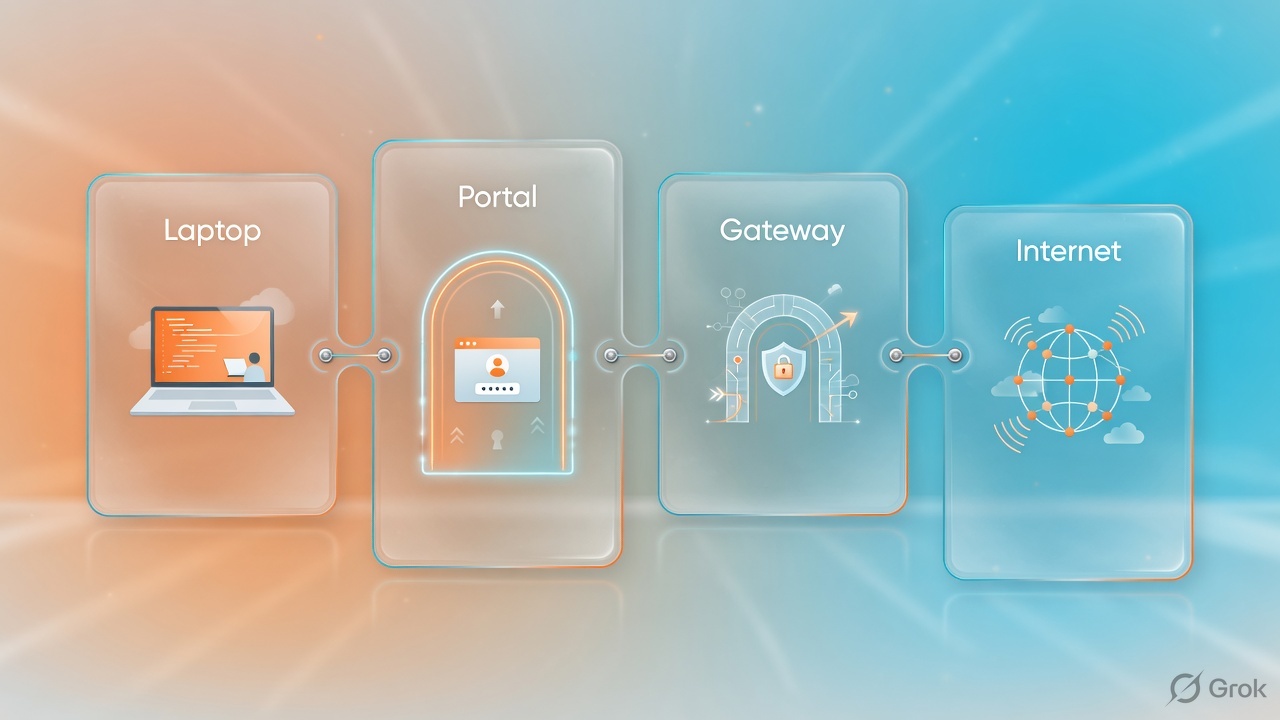
Lab pool example 100.92.0.0/16. User gets a /32 from a /24 carved for that gateway. Interview: policy is enforced on the gateway, never the portal.
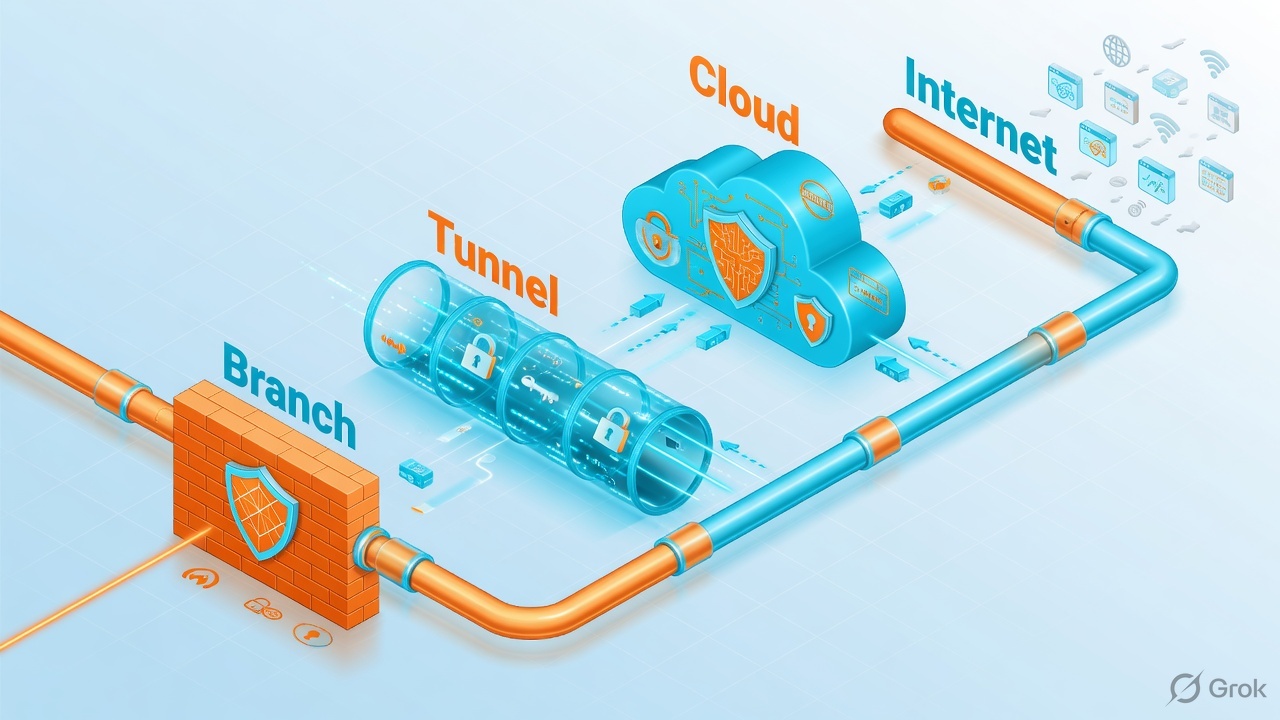
Classroom fact: RN-Linode already has 10.200.0.0/24. Do not put that prefix on SC-Hub. Dummy SC subnet 10.255.255.0/24. Tunnel may stay red. Object still hubs GP.
How to choose
| If you see… | On-ramp | Do not |
|---|---|---|
| 40 users in Pune, one firewall, no agent | Remote Network IPsec + static or BGP | Force GlobalProtect on every PC just to get internet |
| Laptop on hotel Wi-Fi needs SaaS + private HR | Mobile Users GlobalProtect + a Service Connection to the DC | Backhaul the laptop into the Pune RN first |
| GP green, RN green, private app timeout | Add SC (real or placeholder) + security From Mobile Users To Remote Networks | Reinstall GlobalProtect |
| Need AD/SAML from on-prem IdP | Service Connection to that DC (or Cloud Identity Engine) | Expect the portal to reach AD with no SC |
| Internet-only GP lab first | Mobile Users only; add SC later | Mix private-app routing into the first prove-internet lab |
Runbook — Side A branch, Side B laptop, Side C hub
Strata Cloud Manager paths below match Prisma Access 6.1 / Cloud Management 2026.r3-class screens. Labels can shift slightly. Always confirm the configuration scope before you edit.
Side A — Remote Network (the branch)
Allocate bandwidth first
You cannot usefully Add Remote Network until the location has bandwidth. Planning checklist lives on Palo Alto docs for Remote Networks.
Add the site
Configuration → NGFW and Prisma Access → Configuration Scope Prisma Access → Remote Networks → Add Remote Network. Site name, Prisma Access Location, IPSec Termination Node.
Primary IPsec tunnel
Branch Device Type (Generic or vendor template). Static peer IP or Dynamic + IKE IDs. IKEv2, NAT-T on if the CPE is behind NAT. Tunnel monitoring destination on the branch LAN if you want Prisma to declare the tunnel down.
Routing
Static: advertise the branch prefixes (lab
10.200.0.0/24). BGP: peer AS, peer IP, optional summarize. Overlapping RN subnets break inbound routing — two branches cannot both own 10.1.1.0/24.Prove the RN
Tunnel ESTABLISHED. From a PC on the branch (no GP) browse internet and the local app. Logs: RN source, not Mobile User pool.
Configuration → NGFW and Prisma Access → Prisma Access → Remote Networks → Add Remote Network
Add Remote Network
Official path: Onboard a Remote Network (Strata Cloud Manager). Dummy lab site RN-Linode.
Side B — Mobile Users (the laptop)
Set configuration scope
Configuration → NGFW and Prisma Access. Configuration Scope → Prisma Access → Mobile Users Container → GlobalProtect. Do not edit Global by accident.
Infrastructure
Setup → Infrastructure → gear. Portal hostname (default gpcloudservice.com or custom DNS CNAME). Client DNS (Prisma Access Default for internet-only lab). Client IP pool Worldwide example
100.92.0.0/16. Enable locations near users.Authentication
Add Authentication. Lab: Local Users. Production: SAML or Cloud Identity Engine. Attach the profile before you expect a tunnel.
App and tunnel settings
Setup → GlobalProtect App. App Settings = match OS/user, cookie lifetime. Tunnel Settings = what is included/excluded. If an app bypasses Prisma, inspect Tunnel Settings before you blame Security Policy.
Security policy
Security Services → Security Policy. Lab internet allow: source mobile-user zone, dest internet, App-ID, logging at end. Pre-Rules before container rules; first match wins.
Push Config
Top-right Push Config, target Prisma Access / GlobalProtect scope. Wait until Push Status succeeds. Then connect GP, confirm assigned IP from 100.92.0.0/16, then test SaaS.
Configuration Scope → Prisma Access → Mobile Users → GlobalProtect → Setup → Infrastructure
Infrastructure Settings
Source: Techclick GlobalProtect Mobile Users workbook (SCM 2026.r3.1 class screens).
Side C — Service Connection (the hub)
Know why you are adding it
Real HQ apps / AD, or placeholder so GP can reach RN prefixes. Palo Alto recommends always creating at least one SC. License: Net Interconnect for site-to-site and user-to-site. If Add Service Connection is grey, check that entitlement.
Add Service Connection
Configuration → NGFW and Prisma Access → Service Connections → Add Service Connection. Name SC-Hub. Location close to users (lab Belgium / France North — not a random distant local zone).
Placeholder tunnel is allowed
Create a Generic IKEv2 tunnel. Dynamic peer (or a fake static such as 1.1.1.1 — never reuse the RN public IP). Dummy static subnet that does not overlap RN (lab
10.255.255.0/24). BGP off for the placeholder. Tunnel can stay down. Prisma still uses the object as the hub.Security rule for GP → RN
Configuration → Security. Scope Prisma Access so both Mobile Users and Remote Networks are in play. From Mobile Users To Remote Networks, destination
10.200.0.0/24, allow icmp + the app ports, log at end. Push Config.Prove from the GP PC
GP Connected.
ping 10.200.0.1then browse the lab app. If this fails while RN-local PCs work, the hub or the MU→RN rule is missing — not GlobalProtect.
Official SC create path: Configuration → NGFW and Prisma Access → Configuration Scope Prisma Access → Service Connections → Add Service Connection.
Runtime after go-live
Mobile User traffic to a service connection uses the nearest SC in that region (iBGP inside Prisma, eBGP to your CPE). Remote Networks are a full mesh with each other and with SCs. That is why two RNs can talk without GP, and why GP still needs the hub.
Optional: traffic steering can send internet-bound MU or RN traffic to a dedicated SC (third-party stack) before the internet. Do not turn that on to “fix” a missing placeholder SC.
Monitor in SCM: Activity Insights users, branch sites, data-center/service connection health, GlobalProtect authentication success/fail, tunnel status. Push Status In sync after every change.
Traps and proof
| Trap | What it looks like | Proof / fix |
|---|---|---|
| No SC at all | GP internet works, RN app times out | Add placeholder SC; do not reinstall GP |
| Same prefix on SC and RN | Inbound to Juice Shop blackholes | RN owns 10.200.0.0/24; SC gets a dummy prefix |
| Pool overlap | Odd routing, no IP, or duplicate 100.92 | Client pool ≠ HQ, RN, VPC, other VPN |
| Wrong configuration scope | You edited Global; GP container unchanged | Scope label must say GlobalProtect |
| Tunnel Settings exclude | App never hits Prisma policy | Inspect include/exclude before security rules |
| Add SC greyed out | Wizard blocked | Net Interconnect / SC license |
| Placeholder SC red | Panic that GP-to-RN will fail | Object can hub while tunnel is down |
| Policy From/To wrong | SC exists, still deny/timeout | From Mobile Users To Remote Networks + Push |
- Infrastructure subnet set, no overlap
- RN: bandwidth allocated, IPsec up, prefix correct, branch PC works without GP
- MU: scope GlobalProtect, portal, pool, location, auth, push, GP Connected, IP from pool, internet log hit
- SC object present (real or placeholder), prefixes unique, MU→RN rule, push green
- GP PC reaches the RN app; traffic log shows Mobile User source to RN dest
Unsafe: publish a live PSK, reuse the RN public IP on the SC peer, overlap 10.200.0.0/24 on SC-Hub, leave SSL decryption off forever to “make GP work.” Safe: dummy SC prefix, unique IKE IDs, prove internet then private, log-at-end, snapshot before Push.
Knowledge check
Six judgment items. Gateway vs portal, RN vs MU, and why the SC hub exists.
Sources
- Palo Alto — Prisma Access overview (infrastructure subnet, RN mesh, SC hub).
- Palo Alto — Prisma Access Mobile Users (GlobalProtect tunnel / proxy / PAC).
- Palo Alto — Onboard a Remote Network (Strata Cloud Manager).
- Palo Alto — Service Connections and configure SC in SCM.
- Palo Alto — Use a Service Connection between Mobile Users and Remote Networks.
- Palo Alto — Planning checklist for GlobalProtect on Prisma Access.
- Techclick workbook: Prisma Access — GlobalProtect Mobile Users Setup Workbook (SCM 2026.r3.1 class screens).
- Techclick lab: Prisma Access Service Connection steps (SC-Hub placeholder for GP to RN-Linode).
Related: Prisma Access interview Q&A · PAN-OS GlobalProtect · IPSec site-to-site · Prisma SASE deep dive