If it is happening now, open Monitor → Session Browser then show session id. If the table is empty, run test security-policy-match for the 5-tuple — that is the candidate rule, not the live verdict. Then open Monitor → Logs → Traffic and quote Action, Rule, and Session End Reason. Use show counter global filter delta yes when you need the dataplane’s drop reason. Use debug dataplane packet-diag last, filtered, and turn capture off. Do not Commit a second Allow from a screenshot.
1. Why the ladder exists
The factory lesson taught you that PAN-OS manufactures a two-way session. The evidence desk taught you which Monitor window owns which field. This page is the war-room order: which command you type first, and what that command is allowed to prove.
Operators collapse five failures into one sentence. The session never allocated. The dataplane is incrementing a drop counter. The candidate Security rule is not the one they think. Traffic already logged policy-deny. The packet entered receive and never left transmit. Those are five first clicks. Opening Policies is none of them.
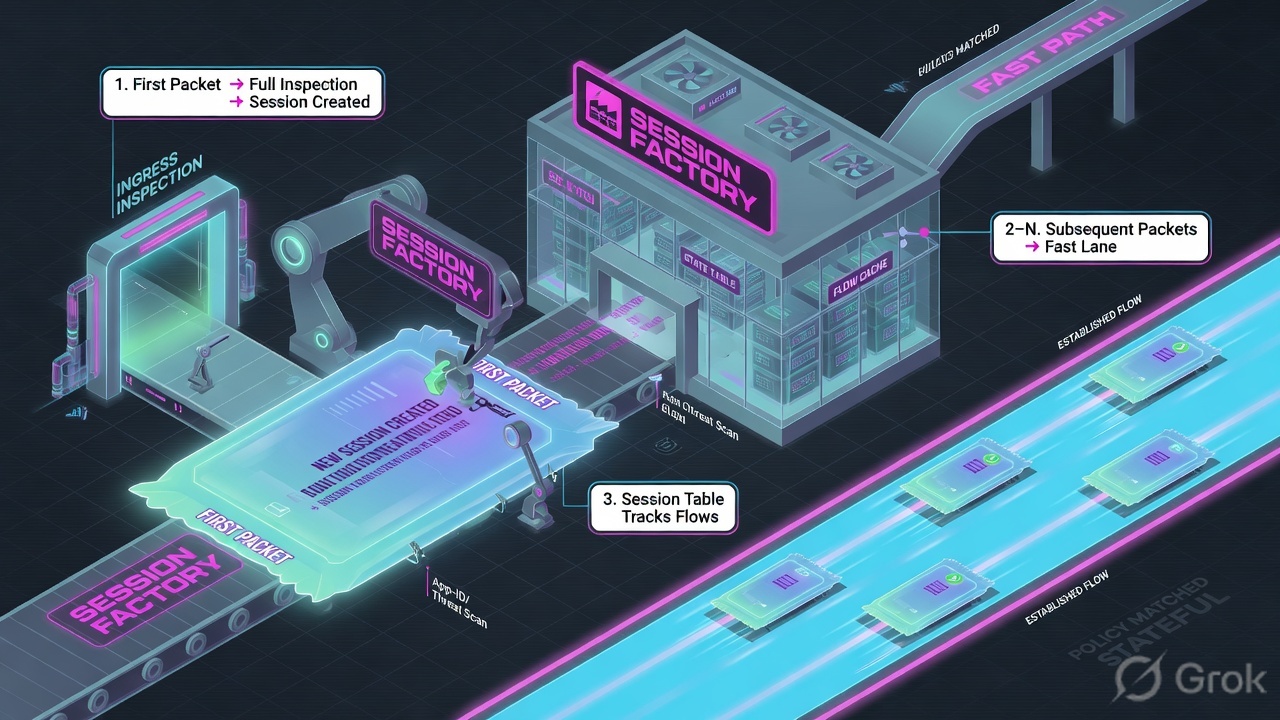
show session, a new Security rule is a guess about a factory that may already have stamped allow.If they say “how do you troubleshoot PAN-OS,” do not recite every debug. Say: “I lock one 5-tuple. I prove the live slot with show session, the dataplane with show counter delta, the candidate rule with test security-policy-match, the history with Traffic Action and Rule, and the wire with packet-diag stages. I do not Commit until I can quote the field that made me do it.”
Concept — five official surfaces, one question each. Path — live session first, then counters, then the candidate rule, then the Traffic end line, then a scoped capture. Do — Side A isolates the slot and the drop counter. Side B names the rule and quotes Action / Rule. Side C captures receive / firewall / transmit / drop and turns it off.
2. Mental model — five rungs
Pre-train the five words before you SSH. Each rung is allowed to prove one thing. Over-claiming a field is how you ship a bad change at 02:00. Lab 5-tuple on this page uses RFC 5737 addresses: client 192.0.2.25 (example\finance.user) → 198.51.100.44:443, protocol 6, session 48219, rule finance-saas, DIPP 203.0.113.10.
1 · show session
Live slot. CLI: show session info, then show session id. GUI twin: Monitor → Session Browser. Proves the session exists, the rule, c2s vs s2c bytes. Does not prove yesterday.
2 · show counter
Dataplane reason. show counter global filter delta yes. After a packet-diag filter: add packet-filter yes. A rising drop name is the sentence. A single snapshot is noise.
3 · test security-policy-match
Candidate rule. CLI test security-policy-match, or Device → Troubleshooting → Security Policy Match. Proves which rule the running config would pick. It is not the live session.
4 · Traffic Action / Rule
History. Monitor → Logs → Traffic. Quote Action (allow / deny / drop / reset-*) + Rule + Session End Reason. A start line has End Reason n/a.
5 · packet-diag
Wire. CLI debug dataplane packet-diag, GUI Monitor → Packet Capture. Stages: receive, firewall, transmit, drop. Filter first. Capture last. Off when the file exists.
Hard words, once
c2s / s2c = client-to-server vs server-to-client halves. delta = counters since the last same command. terminal yes = policy-match stops at that rule. Stage file = which capture point saw the packet.
Read left → right. Each box is allowed one claim. If you cannot name the field, you are not isolating — you are guessing.
I prove the live slot, then the dataplane counter, then the candidate rule, then the Traffic Action and Rule, then the stage file. I do not Commit a Security change until I can quote the field that made me do it.
3. Decision flow — ticket → first command
Flowchart first. Do not open the Security editor until a diamond says the owner is a rule — and even then you quote Traffic Action + Rule before you touch it.
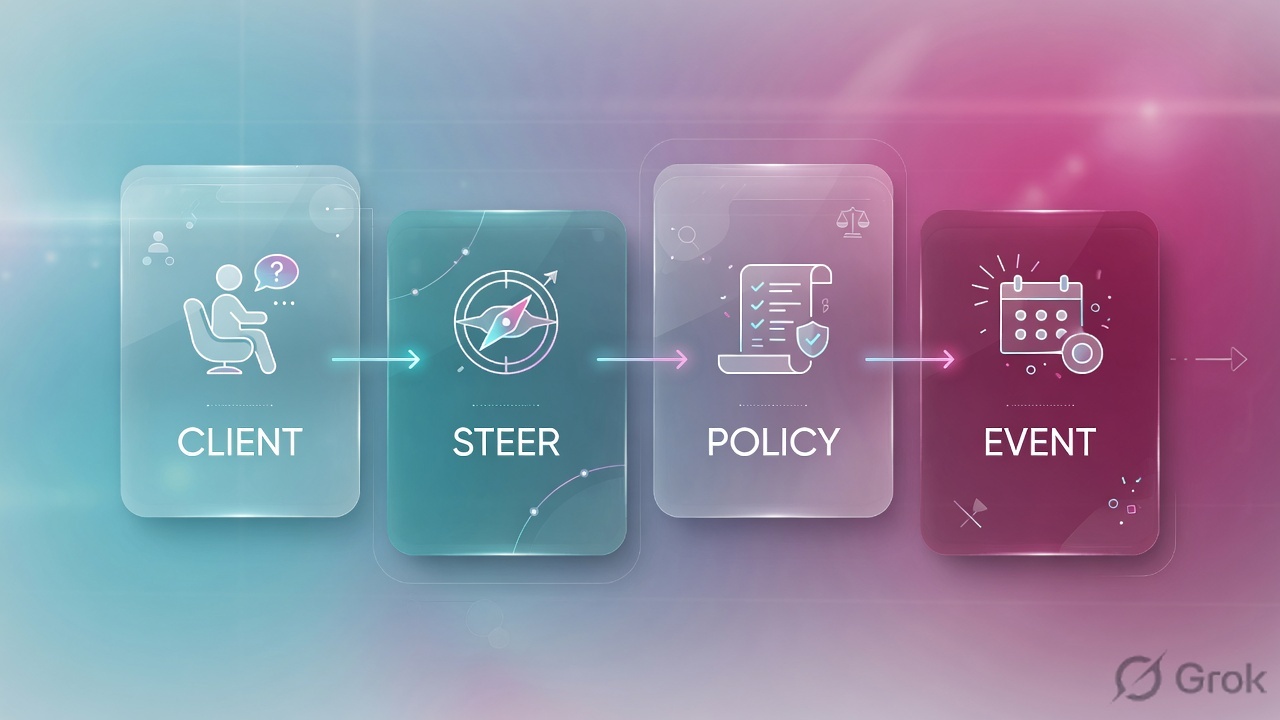
Read the diamond first. Live retries never start in Policies. Empty table never starts as a second Allow. Allowed + zero return never starts as a wider rule. Packet-diag is last.
4. How to choose — command + proof field
Print this next to the CLI. If you cannot recite the proof field, you are not ready to change anything. Dummy values stay RFC 5737 / lab-only; field names are from official Monitor and CLI docs.
| If the ticket says… | First command (official path) | Proof field | Do not open first |
|---|---|---|---|
| Browser spinning right now | Monitor → Session Browser, then show session id |
Session id + rule + total byte count c2s vs s2c |
A new Security Allow |
| Session table empty; “which rule should hit?” | test security-policy-match or Device → Troubleshooting → Security Policy Match |
Matched rule name + action + terminal yes/no |
packet-diag on the whole box |
| It already failed; nothing live | Monitor → Logs → Traffic | Action + Rule + Session End Reason | Policies → Security |
| Intermittent drop; logs look “fine” | show counter global filter delta yes (add packet-filter yes after a filter) |
Counter name that increments on the reproduce | A reboot, or clear session all |
| Logs already spoken; “prove the wire” | debug dataplane packet-diag / Monitor → Packet Capture |
Which stage file exists: receive / firewall / transmit / drop | Unfiltered capture, or leaving capture ON |
Action is what the rule (or profile) did: allow, deny, drop, drop ICMP, reset both, reset client, reset server. Session End Reason is why the slot closed. Official priority starts at threat, then policy-deny, then decrypt reasons, then TCP RST / FIN, then aged-out. A start log has Session End Reason n/a — that line is not an end.
show, test, Traffic filters, and a scoped packet-diag filter are isolate. clear session, Commit, a new Allow, set session offload no on the whole box, and leaving capture ON are change-control. Name the isolate field before you ask for the write.
5. Runbook Side A → B → C
Side A proves the live slot and the dataplane. Side B proves the candidate rule and the Traffic history. Side C proves the wire. On a messy Sev-2, do them in this order until a field lights up. Training reconstructions below use lab names only.
Side A — Live slot and dataplane (show session, show counter)
-
Lock the 5-tuple before you type
Write source, destination, dest-port, protocol, user, UTC. If two people reproduce two URLs, you will mix two sessions. Source for the live table: Monitor → Session Browser. Source for the CLI twins: CLI Cheat Sheet: Device Management —
show session info,show session id <session-id>. -
Open Session Browser, then
show session idFilter the same 5-tuple. Copy the Session ID. Then on the firewall CLI:
show session info
Number of allocated sessions:                    18421
Number of active TCP sessions:                   9104
show session id 48219
Session          48219

      c2s flow:
                source:      192.0.2.25 [trust]
                dst:         198.51.100.44
                proto:       6
                sport:       51422          dport:      443
                state:       ACTIVE         type:       FLOW
                src-user:    example\finance.user
      s2c flow:
                source:      198.51.100.44 [untrust]
                dst:         203.0.113.10
                proto:       6
                sport:       443            dport:      28012
                state:       ACTIVE         type:       FLOW
      start-time                  :              Tue Aug 11 02:07:14 2026
      rule                        :              finance-saas
      action                      :              allow
      application                 :              ssl
      total byte count(c2s)       :              1842
      total byte count(s2c)       :              0
Action
allowplus s2c = 0 is already a closed policy story. The factory allowed the first packet. The return half never arrived. A second Allow will not create SYN-ACK. -
If the table is noisy, read counters as a delta
Official form used across PAN-OS troubleshooting docs:
show counter global filter delta yes. Run it twice, 10–15 seconds apart, while the user retries. Only the second output is a delta. Source examples: SD-WAN Troubleshooting and VM-Series connectivity checks. After you have set a packet-diag filter (Side C), addpacket-filter yesso the increment is only the matching 5-tuple. CLI hierarchy documents thepacket-filterkeyword on global counters.show counter global filter delta yes # first run: baseline, ignore the numbers show counter global filter packet-filter yes delta yes Global counters: flow_fwd_l3_ttl_zero 12 drop packets dropped: IP TTL is zero flow_policy_deny 0 drop session denied by policy flow_tcp_non_syn 3 drop TCP first packet is not SYN # quote the NAME that moved, not “counters look high”
You can paste session 48219, the rule name, and both byte counters. Or you can paste a named global counter that incremented on the reproduce. You have not opened Policies.
Side B — Candidate rule and Traffic history
-
Run
test security-policy-matchon the 5-tupleSource: Test the Configuration. Official example uses
application,source-user,destination,destination-port,source,protocol. GUI twin: Device → Troubleshooting, Test = Security Policy Match — Create a Security Policy Rule (verify step) and Security Policy Match.test security-policy-match from trust to untrust source 192.0.2.25 destination 198.51.100.44 destination-port 443 protocol 6 application ssl source-user example\finance.user "finance-saas" { from trust; source any; to untrust; destination any; user any; application/service ssl/tcp/any/443 action allow; icmp-unreachable: no terminal yes; }
That output is the candidate. Security rules evaluate left to right, top to bottom; first match wins — Security Policy Rules. If the test says
finance-saasallow and Traffic says another rule deny, you have a shadowing or App-ID shift, not a missing rule. -
Open Traffic and write a filter, do not scroll
Path: Monitor → Logs → Traffic. Official columns: Traffic Log Fields — Action, Rule, Application, Session End Reason, bytes. Log types: Log Types and Severity Levels. Default on most allow rules is log at session end — Configure Log Forwarding — so the useful line often appears after the user hangs up.
Traffic filter — documented host/port form(addr.src in 192.0.2.25) and (addr.dst in 198.51.100.44) and (port.dst eq 443)
Add
(action eq deny)or(rule eq 'finance-saas')or(sessionid eq 48219)once you have a handle. Click the spyglass for Detailed Log View — NAT Source IP, both byte counters, Session ID. -
Read Action, Rule, Session End Reason, Bytes Received
Four columns before you speak.
policy-deny+ Rule name is a policy ticket.threatis a Threat-log ticket, not a wider Allow.aged-out+ Action allow + Bytes Received 0 is return path. Applicationnot-applicableon a drop often means the session died before App-ID.
Device / Troubleshooting / Security Policy Match
Security Policy Match
action: allow · from trust · to untrust · terminal yes
This is the candidate on the running config — not the live session.
Source: Palo Alto docs — Device → Troubleshooting / Security Policy Match; Test the Configuration (test security-policy-match). Lab 5-tuple only. Training mock · not live.
Monitor / Logs / Traffic
Traffic logs
| Type | From / To | App | Action | Rule | End Reason | Bytes Rx |
|---|---|---|---|---|---|---|
| start | trust → untrust | ssl | allow | finance-saas | n/a | — |
| end | trust → untrust | ssl | allow | finance-saas | aged-out | 0 |
Source: Palo Alto docs — Log Types and Severity Levels; Traffic Log Fields (action, rule, session_end_reason, bytes). Highlighted row is the close: allow + aged-out + 0 received. Training mock · not live.
Policy-match named finance-saas / allow / terminal yes. Traffic end line named the same Rule, Action allow, Session End Reason aged-out, Bytes Received 0. The owner is the return path, not a missing Security rule.
Side C — Wire (debug dataplane packet-diag)
-
Only after logs have spoken
Packet capture is last because it costs dataplane work and because hardware offload can hide packets. Official: Take a Custom Packet Capture. If NAT is in play, official docs require two filters — pre-NAT client→server, and server→NAT address. GUI path: Monitor → Packet Capture · Clear All Settings · Manage Filters · Filtering ON · add stages · Packet Capture ON · reproduce · Packet Capture OFF.
-
Set the filter, show the setting, then capture
Official CLI shape on CN-Series Troubleshooting:
debug dataplane packet-diag set filter match source … destination …, verify withdebug dataplane packet-diag show setting,set capture on, thenset capture off. Stages in official Help and IPsec transmit docs: receive (enters the physical interface), firewall (policy and session lookup), drop (discarded), transmit (exits; tunnel payload is encrypted). To capture offloaded sessions without disabling offload on the whole box:debug dataplane packet-diag set filter offload no— Disable Hardware Offload.debug dataplane packet-diag set filter match source 192.0.2.25 destination 198.51.100.44 destination-port 443 debug dataplane packet-diag set filter match source 198.51.100.44 destination 203.0.113.10 debug dataplane packet-diag set filter on debug dataplane packet-diag set filter offload no debug dataplane packet-diag set capture stage receive file rx-saas.pcap debug dataplane packet-diag set capture stage firewall file fw-saas.pcap debug dataplane packet-diag set capture stage transmit file tx-saas.pcap debug dataplane packet-diag set capture stage drop file drop-saas.pcap debug dataplane packet-diag show setting debug dataplane packet-diag set capture on # reproduce the 5-tuple once debug dataplane packet-diag set capture off debug dataplane packet-diag set filter off
-
Read which stage file exists, then turn it off
Official custom-capture walkthrough: if nothing was dropped, PAN-OS does not create a drop-stage file. Receive without transmit = the box never sent it. Receive + firewall + drop file = the box discarded after session/policy. Transmit present and the server still silent = owner is past the firewall. Leave capture ON and you tax the dataplane for the next ticket that is not yours.
Monitor / Packet Capture
Custom Packet Capture
Official: if the drop stage has no packets, PAN-OS does not create that file. Receive + transmit + empty drop = the box forwarded. Owner is past the firewall.
Source: Take a Custom Packet Capture (filters, four stages, turn capture OFF); Disable Hardware Offload (debug dataplane packet-diag set filter offload no). Training mock · not live.
Official custom-capture procedure: first filter is pre-NAT source → destination. Second filter is destination server → source NAT IP. One filter captures the outbound SYN and misses the SYN-ACK to 203.0.113.10. You will brief “server never answered” when the return packet simply did not match filter Id 1.
6. Runtime path after the click
After isolate, the user retries the same 5-tuple. You re-read the same field. A Commit is not proof. The next session id with s2c bytes, or a Traffic end line whose Session End Reason is tcp-fin and Bytes Received > 0, is proof.
Re-test the original transaction. If s2c is still 0, the change you made was not the owner — go back to the diamond, do not add a third rule.
7. Traps + close-the-ticket proof
| You see | Weak close | Strong close |
|---|---|---|
| Empty Session Browser | Add a new Allow | Run test security-policy-match, then Traffic for the same 5-tuple |
| Action = allow, s2c / Bytes Received = 0 | “Firewall is fine” / second Allow | Quote allow + aged-out + 0 rx. Owner is NAT, ARP, or the server |
| Session End Reason = threat | Widen the Security rule | Open Threat log. Quote Threat Action + Threat ID + same Session ID |
| policy-match says allow, Traffic says deny | “CLI is broken” | App-ID / URL shift or a more specific rule above. Quote both rule names |
One show counter snapshot | “Counters look high” | Two runs, delta yes, name the counter that moved on the reproduce |
| Receive pcap only, one NAT filter | “Server never answered” | Add the return-to-NAT filter. Re-read transmit and drop files |
| Capture still ON | Leave it for TAC | Packet Capture OFF. Clear filters. Restore offload |
| Start log End Reason = n/a | “End Reason is missing” | That line is not an end. Wait for the end / drop / deny line |
- UTC window and 5-tuple written next to the command you ran.
- One session id quoted — or an explicit “no session allocated.”
- One of: s2c / Bytes Received, a named delta counter, policy-match rule + action, Traffic Action + Rule + Session End Reason, or a stage filename.
- Packet Capture OFF. Filters cleared.
filter offload nonot left behind if you set it. - Next owner named (return path, Threat profile, shadowed rule, routing) — or change-control named. No Commit without residual control.
I name the question, then the first official command, then one field. show session proves the live slot. show counter delta proves the dataplane. test security-policy-match proves the candidate rule. Traffic Action + Rule proves history. Packet-diag stages prove the wire. I do not open Policies until that field is on the ticket. Field-by-field Monitor desk: PAN-OS evidence desk. Factory model: session factory.
Knowledge check
Six war-room judgments. Each maps to a first command or a proof field. Check answers, then Reset if you picked the wrong surface.
Sources
- CLI Cheat Sheet: Device Management —
show session info,show session id <session-id> - View Settings and Statistics —
show session infofields (allocated sessions, TCP/UDP, timeouts) - Monitor → Session Browser — browse and filter current running sessions
- Test the Configuration —
test security-policy-match(source, destination, destination-port, protocol, application, source-user) - Device → Troubleshooting → Security Policy Match
- Create a Security Policy Rule — verify with Security Policy Match (Source, Destination, Protocol, Execute)
- Security Policy Rules — left-to-right, top-to-bottom, first match
- Traffic Log Fields — Action, Rule, Session End Reason, bytes
- Log Types and Severity Levels — Traffic start/end, Action allow / deny / drop
- Configure Log Forwarding — Log at Session Start vs End
- View and Manage Logs — Monitor → Logs
- SD-WAN Troubleshooting —
show counter global filter delta yes - Take a Custom Packet Capture — Monitor → Packet Capture, two NAT filters, stages, capture OFF
- Disable Hardware Offload —
debug dataplane packet-diag set filter offload no - CN-Series Troubleshooting —
debug dataplane packet-diag set filter match,show setting,set capture on/off - Building Blocks for a Custom Packet Capture
- Packet Capture Overview — Drop, Firewall, Receive, Transmit filenames
- Verify IPSec VPN Tunnel Transmit Traffic — receive / firewall / drop / transmit stage definitions
- PAN-OS 11.1 CLI Ops Command Hierarchy —
clear counter global filter … packet-filter
Related: PAN-OS evidence desk · PAN-OS is a session factory · Session table — setup vs fast path · Security policy fundamentals · NAT deep dive · Palo Alto interview hub