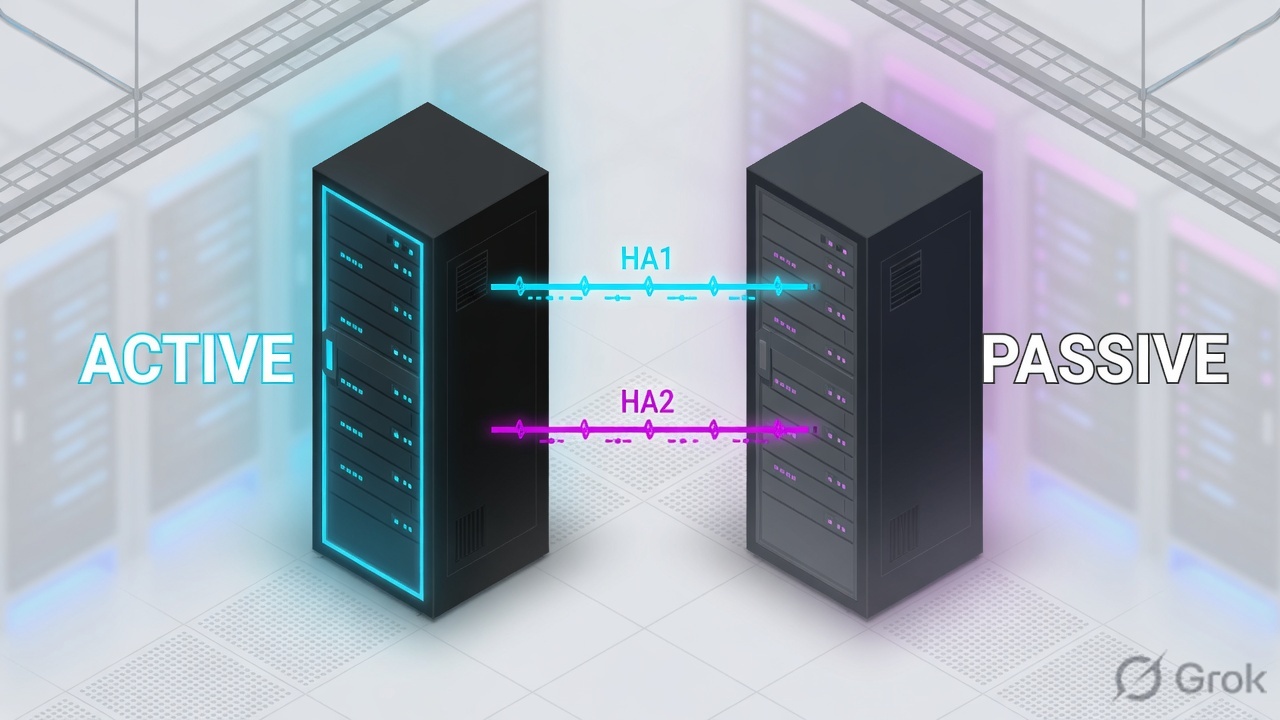
Active/Passive is the default: one firewall forwards, the peer mirrors config on HA1 and sessions on HA2, then takes over with gratuitous ARPs. Active/Active is not double throughput — both peers process traffic, need HA3 for session setup / asymmetric packets, and use floating IPs (or ARP load-sharing) so neighbours have a stable next hop. Prefer A/P unless you truly need two live routing instances. Enable Heartbeat Backup (or HA1-Backup on a different subnet) so a cut HA1 cable does not become split-brain.
1. Why HA is not a magic uptime button
Two identical PAN-OS boxes with a green High Availability widget still drop Salesforce if you never tested the same transaction after failover. HA syncs firewall state. It does not reconverge OSPF for you, flip a silent LACP neighbour, or keep Layer 7 inspection on sessions that already failed over in Active/Active.
The ticket you will actually get is one of three: the pair never formed, both boxes think they are active (split-brain), or failover happened and users still black-hole because the new-active never sent G-ARPs / never had routes.
What HA buys you
A second chassis that already has the config and (if HA2 is up) the session table, so TCP does not have to start over after a box or link death.
What HA does not buy you
Double rated throughput. Palo Alto’s HA Modes page is explicit: Active/Active does not load-balance. Size the survivor for 100% of peak with content inspection on.
2. Mental model — three links, two modes
Memorize the cables before you open Device → High Availability. Most PCNSE and production tickets collapse to “which link died?”
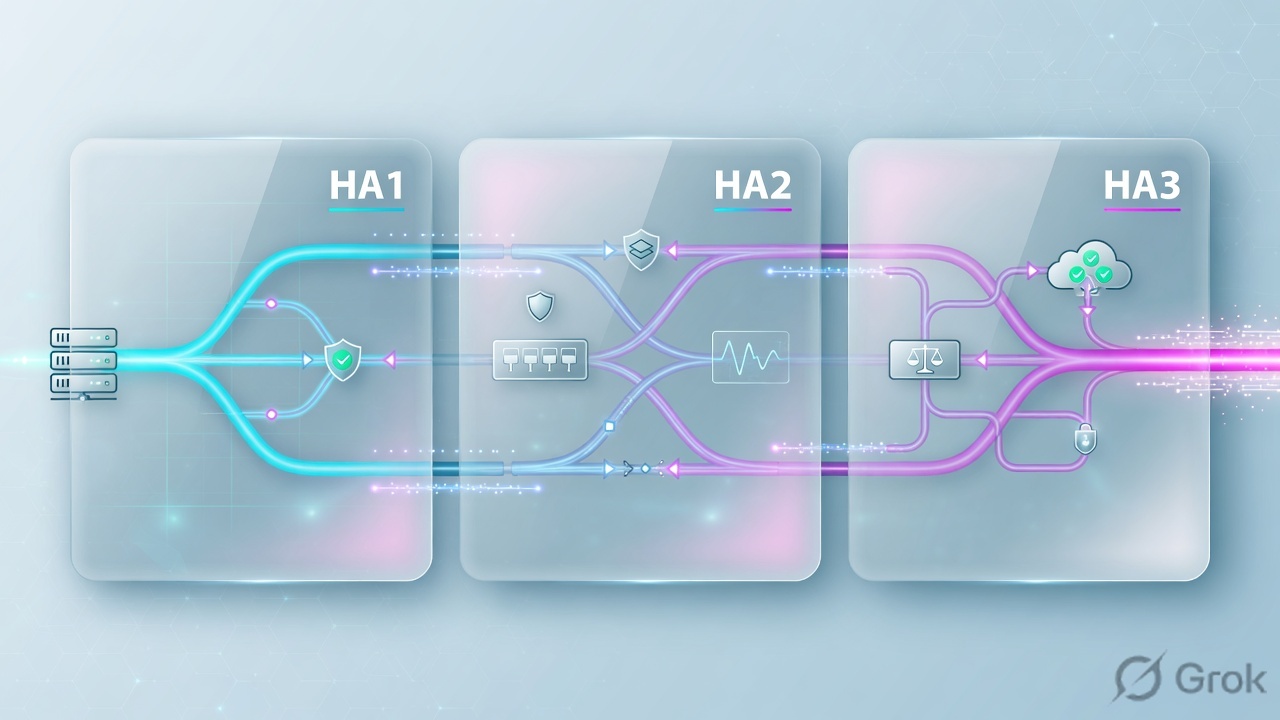
Read left → right. A/P usually stops at HA1 + HA2. A/A adds HA3. Cluster members that are not a pair use HA4, not HA1–HA3 between non-pair members.
HA1 is the control plane conversation. HA2 is the session book copy. HA3 is “here, you process this packet.” If HA1 dies and nothing else carries heartbeats, both boxes promote themselves.
| Term | Meaning before you click Enable HA |
|---|---|
| Group ID | 1–63. Identifies the pair. Must be unique if multiple pairs share a broadcast domain. Both peers match. |
| Device ID | Active/Active only: 0 = active-primary, 1 = active-secondary. Lower ID = higher priority for that role. |
| Device Priority | 0–255. Lower number = higher priority. Used when Preemptive is on both peers. |
| Preemptive | Off by default. If on both peers, the healthier higher-priority firewall takes the active / active-primary role back after it recovers (after Preemption Hold Time, default 1 min). |
| Passive Link State | A/P only. Shutdown (default) holds dataplane links down. Auto leaves them physically up but not forwarding — faster failover. Do not use Auto if the firewall has Layer 2 interfaces (loop risk). |
| Session owner | A/A only. The peer that does App-ID / Content-ID / threat and writes Traffic logs. Help recommends First Packet. |
| Session setup | A/A only. Who creates the session. Help recommends First Packet (or IP Modulo with First Packet owner). Primary Device on both owner and setup makes A/A behave like A/P. |
| Floating IP | A/A Layer 3. An address that moves to the surviving peer with a virtual MAC. Hosts use it as default gateway. Failover = GARP, not a new DHCP lease. |
3. Decision flow — A/P or A/A
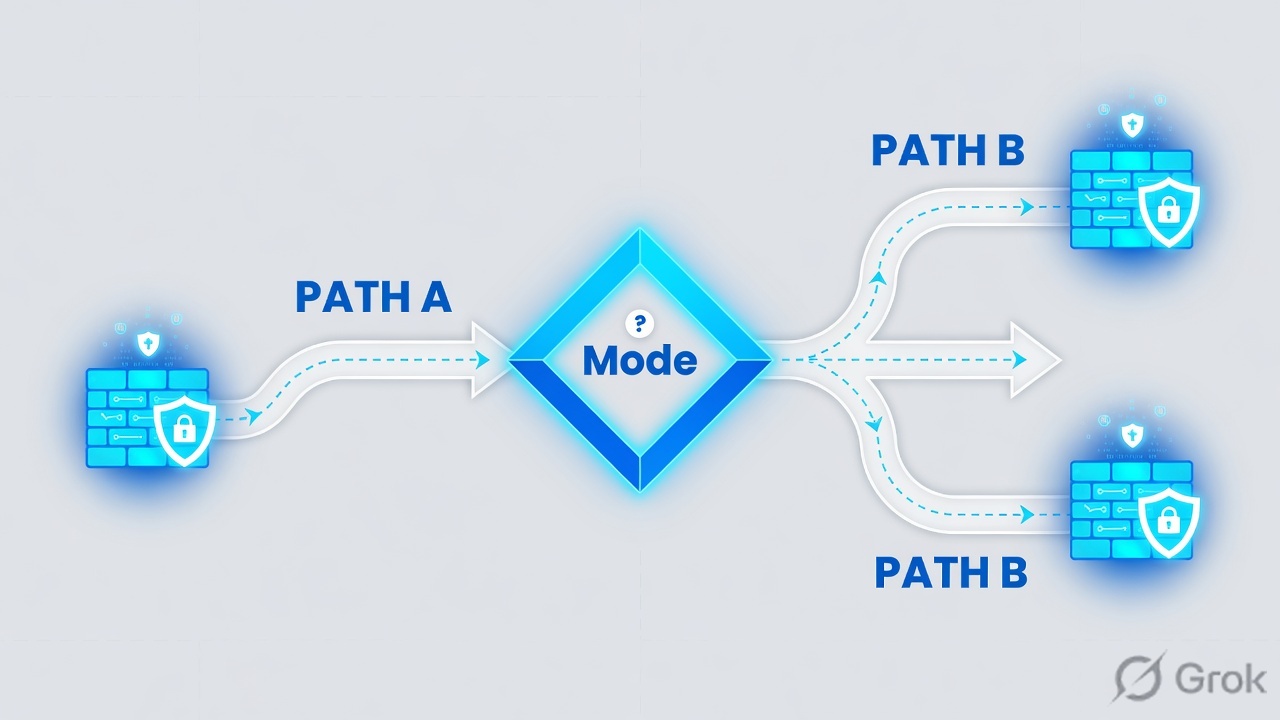
Draw the topology first. The mode decision is a flowchart, not a brand preference. Official HA Modes: A/P works in virtual wire, Layer 2, and Layer 3. A/A works in virtual wire and Layer 3 only — not Layer 2. A/A cannot be a DHCP client; only the active-primary can be a DHCP relay.
Diamond = decision. Most campuses stop at Active/Passive. Take Active/Active only when both firewalls must stay live with their own routing instances.
4. How to choose (and what A/A is not)
Use this table in design reviews. If the room cannot answer the “survivor capacity” row, you are not ready for Active/Active.
| Active/Passive | Active/Active | |
|---|---|---|
| Who forwards | One active dataplane. Passive is synced and ready. | Both dataplanes forward. Roles are active-primary and active-secondary. |
| Supported deployments | Virtual wire, Layer 2, Layer 3. | Virtual wire and Layer 3 only. No Layer 2 pair. |
| Links required | HA1 + HA2 (plus backups). | HA1 + HA2 + dedicated HA3. |
| DHCP | Normal. | No DHCP client. Only active-primary can be a DHCP relay; active-secondary drops DHCP broadcasts. |
| How neighbours find you | Interface IPs live on the active. Failover = G-ARPs from the new-active. | Floating IPs + virtual MAC (or ARP load-sharing). Each peer also keeps a local interface IP. |
| L7 inspection | Always on the active. | On the session owner. If that peer dies, existing sessions fail over without L7 until they are new sessions. |
| Troubleshooting | One forwarding path. Prefer this unless you have a written A/A reason. | Session owner + session setup + HA3 + NAT device-binding. Harder packet walks. |
| When to pick it | Almost every pair. Including “we want fast failover.” | Two live routing instances, full-time use of both boxes, or a documented asymmetric design you can operate. |
“Active/Active doubles throughput.” Official wording: an A/A pair can temporarily process more than one firewall, but that must not be the design. A failure dumps everything on the survivor. If that box cannot inspect peak traffic, you designed an outage.
5. Runbook — cables, Device HA, monitors
Primary source for this block: Configure Active/Passive HA plus HA General Settings (Device → High Availability → General) and Define HA Failover Conditions. Repeat the same field names on peer 2. Then commit both, and Sync to peer from the active Dashboard widget.
Lab placeholders below use RFC 5737 / RFC 3849 space. Replace with your pair. Never copy a production HA key or management IP into a lesson screenshot.
Side A — Physical / peer reachability
-
Cable the control and data links
Dedicated HA ports: HA1-to-HA1 and HA2-to-HA2 (crossover if back-to-back). No dedicated ports: management port as HA1 (best practice on small platforms) and a dataplane port with Interface Type = HA for HA1-backup and for HA2. A/A: add HA3 on HSCI or an AE; enable jumbo frames because HA3 exceeds 1,500 bytes.
-
Allow HA through any filter in the path
HA1 cleartext is TCP 28769 and 28260; encrypted HA1 is TCP 28. HA1-backup adds 28770. Heartbeat Backup on MGT is 28771. HA2 may be raw Ethernet, IP protocol 99, or UDP 29281. If MGT has a Permitted IP list, add the peer HA1 address.
-
Enable ping on Management
Path:
Device → Setup → Interfaces → Management. Permit Ping so Heartbeat Backup can actually exchange ICMP. Management ports must route to each other if you rely on that backup.
Side B — Device → High Availability (both peers)
-
Setup
Path:
Device → High Availability → General→ edit Setup. Set Group ID (same on both). Mode = Active Passive or Active Active. A/A: set Device ID 0 on the intended active-primary and 1 on the peer. Check Enable HA and Enable Config Sync. Enter Peer HA1 IP Address and Backup Peer HA1 IP Address. -
HA Communications
Path:
Device → High Availability → HA Communications. Control Link (HA1): port, IPv4/IPv6, netmask; gateway only if HA1 is routed. Optional Encryption Enabled after you export/import the HA key underDevice → Certificate Management → Certificates. Repeat for HA1 Backup on a different subnet. Data Link (HA2): port, transport (ethernet / IP / UDP), Enable Session Synchronization, HA2 Keep-alive (default threshold 10,000 ms). Add HA2 Backup. A/A: configure the HA3 packet-forwarding link (HSCI or AE). -
Election Settings
Edit Election Settings. Device Priority: lower number on the firewall you want active. Preemptive: enable on both if you want that preference after recovery; leave off if you want fewer failovers. Heartbeat Backup: on when HA1 is dedicated or in-band; off when MGT already is HA1. Timers: leave Recommended unless you measured a need for Aggressive / Advanced.
-
Active/Passive Settings
A/P: Passive Link State = Auto for faster failover on L3/vwire pairs with no L2 interfaces; Shutdown if you have L2 or you cannot trust neighbours to ignore a green link. Monitor Fail Hold Down Time is how long a firewall stays non-functional after a monitor failure before it may become passive again (1–60 min).
Device → High Availability → General
High Availability · Setup + Election
Training values only (RFC 5737). Same Group ID on both peers. Do not enable Heartbeat Backup if the management port is already the HA1 control link.
Click next: HA Communications → fill HA1 / HA1 Backup / HA2 → then Link and Path Monitoring. Source: HA General Settings + Configure Active/Passive HA steps 4–13.
Side C — Link + path monitors, then A/A extras
-
Link Monitoring
Path:
Device → High Availability → Link and Path Monitoring. Add a Link Group by Name, Enabled, Failure Condition Any (default) or All, then Add the physical interfaces (usually the WAN and LAN uplinks). Optionally set the set-of-groups Failure Condition (default Any). Default behaviour: any link in any group failing moves A/P to non-functional (A/A to tentative). -
Path Monitoring
Add Virtual Router Path (or Logical Router Path / Virtual Wire Path / VLAN Path). VLAN path monitoring is A/P only. Give the path group a Name, Enabled, Failure Condition Any/All. Ping Interval default 200 ms (range 200–60,000). Ping Count default 10 (range 3–10). Add a Destination IP Group and the IPs you can actually reach through that VR/vwire — typically the upstream router or a probe address, not a random public anycast. Virtual-wire / VLAN path groups also need a Source IP.
-
Active/Active Config (only if Mode = Active Active)
Path:
Device → High Availability → Active/Active Config. Set Session Owner Selection to First Packet (recommended) or Primary Device. Set Session Setup to First Packet (recommended), IP Modulo, or Primary Device. Add a Virtual Address: Floating (with Device 0 / Device 1 priority; optional bind to Active-Primary) or ARP Load Sharing. You can mix types (ARP-LS on LAN, floating on WAN).
Device → High Availability → Link and Path Monitoring
Link and Path Monitoring
Ping something the VR can actually reach. A public anycast that blackholes from only one ISP will flap the pair. Last device standing: if the peer is already non-active, a lone remaining firewall will not leave active just for link/path failure.
Click next: Commit both peers → Dashboard High Availability widget → Sync to peer from the active. Source: Define HA Failover Conditions.
Health first (heartbeat / hello / link / path / internal chip). Then, if Preemptive is enabled on both, the lower Device Priority number wins (A/A uses Device ID the same way: 0 preferred over 1). If priorities tie, the firewall with the lowest MAC on the HA1 control link becomes active. Preemption is logged in System logs.
6. Runtime path — failover, floating IP, HA3
After go-live the pair is a state machine, not a checkbox. Official failover triggers: missed heartbeats/hellos, a failed link group, a failed path group, packet-path health, admin suspend, or preemption.

Active/Passive takeover
Default heartbeat is an ICMP ping every 1,000 ms; three consecutive losses declare the peer down (see HA Timers). Hello interval default is 8,000 ms. After the peer-failure declaration, Promotion Hold Time expires and the passive becomes active. Dataplane links come up (or were already up if Passive Link State = Auto). The new-active sends gratuitous ARPs for every interface IP it now owns so switches rewrite MAC tables. Sessions that were synced on HA2 continue.
Active/Active — floating IP + HA3
Each L3 interface keeps a local IP and can own a floating IP. Hosts point default-gateway at the floating address. The owner answers ARP with a virtual MAC (vendor OUI plus Device ID / Group ID / Interface ID bits). On link, path, or firewall failure the floating IP and virtual MAC move; the surviving firewall GARPs. By default the address returns to the Device ID it is bound to after recovery — unless you checked Floating IP bound to the Active-Primary HA device.
If the firewall that receives the first packet is not the session owner, it sends that packet over HA3 to the owner. The owner does Layer 7 and logging. Help’s usual recommendation: Session Owner = First Packet, Session Setup = IP Modulo (or First Packet) to keep HA3 quiet. Set both to Primary Device when you want A/A to act like A/P, or when you need all pcaps on one box.
show high-availability state
show high-availability all
show high-availability state-synchronization
show high-availability link-monitoring
show high-availability path-monitoring

# planned failover (not yanking HA1)
request high-availability state suspend
# after the peer is active and traffic is proven:
request high-availability state functional
On the active (or active-primary): local state matches the design, peer is passive / active-secondary, Running Config = synchronized. On the passive: local = passive, Running Config = synchronized. Then click Sync to peer if config still shows out of sync. A pair that is “HA enabled” with unsynced config is two different firewalls.
7. Traps, split-brain, proof checklist
| Symptom | Likely cause | First proof |
|---|---|---|
| Both firewalls active; duplicate IPs; LAN storm | Split-brain: HA1 (and backups) lost, so each peer missed heartbeats while still forwarding. | Cable / encrypt / subnet of HA1 + HA1-backup. Enable Heartbeat Backup if HA1 is not the MGT port. System logs for HA state. |
| Failover works, then flaps back and forth until one is suspended | Path/link monitor fails on both, or Passive Link State = Shutdown so the new-active cannot ping until it is active — a loop. Flap Max (default 3 in 15 minutes) suspends the flapping unit. Last device standing then stays active. | show high-availability path-monitoring. Fix the probe. A suspended firewall needs an operator: request high-availability state functional. |
| New-active is up; users still hairpin to the dead MAC | No G-ARPs seen, or the switch CAM / silent host did not update. A/A: floating IP not configured, so neighbours still ARP the dead local IP. | Packet capture GARP on the new-active data interface. Check floating IP ownership and virtual MAC. |
| Sessions reset on failover | HA2 down, session sync disabled, or HA2 keep-alive failed and state sync stopped. | show high-availability state-synchronization. HA2 keep-alive + HA2-backup. |
| Preferred box never becomes active again | Preemptive off (default), or enabled on only one peer, or Device Priority is not lower on the preferred box. | Election Settings on both. Lower number = higher priority. Preemption Hold Time (default 1 min). |
| A/A: App-ID / threat “missing” after one peer died | Expected for sessions that already existed: owner failure → peer inherits sessions without L7 on those flows. | New sessions inspect again. Do not promise seamless L7 on inherited A/A sessions. |
| HA1-B only connected; dataplane restart → split-brain | On several platforms HA1-B rides the dataplane. Official HA Ports: connect both HA1-A and HA1-B. | Physical audit. Do not run a pair on HA1-B alone. |
Help’s own test language is: uncable the active firewall or use request high-availability state suspend. Pulling only HA1 is how you create split-brain if backups are missing. Pull a monitored dataplane link, or suspend, then watch the peer promote.
Pilot checklist
- Same PAN-OS version and compatible hardware. Group ID matches. Config sync on.
- HA1 and HA1-backup on different subnets, different ports. Heartbeat Backup decision matches whether MGT is HA1.
- HA2 session sync + keep-alive. A/A: HA3 up, jumbo on, MTU larger than forwarded packets.
- Link groups cover the uplinks that actually kill the path. Path probes reachable from the VR you attached.
- Dashboard: synchronized. CLI:
show high-availability stateagrees on both. - Planned suspend → GARP / floating IP move → same user transaction succeeds → System log shows the HA event → revert with
functionalonly after you decide about preempt.
Knowledge check
Six judgment items. Map each miss back to the section in the reason. Check answers, then Reset if you want another pass.
Sources
- Palo Alto Docs — HA Modes (A/P vs A/A, no A/A load-balancing, L2/L3/vwire support, DHCP limits)
- Palo Alto Docs — HA Links and Backup Links (HA1/HA2/HA3/HA4, ports, backup subnet rules, heartbeat backup 28771)
- PAN-OS Help — HA General Settings (Device → High Availability → General field names)
- Palo Alto Docs — Configure Active/Passive HA (cabling, encryption, election, Passive Link State, split-brain wording)
- Palo Alto Docs — Device Priority and Preemption
- Palo Alto Docs — Failover (heartbeat 1,000 ms / 3 losses, link groups, last device standing)
- Palo Alto Docs — Define HA Failover Conditions (link + path monitor UI, ping 200 ms / count 10)
- Palo Alto Docs — Floating IP Address and Virtual MAC Address
- Palo Alto Docs — Session Owner (First Packet vs Primary Device, L7 on owner, HA3)
- PAN-OS Help — HA Active/Active Config (session owner/setup, floating vs ARP load-sharing)
Related: NAT deep-dive · Static / OSPF / BGP · PBF & multi-VR · PAN-OS architecture · Security policy fundamentals