Lessons · Cortex series · External attack surface
This lesson is Cortex Xpanse Expander: outside-in inventory, attribution, ownership, remediation proof. XSOAR is how you automate the ticket once the owner exists. On Cortex XSIAM Premium (or the ASM add-on) the same objects appear under Inventory / Modules → Attack Surface — the data plane does not change.
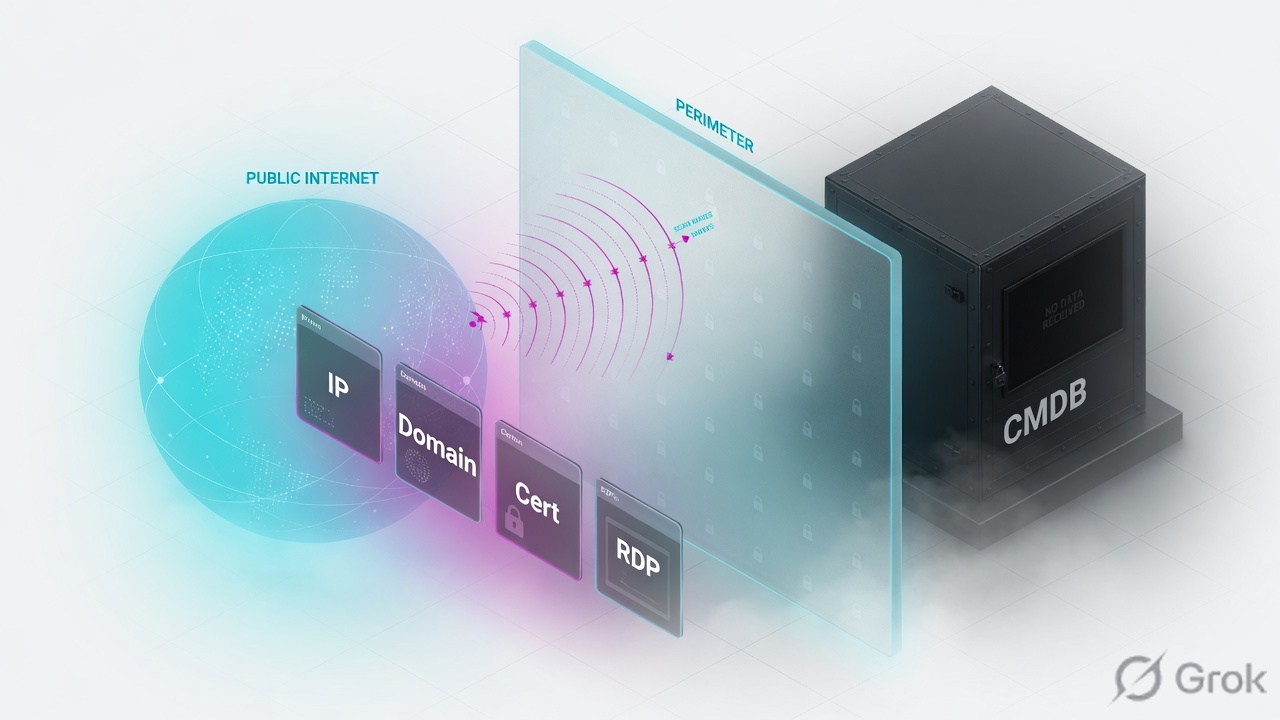
Xpanse is agentless External Attack Surface Management. It continuously scans the public internet (IPv4 space, multiple times per day), inventories domains, certificates, owned IP ranges, responsive IPs, services and websites attributed to you, then fires Attack Surface Rules into issues. Attribution answers why this is yours (seed term, Registered to You / Has Your Content, Discovered vs Provided). Ownership is the BU tag so a human can close the port. Proof is a later scan: Is Active = No. Lab: 192.0.2.80:3389 RDP, no BU, Azure rg-lab-dev.
Why the CMDB is not the internet
The day-one ticket is always the same: “We don’t own that IP.” Wrong question. Attackers do not query ServiceNow. They scan 0.0.0.0/0. Xpanse does the same scan, then tries to prove the responder belongs to you.
Three silent-open states look identical from the SOC (no CMDB hit, no Qualys agent):
- Forgotten cloud VM with a public IP — lab
192.0.2.80, NSG0.0.0.0/0:3389, resource grouprg-lab-dev. Never enrolled in the CMDB. - Stale WHOIS / RIR range still registered to the company, hosting a contractor’s box. Registration says yours; nobody operationally owns it.
- Certificate or domain on a third-party CDN that still presents your org name. Content-attributed, not in any internal subnet list.
Qualys / Nessus / Prisma need a target list or a cloud connector. Xpanse does not. If the service answers on the public internet, it is in scope whether or not your CMDB, AD, or agent inventory ever heard of it. Do not close “not ours” until you have read Asset Attribution Evidence.
Asset, attribution, finding — three objects
An internet asset is something Xpanse can observe from outside: a domain, a certificate, an owned IPv4/IPv6 range, an owned responsive IP, a cloud compute instance, a website. A service is a domain:port or IP:port pair with classifications (banner, software, missing headers). Services are inventory. They carry no policy verdict.
Attribution is the reason Expander believes the asset is yours. It is not the same as a Business Unit. Attribution is on the asset (domain / cert / IP range), not on the service or website row — click through. Ownership is the BU tag you (or a bulk CSV) apply so remediation has a named org unit.
Internet asset
Domain, cert, owned IP range, responsive IP, cloud instance, website. GUI: Asset Inventory (Unified Inventory, Certificates, Domains) and Inventory → Owned IPv4 Ranges.
Service
IP:port / domain:port. Classifications, banners, inferred CVEs. GUI: Asset Inventory → Services. Is Active = observed recently. No security judgment.
Attribution
Origin: Discovered vs Provided. Reason: Registered to You vs Has Your Content. Plus seed-term match. Confidence: Very High / High / Medium.
Finding
Attack Surface Rule → issue / alert. High = known-insecure version or inherently risky internet service (RDP, DB). Most rules are opt-in. Remediation guidance lives on the rule.
Xpanse sees what the internet sees. Attribution says why it is ours. A finding without a Business Unit is not a fix. Closure is a later scan, not a ticket status.
Discover → attribute → remediate
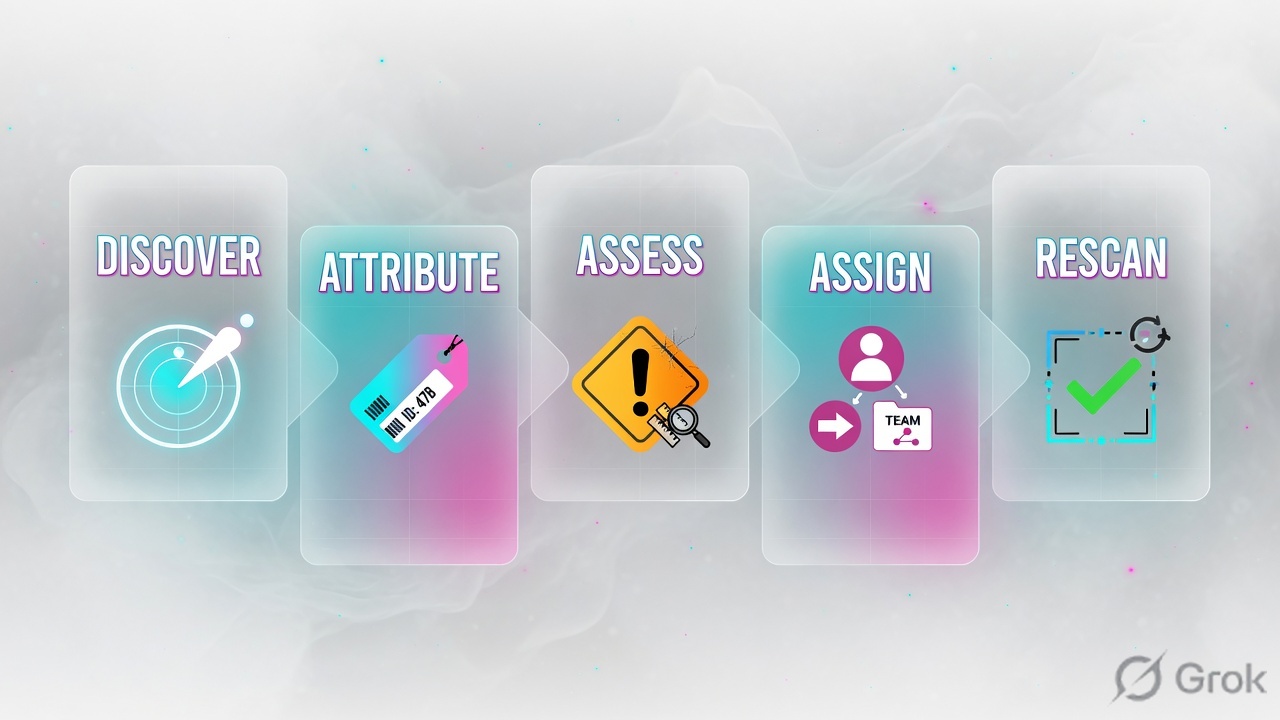
Scan first. Xpanse indexes the public IPv4 space on hundreds of port/protocol pairs — not just “open ports.” A responder becomes an owned responsive IP when it sits on a range already attributed to you, or when a certificate / domain / cloud connector ties it back. Then a service row appears. Then, if an Attack Surface Rule is enabled and matches, an issue is created. Then a human (or XSOAR) assigns a BU and remediates. Then you wait for the next scan.
Read left → right, then the gold bar. The service can exist with no issue if the RDP rule is still disabled. Enable the rule, then hunt the owner.
| Object | Lab value | If missing |
|---|---|---|
| Owned responsive IP | 192.0.2.80 on range 192.0.2.0/24 | No IP to hang the service on. Check Owned IPv4 Ranges + RIR record. |
| Service | RDP 192.0.2.80:3389 · Is Active = Yes | Banner never observed. Confirm the NSG still allows Internet, then wait a scan cycle. |
| Domain / cert | rdp-dev.lab.example · CN matches | Attribution falls back to RIR or cloud connector only — Medium confidence for cloud compute. |
| Attribution | Has Your Content + Discovered · seed “lab.example” | Do not treat as Shadow IT until evidence is empty and cloud/RIR are empty. |
| BU | none → then Cloud-Dev | Issue has no owner. XSOAR cannot route. Port stays open. |
| Attack Surface Rule | RDP exposed · High · Enabled | Service sits in inventory forever with no issue. That is not “safe.” |
| Closure proof | Is Active = No after rescan | Ticket Resolved while 3389 still answers. Attackers do not read Jira. |
Xpanse vs scanner vs CMDB
Pick the tool for the question you are actually asking. Mixing them is the usual “Qualys is green so RDP is closed” ticket.
Three columns, three tickets. Do not use a Qualys agent check to “disprove” a Has Your Content attribution.
| Need | Use | Skip |
|---|---|---|
| What does the internet see on us? | Xpanse Asset Inventory → Services / Owned IPv4 Ranges | CMDB export. It only lists what someone already enrolled. |
| Is this host patched? | Authenticated scanner or Prisma / agent once you have the owner and a private path | Treating an Externally Inferred CVE as a confirmed finding. It is a version match against NVD. |
| Who remediates? | BU tag on the domain or IP range; cloud tags from AWS/Azure/GCP or Prisma Cloud | Mailing “security@” and hoping. Empty BU = no SLA. |
| Is RDP still on the internet? | Wait for the next Xpanse observation; Is Active and Last Observed | Closing the issue the minute NSG is edited. Scan lag is real (new findings after enable: up to 24 h). |
Runbook Side A / B / C
Side A is inventory and attribution. Side B is the rule and the owner. Side C is the rescan. Do not start at C, and do not start in XSOAR.
Side A — find the internet-facing asset
-
Open Services, not the CMDB
Asset Inventory → Services. Filter Service Type / Port
3389, or Externally Detected Providers = Azure. Lab row: Service Name RDP on192.0.2.80:3389, Protocol RDP,Is Active = Yes, Discovery Type Directly Discovered. Source: Cortex Xpanse docs — Services. -
Read attribution on the parent asset
Click the IP or domain, not the service. Asset Attribution Evidence: Origin (Discovered / Provided), seed term, scan data that matched. IP ranges also show Attribution Reason Registered to You or Has Your Content. Lab: Has Your Content via cert CN
rdp-dev.lab.example. Source: Cortex Xpanse — Asset Attribution. -
Confirm the range
Inventory → Owned IPv4 Ranges. Click
192.0.2.0/24. Registration Record (ARIN/RIPE/…) is updated ~biweekly. Active Owned Responsive IPs Count should include.80.
Asset Inventory / Services · filter port = 3389
Services
Training mock. Empty BU on an active RDP service is the whole ticket. Next click: parent IP → Asset Attribution Evidence. Source: Cortex Xpanse — Services.
Side B — rule, owner, remediation
-
Enable the Attack Surface Rule if it is still opt-in
Expander: Policies and Rules (XSIAM: Modules → Attack Surface → Policies → Attack Surface Rules). Lab: RDP exposed, default severity High (inherently risky internet service). Most rules start Disabled — enable, then expect new findings within 24 hours. Disabling stops new issues; open ones stay open. Source: Attack Surface Rules.
-
Assign a Business Unit
BU cannot be edited on an individual service row. Set it on the domain or IP range. Bulk: Settings → Configurations → Asset Management → BU Management, CSV columns
Asset, AssetType, BusinessUnits, ActionTypewithAPPENDorREPLACE. Max 50 rows. Lab:192.0.2.80·IP_RANGE·Cloud-Dev·REPLACE. Admin role required; the BU must already exist. Source: Bulk business unit management. -
Remediate on the owner’s control plane
Xpanse does not close Azure NSGs by itself unless you run Active Response / XSOAR playbooks. Lab fix: NSG deny inbound TCP 3389 from Internet, or deallocate the VM in
rg-lab-dev. Then leave the issue open until the next observation.
Asset Inventory / Owned Responsive IPs / 192.0.2.80
Asset Attribution Evidence
Training mock. “Not in CMDB” is not a counter-argument to Has Your Content + org cert. Source: Cortex Xpanse — Asset Attribution.
Asset,AssetType,BusinessUnits,ActionType
192.0.2.80,IP_RANGE,Cloud-Dev,REPLACE
rdp-dev.lab.example,DOMAIN,Cloud-Dev,APPEND
Side C — prove it on the next scan
-
Do not resolve yet
NSG edited ≠ internet closed. Wait for a subsequent observation. New rule findings can take up to 24 hours; service
Is Activeflips when Xpanse no longer sees the port. -
Re-open the service row
Asset Inventory → Services · same
192.0.2.80:3389. Wanted:Is Active = No, Last Observed frozen at the last positive hit, RDP classification moves to Inactive Classifications. Then set the issue Resolved with that timestamp in the notes. -
Optional: XSOAR mirror
If incidents are mirrored, the Handle Expanse Incident playbook is enrichment + owner hunt, not the scan itself. Pair with XSOAR playbook lifecycle. Do not mark the XSOAR incident closed while the Xpanse service is still Active.
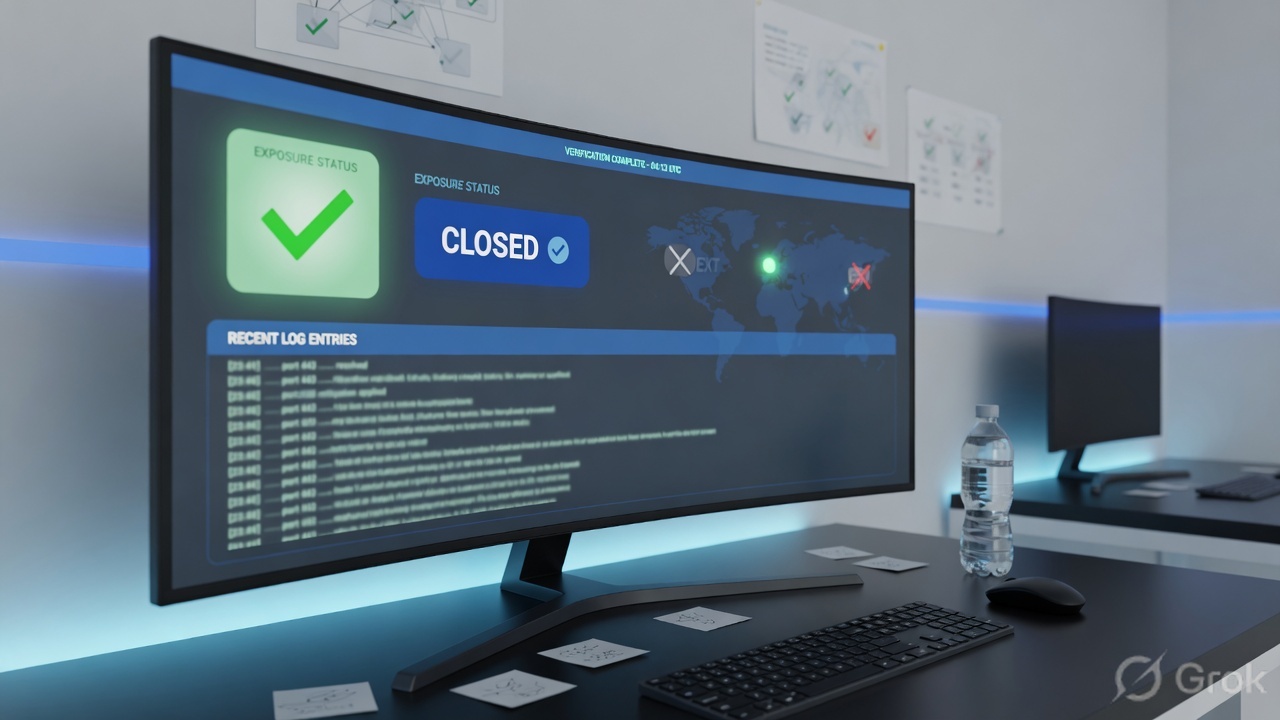
Proof fields: service Is Active, Last Observed, issue status, BU = Cloud-Dev. If 3389 still answers from a random VPS, the NSG did not take or you remediated a different NIC. Rescan, do not argue with the banner.
One exposure after go-live
Every new public IP, cert, or domain that matches a seed term lands in inventory on the next global scan. If the matching Attack Surface Rule is enabled, an issue appears. If the parent range already has a BU, the issue is born with an owner. If not, you are back at Side B.
- Directly Discovered service on a tagged range → issue to that BU. SLA starts.
- Colocated with your Services → adjacency risk, not automatically yours. Do not NSG-blast a multi-tenant neighbour.
- Cloud compute from the XCloud / Prisma connector → Medium confidence (IPs move). Re-check the instance before you treat the recorded IP as still yours.
- Provided domain (customer upload, cannot be externally validated) → High confidence because you said so. Still scan it.
Traps + proof
| Symptom | Likely cause | What to check |
|---|---|---|
| Helpdesk: “not ours, close it” | CMDB empty; attribution ignored | Asset Attribution Evidence. Has Your Content or Registered to You beats a missing CI. |
| Service exists, no issue | Attack Surface Rule still Disabled (default for most rules) | Policies → Attack Surface Rules. Enable RDP / DB / known-insecure. Wait ≤ 24 h. |
| Issue assigned to Security forever | No BU on the domain or IP range | BU Management CSV. You cannot set BU on a single service row. |
| Inferred CVE panic | Version string matched NVD; OS/mitigations unknown | High vs Medium confidence. Confirm on the host. Xpanse over-matches on purpose. |
| Ticket Resolved, Shodan still 3389 | Resolved without a later observation | Services → Is Active. If Yes, the port still answers. Re-open. |
| Looking for attribution on the service | Evidence is not published on Services or Websites | Open the parent IP / domain / cert. |
| Scanner noise from Xpanse itself | Global scan ranges hitting the NGFW | Allowlist published Xpanse ranges (CFAA-compliant). Abuse: scaninfo@paloaltonetworks.com. |
- Services row exists, Directly Discovered, Is Active = Yes.
- Parent asset shows Has Your Content (or Registered to You) and a seed-term match.
- RDP Attack Surface Rule Enabled, severity High, issue open.
- BU
Cloud-Devon the IP range; owner has the NSG change. - After the next scan: Is Active = No. Then — and only then — Resolved.
Knowledge check
Six judgment items. Map each back to attribution, BU, or rescan — not product slogans.
Sources
- Cortex Xpanse — Services (Discovery Type, Is Active, Services vs Alerts, Inferred CVEs)
- Cortex Xpanse — Asset Attribution (evidence, confidence labels, Registered to You / Has Your Content, Discovered vs Provided)
- Cortex Xpanse — Owned IPv4 Ranges
- Cortex Xpanse — Bulk business unit management
- Cortex XSIAM — Attack Surface Rules (enablement, High = risky internet service / known-insecure, 24 h, disable ≠ close)
- Cortex XSIAM — Learn about Attack Surface Management
- Palo Alto Networks — Cortex Xpanse product (outside-in scan of IPv4 space)
Related: XSOAR playbook lifecycle · Palo Alto operational failures · All lessons