Lessons · FortiSASE · SWG, ZTNA, SD-WAN policy
This lesson is which FortiSASE policy engine owns the session. FortiClient tunnel vs PAC is steering. On-prem ZTNA tags on a FortiGate without FortiSASE is a different control plane.
FortiClient steering · FortiGate ZTNA tags · FortiGate zone / NAT

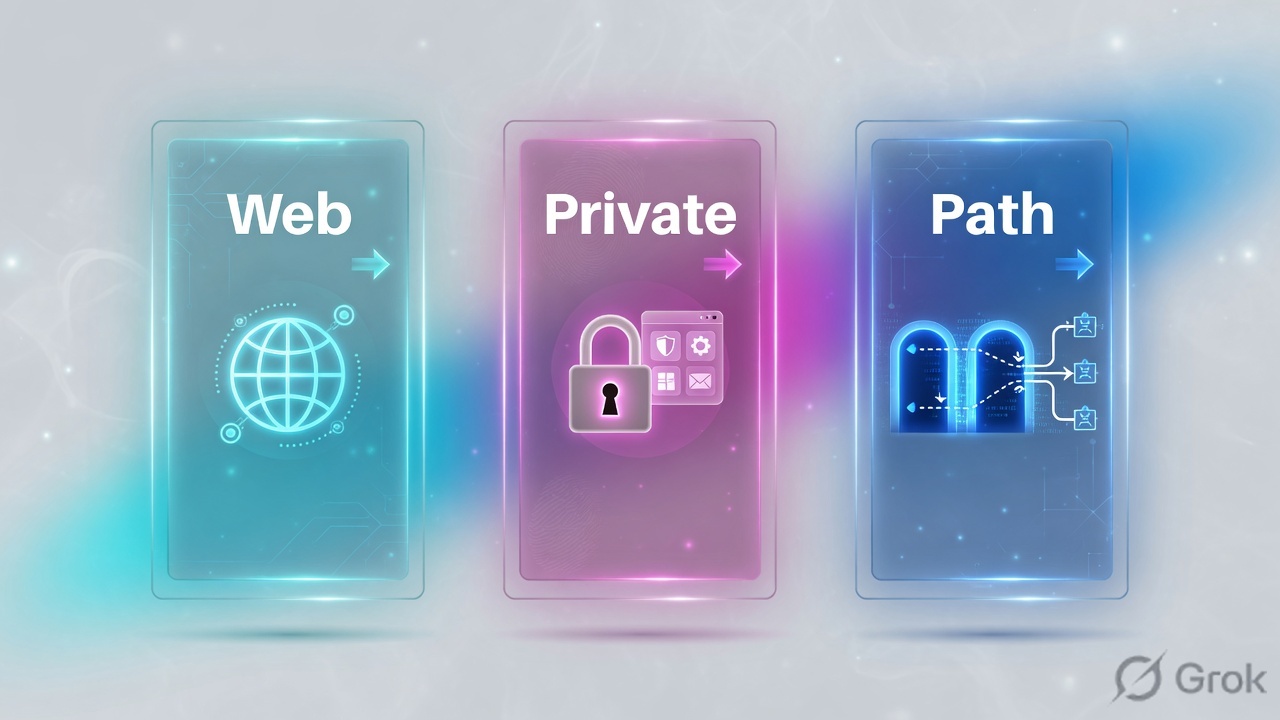
FortiSASE policy is not one list. SWG (Secure Internet Access / proxy) inspects internet and SaaS after FortiClient or PAC steers HTTP(S) to a PoP. ZTNA publishes a named TCP application through a FortiGate access proxy, matched on user and security posture tag. SD-WAN SPA makes FortiSASE PoPs spokes of a FortiGate hub over IPsec + BGP so 10.20.20.0/24 (TCP and UDP) is reachable — then a separate Secure private access policy (To hubs / From hubs) still has to accept. Order: web, private, then path. Proof is the matching log plus hub tunnel health, not FortiClient connected.
Why internet working is not private access
The day-one ticket is always the same: “SASE is up, so the private app should work.” Wrong. SWG succeeding only proves the endpoint reached a FortiSASE PoP and hit an internet policy. RFC1918 never uses that list.
Three silent-zero states look identical from the laptop (timeout to 10.20.20.80):
- SWG/SIA policy is accept; there is no ZTNA application object and no SPA To-hubs policy for
10.20.20.80. - ZTNA app exists for TCP/443, but the user asked for SMB/UDP or a whole subnet — ZTNA access proxy does not carry that.
- SPA hub IPsec is up, BGP has
10.20.20.0/24, and the To-hubs catch-all is still below a deny, or the endpoint is missing tagSASE-Compliant.
Agent-based SIA uses FortiClient to the PoP. Agentless SWG uses an explicit proxy / PAC. Neither is a private-access grant. Debug the engine that owns the destination, not the icon.
SWG, ZTNA, SD-WAN — three engines
Fortinet’s SASE split is SSE + networking. In the product that is FortiSASE (cloud SWG, ZTNA, FWaaS, CASB) joined to FortiGate Secure SD-WAN as the SPA hub. You still configure three policy families in the FortiSASE portal.
SWG / SIA
Internet and SaaS. Agent-based tunnel or agentless explicit proxy. Security › Traffic › Policies (internet / proxy). Profile group: web filter, DNS, AV, IPS, DLP, SSL inspection.
ZTNA
Named TCP app behind a FortiGate access proxy. User + security posture tag. Shortest path. Agentless ZTNA is a bookmark portal — still not a subnet VPN.
SD-WAN SPA
FortiSASE PoPs as spokes to a FortiGate hub. IPsec, BGP, SLA. All protocols. Then Secure private access › To hubs / From hubs still has to accept.
Shared glue
Identity (SAML/LDAP/RADIUS), FortiClient or PAC, security posture tags, security profile groups. Tags do not replace the destination object.
Internet is SWG. A private TCP app is ZTNA. A private network, UDP, or existing SD-WAN hub is SPA. The path is not the permit. Each engine has its own policy list.
Web, private, then path
Do not start at the hub. Classify the destination. Internet stays on SWG. Private TCP with an access proxy stays on ZTNA. Everything that needs a routed overlay — subnet, UDP, spoke-to-hub — takes SD-WAN SPA, then a To-hubs accept.
Read left → right, then the three columns. Identity is shared. The allow is not.
| Object | Lab value | If missing |
|---|---|---|
| Endpoint | FortiClient agent, or PAC for agentless SWG | Never reaches a PoP. Internet and private both fail. |
| Identity / tag | group remote-users · tag SASE-Compliant | Policy match empty. Tagged accept never hits. |
| SWG policy | SIA accept + profile group, dest internet | HTTPS to 203.0.113.80 dies. Private app is a different ticket. |
| ZTNA app | web-int TCP 10.20.20.80:443 via access proxy | Browser to the FQDN times out. Subnet ping is not this engine. |
| SPA hub | FortiGate 10.20.20.1, WAN 192.0.2.1, BGP 10.20.20.0/24 | No route to RFC1918 from the PoP. To-hubs policy never sees a dest. |
| SPA policy | To hubs Allow-SASE-Compliant before Allow-All | Hub up, traffic denied. Order is first-match, same as FortiOS. |
Which engine for this ticket
Pick by destination and protocol, not by license SKU. Mixing engines is the usual “internet is fine” ticket.
Three columns, three tickets. Do not toggle SD-WAN to “fix” a missing ZTNA app.
| Need | Use | Skip |
|---|---|---|
| Consistent internet / SaaS inspection | SWG / SIA policy + security profile group. Agent: FortiClient. Agentless: PAC from System › SWG Configuration. | ZTNA app objects. They are not URL filters. |
| One HTTPS app at 10.20.20.80, identity + posture | SPA using ZTNA (access proxy) or agentless ZTNA bookmark. Application policy, not a /24. | Advertising the whole LAN in BGP “because it is easier.” |
| SMB, DNS, ICMP, or any UDP to 10.20.20.0/24 | SD-WAN SPA: service connection to hub, BGP, To-hubs accept. | ZTNA access proxy. Docs: TCP-based applications only. |
| Existing FortiGate SD-WAN hub-and-spoke | FortiSASE PoPs as extra spokes. Same overlay, SPA policies in the cloud. | Replacing hub firewall policy with an SWG rule. |
Runbook Side A / B / C
Side A is identity and steering. Side B is the three policy families. Side C is logs plus hub health. Do not start at C.
Side A — who is on the wire
-
Identity and posture
SAML / LDAP / RADIUS group
remote-users. Security posture tagging rule set that emitsSASE-Compliant/SASE-Non-Compliantfor agent-based users. Source: FortiSASE Administration Guide — Configuring security posture tagging rule sets; Supporting external IdP users. -
Steering
Agent-based: FortiClient connected to the FortiSASE instance. Agentless SWG: PAC from System › SWG Configuration, corporate prefixes returned
DIRECTso10.20.20.0/24is not hairpinned into the proxy. Source: FortiSASE — Downloading and customizing the PAC file.
function FindProxyForURL(url, host) {
  if (isInNet(host, "10.20.20.0", "255.255.255.0") ||
      isInNet(host, "127.0.0.0", "255.0.0.0")) {
    return "DIRECT";
  }
  return "PROXY <fortisase-swg-host>:10447; DIRECT";
}
Side B — one policy family per destination
Security › Traffic › Policies › Create · Secure Internet Access
Allow-Web-HTTPS
Source: FortiSASE Administration Guide — Default SWG policies; Configuring a SWG policy. Newer builds: Security › Traffic › Proxy policies. Place explicit denies above the pre-defined Allow-All. This rule never matches 10.20.20.80.
-
SWG / SIA
Security › Traffic › Policies (internet / SWG / proxy). Accept for
remote-users, dest internet, attach a profile group (web filter, DNS, AV, SSL). Log all sessions. Source: FortiSASE — Security profiles; Configuring a SWG policy. -
ZTNA application
SPA using ZTNA: FortiGate access proxy publishes
web-int=10.20.20.80:443. Agentless: Configuration › Agentless ZTNA — private application, application policy, bookmark portal. Still TCP. Source: FortiSASE Architecture Guide — SPA using ZTNA; Administration Guide — Agentless ZTNA.
Security › Traffic › Policies › Secure private access › To hubs › Create
Allow-SASE-Compliant
Source: FortiSASE — Configuring a private access policy for client-to-server traffic; Configuring dynamic private access policies using security posture tags. Place Allow-SASE-Compliant above Allow-All Private Traffic. Destination host Location = Private Access Hub.
-
SD-WAN SPA hub, then To-hubs
Service connection: FortiSASE PoPs as spokes of hub
10.20.20.1/ WAN192.0.2.1. BGP advertises10.20.20.0/24. Then the To-hubs policy above. If the hub initiates to users, add From hubs. Source: FortiSASE — Configuring a new service connection; Viewing health and VPN tunnel status.
Side C — prove the engine that fired
-
SWG proof
From the laptop, HTTPS to
203.0.113.80. FortiView / Analytics traffic log: policyAllow-Web-HTTPS(or Allow-All), dest is internet, action accept. Empty private-access log is expected. -
ZTNA proof
HTTPS to
web-int. Log shows the application policy, user, tagSASE-Compliant. Access-proxy health on the FortiGate is up. A SWG hit for that FQDN means you steered it to the internet engine — wrong class. -
SPA proof
Operations › SPA hub monitoring: IPsec up, BGP has
10.20.20.0/24. Traffic log on Secure private access, policyAllow-SASE-Compliant. On the hub: IPsec and BGP as in FortiSASE — Verifying IPsec tunnels on the FortiGate hub; Verifying BGP routing.
Same user, three rows: SIA log to 203.0.113.80, ZTNA app log to 10.20.20.80:443, SPA To-hubs log to 10.20.20.0/24 with IPsec up. That is the close — not “FortiClient is connected.”
One flow after go-live
Laptop SYN to 203.0.113.80:443. FortiClient steers to PoP. Identity remote-users. Dest is internet → SWG policy accept + profile group. Session logged on SIA. Private prefixes in PAC stay DIRECT / off this path.
Same laptop SYN to 10.20.20.80:443 as ZTNA app web-int. Dest class = named TCP app → access proxy, posture SASE-Compliant, application policy accept. No BGP required for that one host if ZTNA is the design.
Same laptop SMB to 10.20.20.10. Dest class = routed subnet / UDP-capable → SPA overlay. PoP IPsec to hub 192.0.2.1, BGP next-hop 10.20.20.1, To-hubs Allow-SASE-Compliant. Hub FortiGate still needs its own LAN policy. SWG never sees this flow.

Traps + proof
| Symptom | Likely cause | Proof |
|---|---|---|
| Internet works, 10.20.20.80 times out | SWG healthy; no ZTNA app and no To-hubs match. | SIA log present. SPA / ZTNA log empty for that dest. |
| HTTPS app works, SMB/UDP fails | ZTNA access proxy is TCP-only. Need SD-WAN SPA for the subnet. | Architecture Guide — ZTNA vs SD-WAN SPA. Hub has no IPsec from PoPs. |
| Hub IPsec up, traffic denied | To-hubs catch-all below a deny, or tag miss (SASE-Non-Compliant). | Policy order. Session tagged wrong. Move Allow-SASE-Compliant above Allow-All. |
| Agentless user cannot use posture tag | Proxy / SWG policies cannot leverage security posture tags the way agent-based SPA can. | Unified SASE security policies note. Use user/group on SWG; tags on agent SPA. |
| Private prefix sent to SWG | PAC missing DIRECT for 10.20.20.0/24. Hairpin into proxy. | PAC file. SWG log for dest 10.20.20.80 — wrong engine. |
| SPA up, server still dark | FortiGate hub LAN policy missing, or From hubs not built for inbound. | Hub diagnose sys session list empty. FortiSASE To-hubs hit is not hub allow. |
| Bookmark portal 404 / deny | Agentless ZTNA application policy, not SWG, not SPA To-hubs. | Agentless ZTNA verify steps in the admin guide. |
SWG is internet inspection. RFC1918 on that list is a classification bug. Publish the host on ZTNA or advertise the subnet on SPA, then accept on To-hubs.
- FortiClient connected or PAC hits the SWG host. Separate from private allow.
- SIA: HTTPS to 203.0.113.80 → FortiView policy accept, profile group applied.
- ZTNA: HTTPS to 10.20.20.80 as
web-int→ application policy +SASE-Compliant. - SPA: hub IPsec up, BGP
10.20.20.0/24, To-hubsAllow-SASE-Compliantabove Allow-All, log hit. - PAC returns DIRECT for 10.20.20.0/24. No SWG log for that subnet.
- Hub FortiGate LAN policy exists. FortiSASE accept is not FortiOS accept.
Knowledge check
Six judgment items. Submit once. Reasons point back at the section to re-read.
Sources
- FortiSASE Administration Guide — SWG Policies / Configuring a SWG policy; Agentless ZTNA; Security profile groups; SSL Inspection
- FortiSASE Administration Guide — Configuring a private access policy for client-to-server traffic (To hubs)
- FortiSASE — Dynamic private access policies using security posture tags (Allow-SASE-Compliant above Allow-All; Location = Private Access Hub)
- FortiSASE Architecture Guide — SIA vs SPA using ZTNA (TCP, access proxy) vs SD-WAN private access (all protocols, FortiGate hub)
- FortiSASE Unified SASE for MSSP Architecture Guide — Security policies (SIA, SPA To Hub, SPA From Hub; proxy policies and posture tags)
- FortiSASE — System › SWG Configuration / PAC customization; Viewing health and VPN tunnel status; Verifying IPsec / BGP on the FortiGate hub
- Fortinet Cyberglossary — SASE = SSE (SWG, ZTNA, CASB, FWaaS) + SD-WAN
Related: FortiClient steering and private access · FortiGate ZTNA tags · FortiGate zone, policy, NAT